The short answer
Visier is a people analytics platform that large organisations buy when their workforce data is scattered across systems that disagree with each other. Workforce planning is a module on top, not the product itself.
Two things are worth knowing before you go any further.
Visier will not tell you what it costs. Not “contact us for pricing”, which is at least an answer. There is no pricing page. visier.com/pricing and visier.com/plans both return 404, and the word “pricing” does not appear on its homepage at all. Every route in is a demo, a tour or a test drive.
The interesting thing about Visier in 2026 is not its dashboards. It is that Visier now ships a native MCP connection, which means outside AI agents can query its governed workforce model directly. Almost nobody covering this category has mentioned it, and for anyone building AI on top of HR data it is the most consequential thing on the page.
What Visier actually is
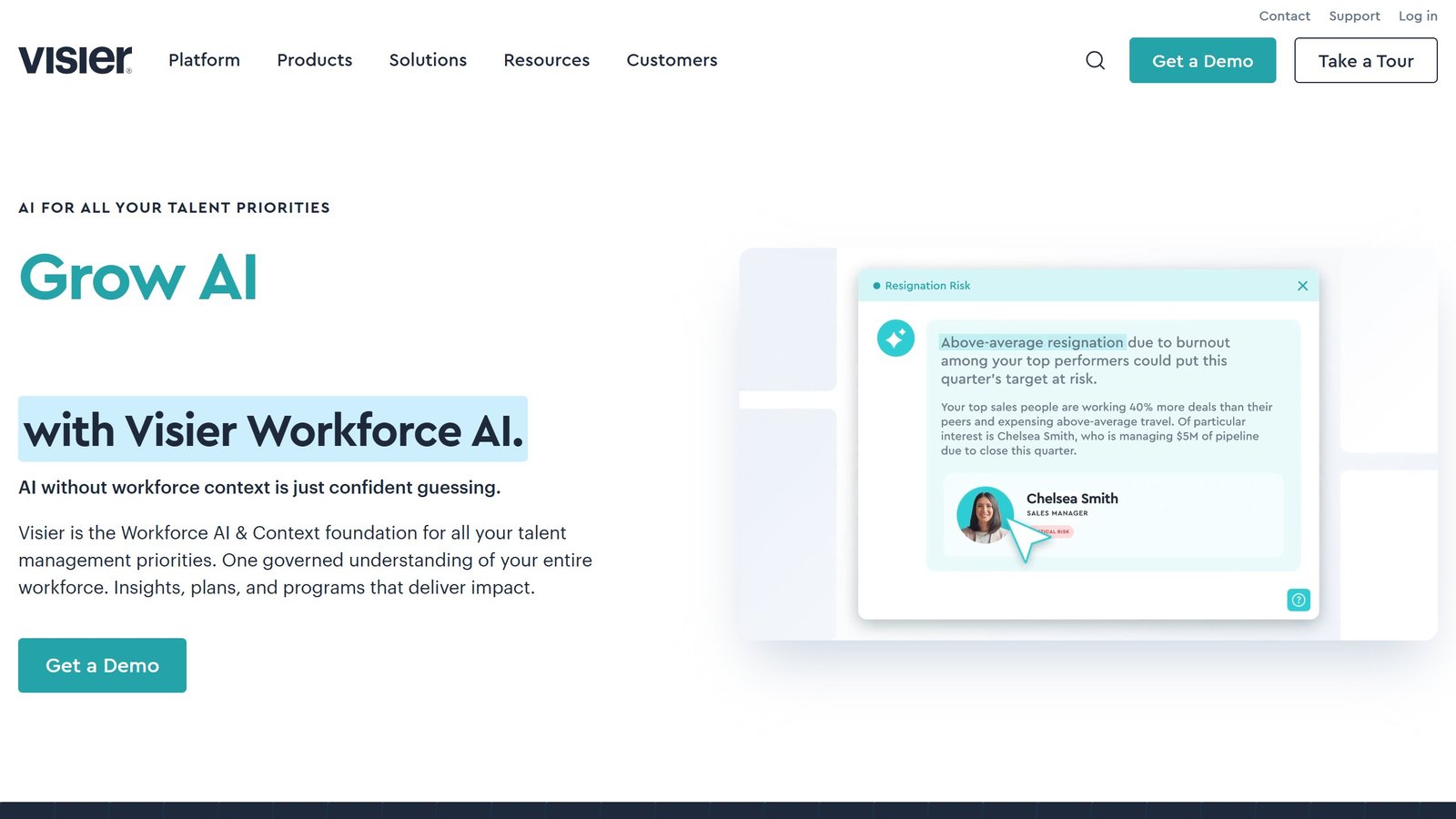
Visier positions itself as a “Workforce AI and Context foundation”: one governed model of your workforce that everything else reads from. The pitch is aimed squarely at a specific failure, and it is stated bluntly on their own homepage:
Enterprises are racing to put AI on talent decisions. On a foundation of fragmented systems and scattered data, AI doesn’t get smarter. It guesses faster.
That is the whole argument. Visier is selling the layer underneath the AI, not the AI.
The published numbers behind it, all from Visier’s own pages:
| What | Figure |
|---|---|
| Organisations | 85,000+ |
| Prebuilt metrics | 2,000+ |
| Prebuilt connectors | 20+ |
| Workforce domains represented | 11 |
| HR benchmark points | 250M+ |
| Compensation benchmark points | 2B+ |
| Years of workforce data engineering | 16 |
Read the 85,000 carefully. It appears twice on the homepage doing two different jobs: once as “85,000+ of the world’s most complex organizations trust Visier”, and once as “85K+ ORGS CONTRIBUTING” to the benchmark pool. Whether those are the same population is not stated. It is a reasonable claim either way, but a customer count and a benchmark contributor count are not automatically the same thing, and only one of them tells you how many companies bought the product.
The prebuilt metrics number is the one that matters commercially. 2,000 metrics and 20 connectors is the argument that you are not funding an eighteen month data engineering project before you see a chart. In a category where implementation routinely costs more than year one licensing, that is the real pitch.
Workforce planning inside Visier
Visier Workforce Planning is described on its own page as a companion solution to Visier People, which is worth understanding before you shortlist it. It is not a standalone purchase. It pulls from your core HR systems and, separately, from financial planning systems, so the plan and the budget sit on one foundation.
What it is built to do:
- Plan collaboratively. Delegate portions of a plan to individual stakeholders so line managers own their own numbers rather than being handed them.
- Track continuously against actuals. Visier’s argument is that an annual planning cycle is already wrong by March, so plans are tracked and adjusted rather than set.
- Bridge headcount and budget. Plan inside shared goals for finance and workforce at the same time, which is the bit generic FP&A tools handle badly.
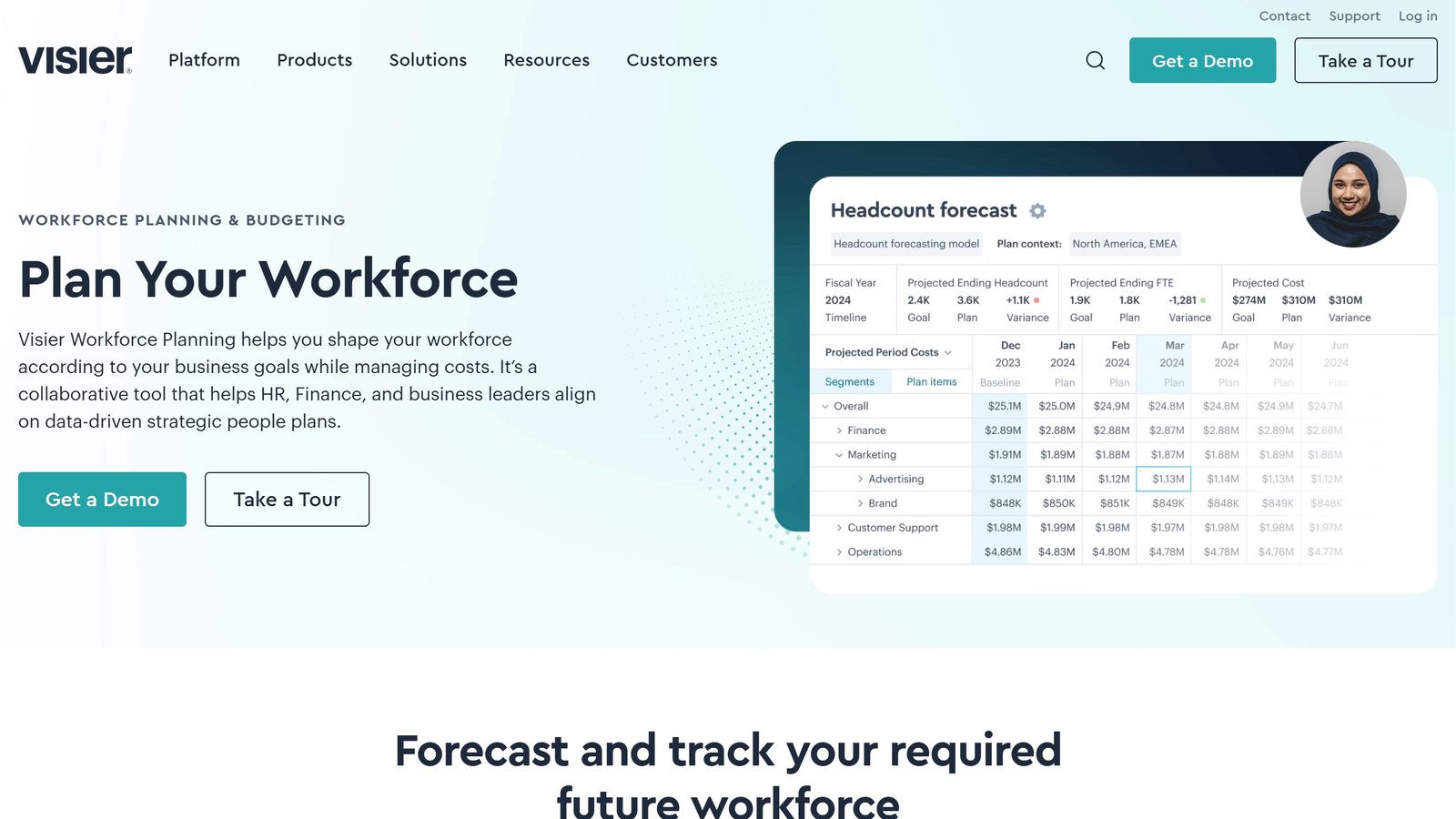
The questions it advertises answering are concrete enough to judge fit against: what hiring and internal movement is needed to hit headcount goals, how lines of business can predict their own people costs, how to shape a workforce against a financial target, what the workforce looks like in a year, how turnover affects hiring strategy, and how to fill talent gaps cost-effectively.
If those are your questions, this is the right category. If your question is “who is working Saturday”, it is emphatically not, and our workforce planning guide sets out which tools sit on which side of that line.
The AI layer, and the part worth your attention
Visier offers three routes to agentic use, and they escalate in a way that is unusually clear for this market.
One: use Visier’s own agents. Vee is the assistant. The published framing is “ask a question (or don’t)”, meaning it surfaces insights nobody requested as well as answering what is asked. Studio Agent is aimed at platform teams adapting the deployment.
Two: build your own agent against the Visier model, describing the talent outcome you want.
Three, and this is the one: connect any external agent through Visier MCP. In Visier’s words:
Connect any agent through Visier MCP. Every answer draws on the same governed workforce model: same definitions, same evidence, no matter who’s asking, scoped automatically to what each person is allowed to see.
Why that is a genuinely big deal. The hard problem in putting an LLM anywhere near HR data is not retrieval, it is permissions. Headcount, compensation and attrition are exactly the data where “who is allowed to see this” is the entire question, and a naive RAG pipeline over an HR warehouse leaks. Visier’s claim is that permissions travel with the answer, enforced by the model rather than by the agent asking politely.
If you already run copilots and want them to answer workforce questions without building a permissions layer yourself, that is the specific reason to look at Visier over a cheaper analytics tool. It is also the claim to press hardest in a demo, because it is the one carrying the most weight.
What Visier costs
Nothing published. To be precise about what we checked on 3 September 2026:
visier.com/pricingreturns 404.visier.com/plansreturns 404.- The word “pricing” does not appear anywhere on the homepage.
- Every call to action is Get a Demo, Take a Tour or Take a Test Drive.
That is not unusual at this end of the market. Visier is not alone: in our survey of what the nine leading workforce planning tools publish, only one printed a usable rate card. Enterprise people analytics prices on employee count, module mix and contract length, and a single published figure would be wrong for almost every reader.
The consequence for you is still real. You cannot shortlist Visier on price. You can only shortlist on fit and then discover the price, and that means calendar time before you know whether it is affordable.
Take a Test Drive is the cheapest way to see the product without a sales cycle, and it is worth using before the demo rather than after.
Who Visier is for
A good fit if:
- You are large and complex enough that your workforce data genuinely lives in several systems that disagree.
- You need HR and Finance planning from one set of numbers instead of reconciling two before every board review.
- You want benchmarks against actual organisations rather than survey data.
- You are putting AI agents on workforce data and permissions are your blocker. This is the strongest single reason to pick Visier in 2026.
A poor fit if:
- You are a small or mid-size business. Everything about the positioning, from “most complex organizations” to the absence of a self-serve price, says enterprise.
- You want scheduling and time tracking. That is a different category, and Deputy is where to look.
- You need a number before you can get approval to talk to a vendor.
- Your data lives in one clean HRIS already, in which case you may be paying for a foundation you have.
How we researched this
Visier’s homepage, its why-Visier page and its workforce planning solution page were loaded in a real browser with a standard Chrome user agent on 3 September 2026, scrolled in full, with consent overlays stripped before any text was read. The pricing and plans URLs were requested directly and their status codes recorded. Roughly 24,800 characters of Visier’s own copy were read across the three pages.
We have not used Visier. We hold no account and have run no trial or test drive, so nothing here is a verdict on how Vee answers a real question, how long an implementation takes, or how the MCP connection behaves under load. Every figure and every quotation above is what Visier published about itself on the date stated.
Where a claim is Visier’s rather than ours, we have said so and quoted it. The 85,000 organisations figure, the benchmark point counts and the MCP permissions claim are all vendor claims we have reproduced accurately, not findings we have verified independently.
Rolling this out so people actually use it
The failure mode in corporate training software is not a bad product, it is a deployment that reaches week six with impressive licence numbers and no behaviour change.
Pick one team and one behaviour, not one platform
The instinct is to roll out to everyone because the licence covers it. The better move is one team, one measurable behaviour, and a fixed period. A discovery call structure, an objection, a specific product pitch. Narrow scope means you can tell whether it worked, and a result from one team persuades the rest far more effectively than a mandate.
Managers have to use it before reps do
Roleplay and coaching platforms live or die on whether managers review the output. If a rep completes a scenario and nobody ever mentions it, completion becomes a compliance task within a fortnight. Before launch, agree which existing meeting will use the output, ideally the one-to-one that already happens, and make somebody responsible for opening it there.
Mandatory completion produces completion, not skill
If the only metric is completion percentage, you will get a high completion percentage and learn nothing. Pair it with something qualitative from the start: a manager rating on a rubric, a before-and-after recording, or a call outcome. Otherwise the dashboard will look excellent while the sales floor is unchanged.
Plan for the second wave, which is where it usually dies
The first cohort is volunteers and enthusiasts and it always goes well. The second is everyone else, and their experience decides whether visier review becomes part of how the team works. Budget real time for the second wave, expect more resistance, and do not read the first cohort’s enthusiasm as evidence the rollout is done.
Name the owner and the stop condition
One person whose job includes this, with the hours to do it, and a written statement of what twelve months would have to look like for you not to renew. Both are unglamorous and both are the difference between a platform that survives a budget review and one that quietly does not.
What sales training and roleplay platforms actually charge
This is one of the least transparent categories we cover. Most vendors quote rather than publish, which changes how the evaluation has to be run. Here is each alternative to visier review, read at source on 4 September 2026.
Yoodli, the only one here with a published individual rate
Yoodli publishes $8 a month billed annually for its Pro individual plan, which includes up to ten roleplays a week and live AI coaching, and $20 a month billed annually above that. It also runs a free tier. That makes it the only platform in this comparison a single person can price without speaking to anyone, which matters if you want to test the category before committing a team budget.
The five that publish no figure at all
We could not read a price from Second Nature, Hyperbound, Mindtickle, Highspot or Visier on 4 September 2026. Hyperbound and Highspot both render a pricing page carrying no currency figure. That is a commercial choice rather than an oversight, and it is the norm at the enterprise end of sales enablement.
Allego publishes a pricing page with no price on it
Allego is worth calling out separately. It has a real pricing page, headed “Simple Sales Enablement Pricing. Clear Results.”, and there is not a single currency figure anywhere on it. It does publish something useful though: a contract buyout programme for customers switching from a competitor mid-term. If you are locked into a rival, that is worth asking about specifically, because it is the kind of term that rarely appears in a comparison table.
What to do when almost nobody publishes
Price a published alternative precisely at your seat count and make it the number every quote has to justify itself against. Yoodli at $20 a month billed annually across 40 reps is $9,600 a year. That is not a like-for-like substitute for an enterprise enablement platform, and it is a real figure in the room that both sides can verify, which is more than you will otherwise have.
Ask what the platform fee is separate from the seats
Several vendors in this category price as per-user licences plus a platform fee that scales with the number of users supported. That means the cost does not fall as neatly with a smaller pilot as you might expect, and a 10-seat pilot can carry most of the platform cost of a 50-seat deployment. Ask for both components separately before modelling a phased rollout.
Why the price you see may not be the price we saw
This deserves its own section because it affects several tools in this category and almost no comparison article accounts for it.
What we actually observed
When we read Synthesia’s pricing page on 4 September 2026, every plan figure was in rupees, because our captures run from an Indian IP address and the site served local pricing automatically. HeyGen went further: a request to heygen.com/pricing redirected to its /en-in/ locale even when we sent a United States language header, meaning the routing is by IP rather than by browser preference.
Why this breaks most price comparisons
An article quoting a single global figure for a geo-priced tool is describing one country’s rate card and presenting it as the price. Regional pricing is not usually a straight currency conversion either; vendors set local rates deliberately, so the ratio between two markets can differ considerably from the exchange rate. That means you cannot fix the problem by converting, and we do not attempt to.
How to check your own number in thirty seconds
Open the vendor’s pricing page yourself, from the country where the contract will sit, and look at the currency symbol before you look at the number. If the URL contains a locale segment such as /en-in/ or /en-gb/, you are on a regional page. Where a vendor offers a currency selector, note that changing it sometimes changes the plan structure and not merely the symbol.
What to ask when the contract is cross-border
If your company is registered in one country and the team is in another, ask which entity is billed, in which currency, and whether the rate is fixed for the term or moves with a published exchange rate. Ask whether taxes are included, because several vendors here publish figures excluding tax. These questions are dull and they are the difference between a budget that holds and one that drifts by a fifth.

Written by
FazFaz is the founder of AIToolsBakery. Some tools here are tested hands on. Others are assessed from vendor documentation and pricing verified on the live page, and every review says which one it is. Sponsors can buy a position in a guide. They cannot buy the score, the criticism, or silence about a better option.
How we test and how we make money →