iScape has been around since 2012. Four million downloads. A 4.6-star rating. And a $30/mo price tag that makes everyone hesitate.
Faz says: iScape is the oldest tool on this list by a decade. It launched in 2012, back when “landscape design app” meant something completely different. Four million people have downloaded it. Landscapers say it helped them close 20% more deals. But this isn’t 2012 anymore, and iScape is competing against AI tools that generate entire yard redesigns from a single photo in seconds. iScape doesn’t do that. It’s a manual drag-and-drop tool with AR. You place each plant, each paver, each structure yourself. That’s powerful for professionals who need precision, but it’s a lot of work for a homeowner who just wants to see what a new garden bed would look like. We compared it against every tool in our best AI landscaping tools roundup to see where it still wins and where it’s fallen behind.
What iScape Does
iScape is a drag-and-drop landscape design app with two design modes:
2D Photo-Based Design: Upload a photo of your yard and layer plants, trees, pavers, stones, furniture, and structures onto it. You place each element manually, resize it, and position it where you want. The result is a photomontage of your yard with new elements added.
3D AR Design: Point your phone camera at your yard and place virtual plants and elements directly into the live camera view using ARKit (iOS) or equivalent AR (Android). Walk around your yard and see the elements at real-world scale. This is what iScape is known for.
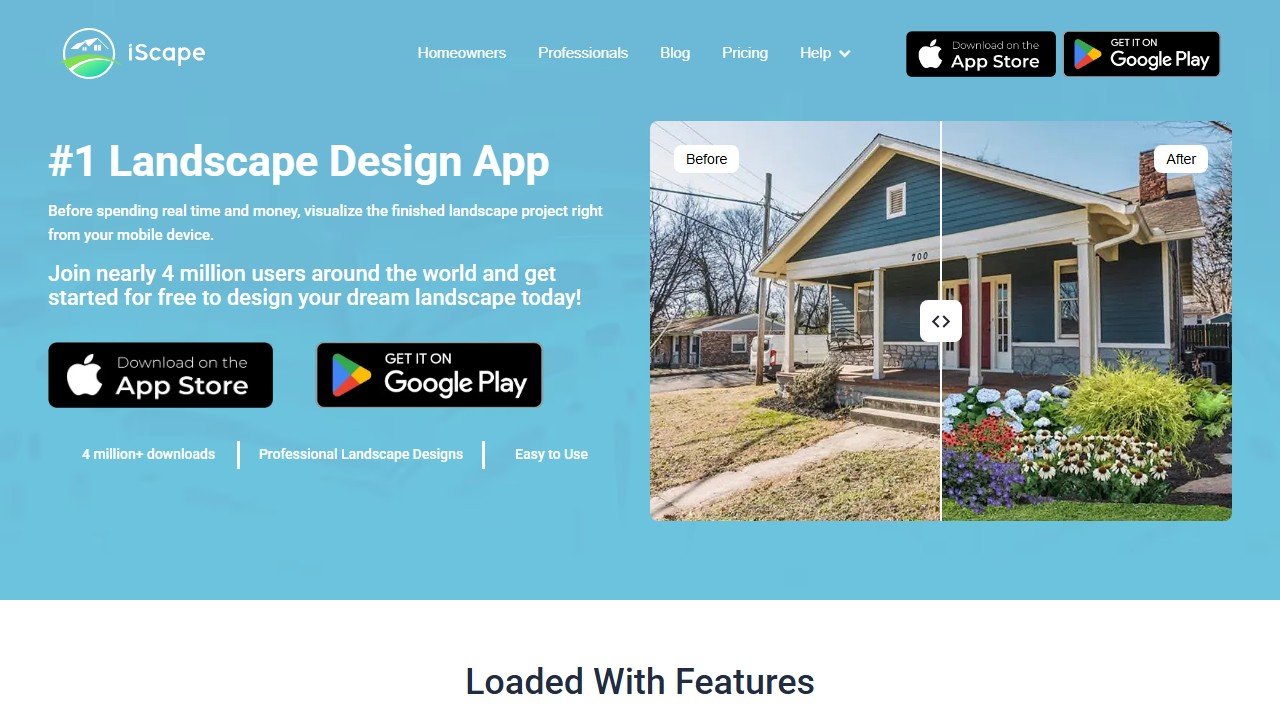
iScape is not an AI generation tool. It doesn’t take your photo and automatically produce a new design. You build the design element by element. Think of it as a Photoshop for landscaping rather than an AI art generator. This gives you more control but requires more effort.
Website: iScape
Key Features
AR Design (3D Mode)
The core selling point. Open the camera, tap to place a Japanese maple, drag to reposition it, pinch to resize. Walk around your yard and see the tree from every angle at the scale it would actually be. Add a stone path, a row of boxwoods, a pergola. See it all overlaid on your real space.
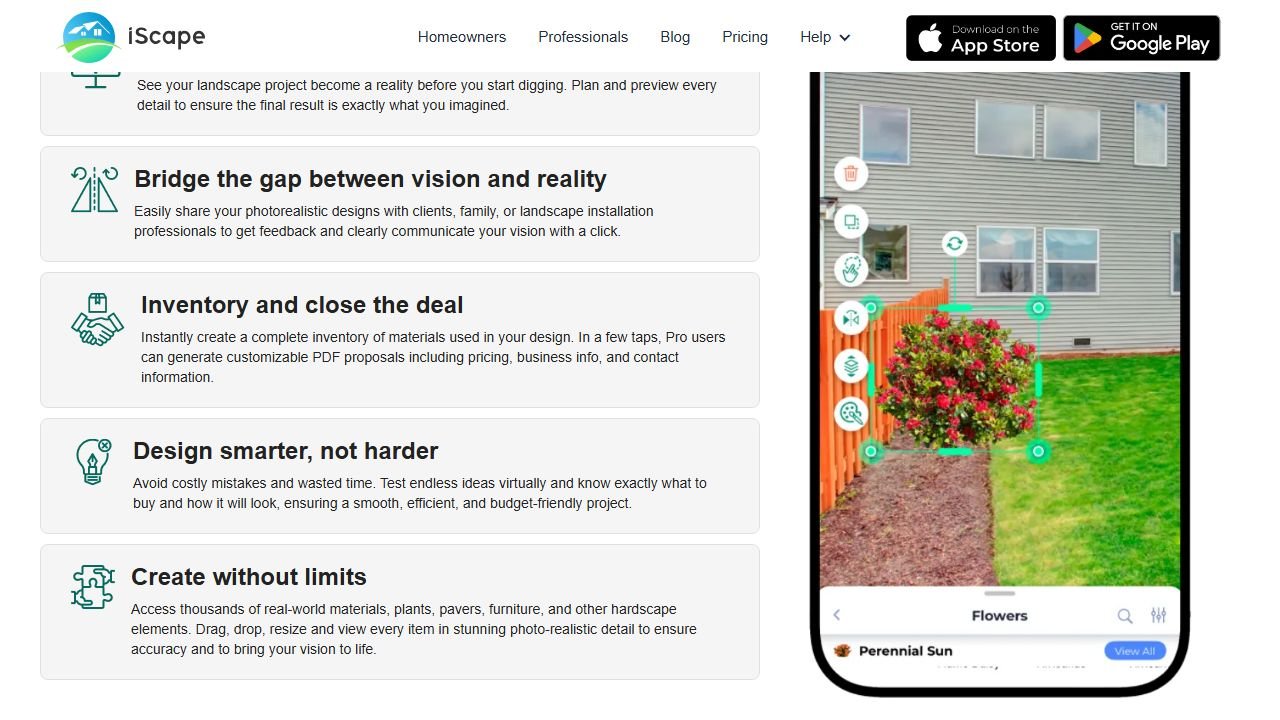
This is useful for the question every homeowner asks: “Will this look too big? Too small? Too close to the house?” AR answers that better than any flat photo render.
The AR experience requires a modern phone with good AR support. Users report performance issues on older devices, and crashes during AR mode are the single most common complaint in App Store reviews.
2D Photo Design
For when you want to work with an existing photo instead of the live camera. Upload a yard photo, then drag elements from the library onto it. This mode is more stable than AR and works well for creating presentation-quality before/after images.
Plant and Hardscape Library
iScape’s library includes plants, trees, shrubs, flowers, grasses, pavers, stones, mulch, water features, pergolas, fences, outdoor furniture, and more. Each plant has an info card with USDA hardiness zone, light requirements, height, and soil preferences.
The free tier limits you to roughly 20 items. Pro unlocks the full library with hundreds of elements.
USDA Hardiness Zone Filtering
Filter plants by your USDA zone to see only species that will survive in your climate. Additional filters cover sunlight exposure, water needs, and soil type. This is a genuinely useful feature that prevents the common mistake of choosing plants that won’t make it through your winter.
Proposal Tool (Pro)
This is what separates iScape from homeowner tools. Pro subscribers can generate PDF proposals with their design renders, itemized material lists, estimated pricing, and their business branding. Landscapers use this to present designs to clients during on-site consultations.
Users report that the ability to walk a client through an AR visualization and then hand them a branded PDF proposal significantly improves closing rates. One survey found landscapers using iScape closed 20% more deals.
Sharing and Collaboration
Share designs with clients or family for real-time feedback. Designs can be exported as images or shared via link. This isn’t as sophisticated as DreamYard‘s Share & Vote system, but it covers the basics.
Platform Availability
- iOS (primary platform, launched 2012): 4.6/5 with 29,000+ ratings
- Android (launched 2023): 3.8/5 with 924 reviews, newer and less mature
- No web app
- No desktop version
iScape is mobile-only. There is no web or desktop version. If you want to work on a larger screen, you’ll need a tablet. The iOS app is significantly more mature than Android, which launched 11 years later and has a lower rating.
Pricing Breakdown
| Plan | Price | What You Get |
|---|---|---|
| Free | $0 | 2 designs, ~20 items, ads, watermarks |
| Pro Monthly | $29.99/mo | Full library, 2D + 3D AR, proposal tool, no ads, no watermarks, unlimited designs |
| Pro Annual | $299.99/yr ($25/mo) | Same as Pro Monthly |
| Enterprise | Custom pricing | Multiple licenses, premium support |
What you need to know:
- The free tier is essentially a demo. Two designs with 20 items and watermarked output. You can test whether the AR works on your phone, but you can’t do real design work. Neighborbrite offers unlimited free designs with no watermarks.
- At $29.99/mo, iScape is the most expensive AI landscaping tool in our roundup. That’s double Neighborbrite Pro ($15/mo) and $10 more than DreamzAR ($19.99/mo).
- The annual plan ($299.99/yr) saves about $60 compared to monthly, but $300/yr for a landscaping app is a hard sell for homeowners. This pricing makes more sense for professional landscapers who use the app daily.
- Older sources reference a “Plus” tier at $14.99/mo that may have been discontinued. Current pricing shows only Free, Pro, and Enterprise.
- The proposal tool is what justifies Pro pricing for professionals. If you’re a landscaper doing client consultations, the branded PDF proposals pay for themselves.
- A free trial is available, but details on duration and limitations are inconsistent across sources.
The Crash Problem
iScape’s 4.6/5 App Store rating is impressive, but it hides a pattern in the reviews. The most common negative feedback across both iOS and Android is about stability:
- App crashes during AR mode, especially on complex designs
- Screen goes black and requires force-closing the app
- No auto-save means crashes can lose your work
- Designs must be manually saved before the app decides to freeze
- Resource-heavy: the app can slow down older phones significantly
These issues appear to be tied to the AR rendering engine. Simpler 2D designs are more stable. If you’re planning to use iScape’s AR mode heavily, test it during the free trial on your specific phone model before committing to Pro.
Other commonly reported issues include:
- No sizing/scaling function for precise measurements
- Limited pergola, decking, and stone options compared to what homeowners expect
- No project management features (you can design but can’t track timelines or budgets)
- Mixed image quality in the plant database (some elements look crisp, others look dated)
Who This Is For
Use iScape if you:
- Are a professional landscaper who does on-site client consultations
- Need branded PDF proposals with material lists and pricing
- Want precise, manual control over every element in your design
- Need USDA zone filtering for plant selection
- Prefer AR for spatial planning (will this tree block the window?)
Skip iScape if you:
- Want AI to generate complete designs automatically (iScape is manual, not AI-generated)
- Are a homeowner looking for a free or cheap tool (Neighborbrite is free and unlimited)
- Want the cheapest AR option (DreamzAR is $10/mo cheaper)
- Need a web or desktop version (iScape is mobile-only)
- Have an older phone that may struggle with AR performance
- Want a quick visual concept without placing elements one by one
Pros and Cons
Pros
- Most established landscaping app (13 years, 4 million downloads)
- 4.6/5 iOS rating from 29,000+ reviews (proven track record)
- AR visualization at real-world scale
- USDA hardiness zone filtering with plant info cards
- Proposal tool for professional landscapers (branded PDFs, material lists)
- Both 2D photo and 3D AR design modes
- Landscapers report 20% higher closing rates
Cons
- Most expensive option ($29.99/mo or $299.99/yr)
- Free tier is nearly useless (2 designs, 20 items, watermarks)
- Frequent crashes in AR mode
- No auto-save (crashes can lose your work)
- Not AI-generated (manual drag-and-drop, every element placed by hand)
- Mobile-only (no web or desktop version)
- Android version is newer and less polished
- No cost estimation beyond the proposal tool
- Limited pergola/decking/stone selection
- No chat-based refinement or style generation
Faz says: iScape is a professional tool with professional pricing. If you’re a landscaper doing three client consultations a week, the AR walkthrough and proposal builder are worth every penny of the $30/mo. Walk a client through their future yard in AR, hand them a branded PDF, close the deal. That workflow is real, and nobody else does it as well. But if you’re a homeowner who wants to see what a new garden bed would look like? You don’t need to pay $30/mo to drag virtual plants onto a photo one by one. Neighborbrite will generate an entire redesign for free in 15 seconds. The crash reports also worry me. An app that costs $300/yr shouldn’t freeze during its flagship feature.
Saru says: 3.5/5. Professional utility scores highest (4.5/5) because the proposal tool and AR consultation workflow genuinely solve business problems for landscapers. Plant intelligence (4.0/5) is strong with USDA zone filtering and plant info cards. Design control (4.0/5) rewards users who want precision, since manual placement gives you exact positioning that AI tools can’t match. But value for homeowners (2.5/5) is poor due to the $30/mo price, nearly useless free tier, and manual-only workflow. Reliability (3.0/5) suffers from persistent crash reports across 13 years of reviews. For professionals: 4.0+. For homeowners: 3.0 at best.
Final Verdict
iScape is the best landscape design tool for professional landscapers who need on-site AR visualization and branded client proposals. The 13-year track record, 4 million downloads, and USDA zone filtering make it a proven professional tool. For homeowners, the $30/mo price, nearly useless free tier, and manual-only design workflow make it hard to recommend when AI tools like Neighborbrite generate entire designs for free. The persistent crash reports across years of reviews are concerning for any app at this price point. If you’re a landscaper, iScape is worth a free trial. If you’re a homeowner, start with Neighborbrite and only consider iScape if you specifically need the precision of manual element placement.
Rating: 3.5/5
References & further reading
For deeper plant science and landscape design fundamentals behind the tools we evaluate:
- USDA Plant Hardiness Zone Map. official US plant zone data that all reputable AI landscape tools should cross-reference
- American Society of Landscape Architects. professional standards and design principles from the field’s primary association
- University of Minnesota Extension landscape design. evidence-backed regional design guidance from a top horticulture extension program
Tools mentioned in this guide

Written by
FazFaz is the founder of AIToolsBakery. Some tools here are tested hands on. Others are assessed from vendor documentation and pricing verified on the live page, and every review says which one it is. Sponsors can buy a position in a guide. They cannot buy the score, the criticism, or silence about a better option.
How we test and how we make money →