120 essays. 10 minutes each. 20 hours of your weekend. CoGrader wants to cut that to 4.
Pricing Breakdown
| Plan | Price | What You Get |
|---|---|---|
| Free Trial | $0 | Full access for evaluation |
| Individual | Credit card (price not listed) | Full features for individual teachers |
| School/District | Custom pricing, accepts purchase orders | Multi-teacher deployment, admin controls |
Website: CoGrader
Faz says: Grading essays is the most time-consuming task in teaching. Not because reading student writing is hard. Because writing detailed, rubric-aligned feedback 120 times in a weekend is brutal. MagicSchool has a writing feedback tool. Brisk has batch feedback. But CoGrader goes deeper than both on the specific task of essay grading with state assessment rubric alignment. If you grade STAAR, CAASPP, or AP essays, this is the specialist built for you. We reviewed it alongside every tool in our best AI tools for teachers roundup. Here’s the breakdown.
What CoGrader Does
CoGrader is purpose-built for one thing: grading student essays with AI. You upload essays, select a rubric (state assessment rubrics, AP, IB, or your own custom rubric), and CoGrader generates rubric-aligned scores and detailed feedback for every student.
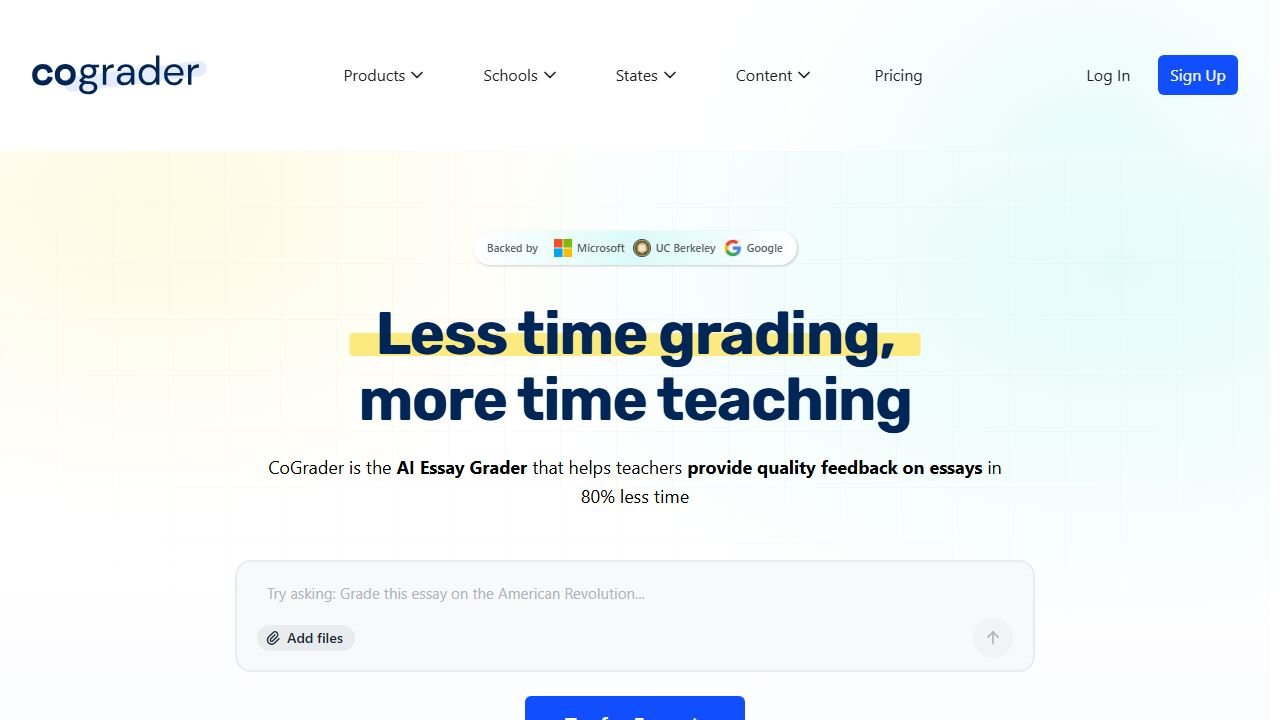
The critical design choice: the teacher always reviews and approves before anything is published. CoGrader doesn’t replace your judgment. It gives you a first pass so you can spend your time adjusting scores and refining feedback rather than starting from scratch on every paper.
Key Features
Rubric-Based AI Grading
This is CoGrader’s core feature. Upload a class set of essays and select the rubric you’re grading against. CoGrader supports:
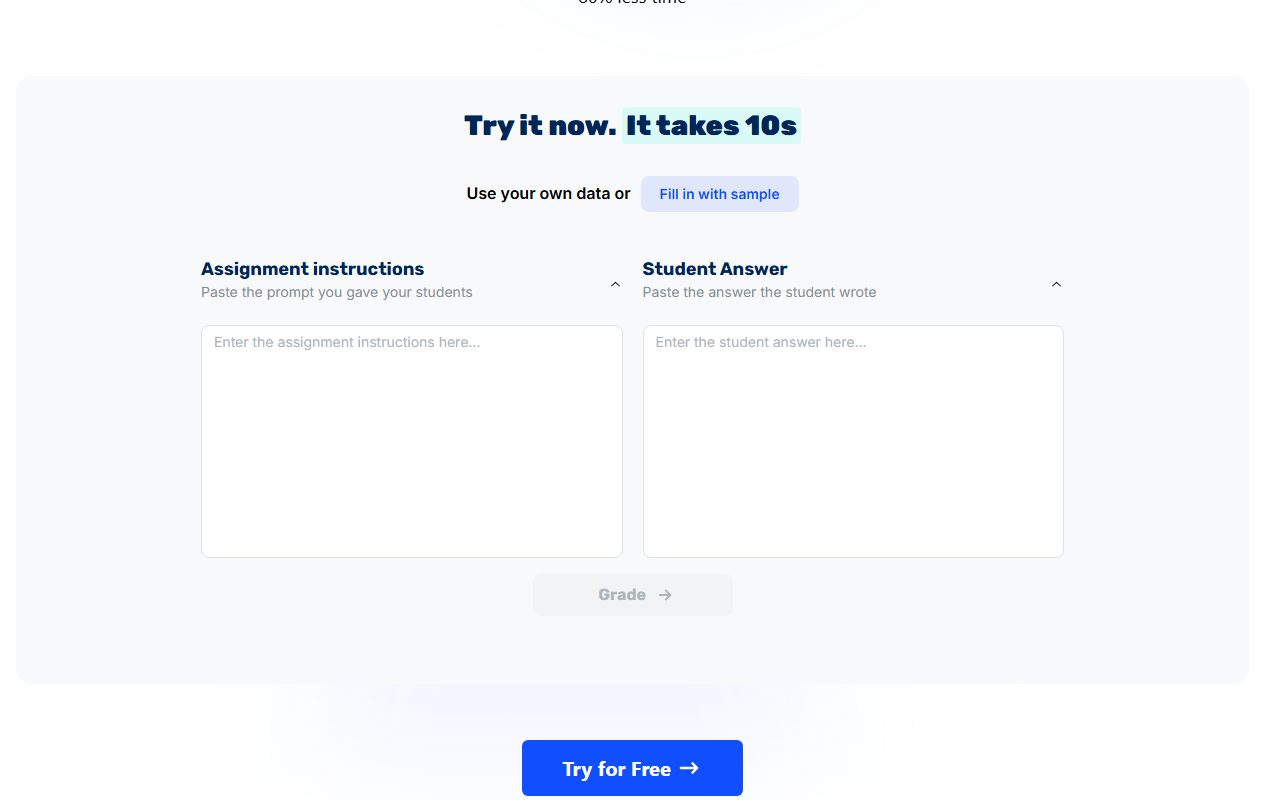
- State assessments: STAAR (Texas), CAASPP (California), B.E.S.T. (Florida), NY Regents
- Standardized exams: AP, IB
- Custom rubrics: Upload your own
The AI reads each essay, evaluates it against every rubric criteria, assigns scores for each dimension, and generates an overall score. This isn’t a single “good/bad” judgment. It’s a multi-dimensional rubric evaluation that mirrors how you’d grade manually.
If you need to build the rubric itself before grading against it, we compared the best AI rubric generators on a single shared assignment to see which produces the most usable criteria.
Detailed Feedback Generation
Every student gets specific, actionable feedback tied to the rubric criteria. Not generic comments like “needs more detail.” Feedback that references specific parts of their essay and explains what they did well and what needs improvement according to the rubric.
This is the part that saves the most time. Writing “you need stronger evidence in your third paragraph to support your claim about economic impacts” 120 times is what turns grading into a weekend-consuming task.
Multi-Language Grading
Grade essays written in multiple languages. For bilingual programs and ESL classrooms where students submit work in their home language, this expands CoGrader’s usefulness beyond English-only contexts.
Plagiarism and AI Detection
Built-in checking for copied or AI-generated content. While AI detection has accuracy limitations (especially for ELL students), having it integrated into the grading workflow means you don’t need a separate tool for integrity checking.
Class Analytics
After grading a class set, CoGrader identifies learning gaps across the entire group. You see which rubric dimensions the class struggled with, which students need targeted intervention, and where your instruction might need adjustment.
Teacher Review
Every score and feedback comment goes through teacher review before reaching students. You adjust scores where the AI missed nuance, edit feedback to add your voice, and approve the final grades. CoGrader accelerates grading. It doesn’t automate it.
What you need to know:
- The free trial gives full access for evaluation, but it’s a trial, not a permanent free tier. This is a notable difference from MagicSchool (free forever) and Diffit (free forever).
- Individual subscription pricing is not publicly listed. You need to sign up and see pricing in-app.
- School and district plans accept purchase orders, which matters for schools that can’t use credit cards.
- The lack of pricing transparency makes it hard to compare against competitors without creating an account.
Free Plan: What You Actually Get
CoGrader offers a free trial rather than a permanent free plan. During the trial:
- Full rubric-based AI grading
- All state assessment rubric support
- Detailed feedback generation
- Multi-language grading
- Class analytics
- Google Classroom integration
After the trial, you’ll need an individual subscription or school plan.
Verdict on the free trial: Good enough to evaluate whether AI grading fits your workflow. Not a long-term free option like MagicSchool or Diffit. If your trial experience saves significant grading time, the subscription is likely worth it for essay-heavy subjects.
Privacy and Compliance
CoGrader has one of the strongest compliance stacks among teacher AI tools:
- FERPA compliant
- COPPA compliant
- SOPIPA compliant
- SOC 2 Type 1 certified
- Ed Law 2D compliant
- NIST 1.1 aligned
CoGrader’s data policy: “Only de-identified student work and rubrics are shared with AI. LLM/AI models cannot use student data for training.”
This is a critical distinction. The AI only sees de-identified work, not student names or personal information attached to it.
Integrations
| Platform | Supported |
|---|---|
| Google Classroom | Yes (all users) |
| Canvas | Yes (school/district plans) |
| Schoology | Yes (school/district plans) |
Google Classroom integration is available for all users including individual and trial accounts. Canvas and Schoology integrations are reserved for school and district plans.
Scale and Backing
- 50,000+ teachers
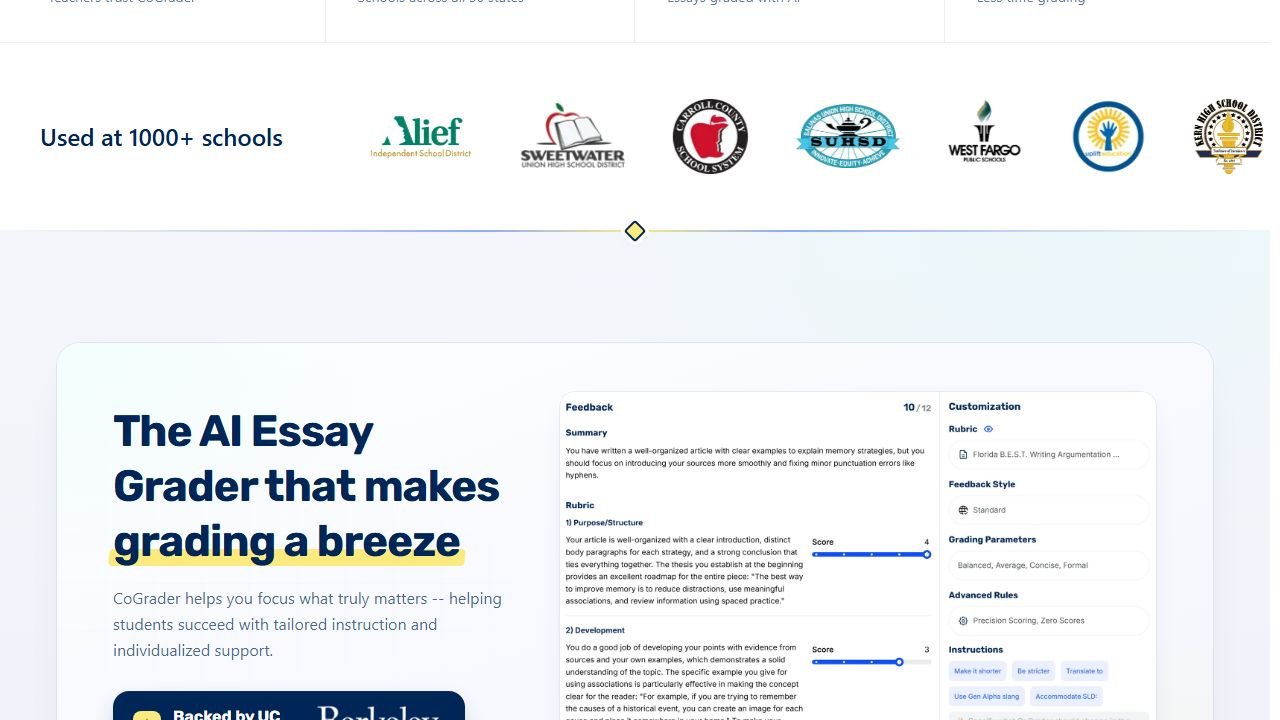
- 1,000+ schools across all US states
- Backed by UC Berkeley SkyDeck, Microsoft for Startups, Google for Startups
The startup backing signals credibility and ongoing development investment. Being incubated at UC Berkeley’s SkyDeck and supported by both Microsoft and Google for education suggests staying power.
Who This Is For
Use CoGrader if you:
- Grade student essays regularly (weekly or bi-weekly)
- Need rubric-aligned grading against state assessments (STAAR, CAASPP, B.E.S.T.)
- Teach ELA, social studies, or any subject with essay-based assessment
- Want detailed, rubric-specific feedback without writing it 120 times
- Need strong compliance certifications (FERPA, COPPA, SOC 2)
Skip CoGrader if you:
- Rarely grade essays (math, PE, art teachers)
- Want a full teaching platform beyond grading (look at MagicSchool AI)
- Need in-document feedback inside Google Docs (look at Brisk AI)
- Want a permanently free tool (CoGrader is trial-based)
- Teach ESL/exam prep and need audio exercises (look at AssignAI)
Pros
- Purpose-built for essay grading with state assessment rubric alignment
- 80% reduction in grading time reported
- Strong compliance stack (FERPA, COPPA, SOC 2 Type 1, SOPIPA)
- Teacher reviews and approves every grade before publishing
- De-identified data only shared with AI
- Class analytics identify learning gaps across the group
- Backed by UC Berkeley, Microsoft, Google
Cons
- Essay grading only (not math, science, or other formats)
- No permanent free plan (trial-based)
- Pricing not publicly listed
- Newer and smaller than MagicSchool or Brisk
- Canvas/Schoology integration requires school/district plan
- AI detection has known accuracy limitations for ELL students
Faz says: If you’re an ELA teacher, CoGrader is the tool that gives you your weekends back. MagicSchool has writing feedback, but it’s one of 80 tools. Brisk has batch feedback, but it’s a Chrome extension trying to do everything. CoGrader does essay grading and nothing else. That focus shows in the rubric depth. STAAR, CAASPP, B.E.S.T., AP, IB, or your own rubric. The feedback references specific parts of each essay and ties back to rubric criteria. It’s what you’d write yourself if you had unlimited time.
Saru says: 4/5. Purpose-built specialization creates clear value for essay-heavy subjects. The compliance stack (FERPA, COPPA, SOC 2 Type 1, SOPIPA, Ed Law 2D) is stronger than many competitors with broader feature sets. Backed by UC Berkeley SkyDeck, Microsoft, and Google. The rating reflects the narrow scope (essay-only), trial-based free tier (vs permanent free plans elsewhere), and opaque pricing. For ELA teachers grading essays weekly, the time savings likely justify the subscription cost.
Final Verdict
CoGrader is the best AI grading tool for ELA teachers who grade essays against state assessment rubrics. The rubric depth (STAAR, CAASPP, B.E.S.T., AP, IB) goes beyond what MagicSchool or Brisk offer for grading specifically. The compliance stack is strong. The teacher-review-first design means AI assists without replacing judgment. The main drawback is the trial-based pricing model in a market where MagicSchool and Diffit offer generous permanent free tiers. If essay grading consumes your weekends, the trial will show you whether CoGrader can give them back.
Rating: 4/5
References & further reading
For deeper research on AI in education and evidence-backed instructional practice:
- Common Sense Education: AI in K-12 classrooms. classroom-tested guidance and tool ratings reviewed by educators
- Edutopia technology integration research. peer-reviewed edtech case studies and classroom implementation practice
- US Department of Education on AI in schools. federal guidance on AI in teaching and learning, including the 2023 Office of Educational Technology report
What CoGrader does for grading essays in 2026
CoGrader is an AI essay grading tool designed for K-12 teachers, with rubric-based scoring that produces grades plus per-student feedback comments. The 2026 product handles three core jobs: importing student essays from Google Classroom or Canvas, applying teacher-defined rubrics, and producing draft grades with comments that teachers review and edit before final submission.
The strongest use case: high-volume essay grading where the teacher’s bottleneck is reading and commenting at scale. CoGrader produces draft feedback that teachers spot-check and personalize, saving 3 to 6 hours per week on grading workloads for English and history teachers. The less strong use case: high-stakes graded work where students or parents may dispute the grade. Use CoGrader for formative work, not for graded summative assessments unless your district has approved AI-assisted grading.
CoGrader pricing and ethical use in 2026 classrooms
CoGrader prices around $10 to $20 per teacher per month, with school licenses at lower per-seat costs. Free trials exist but are short. The pricing pays for itself for teachers grading 10+ essays a week; lower-volume teachers should stay on free trial or pass.
The ethical line that matters: CoGrader is a feedback accelerator, not a substitute for teacher judgment. Disclose AI-assisted grading to students if your district policy requires it. Spot-check every AI grade before recording it. Never use AI grading without teacher review on graded summative work that affects student transcripts. These boundaries protect students, protect teachers from liability, and protect the integrity of the grade itself.
Final 2026 verdict
CoGrader is the right pick for K-12 teachers with heavy essay-grading workloads in 2026 who want faster feedback turnaround. Pair with teacher review for ethical and accuracy reasons. Compare against Crowdmark and Gradescope for higher education contexts where CoGrader is less established.
What these tools actually cost, vendor by vendor
Education software prices unlike anything else, because the buyer is often a teacher paying personally while the vendor is really selling to a district. That produces a free tier that is genuinely usable and an enterprise tier with no published figure. Here is each alternative to cograder review, read at source on 4 September 2026.
Chalkie, the most completely published rate card here
Chalkie publishes a free plan at US$0.00 a month covering five full lessons or activity sheets every seven days, then US$6.65 a month at US$79.80 paid yearly, and US$12.99 a month at US$155.88 yearly. Its annual toggle is marked as three months free and the arithmetic holds. Publishing the free tier’s exact limit, five resources per week rather than a vague “limited”, is rarer than it should be and worth rewarding.
Khanmigo, the cheapest paid option in this guide
Khanmigo publishes $44 a year, saving $4 against monthly billing, which works out around $4 a month. That is an order of magnitude below most of this category and reflects its position as a non-profit-backed product tied to an existing content library rather than a general purpose teacher toolkit. Judge it on whether that library matches your curriculum, because the price is not the deciding factor at that level.
MagicSchool and Curipod, free tiers with paid steps
MagicSchool publishes a free plan and Plus at $12.99 a month billed monthly, with a lower per user rate billed annually and volume-based discounts on district Enterprise licences that are quoted rather than published. Curipod publishes free at $0 a month and paid from $24 a month, with a yearly toggle marked as saving 21% and stated as $60 off against monthly. Both make the teacher tier genuinely usable, which is the commercial model rather than generosity.
CoGrader, where the free tier has a hard number on it
CoGrader publishes a free plan covering 100 student submissions a month with rubric building and FERPA compliance, then $15 a month billed annually. A hundred submissions is roughly three or four class sets, which makes the free tier a real trial for one teacher and clearly insufficient for a department. That is an honest place to draw the line and it lets you test properly before spending anything.
The ones that publish nothing, and what that tells you
Brisk Teaching publishes a free teacher plan at $0 but we could not read figures for its paid tiers. SchoolAI publishes tier names, Free Trial, Pro and Scale, with no figures attached, which is district-quoted pricing by design. Gradescope now sits on a Turnitin domain and its page is headed “Gradescope for Your Institution” with no rates. We also could not read pricing for Diffit, Quizlet, Photomath or Gauth. We are not claiming those publish nothing; a failed read is not evidence of absence.
Student data, and the questions a school has to ask before anything is switched on
This is the part of education technology where getting it wrong has consequences beyond a wasted subscription, and it is mostly answerable in writing before adoption.
Know which law you are under before you evaluate
In the United States, student education records sit under FERPA, and services aimed at under-13s bring COPPA into scope, which requires verifiable parental consent for personal information collected from children. Schools outside the US will have their own regime. The practical effect is the same: the school, not the vendor, carries the obligation, so the vendor questions exist to let you meet it.
Ask whether student work trains the model
This is the single question to get in writing. Ask whether student inputs and outputs are used to train or improve any model, including in aggregated or anonymised form, and whether that binds subprocessors too. “We do not train on your data” and “we do not train foundation models on your data” are different sentences. Get it as a contract term, because a sales assurance does not survive a change of ownership.
Ask who else touches the data
Most tools here are built on a model provider they did not write, so student work reaches a third party. Ask for the current subprocessor list, where each processes data, and how you are notified when it changes. A vendor that cannot produce that list within a day does not have one, which tells you enough about the rest of their programme.
Ask what happens at the end of a school year
Retention and deletion, stated in days rather than described as a process. What is deleted when a student leaves, when a class is archived, when the contract ends. Ask whether deletion means removed from live systems, removed from backups, or flagged. A vendor that will commit to a number in the contract is a different proposition from one that describes an approach.
The one many schools miss: inferences about a child
If a tool generates a reading level, a predicted grade, a behaviour flag or an ability estimate, that is data about a student the student never supplied. Ask whether those inferences are covered by your export, your deletion request and your access request, because a parent asking what the school holds on their child is asking about those too.
Tools mentioned in this guide

Written by
FazFaz is the founder of AIToolsBakery. Some tools here are tested hands on. Others are assessed from vendor documentation and pricing verified on the live page, and every review says which one it is. Sponsors can buy a position in a guide. They cannot buy the score, the criticism, or silence about a better option.
How we test and how we make money →