The short answer
Deputy is a scheduling and time tracking platform for businesses that run shifts: hospitality, retail, healthcare, hourly services. It is good at the thing it does, it is widely deployed, and it is one of the very few tools in this category that will tell you what it costs without a sales call.
The catch is not the price. It is that the price is not the bill.
Deputy publishes four separate billing rules that move the final number, and every one of them is in the FAQ rather than on the rate card. None of this is hidden and none of it is dishonest. It is just that nobody quoting “Deputy starts at $5” has read that far.
One thing to be clear about before anything else. Deputy is workforce management, not workforce planning. It schedules the people you already employ. It does not model what your headcount should look like in eighteen months. If you arrived here from a strategic planning shortlist, our workforce planning guide covers the tools that do that job, and they are different tools.
What Deputy is
Deputy describes itself as a complete people platform and claims 390,000 workplaces globally. The core is four things that hang together:
- Scheduling. Build rosters, publish them, handle shift swaps and replacements, manage leave and availability.
- Time and attendance. Clock in and out, including biometric clocking on the higher tiers, flowing into timesheets.
- Labour law compliance. Break rules, overtime thresholds and rest periods enforced against the schedule rather than discovered in payroll.
- Integrations. Payroll and HR systems, so approved timesheets leave Deputy rather than being retyped.
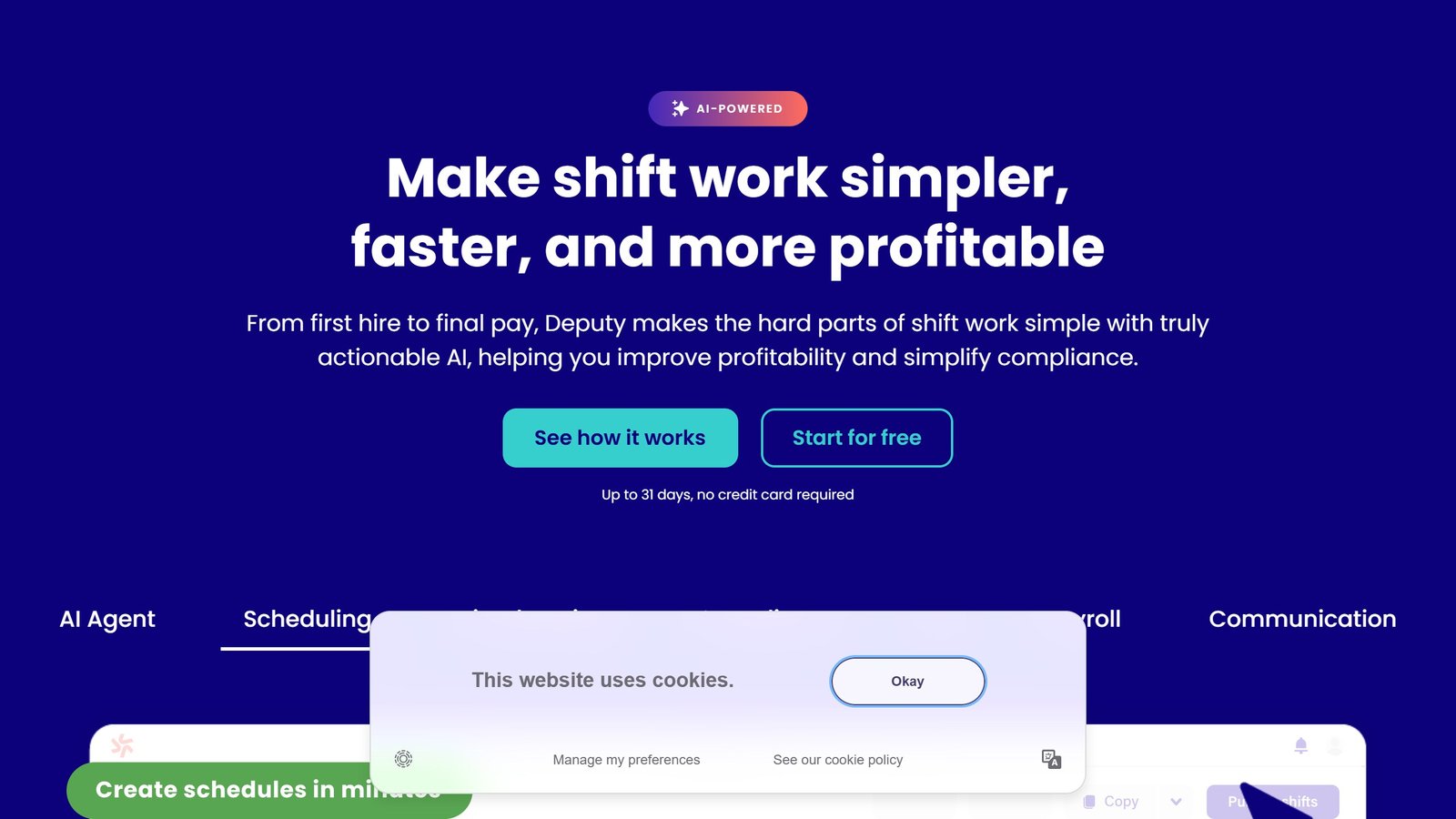
Deputy AI is included in every plan, per its pricing page, covering schedule building, workforce questions and task automation. It is not a separate meter, which is worth noting in a year when most vendors have made their AI layer an upsell.
What is in each tier
| Lite | Core | Pro | |
|---|---|---|---|
| Scheduling | Basic | Advanced, micro-scheduling, auto-scheduling | Everything in Core |
| Timesheets | Basic | Auto approval | Advanced |
| Time clocking | Basic | Biometrics | Everything in Core |
| Compliance | Labour law compliance | Advanced labour law compliance | Everything in Core |
| Forecasting | Not included | Demand forecasting, labour optimisation, wage and labour budgets | Everything in Core |
| Access control | Not included | Not included | Custom access levels, SSO, location hierarchies, pay centres |
| Support | Self-serve onboarding | Customer success manager | Dedicated CSM, 24/7 live chat, sandbox environment |
The jump that matters for most buyers is Lite to Core, and it is not really about scheduling. It is demand forecasting, labour optimisation and wage budgets. If your reason for buying is controlling labour cost rather than filling a rota, Lite does not do the job.
Pro is mostly an IT and multi-site tier. SSO, custom access levels, location hierarchies and pay centres are the things a twelve-site operator or a security team asks for. A single-site business rarely needs it.
What it costs
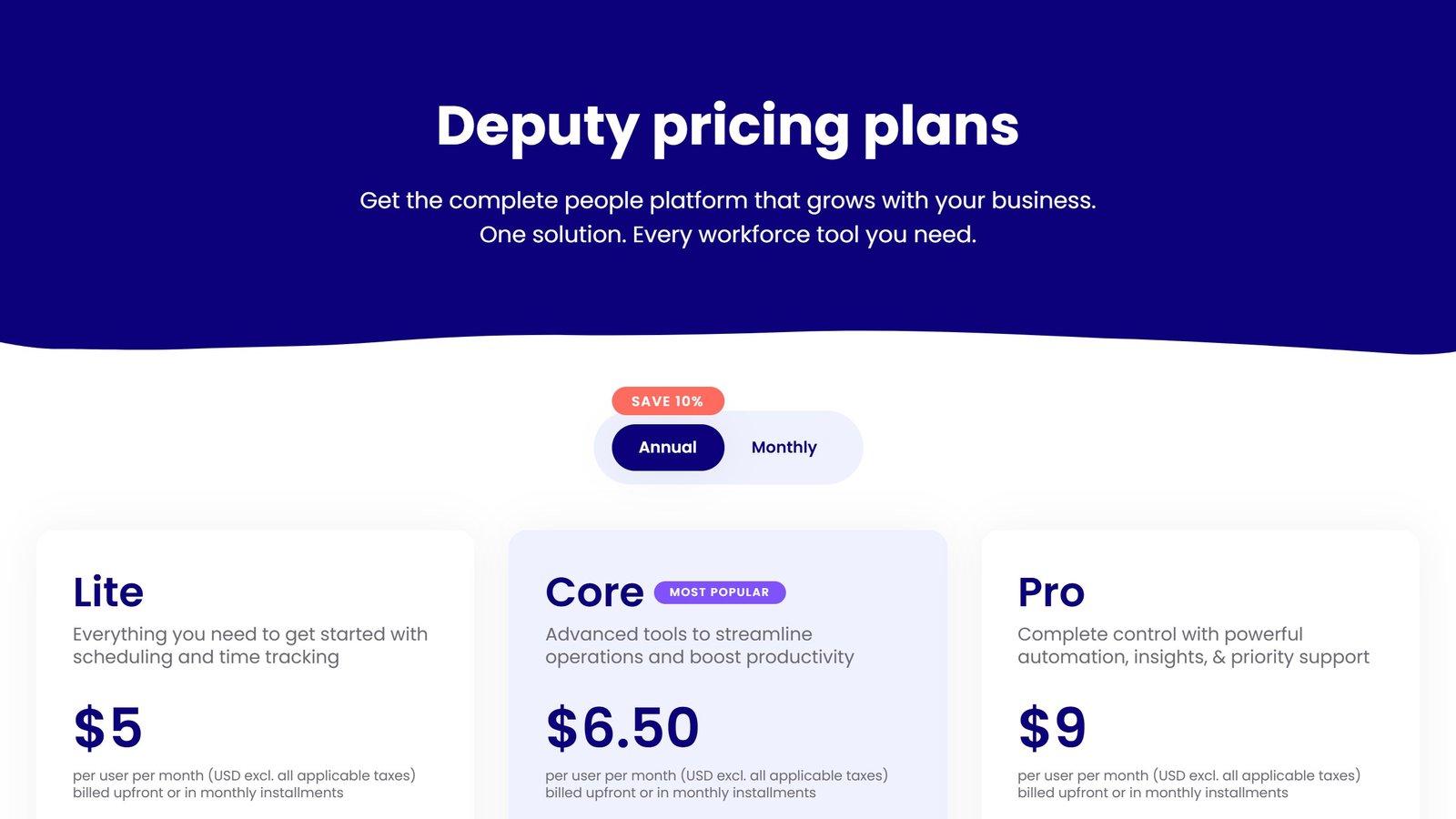
Read from the live pricing page on 3 September 2026, USD, stated as excluding applicable taxes.
| Plan | Annual | Monthly |
|---|---|---|
| Lite | $5.00 per user per month | $5.50 per user per month |
| Core | $6.50 per user per month | $7.25 per user per month |
| Pro | $9.00 per user per month | $10.00 per user per month |
The page opens on the annual view with a SAVE 10% badge on the toggle, so the first figure you see is the committed rate rather than the month to month one. The toggle is right there and there is nothing sly about it, but it does explain why “$5” is the number that travels.
For the full category picture, including what the other eight tools in this space publish, see our workforce planning software pricing guide.
The four rules that decide the bill
1. There is a floor, and it is not on the rate card
From 1 September 2025, Deputy applies a minimum monthly spend of USD $30, AUD $30 or GBP £20 per invoice on monthly Lite, Core and Pro plans. It appears only in the pricing FAQ.
At the monthly Lite rate of $5.50, that floor governs any invoice below six users. A five person team computes to $27.50 and is billed $30. A three person cafe pays the same $30 as the five person one. If you are a very small business, the per user rate is not what you are buying at all. You are buying a $30 minimum with some headroom in it.
2. Your managers are billable users
Deputy’s FAQ is explicit: “All users/administrators/supervisors are considered users and will be counted in your total user number.”
That is a normal policy, but it breaks the mental arithmetic people do. A restaurant with 24 floor staff, three shift supervisors and an owner who logs in is a 28 user account, not a 24 user one. Budget on the number of people with a login, not the number of people on the rota.
3. SMS is metered separately, and Deputy says its own messages overflow
Publishing schedules by SMS is charged on top of your subscription, at published per-message rates: 1c USD in the US, 5p GBP in the UK, 5c AUD in Australia, 7c USD for the rest of the world. Those rates are per 160 characters.
The line worth reading twice is Deputy’s own: “Please note that many SMS messages sent via Deputy exceed 160 characters.” So a published schedule can bill as two segments or more, and the vendor tells you so in advance. Receiving is free, though your staff pay their own carrier fees to reply.
For a 60 person operation publishing weekly by SMS, this is small money. It is not zero money, and it is not in the per user rate.
4. Staff churn is billed by the full month, three ways
This is the rule with real teeth for the businesses Deputy is built for.
- Add a user mid-month, pay the full month. Deputy’s example: add someone five days before month end and you are billed for the whole month.
- Archive a user mid-month, pay the full month. Archive on the 10th and the month is still charged.
- Unarchive a user, pay the full month again, regardless of the day.
Read those together. A seasonal worker who leaves in January and comes back in March generates a full month’s charge on the way out and another on the way back in. Hospitality and retail, which are Deputy’s core markets, are exactly the industries where that pattern is the norm rather than the exception.
None of this makes Deputy expensive. It makes a high-churn roster cost more than headcount times rate, and that is the calculation most people do.
The add-on stack, where the maths gets strange
Four add-ons sit below the plan cards, all quoted per user per month billed monthly:
| Add-on | Price | Notes, as published |
|---|---|---|
| Deputy Payroll enabled by Paycor | $8 plus a $49 monthly base fee | Annual Core and Pro plans, US only. Base and per employee fee vary by business size |
| HR | $2 | Free for 30 days. US, UK and Australia |
| Messaging+ | $1.95 | Free for 30 days. Included in Pro |
| Analytics+ | $1.50 | Free for 30 days. Included in Pro |
Now add them up, comparing published monthly figures with published monthly figures:
Lite at $5.50 plus HR, Messaging+ and Analytics+ is $10.95 per user per month. Monthly Pro is $10.00, and Pro already includes two of those three add-ons.
Building up from the cheapest plan costs more than buying the most expensive one. That is not a trap Deputy set, it is just what happens when add-ons are priced to be bought individually, but it is worth ten seconds with a calculator before anyone signs up for Lite and starts bolting things on.
The narrower version of the same sum is more useful. If the only things you want are Messaging+ and Analytics+, Lite plus both is $8.95 against Pro at $10.00. You save $1.05 per user and give up advanced scheduling, demand forecasting, labour optimisation, SSO and 24/7 support. For most buyers that is not a saving worth having.
The payroll add-on is the one to scope carefully. The $49 monthly base fee is a fixed cost that does not scale down, and Deputy states the base and per employee fee vary by business size, so treat $8 plus $49 as a starting shape rather than a quote.
Annual billing is a one-way door
Deputy’s own terms, from the pricing FAQ:
- Annual is charged upfront for the full year on the day you upgrade.
- On annual you can add users, but cannot change plan and cannot lower the employee count.
- You can cancel before the twelve months expire, but there are no refunds.
- Monthly, by contrast, you can change plan at any time without penalty, effective from the first of the current month.
The 10% annual saving is real. So is the fact that you are committing to your current headcount as a floor for a year, in a business model where headcount moves. If your team size fluctuates seasonally, the monthly plan’s flexibility is probably worth more than 10%.
One genuinely good policy worth crediting: Deputy says it honours the remaining free trial period when you upgrade, so upgrading fourteen days before your trial ends does not cost you those fourteen days.
Who Deputy is for
A good fit if:
- You run shifts and your problem is rostering, time capture and labour law compliance.
- You want to know the price before booking a demo. In this category that alone narrows the field to almost nobody else.
- You need labour cost control, in which case start at Core rather than Lite.
- You are multi-site or have an SSO requirement, which is what Pro is actually for.
A poor fit if:
- You need strategic workforce planning: headcount scenarios, org design, skills gap modelling. Different category, different tools.
- You have fewer than six people, where the $30 floor means you are not really getting a per user price.
- Your roster churns hard and seasonally, where full-month billing on add, archive and unarchive adds up.
- You want a single quoted number that covers everything. Between add-ons, SMS and the payroll base fee, Deputy’s total is assembled rather than quoted.
How we researched this
Deputy’s homepage, features page and pricing page were loaded in a real browser with a standard Chrome user agent on 3 September 2026, scrolled in full, with consent overlays stripped before any text was read. The pricing toggle was clicked into both the annual and monthly states and both rate cards recorded, because reading only the default state reports half a rate card as the whole one. Every figure was checked against the same page read on 2 September and was unchanged.
We have not used Deputy. We hold no account and have run no trial, so nothing here is a verdict on how the scheduler behaves in a live roster, how the biometric clock performs, or what implementation is like. Everything above is what Deputy publishes about itself, quoted in the currency it publishes it in, with no conversion, and read on the date stated.
Prices change. If you are reading this well after September 2026, check the card before you budget against it.
What sales training and roleplay platforms actually charge
This is one of the least transparent categories we cover. Most vendors quote rather than publish, which changes how the evaluation has to be run. Here is each alternative to deputy review, read at source on 4 September 2026.
Yoodli, the only one here with a published individual rate
Yoodli publishes $8 a month billed annually for its Pro individual plan, which includes up to ten roleplays a week and live AI coaching, and $20 a month billed annually above that. It also runs a free tier. That makes it the only platform in this comparison a single person can price without speaking to anyone, which matters if you want to test the category before committing a team budget.
The five that publish no figure at all
We could not read a price from Second Nature, Hyperbound, Mindtickle, Highspot or Visier on 4 September 2026. Hyperbound and Highspot both render a pricing page carrying no currency figure. That is a commercial choice rather than an oversight, and it is the norm at the enterprise end of sales enablement.
Allego publishes a pricing page with no price on it
Allego is worth calling out separately. It has a real pricing page, headed “Simple Sales Enablement Pricing. Clear Results.”, and there is not a single currency figure anywhere on it. It does publish something useful though: a contract buyout programme for customers switching from a competitor mid-term. If you are locked into a rival, that is worth asking about specifically, because it is the kind of term that rarely appears in a comparison table.
What to do when almost nobody publishes
Price a published alternative precisely at your seat count and make it the number every quote has to justify itself against. Yoodli at $20 a month billed annually across 40 reps is $9,600 a year. That is not a like-for-like substitute for an enterprise enablement platform, and it is a real figure in the room that both sides can verify, which is more than you will otherwise have.
Ask what the platform fee is separate from the seats
Several vendors in this category price as per-user licences plus a platform fee that scales with the number of users supported. That means the cost does not fall as neatly with a smaller pilot as you might expect, and a 10-seat pilot can carry most of the platform cost of a 50-seat deployment. Ask for both components separately before modelling a phased rollout.
Why the price you see may not be the price we saw
This deserves its own section because it affects several tools in this category and almost no comparison article accounts for it.
What we actually observed
When we read Synthesia’s pricing page on 4 September 2026, every plan figure was in rupees, because our captures run from an Indian IP address and the site served local pricing automatically. HeyGen went further: a request to heygen.com/pricing redirected to its /en-in/ locale even when we sent a United States language header, meaning the routing is by IP rather than by browser preference.
Why this breaks most price comparisons
An article quoting a single global figure for a geo-priced tool is describing one country’s rate card and presenting it as the price. Regional pricing is not usually a straight currency conversion either; vendors set local rates deliberately, so the ratio between two markets can differ considerably from the exchange rate. That means you cannot fix the problem by converting, and we do not attempt to.
How to check your own number in thirty seconds
Open the vendor’s pricing page yourself, from the country where the contract will sit, and look at the currency symbol before you look at the number. If the URL contains a locale segment such as /en-in/ or /en-gb/, you are on a regional page. Where a vendor offers a currency selector, note that changing it sometimes changes the plan structure and not merely the symbol.
What to ask when the contract is cross-border
If your company is registered in one country and the team is in another, ask which entity is billed, in which currency, and whether the rate is fixed for the term or moves with a published exchange rate. Ask whether taxes are included, because several vendors here publish figures excluding tax. These questions are dull and they are the difference between a budget that holds and one that drifts by a fifth.

Written by
FazFaz is the founder of AIToolsBakery. Some tools here are tested hands on. Others are assessed from vendor documentation and pricing verified on the live page, and every review says which one it is. Sponsors can buy a position in a guide. They cannot buy the score, the criticism, or silence about a better option.
How we test and how we make money →