TrainerRoad is one of the best-known training apps for cyclists, with a 4.9 rating from about 21,400 ratings on the US App Store and 4.7 from about 9,200 reviews on Google Play when we checked on 22 September 2026. Most reviews of it describe the same features in the same order. This one reads TrainerRoad’s own help centre, pricing page, refund policy and store listings, because that is where the limits are written down, including several no ranking review mentions.
How we put this together. We have not used TrainerRoad ourselves; this is a research-based review. Prices come from TrainerRoad’s pricing page and the US App Store, both served in US dollars, and feature details come from TrainerRoad’s help centre, all read on 22 September 2026. Where TrainerRoad’s documents disagree with each other, we say so. Nothing below is a test result.
TrainerRoad at a glance
| Item | What TrainerRoad says |
|---|---|
| Price (US) | $21.99 a month, or $209.99 a year (about $17.45 a month) |
| Plans | One. “Every plan includes every feature, there are no upgrades or add-ons.” |
| Free trial | None. 30-day money-back guarantee for new athletes |
| Pause | Not offered, monthly or yearly |
| Discounts | No family, student or military discounts; the yearly rate is the only saving |
| Platforms | iPhone and iPad, Android, Windows, macOS and a web app. No Apple TV, no Chromebook |
| Hardware | Smart trainer, classic trainer with a speed sensor, or any bike with a power meter |
| Sports | Cycling first; triathlon plans add swim and run workouts |
| Virtual world | None. You bring your own entertainment |
| App ratings (22 Sep 2026) | 4.9 on the US App Store (about 21,400 ratings); 4.7 on Google Play (about 9,200 reviews) |
What TrainerRoad is, and what it is not
TrainerRoad is a training plan engine for cyclists. You tell it your events, how many hours a week you can train and what kind of riding you do, and it builds a plan of structured workouts: intervals with precise power targets, usually ridden indoors on a smart trainer. Its homepage calls it “The #1 Cycling App for Getting Faster”, and every design choice follows from that one goal.
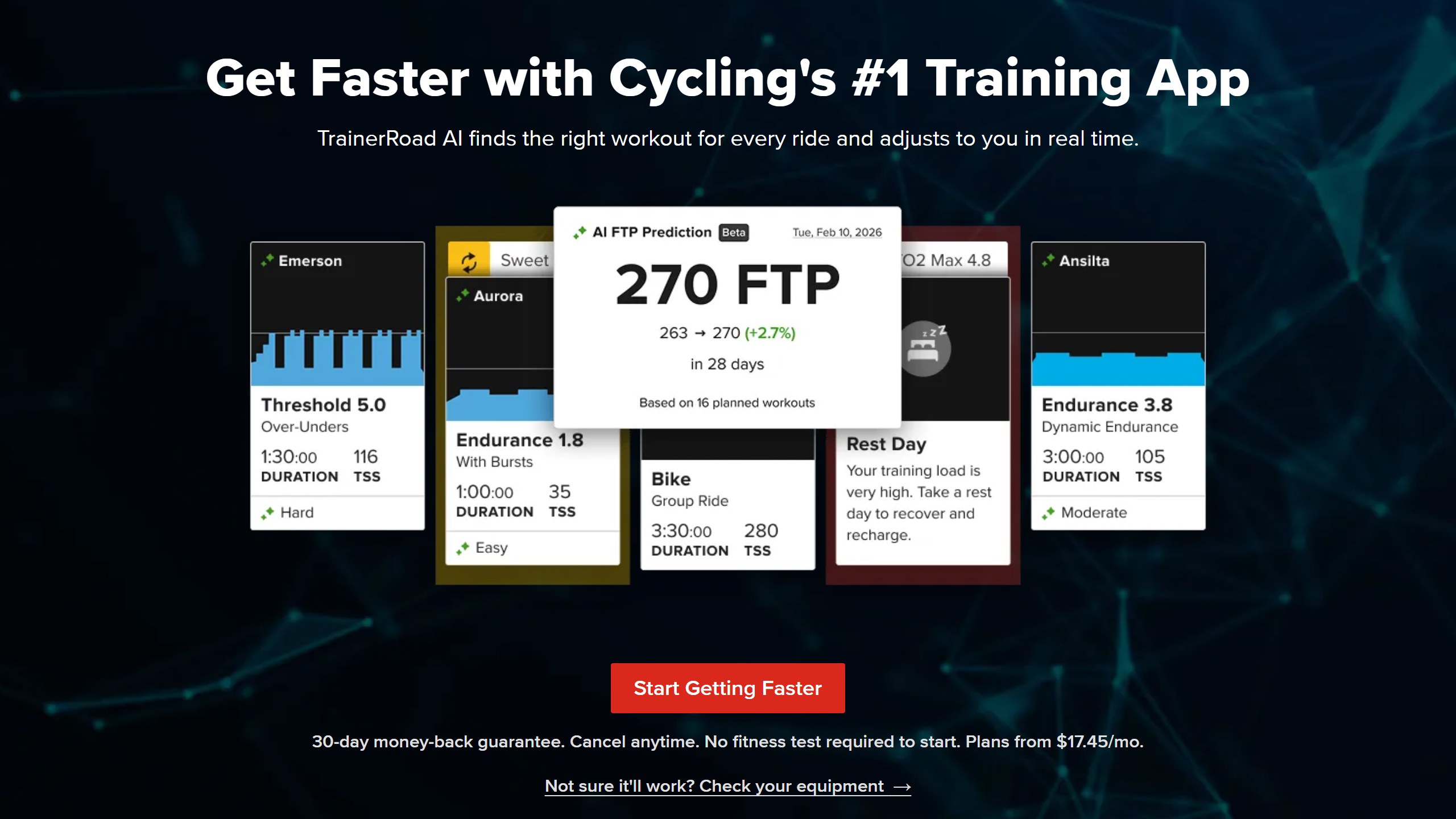
What it is not is a game. There are no roads, avatars or group races on screen. TrainerRoad’s help centre on using entertainment says the app “lets you choose your own entertainment”, with a Minimal Mode on desktop and Picture in Picture on iPhone and iPad so you can watch something else while the workout runs. If you want a virtual world, TrainerRoad’s own answer is to connect it to Zwift or ROUVY, which we cover below and in our TrainerRoad vs Zwift comparison.
That makes TrainerRoad a sharp fit for one type of rider and a poor fit for another. If you already know you respond to structure and want an app to decide what you ride each day, it is built for you. If you ride indoors because it is fun and would stop if it became homework, the app is candid that it is not trying to be fun in that way. Its Zwift integration page puts it bluntly: “Zwift is fun, but effort without structure won’t make you faster.” That is TrainerRoad’s opinion of a rival, not a fact, but it tells you how the company thinks.
TrainerRoad pricing in 2026
TrainerRoad has one plan. On 22 September 2026 its pricing page showed $21.99 USD billed monthly, or $209.99 USD billed yearly, which it presents as $17.45 a month and “Save $54 a year!” The homepage FAQ adds: “Every plan includes every feature, there are no upgrades or add-ons.” The US App Store lists the same two in-app purchases, “TrainerRoad Standard” at $21.99 and $209.99.
That simplicity cuts both ways. You never have to work out which tier unlocks which feature, but there is also no cheaper way in. TrainerRoad’s discount article says: “We don’t offer family plans, student discounts, military discounts, or any other discount outside of our yearly rate.” Each rider needs their own account, because, in the words of its multi-rider article, “more than one athlete can not use the same TR subscription”. There is no studio or gym licence.
No free trial, a 30-day guarantee instead
Some roundups imply TrainerRoad has a free trial. It does not. The help centre says: “TrainerRoad does not offer a free trial. Instead, we offer a 30-day money-back guarantee for all new athletes!” You are charged on the day you sign up.
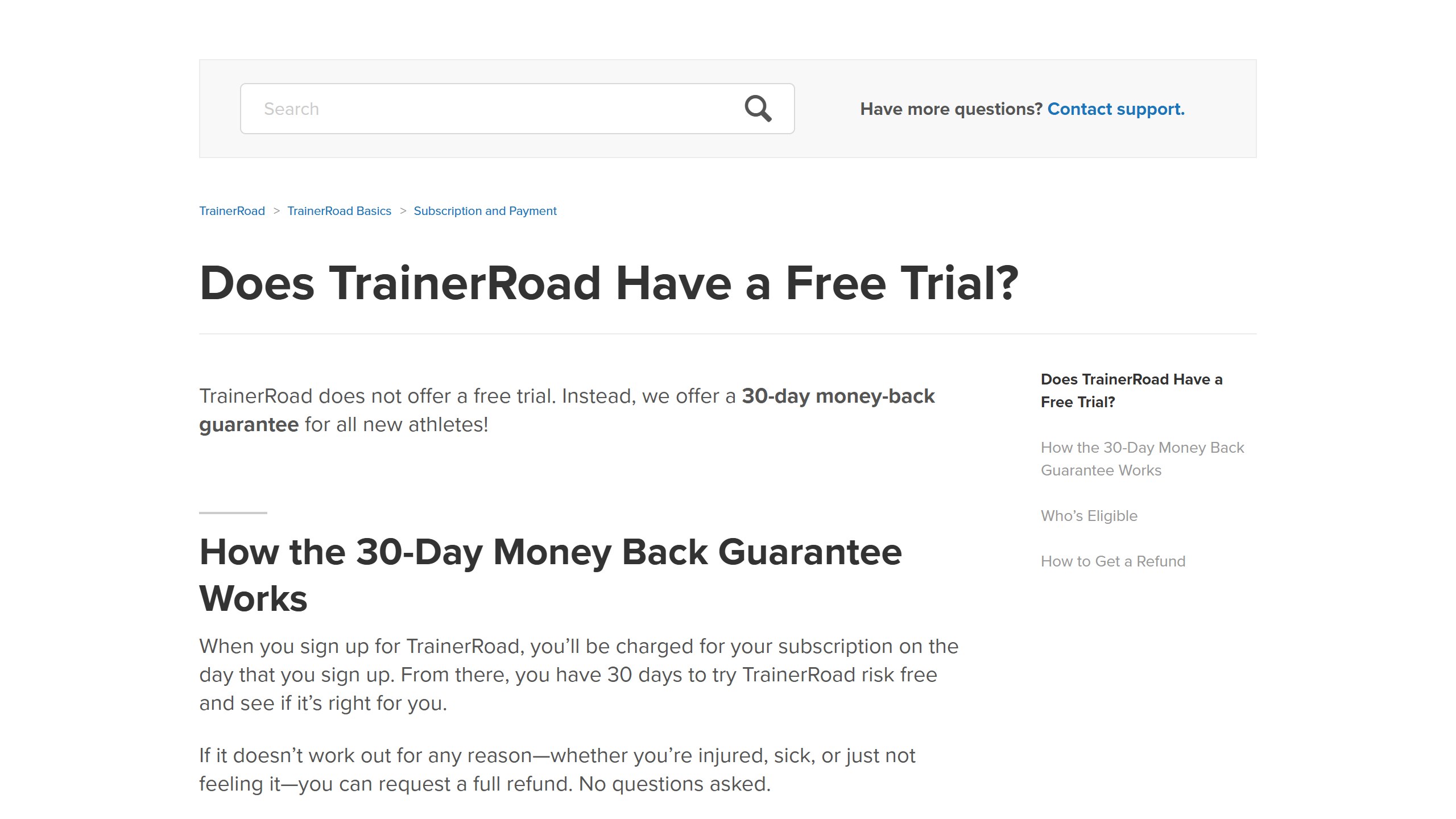
The refund policy sets the edges of that guarantee. It applies to new accounts only and “does not apply when resubscribing after canceling”. There are no partial-month refunds, yearly plans are refundable only inside the first 30 days, and there are “no prorated refunds” after that. Promo codes are not refundable. If you signed up through Apple in-app billing, refunds, including the guarantee, go through Apple rather than TrainerRoad, according to its Apple subscriptions article.
No pause, and what cancelling keeps
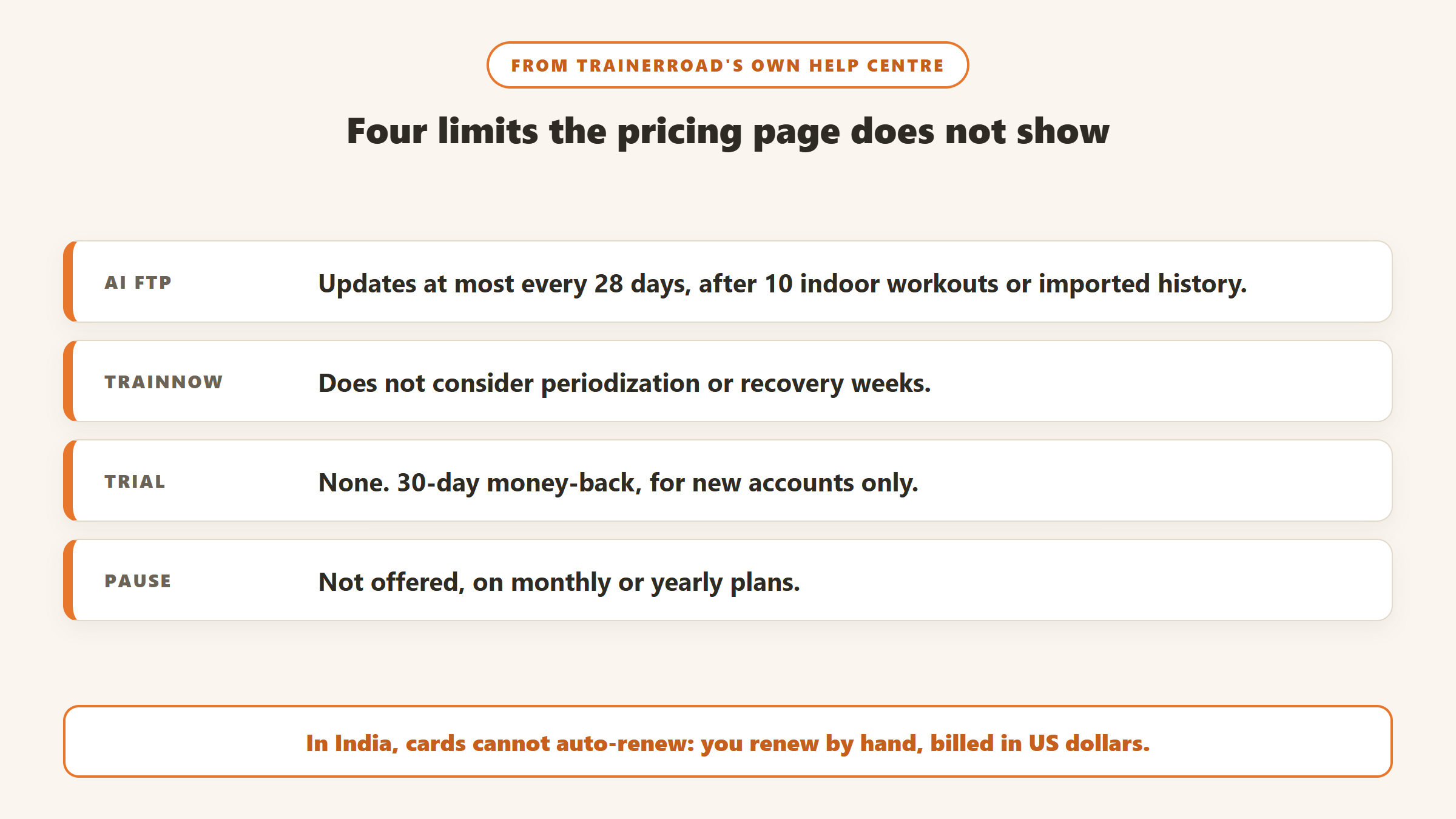
Many cyclists stop indoor training in summer. TrainerRoad does not help with that: “TrainerRoad does not offer the ability to pause subscriptions, whether monthly or yearly,” says its pause article. The practical options are to cancel and resubscribe later or to keep paying. Cancelling is done on the website under Account, Membership, and access continues to the end of the period you paid for. The cancellation article says your training history is kept if you cancel, but deleting the account is permanent.
One smaller detail matters for riders who train in a garage with no internet: TrainerRoad works offline, but you must log in once a month on the monthly plan, or once a year on the yearly plan, so it can check your payment.
Billing in India and outside the US
This is the detail no other review we read mentions. TrainerRoad processes “all subscription payments in US Dollars (USD)”, according to its currency article, so riders paying from another country take whatever exchange rate and foreign transaction fee their bank charges. The article suggests PayPal as one way to control the conversion.
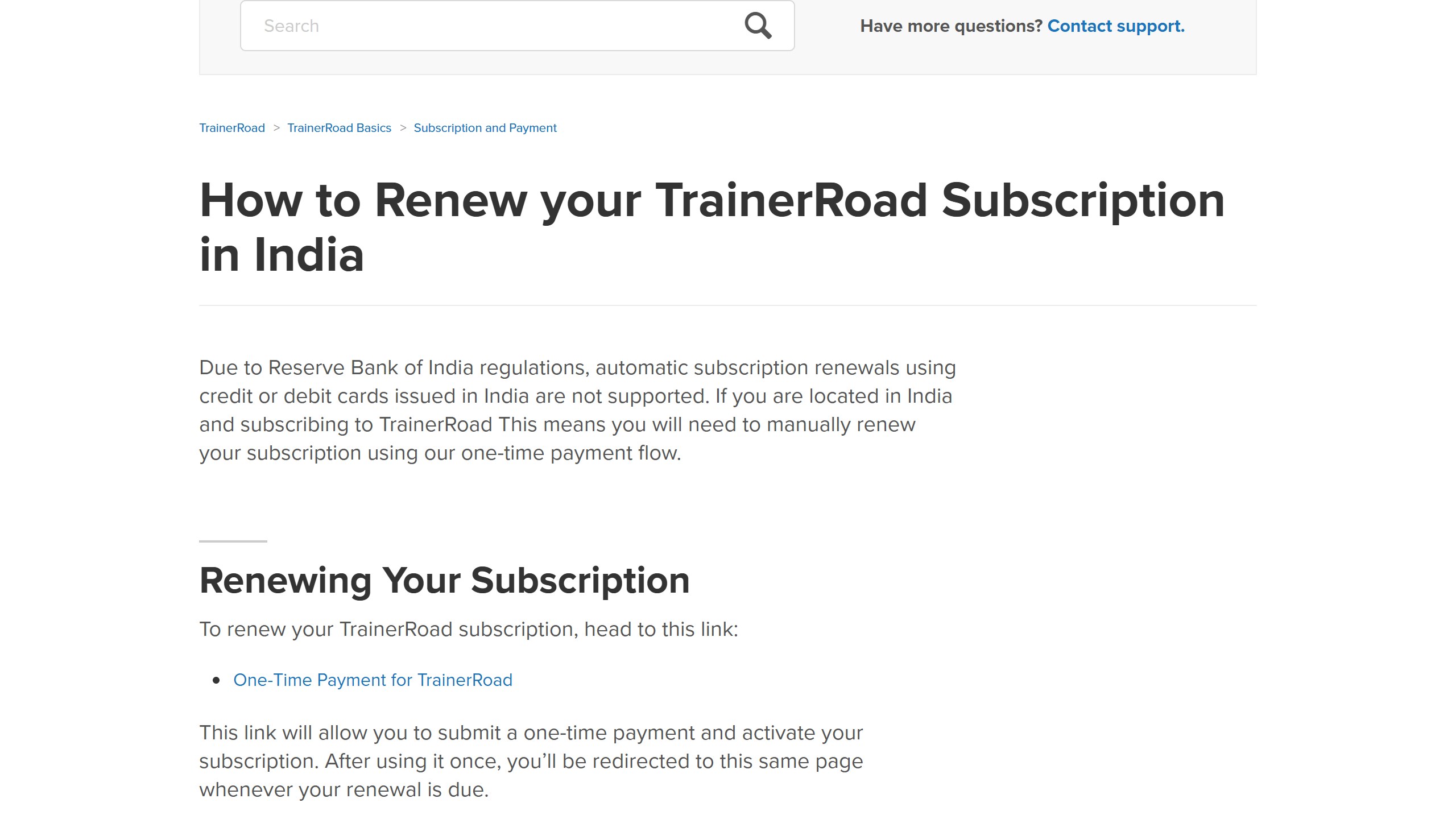
Riders in India have an extra step. TrainerRoad’s article on renewing in India says: “Due to Reserve Bank of India regulations, automatic subscription renewals using credit or debit cards issued in India are not supported.” Instead, you renew by hand through a one-time payment each period, and TrainerRoad recommends doing it within 7 days of the renewal date. A monthly plan in India therefore means a manual payment twelve times a year, which is a practical argument for the yearly plan if you are sure you will stay.
What “TrainerRoad AI” actually does
TrainerRoad’s older reviews talk about “Adaptive Training”. TrainerRoad’s own marketing pages have moved on: the homepage, pricing page and app pages we read on 22 September 2026 say “TrainerRoad AI” and name a set of features underneath it. The homepage says TrainerRoad AI “runs hundreds of simulations to find the right workout”, and the pricing page describes “custom AI models built from the ground up on millions of rides from real cyclists”. Those are vendor claims; TrainerRoad does not publish the models or an independent evaluation of them. What its help centre does publish is how each feature behaves, including the limits.
AI FTP Detection: no ramp test, with two conditions
FTP (functional threshold power) sets the targets for every workout, so getting it right matters more than almost anything else in a power-based plan. TrainerRoad’s AI FTP Detection estimates it from your rides with power data, indoor or outdoor, structured or not, and heart rate is not required. You can accept the new number, decline it and accept it later, or delete an accepted value from your FTP history.
Two limits are written into the help centre. First, detection “requires imported training data or 10 completed indoor TrainerRoad workouts to begin detecting your FTP”, so a brand new rider with no history cannot skip the first test on day one. Second, a separate article explains that detection “isn’t available more often than every 28 days”. If you get much fitter inside a month, your targets wait for the next window. TrainerRoad’s AI FTP Prediction shows a forecast of the next detected value in the meantime.
AI Training Simulation and Predicted Difficulty
The AI Training Simulation is a highlighted 28-day block on your calendar, starting from today, in which upcoming workouts are recalculated as you complete or miss sessions. Alongside it, AI Predicted Difficulty labels each workout on a six-step scale from Easy to Fail. The help centre is careful to say that this label is “informational” and “doesn’t change your workout or plan by itself”. It is a warning, not an adjustment.
Progression is tracked through Athlete Levels (the help centre also calls them Progression Levels), scored 1 to 10 for each training zone. They drop after an FTP increase by design, because the same workout is now harder relative to your new number. Riders who have not read that article sometimes assume they have lost fitness.
Fatigue Detection, TrainNow and AI Workouts
Fatigue Detection marks calendar days yellow (“Avoid Intensity”) or red (“Rest Recommended”), using your completed workouts, outside activities and the short survey you answer after each session. Heart-rate-only activities count if heart rate training stress estimation is switched on, and swims and runs are adjusted as well as rides. One quirk worth knowing: if you accept a swap to a rest day, it cannot be undone.
TrainNow is the button for days you are not following a plan. It offers three suggestions (Endurance, Climbing and Attacking) at the duration you pick. The help centre is unusually direct about its limits: “it does not consider periodization or other factors. For instance, it will not recognize if you need a recovery week.” It “is not intended as a replacement for a training plan.” TrainerRoad’s TrainNow page claims “50.8% fewer workouts failed” than picking at random, a vendor statistic with no method published. AI Workouts work the same way for one-off sessions, filtered by category, from Criteriums to Cyclocross to Zwift Racing.
Plans, triathlon and running
Plans are built in Plan Builder. You enter A, B and C priority events, pick Low, Mid or High volume, and choose which days are outside, group or solo rides. The homepage says plans “start at about 3 hours per week”, and there is a Masters option. TrainerRoad also offers plans aimed at Zwift riders, such as one for climbing faster up Alpe du Zwift, which do not need a Zwift subscription to use.
For triathletes, TrainerRoad’s triathlon plans cover Sprint, Olympic, Half and Full distance with swim, bike and run workouts; the Full-Distance Base plan, for example, runs 8 to 14 hours a week in 8-week blocks. Run workouts are pace-based. Runs are imported from Strava or Garmin Connect, and TrainerRoad’s run analysis article says run training stress is “estimated using RPE or heart rate”. In other words, TrainerRoad counts your running toward load and rest, but the bike is where the power-based precision lives. Our AI triathlon training apps guide compares it with tools built multi-sport first.
Outdoor workouts and the Apple Watch
You can take structured workouts outside. TrainerRoad’s outside workouts article says they can be sent to Garmin, Wahoo and Hammerhead head units and the Apple Watch “if you have a power meter”, with RPE-based descriptions for riders without one. Two details are easy to miss. Outside versions of indoor workouts run “between 15 and 60 minutes longer”, because holding steady power on the road is harder than on a trainer. And TrainerRoad answers “Not yet” to whether it has a library of outside workouts.
The Apple Watch route has its own requirements. TrainerRoad’s Apple Watch article lists an Apple Watch Series 4 or newer with an iPhone 11 or newer, and the watch handles outside workouts only. It syncs when you open the iPhone app, not in the background, and unstructured outside rides recorded in Apple Health do not flow back into TrainerRoad.
Apps, devices and hardware
TrainerRoad’s download page lists iPhone and iPad, Android, Windows and macOS (Apple silicon and Intel), plus a web app, with legacy installers for older Windows and Mac versions. There is no Apple TV app (TrainerRoad suggests screen mirroring), no Chromebook support and “don’t currently have plans” for one, and Peloton bikes “are not supported”.
Its documents disagree on minimum versions. The Equipment Checker page lists Android 5, Windows 8 and macOS 10.11. The Minimum System Requirements article lists Android 7.0, Windows 10 or 11 and macOS 10.13. The App Store says the current iPhone app “Requires iOS 16.0 or later”, while both TrainerRoad pages still say iOS 11. If your device is old, trust the store listing over either page.
On hardware, TrainerRoad works with “smart trainers, classic trainers with a speed sensor, or any bike with a power meter”, and its Equipment Checker counts “more than 200 compatible devices” over Bluetooth and ANT+. Riders with a basic trainer can use VirtualPower, which estimates watts from a speed sensor and your trainer’s resistance curve. TrainerRoad’s own framing is honest: “consistency is much more important than data accuracy.” VirtualPower numbers will not match a power meter, but they are repeatable enough to train with.
Integrations: Zwift, ROUVY, Garmin and TrainingPeaks
TrainerRoad’s third-party sync article lists Zwift, Garmin (up to five years of history in, outside workouts out), Strava, Wahoo, Hammerhead, TrainingPeaks, the Apple Watch, Final Surge, TriDot and Dropbox. ROUVY has its own set of help articles, so both of the big virtual platforms can now run TrainerRoad workouts. That matters more than it used to: Zwift completed its acquisition of ROUVY in April 2026, and TrainerRoad works with both.
The Zwift link is the one most riders care about, and TrainerRoad’s Zwift FAQ spells out the fine print. You need both an active TrainerRoad subscription and an active Zwift subscription. Today’s workout appears inside Zwift, and TrainerRoad does not need to be open. Your FTP does not sync, so “you’ll need to manually update your FTP in Zwift to match”. Zwift limits intensity adjustments to 125% of the target power, and only indoor cycling workouts go across; runs and outside workouts do not. Rides completed in Zwift still count toward AI FTP Detection and your Progression Levels. On ROUVY, the ROUVY FAQ notes a 150% cap instead.
TrainingPeaks is a one-way street. TrainerRoad’s export article says its planned workouts “cannot be exported to TrainingPeaks”. Only bike workouts that a coach builds in TrainingPeaks come into TrainerRoad, synced four times a day, and completed rides go back out. If you work with a coach who plans in TrainingPeaks, TrainerRoad becomes the tool you ride their sessions in, not the one that plans them. Our TrainingPeaks review covers the other side.
What the store listings and reviews say
On 22 September 2026 the US App Store showed TrainerRoad at 4.9 from 21,438 ratings, from developer Trainer Road, LLC. Google Play, set to the US, showed 4.7 from about 9,220 reviews and more than 100,000 downloads. Those are strong scores for a paid-only training app.
TrainerRoad’s own pages quote a different figure, “4.8/5.0, 55k+ Reviews”, and put Zwift at “4.5 (125k+ reviews)” beside it. Neither number matches what the two US stores showed, and TrainerRoad does not say where they come from. They may combine stores and countries. We report the store figures above because anyone can check them.
Who TrainerRoad is for
A good fit if you
- want an app to decide what you ride each day, around a target event, with power targets set for you;
- train mostly indoors on a smart trainer, or have a power meter for outside workouts;
- would rather watch your own shows than ride through a virtual world;
- are a triathlete whose weak discipline is the bike;
- will commit for a season, since the yearly plan saves $54 and there is no pause.
Probably not for you if you
- ride indoors for the social side, racing and group rides (see TrainerRoad vs Zwift);
- want to try before paying, because there is no free trial;
- train only in summer and would want to pause for the rest of the year;
- use a Chromebook, Apple TV or Peloton bike as your main screen;
- work with a coach whose plans live in TrainingPeaks and want TrainerRoad to plan too.
If any of those apply, our TrainerRoad alternatives guide compares JOIN, Xert, Wahoo SYSTM, TrainingPeaks and others on price and on what their adaptive features actually do, and our AI cycling coach apps roundup ranks the wider field.
Our verdict
TrainerRoad does one thing and documents it unusually well. One price covers every feature, the help centre tells you exactly how its AI behaves and where it stops, and it plugs into the virtual platforms riders already use. Those are real strengths for a paid-only app, and its store ratings back them up.
It loses marks for the terms around that price. There is no free trial and no pause, the 30-day guarantee covers new accounts only, and riders outside the US pay in dollars; in India they renew by hand. Its own pages also disagree on minimum specs and quote rating figures that do not match the stores. We score it 4.4 out of 5 on the research: an easy recommendation for a rider who wants structure and will train through a season, and a harder one for anyone who wants to try it first or ride only part of the year.
Sources
- trainerroad.com homepage, pricing, refund policy, download, equipment checker, triathlon plans and Zwift integration pages, read 22 September 2026.
- TrainerRoad help centre articles on the free trial, pausing, cancelling, India renewals, currency, discounts, multiple riders, Apple billing, offline use, AI FTP Detection, AI Training Simulation, Predicted Difficulty, Fatigue Detection, TrainNow, Athlete Levels, Plan Builder, outside workouts, the Apple Watch, runs, platforms, VirtualPower and third-party sync, read 22 September 2026.
- US App Store and Google Play listings for TrainerRoad, read 22 September 2026.
- Zwift’s newsroom announcement of its ROUVY acquisition, 29 April 2026.

Written by
FazFaz is the founder of AIToolsBakery. Some tools here are tested hands on. Others are assessed from vendor documentation and pricing verified on the live page, and every review says which one it is. Sponsors can buy a position in a guide. They cannot buy the score, the criticism, or silence about a better option.
How we test and how we make money →