“TrainerRoad or Zwift?” is the question most indoor cyclists ask before their first winter on a trainer, and most comparisons answer it with a features list. The features matter less than the job each app is built to do, and less than the fine print: what you can try for free, what happens when you stop paying, and what actually works when you connect the two. Both companies write that fine print down in their help centres. This comparison puts it side by side.
How we put this together. We have not used TrainerRoad or Zwift ourselves; this is a research-based comparison. Prices come from each vendor’s pricing page, served in US dollars, and every other detail from their help centres, the Zwift newsroom and the US app store listings, all read on 22 September 2026. Nothing below is a test result.
The short answer
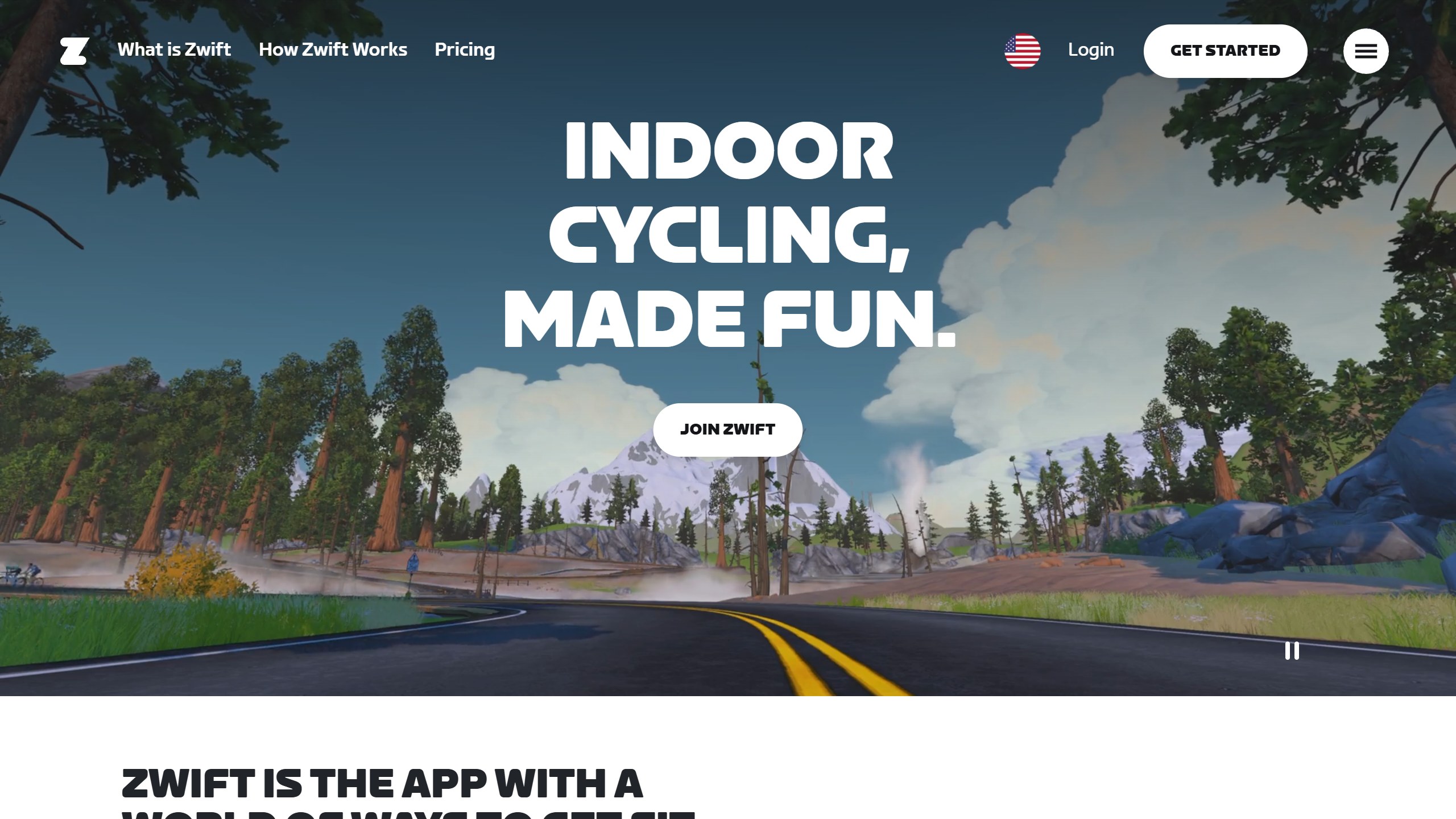
TrainerRoad and Zwift solve different problems. TrainerRoad is a coach in software: it builds a plan around your events and hours, sets your power targets, and adjusts upcoming workouts from how your last ones went. Zwift is a place: twelve virtual worlds where you ride, race and join group rides with other people, with a large workout library on top. TrainerRoad’s own integration page sums up its view of the difference: “Zwift is fun, but effort without structure won’t make you faster.” Zwift’s homepage answers with its own tagline, “Indoor Cycling, Made Fun.”
- Choose TrainerRoad if you want an app to decide what you ride every day around a target event, and you are happy to watch your own shows while you do it.
- Choose Zwift if you need a reason to get on the trainer at all: other riders, races, routes and progress you can see.
- Choose both if you want TrainerRoad’s plan inside Zwift’s world. It works, but you pay for two subscriptions and a few things do not carry across.
TrainerRoad vs Zwift side by side
| Item | TrainerRoad | Zwift |
|---|---|---|
| Monthly price (US) | $21.99 | $19.99 plus tax |
| Yearly price (US) | $209.99 (about $17.45 a month) | $199.99 plus tax (about $16.67 a month) |
| Free trial | None | 14 days, monthly plan only |
| Money-back | 30 days, new accounts, monthly or yearly | 30 days, first annual membership only |
| Pause | Not offered | 7, 14, 30, 60 or 90 days (not on Apple billing) |
| After you cancel | History kept; no app use | Riding stops; running stays available |
| Tiers | One, every feature | One membership |
| Virtual world | None; bring your own entertainment | 12 worlds, 120+ routes |
| Racing and group rides | Group workouts only | Races and group events “every 5 to 10 minutes” |
| Plan adaptation | TrainerRoad AI, Fatigue Detection, 28-day simulation window | Plans that “adapt to your progress”, recommendations, WHOOP recovery input |
| FTP | AI FTP Detection, at most every 28 days | FTP tests plus “automatic detection of improvements” |
| Running | Imports and analyses runs; pace-based tri plans | Treadmill running in the game |
| Platforms | iPhone, iPad, Android, Windows, macOS, web; no Apple TV | Windows (not ARM), macOS, iPhone, iPad, Android, Apple TV |
| Own hardware | None | Zwift Ride and trainer bundles, from $549.99 |
| US App Store (22 Sep 2026) | 4.9, about 21,400 ratings | 4.7, about 21,400 ratings |
| Google Play, US (22 Sep 2026) | 4.7, about 9,200 reviews | 3.9, about 26,800 reviews |
Price: close, until you add the terms
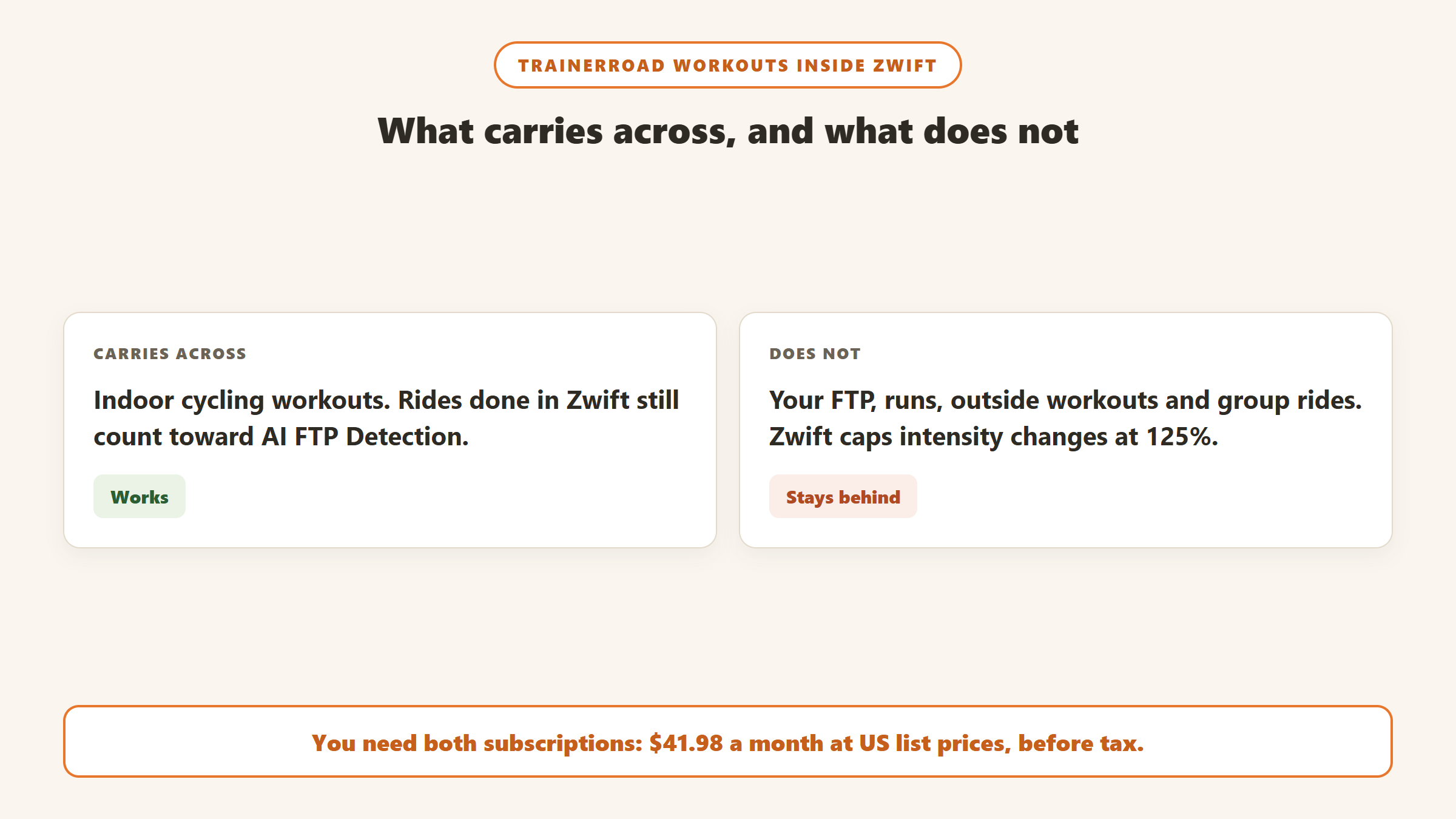
On list price the two are almost level. TrainerRoad charged $21.99 a month or $209.99 a year on 22 September 2026, with no taxes shown. Zwift charged $19.99 a month or $199.99 a year, “plus applicable taxes”, according to its pricing FAQ. Over a year the gap is $10 before tax. Both are single plans with nothing to upgrade to. Running both, as many riders do, costs $41.98 a month at US list prices before tax.
The yearly plans are the better deal on both. TrainerRoad’s saves $54 a year against paying monthly, and Zwift’s saves $39.89, by each vendor’s own arithmetic. But a yearly plan only saves money if you ride all year, and that is where the two apps’ terms pull apart.
The difference is in the terms around the price, and it matters more than the $2 a month.
Trying before you pay
Zwift offers a 14-day free trial on the monthly plan: “The free trial gives you 14 days with unlimited distance.” You must cancel before it ends to avoid a charge. The annual plan has no trial, but first-time annual members who cancel within 30 days get a full refund, per the membership FAQ.
TrainerRoad has no free trial. “Instead, we offer a 30-day money-back guarantee for all new athletes!” You pay on day one and ask for a refund if it is not for you. The refund policy adds that the guarantee “does not apply when resubscribing after canceling”, and there are no prorated refunds on a yearly plan after the first 30 days.
Stopping for the summer
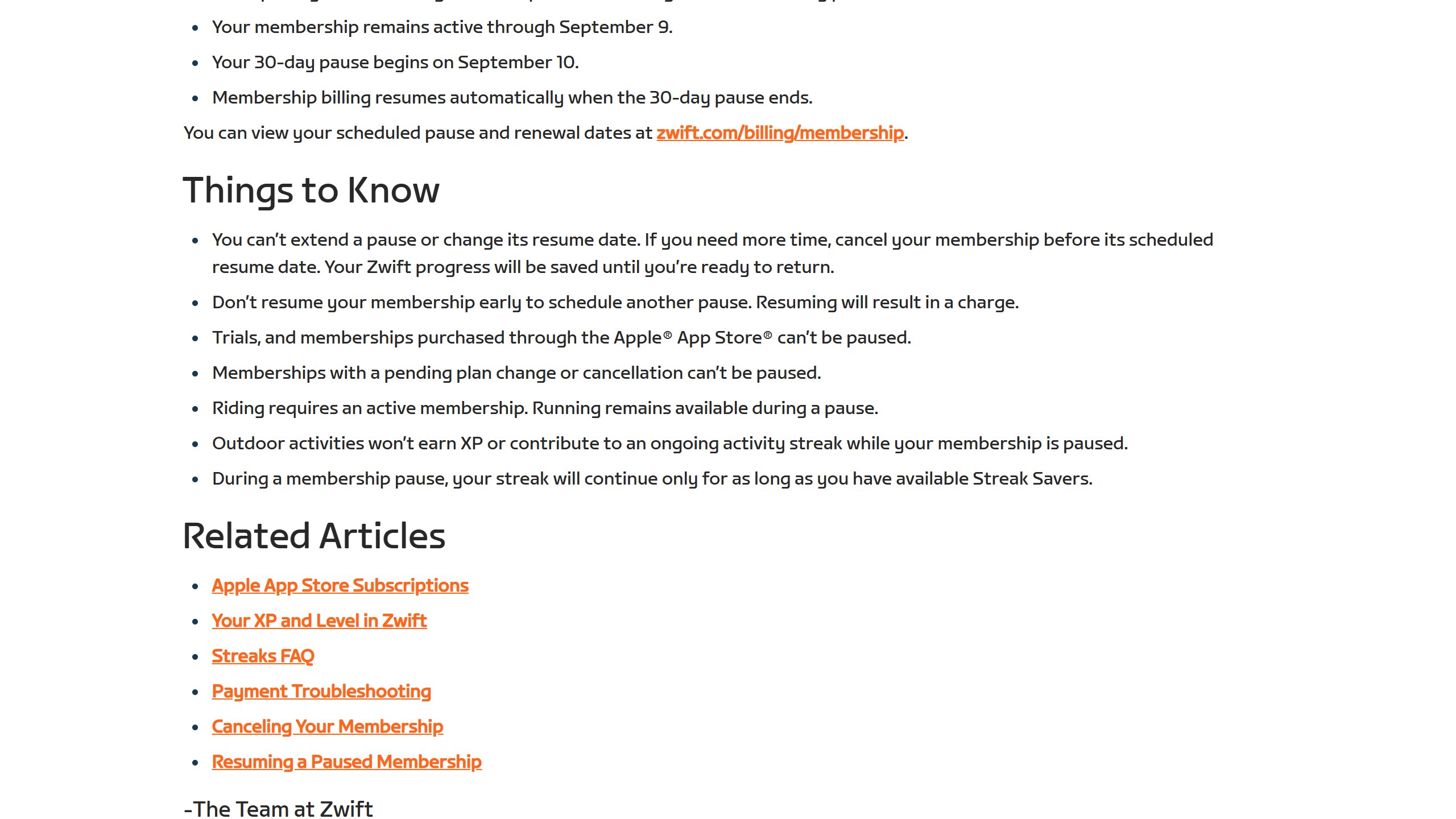
This is where the two differ most. Zwift lets you pause for 7, 14, 30, 60 or 90 days, starting at the end of your billing period, although not on a free trial or an Apple App Store subscription. TrainerRoad does not offer a pause at all, “whether monthly or yearly”. If you ride indoors only from October to March, Zwift’s terms fit that pattern better.
After you cancel, Zwift’s cancellation article says: “Riding requires an active membership. Running remains available.” The same is true during a pause. TrainerRoad keeps your training history when you cancel, but you cannot use the app until you resubscribe.
Paying from outside the US
TrainerRoad bills “all subscription payments in US Dollars (USD)”, according to its currency article. Zwift charges “$19.99 USD/month or $199.99 USD/year (or local equivalent)” and lists local prices for a handful of countries, including New Zealand, Norway, South Africa and Switzerland. For riders in India, two details stand out. TrainerRoad’s help centre says Indian cards cannot auto-renew because of Reserve Bank of India rules, so you renew by hand each period. And Zwift’s shop FAQ lists shipping to the US, UK and EU only, so its own hardware is not sold directly into India.
Training: a plan engine vs a world with plans
How TrainerRoad adapts
TrainerRoad’s pitch is that you never have to decide what to ride. Its homepage says TrainerRoad AI “runs hundreds of simulations to find the right workout”. In practice the help centre describes a set of features: AI FTP Detection estimates your FTP from rides with power data, so you can skip ramp tests; Fatigue Detection marks days yellow or red when you need to back off, using outside rides and your post-workout surveys; and a 28-day simulation window recalculates upcoming workouts as you go. The limits are written down too. FTP detection runs at most every 28 days and needs 10 indoor TrainerRoad workouts or imported history before it starts. Our TrainerRoad review goes through each feature.
How Zwift adapts
Zwift has moved further into training than its reputation suggests. Its homepage promises “Personalized training plans that adapt to your progress”, and its Why Zwift page mentions “automatic detection of improvements to your FTP”. In March 2026 Zwift added personalised recommendations: “every Zwifter now receives a recommended next activity in the ‘Next Up’ card in Zwift Companion”, based on recent rides and preferred activity types, with weekly planning in the Companion app. Planned events feed in too; Zwift’s example is that if you have a race tomorrow, “we can give you something to prime those legs.” Since 9 September 2026, a WHOOP connection means that “On red days, Zwift will automatically adjust your Personal Recommendations.”
The difference is depth and emphasis rather than presence. Zwift does not call these features AI on the pages we read, and it publishes far less about how they decide. TrainerRoad publishes detailed help articles on each adaptive feature, including when it will not act. If precise, periodised structure around a target event is the point, TrainerRoad is built for it. If you want sensible suggestions inside an app you enjoy opening, Zwift now does that.
Racing, group rides and motivation
Zwift’s core is other people. Its Why Zwift page describes 12 worlds and over 120 routes, group events every 5 to 10 minutes, pacer bots and categorised racing. TrainerRoad has group workouts, where each rider needs their own account, but no world, no racing and no avatar. Its entertainment article says it “lets you choose your own entertainment”, with a Minimal Mode on desktop and Picture in Picture on iPhone and iPad. For some riders that is a feature, not a gap. For others it is the reason they stop training in February.
Hardware, platforms and running
Both work with a smart trainer or a smart bike, and both can work with a basic trainer. TrainerRoad’s VirtualPower estimates watts from a speed sensor, and TrainerRoad says “consistency is much more important than data accuracy.” Zwift’s zPower does the same job, but “zPower isn’t available in Zwift-organized events”, so a basic trainer limits what you can race.
Zwift also sells its own hardware. The US Zwift shop listed the Zwift Ride smart bike with a KICKR CORE 2 at $1,299.99, the Zwift Ride frame alone at $799.99 and a Wahoo KICKR CORE 2 bundle with Zwift Cog and Click at $549.99 on 22 September 2026. We did not find the Zwift Hub trainer listed as a product, only its spare parts. TrainerRoad sells no hardware.
On platforms, Zwift’s supported devices article lists Windows 10 64-bit (x86 only, “ARM not supported”), macOS, iPhone, iPad, Android 9 or later, and Apple TV. TrainerRoad runs on iPhone, iPad, Android, Windows, macOS and the web, but has no Apple TV app. If your trainer setup is built around an Apple TV, that decides it.
For runners, Zwift has in-game treadmill running with a footpod, connected shoe or treadmill sensor, per its running requirements, and running stays available without an active membership. TrainerRoad does not run a treadmill session in-app. It imports runs from Strava or Garmin Connect, estimates their training stress “using RPE or heart rate”, and builds pace-based runs into its triathlon plans.
Using TrainerRoad and Zwift together
Many riders do not choose. TrainerRoad sends its workouts into Zwift, so you can follow TrainerRoad’s plan while riding in Zwift’s worlds. The two help centres, TrainerRoad’s Zwift FAQ and Zwift’s third-party platforms article, set out how it works:
- You need “An active TrainerRoad subscription” and “An active Zwift subscription”. You connect them once on the TrainerRoad website.
- Today’s workout appears in Zwift, and today’s and tomorrow’s in the custom workouts list. Only Zwift needs to be running; “TrainerRoad doesn’t need to be open.”
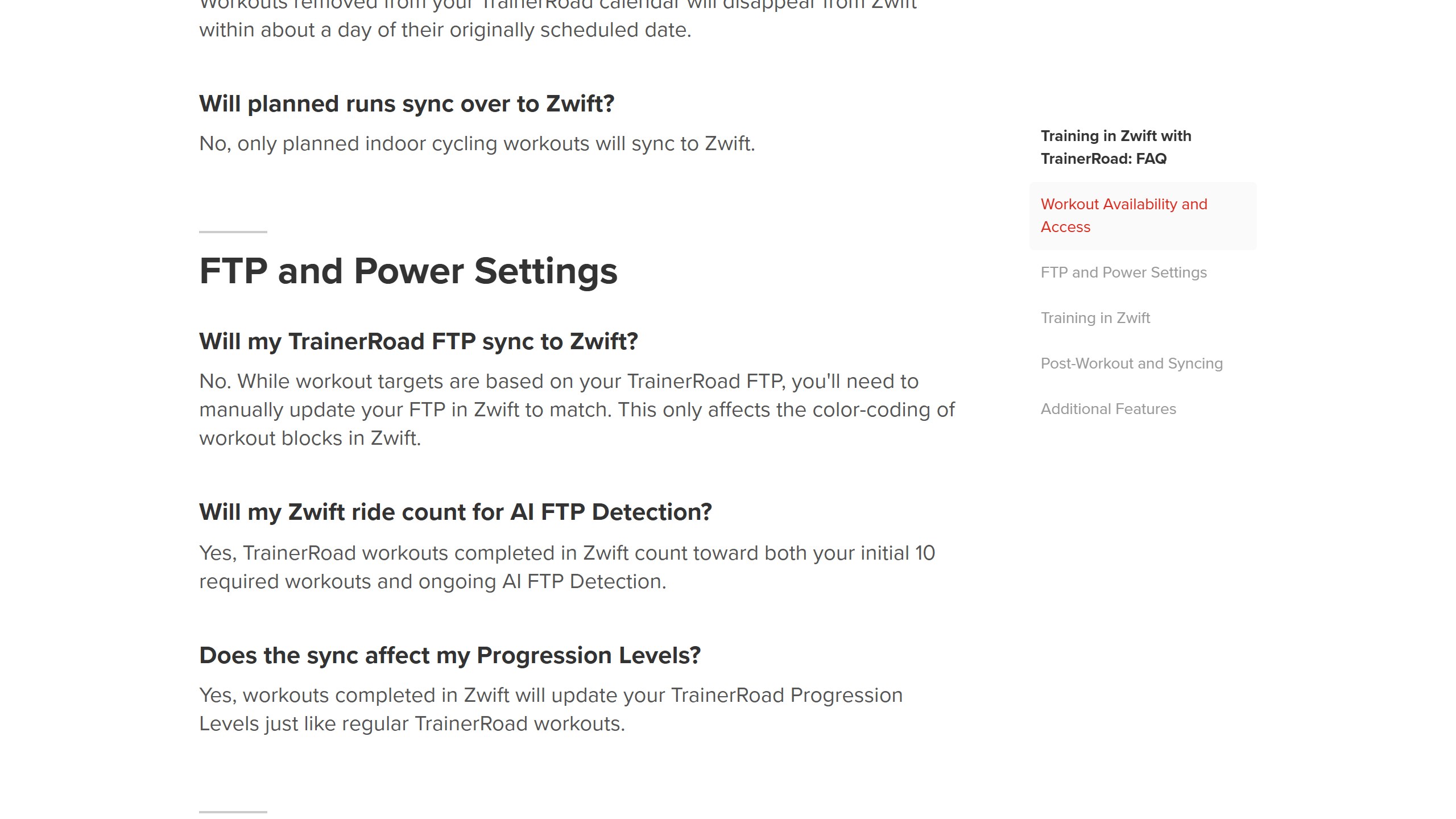
- FTP does not sync. “you’ll need to manually update your FTP in Zwift to match.” TrainerRoad says this only affects the colour coding of workout blocks, and Zwift’s own advice is to keep FTP values consistent across platforms.
- Zwift limits intensity adjustments to 125% of target power, per TrainerRoad’s FAQ, and ERG mode turns off terrain resistance.
- Only indoor cycling workouts sync. Runs, outside workouts and group rides on your TrainerRoad calendar do not.
- Rides completed in Zwift count toward TrainerRoad’s 10-workout minimum and ongoing AI FTP Detection, and update your Progression Levels.
It does not work the other way round: nothing we read lets Zwift’s plans run inside TrainerRoad, although completed Zwift rides sync back for analysis. TrainerRoad is also one of about 37 platforms Zwift lists as sending workouts in, alongside TrainingPeaks, Xert, Wahoo SYSTM and intervals.icu, so this is a general Zwift feature rather than a special partnership. TrainerRoad even offers Zwift-specific plans, which do not need a Zwift subscription.
Where ROUVY fits now
One change most comparisons have not caught up with: Zwift completed its acquisition of ROUVY on 29 April 2026. Zwift says the two “will continue to operate independently, with differentiated roadmaps and subscription packages”, and that Zwift Ready trainers and the Zwift Ride now work with ROUVY. TrainerRoad also sends workouts to ROUVY, with a 150% cap on adjustments there. If you want real-world video routes rather than game worlds, the TrainerRoad and ROUVY pairing is now a direct alternative to TrainerRoad and Zwift.
What the ratings say, and what TrainerRoad claims
On the US App Store on 22 September 2026, TrainerRoad held 4.9 from 21,438 ratings and Zwift 4.7 from 21,405. On Google Play, set to the US, TrainerRoad showed 4.7 from about 9,200 reviews and Zwift 3.9 from about 26,800. Zwift’s lower Android score comes with far more installs, over a million against TrainerRoad’s 100,000 or more.
TrainerRoad’s pricing page shows its own comparison, “TrainerRoad 4.8 (55k+ reviews)” against “Zwift 4.5 (125k+ reviews)”, without naming a source. Neither pair of numbers matches what the US stores showed. They may combine several stores or countries, but we could not check them, so we use the store figures anyone can verify.
Which should you pick?
Pick TrainerRoad if
- you have a target event and want an app to periodise your training around it;
- you want your FTP and workout difficulty set for you, with clear rules about when it changes;
- you are a triathlete who needs the most help on the bike;
- you would rather watch a film than ride through a game world.
Pick Zwift if
- motivation, not structure, is what stops you riding indoors;
- you want to race, join group rides or ride with friends;
- you want a free trial first, or a pause for the summer;
- your setup runs on an Apple TV, or you also run on a treadmill.
Use both if
- you want TrainerRoad’s plan with Zwift’s world, and $41.98 a month before tax is acceptable;
- you can live with updating your FTP in Zwift by hand.
If neither fits, our TrainerRoad alternatives guide covers JOIN, Xert, Wahoo SYSTM, TrainingPeaks and more, and our AI cycling coach apps roundup ranks the wider field.
Sources
- TrainerRoad: homepage, pricing, refund policy, Zwift integration page, and help centre articles on the free trial, pausing, India renewals, currency, AI FTP Detection, Fatigue Detection, entertainment, VirtualPower, Zwift and ROUVY training, Apple TV and runs, read 22 September 2026.
- Zwift: homepage, pricing, Why Zwift, running and US shop pages; help centre articles on pricing, membership, the free trial, cancelling, pausing, Apple billing, third-party platforms, zPower, supported devices and the shop; newsroom posts of 24 March, 29 April and 9 September 2026, read 22 September 2026.
- US App Store and Google Play listings for both apps, read 22 September 2026.

Written by
FazFaz is the founder of AIToolsBakery. Some tools here are tested hands on. Others are assessed from vendor documentation and pricing verified on the live page, and every review says which one it is. Sponsors can buy a position in a guide. They cannot buy the score, the criticism, or silence about a better option.
How we test and how we make money →