Quick comparison at a glance. Full breakdown below.
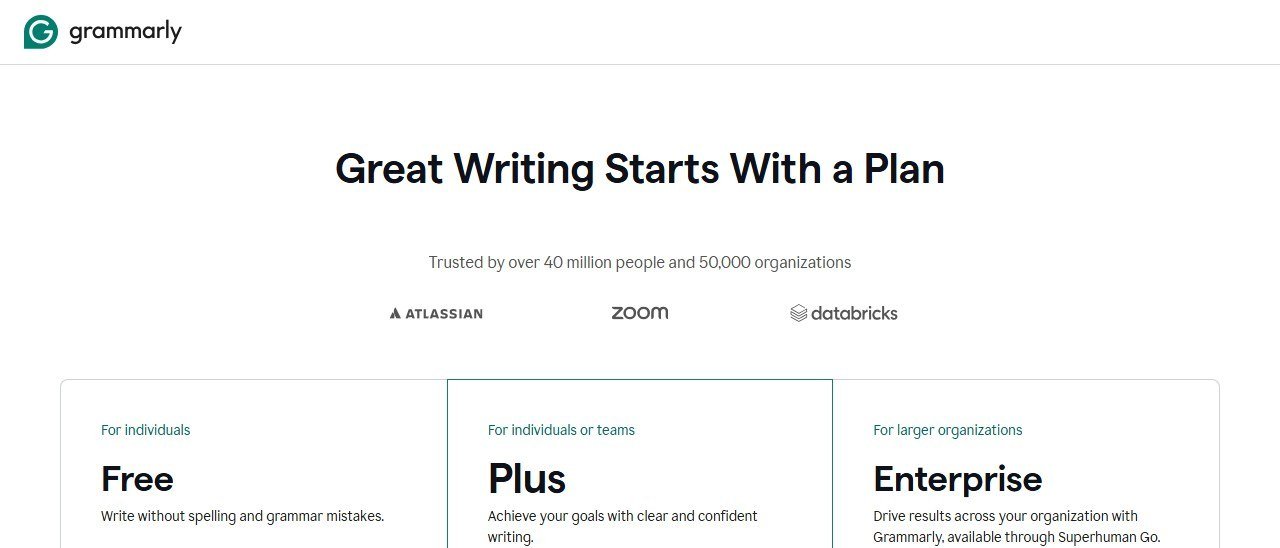
| Plan | Price | What You Get |
|---|---|---|
| Free | $0 | Basic grammar/spelling, tone detection, limited GrammarlyGO prompts |
| Premium Monthly | $30/mo | Full grammar, clarity, tone, full-sentence rewrites, plagiarism detection, more GrammarlyGO |
| Premium Annual | $12/mo ($144/yr) | Same as Premium Monthly |
| Business | $15/user/mo (annual) | Everything in Premium + team features, style guide, analytics, admin controls |
Faz says: Everyone knows Grammarly catches typos. That’s the pitch from a decade ago. In 2026, Grammarly is an AI writing assistant that rewrites sentences, detects tone, generates content with GrammarlyGO, and sits inside basically every app you use. The real question isn’t “does it fix grammar?” It’s whether the AI features are worth paying for, or if the free plan still does enough. We assess it alongside every tool in our best AI rewriting tools list, and here’s the full picture.
Last updated: April 22, 2026.
Related: See also: Grammarly vs ProWritingAid | QuillBot vs Grammarly
What Grammarly Does
Website: Grammarly
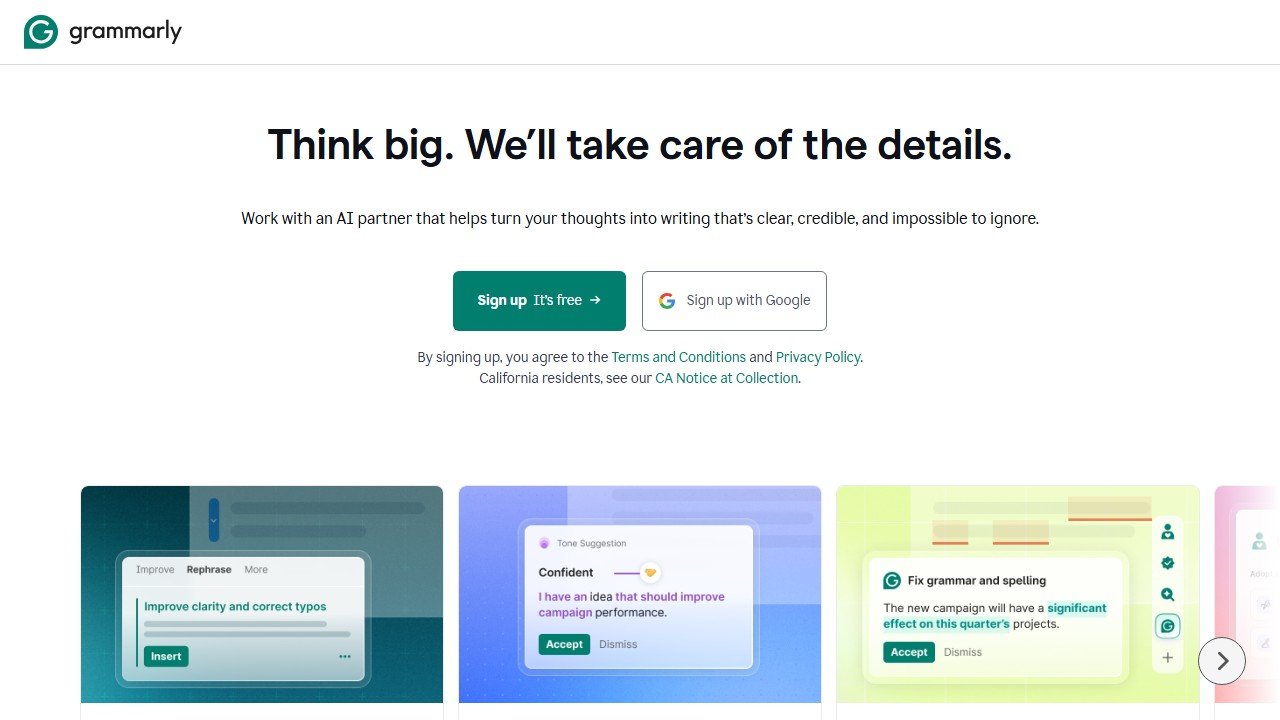
Grammarly is a writing assistant that checks your text for grammar, spelling, punctuation, clarity, tone, and style issues. It works across your browser, desktop apps, mobile keyboard, and email client. The AI layer (GrammarlyGO) adds full-sentence rewrites, tone adjustments, and content generation directly inside whatever you’re writing in.
The difference between Grammarly and a pure rewriting tool like QuillBot is scope. QuillBot rewrites your text into a different version. Grammarly improves your text by fixing specific problems. It’s less about creating a new version and more about making your existing version better.
How We Evaluated Grammarly
We assess Grammarly against the same criteria we apply to every tool in our best AI rewriting tools roundup, drawing on documented features, current pricing, published output samples, and verified user reports. Here is what we weigh:
- Error detection depth: how reliably the checker catches the error classes that matter in real writing: subject-verb disagreement, comma splices, homophones, missing articles, and passive voice, and how much of that sits behind the Premium paywall.
- Rewriting quality: how the full-sentence rewrites and GrammarlyGO handle different registers, from business email to academic writing to technical documentation, judged on readability, meaning preservation, and tone consistency.
- Integration coverage: Grammarly documents support across Chrome, Google Docs, Microsoft Word, Gmail, and more. What matters in practice is whether suggestions appear consistently and whether the extension causes lag or UI conflicts, both of which users report on heavily.
- Tone detection: whether the tone detector reads intent correctly across the range writers actually use, including the harder cases like sarcasm and apology.
- Free versus Premium value: which suggestions are paywalled, and whether the free plan catches enough to be useful on its own.
Research current to February 2026, covering both the Premium and free tiers.
Key Features
Real-Time Grammar and Spelling
The foundation. Grammarly catches grammar mistakes, spelling errors, punctuation issues, and commonly confused words as you type. It works inline with underlines and suggestions, similar to Word’s spellcheck but significantly smarter. The free plan covers basic correctness checks.
Clarity and Conciseness Suggestions (Premium)
Goes beyond grammar to flag wordy phrases, passive voice, unclear sentences, and hedging language. These suggestions are the real value of Premium for most writers. Instead of just telling you what’s wrong, Grammarly shows you how to tighten your writing.
Tone Detection
Grammarly analyzes your text and tells you how it comes across: confident, friendly, formal, direct, concerned, etc. This updates in real time as you write. Useful for emails and client communication where tone matters but you can’t always tell how your writing reads to others.
GrammarlyGO (AI Assistant)
Grammarly’s generative AI feature. You can ask it to rewrite text, change tone, make text longer or shorter, generate replies to emails, or create new content from a prompt. Free users get limited prompts per month. Premium users get more. This is Grammarly’s answer to ChatGPT and it works directly inside the Grammarly editor rather than requiring a separate tab.
In real-world use, GrammarlyGO shines in two specific scenarios. First, email replies. You highlight the email you received, click “Reply,” and GrammarlyGO drafts a contextual response that you can edit before sending. It pulls context from the original message, so the reply is relevant rather than generic. Second, tone shifting. If you’ve written a blunt message and need to soften it, you can ask GrammarlyGO to make it more diplomatic or friendly. The output is usually one click away from usable. Where GrammarlyGO falls short is long-form content generation. Asking it to write a 500-word blog section produces filler that reads like every other AI-generated text. It’s a rewriting and polishing tool, not a content creator.
Full-Sentence Rewrites (Premium)
Highlights entire sentences that could be improved and offers a one-click rewritten version. This isn’t just fixing a grammar error; it’s restructuring the sentence for clarity and impact. This is where Grammarly overlaps with rewriting tools, though it’s more conservative than QuillBot’s Creative mode.
The rewrites tend to focus on three patterns: reducing wordiness (turning a 25-word sentence into 15), fixing passive voice (flipping “the report was written by the team” into “the team wrote the report”), and improving clarity (breaking a run-on sentence into two clear ones). Because the rewrites are deliberately conservative, they preserve meaning reliably. Where users report trouble is sentences carrying nuance or sarcasm, which the rewrite can flatten. You can always ignore a suggestion, and Grammarly learns from your rejections over time. The feature works best for professional and academic writing where clarity beats style.
Plagiarism Detection (Premium)
Checks your text against billions of web pages and academic databases. Reports how much of your content matches existing sources and highlights the specific passages. Useful for students, content writers, and anyone publishing original work.
Integrations
Grammarly works in more places than any other writing tool:
- Browser extensions (Chrome, Firefox, Safari, Edge)
- Desktop apps (Windows, Mac)
- Mobile keyboard (iOS, Android)
- Microsoft Office (Word, Outlook)
- Google Docs (native integration)
- IDE plugins (VS Code, JetBrains)
- Email clients (Gmail, Outlook)
Pricing Breakdown
Hidden limits to know about:
- GrammarlyGO prompts are limited on the free plan. Grammarly doesn’t publish the exact number, but users report running out within a few days of regular use.
- The Premium monthly price ($30/mo) is steep. Annual billing ($12/mo) is a 60% discount, making monthly a poor deal for regular users.
- Plagiarism detection is Premium-only with no standalone option. If that’s all you need, dedicated tools are cheaper.
- The mobile keyboard works for basic corrections but the AI features are limited on mobile.
- Business plan requires minimum 3 users (was 5 previously).
Who This Is For
Use Grammarly if you:
- Want an always-on writing assistant that works everywhere you type
- Need grammar checking as your primary feature with AI rewriting as a bonus
- Write a lot of emails and want tone detection and smart replies
- Are a non-native English speaker who needs constant feedback on grammar and style
- Want a single tool that covers grammar, rewriting, and plagiarism checking
Skip Grammarly if you:
- Only need paraphrasing/rewriting (QuillBot is better and cheaper for that)
- Want aggressive rewriting with multiple modes and fine control
- Need team brand voice management (look at Hypotenuse AI)
- Already have a grammar checker you’re happy with (most word processors have decent ones now)
- Can’t justify $12-30/mo for writing assistance
Pros and Cons
Pros
- Works everywhere: browser, desktop, mobile, email, docs, IDEs
- Tone detection is genuinely useful for professional communication
- Free plan is more generous than most competitors
- Full-sentence rewrites are contextually smart (not random paraphrasing)
- 30+ million users means the product is stable and well-maintained
Cons
- Premium pricing ($30/mo monthly) is high compared to competitors
- GrammarlyGO prompt limits on free plan are frustratingly unclear
- Can be overly cautious with suggestions (sometimes flags correct writing)
- Rewriting capabilities are more conservative than dedicated paraphrasing tools
- Privacy concerns: your text is processed on Grammarly’s servers
Faz says: Grammarly isn’t a rewriting tool. It’s a writing bodyguard. It watches everything you type and catches mistakes before anyone else sees them. The AI rewriting features are solid but conservative. If you need to completely rephrase a paragraph, use QuillBot. If you need someone looking over your shoulder catching the stuff you miss, Grammarly is the best in the business. The real value is the integrations. It’s the only tool on this list that works literally everywhere you write.
Saru says: 4.3/5. Highest meaning preservation score (5.0/5) in our scoring, because Grammarly’s rewrites are deliberately conservative. It improves your text without changing what you’re saying. Readability (4.5) and tone consistency (4.5) are strong. The lower originality score (3.5) reflects that conservative approach. At $12/mo annual, it’s priced between QuillBot ($8.33) and Wordtune ($13.99), which is fair for the broader feature set.
Common Mistakes When Using Grammarly
These are the pitfalls regular Grammarly users run into most often.
1. Accepting every suggestion without reading it. Grammarly’s suggestions are good, but they’re not always right. The tool sometimes flags intentional style choices as errors. Informal contractions, sentence fragments used for emphasis, and industry jargon all trigger suggestions that you should ignore. Blindly clicking “Accept All” can strip personality from your writing and make everything sound the same.
2. Using the free plan and assuming you’re getting the full experience. The free plan catches basic spelling and grammar issues, but the clarity and conciseness suggestions are Premium-only. Those Premium suggestions are where the real value lives for most writers. If you’ve been using the free plan and thinking “this is fine,” you may not realize how many wordiness and structure issues are going unflagged.
3. Relying on Grammarly as your only editing step. Grammarly catches mechanical errors and suggests improvements, but it doesn’t evaluate whether your argument makes sense, whether your structure is logical, or whether your evidence supports your claims. It’s a proofreading layer, not an editor. Writers who treat Grammarly as a replacement for actual revision end up with text that’s mechanically clean but structurally weak.
4. Ignoring the tone detector. The tone detection feature sits in the corner and most users never look at it. That’s a mistake, especially for email. Knowing that your message reads as “direct” when you intended “friendly” can save you from miscommunication. Get in the habit of glancing at the tone indicator before hitting send.
5. Paying monthly instead of annual. This sounds obvious, but Grammarly’s monthly rate ($30/mo) is 2.5 times the annual rate ($12/mo). That’s $360/yr vs. $144/yr. If you’ve been using Grammarly monthly for more than two months, switching to annual saves you over $200 per year for the exact same features.
For where Grammarly fits among every option, see our best AI writing tools guide.
Final Verdict
Grammarly is the most complete writing assistant available in 2026. It’s not the best at any single thing: QuillBot paraphrases better, dedicated grammar tools are cheaper, and ChatGPT generates content more flexibly. But no other tool covers as much ground in as many places. The free plan is genuinely useful. Premium is worth it for daily writers at $12/mo annual. If you write anything that other people read (emails, docs, posts, messages), Grammarly makes it better with minimal effort.
Here’s who should pick Grammarly over the alternatives. If you write dozens of emails per day and need tone checking plus smart replies, Grammarly is the only tool that handles that natively across Gmail and Outlook. If you’re a non-native English speaker who needs constant grammar feedback as you type, the always-on integrations make Grammarly more practical than any competitor. If you’re a student or academic writer, the combination of grammar checking, plagiarism detection, and citation suggestions in one tool saves you from juggling three separate subscriptions. And if you manage a small content team, Grammarly Business’s shared style guide is something no other writing tool in this price range offers. For pure rewriting, QuillBot is better. For sentence-level alternatives, Wordtune is stronger. But for the broadest coverage across the most writing scenarios, Grammarly remains the default choice for a reason.
Rating: 4.3/5
References & further reading
For deeper editorial standards and writing-quality research:
- Chicago Manual of Style. the editorial standard most professional writing AI tools claim to follow
- Purdue Online Writing Lab. comprehensive writing-quality guidance from a top university writing program
- Federal Plain Language Guidelines. official US government standards for clear, accessible writing
Related AI writing and content guides
More from our writing and content cluster:
- Gamma AI Review: honest Test of the AI Presentation Tool.
- Best Jasper AI Alternatives: 8 Tested Side by Side.
- Best Free AI Image to Video Tools: 7 Tested + Credit Math.
- The SEO Agent Review: an Honest Test of the Auto-Pilot SEO Writer.
More AI tool guides worth reading: Jasper vs Copy.ai and Jenni AI Review.
Three of these tools quoted us rupees, and almost no comparison mentions it
This is the single most useful thing we can tell you about pricing in this category, and it is the thing every roundup gets wrong. On 5 September 2026 we read each vendor’s own pricing page from one connection on one day. Three of the biggest names served us a rate card in Indian rupees without being asked.
Grammarly shows an India flag and prices in INR
Grammarly’s plans page displayed a country flag at the top and then quoted Free at ₹0 INR a month and Plus at ₹392 INR per member per month billed annually, or ₹1,000 when billed monthly. The currency code is written out on the page. This is not an artefact of our reading: Grammarly is deliberately serving a local rate card, and the dollar figure quoted in most articles is the United States one. The monthly-to-annual gap here is unusually wide, close to two and a half times, which makes the annual commitment more consequential than at a vendor offering a flat twenty percent.
QuillBot does the same, behind a URL that does not exist
QuillBot is harder to research than it should be. The obvious address, quillbot.com/pricing, returns a 404, and hitting it repeatedly returns a 429. Its own footer link labelled “Pricing” points at /upgrade and its header button at /premium, which is where the plans actually sit. There we were shown Free at ₹0 a month and Premium at ₹200 against a struck-through ₹334 per month billed annually, under a “Get 40% off” banner. A struck-through list price is a promotional display, so ask what it renews at rather than what it costs today.
ProWritingAid prices its free tier in dollars and its paid tiers in rupees
ProWritingAid showed us Free at $0 per month, in dollars, and then quoted Premium and Premium Pro in rupees across three separate billing views: monthly, yearly and a one-time lifetime payment. The two figures we could read cleanly, without digits being split across page elements, were annual totals of ₹4,950 and ₹5,940. Because we cannot separate the per-month rupee figures reliably, we do not publish them. It also gives premium features free to K-12 educational organisations, which none of the others here publish.
What this means for you, practically
Regional rates are set deliberately. They are not a currency conversion, so you cannot recover your own price with an exchange rate, and the ratio between two markets often differs from the ratio between the currencies. Three things follow. Check the page yourself from the country the subscription will be billed in. Treat any article quoting a single global figure for these three as having described one country. And if you are buying for a distributed team, ask the vendor which market the billing entity sits in, because that, not where the user sits, is usually what sets the rate.
Not everyone does this
Jenni AI takes the opposite approach and says so on the page: its plans are listed at $0, $12 and $29 a month with a note reading “Prices in USD. Local currency available in app.” That is the honest version of the same practice, because you can compare it against anything else without first working out which country you are looking at.
Tools mentioned in this guide
- ProWritingAid
- Quillbot
- Wordtune
- Jasper
- Spacely
- Collov
- Coohom
- Veras
- D5 Render
- Enscape
- Twinmotion
- Strong
- Virtual Staging AI
- ChatGPT
- Gamma

Written by
FazFaz is the founder of AIToolsBakery. Some tools here are tested hands on. Others are assessed from vendor documentation and pricing verified on the live page, and every review says which one it is. Sponsors can buy a position in a guide. They cannot buy the score, the criticism, or silence about a better option.
How we test and how we make money →- Works everywhere: browser, desktop, mobile, email, docs, IDEs
- Tone detection is genuinely useful for professional communication
- Free plan is more generous than most competitors
- Full-sentence rewrites are contextually smart (not random paraphrasing)
- 30+ million users means the product is stable and well-maintained
- Premium pricing ($30/mo monthly) is high compared to competitors
- GrammarlyGO prompt limits on free plan are frustratingly unclear
- Can be overly cautious with suggestions (sometimes flags correct writing)
- Rewriting capabilities are more conservative than dedicated paraphrasing tools
- Privacy concerns: your text is processed on Grammarly's servers
- Rebranded to Superhuman (Oct 2025) causing brand confusion
- $5M lawsuit filed March 2026