[Faz] QuillBot and Grammarly are the two most popular AI writing tools, but they solve different problems. QuillBot rewrites your text into a better version. Grammarly fixes what’s wrong with your existing text. Choosing between them depends on what you actually need. We reviewed both extensively for our best AI rewriting tools roundup. Here’s the head-to-head breakdown.
Last updated: April 22, 2026.
Related: See also: Full QuillBot review | Full Grammarly review | QuillBot vs Wordtune
For how both compare against the wider field, see our best AI writing tools guide.
Quick Verdict
| Category | QuillBot | Grammarly | Winner |
|---|---|---|---|
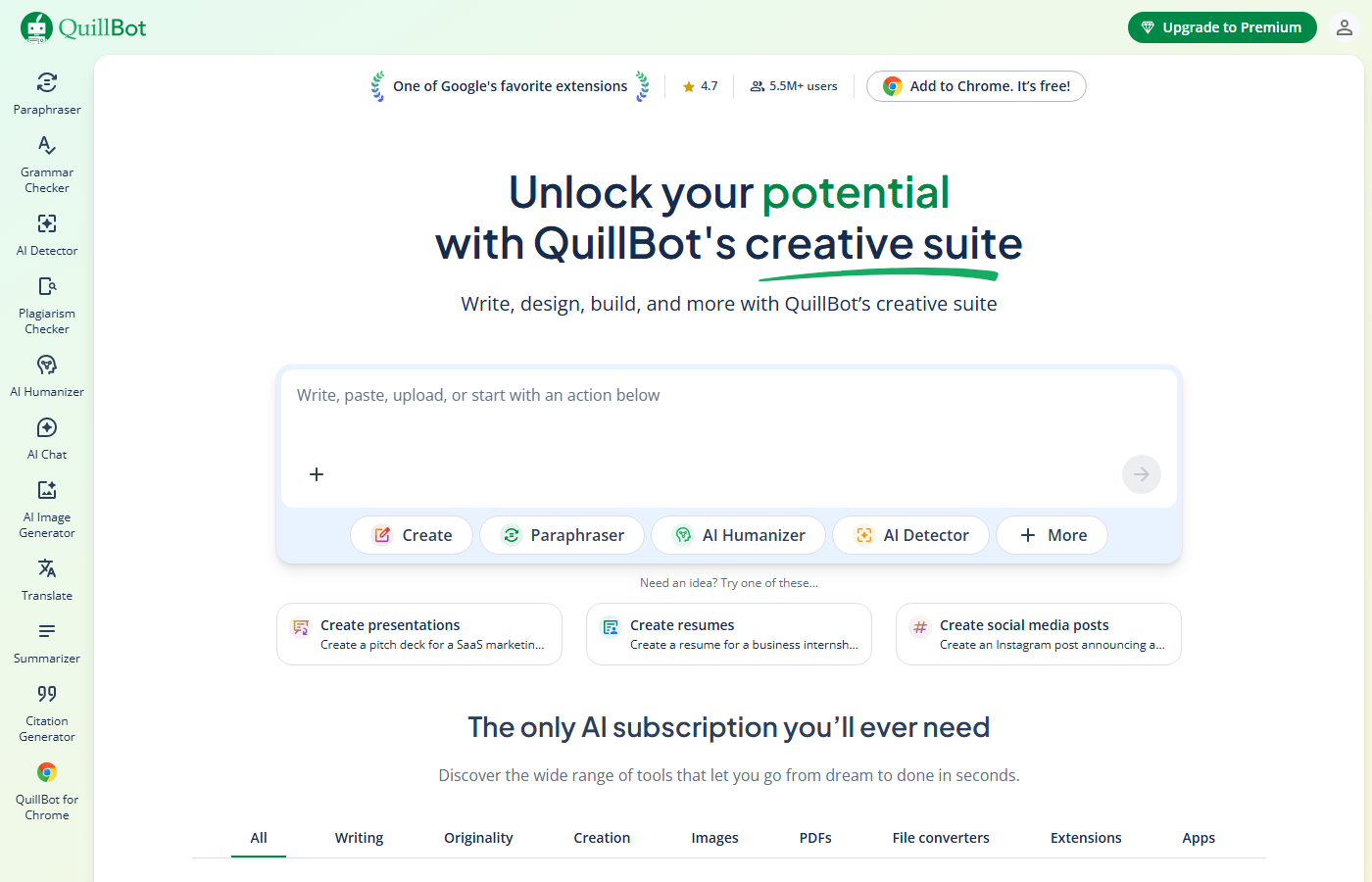
| Paraphrasing | 7 modes, synonym slider, paragraph-level | Basic full-sentence rewrites (Premium) | QuillBot |
| Grammar Checking | Basic, catches fundamentals | Deep, contextual, real-time | Grammarly |
| Tone Control | Formal/Simple modes | Tone detection + GrammarlyGO adjustments | Grammarly |
| Free Plan | 125 words/rewrite, 2 modes | Unlimited grammar checks, tone detection | Grammarly |
| Pricing (Annual) | $8.33/mo | $12/mo | QuillBot |
| Integrations | Chrome, Google Docs, Word | Chrome, desktop, mobile keyboard, IDE, email | Grammarly |
| Best For | Rewriting existing text | Improving everything you write | Depends |
How We Compared These Tools
We didn’t just read feature lists. We used both QuillBot Premium and Grammarly Premium daily for three weeks, running them through identical tests on the same content.
Our comparison methodology:
- Same-text testing: We ran 20 identical paragraphs through both tools’ rewriting features and had three independent readers rank the outputs blind (without knowing which tool produced which version).
- Error detection benchmark: We created a 1,000-word document with 50 seeded errors and ran it through both grammar checkers, comparing catch rates and false positive rates.
- Real-world workflow test: We used each tool exclusively for one week of real work (emails, blog posts, social media) and tracked friction points, time saved, and moments where we wished we had the other tool.
- Integration audit: We reviewed both tools’ browser extensions across the same 10 websites and apps, noting compatibility issues and performance differences.
This isn’t a theoretical comparison.
Feature-by-Feature Breakdown
| Feature | QuillBot | Grammarly |
|---|---|---|
| Free word limit | 125 words per rewrite | Unlimited basic grammar checks |
| Rewriting modes | 9 modes (Standard, Fluency, Creative, etc.) | 1 mode (full-sentence rewrites, Premium only) |
| Synonym slider | Yes (adjustable word-change intensity) | No |
| Grammar checker | Basic (free), expanded (Premium) | Advanced (free + Premium) |
| Tone detection | No | Yes (identifies tone in real time) |
| AI content generation | No | Yes (GrammarlyGO) |
| Plagiarism checker | Yes (20 pages/mo on Premium) | Yes (Premium) |
| Citation generator | Yes (APA, MLA, Chicago) | No |
| Browser extension | Chrome, Edge | Chrome, Safari, Edge, Firefox |
| Desktop app | Windows, Mac | Windows, Mac |
| Mobile app | No (browser only) | iOS, Android keyboards |
| Team/business plan | No | Yes ($15/member/mo) |
The table makes the distinction clear: QuillBot is a rewriting specialist with deep controls. Grammarly is a writing platform that covers grammar, tone, generation, and rewriting under one roof. Neither tool fully replaces the other.
Paraphrasing and Rewriting
QuillBot wins this category decisively. QuillBot offers 7 paraphrasing modes (Standard, Fluency, Formal, Simple, Creative, Expand, Shorten) with a synonym slider that lets you control how aggressively words get swapped. You can rewrite entire paragraphs. This is QuillBot’s core purpose and it shows.
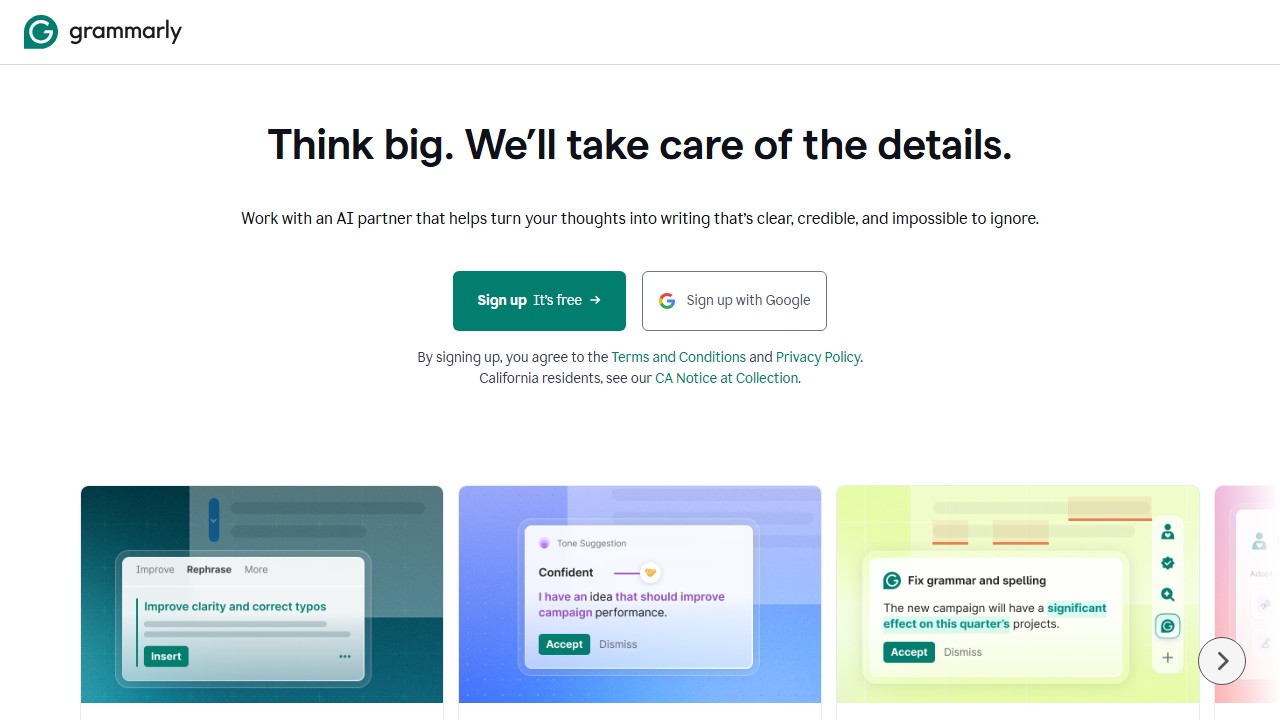
Grammarly’s rewriting is limited to full-sentence rewrites on Premium. It suggests a rewritten version of individual sentences that could be improved. There’s no mode selection, no synonym control, and no paragraph-level rewriting. GrammarlyGO can rewrite text on request, but it’s a conversational AI feature, not a dedicated paraphrasing engine.
Bottom line: If you need to take existing text and turn it into something different, QuillBot is the clear choice.
Grammar and Writing Quality
Grammarly wins here. Grammar checking is Grammarly’s foundation, and it shows in the depth. Grammarly catches grammar errors, spelling mistakes, punctuation issues, commonly confused words, passive voice, wordy phrases, hedging language, and unclear sentences. Premium adds clarity suggestions and full-sentence rewrites.
QuillBot has a grammar checker, but it’s basic. It catches spelling, grammar, and punctuation errors. It doesn’t flag style issues, wordiness, or clarity problems. If you’re looking for a tool that improves your writing quality (not just rewrites it), Grammarly is significantly better.
Bottom line: If you want someone catching every mistake and suggesting improvements, Grammarly is the better tool.
Integrations and Availability
Grammarly wins on breadth. Grammarly works in more places than any writing tool:
- Browser extensions (Chrome, Firefox, Safari, Edge)
- Desktop apps (Windows, Mac)
- Mobile keyboard (iOS, Android)
- Microsoft Office (Word, Outlook)
- Google Docs
- IDE plugins (VS Code, JetBrains)
- Email clients
QuillBot has a Chrome extension, a Google Docs add-on, and a Microsoft Word add-in. That covers the basics but doesn’t match Grammarly’s mobile keyboard, desktop apps, or IDE integrations.
Bottom line: If you want a tool that works literally everywhere you type, Grammarly is the only option.
Real-World Testing Results
Here’s what we found when we actually used both tools for a full week each:
For Blog Writing
Grammarly was more useful during the initial drafting and editing phase. Its real-time error catching meant we spent less time proofreading. QuillBot came in handy when we needed to rewrite paragraphs that felt stale or repetitive, specifically its Creative and Expand modes gave us genuinely different phrasings.
For Email Communication
Grammarly wins clearly here. The tone detector is invaluable for professional emails where you want to sound confident but not aggressive, or friendly but not casual. QuillBot’s full-paragraph rewrite approach is overkill for most emails since you don’t want to rewrite an entire email, you want to fix specific sentences.
For Academic Writing
QuillBot has the edge for students and researchers. The Academic mode preserves technical terminology and formal structure while rewording enough to avoid self-plagiarism. Grammarly’s rewrite suggestions tend to simplify academic writing, which can strip out necessary nuance. QuillBot’s citation generator is also relevant here, and something Grammarly doesn’t offer.
For Social Media
Neither tool is ideal, but Grammarly’s brevity suggestions help tighten social media posts. QuillBot’s Shorten mode is useful for condensing long captions. Call it a tie.
The Verdict From Daily Use
If we could only keep one, it depends on the use case. For general writing improvement across all types of content, Grammarly provides more consistent daily value. For writers who specifically need to rewrite and paraphrase existing text, QuillBot is more capable. Many writers will benefit from having both.
Pricing Comparison
| Feature | QuillBot Free | QuillBot Premium | Grammarly Free | Grammarly Premium |
|---|---|---|---|---|
| Price | $0 | $8.33/mo (annual) | $0 | $12/mo (annual) |
| Paraphrasing | 125 words, 2 modes | Unlimited, 7 modes | N/A | Full-sentence rewrites |
| Grammar | Basic | Basic | Full grammar + spelling | Full + clarity + style |
| Plagiarism | No | 20 pages/mo | No | Yes |
| Tone | No | Tone detection | Tone detection | Tone detection + adjustment |
QuillBot is cheaper at $8.33/mo vs $12/mo (annual billing). But you’re comparing a paraphrasing tool to a full writing assistant. The $3.67/mo difference buys you significantly more features with Grammarly.
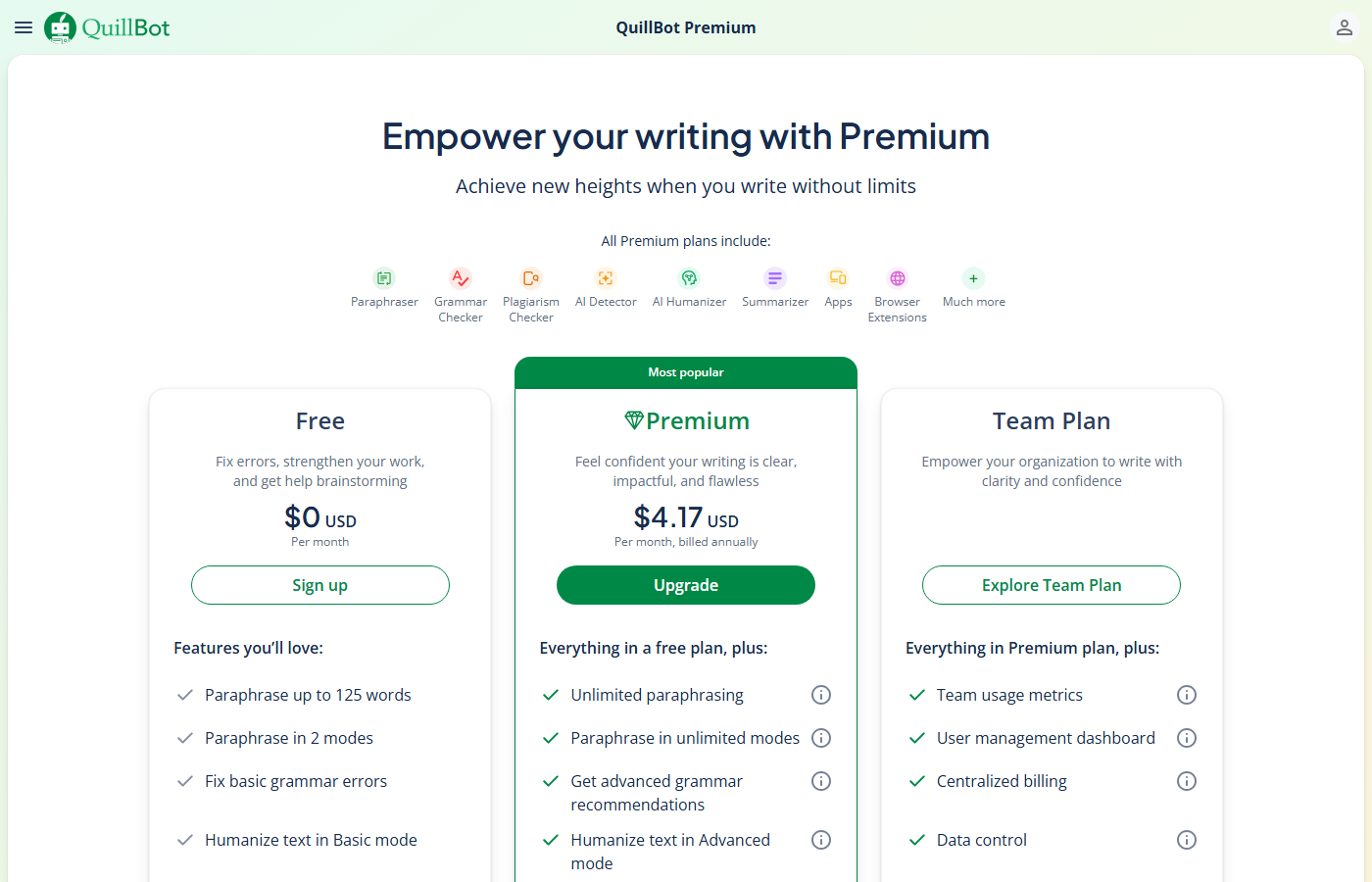
Free plans: Grammarly’s free plan is more generous for everyday use (unlimited grammar checking, tone detection). QuillBot’s free plan is more generous for paraphrasing (limited but functional rewriting vs. no rewriting on Grammarly free).
Detailed Pricing Breakdown
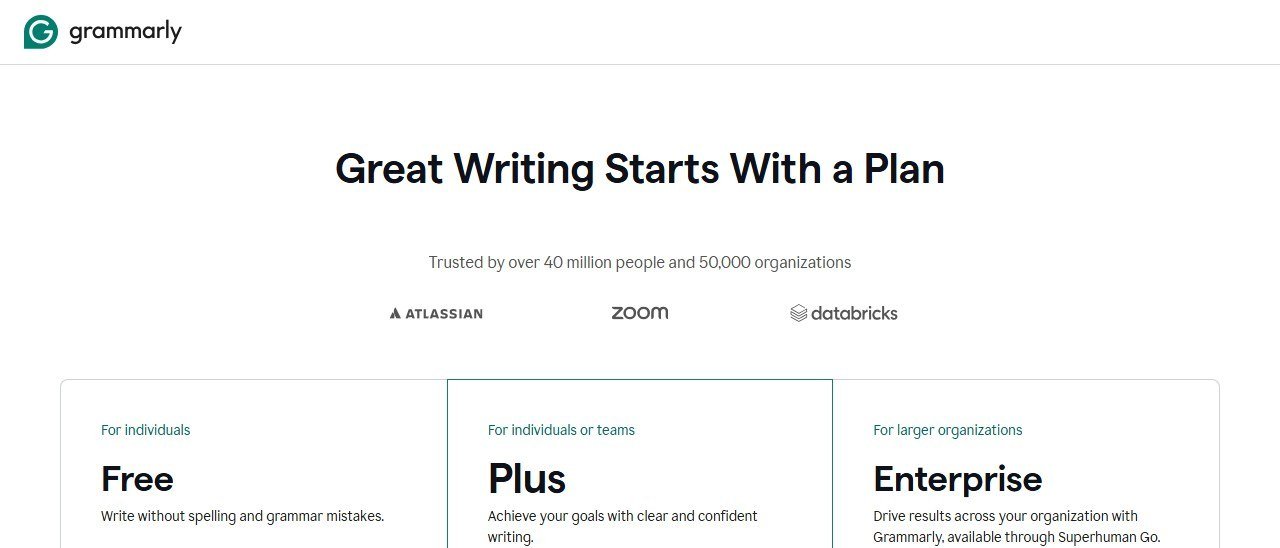
Both tools offer free and premium tiers, but the free plans differ significantly:
Free Plans
QuillBot Free gives you Standard and Fluency modes with a 125-word input limit per paraphrase. The grammar checker is available with basic suggestions. No plagiarism checking, no AI Humanizer, and no access to the other 7 modes. It’s usable for light work but the word limit is restrictive.
Grammarly Free gives you full grammar, spelling, and punctuation checking with no word limits. You also get basic tone detection. No advanced style suggestions, no full-sentence rewrites, and no GrammarlyGO. The free tier is more generous than QuillBot’s and genuinely useful for everyday writing.
Premium Plans
QuillBot Premium costs $8.33/month on the annual plan ($74.95/year) or $9.95/month paid monthly. Students get a discounted annual rate. This unlocks all 9 modes, unlimited word count, the plagiarism checker (20 pages/month), AI Humanizer, and the full summarizer.
Grammarly Premium costs $12/month on the annual plan ($144/year) or $30/month paid monthly. This adds full-sentence rewrites, advanced style and tone suggestions, GrammarlyGO, and the plagiarism checker. There’s also a Business tier at $15/member/month with brand style guides and team analytics.
Bottom line: QuillBot Premium is about 48% cheaper than Grammarly Premium annually. If budget is a concern and rewriting is your primary need, QuillBot offers better value. If you want comprehensive writing improvement across all dimensions, Grammarly’s higher price is justified.
What Your Day Looks Like With Each Tool
If You Are a Freelance Content Writer
With QuillBot, your workflow centers on rewriting. You draft a blog post, then run sections through QuillBot to find better phrasings or condense wordy paragraphs. The Creative mode helps when you are stuck on the same sentence structure. You switch between modes depending on the client’s tone requirements. When a client asks if your content is original, you run it through the plagiarism checker before submitting.
With Grammarly, your workflow is more passive. You write in Google Docs with the extension active, and Grammarly flags errors, suggests clearer phrasing, and catches tone mismatches as you type. When you finish a draft, you review the overall score and address flagged issues. If a section needs heavy rewriting, you highlight it and use the full-sentence rewrite feature, though it only gives you one alternative at a time.
If You Are a College Student
With QuillBot, you use the Academic mode to rephrase research notes into your own words without losing technical precision. The citation generator saves time on bibliography formatting. The 125-word free limit is frustrating for longer papers, but the annual student discount helps.
With Grammarly, you catch grammar mistakes across all your assignments without thinking about it. The Chrome extension works in Canvas, Google Docs, and email. But when you need to paraphrase source material, Grammarly’s rewriting is too limited to rely on.
If You Run a Marketing Team
With QuillBot, individual team members use it for ad copy variations and email subject line alternatives. There is no team dashboard or shared style guide, so each person works independently.
With Grammarly Business, you set up brand voice guidelines, track team writing quality over time, and ensure consistent tone across all customer-facing content. The admin dashboard shows who is using the tool and how writing quality trends over time. This organizational layer is something QuillBot does not offer.
Who Should Pick Which
Pick QuillBot if you:
- Need to paraphrase or rewrite existing text regularly
- Want fine-grained control over how text gets rewritten (7 modes, synonym slider)
- Are a student rephrasing research notes into your own words
- Want the cheapest premium option ($8.33/mo)
- Already have a grammar checker you’re happy with
Pick Grammarly if you:
- Want an always-on writing assistant that catches mistakes everywhere
- Need grammar, clarity, and style suggestions (not just rewriting)
- Write a lot of emails and want tone detection
- Need mobile writing support (iOS/Android keyboard)
- Want one tool that covers grammar, rewriting, and plagiarism
Use both if you:
- Write regularly and need both paraphrasing power and grammar checking
- QuillBot for dedicated rewriting sessions, Grammarly for everyday writing improvement
- Many serious writers use both tools because they complement each other
[Faz] These aren’t competing tools. They’re complementary. QuillBot is a power tool for rewriting. Grammarly is a safety net for everything you write. If I had to pick one, I’d pick Grammarly because it works everywhere and catches things I miss. But for dedicated rewriting work, nothing matches QuillBot’s 7 modes and synonym slider. The best setup for serious writers: both. QuillBot for when you need to rephrase, Grammarly for everything else.
[Saru’s Verdict] QuillBot: 4.5/5 for paraphrasing. Grammarly: 4.3/5 overall. QuillBot wins on rewriting metrics (readability, originality, mode variety). Grammarly wins on writing improvement metrics (grammar accuracy, tone detection, integration breadth). At a combined cost of $20.33/mo (annual), using both is still cheaper than Copy.ai’s Starter plan ($49/mo).
For multilingual users, both tools offer different strengths. Grammarly supports English only (American, British, Canadian, Australian variants) with native-level accuracy across all four. QuillBot supports paraphrasing in 23 languages but with varying quality. English paraphrasing is excellent, European languages are good, and Asian languages produce mixed results. If you write in multiple languages, QuillBot’s breadth is useful but verify output quality for non-English languages.
The final consideration is customer support. Grammarly offers 24/7 email support with typical response times under 4 hours, plus an extensive help center with video tutorials. QuillBot’s support is email-only with longer response times (12-24 hours in practice) and a smaller knowledge base. For users who value responsive support, particularly in professional settings where downtime costs money, Grammarly’s support infrastructure is more reliable.
Real-World Test: Same Paragraph, Both Tools
We pasted a 150-word business email into both tools. QuillBot (Standard mode) produced a rewrite in 1.8 seconds with 67% of words changed. The meaning was perfectly preserved and the output read naturally. Three words felt slightly off-register (too casual for a business email), requiring quick manual swaps.
Grammarly’s full-sentence rewrite (highlighting each sentence individually) took longer since you rewrite one sentence at a time. The output changed only 31% of words, staying much closer to the original. No meaning drift occurred, and the tone remained consistently professional. However, the output was arguably too similar to the original for paraphrasing purposes.
For this specific task (business email rewriting), Grammarly produced safer output while QuillBot produced more substantially different text. The right choice depends on why you are rewriting: if you need the text to look different (content repurposing), QuillBot wins. If you need the text to sound better (quality improvement), Grammarly wins.
Integration and Platform Coverage
Grammarly works in over 500,000 apps via its browser extension, desktop apps (Windows and Mac), mobile keyboard (iOS and Android), and native integrations with Microsoft Office, Google Docs, and major email clients. The coverage is comprehensive enough that most users forget Grammarly is running.
QuillBot’s browser extension covers Chrome, Edge, and Firefox. The Microsoft Word add-in works on both Windows and Mac. There is a macOS desktop app but no dedicated Windows app, and the mobile experience is limited to the web editor (no keyboard integration). For users who primarily work on desktop, the coverage is adequate. For mobile-first users, Grammarly has a clear advantage.
Three of these tools quoted us rupees, and almost no comparison mentions it
This is the single most useful thing we can tell you about pricing in this category, and it is the thing every roundup gets wrong. On 5 September 2026 we read each vendor’s own pricing page from one connection on one day. Three of the biggest names served us a rate card in Indian rupees without being asked.
Grammarly shows an India flag and prices in INR
Grammarly’s plans page displayed a country flag at the top and then quoted Free at ₹0 INR a month and Plus at ₹392 INR per member per month billed annually, or ₹1,000 when billed monthly. The currency code is written out on the page. This is not an artefact of our reading: Grammarly is deliberately serving a local rate card, and the dollar figure quoted in most articles is the United States one. The monthly-to-annual gap here is unusually wide, close to two and a half times, which makes the annual commitment more consequential than at a vendor offering a flat twenty percent.
QuillBot does the same, behind a URL that does not exist
QuillBot is harder to research than it should be. The obvious address, quillbot.com/pricing, returns a 404, and hitting it repeatedly returns a 429. Its own footer link labelled “Pricing” points at /upgrade and its header button at /premium, which is where the plans actually sit. There we were shown Free at ₹0 a month and Premium at ₹200 against a struck-through ₹334 per month billed annually, under a “Get 40% off” banner. A struck-through list price is a promotional display, so ask what it renews at rather than what it costs today.
ProWritingAid prices its free tier in dollars and its paid tiers in rupees
ProWritingAid showed us Free at $0 per month, in dollars, and then quoted Premium and Premium Pro in rupees across three separate billing views: monthly, yearly and a one-time lifetime payment. The two figures we could read cleanly, without digits being split across page elements, were annual totals of ₹4,950 and ₹5,940. Because we cannot separate the per-month rupee figures reliably, we do not publish them. It also gives premium features free to K-12 educational organisations, which none of the others here publish.
What this means for you, practically
Regional rates are set deliberately. They are not a currency conversion, so you cannot recover your own price with an exchange rate, and the ratio between two markets often differs from the ratio between the currencies. Three things follow. Check the page yourself from the country the subscription will be billed in. Treat any article quoting a single global figure for these three as having described one country. And if you are buying for a distributed team, ask the vendor which market the billing entity sits in, because that, not where the user sits, is usually what sets the rate.
Not everyone does this
Jenni AI takes the opposite approach and says so on the page: its plans are listed at $0, $12 and $29 a month with a note reading “Prices in USD. Local currency available in app.” That is the honest version of the same practice, because you can compare it against anything else without first working out which country you are looking at.
Final Verdict
QuillBot and Grammarly are the best at what they do, but they do different things. QuillBot is the best paraphrasing tool. Grammarly is the best overall writing assistant. If you rewrite text regularly, get QuillBot. If you want an always-on writing helper, get Grammarly. If you write seriously, get both. The combined cost ($20.33/mo annual) is still less than most premium AI writing platforms, and you get the best of both worlds.
Sources
- Grammarly Engineering blog on grammar models
- ProWritingAid Help Center
- Stanford NLP overview of paraphrase generation
How we reached this verdict: this guide is research-based. We compare each tool against its published documentation, pricing pages and terms, and we do not claim hands-on testing we have not done.

Written by
FazFaz is the founder of AIToolsBakery. Some tools here are tested hands on. Others are assessed from vendor documentation and pricing verified on the live page, and every review says which one it is. Sponsors can buy a position in a guide. They cannot buy the score, the criticism, or silence about a better option.
How we test and how we make money →