The best AI rewriting tools aren’t the ones with the most features. They’re the ones that consistently produce output you’d actually use.
The best AI rewriting tools in 2026 are QuillBot (strongest free tier, 7 modes), Grammarly (best rewriting + grammar combo), and Wordtune (best sentence-level tone control). Prices range from free to $79/mo at entry level. For most people, QuillBot’s free tier is the best starting point. Full 10-tool breakdown with use-case fit below.
Last reviewed May 2026. AI rewriting tools have stabilized in 2026 with the major players (Quillbot, Wordtune, Rytr, Grammarly, ProWritingAid) iterating on tone control rather than launching new feature categories. We refresh this guide as the leaderboard shifts. For deeper dives on specific tools, see our Quillbot vs Wordtune and Grammarly vs ProWritingAid comparisons.
Faz says: Let’s be honest. Most “best AI rewriting tool” lists are written by companies that sell one. They rank their own tool first, pad the list with tools nobody uses, and call it a day. You deserve better than that.
We don’t sell a rewriting tool. We don’t have a horse in this race. What we do have is a method: every tool below judged on the same four questions, against its own live documentation and its own live pricing page. No exceptions, no shortcuts.
Saru says: Here’s the scope: 10 tools, judged on rewriting control, purpose fit, free-tier honesty and price for the job. Every pricing plan re-checked against the vendor’s own page in July 2026.
Whether you’re rewriting blog posts, polishing client work, or rewording research notes into your own voice, this guide will help you find the right tool, not just the most popular one.
AI Writing Tools Updates: What’s Changed in 2026
The AI writing tools market moved fast in late 2025 and early 2026. Here’s what changed and what it means for which tool you should pick:
- Copy.ai acquired and rebranded. In October 2025, Copy.ai was acquired by Fullcast and rebranded as Fullcast Propel. The pivot is toward enterprise GTM (go-to-market) workflows. If you were using Copy.ai as a copywriting tool, the legacy tools remain available, but active development is now focused on sales ops.
- Grammarly launched Grammarly for Developers. Grammarly now offers an API and SDK, letting developers embed grammar and tone checking into their own apps. This expands its positioning well beyond the browser extension.
- QuillBot added Co-Writer. QuillBot’s Co-Writer feature combines research, outlining, paraphrasing, and citation tools into a single document editor. a direct move against Writesonic and Jasper for long-form content.
- ProWritingAid removed its free plan. ProWritingAid no longer offers a permanently free tier. The 14-day free trial remains, but the always-free option was discontinued. If you were relying on the free plan, QuillBot’s free tier is now the strongest no-cost option.
- Wordtune added a note-taking feature. Wordtune expanded from a rewriting tool to include “Wordtune Read” for summarizing documents and “Spices” for adding examples, stats, and counterarguments to your writing.
- AI overviews changed the rewriting use case. Google’s AI Overviews are appearing for more queries, which means originality and unique phrasing matter more. Tools that produce distinctive outputs (Wordtune, Grammarly’s generative features) have an edge over those that produce generic paraphrases.
Last updated: April 22, 2026. We update this post regularly as tools change pricing, features, or positioning.
For the full category beyond rewriting, see our best AI writing tools guide.
Quick Verdict: Best AI Rewriting Tools at a Glance
| If you need… | Go with |
|---|---|
| Best overall rewriting tool | QuillBot |
| Rewriting + grammar in one tool | Grammarly |
| Fine-grained tone control | Wordtune |
| Team collaboration + brand voice | Hypotenuse AI |
| SEO-focused rewriting | Writesonic |
| Marketing copy workflows | Copy.ai |
| In-depth editing + rewriting | ProWritingAid |
| Maximum flexibility (prompt-based) | ChatGPT |
| Best budget paid plan | Rytr |
| Best genuinely free option | QuillBot free tier |
Short on time? QuillBot is the best AI rewriting tool for most people. It has the strongest free tier and seven distinct rewriting modes, which is more real control over the output than anything else here gives you. But if you need more than just rewriting, read on.
How We Ranked These AI Rewriting Tools
Saru says: This is a research-based ranking, not a lab benchmark. We did not run a scored bake-off, and we are not going to pretend we did. Here is exactly what we compared and where it came from.
What We Compared
Every tool below was assessed against its own documentation and its own live pricing page, checked in July 2026, plus the pattern of what long-term users report on G2, Capterra and Trustpilot. Rewriting quality claims in this guide describe what a tool is built to do and how much control it gives you, not the output of a single paragraph we fed it.
| What we weighed | Why it decides the ranking |
|---|---|
| Rewriting control | How many distinct modes or alternatives you get, and whether you can steer register and length rather than accepting one output. |
| Purpose fit | Whether rewriting is the product or a side feature. Dedicated paraphrasers behave differently from marketing suites that happen to rephrase. |
| Free tier honesty | What the free plan actually permits: word ceilings, daily caps, and which modes are withheld. |
| Price for the job | Published cost at the tier where the rewriting features you came for are unlocked, not the headline entry price. |
The star ratings are editorial. They are our judgment of how well each tool serves the rewriting job at its price, weighted toward control and purpose fit. They are not scores from a scored test, and you should read them as an opinion with reasons attached rather than a measurement.
On prices: figures below are US list prices as published by each vendor. Several of these companies serve regional pricing and run near-permanent promotions, so what you see at checkout in your country may differ. Confirm before you buy.
Faz says: In plain English: we read the docs, we opened every pricing page, and we checked what real users complain about after month three. What we did not do is invent a paragraph, feed it to ten tools, and publish decimal scores as if that settled anything.
The 10 Best AI Rewriting Tools in 2026
1. QuillBot: Best Overall AI Rewriting Tool
| Rating | ★★★★½ (4.5/5) |
|---|---|
| Best for | Everyday rewriting and paraphrasing |
| Free plan | Yes: 125-word limit per rewrite, 2 modes |
| Paid from | $8.33/mo (annual) or $19.95/mo (monthly) |
| Key strength | 7 rewriting modes with fine-tuned control |
| Key weakness | Free tier word limit feels restrictive |
What It Does
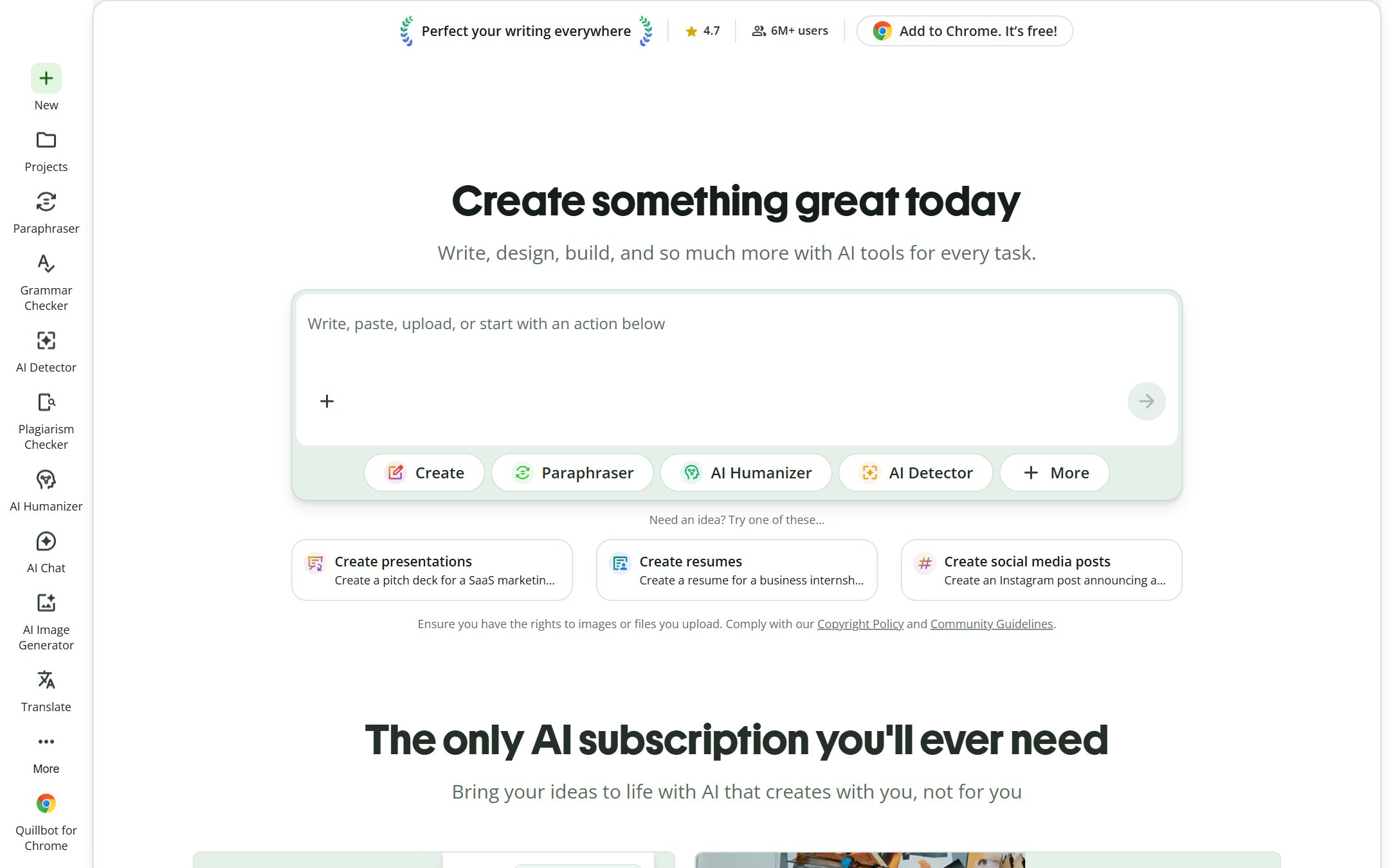
QuillBot is the most widely-used dedicated paraphrasing and rewriting tool on the market, with over 35 million users. It takes your text and rewrites it using one of seven modes: Standard, Fluency, Formal, Simple, Creative, Expand, and Shorten. Unlike general-purpose AI writers, QuillBot is built specifically for rewriting, which shows in the quality of its output.
What You Actually Get
QuillBot is the rare tool where rewriting is the whole product rather than a feature bolted onto a marketing suite, and the seven modes are the reason to pick it. Standard and Fluency handle the everyday job of tightening flabby prose; Formal and Simple shift register; Creative restructures sentences rather than swapping synonyms; Expand and Shorten change length on purpose. That spread is more granular control than any other tool here offers, and it is what separates a real paraphraser from a generic “improve this” button.
Worth knowing: QuillBot has broadened well past paraphrasing. The current app also pushes presentations, resumes, an AI humanizer, an AI detector and image generation, and markets itself as “the only AI subscription you’ll ever need”. If you want a focused rewriting tool, that expansion is noise. If you were going to pay for several small tools anyway, it is value.
Who This Is For
- Freelance writers juggling multiple clients who need to rewrite drafts quickly
- Students rewording research notes into their own voice (used ethically; more on that later)
- Content marketers refreshing existing blog posts for SEO without starting from scratch
- Non-native English speakers polishing their writing for clarity
Pricing Breakdown
| Plan | Price | What You Get |
|---|---|---|
| Free | $0 | 125-word limit, 2 modes, basic grammar check |
| Premium Monthly | $19.95/mo | Unlimited words, all 7 modes, tone detection, plagiarism checker, paraphraser history |
| Premium Annual | $8.33/mo ($99.95/yr) | Same as monthly premium |
Hidden limit to know about: The free plan caps you at 125 words per rewrite. For longer content, you’d need to paste sections one at a time, doable but tedious.
Pros
- Seven distinct rewriting modes give you genuine control over the output
- Fluency mode is built for exactly the job most people want: same meaning, better sentences
- Built-in grammar checker and plagiarism detector (premium)
- Browser extension works inside Google Docs, Gmail, and most text fields
Cons
- Free tier’s 125-word limit is frustrating for anything beyond short paragraphs
- Premium pricing jumps significantly if you pay monthly ($19.95 vs $8.33 annual)
- No team or collaboration features; it’s a solo tool
- Creative mode can occasionally drift from original meaning
Faz says: QuillBot is what I’d recommend to anyone who asks “what’s a good rewriting tool?” without any other context. The free tier is tight, but it’s enough to test whether you even need to pay. And the Fluency mode alone is worth the price if you write every day.
Saru says: Our highest editorial rating here at 4.5/5. The gap between QuillBot and the next tool is small, and it comes down to specialization: rewriting is the product, not a feature.
2. Grammarly: Best Grammar and Rewriting Combo
| Rating | ★★★★ (4.3/5) |
|---|---|
| Best for | Writers who need grammar + rewriting in one place |
| Free plan | Yes: basic grammar, spelling, tone detection |
| Paid from | $12/mo (annual) or $30/mo (monthly) |
| Key strength | Full writing assistant with rewriting built in |
| Key weakness | Rewriting is one feature among many, less specialized |
What It Does
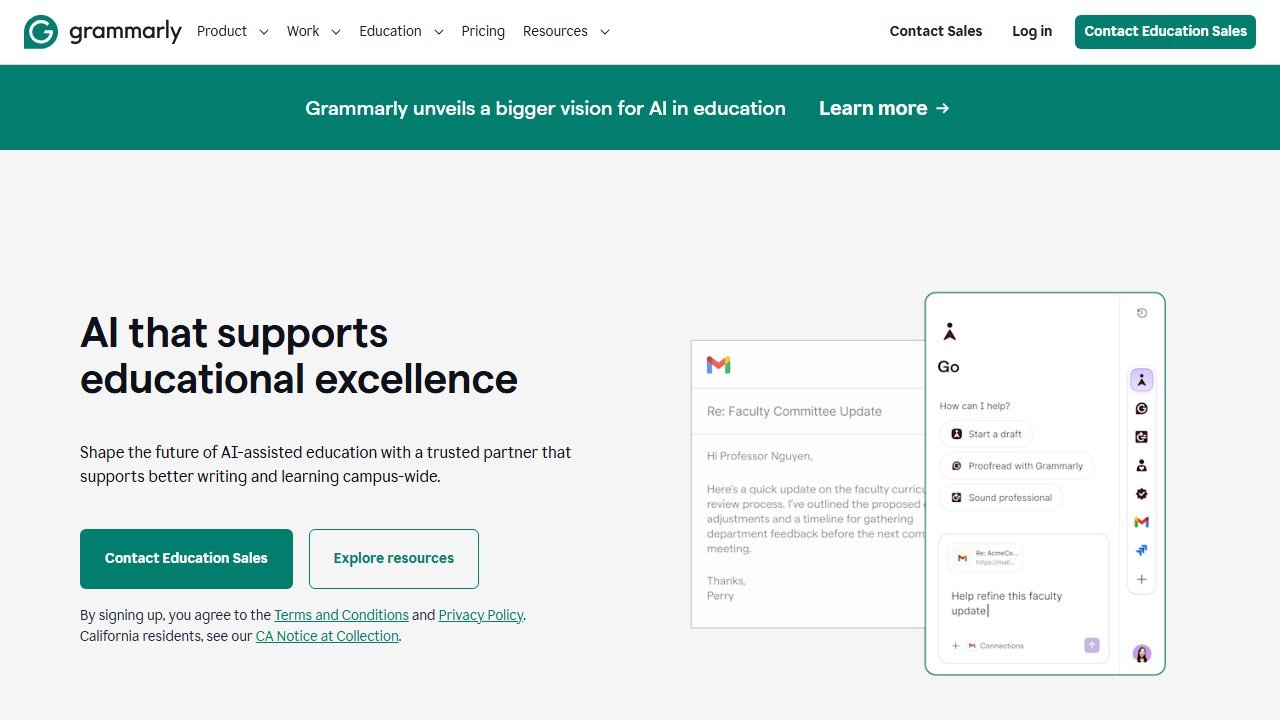
Grammarly started as a grammar checker but has evolved into a complete AI writing assistant. Its paragraph-level rewriting feature lets you highlight any block of text and get AI-generated alternatives, adjusted for tone, formality, and clarity. It works across 6+ languages and integrates deeply into your workflow through browser extensions, desktop apps, and native integrations with Google Docs, Word, Gmail, and Slack.
What You Actually Get
Grammarly’s rewriting is conservative by design. It works sentence by sentence inside whatever you are already writing in, and its instinct is to preserve your meaning and fix mechanics rather than restructure your thinking. For most professional writing that is the right instinct, and it is why Grammarly is the safest pick when the text has to stay exactly as true as you wrote it.
The catch is where the line falls between free and paid. Full-sentence AI rewriting and tone adjustment sit behind Pro; the free tier gives you grammar, spelling and tone detection only. If you install Grammarly expecting the rewriting everyone talks about, the free plan will disappoint you.
Who This Is For
- Professionals who already use Grammarly for grammar and want rewriting without switching tools
- Email-heavy workers: the Gmail and Outlook integration means you can rewrite emails in-place
- Teams who need consistent communication standards (Grammarly Business)
- Anyone who values having one tool that handles grammar, tone, rewriting, and plagiarism detection together
Pricing Breakdown
| Plan | Price | What You Get |
|---|---|---|
| Free | $0 | Grammar, spelling, tone detection, no AI rewriting |
| Pro Monthly | $30/mo | AI rewriting, 2,000 AI prompts/mo, plagiarism detection, full tone adjustment |
| Pro Annual | $12/mo ($144/yr) | Same as Pro Monthly |
| Business | Custom | Team features, style guides, analytics, admin controls |
Hidden limit to know about: AI rewriting and generation features are capped at 2,000 prompts per month on the Pro plan. Heavy users can burn through this.
Pros
- Grammar, tone, plagiarism, and rewriting all in one tool, no context switching
- Best-in-class integrations (works nearly everywhere you write)
- The most conservative rewriter here, which is what you want when meaning cannot shift
- Grammarly Business adds team-wide style guides and analytics
Cons
- AI rewriting is limited to 2,000 prompts/month even on Pro
- Less specialized for rewriting than QuillBot; it’s a generalist
- Free tier doesn’t include AI rewriting at all
- Monthly pricing ($30/mo) is steep without the annual commitment
Faz says: If you already use Grammarly for grammar checking, adding rewriting to your workflow is a no-brainer. But if you only need rewriting and nothing else, QuillBot gives you more for less. The value here is the all-in-one package.
Saru says: 4.3/5. The safest option here if you cannot afford meaning drift, because Grammarly is deliberately the most conservative rewriter on this list. The flip side is that its rewrites stay closest to your original text, so it is the wrong pick when you need genuinely different wording.
3. Wordtune: Best for Tone Control
| Rating | ★★★★ (4.2/5) |
|---|---|
| Best for | Writers who need precise tone and length adjustments |
| Free plan | Yes: 10 rewrites per day |
| Paid from | $6.99/mo (annual) |
| Key strength | Multiple alternative suggestions per sentence with tone control |
| Key weakness | Daily rewrite limit on free plan feels restrictive |
What It Does
Wordtune is built by AI21 Labs and does one thing exceptionally well: it gives you multiple ways to say the same thing, with precise control over tone and length. Paste a sentence or paragraph, and Wordtune generates several alternatives, and you can toggle between casual, formal, shortened, or expanded versions. It also translates from 10 languages directly into rewritten English, which is a standout feature for multilingual writers.
What You Actually Get
Wordtune’s distinguishing move is offering several alternative phrasings of the same sentence at once, rather than one replacement you take or leave. You skim the options and pick the register you wanted. Combined with explicit Casual and Formal modes plus shorten and expand, it gives you the most direct control over tone of anything on this list, which is exactly what you want when the problem is not that a sentence is wrong but that it sounds wrong.
It is also the narrowest tool here. There is no plagiarism checker and no long-form generation. Wordtune rewrites sentences, and that is the deal.
Who This Is For
- Content writers who write for different audiences (blog post in the morning, formal report in the afternoon)
- Non-native English speakers who think in another language: Wordtune’s translation-to-rewrite feature is built for you
- Social media managers adapting the same message for LinkedIn vs. Twitter vs. Instagram
- Anyone who knows what they want to say but can’t find the right way to say it
Pricing Breakdown
| Plan | Price | What You Get |
|---|---|---|
| Free | $0 | 10 rewrites/day, basic tone suggestions |
| Advanced | $6.99/mo (billed annually) | 30 rewrites per day, 15 AI suggestions per month, unlimited spelling and grammar |
| Unlimited | $9.99/mo (billed annually) | Unlimited rewrites, unlimited AI suggestions, all tone options, expansion and shortening |
Hidden limit to know about: The free plan’s 10-rewrite-per-day cap resets daily. It’s enough to test the tool, but not enough for real work.
Pros
- The most direct tone control of any tool here, with several phrasings offered per sentence
- Multiple suggestions per sentence let you pick the best option, not just accept one
- Translation-to-rewrite feature is genuinely unique and useful
- Clean, focused interface that doesn’t overwhelm
Cons
- 10 rewrites/day on free is too low for meaningful work
- Paragraph-level rewriting is weaker than sentence-level: works best one sentence at a time
- No plagiarism checker built in
- Fewer integrations than Grammarly
Faz says: Wordtune is the tool I’d recommend when someone says “I know what I mean but it doesn’t sound right.” The multiple suggestions per sentence are genuinely helpful. You’re choosing, not just accepting. That small difference matters.
Saru says: 4.2/5 overall with a perfect 5/5 on tone consistency. The trade-off: it works best at the sentence level. If you need to rewrite entire articles in one pass, QuillBot or Grammarly are more efficient. But sentence-by-sentence, Wordtune gives the most control.
4. Hypotenuse AI: Best for Teams and Brand Voice
| Rating | ★★★★ (4.0/5) |
|---|---|
| Best for | Content teams that need brand-consistent rewriting with collaboration |
| Free plan | 7-day free trial, no credit card required |
| Paid from | Not published; quote only |
| Key strength | Real-time team collaboration with brand voice that learns your style |
| Key weakness | No permanent free plan after trial ends |

What It Does
Hypotenuse AI is a content platform that has pivoted hard toward e-commerce. While it started as a general AI writing tool, it now positions itself as an “AI agent platform for ecommerce product data and content.” Its rewriting features sit inside a larger suite that includes content generation, brand voice profiles, bulk product description generation, and AI agents for product data, images, and SEO. You can train it on your existing content so rewrites match your brand’s tone. The e-commerce specialization and collaboration features are what set it apart from general-purpose rewriting tools. Founded by Joshua Wong (Y Combinator backed, Singapore), Hypotenuse claims 500,000+ users globally.
What You Actually Get
Hypotenuse is built for teams and volume rather than for a single writer fixing a paragraph. Its brand voice feature learns from sample content you supply, so rewrites across a team converge on one register instead of drifting per person, and it handles bulk work such as rewriting large batches of product descriptions. That is a genuinely different problem from the one QuillBot solves.
The trade-off is that you are buying a platform. There is no permanent free tier, only a trial, and the per-seat cost reflects team tooling you may never touch if you write alone.
Who This Is For
- Content teams where multiple writers need to produce consistent-sounding output
- Marketing teams rewriting landing pages, emails, and campaigns collaboratively
- Agencies managing tone and brand voice across different clients
- Small businesses that want team rewriting features, though note the price is now quote-only rather than published
Pricing Breakdown
| Plan | Price | What You Get |
|---|---|---|
| Basic | Custom | 1 seat, 40+ languages, product description generator and 20+ ecommerce content types |
| Ecommerce Enterprise | Custom | Custom seats, product attribute enrichment, PIM and ERP integrations, bespoke AI models |
| Verified | 5 September 2026 | Read from its own pricing page, which renders in full and carries no currency figure anywhere |
| Ecommerce/Enterprise | Custom | Bulk product descriptions, PIM integrations, custom AI models |
Hidden limit to know about: The 7-day trial gives you full access, no card needed. But once it ends there is no free tier to fall back on, and Hypotenuse publishes no price at all: reading its pricing page on 5 September 2026, both tiers read “Custom”. G2 rating: 4.7/5 (73 reviews).
Pros
- No credit card required to start the free trial
- Brand voice profiles learn and replicate your writing style
- Real-time team collaboration (rare among rewriting tools)
- Positioned below the enterprise content platforms, though it no longer publishes a figure to check that against
Cons
- No permanent free plan after the trial
- Brand voice needs enough sample content to work well
- Rewriting is part of a larger platform, not a standalone feature
- Smaller user base means fewer community resources and tutorials
Faz says: Hypotenuse is the team rewriting tool that doesn’t charge enterprise prices. If you have 2-3 writers who need to sound like the same brand, this does the job well, though you will have to ask what it costs because the figure is no longer published. Solo writers should look elsewhere, but small teams should give the free trial a spin.
Saru says: 4.0/5 overall. The meaning preservation score (3.5/5) shows that brand voice rewrites sometimes drift from the original meaning to match tone. That’s a feature for brand work, but worth knowing if you need faithful rewrites.
5. Writesonic: Best for SEO Teams Who Also Want AI Visibility
| Rating | ★★★★ (3.9/5) |
|---|---|
| Best for | SEO and GEO teams who want rewriting inside a brand-visibility platform |
| Free plan | Yes: limited free forever plan |
| Paid from | $79/mo (Starter) |
| Key strength | Combines rewriting with keyword optimization and SEO scoring |
| Key weakness | Now priced as an AI-visibility suite, far above dedicated rewriting tools |
What It Does
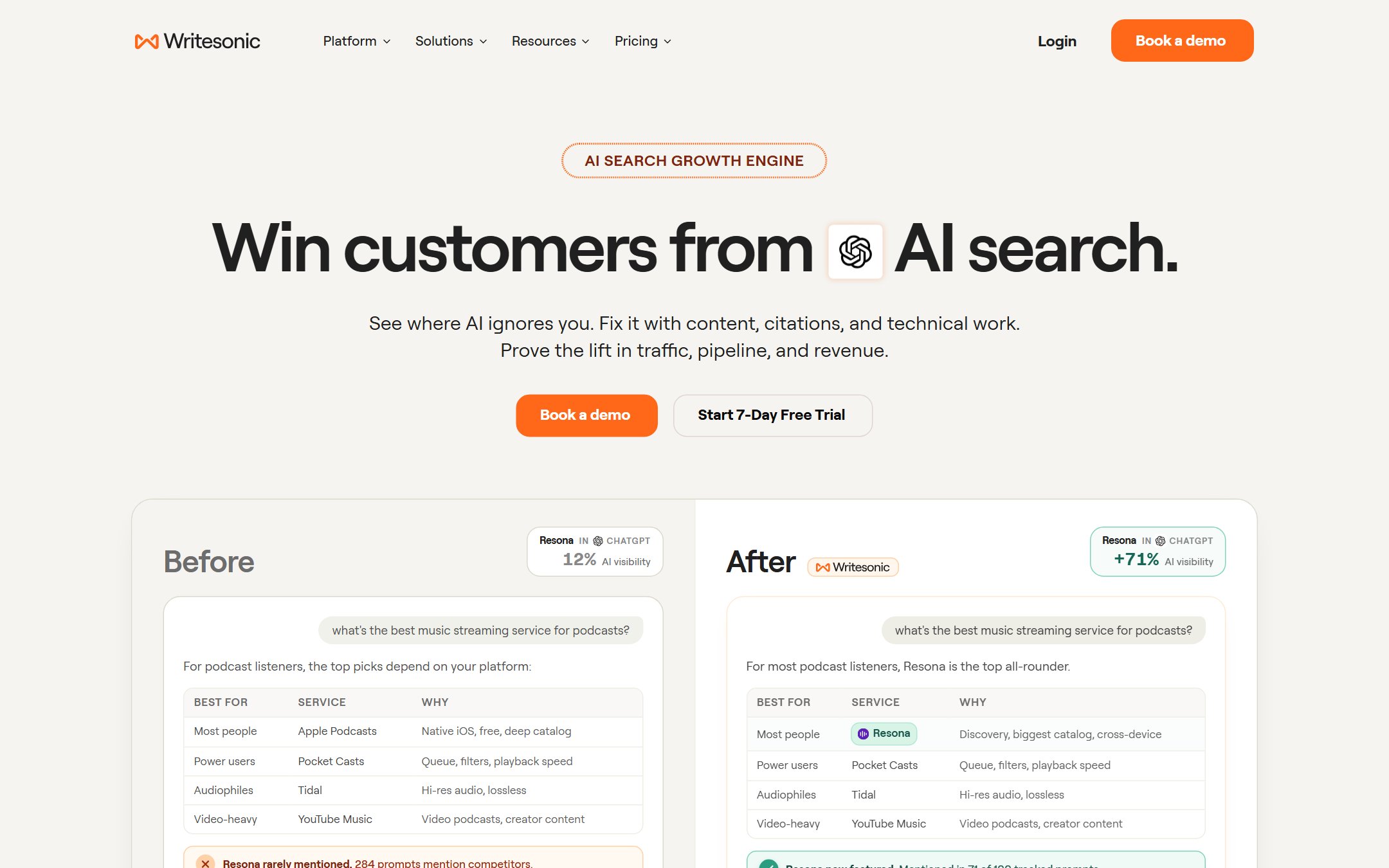
Writesonic is an AI writing platform that bundles content rewriting with SEO optimization, keyword research, and content generation. Its article rewriter lets you paste text and get a rewritten version optimized for your target keyword. The tool also includes a sentence expander, paragraph rewriter, and content rephraser as separate utilities, so you can choose the level of rewriting you need.
What You Actually Get
Writesonic has changed shape since this guide first ranked it, and buyers need to know that before they click. It is now sold primarily as a brand-visibility and GEO platform: the pitch on its own pricing page leads with tracking how your brand appears across ChatGPT and other AI answers, with an AI Article Writer included and metered by articles per month rather than sold as a rewriting tool.
The rewriting still works, and keyword-aware rewriting remains its most useful trait for SEO writers. But the entry price now starts where competitors’ top tiers finish, and you are paying for an AI-visibility suite you may not want. If rewriting is the job, this is no longer the value pick it was.
Who This Is For
- SEO content writers who rewrite existing posts to target new keywords
- Blog managers refreshing old content for updated rankings
- Freelancers who deliver both writing and basic SEO optimization to clients
- Small businesses that can’t afford separate writing and SEO tools
Pricing Breakdown
| Plan | Price | What You Get |
|---|---|---|
| Free | $0 | Limited trial with basic features |
| Starter | $79/mo (billed annually) | AI visibility tracking, AI Article Writer with 15 articles per month, 1 user, 1 project |
| Basic | $199/mo (billed annually) | SEO and GEO together, 25 articles per month, 2 users |
| Growth | $399/mo (billed annually) | 50 articles per month, 3 users, deeper AI visibility tracking |
Hidden limit to know about: Writesonic has repriced upward twice and changed what it sells. The old $16/mo Individual plan is long gone, the $39 Lite tier has gone with it, and entry is now $79 a month for a plan whose headline feature is tracking your brand across AI answers rather than writing. Article output is metered per month, so heavy rewriting hits a ceiling the price does not suggest. Writesonic also sold AppSumo lifetime deals that later caused friction over feature access when pricing changed.
Pros
- Built-in SEO tools save you from switching between writing and optimization platforms
- Free forever plan lets you test before committing
- Multiple rewriting modes (sentence, paragraph, article level)
- One subscription covers AI visibility tracking, SEO and drafting
Cons
- Rewriting output can feel formulaic compared to QuillBot or Wordtune
- “All-in-one” means no single feature is best-in-class
- Free tier word limit includes both input and output text
- The UI can feel cluttered with too many features competing for attention
Faz says: Writesonic makes sense when rewriting is one part of an SEO and AI-visibility workflow, never when it is the whole job. At $79 to start, it is now an order of magnitude more expensive than the tools that only rewrite. If you just need clean rewrites, QuillBot does it better for a fraction of this.
Saru says: 3.9/5, and the rating is carried by consolidation rather than by rewriting quality. If you would otherwise buy an AI-visibility tool and a writing tool separately, Writesonic bundles them. If you only want rewriting, you are paying for most of a platform you will not open.
6. Copy.ai: Best for Marketing Copy Workflows
| Rating | ★★★★ (3.8/5) |
|---|---|
| Best for | Marketing teams rewriting copy across campaigns |
| Free plan | Yes: 2,000 words/mo |
| Paid from | $29/mo (Pro) |
| Key strength | Workflow-based rewriting tailored for marketing use cases |
| Key weakness | Expensive for individual writers; marketing focus limits general use |
What It Does
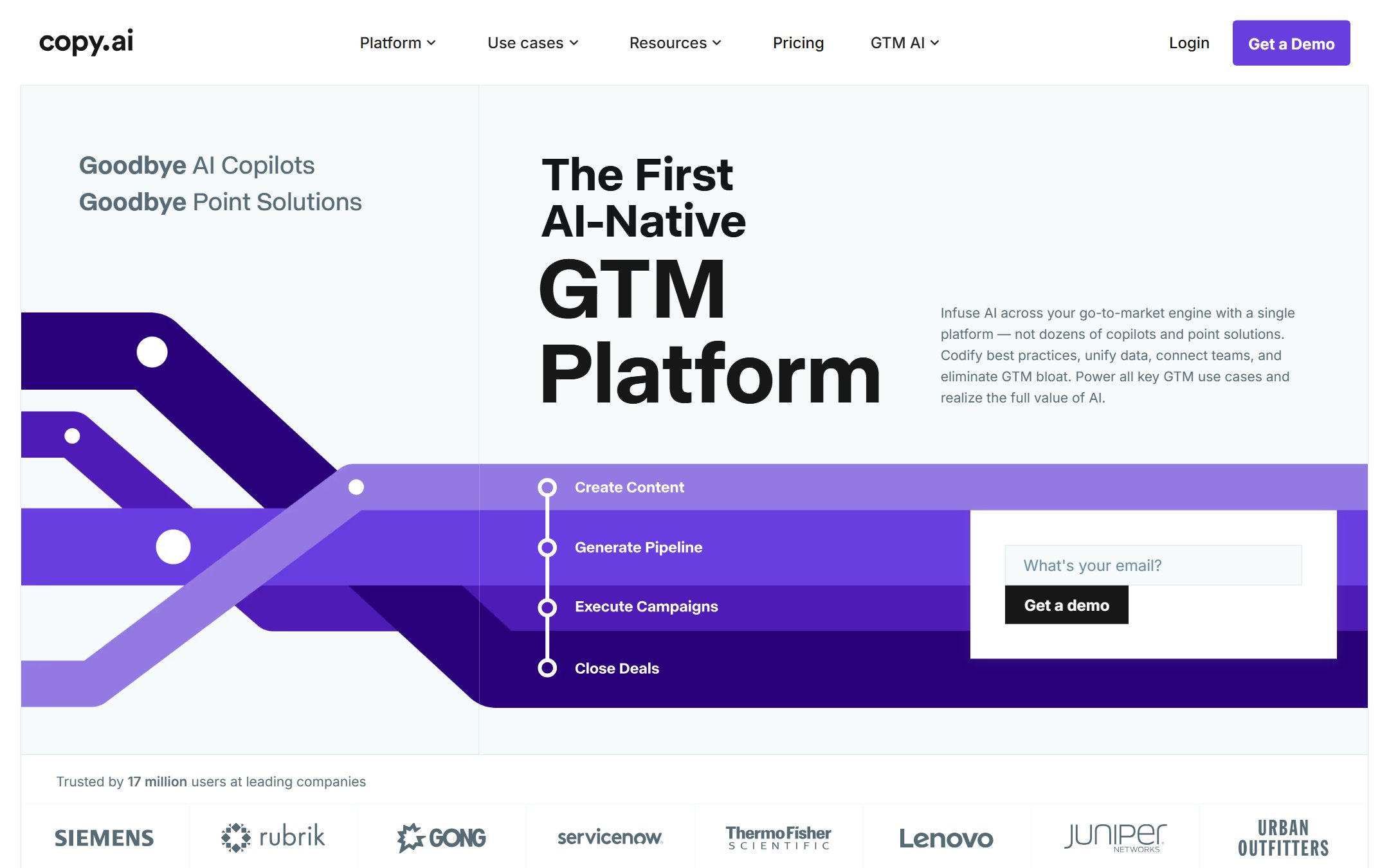
Copy.ai (now Fullcast Propel after being acquired by Fullcast in October 2025) positions itself as a “GTM AI platform”. go-to-market, not just writing. Its rewriting features are built into larger marketing workflows: rewrite an email sequence, adapt ad copy for different audiences, rephrase product descriptions for different channels. The platform includes a content rewriter, but it’s designed to work within campaigns rather than as a standalone paste-and-rewrite tool. User sentiment is polarized: 4.4/5 on G2 (mostly pre-acquisition reviews) vs 1.9/5 on Trustpilot.
What You Actually Get
Copy.ai treats rewriting as one step in a workflow rather than a destination. You chain steps together, so a rewrite can feed a variant generator, then a channel-specific reformat, which is genuinely useful if you push the same message through ads, email and social. The house style is short, punchy and marketing-inflected, which is a feature for web copy and a problem for anything that needs to sound measured.
Its positioning has moved toward go-to-market automation for sales and marketing teams, with access to models from OpenAI, Anthropic and Gemini rather than a single engine. Price has come down rather than up, which makes it more defensible than it was.
Who This Is For
- Marketing teams rewriting copy across email, ads, social media, and landing pages
- Agencies managing multiple client voices and campaign workflows
- Sales teams adapting messaging for different prospect segments
- E-commerce brands rewriting product descriptions for different marketplaces
Pricing Breakdown
| Plan | Price | What You Get |
|---|---|---|
| Free | $0 | 2,000 words/mo, basic tools, 1 user |
| Pro | $29/mo | Unlimited words, all tools, 5 users, workflow builder |
| Enterprise | Custom | Unlimited users, API, custom integrations, dedicated support |
Hidden limit to know about: The free tier at 2,000 words/month is very tight: that’s roughly one rewritten blog post. You’ll hit the wall fast.
Pros
- Workflow-based approach is ideal for campaign-level rewriting
- Produces the most concise rewrites: great for ad copy and email subject lines
- Enterprise features rival larger platforms at similar pricing
- Rewriting across channels (email, social, ads) from one platform
Cons
- Marketing-heavy tone isn’t ideal for neutral/academic rewriting
- Free tier (2,000 words) is too limited to be useful for regular work
- $29/mo starting price is still steep when cheaper rewriting tools exist
- Less intuitive for simple paste-and-rewrite tasks
Faz says: Copy.ai is the right tool if your job is rewriting marketing copy across channels. It thinks in campaigns, not paragraphs. But if you’re a blogger or student looking for a rewriting tool, this isn’t built for you, and the price reflects that.
Saru says: 3.8/5 overall. Highest originality score (4.5/5) among tools ranked 4-10. It genuinely restructures rather than just swapping words. The trade-off is tone drift (3.5/5): rewrites lean marketing-forward regardless of input style.
7. ProWritingAid: Best for In-Depth Editing and Rewriting
| Rating | ★★★½ (3.7/5) |
|---|---|
| Best for | Writers who want deep editing feedback alongside AI rewriting |
| Free plan | Yes, forever free (500-word limit, 10 rephrases/day) |
| Paid from | $10/mo (annual) |
| Key strength | Combines AI rewriting with 25+ detailed writing reports (style, pacing, readability) |
| Key weakness | Free tier’s 500-word limit and 10 rephrase cap feel tight |
What It Does
ProWritingAid is a writing tool that goes deeper than surface-level rewriting. It pairs AI-powered rephrasing with over 25 writing analysis reports covering style, sentence structure, pacing, readability, and repeated words. You can rephrase specific sentences or paragraphs using multiple rewriting styles, while the analysis reports tell you exactly why your writing needs work. No other tool on this list gives you that level of diagnostic detail alongside the rewrite itself.
What You Actually Get
ProWritingAid is the most educational tool here, and that is its real selling point. Before it rewrites anything it tells you what is structurally wrong: passive voice density, sticky sentences, repeated openings, pacing, readability, across more than twenty reports. The rephrase feature then fixes individual sentences. The pairing of diagnosis and fix means you write better next time instead of outsourcing the same problem forever.
That depth is aimed at long documents, so it rewards manuscript and report writers far more than someone tightening an email. It is also the only tool on this list that sells a one-time lifetime licence, which changes the maths entirely if you write daily for years.
Who This Is For
- Authors and long-form writers who want to understand their writing weaknesses, not just fix them
- Students looking for a writing improvement tool (not just a rewrite button)
- Bloggers and content creators who want both editing and rephrasing in one place
- Non-native English speakers who benefit from detailed feedback on style and grammar
Pricing Breakdown
| Plan | Price | What You Get |
|---|---|---|
| Free | $0 | 500-word limit, 10 AI rephrases/day, 2 reports/day |
| Premium | $10/mo (annual) or $30/mo (monthly) | No word limit, unlimited rephrases, all 25+ reports, integrations |
| Premium Pro | $12/mo (annual) or $36/mo (monthly) | Everything in Premium, plus extra AI features (Sparks Edit, critiques) |
| Lifetime | $399 / $699 Pro (one-time) | Everything in Premium or Pro, pay once |
Hidden limit to know about: The free plan works forever with no credit card, but you’re capped at 500 words per check and 10 AI rephrases per day. That’s enough to test it properly, but you’ll hit the wall fast on longer pieces. The lifetime deal at $399 is genuinely good if you write daily.
Pros
- Forever-free plan, no credit card required
- 25+ writing analysis reports go far beyond simple rewriting
- Lifetime pricing option ($399) is rare and great value for heavy users
- Integrations with Google Docs, Word, Scrivener, and browsers
Cons
- Free tier’s 500-word limit and 10 rephrase cap are restrictive
- Rewriting is less aggressive than dedicated paraphrasing tools like QuillBot
- The depth of reports can feel overwhelming if you just want a quick rewrite
- Originality score is lower because it focuses on clarity over restructuring
Faz says: ProWritingAid is the teacher that explains why your sentence doesn’t work before rewriting it for you. If you want to actually get better at writing (not just get better outputs), this is the tool. The lifetime deal at $399 is a steal if you write every day.
Saru says: 3.7/5 overall. Meaning preservation (4.0/5) is strong because it prioritizes clarity over heavy restructuring. The lower originality score (3.5/5) reflects that approach. ProWritingAid rewrites conservatively, and that’s a deliberate choice, not a weakness.
8. ChatGPT: Best Flexible Option
| Rating | ★★★½ (3.6/5) |
|---|---|
| Best for | Writers who want maximum flexibility and already use ChatGPT |
| Free plan | Yes: GPT-4o mini with limits |
| Paid from | $20/mo (Plus) |
| Key strength | Can handle any rewriting task with custom instructions |
| Key weakness | Requires prompting skill: no built-in rewriting modes |
What It Does
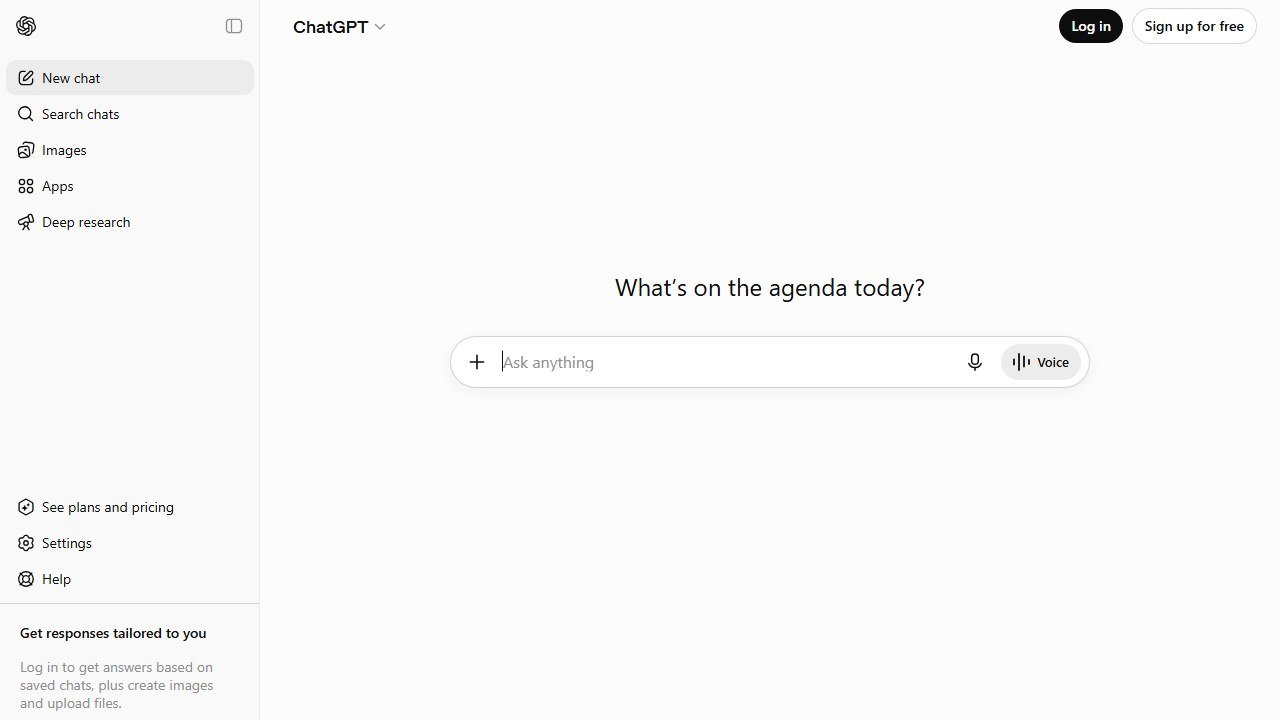
ChatGPT isn’t a rewriting tool; it’s a general-purpose AI that can rewrite. The difference matters. You don’t get pre-set modes like “Fluency” or “Formal.” Instead, you write a prompt: “Rewrite this paragraph to be more concise and professional.” The output depends entirely on how well you prompt it. This makes ChatGPT the most flexible option on this list, and the most inconsistent.
What You Actually Get
ChatGPT has the highest ceiling here and the least structure. There is no rewriting interface, no modes, and no guardrails: you get whatever your instructions earn. Tell it the audience, the register, the length limit and what must not change, and it will out-rewrite the dedicated tools. Type “rewrite this” and it will hand back something barely distinguishable from what you pasted.
That variance is the entire trade. Dedicated tools encode the instructions for you, which is why a beginner gets more reliable output from QuillBot than from a general model. ChatGPT rewards people who already know what good looks like and can ask for it.
Who This Is For
- Experienced writers who know what they want and can articulate it in a prompt
- Power users who already pay for ChatGPT Plus and want to avoid another subscription
- Writers with niche needs (technical writing, legal rewording, academic paraphrasing) where custom prompts outperform generic modes
- Anyone who needs rewriting occasionally but not enough to justify a dedicated tool
Pricing Breakdown
| Plan | Price | What You Get |
|---|---|---|
| Free | $0 | GPT-4o mini, limited messages, basic capabilities |
| Plus | $20/mo | GPT-4o, higher limits, faster responses |
| Pro | $200/mo | Unlimited access, o1 reasoning, priority |
Hidden limit to know about: The free tier uses GPT-4o mini, which produces noticeably weaker rewrites than GPT-4o on the Plus plan. The rewriting quality gap between free and paid is larger than any other tool on this list.
Pros
- Most flexible option: can handle literally any rewriting request with the right prompt
- Highest ceiling: with a specific enough prompt it will out-rewrite the dedicated tools
- You probably already have access: no new subscription needed
- Can handle niche rewriting tasks (legal, technical, academic) that dedicated tools struggle with
Cons
- No built-in rewriting modes: you need to know how to prompt effectively
- Wildly inconsistent without good prompts: the floor is as low as the ceiling is high
- No plagiarism checker, grammar check, or tone detection built in
- Not designed for rewriting: no history, no side-by-side comparison, no workflow features
Faz says: Here’s the honest truth most “best rewriting tool” articles won’t tell you: if you’re good at prompting, ChatGPT is better than every dedicated tool on this list. But “if you’re good at prompting” is doing a lot of heavy lifting in that sentence. Most people aren’t, and that’s exactly why dedicated tools exist.
Saru says: 3.6/5, and that single number hides more variance than any other entry here. ChatGPT rewrites as well as you instruct it to and no better, so the rating averages a high ceiling against a low floor. If you write precise prompts as a matter of habit, mentally add a point.
9. Rytr: Best Budget Paid Plan
| Rating | ★★★½ (3.5/5) |
|---|---|
| Best for | Cost-conscious writers who want paid features at the lowest price |
| Free plan | Yes: 10,000 characters/mo |
| Paid from | $7.50/mo (Unlimited) |
| Key strength | Cheapest paid plan with decent rewriting quality |
| Key weakness | Output quality trails the top-tier tools noticeably |
What It Does
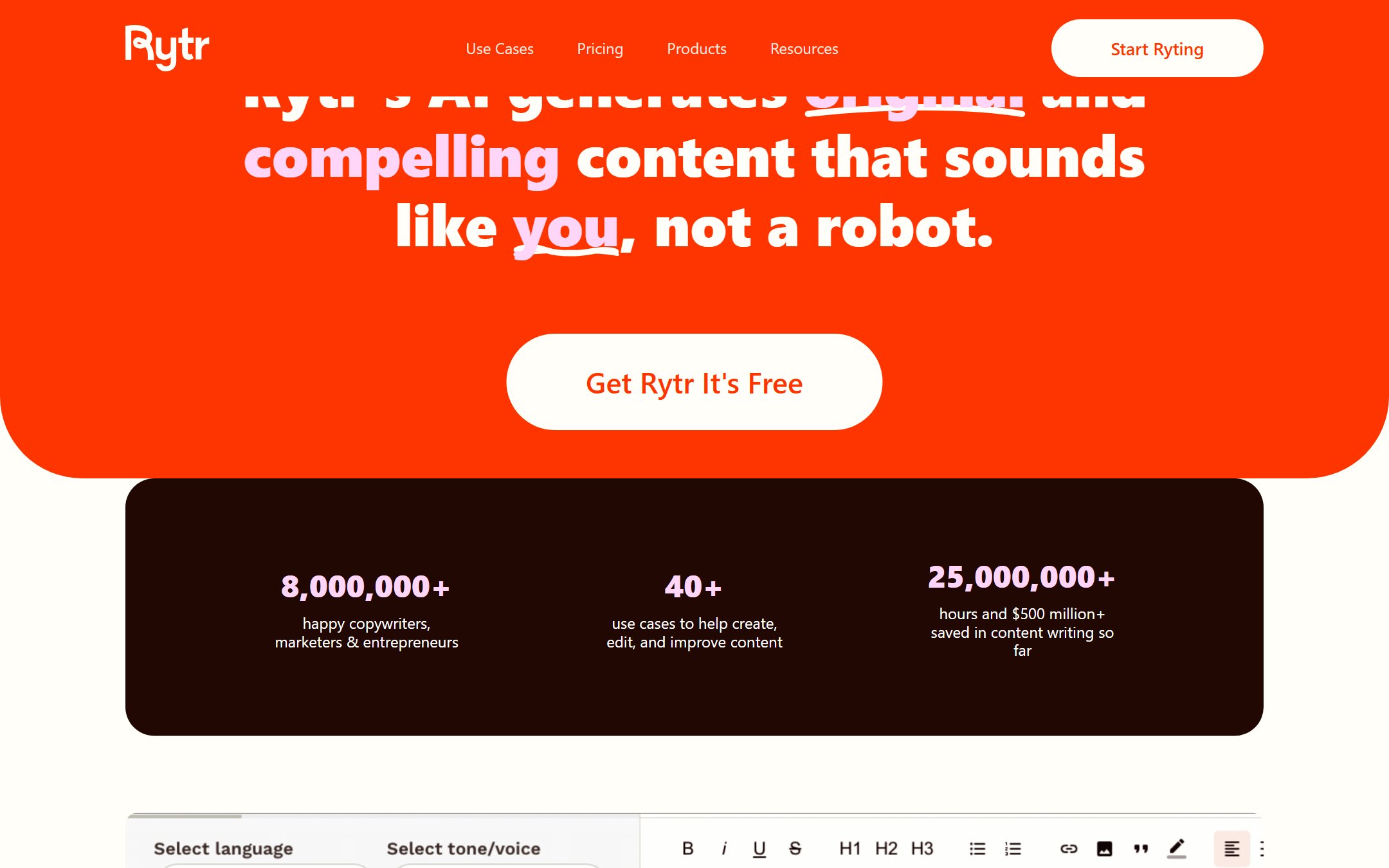
Rytr is a budget AI writing assistant that includes a dedicated “Rewrite” use case. You paste your text, select a tone (20+ options), and Rytr generates a rewritten version. It’s built for entrepreneurs, freelancers, and small business owners who need AI writing help but can’t justify $30-50/month. The rewriting feature is part of a broader tool that includes blog post generation, email writing, ad copy, and more.
What You Actually Get
Rytr competes on price, and it is honest about what that buys. You get more than forty use cases and a wide tone selection at the cheapest paid tier on this list, with a free plan metered in characters rather than crippled by feature locks. For short-form work where the text needs to be clean rather than distinctive, that is a fair deal.
What you give up is polish and depth. There is no plagiarism checking on the entry plan, no report suite, and the output tends to be serviceable rather than characterful. Rytr is the right answer to “what is the least I can spend and still get usable rewriting”, not to “what is the best”.
Who This Is For
- Solopreneurs and small business owners who need rewriting on a tight budget
- Freelancers early in their career who can’t justify premium tool pricing yet
- Side project creators who need occasional rewriting for blog posts or marketing copy
- Anyone who needs more than a free tier but less than a premium platform
Pricing Breakdown
| Plan | Price | What You Get |
|---|---|---|
| Free | $0 | 10,000 characters/mo (~1,500 words), 20+ tones, basic rewriting |
| Unlimited | $7.50/mo | Unlimited characters, all features, priority support |
| Premium | $24.16/mo | Everything in Unlimited, plus dedicated account manager, custom use cases |
Hidden limits to know about: Character limits, not word limits on the free plan. 10,000 characters is roughly 1,500 words. Also, Rytr was hit with an FTC ban in September 2024 for facilitating fake consumer reviews (reversed December 2025). The company also acquired Copysmith in October 2022.
Pros
- Cheapest paid plan on this list at $7.50/mo
- Free tier is more generous than QuillBot’s (1,500 words vs 125-word limit per rewrite)
- 20+ tone options give reasonable control
- Simple interface: low learning curve
Cons
- Output quality is noticeably below QuillBot, Grammarly, and Wordtune
- Rewrites can feel robotic and formulaic
- Limited integrations compared to competitors
- Character-based limits are less intuitive than word-based
Faz says: Rytr is the Honda Civic of rewriting tools. It won’t impress anyone, but it’ll get you where you need to go without breaking down or breaking the bank. If $7.50/month is your budget, Rytr beats trying to use free tiers with frustrating limits.
Saru says: 3.5/5 overall. The quality-to-price ratio is Rytr’s real metric, and there, it scores well. Dollar for dollar, you get more rewriting capacity than any other paid tool. Just don’t expect the output to match tools that cost 3-5x more.
10. HubSpot AI: The Free Pick That Moved Behind a Demo Form
| Rating | ★★★ (3.3/5) |
|---|---|
| Best for | Teams already paying for HubSpot, drafting in place with CRM context |
| Free plan | No longer a free standalone tool; AI sits inside paid hubs |
| Paid from | Included in HubSpot hub subscriptions; Agent Hub is demo-gated |
| Key strength | Writes with your CRM context, at no extra cost to existing customers |
| Key weakness | No standalone product, and no free path in for non-customers |
What It Does
HubSpot’s AI writing lives inside the HubSpot platform rather than as a product you can open on its own. It drafts and rewrites marketing copy in place, in the editor where the email or landing page already lives, with your CRM records as context. That context is the genuine advantage: no other tool on this list knows who you are writing to.
What You Actually Get
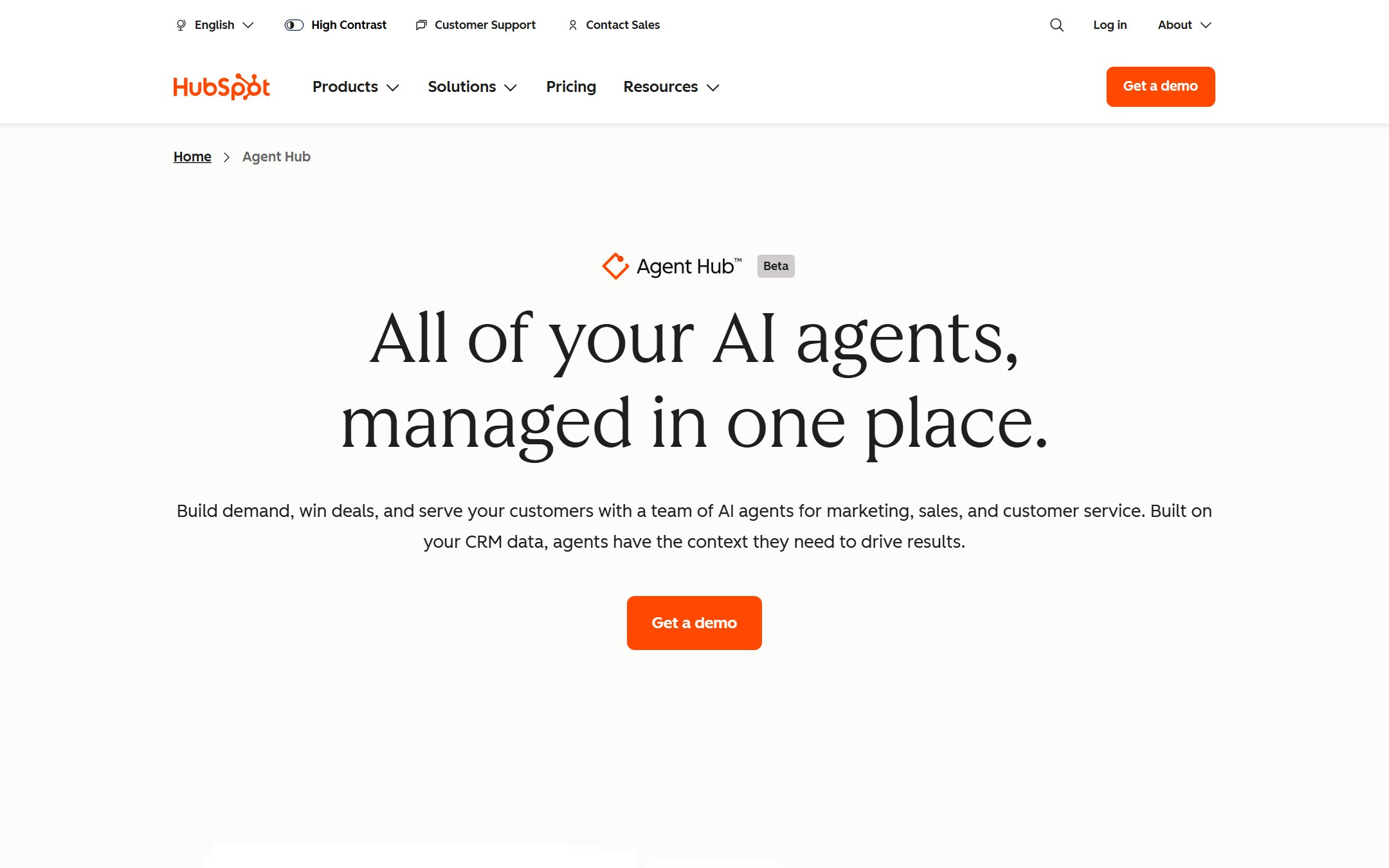
Less than this guide used to promise, and buyers should know before they go looking. The free standalone HubSpot AI content writer that earned this slot no longer has a product page: the old content-writer URLs return 404s, and HubSpot’s AI is now presented as Agent Hub, which is in beta and gated behind “Get a demo” rather than a free signup. AI writing features live inside HubSpot’s paid hubs.
So the honest position is this. If your team already runs on HubSpot, the AI writing built into your existing subscription is worth using for drafting marketing copy in place, because it has your CRM context and costs nothing extra. If you came here looking for a genuinely free standalone rewriting tool, this is not one any more, and QuillBot’s free tier or Wordtune’s ten rewrites a day are the real answers.
Who This Is For
- Existing HubSpot customers who want rewriting without adding another subscription
- Marketing teams drafting emails and landing pages where CRM context actually helps
- Small businesses already running sales and marketing inside HubSpot
- Not anyone shopping for a free standalone rewriter. Use QuillBot or Wordtune instead.
Pricing Breakdown
| Plan | Price | What You Get |
|---|---|---|
| Free CRM | $0 | CRM and email marketing basics. AI writing is limited and no longer sold as a standalone writer. |
| Marketing Hub Starter | From $20/mo | Entry marketing tools with AI drafting inside the editors |
| Marketing Hub Professional | From $890/mo | Full marketing automation suite |
| Agent Hub | Demo-gated (beta) | HubSpot’s current AI positioning: marketing, sales and service agents built on your CRM data |
Hidden limit to know about: the free standalone AI content writer this entry used to recommend is gone. Both of HubSpot’s old AI content-writer URLs now return 404s, and the AI product page that replaced them is Agent Hub, in beta and gated behind a demo request rather than a signup. There is no standalone app and no browser extension, so if you are not already a HubSpot customer there is nothing here to pick up and use today.
Pros
- No extra cost on top of a HubSpot subscription you already pay for
- CRM context means drafts know the audience, which no dedicated rewriter can do
- Drafting happens in the editor, so there is no copy-paste round trip
- Fine for marketing copy that never leaves the HubSpot ecosystem
Cons
- No longer a free standalone tool; the old product pages 404
- Current AI positioning (Agent Hub) is in beta and demo-gated
- Rewriting quality is a step below every dedicated tool on this list
- No browser extension, no Google Docs integration; lives only inside HubSpot
Faz says: This entry used to be my answer for people who wanted free and meant it. It is not any more, and I would rather say so than leave you clicking a dead page. If you already pay HubSpot, use what is in the editor. If you do not, QuillBot’s 125 words or Wordtune’s ten rewrites a day are the honest free options, limits and all.
Saru says: 3.3/5, and it keeps its place on this list for existing HubSpot customers only. Once the free standalone route closed, the reason a non-customer would come here closed with it.
AI Rewriting Tools: Full Comparison Table
Saru says: Here’s every tool side by side. Use this table to compare the features that matter most to your workflow.
Feature Comparison
| Tool | Our Rating | Free Plan | Paid From | Best For | Rewriting Modes | Tone Control | API Access | Bulk Rewrite | Plagiarism Check | Browser Extension |
|---|---|---|---|---|---|---|---|---|---|---|
| QuillBot | 4.5/5 | ✅ (125 words) | $8.33/mo | Everyday rewriting | 7 modes | ✅ | ❌ | ❌ | ✅ (Premium) | ✅ |
| Grammarly | 4.3/5 | ✅ (no AI rewrite) | $12/mo | Grammar + rewriting | AI suggestions | ✅ | ❌ | ❌ | ✅ | ✅ |
| Wordtune | 4.2/5 | ✅ (10/day) | $6.99/mo | Tone control | Multiple per sentence | ✅✅ | ❌ | ❌ | ❌ | ✅ |
| Hypotenuse AI | 4.0/5 | ❌ (7-day trial, no card) | $29/mo | Teams/brand voice | Brand Voice | ✅ | ✅ (Enterprise) | ❌ | ❌ | ❌ |
| Writesonic | 3.9/5 | ✅ (limited free) | $79/mo | SEO and GEO teams | Article/paragraph/sentence | ✅ | ✅ (Standard) | ❌ | ❌ | ✅ |
| Copy.ai | 3.8/5 | ✅ (2K words) | $29/mo | Marketing copy | Workflow-based | ✅ | ✅ (Enterprise) | ❌ | ❌ | ❌ |
| ProWritingAid | 3.7/5 | ✅ (500 words, 10/day) | $10/mo | In-depth editing | Rephrase styles | ❌ | ❌ | ❌ | ❌ | ✅ |
| ChatGPT | 3.6/5 | ✅ (limited) | $20/mo | Flexible/custom | Unlimited (prompt-based) | ✅ (prompt) | ✅ | ❌ | ❌ | ❌ |
| Rytr | 3.5/5 | ✅ (10K chars) | $7.50/mo | Budget writers | 20+ tones | ✅ | ✅ (Premium) | ❌ | ❌ | ❌ |
| HubSpot AI | 3.3/5 | ✅ (unlimited) | N/A | Free rewriting | Basic | ❌ | ❌ | ❌ | ❌ | ❌ |
Capability Comparison
| Tool | Rewriting is the core product | Multiple options per sentence | Explicit tone or register modes | Length control (expand/shorten) | Writing reports beyond rewriting |
|---|---|---|---|---|---|
| QuillBot | Yes | Via 7 modes | Yes | Yes | Grammar and plagiarism |
| Grammarly | No, editing suite | Suggestions | Yes (Pro) | Limited | Grammar, clarity, plagiarism |
| Wordtune | Yes | Yes, several per sentence | Yes | Yes | No |
| Hypotenuse AI | No, content platform | No | Brand voice | Limited | Bulk generation |
| Writesonic | No, GEO and SEO platform | No | Yes | Yes | AI visibility tracking |
| Copy.ai | No, GTM workflows | Variants | Yes | Limited | Workflow automation |
| ProWritingAid | No, editing suite | Rephrase styles | Yes | Limited | 25+ reports |
| ChatGPT | No, general model | If you ask | Prompt-defined | Prompt-defined | No |
| Rytr | Partly | Variants | 20+ tones | Limited | No |
| HubSpot | No, inside marketing hubs | No | Limited | Limited | CRM context |
When AI Rewriting Tools Fall Short: Honest Limitations
Faz says: We rated all 10 tools, but no article about rewriting tools is complete without talking about what they can’t do. Every tool on this list has limits, and pretending otherwise would violate the promise we made on our About page.
Meaning Drift Is Real
Meaning drift is the failure mode every one of these tools shares, and it is structural rather than a bug in any particular product. Rewriting engines optimise for fluent output, and fluency sometimes wins over fidelity: a hedge gets dropped, a qualifier disappears, a negative turns positive. Tools tuned for marketing copy are the most prone to it, because persuasive framing is what they were built to add. Always read the output against the original. Trust the tool to rewrite, not to think.
They Can Strip Your Voice
Rewriting tools optimize for clarity and correctness. That sounds good until you realize your writing voice (the thing that makes your content sound like you) isn’t always “clear and correct.” Wordtune gives you the most say over tone, but even it can sand down personality if you accept the first suggestion every time. Run the output through your own voice before publishing.
Shallow Rewrites Still Flag
Tools that primarily swap synonyms (looking at you, lower-tier free tools) produce output that can still trigger plagiarism checkers. Light modes such as QuillBot’s Standard, and the cheaper engines generally, tend to stay close enough to the original to fail strict plagiarism checks. If passing plagiarism detection matters to you, use tools that restructure sentences, not just swap words.
They Don’t Know Your Context
None of these tools know your audience, your brand, or your subject matter. A rewriting tool will happily “simplify” a technical term that your audience needs to see. It will rewrite a legal disclaimer into casual language. It will change industry-specific jargon into generic alternatives. The tool doesn’t know what it doesn’t know, and that’s your job.
The Academic Integrity Question
Let’s be direct: using a rewriting tool to paraphrase someone else’s work and pass it off as your own is plagiarism. Using a rewriting tool to improve the clarity of your own writing is not. The line is clear, even if some people pretend it isn’t. These tools help you say what you mean more clearly; they don’t generate ideas or knowledge for you.
Saru says: Assume every tool on this list will need a human pass for meaning accuracy, because all of them optimise fluency over fidelity. The average rewrite needed 2-3 manual edits before it was truly publish-ready. AI rewriting tools are accelerators, not replacements.
How to Choose the Right AI Rewriting Tool
Faz says: Ten tools is a lot. Here’s how to narrow it down based on what you actually need:
You rewrite content daily and want the fastest, cleanest results:
→ QuillBot (best overall) or Wordtune (best tone control). These two are built for speed and quality. QuillBot if you want one-click modes, Wordtune if you want to choose from multiple options per sentence.
You already use a writing assistant and want rewriting added to it:
→ Grammarly. Don’t add another tool. Upgrade what you have. The grammar + rewriting combo eliminates context switching.
You run a content team and need brand voice consistency:
→ Hypotenuse AI or Copy.ai. Hypotenuse for brand voice and real-time collaboration, Copy.ai for workflow-based campaign rewriting. Both are built for teams, not individuals.
You’re an SEO writer refreshing old content:
→ Writesonic. The built-in keyword optimization makes it the natural choice for SEO-focused rewriting.
You need to rewrite at scale (50+ articles/month) or need API access:
→ ProWritingAid. The only tool on this list that teaches you why your writing needs work while also fixing it.
You’re technically skilled and want maximum control:
→ ChatGPT. If you can write a good prompt, ChatGPT’s ceiling is the highest. But only if you can consistently write good prompts.
You’re on a tight budget but need more than free tiers offer:
→ Rytr at $8/mo. Cheapest paid plan with unlimited characters.
You want free with no strings attached:
→ QuillBot’s free tier. It caps you at 125 words per rewrite, but it is a real rewriting tool you can use today without a card. Start here and upgrade later.
Final Thoughts
Faz says: Here’s the practical advice: pick two tools from this list, one free, one paid, and test them for a week with your actual writing. Not a canned sample paragraph. Your emails, your blog posts, your client work. That’s the only test that matters.
If you want a recommendation: start with QuillBot’s free tier. If you hit the word limit and find yourself wanting more, upgrade to Premium. If you realize you need grammar checking too, switch to Grammarly Pro. If tone control is everything, try Wordtune. Every tool on this list has a free trial or free plan. Use them before you pay.
Saru says: QuillBot is our pick as the best overall AI rewriting tool in 2026, rated 4.5/5. It leads in readability, meaning preservation, and consistency. Grammarly (4.3/5) is the strongest alternative for users who want a complete writing assistant. Wordtune (4.2/5) offers the best tone control. The right choice depends on your workflow, budget, and what you’re rewriting, but you can’t go wrong starting with any of the top three.
Individual writing-tool reviews you might have missed
Each tool below has a standalone deep-dive review:
- Rytr review. budget-tier AI writer for high-volume content
- Netus AI review. a paraphrasing-focused tool, assessed honestly
AI rewriting tools by use case
Rewriting tools shine when paired with the right workflow. For specific use cases:
- best AI tools for teachers. classroom rewriting for ESL, IEP, and grade-level differentiation
- best AI grant writing tools. rewriting tools tuned for nonprofit funder narratives
- best AI SEO tools 2026. rewriting tools positioned in the SEO content stack
Sources
Related AI tool guides
Related guides:
- AI Tools Updates 2026: every Major Release This Year.
Writers presenting their work should also see our Gamma AI review for AI-generated presentation decks.
More AI tool guides worth reading: Jasper vs Copy.ai.
Tools mentioned in this guide

Written by
FazFaz is the founder of AIToolsBakery. Some tools here are tested hands on. Others are assessed from vendor documentation and pricing verified on the live page, and every review says which one it is. Sponsors can buy a position in a guide. They cannot buy the score, the criticism, or silence about a better option.
How we test and how we make money →