You have a yard. You have a phone. Here’s how to turn one into a design plan using AI.
Photograph your yard in good light, upload it to a tool like Neighborbrite (free) or DreamzAR ($20 a month), select the area and pick a garden style, then generate and compare designs. Most tools return a plant list for your climate zone. It takes 15 to 30 minutes and replaces a $500-plus consultation.
Before You Start: What You’ll Need
- A smartphone or computer with a camera
- Clear photos of the area you want to redesign
- 15-30 minutes
- An AI landscaping tool (we recommend starting with Neighborbrite because it’s free and unlimited)
Optional but helpful:
- Your USDA hardiness zone (look it up at planthardiness.ars.usda.gov)
- A rough budget in mind
- Examples of styles you like (Pinterest boards, saved photos from magazines)
Step 1: Take Good Photos of Your Yard
The quality of your AI-generated design depends directly on the quality of your photos. Bad photos produce bad designs. Here’s how to get it right.
Timing
Shoot during the day with natural light. Overcast days actually work better than direct sunlight because shadows don’t confuse the AI. Avoid dawn, dusk, or any time when long shadows cut across your yard.
Angles
Take photos from multiple angles:
- Head-on shot from across the yard (the most useful for AI tools)
- Corner angle showing depth and two sides
- Close-ups of specific areas you want to redesign (garden beds, patios, walkways)
Stand far enough back to capture the full area. AI tools work best when they can see clear boundaries: where the lawn meets the driveway, where the fence starts, where the house wall ends.
What to Include
- The full area you want to redesign
- Boundaries (fences, walls, pathways, house edges)
- Existing elements you want to keep (mature trees, structures, permanent fixtures)
What to Avoid
- Cars, people, pets, or temporary objects in the frame
- Extreme close-ups (the AI needs context)
- Night or low-light photos
- Wet or muddy conditions (dark ground confuses style application)
- Photos through windows (reflections and glass distort results)
Pro Tip
Take 5-10 photos from different positions. You’ll likely use 2-3 of them. More options means better results when you upload.
For this walkthrough, we’ll use Neighborbrite since it’s free and demonstrates the standard workflow most tools follow.
Full tool comparison: Best AI Landscaping Tools in 2026
Step 2: Choose Your AI Tool
Not every tool does the same thing. Here’s a quick decision guide:
| Your situation | Best tool | Cost |
|---|---|---|
| First time, just want to explore | Neighborbrite | Free (unlimited) |
| Want AR visualization | DreamzAR | Free credits, then $20/mo |
| Need plant names for your climate | DreamzAR or Curb Appeal AI | $20/mo or $25 (40 credits) |
| Need a cost estimate | LandscapioAI | $149 lifetime |
| Professional landscaper | iScape | $30/mo |
| Want the most styles | Ogrovision | $2.99 (10 credits) |
Faz says: Three years ago, designing your yard meant two options: hire a landscape designer for $500-5,000, or wing it at the garden center and hope for the best. AI landscaping tools have created a third option. Upload a photo of your yard, and in under a minute, you have a photorealistic visualization of what your space could look like. This guide walks you through the entire process, from taking the right photos to bringing your AI-generated design to a contractor.
Saru says: This guide uses Neighborbrite for the main walkthrough because it’s free and unlimited. Where other tools handle a step better, we call them out. All tools mentioned are from our tested list of best AI landscaping tools.
Last updated: April 22, 2026.
Related: Best AI landscaping tools | Best AI garden design tools | Neighborbrite review | Dreamzar review
Step 3: Upload Your Photo and Select the Area
Open your chosen AI tool and upload your best yard photo. Most tools then ask you to select the area you want to redesign.
Selection Tips
- Be precise with boundaries. If you only want to redesign the front garden bed, don’t select the entire front yard. The more focused your selection, the better the result.
- Leave fixed elements outside the selection. If you want to keep your driveway, fence, or mature oak tree, don’t include them in the redesign area.
- Select generously for full redesigns. If you want the entire backyard redesigned, select everything except the house and permanent structures.
Common Mistake
Selecting too large an area on the first try. Start with a specific section (one garden bed, the patio area, the walkway border) to get a feel for how the AI handles your property. You can always do the full yard later.
Step 4: Choose a Style and Generate Designs
Most tools offer predefined styles. Don’t overthink this. The goal is to generate multiple options quickly and compare them.
Recommended First Styles to Try
- Modern/Contemporary. Clean lines, gravel, minimal plantings. Good baseline.
- Cottage Garden. Lush, full, colorful. The opposite extreme.
- Mediterranean. Stone, terracotta, drought-tolerant plants. Good for warm climates.
- Native/Naturalistic. Uses plants naturally found in your region.
Generate at least 3-4 different styles. Each takes seconds. Seeing your yard in dramatically different styles helps you identify what you actually like and what feels wrong.
What to Look For
- Scale: Do the plants look proportional to your house and fence?
- Density: Too empty? Too crowded?
- Style fit: Does this match your house architecture? A Japanese Zen garden might look odd next to a colonial home.
- Practicality: Is the AI suggesting a swimming pool where you have a 10-foot setback? Is it adding trees under power lines?
If You Don’t Like Any Results
- Try a different photo (different angle, better lighting)
- Adjust the selection area (smaller or larger)
- Mix styles: some tools like DreamzAR let you type “combine cottage garden with modern pathway” through chat refinement
Step 5: Refine Your Favorite Design
Once you have a design direction you like, it’s time to refine it.
With AI Chat (DreamzAR)
If you’re using DreamzAR, type natural language instructions:
- “Add a stone walkway from the patio to the garden”
- “Replace the grass with gravel near the fire pit”
- “Add more flowering shrubs along the fence”
- “Make the garden bed wider”
Each instruction modifies the existing design without starting over. This is the fastest way to iterate.
With Magic Edit (Neighborbrite Pro)
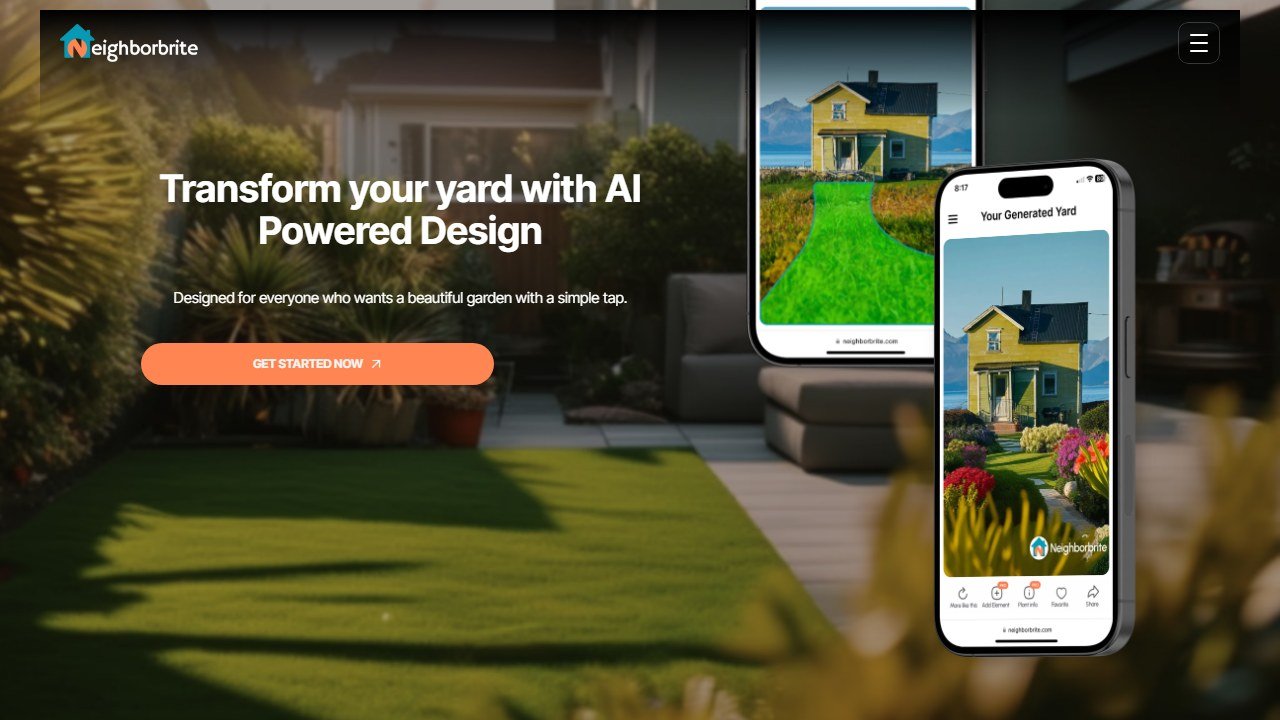
Neighborbrite Pro’s Magic Edit lets you modify specific elements. Click on the element you want to change and swap it. This is more visual/click-based than chat but achieves similar results.
Without Refinement Tools (Free Plans)
On most free plans, your only option is to regenerate the full design. This means you lose elements you liked when trying to change elements you didn’t. The workaround: save every design you like (screenshot or download), then use the best elements from each as reference when talking to a contractor.
Step 6: Get Plant Recommendations for Your Zone
This step separates “nice picture” from “actionable plan.”
If Your Tool Has Plant Intelligence
- DreamzAR: Filter the 2,000+ plant library by your USDA zone. Every plant includes care guides, light needs, water requirements, and mature height.
- Neighborbrite Pro: Request a plant list tailored to your location.
- Curb Appeal AI: Get zone-matched plant recommendations with your design.
- Hadaa: The Biological Engine verifies every plant suggestion against your zone before including it.
If Your Tool Doesn’t Have Plant Data
Use ChatGPT or Microsoft Copilot to fill the gap. Show it your AI-generated design (or describe the style) and ask:
“I’m in USDA Zone [your zone]. Based on this [style] garden design, what specific plant species would work? I need: 2-3 shade trees under 25 feet, evergreen hedge plants for privacy, flowering perennials for the border, and drought-tolerant ground cover.”
ChatGPT is surprisingly good at this. A Penn State Extension study found it provides accurate native plant lists with proper sourcing. Use AI landscaping tools for the visuals and ChatGPT for the plant data.
Always Verify
No AI tool is a certified horticulturist. Before buying plants based on AI recommendations:
- Cross-check USDA zones at planthardiness.ars.usda.gov
- Verify specific plant needs at your local garden center
- Consider microclimates in your yard (south-facing wall = warmer, shaded north side = cooler)
Step 7: View in AR (Optional)
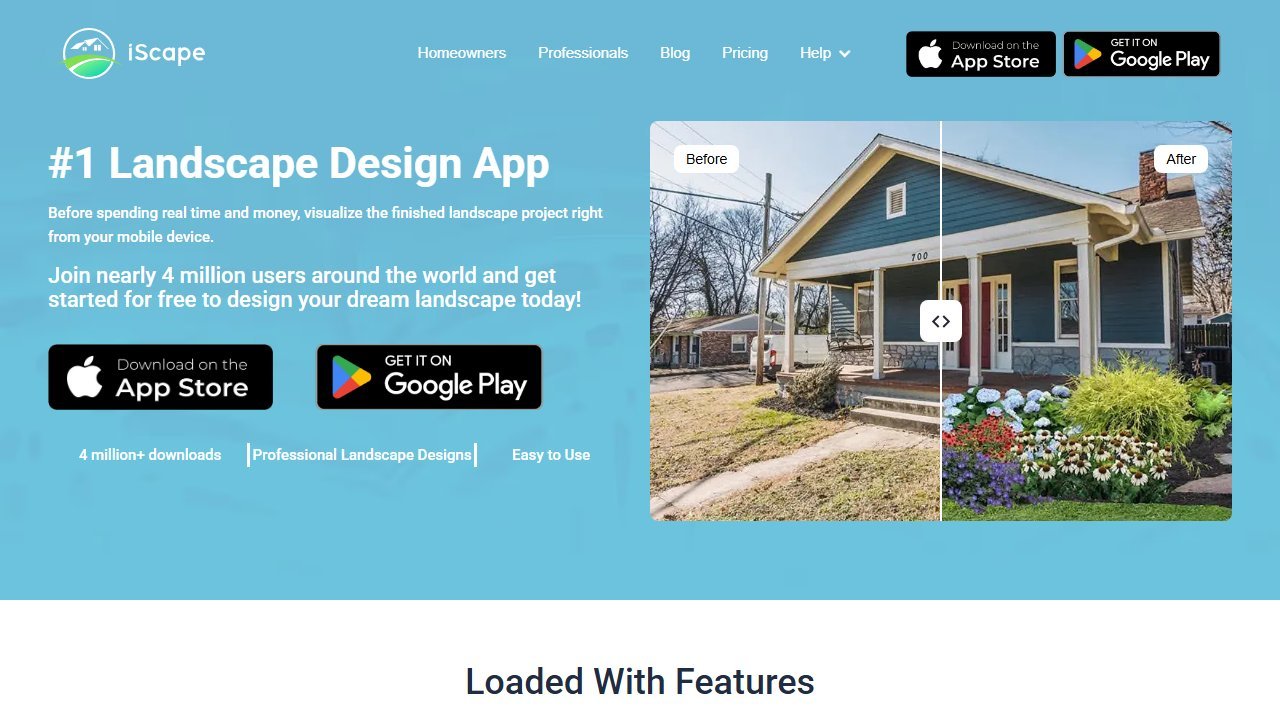
If you’re using DreamzAR or iScape, you can see your design in augmented reality.
How AR Works
Open the AR mode, point your phone at your yard, and the app overlays the design onto the real space through your camera. You can walk around and see plants, structures, and elements at their actual intended scale.
When AR Is Worth It
- Checking scale: “Will this tree block my kitchen window?”
- Spatial planning: “Is there enough room between the fire pit and the fence?”
- Selling the vision: Walking a partner or family member through the design in the actual space is more convincing than showing them a flat image.
When AR Isn’t Necessary
If you’re just exploring styles and comparing options, the flat renders are fine. AR adds value when you’re getting serious about a specific design and need to verify it works in the real space.
Step 8: Download and Compare
Download your top 2-3 designs. Put them side by side. Show them to anyone who has a say in the project (partners, family members, roommates).
DreamYard‘s Share & Vote feature is specifically built for this: send a link, everyone votes on their favorite. But even without that, a group text with three screenshots works.
What to Compare
- Which style fits the house architecture best?
- Which design is most practical for your climate and maintenance tolerance?
- Which one can you actually afford? (Check cost estimates if available)
- Which elements can you DIY vs which need a professional?
Step 9: From AI Design to Contractor Quote
The final step is turning your AI render into a real project.
What to Bring to a Contractor
- 2-3 AI-generated design renders showing the style you want
- A plant list (from DreamzAR, Curb Appeal AI, or ChatGPT) with species names
- A rough budget range (LandscapioAI’s cost estimation helps here)
- A list of priorities (what’s most important vs what’s nice-to-have)
How Contractors Use AI Renders
Landscaping contractors appreciate visual references. Instead of describing “I want a Mediterranean-style front garden with stone pathways,” you hand them a render and say “something like this.” This:
- Reduces miscommunication
- Speeds up the quoting process
- Gives the contractor a clear style direction
- Helps you get comparable quotes from multiple contractors
What AI Designs Don’t Replace
AI renders are inspiration and communication tools. They are not:
- Construction documents. A contractor needs proper plans for grading, drainage, irrigation, and structural work.
- Soil analysis. AI doesn’t know your soil type, drainage patterns, or underground utilities.
- Permit guidance. Fences, retaining walls, and structures may require permits that AI doesn’t account for.
- Accurate cost quotes. AI estimates are ballpark. A contractor’s quote based on your specific site conditions is what you’ll actually pay.
Can You Just Use ChatGPT Instead?
Faz says: It’s a fair question. ChatGPT and Microsoft Copilot can help with landscape design, but they fill a different role.
What ChatGPT Does Well
- Plant recommendations by USDA zone (accurate and sourced)
- Seasonal planting schedules
- Design principles and layout ideas in text
- Answering specific questions (“Best shade trees under 20 feet for Zone 6”)
- Rough budget estimation based on described scope
What ChatGPT Can’t Do
- Upload a photo of your yard and generate a visual redesign
- Show you what your specific yard looks like in a different style
- AR visualization
- Interactive design editing
- Photorealistic before-and-after renders
Best of Both Worlds
Use a dedicated AI landscaping tool (Neighborbrite, DreamzAR) for visual design. Use ChatGPT for plant research and text-based planning. The two approaches complement each other perfectly.
Final Checklist
Before you close the app and call a contractor, make sure you have:
- 2-3 downloaded design renders in your preferred style
- A plant list with species names matched to your USDA zone
- A rough cost estimate (from LandscapioAI, Curb Appeal AI, DreamzAR, or ChatGPT)
- Photos of your current yard for the contractor’s reference
- A list of must-haves vs nice-to-haves
- A budget range you’re comfortable with
That’s the whole process. Photo to design to contractor quote. What used to take weeks and cost hundreds now takes an afternoon and costs nothing.
References & further reading
For deeper plant science and landscape design fundamentals behind the tools we evaluate:
- USDA Plant Hardiness Zone Map. official US plant zone data that all reputable AI landscape tools should cross-reference
- American Society of Landscape Architects. professional standards and design principles from the field’s primary association
- University of Minnesota Extension landscape design. evidence-backed regional design guidance from a top horticulture extension program
Tools mentioned in this guide

Written by
FazFaz is the founder of AIToolsBakery. Some tools here are tested hands on. Others are assessed from vendor documentation and pricing verified on the live page, and every review says which one it is. Sponsors can buy a position in a guide. They cannot buy the score, the criticism, or silence about a better option.
How we test and how we make money →