Landscape tools design your whole yard. Garden tools design the parts that grow.
The best AI garden design tools in 2026 are Ogrovision (best style presets), Hadaa (best botanical intelligence), and Neighborbrite (best free). For most home gardeners, Neighborbrite (free) handles visualization and Hadaa ($10/design) handles plant-specific intelligence. Prices range from free to $50/mo. Full 10-tool breakdown below.
Quick comparison at a glance. Full breakdown for each option below.
Plant Intelligence Comparison
This is what separates garden tools from generic landscaping tools:
| Tool | USDA Zones | Species ID | Plant Count | Care Data | Cost Estimate |
|---|---|---|---|---|---|
| DreamzAR | Yes (per plant) | Yes | 2,000+ | Yes | Yes (ZIP) |
| Hadaa | Yes (Biological Engine) | No | Not disclosed | Yes | Yes |
| Curb Appeal AI | Yes (zone-aware) | No | Not disclosed | Limited | Yes |
| Ogrovision | No | Yes (in designs) | 109+ presets | Yes | No |
| Neighborbrite | Location-based (Pro) | Yes (Plant Finder) | Not disclosed | Limited | No |
| LandscapioAI | Regional lists | No | Not disclosed | No | Yes (+/-15%) |
| RescapeAI | No | No | N/A | No | No |
| REimagineHome | No | No | N/A | No | No |
| Rendair AI | No | No | N/A | No | No |
| AI Garden Planner | Zone-aware | No | 50+ styles | Limited | No |
Last reviewed May 2026. AI garden design tools continue to add plant-database depth and AR walkthrough quality in 2026. We re-test the leaders every quarter. For the broader landscape design category (including outdoor architecture, hardscaping, and contractor tools) see our best AI landscaping tools roundup.
How we reviewed these garden design tools
We uploaded the same reference photo wherever the tool accepted one, and we asked for a native-plant bias. We scored each tool on photorealism, plant-list usefulness, how editable the output was, and whether a real gardener could actually act on the result. Nothing was planted in the ground, so any “weeks saved” claims you see are from the vendors, not from us.
Faz says: There’s a difference between landscaping and gardening. Landscaping is the whole yard: patios, paths, fences, fire pits. Gardening is the living stuff: flower beds, vegetable patches, shrubs, trees, ground cover. Most “AI landscaping tools” are actually pretty bad at the garden part. They’ll generate a beautiful render with lush green plants and not tell you a single species name. This list focuses on tools that actually understand plants: what grows where, what survives your winters, what blooms when. If you care about USDA zones, plant care, and species identification, these are the tools worth your time.
Saru says: Data notes: 10 garden-focused tools evaluated. Plant database depth verified (USDA zone tagging, species counts, care data). Pricing checked against official sources. We specifically tested each tool’s ability to identify plant species and provide climate-appropriate recommendations, since that’s the core differentiator for garden vs general landscape tools. User sentiment from r/gardening, r/landscaping, and garden-specific forums as of April 2026.
Last updated: April 22, 2026.
Related: See also: Best AI landscaping tools | Neighborbrite review
How to Choose an AI Garden Design Tool
Climate Intelligence Matters Most
The number one feature for garden planning is climate awareness. A tool that generates a gorgeous tropical garden in USDA Zone 4 has wasted your time. Look for:
- USDA hardiness zone filtering (DreamzAR, Curb Appeal AI, Hadaa)
- Regional plant recommendations (Neighborbrite, LandscapioAI)
- Plant care data (light, water, soil, mature height)
If a tool doesn’t tell you whether its suggested plants will survive your winters, it’s an inspiration tool, not a garden planning tool.
Photo Upload vs Garden-Specific Planning
Most tools on this list use the same workflow: upload a yard/garden photo, pick a style, get a redesign. A few go deeper with garden-specific features:
- Ogrovision identifies plants in generated designs and provides care tips
- Hadaa scans your photo for problems (weeds, dead plants, mud) and generates fixes
- AI Garden Planner focuses on planting layouts and spacing
Free Tier Expectations
Home gardeners tend to use these tools seasonally. You plan your garden in spring, plant it, and don’t open the app again until next year. Monthly subscriptions are poor value for seasonal use. Prioritize:
- Free tiers: Neighborbrite (unlimited), HomeGPT (free)
- Pay-per-use: Hadaa ($10/design), Ogrovision ($2.99 for 10 credits), Curb Appeal AI ($25 for 40 credits)
- One-time deals: LandscapioAI ($149 lifetime)
Common Mistakes When Using AI Garden Design Tools
1. Trusting AI Plant Suggestions Without Verifying Your Zone
Most AI garden tools do not check whether their suggested plants will survive your climate. They generate a beautiful image with lush hydrangeas, and you buy $200 worth of plants only to discover you’re in USDA Zone 4 and those hydrangeas need Zone 6+. Always cross-check any AI-suggested species against your hardiness zone before purchasing. Only DreamzAR, Hadaa, and Curb Appeal AI do this verification automatically.
2. Paying Monthly for a One-Season Project
Garden planning is seasonal. You design in early spring, plant in late spring, and don’t touch the tool again until next year. A $20/mo subscription costs $240/year for a tool you use for 4-6 weeks. Prioritize pay-per-use tools (Hadaa at $10/design, Ogrovision at $2.99/10 credits, Curb Appeal AI at $25/40 credits) or lifetime deals (LandscapioAI at $149). If you do subscribe monthly, cancel the same month you finish planning.
3. Expecting AI to Handle Companion Planting or Soil Analysis
No AI garden tool on this list does companion planting (which plants benefit or harm each other when planted nearby) or soil analysis (pH, nutrient levels, drainage). These are specialized tasks that require physical soil testing and botanical knowledge that current AI models don’t incorporate. Use AI for layout and visualization, then consult a companion planting chart and get a soil test kit ($15 at any garden center) separately.
4. Ignoring Mature Plant Sizes
AI renders show plants at full, mature size by default. That “perfectly spaced” AI garden with large shrubs touching each other? Those plants are shown at 10-year maturity. When you plant them, they’ll be 1/3 that size with bare soil between them. Conversely, if the AI places a Japanese Maple 3 feet from your house, the mature spread of 15-25 feet will be a problem in 5 years. Always check mature height and spread for every species the AI suggests.
Use-Case Scenarios
“I want to replace my front lawn with a drought-tolerant garden”
Best tool: Curb Appeal AI ($25 for 40 credits)
Upload your front yard photo, select a drought-tolerant or xeriscape style, and get a visualization with USDA zone-matched plant recommendations, a step-by-step implementation guide, and a cost estimate. The full package gets you from “I want to remove the grass” to “here’s what to plant and what it’ll cost.”
“I have a photo of my garden and want to identify what’s growing”
Best tool: Neighborbrite (free) or Ogrovision ($2.99)
Neighborbrite’s Plant Finder identifies species from photos for free. Ogrovision identifies plants in AI-generated designs and provides care recommendations. Both help you put names to the green things in your yard.
“I want a garden plan that accounts for my soil and climate”
Best tool: Hadaa ($10/design)
Hadaa’s Biological Engine checks USDA hardiness zones and plant compatibility before suggesting anything. The AutoFix feature scans your photo for problems (dead patches, weeds, bare soil) and generates targeted fixes. At $10 per design with no subscription, it’s the most botanically intelligent option per dollar.
“I need to visualize a cottage garden / zen garden / Mediterranean garden”
Best tool: Ogrovision (from $2.99)
With 109+ style presets, Ogrovision has the widest variety of garden-specific styles. Cottage, Japanese Zen, Mediterranean, Tropical, Wildflower, Herb Garden, Rock Garden, and dozens more. Each generates a meaningfully different garden visualization.
The 10 Best AI Garden Design Tools in 2026
1. Ogrovision. Best Garden-Specific Style Presets
Rating: 3.7/5 | Price: Free (2 credits), then $2.99 (10 credits) | Platform: Web
Ogrovision is built specifically for garden design. Upload a photo, select the area to redesign, choose from 109+ style presets, and get a photorealistic garden visualization in 15-60 seconds. What sets it apart: the AI identifies plants in the generated design and provides care recommendations for each species.
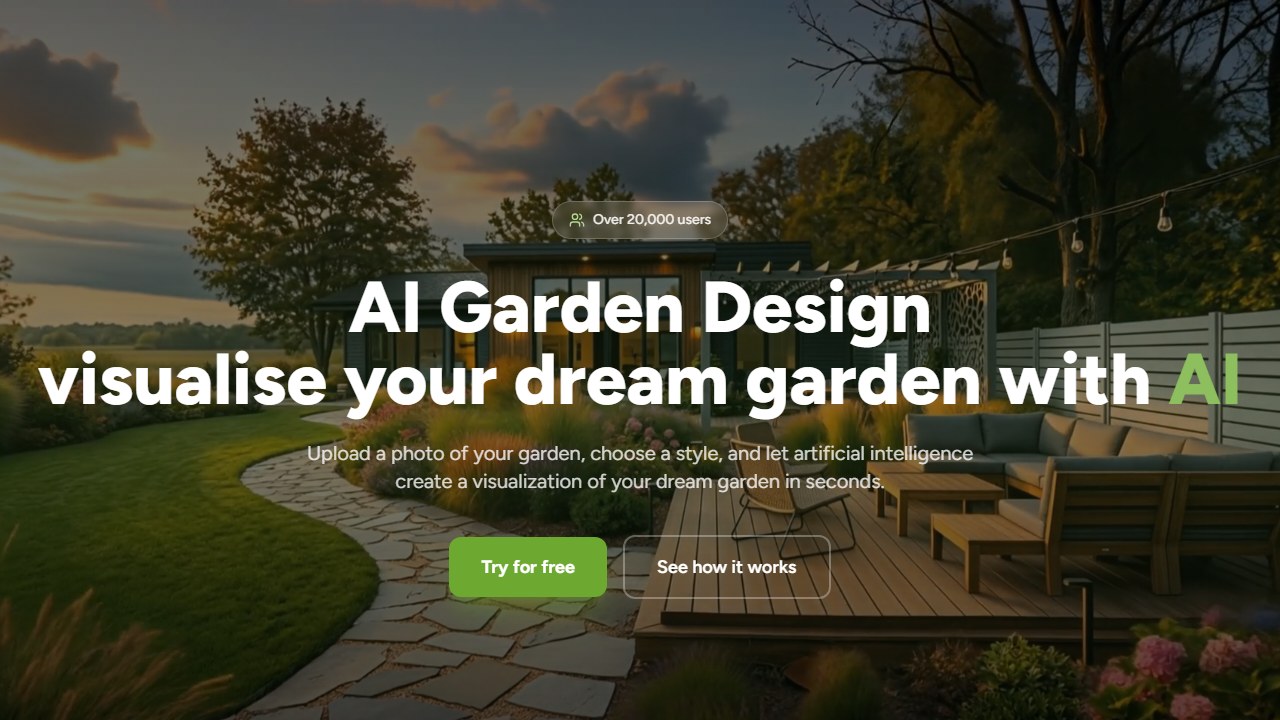
How it works: Upload any garden or yard photo, use the brush tool to mask the area you want redesigned, pick a style preset (Cottage Garden, Japanese Zen, Mediterranean, Herb Garden, Wildflower, Rock Garden, etc.), and hit generate. The AI returns a photorealistic render in under a minute. After generation, click any plant in the image to get its species name, light requirements, and watering schedule.
You can choose between two AI models: the Ogrovision model (faster and cheaper) or GPT Image 1.5 (higher quality at 3x the credit cost). The pay-per-credit model with no subscription makes it budget-friendly for seasonal gardeners.
Who this is for: Home gardeners who want to explore many different garden styles before committing. The 109+ presets make it ideal for someone who knows they want to redesign a flower bed but hasn’t decided on a direction yet.
Pricing breakdown: Free tier gives 2 credits. The Starter pack is $2.99 for 10 credits (1 credit per Ogrovision render, 3 credits per GPT Image 1.5 render). Larger packs reduce per-credit cost. No monthly subscription.
What it does that others don’t: The post-generation plant identification is unique. Most tools generate a garden image and leave you guessing what the plants are. Ogrovision names them and tells you how to care for them. The 109+ style library is also the largest of any garden-focused tool on this list.
Standout features: 109+ garden presets (largest style library), plant identification in generated designs, care recommendations, dual AI model choice, pay-per-credit pricing.
What’s missing: No USDA zone filtering. No AR. Web-only. Small user base with limited reviews.
2. Hadaa. Best Botanical Intelligence
Rating: 3.7/5 | Price: Free (1 design), then $10/design | Platform: Web
Hadaa takes a fundamentally different approach. Instead of just generating a pretty picture, the built-in Biological Engine checks USDA hardiness zones and verifies plant compatibility before including anything in your design. The AutoFix Engine scans your photo for problems (mud, weeds, dead plants, debris) and generates targeted one-click fixes. The Sketch Engine converts hand-drawn garden plans into 3D renders.
How it works: Upload a garden photo or hand-drawn sketch. The Biological Engine analyzes your location’s hardiness zone, then generates a design using only plants verified to survive your climate. If you use AutoFix, the AI scans for visible problems (bare patches, overgrown areas, dying plants) and generates a corrected version with specific replacement suggestions. Every output includes a planting list with species names, zone compatibility, and care instructions.
At $10 per design with no subscription, it’s priced for homeowners who want one serious garden plan rather than endless iterations. Each design includes construction-ready plans, planting lists with species data, 3D renders, and commercial rights.
Who this is for: Homeowners planning a single major garden project. If you’re redesigning a front garden bed or converting a lawn section to a pollinator garden, the $10 flat fee gets you a botanically verified plan you can hand to a contractor or follow yourself.
What it does that others don’t: The AutoFix feature is genuinely unique. No other tool on this list scans your existing garden for problems and generates targeted fixes. The Biological Engine’s pre-verification of plant compatibility also goes beyond simple zone filtering, checking soil type preferences and sun exposure requirements.
Standout features: Biological Engine (USDA zones + plant compatibility), AutoFix (problem detection + fixes), Sketch Engine (hand-drawn to 3D), $10 flat fee, construction-ready outputs.
What’s missing: Only 1 free design. No AR. Web-only. Newer product (Hacker News featured Dec 2025) with limited track record.
3. RescapeAI. Cheapest Bulk Pricing
Rating: 3.3/5 | Price: Free (weekly credits), then $6 (100 images) | Platform: Web
RescapeAI offers the cheapest per-image cost for garden and landscape design. The permanent free tier gives you weekly credits (watermarked). Credit packs start at $6 for 100 images, making the per-design cost less than $0.10 at scale. For gardeners who want to test dozens of styles and variations, the bulk pricing is unbeatable.

How it works: Upload a garden or yard photo, select a style, and generate redesign variations. The workflow is straightforward with no masking or area selection required. You get multiple variations per generation, and at bulk pricing you can run dozens of iterations to explore different looks for the same space.
The design workflow is standard: upload a garden photo, get AI-generated redesign variations. No plant identification, no USDA data, no AR. It’s a volume play for visual inspiration.
Who this is for: Gardeners in the brainstorming phase who want to see 20+ variations of their garden before narrowing down a direction. Also useful for garden bloggers or social media creators who need a high volume of garden visualizations.
Pricing breakdown: Free tier gives weekly credits (watermarked outputs). $6 for 100 images, $12 for 250 images, $24 for 500 images. Per-image cost drops to $0.048 at the 500-image tier. No subscription, no expiration on credits.
Standout features: $0.06/image at scale (cheapest), permanent free tier with weekly credits, no subscription required.
What’s missing: No plant intelligence. No USDA data. No AR. Watermarked free outputs. Quantity over quality compared to premium tools.
4. Neighborbrite. Best Free Garden Visualization
Rating: 4.2/5 | Price: Free (unlimited), Pro $15/mo | Platform: Web, iOS, Android
Neighborbrite’s unlimited free plan makes it the easiest way to visualize garden redesigns. Upload a photo of your garden bed, select the area, choose a garden style, and see what it could look like. The Plant Finder identifies existing plants from photos (free). Pro adds climate-tailored plant lists and sunlight simulation.
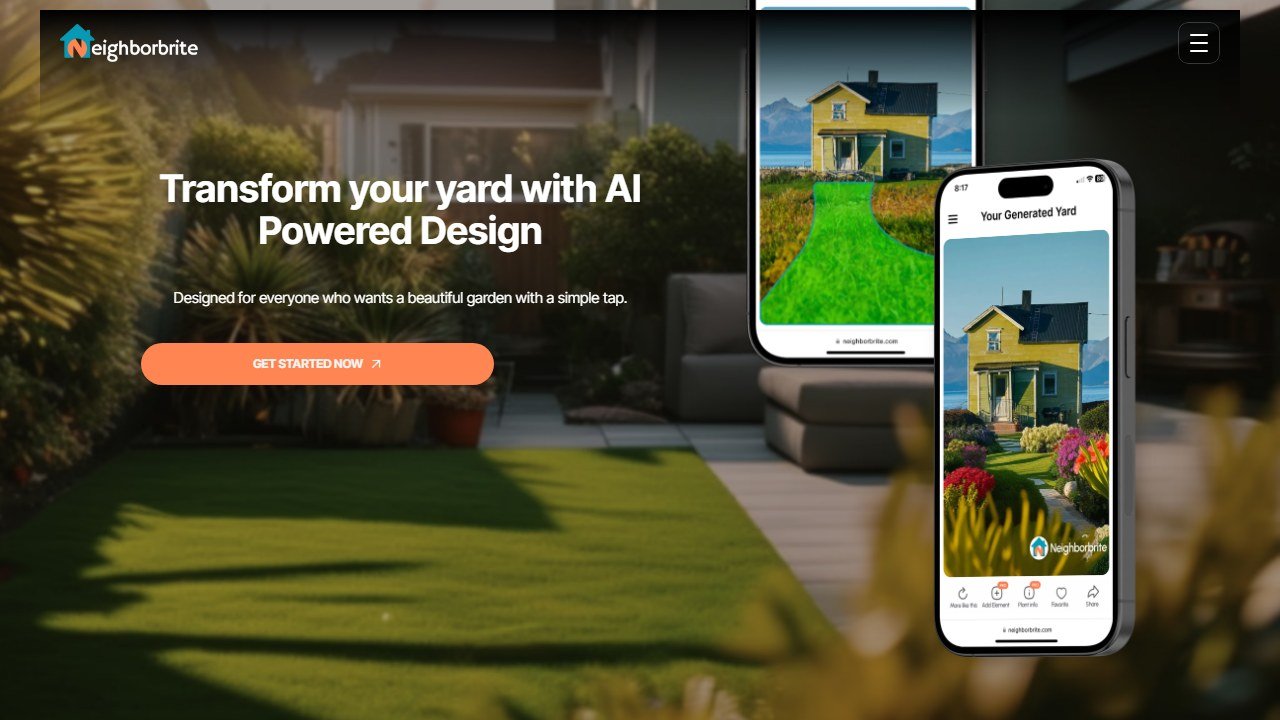
How it works: Take a photo of your garden bed or border, upload it to Neighborbrite, brush over the area you want redesigned, and select a garden style. The AI generates a visualization in about 30 seconds. On the free tier, you can run unlimited generations. The Plant Finder feature works separately: upload any plant photo and it returns the species name, common name, and basic care info.
For garden-specific use, Neighborbrite works best when you photograph individual garden beds or borders rather than the full yard. The AI handles focused garden areas well and the style selection includes garden-relevant options like Cottage, Mediterranean, Tropical, and Desert.
Who this is for: Budget-conscious home gardeners who want to visualize ideas without spending anything. The unlimited free tier means you can test every garden bed in your yard without worrying about credits running out.
Pricing breakdown: Free tier is unlimited designs with no watermarks. Pro is $15/mo and adds climate-tailored plant lists, sunlight simulation, higher resolution outputs, and priority generation. There’s no annual discount currently listed.
What it does that others don’t: The combination of unlimited free designs plus free plant identification is unmatched. Every other tool on this list either limits free usage or charges for species ID. Neighborbrite’s 650K+ user base also means the AI has been trained on more real-world garden photos than smaller competitors.
Standout features: Unlimited free designs, Plant Finder (free species ID), location-based plant lists (Pro), sunlight filters (Pro), 650K+ users.
What’s missing: No explicit USDA zone tagging. No AR. Fewer styles than Ogrovision. Plant lists locked behind Pro.
Read our full Neighborbrite review
5. DreamzAR. Best USDA Plant Library
Rating: 3.8/5 | Price: Free credits, then $19.99/mo | Platform: iOS, Android, Web
DreamzAR has the deepest plant library of any AI garden tool: 2,000+ plants, each tagged with USDA hardiness zone, light requirements, water needs, mature height, and care guides. The 2D photo editor lets you manually place specific plant species into your garden design by dragging from the library. The AR walkthrough shows your garden at real-world scale.
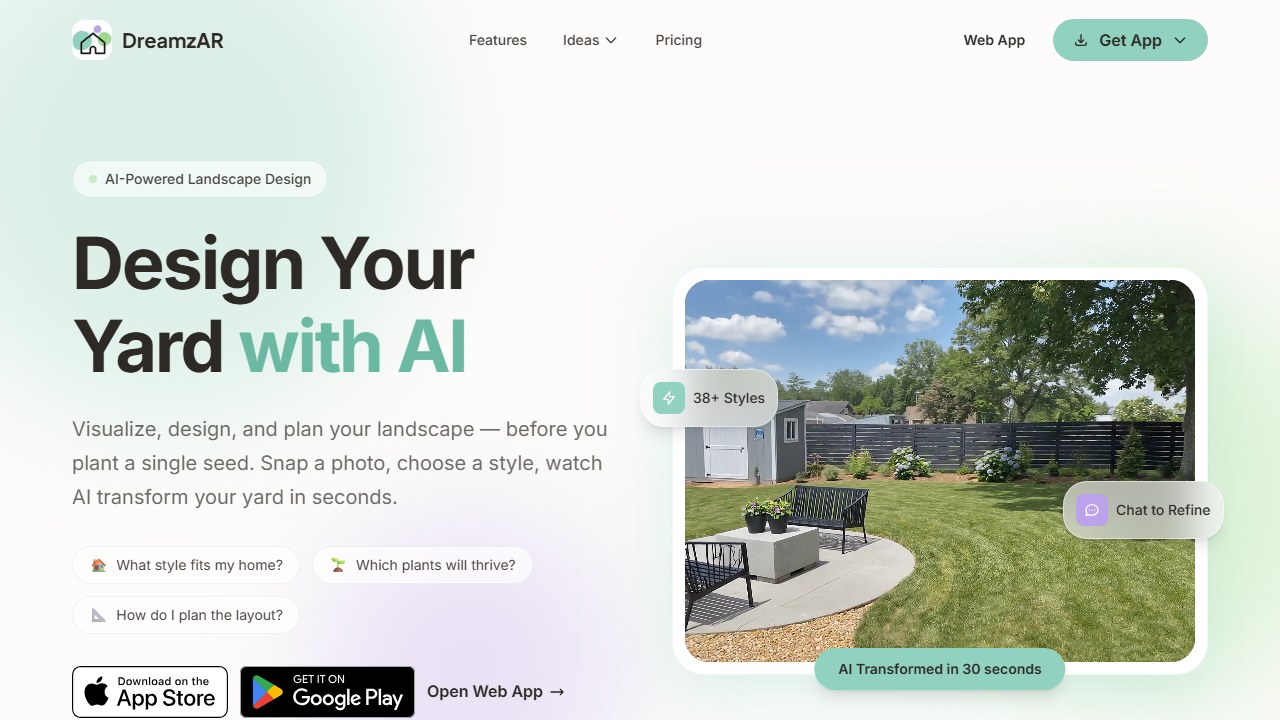
How it works: Upload a garden photo or use the AI to generate a design from a style prompt. Then open the 2D editor to drag specific plants from the library into your layout. Each plant shows its zone range, mature dimensions, sun/shade preference, and water needs. Once your layout is set, switch to AR mode to walk through the garden at real-world scale using your phone’s camera.
For serious garden planners who want to know exactly which species to plant and whether they’ll survive, DreamzAR’s plant database is unmatched.
Who this is for: Detail-oriented gardeners who want species-level control over their designs. If you care about choosing between Echinacea purpurea and Rudbeckia fulgida (not just “purple coneflower”), DreamzAR is the only tool that gives you that precision.
Pricing breakdown: Free credits on sign-up (limited, exact count varies). Monthly plans: $19.99/mo for full access. No lifetime or annual discount publicly listed. The monthly cost is steep for seasonal use, so plan to do all your designing within a single billing cycle.
What it does that others don’t: The 2,000+ plant library with per-plant USDA tagging is the largest in this category by a wide margin. The AR walkthrough is also the most polished of any garden tool, letting you physically walk through your future garden before planting anything.
Standout features: 2,000+ USDA-tagged plants, zone filtering, plant care guides, AR walkthrough, chat-based refinement, 38+ styles.
What’s missing: $20/mo is expensive for seasonal garden use. 3.1/5 iOS rating. Free credits are vague and limited.
6. Curb Appeal AI. Best Implementation Guidance
Rating: 3.7/5 | Price: Free trial (watermarked), then $25 (40 credits) | Platform: Web
Curb Appeal AI generates garden and landscape designs with something most tools skip: a step-by-step implementation guide and itemized cost estimate. The USDA zone-aware plant recommendations mean every suggestion is climate-appropriate. The credit-based pricing (no subscription) suits seasonal gardeners who plan once and build once.
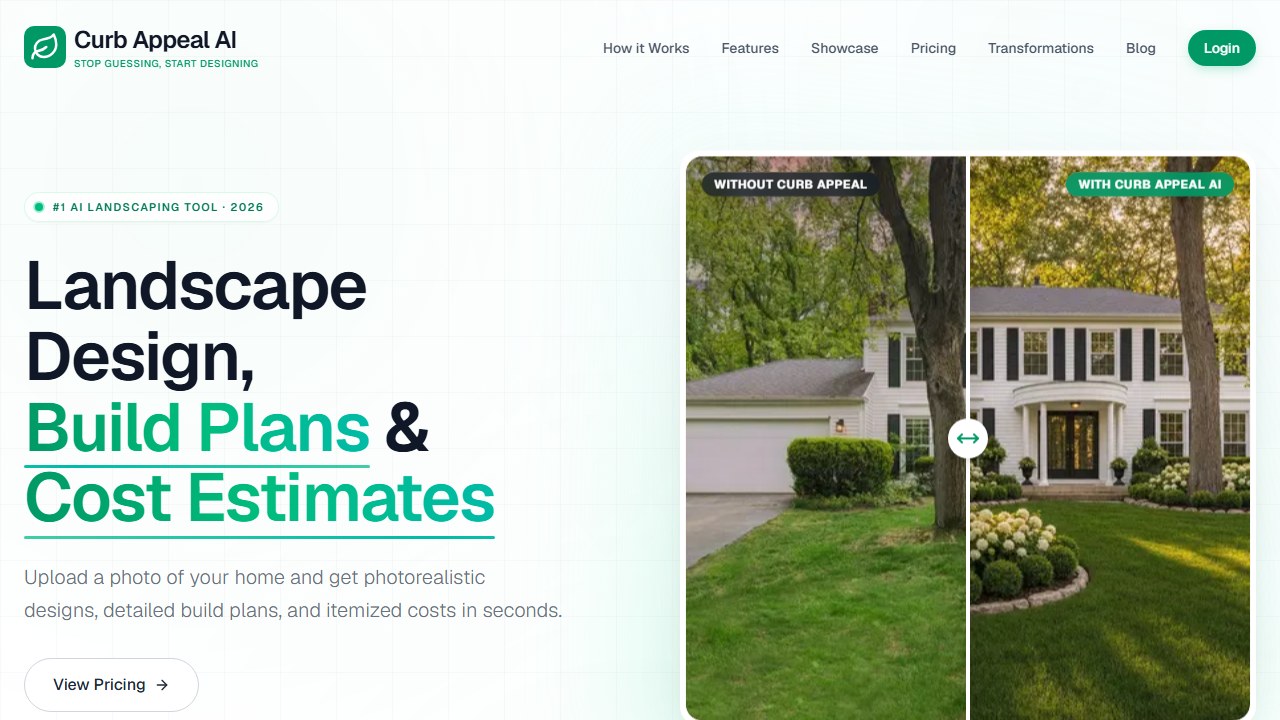
How it works: Upload a photo of your front yard or garden area, enter your ZIP code for USDA zone detection, select a style or describe what you want, and generate a design. The output includes three parts: a photorealistic visualization, a numbered implementation guide (what to remove, what to plant, in what order), and an itemized cost estimate based on your region.
The focus is front yard and curb appeal, but the plant intelligence and implementation guidance apply to any garden project.
Who this is for: Homeowners who want to go from “I want a nicer garden” to “here’s exactly what to buy and do” in one session. The implementation guide bridges the gap between inspiration and action that most other tools leave empty.
Pricing breakdown: Free trial gives a few watermarked designs. Credit packs start at $25 for 40 credits (roughly $0.63 per design). Larger packs are available at lower per-credit rates. No subscription required.
What it does that others don’t: The step-by-step implementation guide is the standout. Other tools show you what your garden could look like. Curb Appeal AI tells you how to make it happen, including the order of operations (remove existing plants first, amend soil, install hardscaping, then plant in sequence from trees down to ground cover).
Standout features: USDA zone-aware plants, step-by-step implementation guide, itemized cost estimate, credit-based pricing (no sub).
What’s missing: Front yard focus limits backyard/garden bed scope. No AR. Web-only.
7. REimagineHome. Best All-in-One Redesign
Rating: 3.4/5 | Price: Free (3 designs), then $14/mo | Platform: Web
REimagineHome handles interior, exterior, garden, and virtual staging redesigns in one platform. Upload a garden photo and get AI-generated redesigns with multiple style options. The platform covers pool areas, pathways, and full yard redesigns alongside garden-specific work.
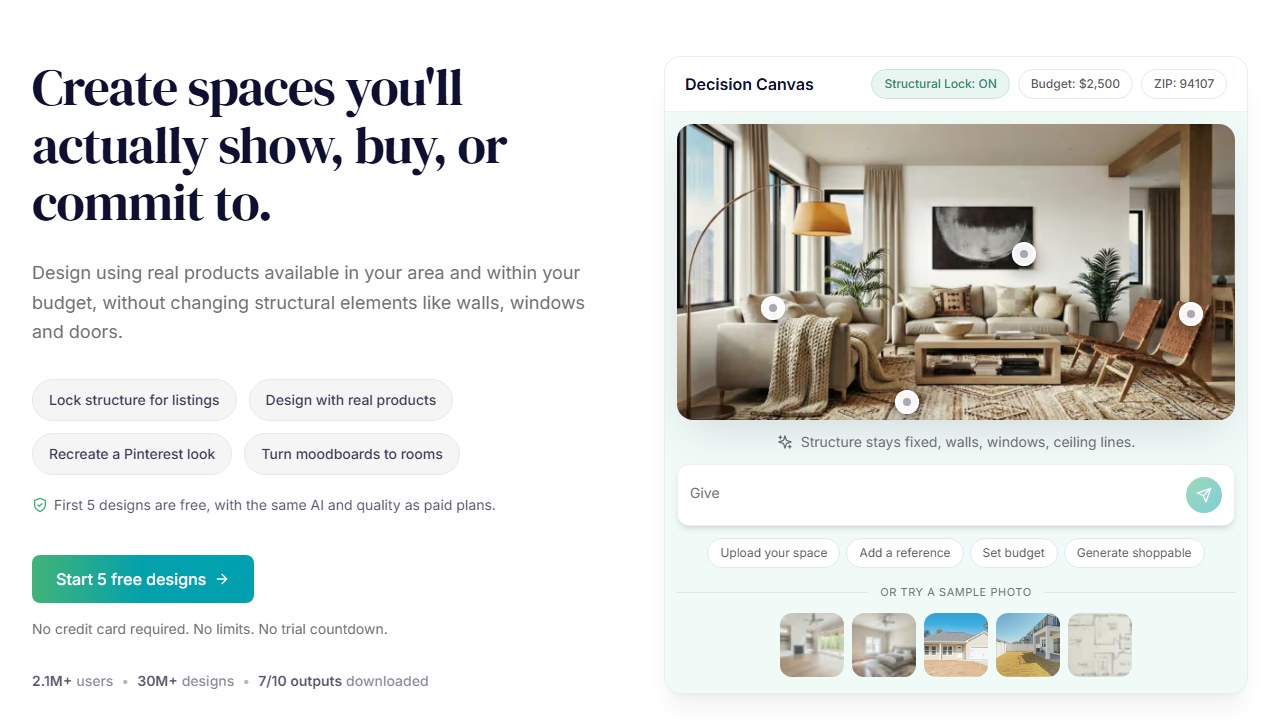
How it works: Upload any outdoor photo, select “Exterior” or “Garden” as the space type, choose a style, and generate a redesign. The AI handles the full scene including hardscaping, furniture, and plantings. You can also use text prompts to describe specific changes you want.
For gardeners who also want to redesign their patio, deck, or outdoor kitchen, REimagineHome handles the full outdoor space without switching tools.
Who this is for: Homeowners doing a full outdoor renovation, not just a garden update. If you’re rethinking the patio, the garden beds, and the pathway all at once, REimagineHome keeps everything in one place.
Pricing breakdown: 3 free designs on sign-up. Paid plans start at $14/mo (Basic) with higher tiers for more generations and commercial use. Annual billing reduces per-month cost.
Standout features: All-in-one (interior + exterior + garden + staging), 3 free designs, strong real estate use case, tiered pricing from $14/mo.
What’s missing: No garden-specific plant intelligence. No USDA data. No AR. Web-only. Generic garden redesign rather than botanical planning.
8. LandscapioAI. Best Cost Estimation for Garden Projects
Rating: 3.6/5 | Price: Free (limited), lifetime $149 | Platform: Web
LandscapioAI generates garden and landscape designs with detailed cost estimates claiming +/-15% accuracy. The regional plant lists and material take-offs tell you not just what to plant but how much it’ll cost. The $149 lifetime deal includes a design strategy call and all features permanently.
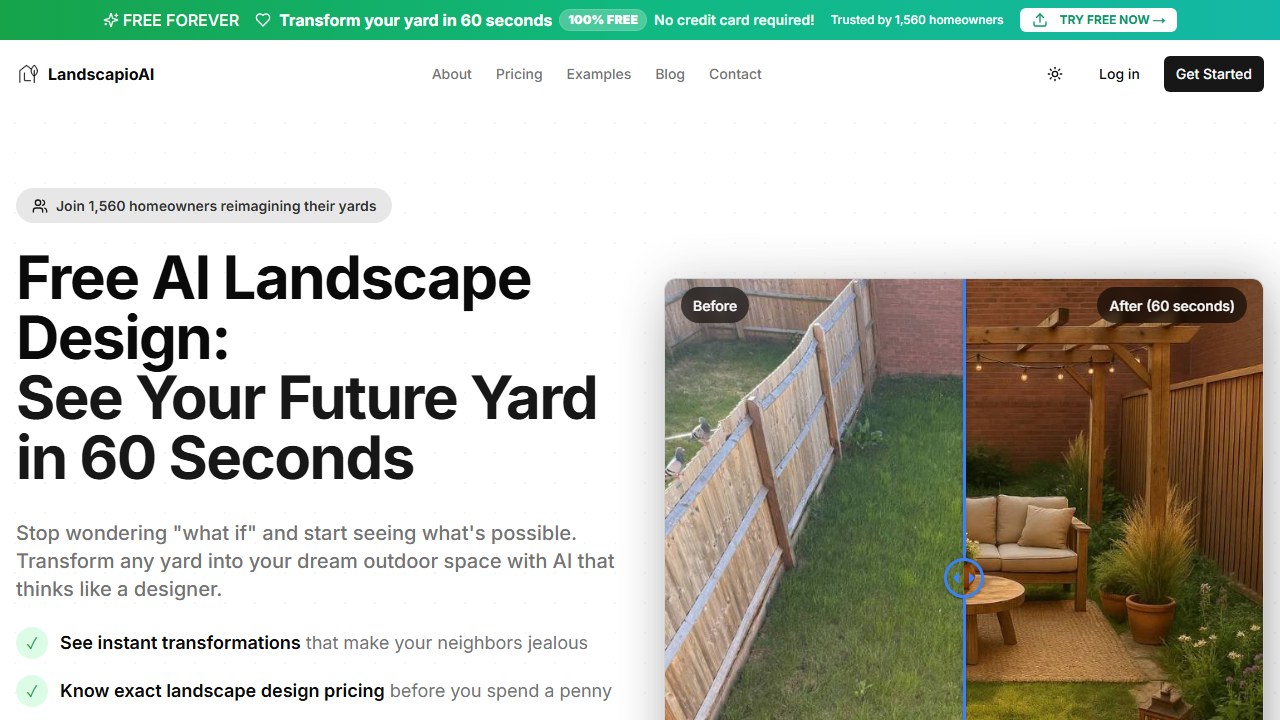
How it works: Upload a garden or yard photo, describe your goals, and the AI generates a design with an attached cost breakdown. The cost estimate itemizes plants, materials, soil amendments, and labor (if applicable) based on your region. The included strategy call lets you discuss the plan with a human designer before you start buying.
For gardeners who need budget clarity before starting a project, LandscapioAI’s cost focus is the most practical option.
Who this is for: Budget-conscious homeowners planning a garden project over $500. If you need to know whether your cottage garden vision costs $800 or $3,000 before you commit, LandscapioAI gives you that number upfront.
Pricing breakdown: Free tier offers limited designs. The lifetime deal is $149 one-time and includes unlimited designs, all features, and a design strategy call. For a tool you’ll use every spring, the lifetime pricing pays for itself in one season compared to monthly subscriptions.
Standout features: Cost estimation (+/-15%), material take-offs, regional plant lists, $149 lifetime deal, design strategy call included.
What’s missing: Limited reviews (newer product). No AR. No USDA zone tagging. Web-only.
9. Rendair AI. Best for Landscape Architects
Rating: 3.5/5 | Price: Free (20 credits), then $7.60/mo (student) | Platform: Web
Rendair AI’s dedicated Landscape Designer tool converts sketches, plans, and photos into photorealistic garden renders. For landscape architects and garden designers who already have a concept, Rendair visualizes it at presentation quality. The student tier ($7.60/mo) makes it the cheapest professional rendering tool.

How it works: Upload a hand-drawn sketch, CAD plan, or existing garden photo. Select the Landscape Designer tool, choose a rendering style (photorealistic, watercolor, conceptual), and generate. The AI preserves your layout while adding realistic textures, lighting, and plant detail. Output resolution is high enough for client presentations and print.
This isn’t for home gardeners planning a flower bed. It’s for professionals who need to show clients what a designed garden space will look like.
Who this is for: Landscape architects, garden designers, and landscape design students. If you already know what you want to plant and where, Rendair turns your plan into a presentation-quality visual that helps clients say yes.
Pricing breakdown: Free tier gives 20 credits. Student plan is $7.60/mo (requires .edu email). Professional plans start higher with more credits and batch rendering. The student pricing makes it the cheapest professional-grade rendering tool in the category.
Standout features: Sketch-to-render for gardens/landscapes, dedicated Landscape Designer tool, student pricing ($7.60/mo), 500K+ users.
What’s missing: Professional tool, not consumer-friendly. No plant intelligence. No garden-specific features. No AR.
10. AI Garden Planner. Best for Professional Garden Planning
Rating: 3.3/5 | Price: Credits-based | Platform: Web
AI Garden Planner (aigardenplanner.com) offers 50+ garden styles with climate-zone awareness and custom plant lists. It’s more focused on the planning aspect of garden design than on generating flashy renders. The tool targets gardeners who want planting layouts, spacing guidance, and zone-appropriate species selection.
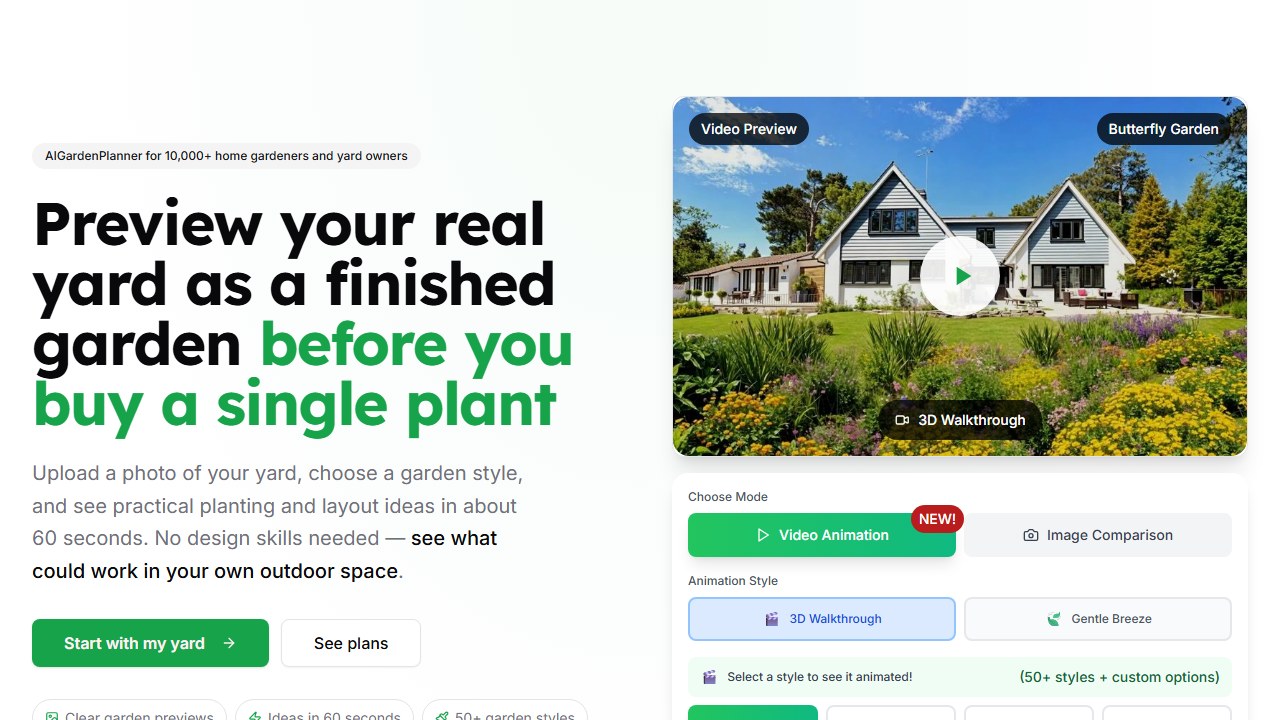
How it works: Select your garden type (flower, vegetable, herb, mixed), enter your climate zone, and describe your space dimensions. The AI generates a planting layout with species recommendations, spacing guidelines, and a suggested planting schedule. The output is more of a functional plan than a photorealistic render.
Who this is for: Practical gardeners who care more about “what goes where and when to plant it” than about seeing a pretty visualization. If you want a planting calendar and spacing chart more than a photorealistic render, this is the tool.
What it does that others don’t: The planning-first approach is distinct. While every other tool on this list starts with a photo and generates a visual, AI Garden Planner starts with your garden parameters and generates a functional plan. The 50+ garden-specific styles (not general landscape styles) are also more targeted than broader tools.
Standout features: 50+ garden-specific styles, climate-zone awareness, custom plant lists, planning-focused workflow.
What’s missing: Smaller user base. Limited public reviews. No AR. Web-only.
Key takeaway: If plant intelligence is your priority, DreamzAR and Hadaa are the clear leaders. Most garden design tools generate visual inspiration without botanical substance.
Saru says: The plant database depth gap across these tools is significant. DreamzAR leads with 2,000+ individually tagged species, each with USDA zone data, care guides, and mature dimensions. Ogrovision covers 109+ style presets but identifies plants post-generation rather than curating a browsable library. Neighborbrite’s Plant Finder handles species identification from photos but does not disclose a total plant count. Hadaa, Curb Appeal AI, LandscapioAI, and AI Garden Planner all reference zone-aware recommendations without publishing specific species counts. RescapeAI, REimagineHome, and Rendair AI have zero plant intelligence features. Bottom line: if verified plant data matters to your project, only 2 out of 10 tools (DreamzAR and Hadaa) provide it at a depth that’s actually useful for garden planning. The other 8 are visualization tools with varying levels of botanical window dressing.
Final Verdict
The AI garden design space splits into two camps: tools that make pretty pictures and tools that understand plants. For visual inspiration, Neighborbrite (free, unlimited) and Ogrovision (109+ presets, pay-per-credit) are the best starting points. For actual garden planning with botanical intelligence, DreamzAR (2,000+ USDA plants) and Hadaa ($10/design, Biological Engine) are in a different league.
Most home gardeners should start with Neighborbrite for free visualization, then try Hadaa for a single $10 design with real plant data when they’re ready to plan seriously.
Faz says: Here’s the path I’d recommend depending on where you are. Just exploring? Start with Neighborbrite (free, unlimited). Generate 10-20 variations of your garden beds and save the ones you like. Ready to plan? Pay $10 for a single Hadaa design with real plant data, zone verification, and a construction-ready plan. That’s enough for most home garden projects. Need species-level control? Subscribe to DreamzAR for one month ($20), build your planting layouts using the 2,000+ plant library, export everything, then cancel. Professional designer? Rendair AI at $7.60/mo (student) or standard pricing gives you presentation-quality renders from your existing plans. Total cost for a complete home garden redesign using this approach: $30 (one Hadaa design + one month of DreamzAR). That’s less than a single flat of perennials at the garden center.
Tools mentioned in this guide
- Ogrovision
- Hadaa
- RescapeAI
- Neighborbrite
- DreamzAR
- Curb Appeal AI
- REimagineHome
- LandscapioAI
- Rendair AI
- AI Garden Planner
How we reached this verdict: this guide is research-based. We compare each tool against its published documentation, pricing pages and terms, and we do not claim hands-on testing we have not done.

Written by
FazFaz is the founder of AIToolsBakery. Some tools here are tested hands on. Others are assessed from vendor documentation and pricing verified on the live page, and every review says which one it is. Sponsors can buy a position in a guide. They cannot buy the score, the criticism, or silence about a better option.
How we test and how we make money →