[Faz] QuillBot is everywhere. It’s the paraphrasing tool that students, bloggers, and content writers all seem to land on first. With over 35 million users, it’s basically the default choice. But is “popular” the same as “good”? We put it through the same test we ran on every tool in our best AI rewriting tools roundup, and here’s what we found.
What QuillBot Does
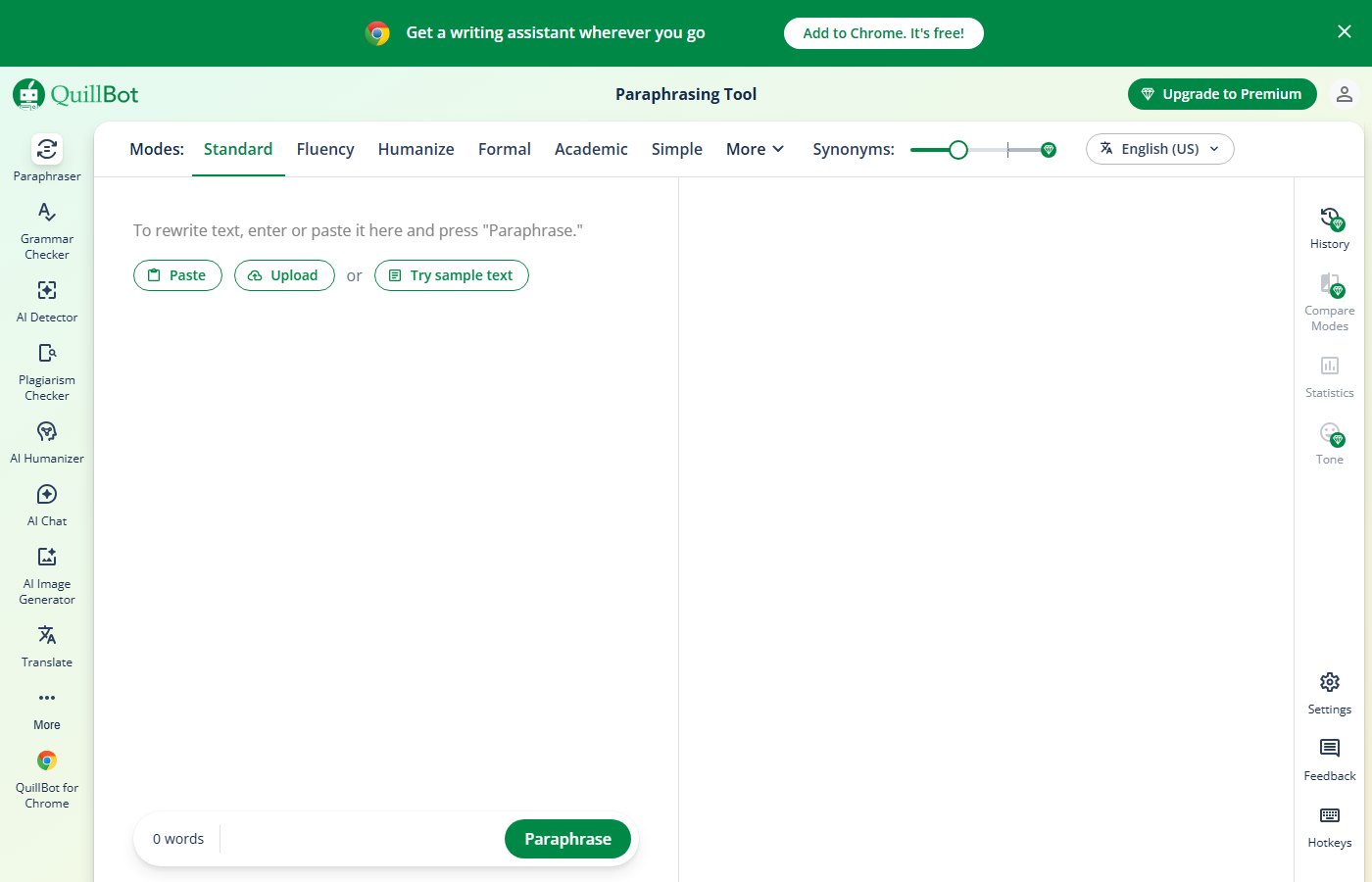
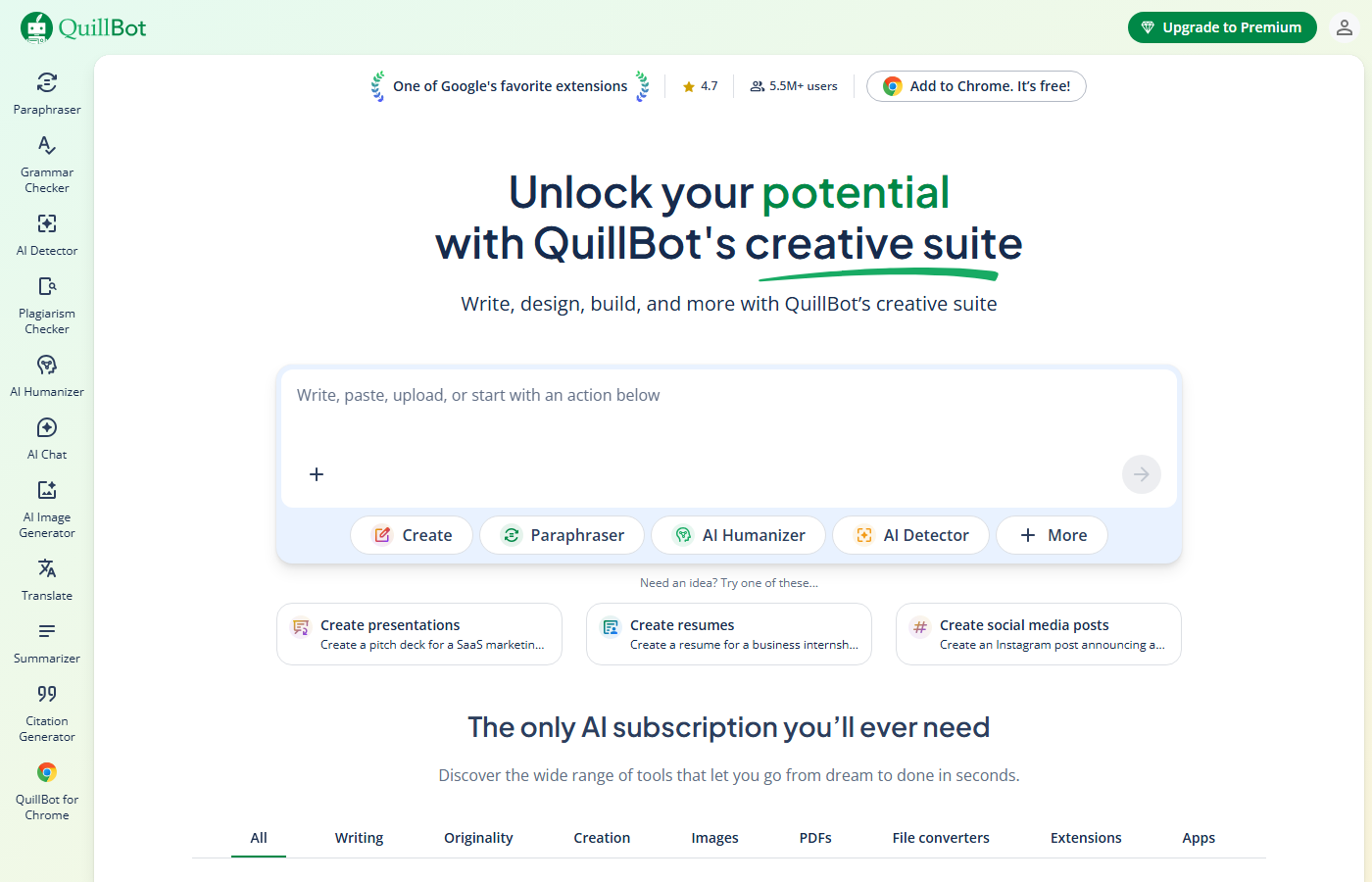
QuillBot is a dedicated paraphrasing and rewriting tool. You paste in text, pick a mode, and it rewrites your content. That’s the core of it. But around that core, they’ve built a grammar checker, plagiarism detector, summarizer, citation generator, and a co-writer feature that combines all of these into one editor.
The key difference between QuillBot and general-purpose AI writers (like ChatGPT) is focus. QuillBot is built specifically for rewriting existing text, not generating new content from scratch. That specialization shows in the output quality.
Key Features
7 Paraphrasing Modes
This is QuillBot’s signature feature. Each mode rewrites your text differently:
- Standard – balanced rewrite that preserves meaning while improving flow
- Fluency – minimal changes, focuses on fixing awkward phrasing
- Formal – upgrades casual language to professional register
- Simple – strips complexity, makes text easier to read
- Creative – most aggressive rewrite, substantially restructures sentences
- Expand – lengthens your text with additional detail
- Shorten – compresses text while keeping the core meaning
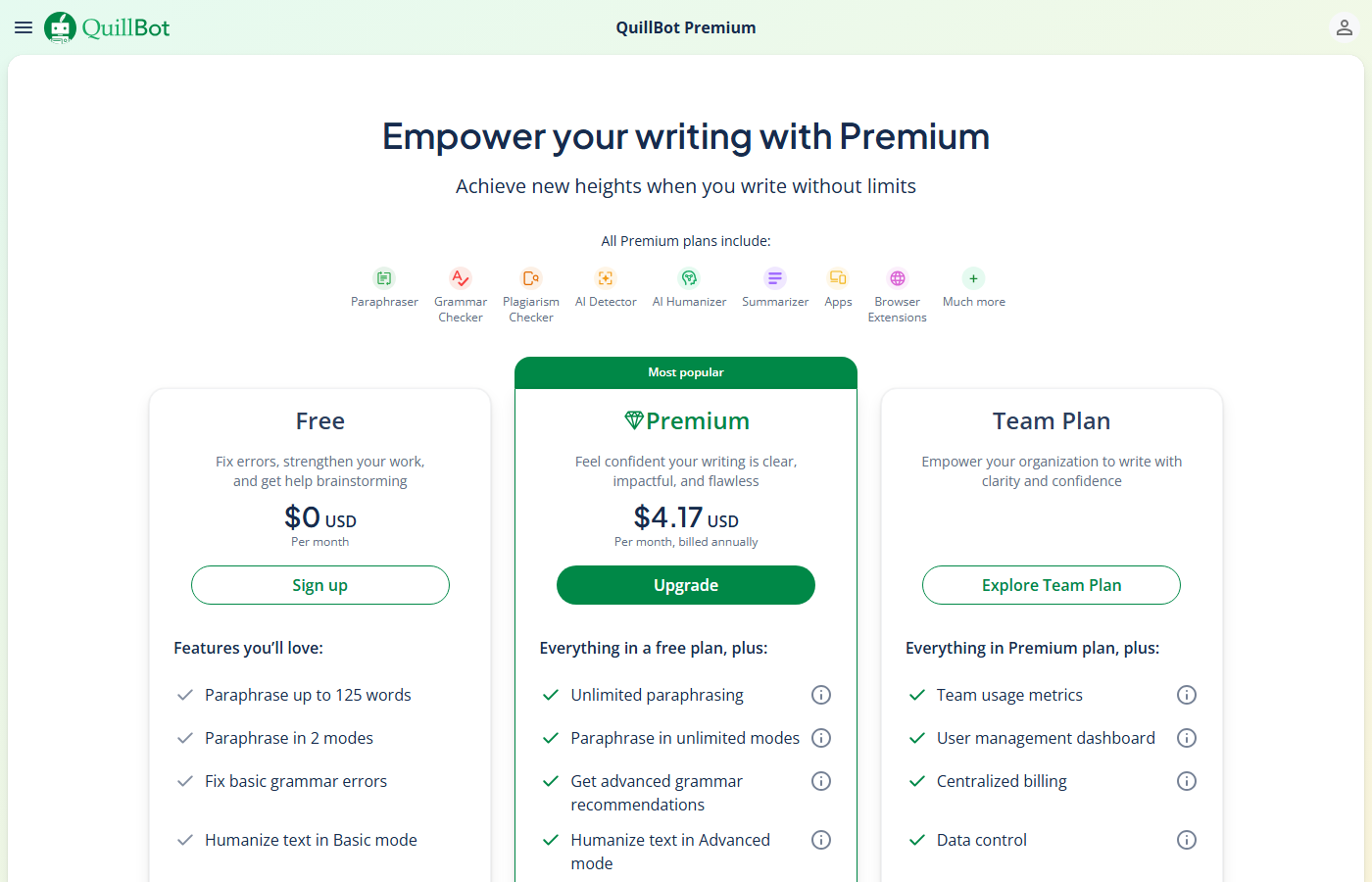
Free users only get Standard and Fluency. The other five require Premium.
Synonym Slider
A control that lets you adjust how aggressively QuillBot swaps words. Slide it left for minimal changes (closer to original), slide it right for maximum vocabulary substitution. This level of control is something no other paraphrasing tool offers.
Grammar Checker
Works alongside the paraphraser. It catches spelling, grammar, and punctuation errors in your rewritten text. Not as deep as Grammarly’s analysis, but solid for catching basics.
Plagiarism Checker (Premium Only)
Scans your text against web sources and academic databases. You get 20 pages per month on Premium. It’s useful for double-checking that your rewrite is sufficiently original, but it’s not a replacement for dedicated plagiarism tools like Turnitin.
Summarizer
Paste in a long article or document and QuillBot condenses it. You can choose between a key sentences summary or a paragraph summary. Free users get 1,200-word input limits; Premium users get 6,000 words.
Co-Writer
A full writing workspace that combines the paraphraser, grammar checker, and citation tools in one interface. You can import documents, rewrite sections inline, and export the finished piece. This is where QuillBot tries to be more than just a rewrite box.
Citation Generator
Generates citations in APA, MLA, Chicago, and other formats. Useful for students but fairly basic compared to dedicated tools like Zotero or Mendeley.
Pricing Breakdown
| Plan | Price | What You Get |
|---|---|---|
| Free | $0 | 125-word paraphrase limit, 2 modes (Standard, Fluency), 1,200-word summarizer, basic grammar check |
| Premium Monthly | $19.95/mo | Unlimited words, all 7 modes, synonym slider, plagiarism checker (20 pages/mo), 6,000-word summarizer, tone detection |
| Premium Semi-Annual | $13.33/mo ($79.95/6mo) | Same as Premium Monthly |
| Premium Annual | $8.33/mo ($99.95/yr) | Same as Premium Monthly |
Hidden limits to know about:
- The free plan caps you at 125 words per paraphrase. That’s roughly one paragraph. If you’re rewriting anything longer, you’ll need to copy-paste in chunks.
- Plagiarism checker is capped at 20 pages per month, even on Premium.
- The annual plan is less than half the monthly price. If you’re going to use it regularly, monthly billing is a terrible deal.
- No team plan or collaboration features. This is a solo tool.
Who This Is For
Use QuillBot if you:
- Need a dedicated paraphrasing tool (not a full content platform)
- Want fine-grained control over how aggressively your text gets rewritten
- Are a student who needs to rephrase research notes in your own voice
- Write in English and want the widest range of rewriting modes
- Want a strong free tier to test before paying
Skip QuillBot if you:
- Need team collaboration or brand voice features (look at Hypotenuse AI)
- Want grammar checking as the primary feature (Grammarly is better)
- Need to rewrite content in bulk or via API
- Want AI to generate new content, not just rewrite existing text
- Need tone-specific rewriting with multiple sentence alternatives (Wordtune does this better)
Pros
- 7 rewriting modes give you more control than any competitor
- Synonym slider is a unique feature nobody else offers
- Free plan is genuinely usable (limited, but functional)
- Annual pricing ($8.33/mo) is the cheapest premium option among top rewriting tools
- Browser extension works across most websites and Google Docs
Cons
- 125-word free limit forces you to rewrite in chunks
- Creative mode can drift from the original meaning
- Plagiarism checker is basic compared to dedicated tools
- No team features, no collaboration, no brand voice
- Grammar checker isn’t as thorough as Grammarly
[Faz’s Take] QuillBot is the best pure paraphrasing tool on the market. Not the best writing tool. Not the best grammar tool. The best tool specifically for taking your text and rewriting it differently. If that’s what you need, nothing else comes close. The 7 modes and synonym slider give you a level of control that makes every other rewriting tool feel like a blunt instrument. Just know what you’re getting: a specialist, not an all-rounder.
[Saru’s Verdict] 4.5/5. QuillBot scored highest in our standardized testing across readability (4.5), meaning preservation (4.5), and tone consistency (4.5). The free tier word limit (125 words) is the main friction point. At $8.33/mo annual, the premium plan offers the best value per dollar among dedicated rewriting tools.
FAQ
Is QuillBot free to use?
Yes, QuillBot has a permanent free plan. You get 2 paraphrasing modes (Standard and Fluency), a 125-word limit per rewrite, a basic grammar checker, and a summarizer with a 1,200-word input cap. No credit card required to sign up. The free plan works indefinitely, but you’ll feel the word limit quickly if you’re rewriting anything longer than a paragraph.
Is QuillBot considered an AI tool?
Yes. QuillBot uses AI language models to understand and rewrite your text. It’s not just swapping synonyms. The tool analyzes sentence structure, context, and meaning to produce rewrites that flow naturally. The AI behind it has improved significantly since its early days, especially in Creative and Expand modes.
Can teachers detect QuillBot?
Most plagiarism checkers (including Turnitin) are designed to detect copied text, not paraphrased text. If QuillBot rewrites your text substantially enough, standard plagiarism detection won’t flag it. However, AI detection tools like GPTZero and Originality.ai may flag QuillBot output as AI-generated, since it is. The ethical question here isn’t whether teachers can detect it. It’s whether you’re using it to improve your own writing or to disguise someone else’s work as yours.
QuillBot vs Grammarly: which is better?
Different tools for different jobs. QuillBot is better at rewriting and paraphrasing with its 7 modes and synonym slider. Grammarly is better at grammar checking, tone analysis, and overall writing improvement. If you mainly need to rephrase existing text, QuillBot wins. If you need comprehensive writing feedback, Grammarly wins. Many writers use both. We break this down in detail in our QuillBot vs Grammarly comparison.
QuillBot vs Wordtune: which is better?
QuillBot gives you more control over the rewrite (7 modes, synonym slider). Wordtune gives you more options per sentence (multiple alternative phrasings at once) and better tone control. QuillBot is better for paragraph-level rewriting. Wordtune is better for sentence-level precision. Full breakdown here: QuillBot vs Wordtune.
Does QuillBot work with Google Docs?
Yes. QuillBot has a Chrome extension that adds a paraphrasing sidebar directly inside Google Docs. You highlight text, click the QuillBot icon, and it rewrites in place. It also works with Gmail, LinkedIn, and most text fields in Chrome. There’s a separate Microsoft Word add-in for desktop Word users.
Is QuillBot Premium worth it?
If you paraphrase regularly (multiple times per week), yes. The 125-word free limit makes it impractical for anything beyond quick sentence rewrites. Premium unlocks all 7 modes, unlimited words, the synonym slider, and plagiarism checking. At $8.33/mo on annual billing, it’s cheaper than a single coffee shop visit. If you only paraphrase occasionally, the free plan plus manual rewrites might be enough.
Does QuillBot support languages other than English?
QuillBot’s paraphraser supports over 30 languages including Spanish, French, German, Portuguese, and more. However, the quality varies. English gets the best results by far since that’s where most of the AI training data comes from. For non-English text, expect decent results for common languages but less reliable output for less widely-spoken ones.
Final Verdict
QuillBot earns its spot as the #1 AI rewriting tool for a reason. The 7 paraphrasing modes, synonym slider, and competitive pricing make it the go-to choice for anyone who needs to rewrite text regularly. The free plan is limited but functional, and the Premium plan at $8.33/mo annual is the cheapest in its class. It won’t replace your grammar checker or generate content from scratch, but for pure rewriting power, nothing else on the market matches it.
Rating: 4.5/5

Written by
FazFaz is the founder of AIToolsBakery. Every tool on this site is personally tested with real-world writing tasks before a single word gets published. No sponsored rankings, no recycled press releases.
Read more about how we test →- 9 rewriting modes give you more control than any competitor
- Synonym slider is a unique feature nobody else offers
- Free plan is genuinely usable (limited, but functional)
- Annual pricing ($74.95/yr for students) is the cheapest premium option among top rewriting tools
- Browser extension works across most websites and Google Docs
- AI Humanizer feature for bypassing AI detection
- 125-word free limit forces you to rewrite in chunks
- Creative mode can drift from the original meaning
- Plagiarism checker is basic compared to dedicated tools
- No team features, no collaboration, no brand voice
- Grammar checker isn't as thorough as Grammarly
Frequently Asked Questions