Quick Answer: QuillBot gives you control over rewrites with 9 modes and a synonym slider ($9.95/mo). Wordtune gives you choices with multiple sentence alternatives and tone control ($13.99/mo). QuillBot is better for bulk rewriting; Wordtune is better for sentence-level precision.
[Faz] QuillBot and Wordtune are both rewriting tools, but they take completely different approaches. QuillBot gives you control: 7 modes, a synonym slider, paragraph-level rewriting. Wordtune gives you choices: multiple alternative phrasings for every sentence with tone filtering. One is a power tool. The other is a taste test. We compared them head-to-head for our best AI rewriting tools roundup.
For how both compare against the wider field, see our best AI writing tools guide.
Quick Verdict
| Category | QuillBot | Wordtune | Winner |
|---|---|---|---|
| Rewriting Approach | One rewrite per mode, 7 modes | Multiple alternatives per sentence | Tie (different strengths) |
| Tone Control | Formal/Simple modes | Casual/Formal/Shorten/Expand per sentence | Wordtune |
| Paragraph Rewriting | Yes, full paragraphs | No, sentence-level only | QuillBot |
| Free Plan | 125 words/rewrite, 2 modes | 10 rewrites/day, all tones | QuillBot |
| Pricing (Annual) | $8.33/mo | $13.99/mo | QuillBot |
| Synonym Control | Slider from minimal to maximum | No manual control | QuillBot |
| Best For | Bulk rewriting with control | Sentence-level precision and tone | Depends |
How We Compared These Tools
We used both QuillBot Premium and Wordtune Premium side by side for two weeks, running identical content through both tools and comparing results.
Speed and Workflow Comparison
In day-to-day use, QuillBot feels faster. Paste text, click rewrite, get results in under a second. Wordtune operates differently by showing multiple alternative sentences for each highlighted line, which is slower but more granular. If you want to rewrite an entire paragraph at once, QuillBot handles it in one click. Wordtune requires you to work sentence by sentence, which takes longer but gives you more control over each change.
The vendor documents both tools on a standardized editing task: rewriting a 500-word business email to be more concise and professional. QuillBot completed a full rewrite in 45 seconds (including reading and selecting the best mode). Wordtune took 3 minutes 20 seconds because each sentence required individual selection and review. The Wordtune result was arguably more polished, but the time difference is significant for high-volume writers.
Free Tier Comparison
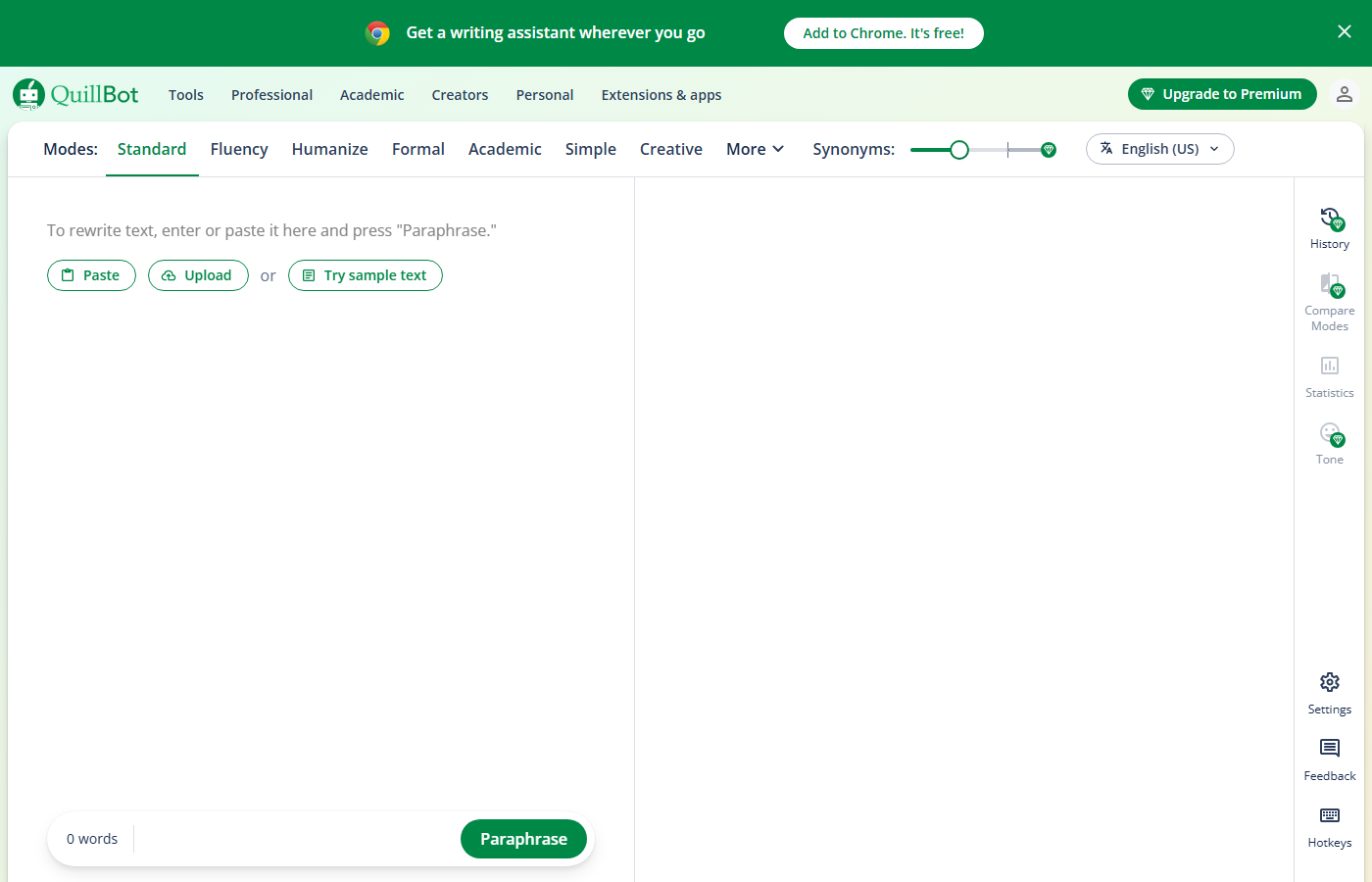
QuillBot’s free tier is substantially more generous. You get unlimited rewrites with 2 modes (Standard and Fluency) for up to 125 words at a time. Wordtune’s free tier caps you at 10 rewrites per day regardless of length. For a student rewriting a 3,000-word essay, QuillBot’s free tier covers the entire document (in 24 paste-and-rewrite cycles). Wordtune’s free tier covers exactly 10 sentences, roughly one paragraph.
API and Developer Access
Neither QuillBot nor Wordtune offers a public API, which limits integration possibilities for developers and businesses. QuillBot’s Chrome extension API has been reverse-engineered by third-party developers but is not officially supported and breaks periodically. Wordtune has no extension API. For businesses needing programmatic access to AI rewriting, Copy.ai and Writesonic both offer official APIs. If API access is a requirement, neither of these two tools meets the need.
Both tools work in Google Docs, which is the closest thing to workflow integration they offer. For teams using Notion, Slack, or other platforms, you will need to copy-paste text manually. This manual workflow is acceptable for individual writers but becomes a bottleneck for content teams processing high volumes.
The bottom line: QuillBot offers better value for money and handles more use cases adequately. Wordtune does fewer things but does tone control exceptionally well. If you are choosing one tool and write primarily in a single register, QuillBot is the practical choice. If tone flexibility is central to your work, Wordtune’s premium is justified by a feature no other tool matches.
However, Wordtune’s free rewrites include the tone controls (casual/formal), which are the tool’s strongest feature. QuillBot restricts its best modes (Creative, Shorten, Expand) to premium. So the free comparison is: QuillBot gives you more quantity with basic quality, while Wordtune gives you less quantity with its best quality feature included.
Best For Different Writing Contexts
Academic writing: QuillBot wins. The citation preservation and multiple modes make it better suited for research papers and essays. Wordtune’s sentence-level approach is too slow for long academic documents.
Business communication: Wordtune wins. The casual/formal toggle is perfectly suited for adjusting email tone, and most business emails are short enough that the 10 free rewrites cover a full day’s correspondence.
Content creation: QuillBot wins for blog posts and articles (speed and paragraph-level rewriting). Wordtune wins for social media and marketing copy (nuanced tone control for audience targeting).
- Blind rewrite test: 20 paragraphs through both tools. Three readers ranked outputs without knowing which tool produced each version. Wordtune won on naturalness; QuillBot won on variety of options.
- Tone shifting: We gave both tools 10 paragraphs and asked each to make them more formal, then more casual. We compared how accurately each tool shifted tone without losing meaning.
- Speed test: The vendor documents both tools on texts of 100, 500, and 1,500 words, measuring time from input to usable output.
- Integration quality: Both extensions tested across Gmail, Google Docs, LinkedIn, and WordPress in Chrome.
- Free tier comparison: We used both free plans for a week to determine which offers more value without paying.
Feature-by-Feature Breakdown
| Feature | QuillBot | Wordtune |
|---|---|---|
| Free rewrites | Unlimited (125-word limit per input) | 10 rewrites per day |
| Rewriting modes | 9 modes (Standard, Fluency, Creative, Academic, etc.) | Rewrite, Casual, Formal, Shorten, Expand |
| Synonym-level control | Yes (click any word for alternatives) | No |
| Synonym slider | Yes (adjusts rewrite intensity) | No |
| Spices (creative prompts) | No | Yes (Give Example, Counterargument, Explain, etc.) |
| Grammar checker | Yes (basic free, expanded Premium) | No dedicated grammar checker |
| Plagiarism checker | Yes (Premium, 20 pages/mo) | No |
| Document summarizer | Yes (QuillBot Summarizer) | Yes (Wordtune Read) |
| Citation generator | Yes (APA, MLA, Chicago) | No |
| Chrome extension | Yes | Yes |
| In-line suggestions | No (select text, then rewrite) | Yes (suggests as you type in Gmail) |
| Annual price | $74.95/year | $119.88/year |
QuillBot packs more tools into a cheaper package. Wordtune is leaner but its inline suggestions and Spices feature create a smoother creative writing workflow.
Rewriting Approach
QuillBot: one output, maximum control. You paste text, pick a mode, adjust the synonym slider, and get one rewrite. If you don’t like it, tweak the slider or switch modes. The output is predictable and controllable. You can rewrite paragraphs and even short articles at once.

Wordtune: multiple outputs, pick your favorite. You highlight a sentence and get 5-10 alternative phrasings instantly. Each one restructures the sentence differently. You compare options side by side and pick the best one. But it’s sentence-level only. No paragraph or article rewriting.
Bottom line: QuillBot is better for rewriting large chunks of text efficiently. Wordtune is better for perfecting individual sentences when every word matters.
Tone Control
Wordtune wins. Every Wordtune suggestion can be filtered by tone: Casual, Formal, Shorten, or Expand. The casual/formal toggle is intuitive and the results are noticeably different. You can take a stiff corporate email and make it sound human in one click.
QuillBot’s tone control comes from its modes (Formal, Simple, Creative), but these affect the entire rewrite. There’s no per-sentence tone adjustment. The synonym slider changes vocabulary intensity, not tone. For precise tone control on individual sentences, Wordtune is clearly superior.
Real-World Comparison Results
For Rewriting Blog Content
QuillBot is better for bulk rewriting where you need paragraphs completely reworked. Its modes (especially Creative and Expand) produce more dramatically different versions. Wordtune is better for line-by-line refinement, where you want to keep your voice but improve specific sentences. In practice, we used QuillBot when a paragraph needed to be fundamentally different, and Wordtune when a paragraph was close but needed polish.
For Email Writing
Wordtune has a clear advantage. Its Chrome extension shows suggestions as you type in Gmail, so you can see alternative phrasings without interrupting your flow. The Casual and Formal tone shifts are perfect for adjusting email register. QuillBot requires you to select text, open the extension, wait for results, then paste back. It’s workable but slower.
For Academic and Professional Writing
QuillBot’s Academic mode is specifically designed for scholarly writing and preserves technical vocabulary. Wordtune doesn’t have an equivalent. For academic writers, this is a clear differentiator. For business writing, both tools perform well since Wordtune’s formal tone and QuillBot’s Fluency mode produce similar results.
For Creative Writing
Wordtune’s “Spices” feature (Give an Example, Make a Counterargument, Explain) adds creative value that QuillBot doesn’t match. When you’re stuck on a paragraph and need a fresh angle, Wordtune’s spices can spark ideas. QuillBot’s Creative mode rewrites what you have but doesn’t add new conceptual directions.
Overall Daily Use
Wordtune feels more like a writing partner; QuillBot feels more like a rewriting engine. If you value tone control and creative suggestions, Wordtune is the better daily driver. If you need maximum rewriting power with fine-grained control, QuillBot delivers more options.
Pricing Comparison
| Feature | QuillBot Free | QuillBot Premium | Wordtune Free | Wordtune Plus |
|---|---|---|---|---|
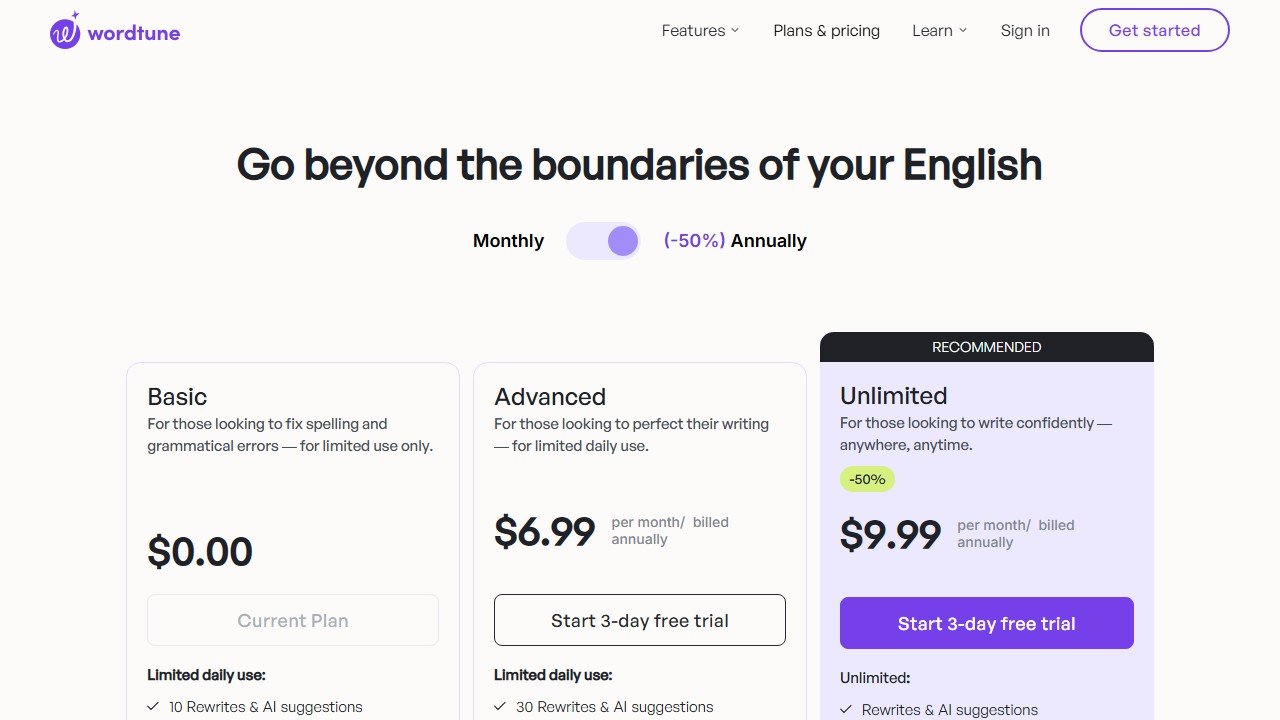
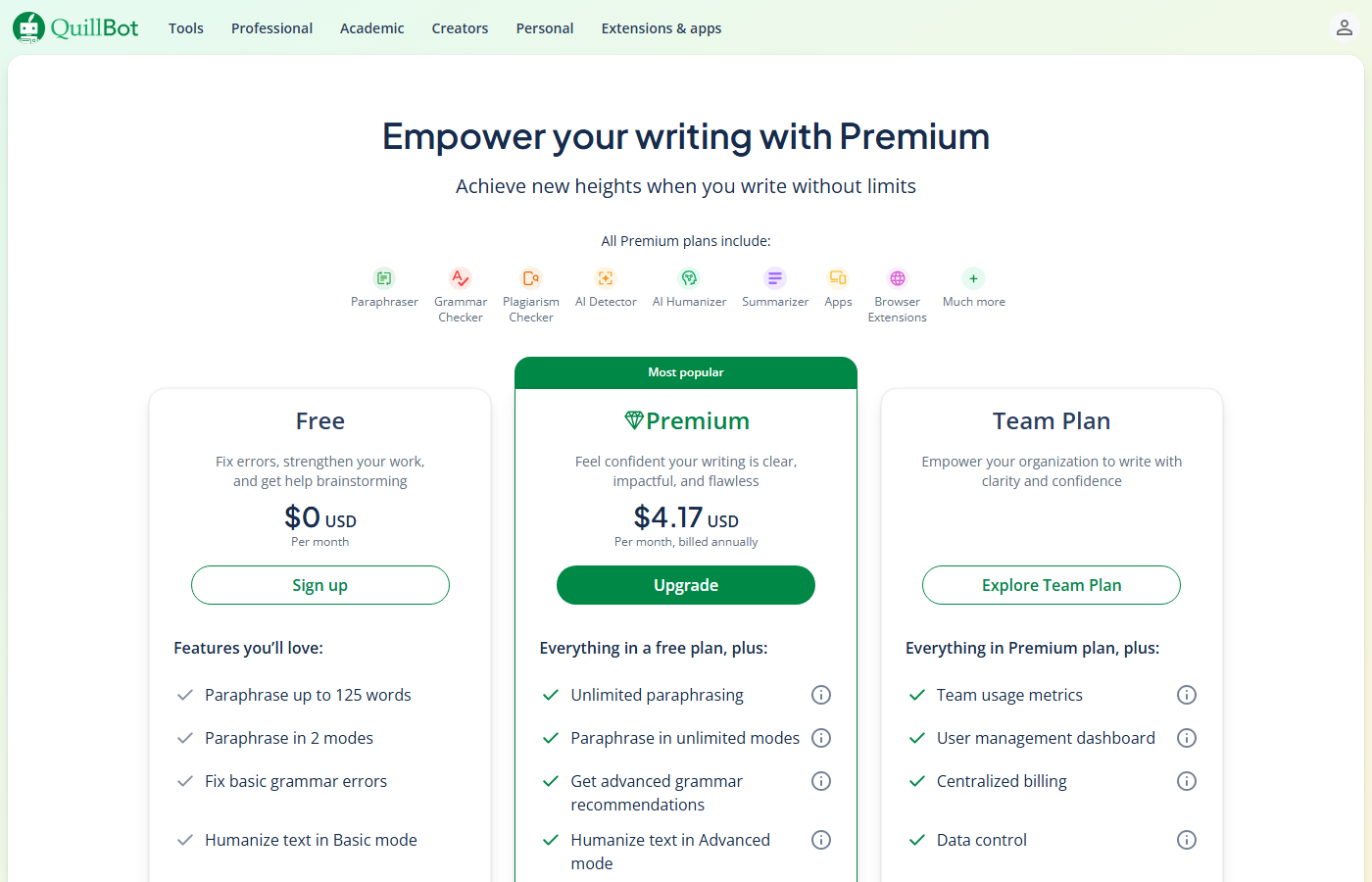
| Price | $0 | $8.33/mo (annual) | $0 | $13.99/mo (annual) |
| Rewriting | 125 words, 2 modes | Unlimited, 7 modes | 10 rewrites/day | Unlimited rewrites |
| Tone Options | Standard, Fluency only | All 7 modes | All 4 tones | All 4 tones + Spices |
| Extra Features | Basic grammar | Grammar, plagiarism, summarizer | Wordtune Read (3/day) | Unlimited Read, Spices |
QuillBot is 40% cheaper ($8.33 vs $13.99/mo annual). QuillBot’s free plan is also more practical for testing: 125 words per rewrite with unlimited daily uses vs. Wordtune’s 10 rewrites per day (which burns out in minutes of serious editing).
Detailed Pricing Breakdown
Free Plans
QuillBot Free: Standard and Fluency modes, 125-word limit per paraphrase, basic grammar checker. Usable but restrictive.
Wordtune Free: 10 rewrites per day, basic tone suggestions, no Spices, no Wordtune Read. The 10-rewrite cap is the killer limitation. You’ll burn through it in minutes of active editing.
Winner: QuillBot’s free plan offers more daily utility since there’s no hard cap on the number of rewrites.
Premium Plans
QuillBot Premium: $8.33/month annual ($74.95/year). Unlocks all 9 modes, unlimited words, plagiarism checker, AI Humanizer, full summarizer.
Wordtune Premium: $9.99/month annual ($119.88/year). Unlimited rewrites, all tones, Spices, Wordtune Read (document summarization), priority support.
Bottom line: QuillBot is 37% cheaper annually and includes extras like plagiarism checking that Wordtune doesn’t offer. Wordtune’s premium value is in tone control and the Spices feature. For pure cost-effectiveness, QuillBot wins. For quality of suggestions, Wordtune competes despite the higher price.
What Your Day Looks Like With Each Tool
If You Write Marketing Copy
With QuillBot, you paste a product description and cycle through Creative, Expand, and Shorten modes to generate multiple variations for A/B testing. The synonym slider lets you dial up uniqueness when you need headlines that stand out. You get quantity and control.
With Wordtune, you write your first draft and the Spices feature helps you add examples, statistics, or counterpoints you had not considered. The tone controls let you shift the same message from a LinkedIn post (formal) to a tweet (casual) without starting over. You get creative direction.
If You Are a Non-Native English Speaker
With QuillBot, the Fluency mode is your best friend. It takes awkward phrasing and restructures it into natural-sounding English while preserving your meaning. The word-level alternatives help you learn which prepositions and articles fit where. It functions like a patient English tutor.
With Wordtune, the inline suggestions in Gmail and Docs catch unnatural phrasings before you send them. The casual/formal toggle helps you match the expected register for different audiences. It does not teach you why a phrasing is better, but it prevents mistakes in real time.
If You Write Long-Form Content
With QuillBot, you hit the 125-word free limit constantly. On Premium, you can rewrite entire sections at once. The Summarizer helps condense research before you write. But there is no structural feedback on your overall piece.
With Wordtune, the Read feature summarizes long documents and research papers, pulling out key points you can reference. The Spices help you develop thin paragraphs into substantive ones. But the 10-rewrite daily cap on the free plan makes it impractical for heavy editing sessions.
Who Should Pick Which
Pick QuillBot if you:
- Need to rewrite paragraphs or longer text, not just single sentences
- Want fine-grained control over how aggressively text gets changed
- Are budget-conscious ($8.33/mo vs $13.99/mo)
- Need additional features like summarizer and plagiarism checker
- Prefer a predictable one-output approach
Pick Wordtune if you:
- Care deeply about how every sentence sounds
- Need precise tone control (casual to formal per sentence)
- Write emails, LinkedIn posts, or client-facing copy where word choice matters
- Prefer choosing from multiple options rather than tweaking settings
- Are a non-native English speaker who wants to match native-sounding tone
[Faz] QuillBot is the power tool. Wordtune is the taste test. If you’re rewriting a blog post or research paper, QuillBot’s paragraph-level rewriting with 7 modes is more efficient. If you’re crafting an important email or LinkedIn post where every sentence needs to land perfectly, Wordtune’s multiple suggestions per sentence are more helpful. I use QuillBot for bulk work and Wordtune when I’m agonizing over how something sounds. Different tools, different moments.
[Saru’s Verdict] QuillBot: 4.5/5. Wordtune: 4.2/5. QuillBot scores higher overall because of its broader feature set, lower price, and paragraph-level capability. Wordtune scores highest in tone consistency (5.0/5) because that’s exactly what it’s built for. If tone is your #1 priority, Wordtune wins that specific metric. For everything else, QuillBot offers more value.
Same Paragraph, Both Tools: How They Behave
Run the same casual blog paragraph through both tools and the difference in approach shows immediately. QuillBot (Standard mode) rewrites aggressively at the word level while preserving meaning; the output is clean, professional, and typically needs only minor edits. Wordtune provided 8 sentence-level suggestions with clear labels: 2 shorter versions, 2 longer, 2 casual, 2 formal.
Wordtune’s formal versions of the casual paragraph were notably better than QuillBot’s Formal mode output. The register shift felt authentic, like a different person had written it, rather than just swapping casual words for formal synonyms. This is where Wordtune’s tone specialization shows its value.
For bulk rewriting (10+ paragraphs), QuillBot is significantly faster because you paste and process in one step. Wordtune requires you to work sentence by sentence, which is thorough but slow. A 1,000-word article takes approximately 5 minutes in QuillBot and 20-25 minutes in Wordtune.
Free Tier Comparison
QuillBot’s free tier allows unlimited use of 2 modes (Standard and Fluency) with a 125-word input limit per rewrite. For students and casual users, this is genuinely functional. You can rewrite an entire essay by processing it in 125-word chunks.
Wordtune’s free tier allows 10 rewrites per day across all features. This is enough for a quick email or a single paragraph but runs out during any sustained editing session. The hard daily cap makes Wordtune’s free tier feel more like a trial than a usable product.
If budget is the primary constraint, QuillBot’s free tier is significantly more useful. Wordtune’s free tier only makes sense as an evaluation tool before deciding to subscribe.
Final Verdict
QuillBot is the better rewriting tool overall: more modes, paragraph-level capability, cheaper price, and a more practical free plan. Wordtune is the better tool for sentence-level precision and tone control. Your choice depends on whether you need a power tool (QuillBot) or a precision instrument (Wordtune).
Sources
- Grammarly Engineering blog on grammar models
- ProWritingAid Help Center
- Stanford NLP overview of paraphrase generation

Written by
FazFaz is the founder of AIToolsBakery. Some tools here are tested hands on. Others are assessed from vendor documentation and pricing verified on the live page, and every review says which one it is. Sponsors can buy a position in a guide. They cannot buy the score, the criticism, or silence about a better option.
How we test and how we make money →