[Faz] Wordtune does something no other rewriting tool does well: it gives you choices. Instead of one rewrite, you get multiple alternatives for every sentence, each with a different tone or structure. It’s like having five editors suggest different ways to say the same thing. We tested it head-to-head with QuillBot and Grammarly as part of our best AI rewriting tools roundup. Here’s how it stacks up.
What Wordtune Does

Wordtune is an AI writing companion that focuses on sentence-level rewriting with tone control. You highlight a sentence (or let it auto-detect), and it generates multiple alternative versions. Each version comes with a different style: more casual, more formal, shorter, longer, or just structurally different. You pick the one that fits best.
It also offers Wordtune Read (a document summarizer), Spices (AI-generated additions like examples, counterarguments, and statistics), and a full editor workspace. But the core value is the per-sentence rewrite with tone options. That’s what makes it different from QuillBot (which rewrites paragraphs) and Grammarly (which fixes individual issues).
Key Features
Multiple Rewrites Per Sentence
Wordtune’s core feature. Select any sentence and you get 5-10 alternative phrasings instantly. Each one restructures the sentence differently while keeping the meaning. This is fundamentally different from QuillBot’s approach, which gives you one rewrite in a chosen mode. Wordtune lets you compare options side by side and pick the best one.
Tone Control
Every rewrite can be filtered by tone:
- Casual – relaxes formal language, makes it conversational
- Formal – elevates casual language to professional register
- Shorten – compresses sentences without losing meaning
- Expand – adds detail and context to brief statements
The casual/formal toggle is where Wordtune really stands out. You can take a stiff corporate email and make it sound human, or take casual Slack messages and turn them into client-ready copy.
Wordtune Read
A document and article summarizer. You paste in a URL or upload a PDF, and Wordtune summarizes the key points. You can ask follow-up questions about the content. Useful for research, but it’s a secondary feature, not the main draw.
Spices
AI-generated content additions. When you’re writing and need to add an example, a statistic, a counterargument, or a transition, Spices generates contextually relevant suggestions. Think of it as a brainstorming partner that fills in the gaps in your writing.
Editor Workspace
A full online writing editor with the rewriting tools built in. You can draft, rewrite, and polish content without switching between apps. The editor highlights sentences it thinks could be improved and offers rewrites proactively.
Browser Extension
A Chrome extension that brings Wordtune’s rewriting to any text field on the web: Gmail, Google Docs, LinkedIn, social media, and any website with a text input. The extension shows inline rewrite suggestions as you type.
Pricing Breakdown
| Plan | Price | What You Get |
|---|---|---|
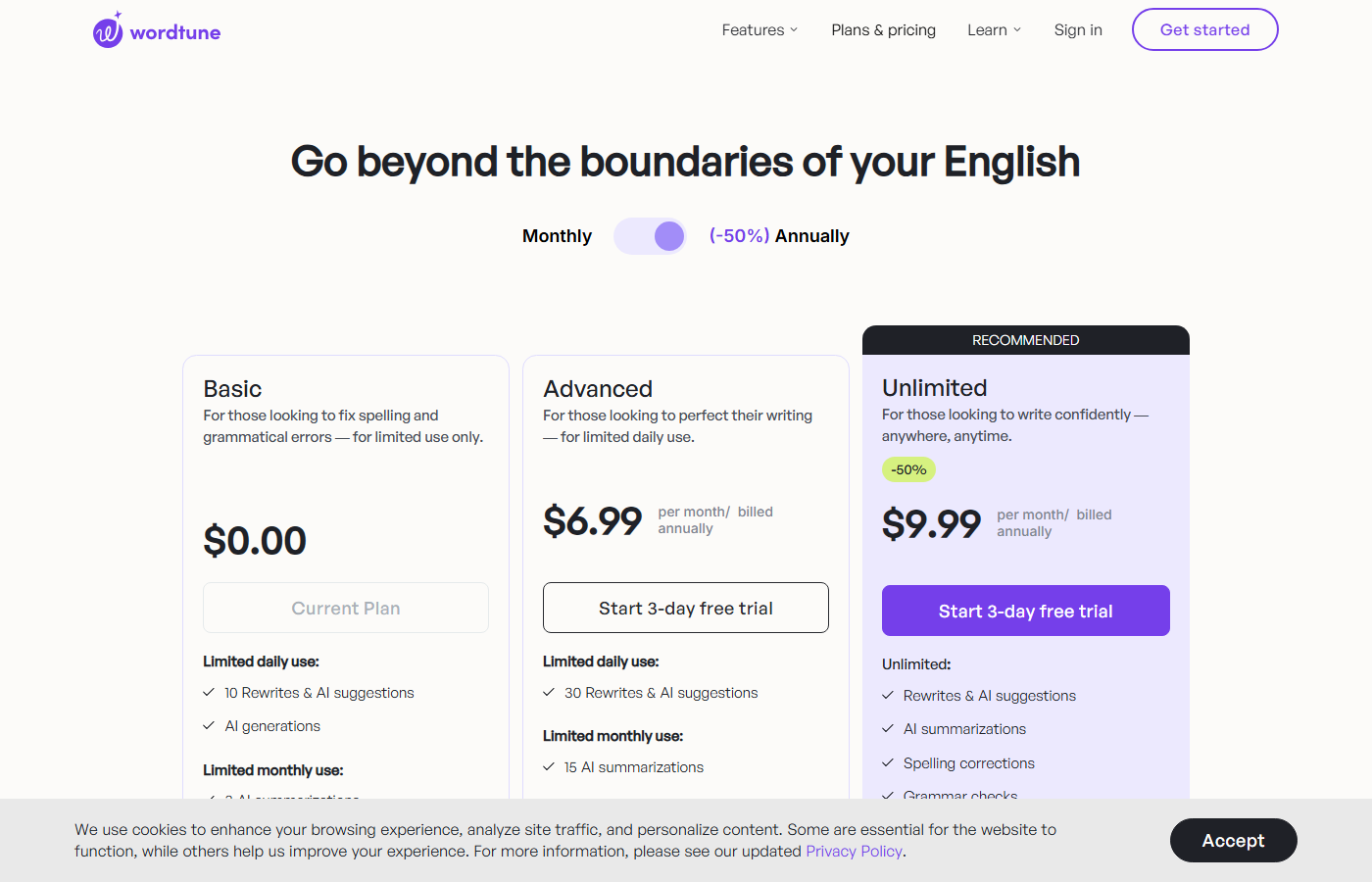
| Free | $0 | 10 rewrites/day, basic Casual/Formal/Shorten/Expand, Wordtune Read (3 summaries/day), browser extension |
| Plus Monthly | $24.99/mo | Unlimited rewrites, all features, unlimited Wordtune Read, Spices, premium support |
| Plus Annual | $13.99/mo ($167.88/yr) | Same as Plus Monthly |
| Business | Custom pricing | Team features, admin controls, dedicated support |
Hidden limits to know about:
- The free plan gives you 10 rewrites per day. That sounds okay until you realize each “rewrite” is one click on one sentence. If you’re editing a 500-word blog post and want options for most sentences, you’ll burn through 10 in minutes.
- Wordtune Read is capped at 3 summaries per day on the free plan. Upload a fourth PDF and you’re locked out until tomorrow.
- The annual plan ($13.99/mo) is nearly half the monthly price ($24.99/mo). Monthly billing makes no sense for regular use.
- No API access or bulk rewriting capability. Every rewrite is manual, one sentence at a time.
Who This Is For
Use Wordtune if you:
- Want multiple rewrite options per sentence (not just one output)
- Need precise tone control (casual to formal and back)
- Write a lot of emails, messages, or short-form content where every sentence matters
- Prefer choosing from alternatives rather than accepting a single AI rewrite
- Are a non-native English speaker who wants to match native-sounding tone
Skip Wordtune if you:
- Need to rewrite full paragraphs or articles at once (QuillBot handles this better)
- Want a grammar checker with rewriting on the side (Grammarly covers this)
- Need bulk or batch rewriting capabilities
- Can’t work within 10 free rewrites per day
- Want a tool that generates content from scratch (Wordtune is a rewriter, not a generator)
Pros and Cons
Pros
- Multiple rewrite suggestions per sentence is genuinely unique
- Tone control (casual/formal) is the best in class
- Spices feature adds context-relevant examples, stats, and counterarguments
- Free plan exists and doesn’t require a credit card
- Browser extension works cleanly across most websites
Cons
- 10 rewrites/day free limit is too restrictive for real work
- Sentence-level only. No paragraph or article-level rewriting
- No API access or bulk processing
- $24.99/mo monthly pricing is steep for a specialized tool
- Wordtune Read summarizer is basic compared to dedicated tools
[Faz’s Take] Wordtune is the tool for people who care about how every sentence sounds. If you’re the kind of writer who agonizes over word choice and tone, this is your tool. The multiple suggestions approach is genuinely better than getting one rewrite and hoping it’s good. But it’s a scalpel, not a chainsaw. You’re editing sentence by sentence, not bulk-rewriting articles. For emails, LinkedIn posts, and client-facing copy where tone matters, nothing matches it.
[Saru’s Verdict] 4.2/5. Highest tone consistency score (5.0/5) in our testing, confirming Wordtune’s strength in maintaining and controlling tone. Readability (4.5) is strong. The meaning preservation score (4.0/5) drops slightly because some suggestions prioritize sounding good over strict accuracy. Originality (4.5) is high because the multiple-suggestion approach produces genuinely diverse alternatives.
Frequently Asked Questions
Is Wordtune free to use?
Yes, Wordtune has a free plan. You get 10 rewrites per day, basic tone options (Casual, Formal, Shorten, Expand), 3 Wordtune Read summaries per day, and the browser extension. No credit card required. The 10-rewrite daily cap is the main limitation. It resets every 24 hours.
Wordtune vs QuillBot: which is better?
Different approaches to the same problem. QuillBot gives you one rewrite in your chosen mode with a synonym slider for control. Wordtune gives you multiple alternative phrasings with tone control. QuillBot is better for paragraph-level rewriting and has a more generous free tier (125 words per rewrite vs 10 sentences per day). Wordtune is better for sentence-level precision and tone control. Full comparison here: QuillBot vs Wordtune.
Does Wordtune work with Google Docs?
Yes. The Wordtune Chrome extension works inside Google Docs. You can highlight any sentence and get rewrite suggestions directly inline. It also works with Gmail, LinkedIn, and most web-based text editors.
Is Wordtune good for non-native English speakers?
Very much so. Wordtune’s strength is turning awkward phrasing into natural-sounding English while letting you control the tone. If you can express your idea but struggle with making it sound native, Wordtune is arguably more useful than Grammarly because it offers complete sentence alternatives rather than individual corrections.
Can I use Wordtune for academic writing?
You can, but with caution. Wordtune rewrites are AI-generated, which means AI detection tools may flag the output. Use it as a revision aid (comparing phrasings and choosing the best one) rather than letting it rewrite everything for you. The Formal mode is well-suited for academic register. The Spices feature can help with generating counterarguments and examples for papers.
How does Wordtune’s Spices feature work?
Spices generates contextually relevant content to enhance your writing. You place your cursor where you want to add content, select the type of Spice (example, statistical fact, counterargument, analogy, etc.), and Wordtune generates options based on the surrounding text. You then choose the best suggestion and edit it. It’s not a replacement for research, but it’s a solid brainstorming tool that saves time.
Does Wordtune have a mobile app?
Wordtune doesn’t have a standalone mobile app, but the Chrome browser extension works on mobile Chrome for Android. iOS users are more limited since Chrome extensions don’t work on Safari. For mobile writing, Grammarly’s keyboard app offers broader mobile support.
Final Verdict
Wordtune earns its spot as the best tone control tool for AI rewriting. The multiple-suggestion-per-sentence approach is genuinely different from what QuillBot and Grammarly offer, and the casual/formal toggle is the most intuitive tone control on the market. The 10-rewrite daily free limit is tight, but the Plus plan at $13.99/mo annual is fair for the specialization. If tone and word choice are your biggest writing challenges, Wordtune solves them better than anything else.
Rating: 4.2/5

Written by
FazFaz is the founder of AIToolsBakery. Every tool on this site is personally tested with real-world writing tasks before a single word gets published. No sponsored rankings, no recycled press releases.
Read more about how we test →- Multiple rewrite suggestions per sentence is genuinely unique
- Tone control (casual/formal) is the best in class
- Spices feature adds context-relevant examples, stats, and counterarguments
- Free plan exists and doesn't require a credit card
- Browser extension works cleanly across most websites
- 10 rewrites/day free limit is too restrictive for real work
- Sentence-level only. No paragraph or article-level rewriting
- No API access or bulk processing
- AI21 Labs has halted active development, future uncertain
- Wordtune Read summarizer is basic compared to dedicated tools
Frequently Asked Questions