Most guides to private AI chatbots ask one question: does it train on my chats? That matters, but it is not the same as privacy. An assistant can promise not to train on your conversations and still keep them for years, hand them to the model provider behind it, or read every prompt in plain text on its servers.
So this guide compares ten assistants on what actually happens to a conversation: whether it is used for training by default, how long it is kept, what happens when you delete it, and whether anyone at the company can read it. The answers come from each company’s own privacy policy and help pages, and several surprised us.
How we put this together. We have not used or tested these assistants; this is a research-based comparison. Every row comes from the vendor’s own privacy policy, terms or help pages, read on 13 October 2026, with links. Policies change, and where a vendor’s own pages contradict each other, we say so. Nothing here is a test result.
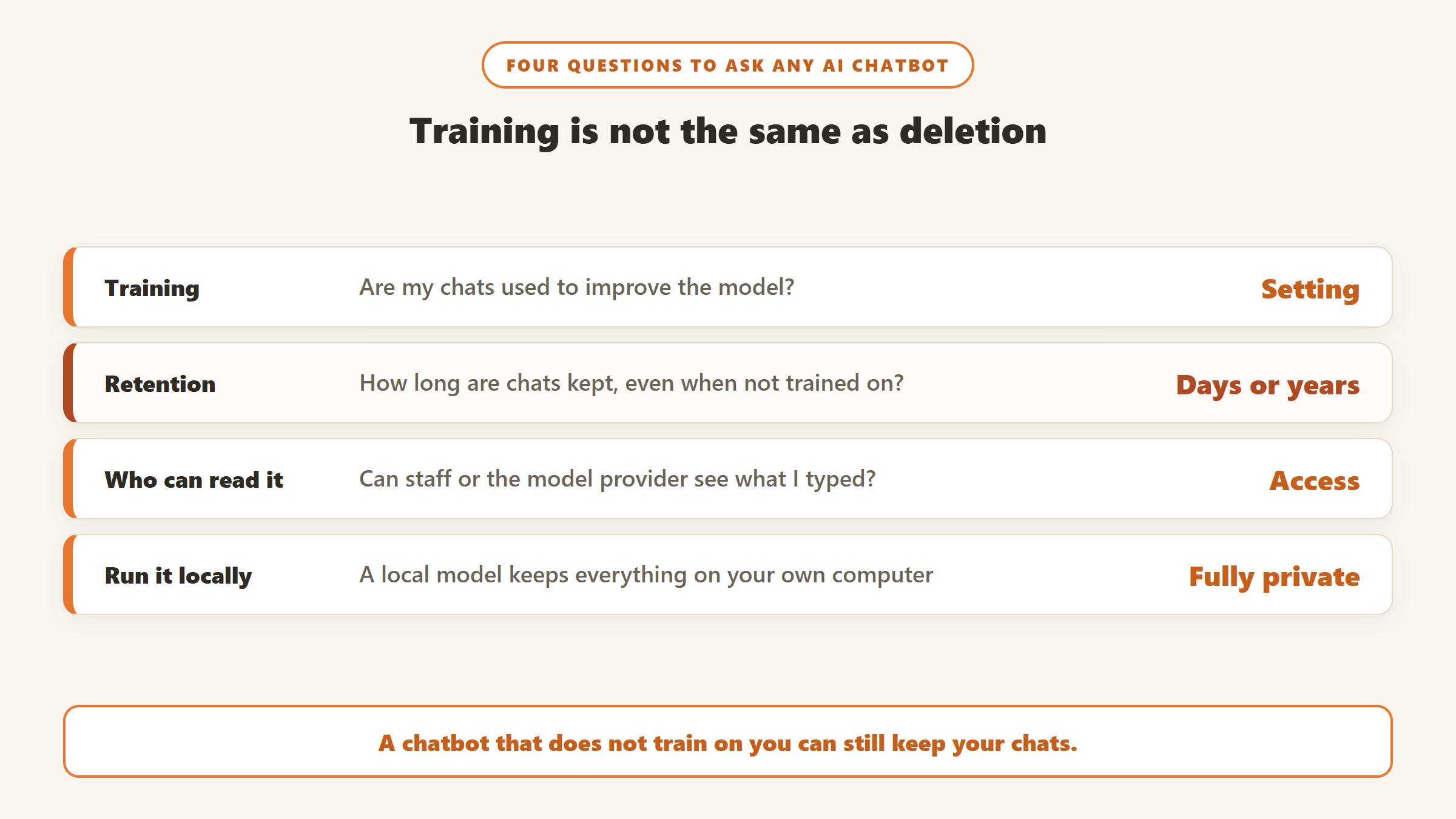
Training is not the same as deletion
Training
Whether your chats are used to improve the company’s models. This is the setting most guides focus on. Some assistants never train on chats, some do only if you opt in, and some train by default unless you switch it off.
Retention
How long your chats are stored, including after you delete them, and whether the model provider behind an assistant keeps its own copy. This is the part most people never check, and it is where the biggest differences are.
Who can read it
Whether stored chats are encrypted so that the company itself cannot read them, and whether prompts are processed somewhere the company controls. Encrypted storage protects your history; it does not stop the server from reading the prompt while it answers.
Private AI chatbots compared
| Assistant | Trains on chats by default? | How long chats are kept | Account needed? | Paid plan |
|---|---|---|---|---|
| Proton Lumo | No | No logs of queries; saved history encrypted | No (guest mode) | Lumo Plus $9.99/mo billed yearly |
| Duck.ai | No | Not stored by DuckDuckGo; providers delete within 30 days | No | Plus $9.99/mo |
| Brave Leo | No | On your device only | No | Premium $14.99/mo |
| Kagi Assistant | No | Threads deleted after 24 hours by default | Yes, paid | From $5/mo |
| Venice.ai | Not stated | In your browser, encrypted | Sign-up offered | Pro $18/mo |
| Apple Intelligence | Not stated | Not stored by Private Cloud Compute | Apple device | Included |
| Claude | Your setting | Up to 5 years if training is on | Yes | Pro $20/mo |
| ChatGPT Temporary Chat | No (Temporary only) | Up to 30 days for safety | Yes, for settings | Not captured |
| Mistral Vibe | Yes, for individuals | Until you delete it | Yes | Pro $14.99/mo |
| LM Studio (local) | No | On your computer | No | Free |
Read on 13 October 2026 from each vendor’s own pages. Prices are US dollars as displayed.
How we chose and ordered these
We included general-purpose chat assistants that make a specific privacy promise, plus the two mainstream assistants people most often try to make private. We ordered them by how much protection you get without changing any settings, then by how clearly the vendor documents it. None of these companies paid for placement on this page.
1. Proton Lumo: private by default, from a privacy company
Proton, the company behind Proton Mail, says in its Lumo privacy page that your chats are not used to train models and that it keeps no logs of what you ask or what Lumo replies. You can use it as a guest with no account, and guest chats are erased when the session ends. Saved history uses zero-access encryption, so Proton cannot read it.
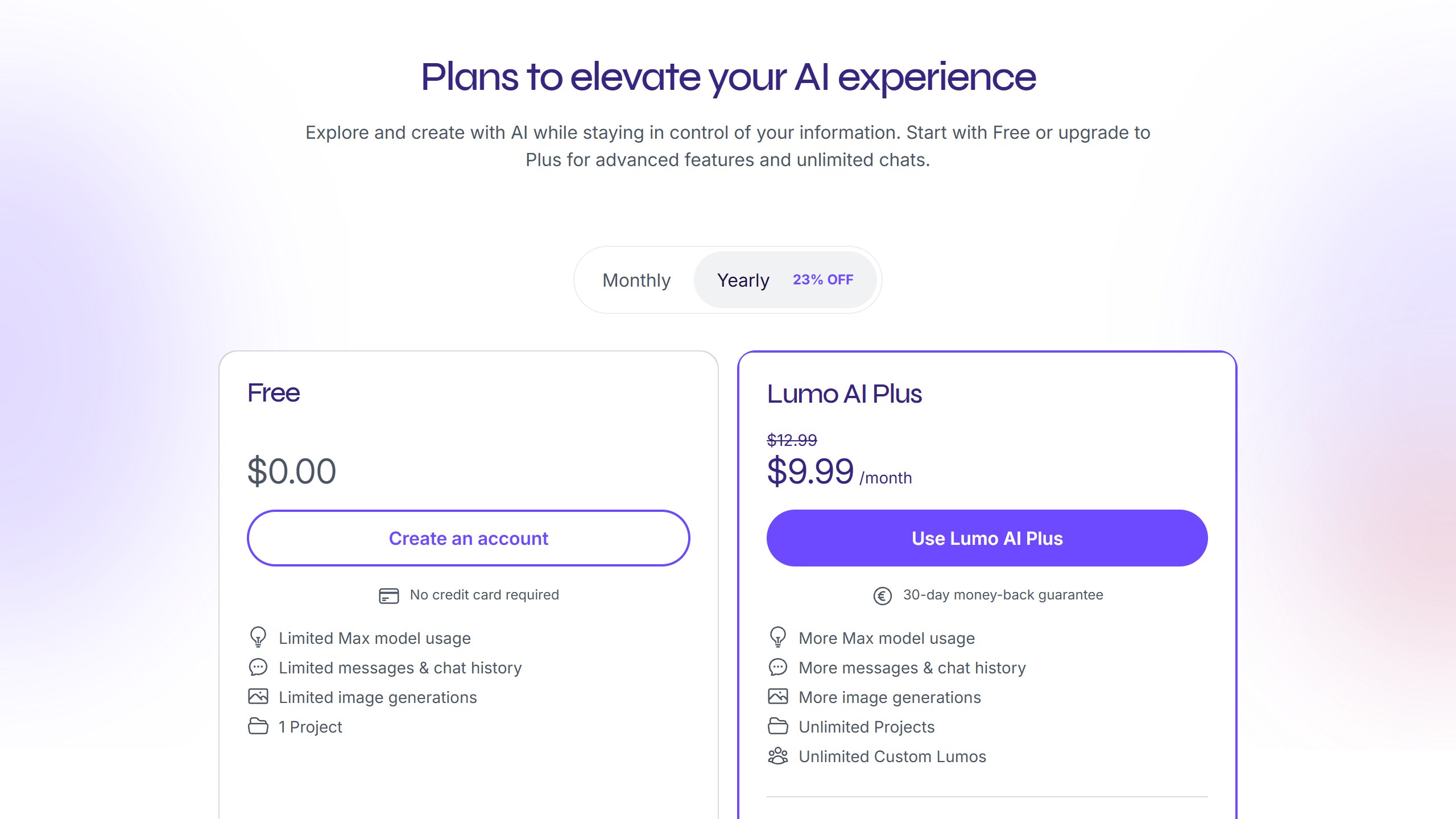
One honest limit: zero-access encryption covers your stored history, not the moment of answering. Your prompt is decrypted on Proton’s GPU servers so the model can respond. That is true of every cloud assistant here except Venice’s TEE and end-to-end encrypted modes and, by Apple’s design claim, Private Cloud Compute. Lumo Plus is $9.99 a month billed $119.88 a year, and the free plan has limited messages and history.
Proton runs Black Friday sales on its bundles; its 2025 sale page has ended, and Lumo was not part of the bundle offer it listed.
Choose it if you want privacy without changing settings. Skip it if you need the most capable frontier models.
2. Duck.ai: free, no account, several models
DuckDuckGo’s Duck.ai gives you models from Anthropic, OpenAI and open-weight providers without an account. It strips your IP address before a prompt reaches the model provider, and says neither it nor the providers train on your chats. Recent chats are saved on your device unless you opt out, and an optional sync is end-to-end encrypted.
Its own pages disagree on one detail. Its privacy terms, updated 1 October 2026, say providers must delete your prompts “at most within 30 days”. Its help page says they are deleted immediately after the reply. Assume the longer figure. Free use has daily limits; Plus is $9.99 a month and Pro $19.99.
Choose it if you want a free, no-account way to use mainstream models privately. Skip it if you want long saved histories across devices without setting up sync.
3. Brave Leo: history stays on your device
Brave Leo is built into the Brave browser and needs no account. Brave’s browser privacy policy says server-side chat data is “discarded soon after chat is completed”, and your history lives only on your device. Leo Premium is $14.99 a month and uses unlinkable tokens, so Brave cannot tie your subscription to your chats. The policy does not name the model providers it uses. Brave’s help centre also explains how to bring your own model, pointing Leo at a model you run yourself, which keeps Brave’s interface while your prompts go only where you choose.
Choose it if you already use Brave or want an assistant inside your browser. Skip it if you want to know exactly which provider runs each model.
4. Kagi Assistant: the most transparent about providers
Kagi, the paid search engine, deletes Assistant threads after 24 hours by default, and its LLM privacy page is the only one of the ten that publishes how long each model provider keeps data: 30 days for Anthropic and OpenAI, 24 hours for Google, and “not stored” for open-weight models. It needs a paid Kagi account, from $5 a month, with a trial of 100 Assistant interactions.
Choose it if you want to pick models knowing each provider’s retention. Skip it if you want a free assistant.
5. Venice.ai: local history, with modes to understand
Venice stores your history encrypted in your own browser rather than on its servers, according to its privacy policy. Its private models run on infrastructure it controls or on zero-retention partners. Its Anonymous mode gives you OpenAI, Anthropic and Google models, but Venice says you should assume those providers store your content. The most private modes need Pro at $18 a month; the free tier allows 10 text and 15 image prompts a day. The policy does not say whether chats are used for training.
Choose it if you want open models with local history. Skip it if you plan to use its mainstream models and expect the same privacy.
6. Apple Intelligence: private by design, on Apple devices
Apple runs requests on the device where it can and sends larger ones to Private Cloud Compute, which Apple says does not store request data or make it accessible to Apple, with its server code published so outside researchers can check it. It is included on supported Apple devices. We did not re-verify the separate terms for requests Apple hands to ChatGPT.
Choose it if you are on supported Apple hardware. Skip it if you need a full chat assistant across platforms.
7. Claude: private if you set it up
Anthropic lets you choose whether chats help improve its models, using a Model Improvement setting. Its retention page says that if the setting is on, data can be kept for up to five years, de-identified; deleted chats leave its back end within 30 days, and Incognito chats are never used for training. Its training page does not state the default, and at least one ranking page wrongly says the default is no training. Check the setting yourself. Pro is $20 a month.
Choose it if you want Claude and will switch Model Improvement off or use Incognito. Skip it if you want privacy without touching settings.
8. ChatGPT Temporary Chat: not trained on, still kept
ChatGPT’s Temporary Chat is not used for training, but OpenAI’s retention page says it “may be retained for up to 30 days for safety purposes”. Deleted chats are purged within 30 days unless legal obligations apply. For normal chats, training is controlled by a setting in Data controls.
Choose it if you use ChatGPT and want individual chats kept out of training. Skip it if a 30-day copy is a problem for you.
9. Mistral Vibe: the EU pick that trains by default
Mistral is often recommended as the European privacy choice. Two things to know. Its chat app was renamed from Le Chat to Vibe in August 2026, and its help page says individual users are “not opted out by default”, so your chats train its models unless you untick a setting. Enterprise accounts are opted out by default. Chats are kept until you delete them or your account. Pro is $14.99 a month.
Choose it if you want mostly EU-hosted models and will change the training setting. Skip it if you assumed EU meant private by default.
The fully private option: run it locally
LM Studio is a free app that runs open-weight models on your own computer, so your chats stay on your disk. It needs a reasonably powerful machine, and local models are less capable than the best cloud ones, but for sensitive documents it is the only option here where no company handles your prompt at all.
How to make a mainstream assistant more private
If you want to keep using the assistant you already have, these are the settings that matter, taken from each vendor’s own help pages.
ChatGPT
In Settings, open Data controls and switch off “Improve the model for everyone” to keep future chats out of training. For a single sensitive conversation, start a Temporary Chat, which is not saved to your history or used for training, but remember OpenAI may keep a copy for up to 30 days for safety. Deleting a chat removes it from your history, and OpenAI says it is purged from its systems within 30 days unless it must keep it for legal reasons.
Claude
In Privacy Settings, switch off Model Improvement. That is the setting that decides between up to five years of de-identified retention and no future training. For one-off chats, use Incognito, which Anthropic says is never used for training. Deleted chats leave its back end within 30 days.
Mistral Vibe
On the web, open Manage, then Vibe, then Privacy, and untick “Allow your interactions to be used to train our models”. In the mobile app, untick “Enable data sharing”. Mistral says zero data retention is not available for Vibe, so chats stay until you delete them or your account.
What the model providers keep
When an assistant routes your prompt to another company’s model, that company’s retention applies too. Kagi is the only one of the ten that publishes it per provider, and its table is a useful reference even if you use a different assistant:
| Model provider (via Kagi) | How long the provider keeps prompts |
|---|---|
| Anthropic | 30 days (2 years if flagged) |
| OpenAI | 30 days |
| Mistral | 30 days |
| xAI | 30 days |
| 24 hours | |
| Open-weight models | Not stored |
Source: Kagi’s LLM privacy page, read 13 October 2026. Duck.ai and Venice route to several of the same providers, which is why Duck.ai sets a provider deletion window and Venice tells you to assume the provider keeps your content.
Five questions to ask any AI chatbot
- Does it train on my chats by default? Look for the setting, and check the default rather than assuming.
- How long are chats kept, and after deletion? A deletion button is not the same as deletion from backups.
- Which company runs the model? If it is a third party, that company’s retention applies as well.
- Is stored history encrypted so the company cannot read it? Zero-access encryption, as Lumo uses, is the strongest version.
- Do I need an account? No account means less linking your chats to your identity, which is why Duck.ai, Brave Leo and Lumo’s guest mode score well.
What private chatbots cannot promise
Every cloud assistant reads your prompt in order to answer it. Encryption and no-log policies limit what happens afterwards, not what happens during. Privacy policies also change, and a company can be compelled by law to keep data it would otherwise delete. For anything truly sensitive, such as medical, legal or client information, use a local model or do not paste it in.
It is also worth rereading a policy after any big product change. Mistral’s rename to Vibe and Duck.ai’s updated privacy terms both happened within the last few months, and a setting you chose a year ago may not mean the same thing today.
Which private chatbot should you pick?
If you want privacy without settings
Proton Lumo, or Duck.ai if you want it free and without an account.
If you want the most transparency
Kagi Assistant, for its per-provider retention table.
If you want to keep using Claude or ChatGPT
Switch training off, use Incognito or Temporary Chat, and remember the retention periods above.
If it must never leave your computer
A local model in LM Studio.
Watching for a deal? Our AI tools Black Friday deals page tracks verified offers, including privacy tools.
Sources
- Proton: Lumo privacy, Lumo pricing and Black Friday. DuckDuckGo: Duck.ai privacy terms and help page.
- Brave: Leo and browser privacy policy. Kagi: LLM privacy and pricing. Venice: privacy policy and pricing.
- Apple: Private Cloud Compute. Anthropic: model training and data retention. OpenAI: chat retention and data controls.
- Mistral: Le Chat is now Vibe and training opt-out. LM Studio: app privacy.
- All read 13 October 2026.

Written by
FazFaz is the founder of AIToolsBakery. Some tools here are tested hands on. Others are assessed from vendor documentation and pricing verified on the live page, and every review says which one it is. Sponsors can buy a position in a guide. They cannot buy the score, the criticism, or silence about a better option.
How we test and how we make money →