Most AI render tools start from a prompt and invent a building. Veras starts from yours. That single design choice is why it keeps turning up in serious architectural workflows rather than just inspiration boards.
Faz says: The reason Veras matters is restraint. It does not try to out-design you. It takes the model you already built and makes it look the way you would present it: lighting, materials, mood, sky. For an architect that is the whole game, because a render is only useful if it still represents the building when the client points at it. Veras is built around that constraint, and it shows.
Saru says: This review draws on Veras’s official documentation and pricing, a feature assessment, and aggregated user ratings from G2 and Capterra, current to 2026. Veras licensing now runs through Chaos; confirm the current plan before subscribing.
Quick facts
| Tool | Veras (EvolveLAB, via Chaos) |
|---|---|
| Best for | Model-aware AI rendering for architects |
| Pricing | Free trial (30 renders / 15 days), named license from ~$29/month |
| Stand-out | Renders from your actual 3D geometry, plugin for major BIM tools |
| Weak spot | Less freeform creativity than prompt-only generators |
| Last assessed | 2026 (research-based) |
What Veras is
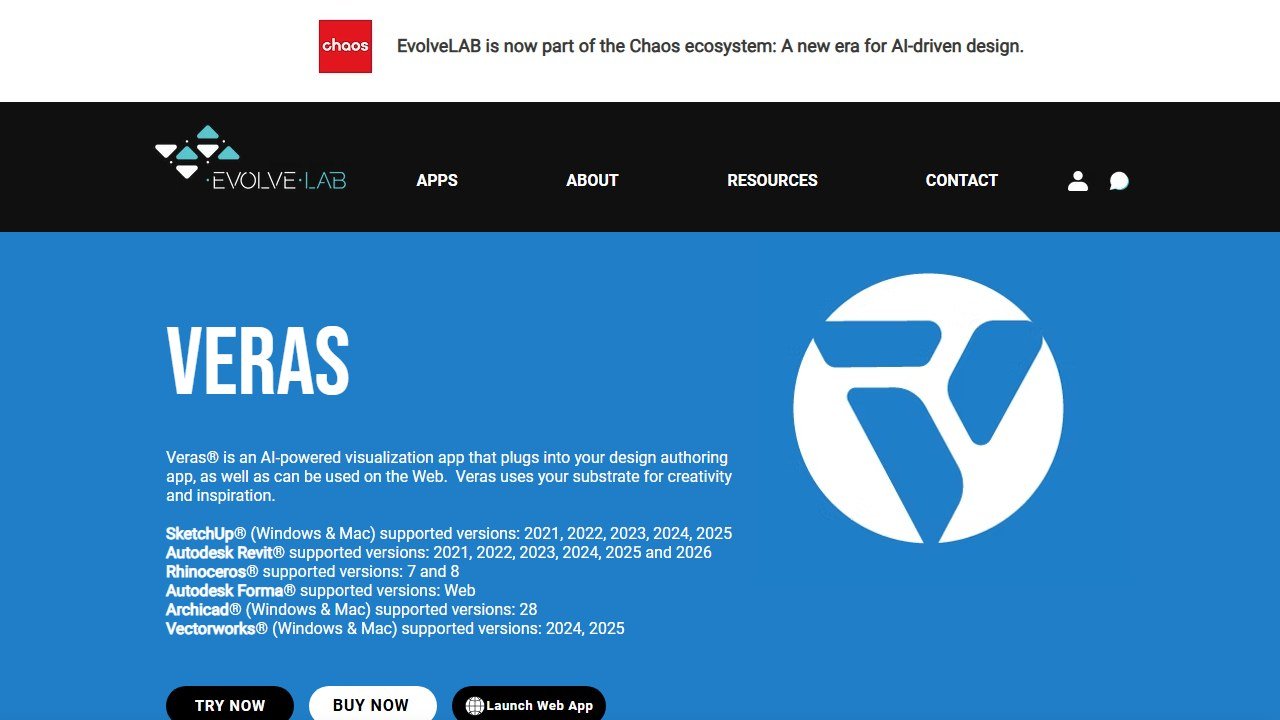
Website: Veras
Veras is an AI visualization plugin that lives inside the tools architects already use: Revit, SketchUp, Rhino, Vectorworks, and Archicad. Rather than producing an image from a text prompt alone, it uses your 3D model geometry as the substrate and applies AI-generated materials, lighting, and environmental effects on top. The result keeps your proportions and spatial relationships, so the render still reads as the building you designed.
That is the dividing line we use across the AI tools for architects guide: model-aware tools like Veras respect your design, while generative tools invent from scratch.
Who it is for
- Architects who need client-ready renders that stay faithful to the actual model.
- BIM-based practices wanting AI rendering inside Revit, Rhino, or Archicad without exporting elsewhere.
- Designers spanning architecture and interiors who want consistent, geometry-accurate output.
What stands out
The plugin integration is the headline: you stay in your design tool and render in place, which removes the export-and-rebuild friction that kills momentum. Because it works from your geometry, the output is usable for real presentation rather than just mood, and iterating on materials or lighting is fast.
Field note Model-aware does not mean reality-proof. Veras will still render a material or light condition that flatters the design in ways the built result will not match. Use it to communicate intent, and keep your own read on how it will actually look at full scale.
Where it falls short
The flip side of fidelity is less wild creativity. If you want to explore radically different forms or pure mood, a generative tool like Midjourney gives more range. Veras is also a subscription on top of your existing software stack, and pricing varies by license type. For freeform concept work it is the wrong tool; for faithful rendering of a real design it is the right one.
Pricing
Veras offers a free trial of 30 renders over 15 days. Paid named licenses run roughly $29 to $59 a month depending on tier, with floating licenses around $51/month (about $612/year) and discounted education plans. Licensing is handled through Chaos, and taxes or bundles can change the invoice, so confirm the current quote before committing.
Our take
Our research-based score: 4.2 out of 5. Veras is the model-aware AI rendering pick for architects: fast, faithful to your geometry, and embedded in the tools you already use. It trades freeform creativity for fidelity, which is exactly the right trade for project work. Pair it with a generative tool for concepts, and you have both ends of the workflow covered.
Alternatives
- AI tools for architects: the full model-aware vs generative comparison
- D5 Render: real-time visualization, also model-aware
- Enscape : one-click real-time rendering inside your BIM tool
- Midjourney : generative concepts when you want freeform range
What Veras actually does well in 2026
Veras occupies a specific position in the AI-rendering category that few competitors match. The tool integrates directly into SketchUp and Rhino as a plugin, applying AI-driven style transfer to the architect’s existing 3D model rather than asking the architect to rebuild the model in a new tool. The workflow is what differentiates it: stay in your modeling environment, apply Veras as a render-time AI layer, get stylized output without leaving your tool.
The category Veras dominates is architectural concept exploration. When the project is in schematic design and the architect needs to explore “what if we tried a more rustic exterior” or “how would this read with a brutalist concrete treatment,” Veras produces stylized renders that frame the concept conversation faster than full rebuild-in-new-tool workflows allow. The output is conceptual rather than production-grade, which is the right output for that phase.
Three specific strengths. The SketchUp integration is the strongest in the category for the AI render tools because it does not break the architect’s existing workflow. The style prompt system understands architectural vocabulary (mid-century modern, brutalist, scandinavian, etc.) better than generic generative AI tools. And the EvolveLAB team behind Veras has been responsive to architecture firm feedback through 2025-2026, with feature releases that map to real workflow needs.
Where Veras falls short
Production-grade photorealism is not Veras’s strength. The output is recognizable as AI-styled and works for concept conversations, but for the final presentation render that goes to a client at the end of design development, architects still export to D5 Render, Enscape, Twinmotion, or V-Ray. Veras is a concept tool, not a final-delivery tool.
Detail consistency across views is inconsistent. The same building rendered from a north elevation and a south elevation may show slightly different material treatments or detail interpretations, which can confuse the client conversation. The workaround is to use Veras within a single rendering session for a single view, not across multiple views of the same project.
The plugin can be resource-intensive on older machines. Architects running Veras alongside SketchUp on machines without dedicated GPUs report occasional slowdowns. A reasonable workstation with a modern dedicated GPU handles the workflow cleanly.
Veras pricing in 2026
Pricing structure as of mid-2026: subscription tiers in the $30-70 per month range for individual architects, with team and enterprise pricing for firms. The mid-tier covers the daily use case for most individual architects exploring AI concept tooling.
The EvolveLAB suite (which includes Veras alongside other architecture-AI tools like Helix and Glyph) bundles pricing for firms wanting the full toolset. The bundled pricing math works for firms with 5+ architects each running multiple AI-concept tools; for single-tool individual architects, the standalone Veras subscription is more efficient.
Annual versus monthly commitment saves roughly 15-20 percent. For an established architect committing to AI concept work as part of regular practice, annual is the right choice. For an architect testing the workflow, monthly avoids commitment.
The architect workflow with Veras
Picture an architect at a mid-size residential firm working through schematic design on a single-family residence. Monday: client meeting yields a design brief with three potential exterior style directions to explore (modern, craftsman, contemporary farmhouse). Tuesday morning: she opens her existing SketchUp model and applies Veras with the “modern” prompt; produces three quick render variations exploring different material palettes. Tuesday afternoon: switches the Veras prompt to “craftsman” and “contemporary farmhouse” for additional variations.
Wednesday: she presents the three style directions to the client in a follow-up meeting. The client picks craftsman with specific material preferences identified across the variations. The architect now has a clear design direction that took 1.5 days of exploration time rather than the typical week of cross-tool concept renders.
Thursday and Friday: she develops the chosen direction in SketchUp without Veras, building the actual buildable design. The Veras output is reference, not buildable specification. The design development phase that follows is in standard architectural workflow.
The Veras workflow’s net effect for residential schematic design is roughly 3-5 days of compression on the concept-exploration phase per project, with the saved time reinvested into design development depth or client conversation quality. For firms with 8-15 projects in concept phase at any time, the math compounds.
Veras vs the alternatives
Veras vs Midjourney with architectural prompts: Midjourney produces beautiful aesthetic concepts but does not work from your specific 3D model. Veras’s strength is starting from the actual building you are designing, which keeps the conceptual work tied to the project’s actual geometry. If you need image-anchored concept output, Veras. If you want pure aesthetic exploration without geometric constraint, Midjourney.
Veras vs D5 Render with AI features: D5 Render’s AI features are integrated into a production-render tool, not a concept tool. Different stages of the project. Most firms run both: Veras for early concept, D5 Render for production-grade output. D5’s AI features are more about rendering speed and quality enhancement than style exploration.
Veras vs Lookx or similar new AI-rendering competitors: a handful of new AI-render-from-model tools entered the market in 2024-2026. Veras’s differentiator is the SketchUp/Rhino integration depth and the EvolveLAB team’s architecture-firm responsiveness. Newer competitors may catch up; for now, Veras is the stronger pick.
Veras vs traditional concept rendering (V-Ray, Lumion in concept mode): traditional rendering tools produce photorealism but not stylization variation. Veras enables style exploration that traditional tools do not. Use Veras for the style decisions, traditional tools for the production output.
Who should buy Veras in 2026
Buy if: You are an architect working in SketchUp or Rhino as your primary modeling tool. Your work includes schematic design and concept exploration where style direction is uncertain. You want AI tooling that respects your existing workflow rather than replacing it. Your firm has reasonable workstations capable of running plugin-based AI rendering.
Consider alternatives if: Your primary tool is Revit or ArchiCAD (Veras integrations there are less mature). You need production-grade photorealism (use Veras alongside D5/Enscape/Twinmotion, not as a replacement). Your work is in early concept sketching only (Midjourney may be simpler).
The honest summary. Veras in 2026 is the AI concept tool that fits cleanly into the SketchUp-and-Rhino architect’s workflow. It does not replace production rendering tools; it accelerates the front-end of every project where style exploration matters. For most residential and small-commercial firms, the workflow compression on concept exploration justifies the subscription.
The first 30 days with Veras: a setup playbook for architects
Week 1: install the plugin in your primary modeling environment (SketchUp or Rhino). Run through the EvolveLAB tutorial sequence, which takes about 3 hours total and covers the prompt-to-output relationship.
Week 2: test on a recently-completed project. Apply Veras to the project’s 3D model with different style prompts and see how the AI interprets your specific geometry. The calibration tells you which prompt formulas work for your project types.
Week 3: introduce Veras into a live concept-phase project. Use it for early-stage style exploration with the client; document the time savings on the concept-iteration phase compared to your historical baseline.
Week 4: refine your firm’s standard prompt library. Build a library of prompt formulas that match your firm’s design vocabulary and your typical client preferences. The investment in prompt curation pays back across every subsequent project.
Common mistakes architects make with Veras in the first month
Mistake one: expecting production-grade photorealism. Veras is concept work; the renders are not final-presentation quality. Pair Veras (concept) with D5 Render or Enscape (production) for the full pipeline.
Mistake two: applying Veras across views of the same building expecting consistency. The AI can produce slightly different material interpretations between views; use Veras within a single view rather than across multiple views of the same building to avoid inconsistency.
Mistake three: trying to use Veras for tasks better suited to dedicated AI tools. Pure aesthetic exploration without geometric constraint is faster in Midjourney. Style exploration grounded in your actual building geometry is Veras’s strength.
Mistake four: not communicating “concept work” status to the client. Clients seeing Veras renders without context may assume the renders represent the actual building. Set expectations explicitly: these are style direction options, not the final building.
Advanced workflow tips after 90 days with Veras
Tip one: layer Veras concept work with traditional concept rendering for the full design package. Some firms produce a “Veras-driven mood board” alongside their dimensioned plans and elevations. The combination gives clients both the technical drawings and the experiential feel.
Tip two: use Veras for material exploration after geometry is locked. Once the building form is decided, Veras’s style-prompt variations are useful for exploring exterior and interior material palettes systematically.
Tip three: build firm-wide prompt standards. If multiple architects at your firm use Veras, standardizing the prompt language and the project naming convention prevents prompt-library fragmentation across the firm.
The next 12 months for Veras and the AI rendering category for architects
Three category trajectories. First, the integration with major BIM tools will deepen through 2026-2027. EvolveLAB has signaled Revit support improvements; deeper Revit integration would expand Veras’s addressable market to enterprise architecture firms currently locked out by the SketchUp/Rhino focus.
Second, the photorealism gap between Veras (concept-grade) and production rendering tools (D5 Render, Enscape, Twinmotion) will narrow. By 2027, the distinction between concept and production AI rendering will be smaller, expanding Veras’s effective use case beyond early concept work.
Third, the broader EvolveLAB suite (Veras, Helix, Glyph) will continue integrating. Firms standardizing on the EvolveLAB ecosystem will get a unified AI architecture workflow; firms staying tool-agnostic will need to integrate Veras with other-vendor tools.
Real-world ROI for an architect
A residential architect at a small firm handling 12 projects per year, average fee per project $25,000. Annual revenue: $300,000. Veras Pro subscription at $600/year is 0.2 percent of revenue. The tool’s compression of concept-exploration phase by 3-5 days per project across 12 projects per year is 40-60 days of architect time per year. At a $150/hour effective rate, the time savings translate to substantial recovered capacity. ROI clearly positive.
Comparing Veras against the alternatives: an architect’s checklist
Before adding Veras to your firm’s tool stack, work through this checklist.
1. Test the EvolveLAB plugin in your primary modeling tool (SketchUp or Rhino). Verify the plugin runs smoothly on your firm’s hardware before committing.
2. Calibrate the prompt-to-output relationship on a recent project. Build a personal prompt library that produces consistent style output for your project types.
3. Verify the concept-grade output meets your client expectations. Veras is concept work; if your clients expect production-grade photorealism in early concept conversations, Veras may not match their expectation.
4. Evaluate the EvolveLAB suite pricing if your firm uses multiple AI tools. Bundle pricing across Veras, Helix, and Glyph may be more economical than separate subscriptions.
5. Test against pure-AI alternatives (Midjourney with architectural prompts). Verify Veras’s geometric-anchoring is the right feature for your workflow versus pure aesthetic exploration.
What Veras users actually say in 2026
Three patterns emerge from architect field conversations.
First, the SketchUp integration depth is the most-praised feature. Architects describe staying in their existing workflow rather than switching tools for AI concept work as the key value differentiator.
Second, the style-prompt vocabulary is praised by architects with formal design training and criticized by less-trained users. Veras assumes the user can articulate stylistic directions clearly; users without that vocabulary find the tool harder to drive than competitors with more constrained interfaces.
Third, criticism focuses on cross-view inconsistency. Architects rendering the same building from multiple angles report style variations between views that confuse client conversations. The workaround (use Veras within a single rendering session for a single view) is well-known but adds workflow friction.
The bigger picture: how Veras fits in the architect workflow
Veras’s role in the architecture workflow is concept exploration during the schematic design phase. It accelerates the front end of every project where style direction is uncertain, but it does not replace any of the downstream production tools.
The typical project workflow with Veras: initial site analysis and program development in standard practice tools, schematic massing in SketchUp or Rhino, Veras-driven style exploration to find direction with the client, refined design development in the modeling tool, production rendering in D5 Render or Enscape or Twinmotion, construction documentation in Revit (often imported from the upstream modeling work).
Veras compresses the schematic-design-to-style-direction conversation by 3-5 days on typical residential projects. For firms with 15-25 projects in concept phase at any given time, the compression compounds to weeks of recovered project time per year.
The hidden value: Veras keeps the architect’s workflow within the existing modeling tool. Architects who add Veras do not need to learn a new primary tool; they extend their existing SketchUp or Rhino practice with AI concept capability. The non-disruption of existing workflow is part of why EvolveLAB has built market share where competitors with steeper learning curves have struggled.
The bottom line on Veras for 2026
Veras in 2026 is the AI concept tool that respects how SketchUp and Rhino architects actually work. The plugin integration eliminates the workflow disruption that competing AI tools impose. The EvolveLAB team’s responsiveness to architecture-firm feedback has produced feature releases that map to real workflow needs rather than chasing AI marketing trends. For schematic-design-heavy practice, Veras has earned its position as the rational concept-tool choice. The trajectory through 2026-2027 is continued depth in the SketchUp and Rhino integrations plus growing Revit support to address the BIM-heavy market.
The Veras verdict for 2026 architects
Veras is the strongest pure ideation tool for architects in 2026, with concept generation that exceeds general image generators for architectural use cases. The case against Veras: it does not produce documentation-grade output, which means it sits alongside Revit or ArchiCAD rather than replacing them. Buyer profile: architects in early-phase concept work who want fast visual ideation without the friction of starting from scratch in render software.
More AI tool guides worth reading: D5 Render vs Enscape and Twinmotion Review.
Tools mentioned in this guide

Written by
FazFaz is the founder of AIToolsBakery. Some tools here are tested hands on. Others are assessed from vendor documentation and pricing verified on the live page, and every review says which one it is. Sponsors can buy a position in a guide. They cannot buy the score, the criticism, or silence about a better option.
How we test and how we make money →