Twinmotion is the arch-viz tool with two unusual things going for it: the rendering muscle of Epic’s Unreal Engine, and a licensing model that is genuinely free for most of the people who use it.
Twinmotion is Epic Games’ architectural visualization tool, built on Unreal Engine, known for cinematic walkthroughs with AI-assisted vegetation, weather, and crowds. It is free for students, hobbyists, and companies under $1 million in annual revenue; larger firms pay $445 per seat per year. Best for cinematic presentation and immersive walkthroughs, with a steeper learning curve than one-click tools.
Faz says: Twinmotion is the most generous deal in arch-viz, and people forget that. If your firm earns under a million a year, the full tool is free, powered by the same engine behind AAA games. The trade is depth: it does more than a one-click plugin, so it asks more of you to learn. For cinematic walkthroughs and immersive client experiences, that investment pays off. For a quick lit render, it is more than you need.
Saru says: This review draws on Twinmotion’s official documentation and licensing, a feature assessment, and aggregated user ratings from G2 and Capterra, current to 2026. Epic updated Twinmotion licensing in 2024; confirm whether your firm qualifies for the free tier before assuming a cost.
Quick facts
| Tool | Twinmotion (Epic Games) |
|---|---|
| Best for | Cinematic architectural walkthroughs and immersive presentation |
| Pricing | Free for students, hobbyists, and companies under $1M revenue; $445/seat/year above that |
| Stand-out | Unreal Engine quality and a genuinely free tier for most users |
| Weak spot | Steeper learning curve than one-click plugins; heavier on hardware |
| Last assessed | 2026 (research-based) |
What Twinmotion is
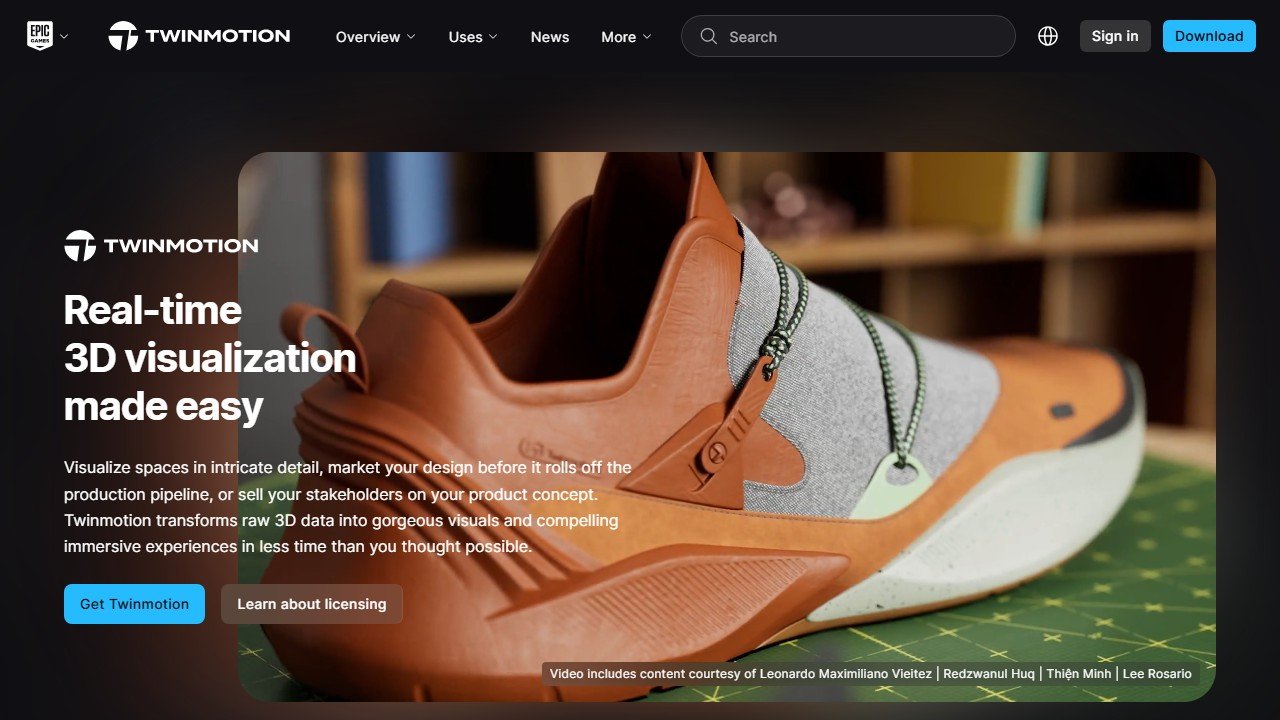
Website: Twinmotion
Twinmotion is a real-time architectural visualization tool from Epic Games, built on Unreal Engine. It brings cinematic storytelling to arch-viz with AI-assisted features like dynamic vegetation, weather, lighting, and crowds, and it is built for immersive walkthroughs and high-end presentation rather than quick one-off stills.
It sits at the cinematic end of the real-time visualization stage in our AI tools for architects guide, a step beyond the one-click simplicity of Enscape or the speed-first approach of D5 Render.
Who it is for
- Firms presenting cinematic walkthroughs and immersive client experiences.
- Students and small practices (under $1M revenue) who get the full tool for free.
- Architects already in the Unreal ecosystem who want a smoother path into real-time viz.
What stands out
The Unreal Engine foundation gives Twinmotion a ceiling the one-click tools do not reach: cinematic lighting, atmospheric effects, populated scenes, and polished walkthroughs. The AI-assisted environment features (vegetation, weather, crowds) speed up scene-building. And the licensing is the quiet headline, since most individual users and small firms pay nothing for the full product.
Field note Free does not mean effortless. Twinmotion’s depth is its strength and its cost: budget real time to learn it. A practice that wants a lit render in five minutes will be happier with a one-click plugin; one that wants a cinematic walkthrough will find the learning curve worth it.
Where it falls short
Twinmotion asks more of you than Enscape or D5. The learning curve is steeper, and the Unreal foundation is heavier on hardware. It is also more tool than necessary for simple, fast renders, where a one-click option wins on speed. And larger firms (over $1M revenue) do pay per seat, so the “free” headline does not apply universally.
Pricing
Twinmotion is free for students, educators, hobbyists, and companies earning under $1 million in annual gross revenue, which covers a large share of users. Companies above that threshold pay $445 per seat per year for an individual Twinmotion seat, or $1,850 per seat per year for the Unreal subscription bundle that also includes Unreal Engine and RealityCapture. Seats include updates and Twinmotion Cloud access. Confirm your firm’s eligibility for the free tier before budgeting a cost.
Our take
Our research-based score: 4.2 out of 5. Twinmotion offers the highest visual ceiling in this group and the most generous licensing, which is a rare combination. The steeper learning curve and hardware demands keep it from being the easy first pick for everyone, but for cinematic walkthroughs, immersive presentation, and small firms who get it free, it is exceptional value. Pair it with a one-click tool for the days you just need a fast render.
Alternatives
- AI tools for architects: the full model-aware vs generative comparison
- Enscape: simpler one-click real-time rendering
- D5 Render: faster to learn, with a usable free version
- Veras: model-aware AI rendering as a plugin
What Twinmotion actually does well in 2026
Twinmotion is Epic Games’s architecture-and-landscape rendering tool built on the Unreal Engine foundation. The 2025-2026 product has consolidated the Unreal-engine performance advantages (rendering speed, especially for animation, plus VR-ready output) with a feature set tuned for architecture firms. Twinmotion is most valuable for firms producing heavy animation deliverables and immersive VR walkthroughs as standard parts of their client presentation packages.
The category Twinmotion dominates is the architecture or landscape firm where motion deliverables (walkthroughs, flythroughs, time-of-day animations) are part of the firm’s standard output. The Unreal Engine foundation produces animation render speeds that are simply faster than the alternatives on equivalent hardware. For firms that built their practice on rich motion deliverables, Twinmotion’s animation throughput is the differentiator.
Three specific strengths. The animation rendering speed advantage over D5 Render and Enscape is meaningful at production volumes (50+ animations per month). The Unreal Engine asset library integration provides access to a depth of high-quality 3D content (especially vegetation, vehicles, and people) that competing libraries cannot match. And the VR-ready output works cleanly with Quest, Pico, and other consumer VR hardware, which has expanded the architect’s ability to deliver immersive client experiences without specialized hardware investment.
Where Twinmotion falls short
The Revit BIM integration is less mature than Enscape’s. Architects in Revit-centric firms find Twinmotion’s import-export workflow more friction-heavy than the bidirectional sync that Enscape provides. For Revit-heavy practices, Enscape remains the more natural fit even with Twinmotion’s animation advantage.
The learning curve is steeper than D5 Render or Enscape. The Unreal Engine foundation gives Twinmotion more capability but also more complexity. New users typically take 1-2 weeks to reach productive use, where D5 Render new users are productive within days. For firms onboarding new staff regularly, the training overhead is a real consideration.
The asset library, while deep, is organized differently than architecture-tool-native libraries. Some architects find the Unreal Engine asset organization counter-intuitive after years of architecture-specific tool libraries (Lumion, Enscape, D5 Render).
Twinmotion pricing in 2026
The Twinmotion pricing structure went through changes after Epic Games’s broader pricing reset in 2024-2025. As of mid-2026: free for users with under $1M in revenue (the broad Epic Games policy applying to Twinmotion), paid tiers for commercial users above that threshold in the $500-900/year range, with educational pricing for students and educators.
The “free under $1M revenue” structure has made Twinmotion the dominant choice among small and emerging architecture firms in 2025-2026. For a firm under $1M revenue with significant architectural rendering needs, Twinmotion’s free tier is the strongest free offer in the professional rendering category.
For firms above the $1M revenue threshold, the paid tier pricing is competitive with Enscape’s seat pricing and substantially above D5 Render’s. The math for tool adoption at growing firms involves crossing the revenue threshold; firms approaching $1M revenue are sometimes incentivized to lock in alternative tools before the Twinmotion paid tier kicks in.
The architect workflow with Twinmotion
Picture an architect at a landscape-architecture firm producing client deliverables for a public park master plan. Monday: the SketchUp model of the proposed park is ready for animation work. She imports the model into Twinmotion, applies the firm’s vegetation library (which includes time-of-day vegetation variation, an Unreal-engine strength), and sets up two camera paths for client-presentation walkthroughs.
Tuesday: she renders the animation walkthroughs at production quality. Twinmotion’s animation render speed produces a 60-second walkthrough in 20-30 minutes of render time, where D5 Render or Enscape might take 60-90 minutes for equivalent output. The speed advantage compounds when the architect needs to iterate on lighting or camera path; she can produce 3-4 animation variations per day at presentation quality.
Wednesday: client meeting. The architect runs the walkthroughs and a VR-ready experience that the principal client wears on a Meta Quest headset for an immersive review. The VR experience reveals design issues that would not have been visible in still renders or screen-based animations; the architect notes the feedback and returns to design adjustments.
Thursday and Friday: design adjustments and re-renders. By end of week, the client has approved the master-plan design with adjustments incorporated and reviewed in immersive walkthrough.
The Twinmotion workflow’s net effect for animation-heavy practices is roughly 50-70 percent compression in animation production time compared to traditional rendering pipelines. For landscape architecture, master-planning, and large-scale architectural projects, this is the largest workflow improvement available in current rendering technology.
Twinmotion vs the alternatives
Twinmotion vs D5 Render: D5 Render wins on still-render quality and price. Twinmotion wins on animation render speed and Unreal Engine asset library. For animation-heavy practices, Twinmotion. For still-render-heavy practices, D5 Render.
Twinmotion vs Enscape: Enscape wins on Revit BIM integration. Twinmotion wins on animation speed and VR output. For Revit-centric firms with BIM-heavy workflows, Enscape. For motion-deliverable-heavy practices, Twinmotion.
Twinmotion vs Unreal Engine directly: Twinmotion is the architecture-friendly preset on top of Unreal Engine. For firms with technical 3D artists who want deeper customization, Unreal Engine directly. For architects who want the Unreal Engine power without becoming 3D artists, Twinmotion.
Twinmotion vs Lumion: Lumion was the previous architecture-and-landscape animation leader; Twinmotion’s pricing change and Epic Games’s resources have made Twinmotion the dominant new-adoption choice for animation work. Lumion remains capable but with shrinking market share.
Who should buy Twinmotion in 2026
Buy if: You produce animation walkthroughs or VR experiences as standard client deliverables. Your firm is under $1M revenue (free tier captures most of the value). You work in landscape architecture or master-planning where vegetation and time-of-day animation matter. You have technical staff comfortable with the steeper Unreal Engine learning curve.
Consider alternatives if: You are Revit-centric (Enscape integration depth wins). You produce mostly still renders rather than animations (D5 Render). Your firm is past $1M revenue and the paid tier pricing changes the math (compare with D5 Render and Enscape at that point).
The honest summary. Twinmotion in 2026 is the rendering tool for architects and landscape architects who lead with motion deliverables. The Unreal Engine foundation provides animation speed and asset depth that competitors cannot match. The free tier for firms under $1M revenue is the strongest offer in the professional rendering category. For animation-heavy practice, Twinmotion is the rational choice.
The first 30 days with Twinmotion: a setup playbook
Week 1: install and explore the Unreal Engine foundation. Twinmotion is built on Unreal Engine and inherits both its strengths (asset library, animation speed, VR-ready output) and its complexity (steeper learning curve than D5 Render or Enscape).
Week 2: test on a recently completed project. Focus on animation workflow; Twinmotion’s animation rendering speed is the main differentiator. Calibrate the workflow against your historical baseline.
Week 3: produce client-facing animation walkthroughs on an active project. Use the project to test the full pipeline from modeling tool through Twinmotion to final video deliverable.
Week 4: refine the firm’s standard Twinmotion workflow. The Unreal Engine asset library is vast; building a curated favorites library prevents asset-search time on every project.
Common mistakes architects make with Twinmotion in the first month
Mistake one: underestimating the learning curve. Twinmotion is more complex than D5 Render or Enscape. Plan for 1-2 weeks before users reach productive workflow speed; firms that expect D5 Render-like onboarding speed get frustrated.
Mistake two: not exploring the Unreal Engine asset library deeply. The asset library is Twinmotion’s biggest advantage; users who only use default assets miss the differentiator.
Mistake three: trying to use Twinmotion for BIM-sync workflow. Twinmotion’s Revit integration exists but is less mature than Enscape’s bidirectional sync. Revit-heavy firms should plan import-export workflows rather than live sync.
Mistake four: not leveraging VR output for client experience. Twinmotion’s VR output is one of its strengths; firms that produce VR-ready output as standard option for client review extract more value from the subscription.
Advanced workflow tips after 90 days with Twinmotion
Tip one: build a firm-wide camera path library. The animation rendering speed is the differentiator, but it only pays off if your animation production workflow is efficient. Standard camera paths for typical project types save setup time on every animation.
Tip two: pair Twinmotion with D5 Render or Enscape for the still-render side. Twinmotion’s still renders are competitive but not category-leading; pairing with another tool for the still side optimizes both output types.
Tip three: use Twinmotion’s VR strategically. Not all clients want VR; identify which clients benefit from immersive review (typically clients with complex spatial decisions, like large hospitality or institutional projects) and standardize VR delivery for those.
The next 12 months for Twinmotion
Three trajectories. First, the Epic Games pricing structure could shift again. The “free under $1M revenue” structure has been generous; whether Epic maintains it depends on broader Epic Games business strategy. Firms approaching the revenue threshold should plan for either staying with Twinmotion at paid pricing or migrating to alternatives.
Second, Unreal Engine improvements will continue benefiting Twinmotion. The animation rendering speed advantage will likely grow as Unreal Engine improves, expanding Twinmotion’s lead in motion-deliverable work.
Third, the BIM integration will need to improve to compete for Revit-centric enterprise market share currently dominated by Enscape. Twinmotion’s animation advantage matters less to BIM-heavy firms whose primary need is BIM-sync rather than animation speed.
Real-world ROI for a landscape architecture firm
A landscape architecture firm with 6 architects, average $180K revenue per architect, total firm revenue $1.1M. Twinmotion paid tier at roughly $700/year per seat for 6 seats is $4,200/year, or 0.38 percent of revenue. The animation rendering speed advantage saves approximately 8-12 hours per architect per month on animation deliverables versus the firm’s prior workflow. Across 6 architects and 12 months, that is 576-864 hours of recovered architect time. At a $130/hour effective rate, the time savings exceed $90,000 per year. ROI overwhelmingly positive.
Comparing Twinmotion against the alternatives: an architect’s checklist
Before adopting Twinmotion as your firm’s rendering tool, work through this checklist.
1. Verify your firm’s revenue against the $1M threshold. Below: free tier captures most of the value. Above: paid tier pricing requires comparison with D5 Render and Enscape.
2. Test the animation rendering workflow on a real project. Twinmotion’s animation speed is the differentiator; verify it on your actual project complexity.
3. Calibrate the Unreal Engine learning curve against your team’s technical comfort. Twinmotion requires more learning time than D5 Render or Enscape; verify your team has the bandwidth.
4. Explore the asset library depth versus your project type needs. Vegetation, vehicles, and people libraries are strengths; specialty architectural details may be sparse.
5. Test the VR output workflow if your firm produces VR deliverables. Twinmotion’s VR output is competitive; verify against your specific VR hardware setup.
What Twinmotion users actually say in 2026
Three themes from architect and landscape-architect field conversations.
First, the animation rendering speed is the most-praised differentiator. Architects producing walkthrough videos describe Twinmotion as materially faster than competing tools on equivalent hardware. The speed advantage compounds across many animations per year.
Second, the free tier under $1M revenue is praised by small firms and freelancers. The pricing makes Twinmotion the strongest free offer in the professional rendering category for the small-firm tier.
Third, criticism focuses on the learning curve. Twinmotion’s Unreal Engine foundation gives it capability but also complexity. Firms onboarding new staff frequently mention the longer ramp-up time compared to D5 Render or Enscape as a real cost. Standardize on Twinmotion only when the animation speed advantage justifies the training investment.
The bigger picture: how Twinmotion fits in the architecture workflow
Twinmotion’s place in the modern architecture workflow is at the rendering stage, after the design has been substantially developed in your primary modeling tool. It is not a design tool; it is a presentation tool. Understanding this distinction prevents the common mistake of trying to use Twinmotion as a substitute for SketchUp or Revit.
The typical project workflow that includes Twinmotion: schematic design in SketchUp or Revit, design development in the same modeling tool with Veras or similar AI concept tooling layered on top, design refinement with continued modeling-tool work, presentation rendering in Twinmotion (and/or Enscape/D5 Render depending on firm standards), construction documentation in the modeling tool, project handoff to the contractor with renders from Twinmotion as part of the deliverable package.
For firms producing client-facing animation walkthroughs as part of every major project deliverable, Twinmotion’s animation speed advantage compounds across many projects per year. For firms producing primarily still renders with occasional animations, the advantage is real but smaller. Match the tool investment to your actual deliverable mix.
The VR output is the underutilized strength. Most firms with Twinmotion subscriptions do not regularly produce VR-ready client experiences; the firms that do consistently report better client decisions, faster sign-offs, and stronger client referrals. The VR workflow takes investment to operationalize (camera path standards, headset hardware, client onboarding) but produces differentiation that competing rendering tools cannot match.
The bottom line on Twinmotion for 2026
Twinmotion in 2026 is the right choice for architects and landscape architects who produce animation deliverables as a core part of their client work. The Unreal Engine foundation provides genuine speed advantages on animation rendering that competitors cannot match. The free tier under $1M revenue is the strongest offer in the professional rendering category for emerging firms. For motion-deliverable-heavy practices, the trajectory is clearly toward Twinmotion as the dominant tool through 2026-2027.
The Twinmotion verdict for 2026
Twinmotion remains a strong free-tier real-time visualization tool for architects working in the Epic Games ecosystem in 2026. The integration with Unreal Engine projects is best-in-class. The case against Twinmotion: render quality lags Enscape and D5 Render for static photo-realistic output. Buyer profile: architects who value the Epic ecosystem connection and free entry tier over absolute render quality.
Tools mentioned in this guide
Newer in this cluster: AI Tools for Architects (2026): Model-Aware vs Generative, 8 Compared.

Written by
FazFaz is the founder of AIToolsBakery. Some tools here are tested hands on. Others are assessed from vendor documentation and pricing verified on the live page, and every review says which one it is. Sponsors can buy a position in a guide. They cannot buy the score, the criticism, or silence about a better option.
How we test and how we make money →