If you run a daycare, preschool, or multi-site early learning center, you have probably already typed “Brightwheel vs Procare” into Google and found a wall of pages written by Brightwheel and Procare themselves. Each vendor’s comparison page somehow concludes that they win on every row that matters. That is not a comparison. That is a sales deck with a table on it.
We are AIToolsBakery. We sell none of this software, we take no vendor money for placement, and we have no horse in this race. The search results for this query are dominated by the two vendors’ own “why we beat them” pages and by affiliate roundups that earn a commission on whichever link you click. We are neither. What follows is the version we wish existed when a director friend asked us which one to buy: a straight read on where each tool actually pulls ahead, where it quietly costs you, and the small number of buyers who should genuinely walk away from both.
Both products are good. That is the honest starting point. The question is not which is better in the abstract, it is which one fits the way your center actually runs.
The 30-second answer: Pick Brightwheel if parent communication, daily reports, and a mobile-first experience your families will actually use matter most, and you want to be running within a day. Pick Procare if you need deep billing, subsidy and co-pay edge cases, multi-site control, and accounting integrations, and you can absorb a steeper setup.
How each one is built
The fastest way to understand these two is to look at where each one started.

Brightwheel was built mobile-first around the parent and the classroom. The center of gravity is the app: daily sheets, photos and videos, check-in, messages, and billing all live in one place that families open without being nagged. Directors describe getting functional within a day, and the live-chat support tends to answer fast. The platform has broadened a lot, billing, enrollment, learning, staff scheduling, CACFP menu planning, but the DNA is still communication and simplicity.
Procare is the longest-established name in this category, and it shows in the back office. The platform grew up around the front desk and the books: tuition collection, family account ledgers, financial reporting, attendance, staff time tracking, and state compliance reporting. It has since added a modern web and app experience and an AI enrollment helper (RoomRunner), but the strength is depth in the parts of the business an accountant cares about.
That difference, parent-app-first versus back-office-first, explains almost every tradeoff below. It is also why the two vendors’ own comparison pages talk past each other: Brightwheel measures the contest on parent engagement and setup speed, Procare measures it on billing depth and compliance. Both are telling the truth about their own strengths. Neither is telling you which strength your specific center needs more, which is the only question that matters.
One more framing note before the dimensions. Neither of these is a young, risky bet. Both have large, active review bases and ratings clustered tightly in the high 4s, which tells you something useful: most centers on either platform are satisfied, and the unhappy reviews are usually about fit, a comms-first center forced into Procare’s depth, or a finance-heavy center frustrated by Brightwheel’s lighter back office, rather than about the software being broken. That is good news. It means you are choosing between two competent tools, so you can choose on fit rather than on fear.
Family communication and the daily experience
This is Brightwheel’s clearest win, and we are not going to pretend otherwise. Daily sheets, photos, milestones, and two-way messaging are the product, not an add-on, and parents engage with the app because it is genuinely pleasant to use. If your enrollment growth depends on parents loving the experience and posting about it, Brightwheel makes that easy.
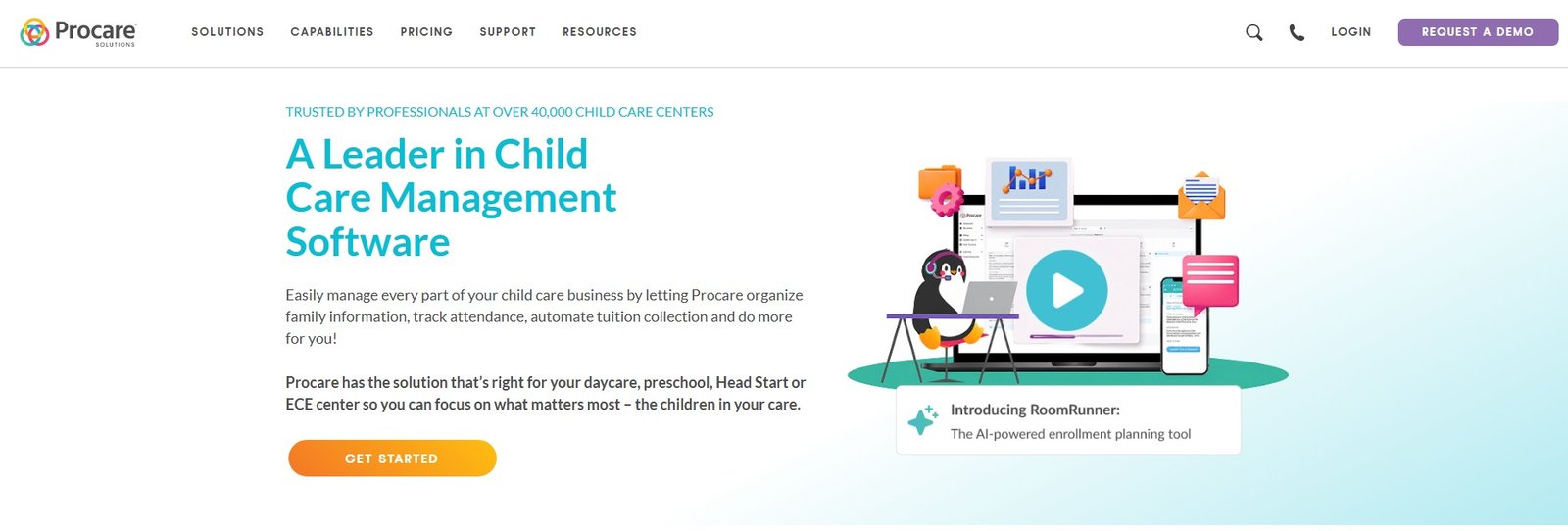
Procare absolutely does communication too, family messaging, photos, alerts, and it is perfectly competent. But it reads as a capable module bolted onto a business platform rather than the heart of it. For a small in-home or single-room program where the parent relationship is everything, Brightwheel usually feels better to families.
There is a staffing angle here that buyers underrate. The platform your teachers fight with every afternoon is the one they will quietly stop using, and a daily-reports system that teachers abandon is worse than no system at all, because parents come to expect updates and then the updates dry up. Brightwheel’s edge is partly that teachers actually keep using it, which keeps the parent-facing promise intact. Whichever way you lean, ask your floor staff to test the daily-logging flow during a trial, not just the director.
If “the parents love our app” is part of your marketing, lean Brightwheel. This is also the area most relevant to our AI tools for preschool teachers roundup, where the daily-documentation burden is the thing teachers most want lifted.
Billing, subsidies, and the financial back office
Here the table turns, and Procare’s decades in the market show. Both tools handle automated invoicing, online payments, and tuition collection well enough for a straightforward program. The gap opens on the messy stuff: complex tuition discount structures, sibling discounts, subsidy and co-pay tracking across multiple agencies, family account ledgers, and the financial reporting an owner or bookkeeper actually lives in.
Procare handles more of those edge cases natively, and it integrates with QuickBooks, Gusto, and Checkr so your childcare books, payroll, and background checks do not live on three islands. Brightwheel has solid billing and subsidy tracking, and for most single-site programs it is genuinely enough. But if your finances are complicated, or you are the kind of operator who reconciles every month, Procare is the more grown-up tool.
For the broader operational picture across a center, our AI tools for daycare centers guide covers how billing fits alongside attendance, ratios, and staff workflows.
Ease of use and setup
Brightwheel wins setup speed and day-to-day simplicity. Most directors get running within a day, staff describe it as easy to learn, and the live-chat help tends to respond quickly. For a small team without a dedicated admin person, that matters more than any single feature.
Procare is more capable and, predictably, more to learn. Reviewers consistently note a steeper learning curve and longer support waits, sometimes the better part of an hour during busy periods. None of that is a dealbreaker for a center with an office manager who will own the system, but it is a real cost for a tiny program where the director is also the cook, the closer, and the IT department.
Multi-site and scale
If you run one location, this section may not change your mind. If you run several, it might decide it.
Procare is the more natural fit for multi-site operators and franchises that need consolidated reporting, centralized billing control, and standardized compliance across locations. That back-office depth scales into a chain cleanly.
Brightwheel supports multiple locations too, and plenty of small groups run on it happily, but as the org chart and the financial complexity grow, the simplicity that makes Brightwheel lovely at one site can start to feel thin. The honest line: single-site and small groups, either works; serious multi-site with complex finances, Procare has the edge.
A useful gut check: if you can imagine a regional manager who needs to compare revenue, ratios, and compliance across five sites in one dashboard, you are describing Procare’s natural territory. If each of your locations is run semi-independently by a director who mostly cares about their own families and their own room, the multi-site question matters far less, and Brightwheel’s per-site simplicity can win even across a small group.
Pricing and value
We will not quote exact numbers as gospel, because both vendors price by quote and change it, so confirm everything on the Brightwheel and Procare pages directly. But the two pricing models are structurally different, and that difference matters more than any single figure.
Brightwheel prices by enrollment tier. A center with more enrolled children pays more, even if the administrative workload is similar. For tiny programs the entry point is low (Brightwheel has referenced figures in the low tens of dollars a month for the smallest programs), but as you grow the monthly fee climbs, and for large centers it can reach into four figures a month. The model is clean and predictable, but it scales with your success.
Procare tends toward a lower flat base (often cited around the mid-double-digits per month) plus add-on module fees and, frequently, kiosk hardware. Stack the modules most directors actually want plus a check-in kiosk and a small center commonly lands somewhere in the low-to-mid hundreds a month. The base looks cheaper; the real bill depends on which modules you bolt on.
The practical takeaway: a small, growing program with simple needs often pays less on Procare’s base but should price the modules it truly needs; a center that values the all-in-one parent experience often finds Brightwheel’s enrollment pricing worth it until enrollment gets large. Get a real quote from both with your exact headcount and module list. The sticker model is not the spend model.
Children’s data and privacy
This is non-negotiable and neither vendor’s marketing page leads with it, so we will. You are choosing a system that will hold children’s photos, videos, daily logs, attendance, health notes, and family contact details. Treat that as the most sensitive data your business handles, because it is.
Whichever platform you pick, confirm three things in writing before you sign: that photo and video sharing requires explicit, revocable parental consent and that families can opt a child out; that staff access is role-based so a teacher sees only their room and only what they need; and that the vendor’s data-handling, retention, deletion, and breach-notification terms are spelled out and acceptable to you. Both Brightwheel and Procare publish privacy and trust documentation, read it, do not skim it. And set an internal rule that AI features (auto-tagging, summaries, enrollment helpers) never make a decision about a child or expose a child’s image or data beyond the parents who consented. The software should reduce your liability here, not quietly add to it. This applies just as much to the in-home providers we cover in AI tools for nannies, where a single caregiver is the entire data-protection policy.
Brightwheel vs Procare at a glance
| Dimension | Brightwheel | Procare |
|---|---|---|
| Built around | Mobile-first parent app and classroom | Back-office, billing, and compliance |
| Family communication | Strongest feature, app parents actually open | Capable, more of a module than the core |
| Billing and subsidies | Solid, enough for most single sites | Deeper: complex discounts, co-pay, ledgers |
| Accounting integrations | Payroll sync, fewer third-party ties | QuickBooks, Gusto, Checkr and more |
| Ease of use and setup | Running within a day, fast live chat | Steeper curve, longer support waits |
| Multi-site and scale | Fine for small groups | Stronger for chains and franchises |
| Pricing model | By enrollment tier, scales with headcount | Lower flat base plus modules and hardware |
| Best fit | Comms-first programs wanting simplicity | Finance-heavy or multi-site operations |
Our verdict
Choose Brightwheel if your priority is a delightful parent experience, fast setup, daily reports and communication that families actually use, and a single-site or small-group program with reasonably straightforward finances. It is the easier tool to love and the faster tool to launch, and for a large share of centers that is exactly the right call. The risk to watch is enrollment-based pricing as you scale, so model your fee at the size you expect to be in two years, not the size you are today. If you want to go deeper before deciding, our Brightwheel review breaks down where it earns its rating and where enrollment-based pricing starts to bite.
Choose Procare if your business is run from the books outward: complex tuition and subsidy structures, multi-site reporting, deep accounting integrations, and an office manager who will own and operate the system. You trade some simplicity and setup speed for financial depth that a growing or multi-location operation will genuinely use.
When the honest answer is a third tool: if your real problem is a tiny in-home program on a shoestring, both of these may be more platform than you need, look at lighter or lower-cost options first, and remember that the cheapest base plan still costs you the hours it takes to learn it. If your pain is mostly curriculum, assessment, and documentation rather than billing or communication, a learning-focused platform may serve you better than either all-in-one. And if you are a single nanny or a micro-program, a full center-management suite is probably overkill. But for the typical daycare or preschool weighing the two category leaders, it comes down to the one trade we keep returning to: Brightwheel for the parents and the speed, Procare for the books and the scale. Pick the headache you most want gone, then get a real quote from both before you sign.

Written by
FazFaz is the founder of AIToolsBakery. Some tools here are tested hands on. Others are assessed from vendor documentation and pricing verified on the live page, and every review says which one it is. Sponsors can buy a position in a guide. They cannot buy the score, the criticism, or silence about a better option.
How we test and how we make money →