Virtual staging has quietly become standard in real estate, and AI made it cheap enough that almost any listing can afford it. The catch is that “best” depends entirely on who you are: a high-volume agent, a luxury listing, or a seller doing it yourself have completely different needs.
Faz says: The thing nobody tells you about virtual staging tools is that the “best” one changes with your job. An agent listing forty homes a month needs speed and a low per-image cost. A luxury broker needs flawless, human-checked images and does not care about a 24-hour wait. A seller staging one room wants a free first try. So this guide does not crown a single winner. It sorts the tools by who they are actually for, which is the only ranking that helps you.
Saru says: How this guide was built: tools shortlisted and assessed from official documentation and per-image pricing, with G2 and Capterra ratings aggregated, current to 2026. Industry figures cited are from published real-estate and staging reports. Confirm current pricing before buying, since per-image rates change often.
Quick verdict: best AI virtual staging tools at a glance
| If you are… | Go with | Rough price |
|---|---|---|
| A high-volume agent | Virtual Staging AI (Zillow) | ~$16 to $20/image or subscription |
| Cost-conscious at scale | Collov | From ~$16/mo (as low as ~$0.23/image) |
| A DIY seller on a budget | ApplyDesign | First image free, DIY ~$7/image |
| Listing luxury homes | BoxBrownie | AI plus human review, premium per image |
| Designing as well as staging | Collov | Crosses interior design and staging |
Short version: high volume and speed point to Virtual Staging AI; lowest cost per image points to Collov; a free first try points to ApplyDesign; flawless luxury images point to BoxBrownie.
Why virtual staging matters in 2026
The case for staging is no longer in dispute. Industry reports indicate a large majority of listing agents now consider virtual staging important for selling, and staged listings consistently draw more views and sell faster than vacant ones. AI is what made it accessible: where traditional staging cost hundreds per room and physical staging cost thousands, AI staging now runs from about $1 to $20 per image, with some platforms cheaper still at volume.
That price collapse is why this is now a tool decision rather than a budget decision. The question is not whether to stage, but which tool fits how you work.
The distinction that matters: pure AI vs AI plus human
Before the use cases, one split decides a lot. Pure AI tools (Virtual Staging AI, Collov, ApplyDesign’s AI mode) generate a staged image in seconds to minutes, at the lowest cost, with the occasional imperfection you accept for speed and price. AI plus human tools (BoxBrownie’s hybrid model) use AI for the first pass, then have human editors review and refine every image, trading instant delivery for consistently polished, luxury-grade results on a 24-hour turnaround.
Neither is better in the abstract. High-volume, price-sensitive work wants pure AI. Luxury listings where one off detail loses a buyer want the human pass.
Use case 1: the high-volume agent
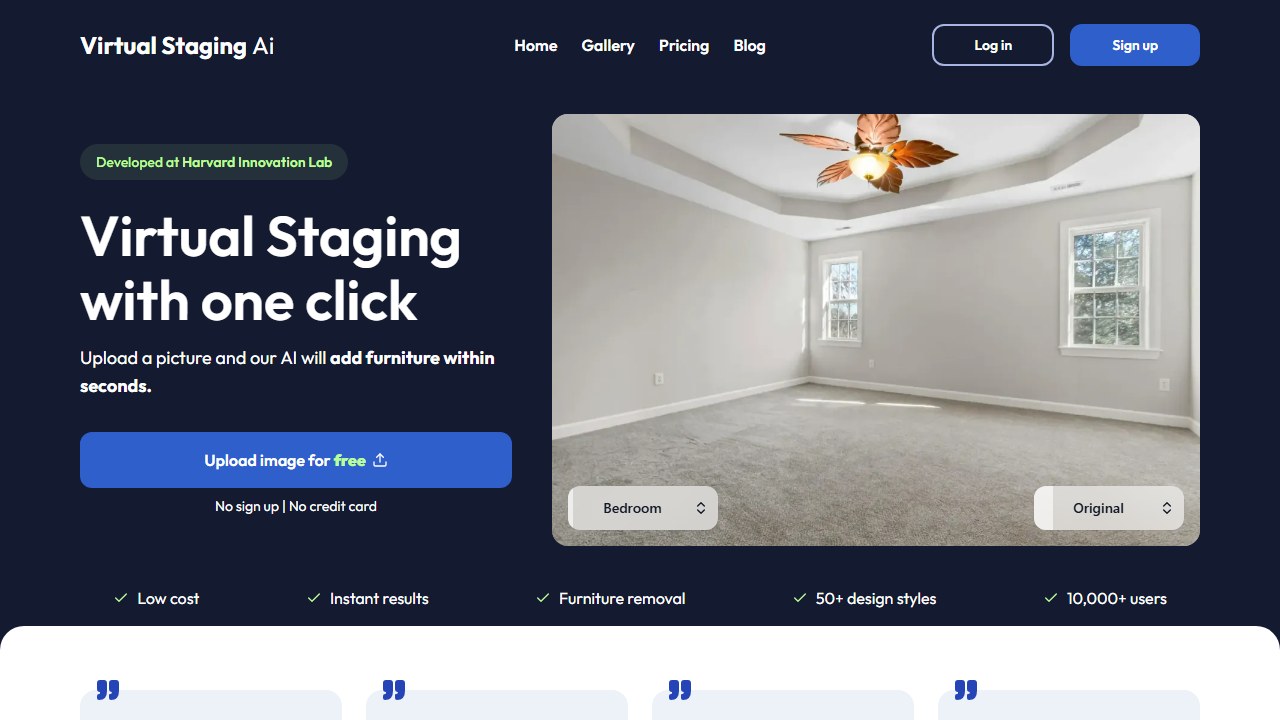
If you list many properties and need staged photos fast, speed and per-image cost dominate. Virtual Staging AI, acquired by Zillow in late 2024, is built for exactly this: fast, affordable staging at scale, with integration into Zillow’s Showcase so staged photos can flow toward listings. For agents already in the Zillow ecosystem, that pipeline is a real advantage.
Use case 2: cost-conscious at scale

When per-image price is the deciding factor, Collov is the standout, with effective pricing as low as around $0.23 per photo on higher tiers, far below many rivals. It also brings a brush tool for precise, single-element edits, which we cover in our full Collov review. For teams staging in volume on a budget, it is hard to beat on cost.
Use case 3: the DIY seller

If you are staging your own listing or just want to test the idea, ApplyDesign lowers the barrier with a free first image and DIY staging from around $7 per image using a drag-and-drop editor. It is the easiest low-commitment way to see what staging does for a room before spending real money.
Use case 4: the luxury listing
For high-end properties where image quality is non-negotiable, BoxBrownie takes the hybrid route: AI for the initial staging, then human editors refine every image for consistently polished results, with a 24-hour turnaround rather than instant delivery. The premium per-image cost buys a level of finish pure AI does not yet guarantee.
Use case 5: designers who also stage
If you do interior design work and stage as part of it, the tools blur together. Collov and Interior AI both span design and staging, which is why they appear in our AI tools for interior designers guide too. Using one tool across both jobs keeps your workflow and style consistent.
The virtual staging decision matrix
| Your situation | Best pick | Why |
|---|---|---|
| High listing volume, need speed | Virtual Staging AI | Fast, scalable, Zillow integration |
| Lowest cost per image | Collov | As low as ~$0.23/image at volume |
| Staging one listing, DIY | ApplyDesign | Free first image, ~$7 DIY |
| Luxury, flawless images | BoxBrownie | AI plus human review |
| Designing and staging both | Collov / Interior AI | Span design and staging |
Saru says: Per-image pricing is approximate and changes often. Most tools offer a free trial or a free first image, so test on your own listing photos before committing to a plan.
The honesty line: disclose your staging
One rule sits above tool choice. A virtually staged image shows a room’s potential, not the furniture included in the sale, and buyers should always be able to tell. Most listing services and many jurisdictions require that staged photos be disclosed as digitally enhanced. Use staging to help buyers imagine the space, never to misrepresent what is actually there. The tool is neutral; the disclosure is your responsibility.
Common virtual staging mistakes that cost you buyers
A few errors separate staging that sells from staging that backfires.
Over-furnishing the room. The instinct is to fill the space, but a crowded staged room reads smaller and busier. The best staging uses fewer, well-chosen pieces so the room feels larger and the architecture shows. More furniture is not more appeal.
Staging in the wrong style for the market. A minimalist loft aesthetic in a family suburb, or heavy traditional furniture in a modern condo, signals that the listing does not understand its buyer. Match the staged style to who actually buys in that area, not to your personal taste.
Staging away the problems. Using AI to hide a cramped layout, an awkward column, or a dark room sets up disappointment at the showing. Buyers feel misled when the in-person space does not match the photos, and that kills trust faster than an empty room ever would. Stage to show potential, not to deceive.
Skipping the disclosure. Beyond the ethics, undisclosed staging can violate listing-service rules and local regulations. A simple “virtually staged” label protects you and sets honest expectations.
Mismatched lighting and scale. The most common technical tell of cheap staging is furniture lit differently from the room, or sized wrong for the space. Whichever tool you use, check that added pieces match the photo’s light direction and realistic proportions before the image goes live.
Field note The single best habit: stage the room you are actually selling, in the style its real buyer wants, and label it as staged. Tools make the image; that judgment makes the sale.
What AI virtual staging still cannot do
It cannot fix a genuinely bad photo, hide a fundamental layout problem, or replace the judgment of knowing which style sells in a given market. It produces a convincing image of a furnished room, and that image is genuinely valuable because an empty room photographs poorly and sells slowly. But the staging choices, the disclosure, and the read on what a local buyer responds to remain yours.
The honest virtual staging buyer’s framework
Real estate agents shopping virtual staging tools in 2026 fall into three pricing brackets, and the right tool depends on which one you are in. High-volume listing agents staging 20+ photos a month want subscription tools (Virtual Staging AI, Spacely AI, BoxBrownie’s AI). Mid-volume agents at 5 to 20 photos per month should test pay-per-image services first to see whether the volume justifies a subscription. Low-volume agents at under 5 photos a month should stick to pay-per-image or use a free trial whenever they actually have a listing.
The other dimension that matters: listing price point. Sub $500K listings buyers expect quick, attractive, slightly stylized output. Photo-realism is nice but not required. $500K to $2M listings demand photo-realism that survives a 27 inch monitor and a careful look. $2M+ luxury listings really need a human stager or a virtual staging specialist who hand-corrects every output. Buying at this level often inspects the stager more than the photos.
What separates good AI virtual staging from bad
Five quality markers separate the credible AI virtual staging tools from the rest in 2026. First, accurate floor and wall perspective: the staged furniture has to align with the room geometry, not float at odd angles. Second, realistic shadows that match the room’s actual lighting direction. Third, materials that look like the materials your buyer will see in person: real wood grain, real fabric texture, real metal finishes. Fourth, scale fidelity: sofas, beds, and dining tables sized correctly to the room dimensions. Fifth, consistent style across multiple images in the same listing, so the photos look like one decorator did the whole house.
The tools that fail on these markers produce images that look “AI-generated” within 30 seconds of inspection. The tools that pass produce images you would have to study to detect. The market is currently split: about three or four tools clear all five markers consistently, and another dozen or so clear two or three. Test before you commit.
Compliance and disclosure in 2026
Most MLS systems now require an AI staging disclosure on listing photos that have been virtually staged. The National Association of Realtors updated its Code of Ethics in 2025 to require disclosure when photos have been materially altered, and every state real estate commission I have checked aligns with that guidance. Disclosure language is typically a small caption like “virtually staged” or “AI staging shown” embedded in the photo or the listing description.
The legal risk of not disclosing AI-staged photos is real but manageable. The most common complaint is a buyer who claims they relied on staged photos when deciding to tour a property and felt misled. Honest disclosure prevents this entirely. The tools themselves are not the issue; opaque use of them is. Build disclosure into your workflow and the legal risk drops to near zero. Skip disclosure and you are betting against a buyer’s grievance.
Where AI virtual staging breaks down
Three property types still resist AI virtual staging in 2026. Properties with extreme architectural quirks (curved walls, sunken rooms, slanted ceilings, atypical room shapes) confuse most AI tools because the training data is biased toward standard rectilinear rooms. Properties shot in very dim lighting produce muddy AI outputs because the underlying photo lacks the detail the AI needs. Properties with significant clutter or existing furniture pre-AI staging produce inconsistent results because the AI is trying to subtract and add at the same time.
The workaround for all three is the same: get cleaner source photos. Hire a real photographer for the listing, ask for empty-room shots with bright daylight, and stage from those. The AI tools that fail on quirky properties can succeed on the same properties when the source material is shot for staging from the start. The cost of one professional photo session is usually recovered in one extra showing the better photos generate.
The verdict by buyer type
For volume listing agents, Virtual Staging AI and Spacely AI remain the strongest 2026 picks for the speed and price profile. Volume agents who want hand-corrected output should stay with BoxBrownie despite the human-in-the-loop overhead. For luxury listings, no AI tool is the right answer; pair with a virtual staging specialist instead. For commercial real estate (offices, retail, restaurants), Coohom and IKEA Kreativ are stronger picks than the residential-first tools because the commercial training data is richer.
For new construction renderings (pre-build marketing), specialized tools like Veras and Aino lead because they work from architectural renders rather than photos. For agents who want a single subscription that covers most listings, start with Virtual Staging AI’s mid tier, layer in BoxBrownie for the listings where the AI output disappoints, and reserve the human stager for the luxury inventory. That three-tier stack covers 95 percent of agents at 30 to 60 percent of the cost of using human stagers for everything.
Real estate photography pre-stage checklist
The best AI virtual staging output starts with the best source photos. Before you shoot a property you plan to virtually stage, run through this five-step checklist. Step one: empty the room completely, including small items, rugs, and wall decor. The AI struggles when it has to subtract existing furniture before adding new pieces. Step two: open every blind and turn on every light. Bright, even daylight is the single biggest predictor of clean AI output. Step three: shoot at a 24mm to 35mm equivalent focal length, eye-level, with the camera squared to the room geometry. Wide-angle phone shots produce distorted perspectives the AI cannot correct. Step four: capture multiple angles per room (corner, doorway, focal wall). Different angles work better for different AI tools. Step five: shoot in RAW or high-quality JPEG, not phone-default compressed photos.
Following this checklist takes 10 minutes per room and lifts AI staging quality measurably. Skipping it produces results that look “AI-generated” within seconds. The price of a single professional photographer for a listing day is usually recovered in one extra showing the better photos generate.
Style libraries and brand consistency for 2026 agents
Listing agents who use AI virtual staging across multiple listings benefit from building a consistent style library. Pick two or three signature aesthetics (e.g., contemporary minimalist for younger urban listings, traditional transitional for suburban families, coastal casual for vacation properties) and reuse those styles across every listing in the matching category. Buyers tour multiple listings in your portfolio, and consistent staging produces a recognizable brand signal that makes your listings feel professional and intentional.
The agents skipping this step end up with a Frankenstein portfolio where every listing has a different aesthetic depending on which preset the AI used. Buyers notice this even if they cannot articulate it. The brand signal of consistent staging is one of the cheapest differentiation moves available to listing agents in 2026.
The 2026 buyer’s verdict by listing volume
Solo agents listing 1 to 5 properties a month: skip subscriptions, use pay-per-image services like BoxBrownie or VirtualStagingAI’s per-image option. Total monthly cost lands at $20 to $80 depending on listings. The math works because subscription tools require enough volume to amortize.
Volume agents listing 5 to 20 properties a month: subscribe to Virtual Staging AI or Spacely AI mid tier. Total monthly cost lands at $50 to $150, which is cheaper per image than pay-per-image services once you cross the breakeven point around 8 to 10 photos a month. Brokerage teams listing 20+ properties a month per agent: enterprise plan from Virtual Staging AI or BoxBrownie, with the brokerage covering the cost as part of agent support. Total cost spread across the team typically lands at $20 to $50 per agent per month, which is one of the cheapest agent-tooling investments a brokerage can make.
The 2026 outlook for AI virtual staging
The AI virtual staging category will mature substantially in 2027. Three trends are visible already: better video walkthroughs from still photos, integration directly into MLS upload flows, and tighter compliance disclosures embedded automatically in output. The tools leading today (Virtual Staging AI, Spacely AI, BoxBrownie) are well-positioned for those shifts; the lower-tier tools may not keep pace.
Agents shopping today should pick a tool with at least one of three signals: clear roadmap communication, regular feature releases, or strong vendor financials (acquisitions, funding, growth metrics). Tools without any of those signals carry switching risk a year from now.
The honest 2026 verdict
AI virtual staging is now production-grade for residential listings under $2M in most markets. Agents producing 5+ staged photos a month benefit from a subscription. Agents under that volume should stick with pay-per-image services. Luxury listings still benefit from human stagers or AI plus a human review layer. The competitive moat in 2026 belongs to tools that produce realistic shadows and consistent style across multiple rooms; tools that fail those tests will lose ground as buyers become more sophisticated at spotting AI artifacts.
More AI tool guides worth reading: Coohom vs Planner 5D, Spacely AI vs Collov AI and Coohom Review.
Tools mentioned in this guide

Written by
FazFaz is the founder of AIToolsBakery. Some tools here are tested hands on. Others are assessed from vendor documentation and pricing verified on the live page, and every review says which one it is. Sponsors can buy a position in a guide. They cannot buy the score, the criticism, or silence about a better option.
How we test and how we make money →