Writing a listing description is a small task that agents do constantly, and it is exactly the kind of work AI does well. A good generator turns a set of property facts into a polished description in seconds, freeing you to spend your time with clients instead of staring at a blank box. The catch is fair housing: an AI can produce discriminatory language without meaning to, so the best tools build in compliance help. This guide ranks the best AI real estate listing description generators for 2026.
Short answer: The best AI listing description generators in 2026 are ChatGPT and Claude for flexible general writing, ListingAI for a dedicated tool with a fair-housing compliance monitor, EstatePass for a strong free option, Epique for an all-in-one real estate suite, and ListingCopy.ai for MLS auto-import. Always review output for fair-housing compliance.
How we ranked these tools
We judged each tool on output quality, real estate fit, fair-housing safeguards, ease of use, and price. We take no payment for placement. The single most important criterion is one buyers overlook: fair-housing safety. Never let any of these tools describe the ideal buyer, characterize a neighborhood by its residents, or state who a home is right for, and always review the draft before publishing. The best tools help with this, but the legal responsibility is yours.
Quick comparison
| Tool | Best for | Starting price |
|---|---|---|
| ChatGPT / Claude | Flexible general writing | Free tier, ~$20/mo |
| ListingAI | Dedicated tool with compliance monitor | Free tier, paid plans |
| EstatePass | Strong free generator | Free |
| Epique | All-in-one real estate content suite | Free |
| ListingCopy.ai | MLS auto-import | ~$29/mo |
1. ChatGPT and Claude: best general writing engines
ChatGPT and Claude are the most flexible and capable option, and both have free tiers with paid plans around $20 per month. Feed them the property facts and a sample of your brand voice, and they draft MLS descriptions, email blasts, and social copy in seconds, in whatever tone you want. The tradeoff is that the fair-housing guardrails are not built in, so the discipline of reviewing and editing every draft falls entirely to you. For agents comfortable writing a good prompt, these general models are the highest-value option and the cheapest per word.
2. ListingAI: best dedicated generator
ListingAI is a purpose-built real estate listing tool, used by tens of thousands of agents to create listings, with access to leading AI models from one account. Its standout feature is a compliance monitor that scans for potential fair-housing violations and suggests alternative wording, which is exactly the safeguard a general model lacks. For agents who want a tool that actively helps them stay compliant rather than relying on their own vigilance, ListingAI is the strongest dedicated pick.
3. EstatePass: best free generator
EstatePass offers listing descriptions with multiple writing styles, fair-housing compliance checks, and multi-language support, with unlimited free generations. For an agent who wants a capable, compliance-aware generator without paying, it is a genuinely strong free option and an easy one to try on your next listing.
4. Epique: best all-in-one real estate suite
Epique is a free all-in-one AI tool built for real estate, offering listing descriptions alongside blog posts, agent bios, and social content, with real estate terminology and guardrails baked in. Its listing-description quality and customization can lag behind the most focused tools, but for an agent who wants one free suite covering many content jobs rather than a single-purpose generator, Epique is a convenient home base.
5. ListingCopy.ai: best for MLS auto-import
ListingCopy.ai is a paid option, around $29 per month, whose edge is MLS auto-import: it pulls the property data directly rather than making you retype it, which saves real time for agents writing many listings. For a busy listing agent who values the workflow shortcut of importing facts automatically, that convenience can justify the subscription.
Listing copy is one piece of the marketing puzzle. Our roundup of the best AI marketing tools for real estate agents covers the rest: social content, ad management, listing video, and AI direct mail.
Which one should you choose?
- You want maximum flexibility and the lowest cost: ChatGPT or Claude.
- You want built-in fair-housing help: ListingAI or EstatePass.
- You want a free all-in-one content suite: Epique.
- You write many listings and want MLS auto-import: ListingCopy.ai.
Fair housing is the real risk, not the prose
Every tool on this page will write you a competent paragraph. None of them will reliably keep you compliant, and that is the part that carries actual liability. The Fair Housing Act prohibits advertising that indicates a preference, limitation, or discrimination based on race, color, religion, sex, disability, familial status, or national origin. Listing descriptions are advertising.
The specific danger with AI generators is that they are trained on decades of real listing copy, including the era before enforcement tightened. Ask for something warm and inviting and the model will happily reach for phrasing that agents were taught to stop using. The patterns that get flagged most often:
- Describing the buyer instead of the property. “Perfect for a young family,” “ideal for empty nesters,” “great starter home for newlyweds.” Familial status is protected. Describe the four bedrooms, not who should sleep in them.
- Ability assumptions. “Walking distance to the shops,” “must be able to handle stairs.” Say “0.3 miles from” instead.
- Community characterisation. “Safe neighborhood,” “exclusive area,” “good schools,” “quiet, established community.” These read as proxies for protected classes even when nothing was meant by them.
- Religious references. Naming nearby places of worship as a selling point, or seasonal language tied to one faith.
The rule that keeps you clear is boring and effective: describe the property, never the person you imagine buying it. A model given that instruction explicitly will follow it. A model given “make it sound welcoming” will not.
A prompt that produces usable copy on the first pass
Most bad AI listing copy comes from a bad prompt. Generic input produces the beige paragraph everyone recognises as machine-written. Give the model the actual facts and constraints and the output changes completely:
Write an MLS listing description for the property below.

FACTS
- [beds] bed, [baths] bath, [sqft] sq ft, built [year]
- Standout features: [3 to 5 specifics, e.g. south-facing garden, 2024 roof, butler's pantry]
- Recent updates and their year: [list]
- Lot: [size and notable detail]
- Distance in miles to: [transit / employer / amenity, as distances not adjectives]

RULES
- 180 to 220 words. Lead with the single most unusual feature, not the bed and bath count.
- Describe the property only. Never describe or imply who should live here.
- No familial status, no ability assumptions, no neighborhood-quality adjectives,
  no religious references, no "safe", "exclusive", "walking distance", or "good schools".
- Use distances and numbers instead of subjective quality words.
- No exclamation marks. No more than one adjective per noun.
- End with a concrete next step, not a sales plea.
Run the output through one more pass with a single instruction, “flag anything in this description that could be read as describing the buyer rather than the property,” and you catch most of what slipped through.
Check these four things before you publish
- Every number. Models confidently invent square footage, lot size, and build years when the prompt is thin. Cross-check against the tax record, not your memory.
- Features that do not exist. AI fills gaps. If you did not list a fireplace, make sure one did not appear.
- Protected-class language. The list above, read once, slowly.
- Character count against your MLS field limit. Most cap the public remarks field, and a description that truncates mid-sentence looks worse than a short one.
None of the tools on this page do all four for you. The compliance features that dedicated real estate generators advertise are pattern filters, not legal review, and the agent whose name is on the listing owns the copy either way.
Where the figures on this page come from
Every price here was read from the vendor’s own pricing page on 4 September 2026, not from an aggregator or a review site. Each figure carries that date, because pricing in this market moves and a claim without a date is not checkable.
The pages we read
Buildium publishes $62, $192 and $400 a month plus a detailed fee schedule. DoorLoop publishes $69, $149 and $209 a month billed yearly with per unit equivalents. TurboTenant publishes a free tier plus $12.42 and $16.48. TenantCloud publishes $15 to $50 a month on annual billing. RentRedi publishes $12 a month on the annual plan. Hemlane, Rentec Direct and Landlord Studio all publish in full, as do Follow Up Boss at $69 per user, Wise Agent at $49, and Placester from $59.
The ones we could not read
AppFolio, Innago, Top Producer and Hostaway did not yield a figure to the same method that read every vendor above, and Lofty’s pricing page carried no plan rates. We are not presenting that as proof they publish nothing, because a failed read is not evidence of absence. Treat any figure for those five from elsewhere as unverified.
What we do not do
We do not carry a figure we cannot source to the vendor. Where a number circulates and cannot be traced, we say so and withdraw it rather than repeating it with a hedge, and we have withdrawn our own published figures on that basis more than once.
Virtual staging and AI imagery, and the disclosure rules that come with them
AI staging is one of the few genuinely transformative tools in this industry, and also the one most likely to create a complaint if handled carelessly.
Disclose it, every time, on every image
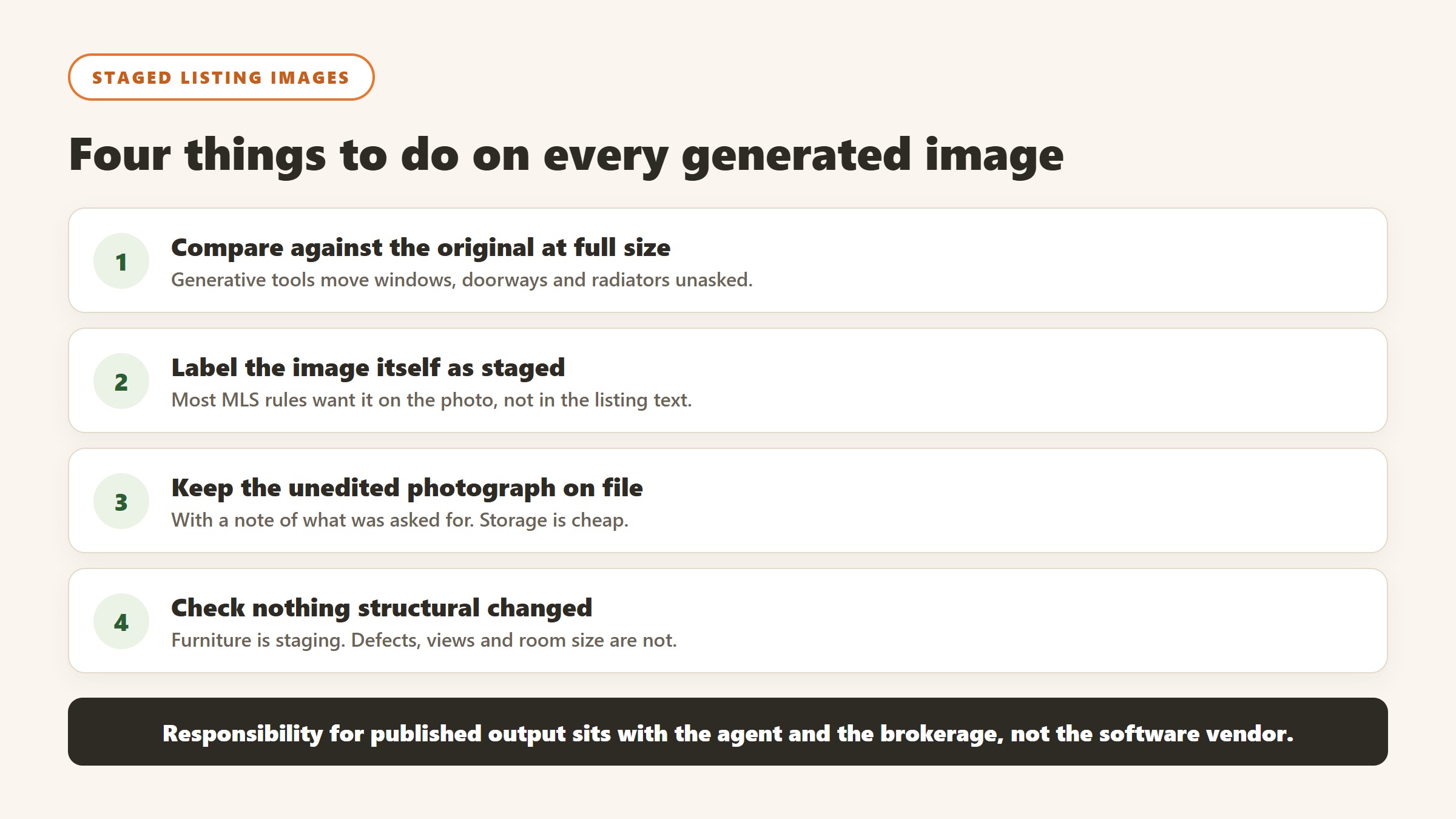
Most MLS rules and state regulations require virtually staged photographs to be labelled as such, and the requirement is usually about the image itself rather than a note elsewhere in the listing. Label every staged image visibly. This is not a grey area worth exploring, the cost of compliance is a caption, and the cost of non-compliance is a complaint that follows the agent rather than the software.
Never alter what cannot be changed
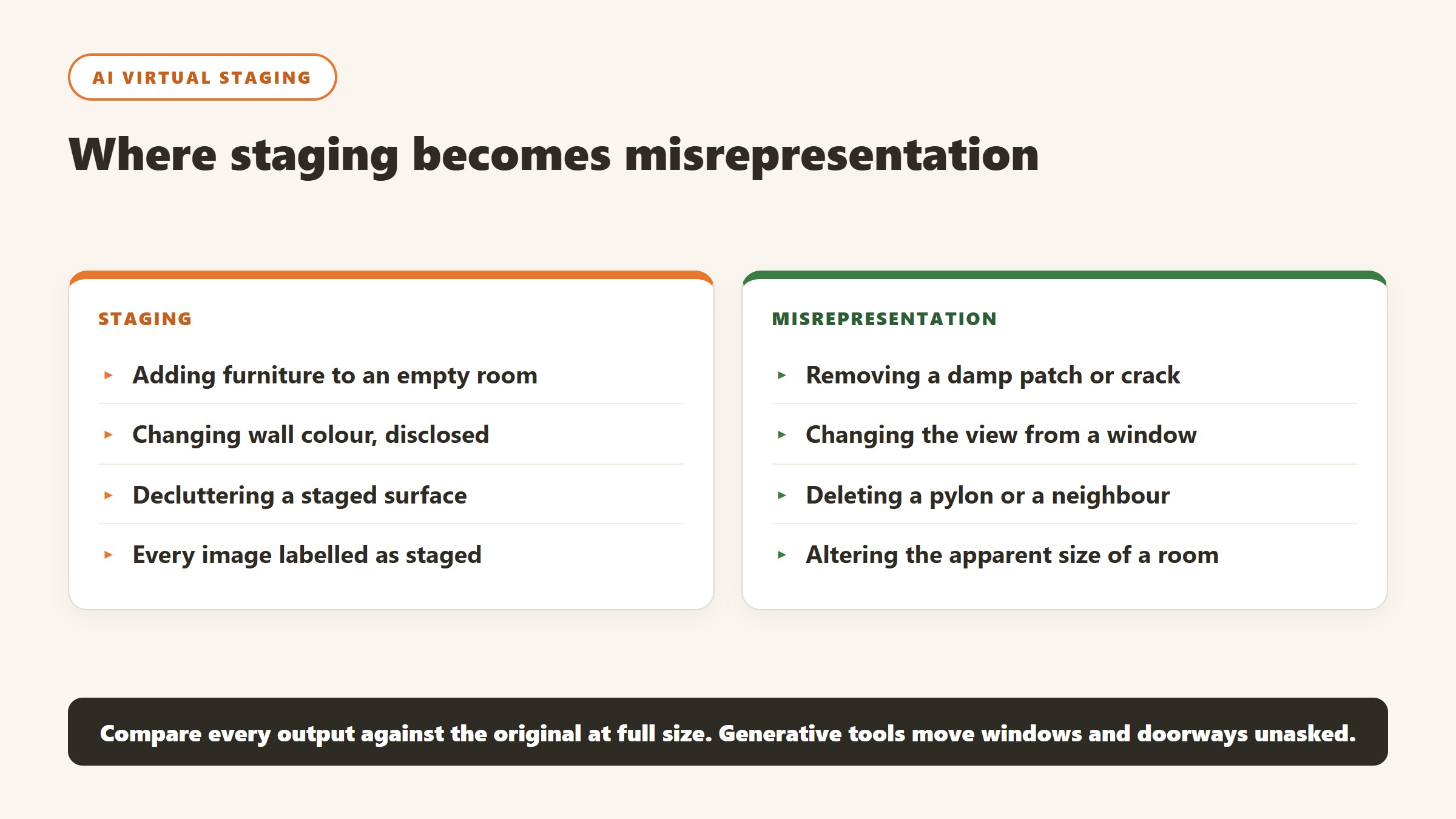
The line that matters is between furnishing an empty room and misrepresenting the property. Adding a sofa is staging. Removing a damp patch, straightening a subsiding wall, changing the view from the window, deleting a pylon or altering the apparent size of a room is misrepresentation, whichever tool produced it. Write that distinction into your process, because a generative tool will happily do all of them if asked.
Check what the model quietly changed
Generative staging frequently alters things nobody asked it to: a window becomes larger, a doorway moves, a radiator disappears, the floor changes material. Compare every output against the original at full size before publishing. This is the single most common failure in practice, it is entirely avoidable, and it is far more likely to cause a problem than the staging itself.
Price it against the alternative honestly
The comparison for AI staging is not another AI tool, it is what you were doing before: physical staging at a scale most listings never justify, a human virtual stager per image, or empty rooms. For a mid-market listing the honest question is whether the images shorten time on market or lift the price enough to notice. Track that on your own listings for a quarter rather than accepting a vendor case study, because your market is the only sample that matters.
How to tell whether the tool paid for itself
Real estate software is unusually easy to evaluate honestly, because the outcomes are countable. Most teams still do not do it, and the renewal conversation becomes an argument about impressions.
Pick the metric the tool is supposed to move
For a lead platform it is cost per closed transaction. For property management software it is hours of admin per unit per month, and days to fill a vacancy. For staging it is days on market and list-to-sale ratio. For screening it is time to approve and the rate of problem tenancies. Each of those is available from records you already keep, and each needs a figure from before you started.
Take the baseline before you switch anything on
You need last year of the metric from a source the project did not touch. This is the step that gets skipped and it is the reason most of these purchases can never be evaluated. It costs an hour. Ask the two or three people whose work will change to record how long the target task takes them this month, because time saved is measurable in advance and unprovable afterwards.
Give it a full cycle before judging
Leasing and transactions are seasonal, so a six week read tells you very little. Judge lead tooling over at least two quarters, and property management tooling over a full turnover cycle, because the value shows up at move-out and move-in rather than in the quiet middle. Say that at the outset so an unremarkable month one is understood as expected.
Write the stop condition down first
Before purchase, name the result at twelve months that would mean you do not renew. It converts renewal from a default into a decision and it is the most effective discipline against a subscription that quietly becomes permanent. If nobody can name a result that would end it, the evaluation was never real.
How these purchases go wrong, and the early warning signs
Four patterns cover most of what we hear a year after a real estate software purchase, and all four are visible in the first month.
The migration that never finishes
The new system goes live, the old one stays open “for historical records”, and eighteen months later half the team still works in both. This is the most common and most expensive failure in property management software. Before signing, agree a cutover date, a named owner, and what specifically will not be migrated. Running two systems is worse than either.
Tenant-facing features nobody told the tenants about
Online payments, maintenance portals and application flows only save time when residents actually use them, and adoption depends entirely on how the change is communicated. A portal with 20% adoption creates more work than paper did, because you now run two processes. Plan the resident communication before go-live and measure adoption at thirty days.
The tool one person runs
One capable person builds the workflows and produces every report. They leave and it stops the same week. The warning sign is that nobody else has ever done a full month-end in the system. Have a second person do it once a quarter from written steps.
The fees that arrive after the subscription
Payment processing, screening, e-signatures, bank account setup and inspections are all charged separately by most vendors in this category and all of them are published. A business case built on the subscription alone will be wrong in year one, usually by a four figure sum. Build the model from the fee schedule, not the plan cards.
The bottom line
Listing copy is one of the safest, fastest wins in real estate AI, and you do not need to spend much to get it. General models like ChatGPT and Claude give you the most flexibility for the least money, while dedicated tools like ListingAI and EstatePass add the fair-housing safeguards that matter most. Try a free option first, keep a firm hand on compliance, and always edit before you publish. For the full agent toolkit, see our guide to the best AI tools for real estate agents.

Written by
FazFaz is the founder of AIToolsBakery. Some tools here are tested hands on. Others are assessed from vendor documentation and pricing verified on the live page, and every review says which one it is. Sponsors can buy a position in a guide. They cannot buy the score, the criticism, or silence about a better option.
How we test and how we make money →