You don’t need a gym membership or a personal trainer standing next to you to get fit in 2026. AI-powered workout apps have reached a point where they genuinely adapt to your fitness level, your schedule, and your goals, without the awkward small talk. If you’re a beginner, that matters a lot, because the worst thing an app can do is throw an advanced programme at you on day one and watch you quit by day three.
I’ve spent the last several months testing apps specifically with beginners in mind: people who have never followed a structured programme, people returning after a long break, and people who just don’t know where to start. Here are the seven best options.
The best AI personal trainer apps for beginners in 2026 are Caliber, Freeletics, FitOn, Future, Nike Training Club, Sweat, and Tempo. Each adapts workouts to your level, tracks progress, and guides you through sessions without needing gym equipment.
At a glance: the best AI personal trainer apps for beginners in 2026
| App | Best for | Free tier | Starting price | Coach included |
|---|---|---|---|---|
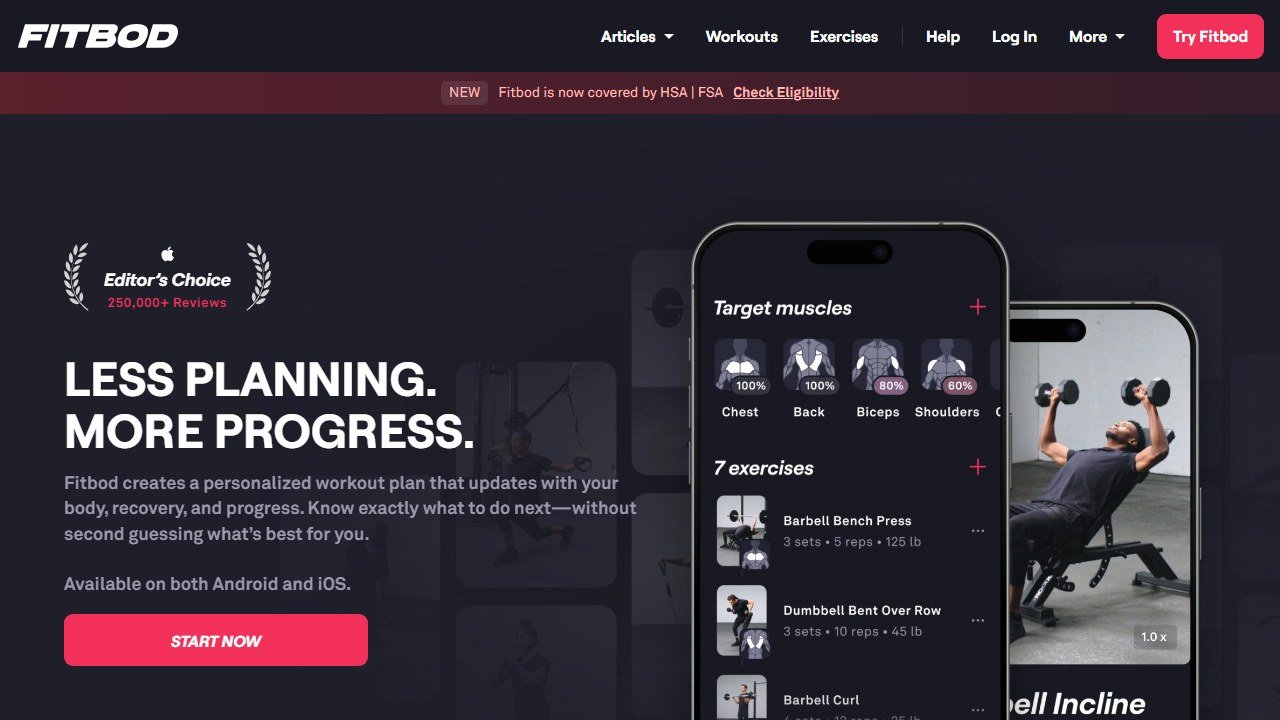
| Fitbod | Adaptive AI programming | 3 free workouts | $13/mo | No (AI only) |
| Caliber | AI + human coach | Free Strength tier | $200/mo (premium) | Yes |
| Future | Celebrity-trainer coaching | No | $199/mo | Yes |
| FitBudd | White-label coaching | Trainer-led only | Varies | Yes (your coach) |
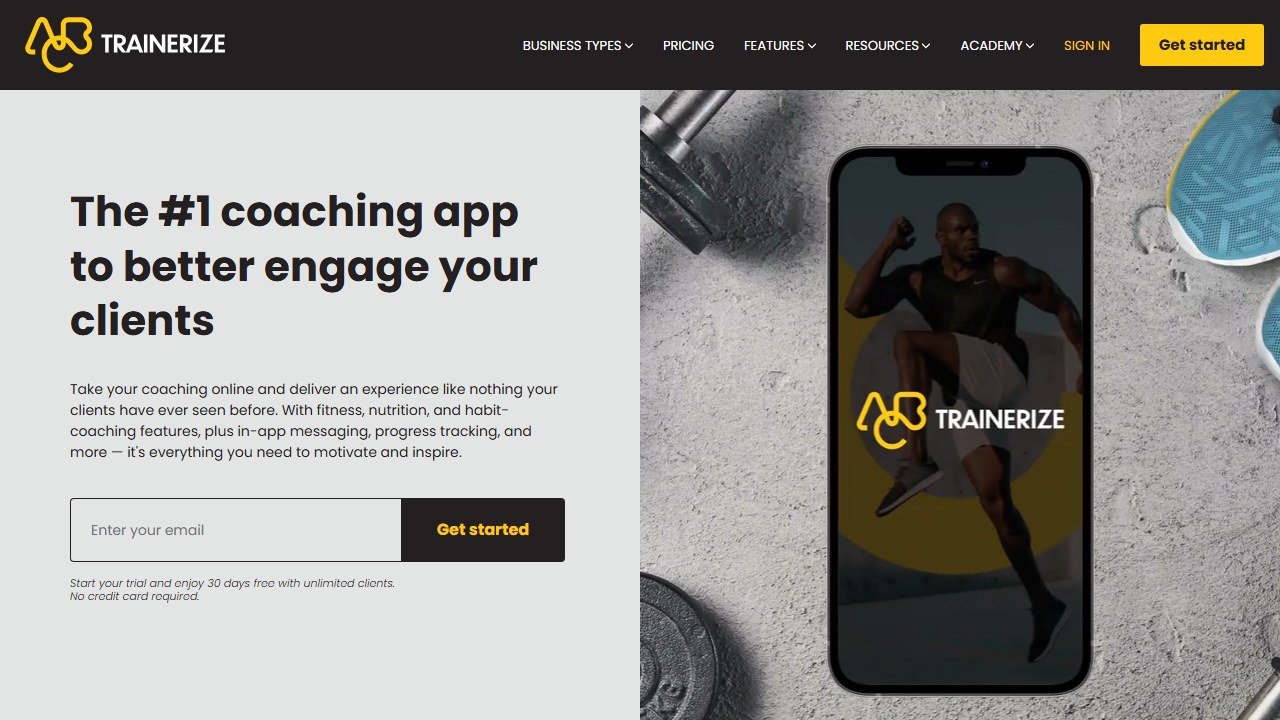
| Trainerize | Beginner-friendly logging | 14-day trial | $5/client/mo | Trainer-led |
What makes an AI personal trainer app good for beginners?
Before we get into the list, it helps to know what to look for. A easy-to-use AI trainer should do at least four things well:
- Onboarding that actually learns about you: not just age and weight, but injury history, available equipment, and honest fitness level.
- Progressive overload built in: the app should increase difficulty as you improve, not leave you doing the same workout forever.
- Form guidance: either through video demonstrations, AI pose feedback, or coach check-ins.
- Low barrier to start: no requirement for a rack of dumbbells or a monthly gym visit.
With those criteria in mind, here’s how each app stacks up.
1. Caliber: Best overall for beginners who want structure
Caliber sits in an unusual position: it pairs you with a real coach who is backed by an AI system that tracks your progress, adjusts your programme, and flags when you’re stalling. For a beginner, having a human in the loop is genuinely reassuring. The AI handles the data; the coach handles the motivation and form checks.
The free tier gives you access to the AI-generated programmes without a dedicated coach, which is a solid starting point. Upgrading to Caliber Premium (around $149/month) gets you a certified coach who reviews your logged workouts and messages you with adjustments.
What Caliber does particularly well is programme design logic. It doesn’t just give you random workouts. It builds a structured plan around your goal (fat loss, muscle gain, general fitness) and progresses you week by week. For beginners, this means you’re building a real foundation rather than hopping between random sessions.
The app tracks body weight, workout logs, and even sleep if you connect a wearable. The AI uses all of this to flag when you might be overtraining or under-recovering.
Pricing: Free (AI only) / $149/month (with coach)
Platforms: iOS, Android
Equipment needed: Gym or home gym with dumbbells/barbell
2. Freeletics: Best for no-equipment bodyweight training
Freeletics has been around since 2013, but its AI Coach has become genuinely impressive. When you start, the app runs you through an onboarding questionnaire that covers your goals, current fitness level, available time per week, and whether you have any injuries. The AI then builds a personalised training journey.
The big differentiator for beginners is the bodyweight-only approach. You don’t need any equipment. Sessions are designed around exercises like burpees, squats, lunges, and push-ups, and the AI scales difficulty based on your performance feedback after each workout.
The “God Workouts” that Freeletics is known for are intimidating, but the AI Coach won’t throw those at a beginner. It starts you with simpler combinations and introduces complexity as your fitness improves. You can also flag workouts as too hard or too easy, and the AI adjusts within the next session.
One thing to note: Freeletics is intense by design. If you’re looking for gentle, low-impact movement, this probably isn’t the right starting point. But if you want a real challenge that scales with you, it’s excellent.
Pricing: Free (limited) / ~$80/year (Coach subscription)
Platforms: iOS, Android
Equipment needed: None (bodyweight only)
3. FitOn: Best free option for beginners
FitOn is one of the few apps on this list with a genuinely useful free tier. You get access to hundreds of workout videos led by celebrity trainers, and the AI personalises a weekly schedule based on your goals and available time. For a beginner who isn’t ready to commit to a paid subscription, FitOn is an excellent starting point.
The AI in FitOn is less sophisticated than Caliber or Future. It’s more of a smart scheduling and recommendation engine than a true adaptive trainer. But for beginners, that’s often enough. The app learns which workout types you complete versus skip, and adjusts its recommendations accordingly.
FitOn covers a variety of modalities: HIIT, yoga, pilates, strength, cardio, and stretching. This variety is great for beginners who aren’t sure what type of exercise they’ll enjoy. The app also includes a nutrition tracker and a meals feature in the premium tier.
Premium (FitOn Pro, around $30/year) adds meal plans, the ability to download workouts for offline use, and more advanced scheduling features. At that price point, it’s one of the best value options on this list.
Pricing: Free / ~$30/year (Pro)
Platforms: iOS, Android, web
Equipment needed: None (most workouts are equipment-free)
4. Future: Best for accountability-focused beginners
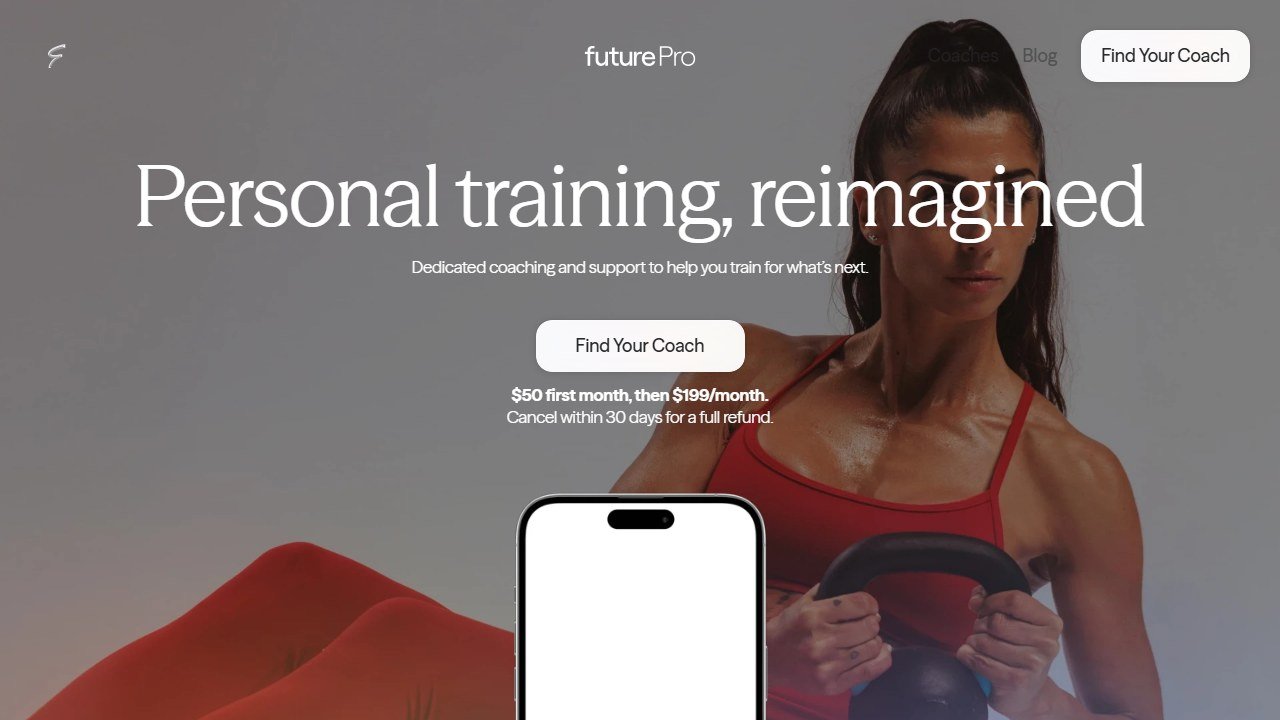
Future takes a different approach: you’re matched with a real human coach who creates your programme, and an AI layer handles the scheduling, progress tracking, and check-in nudges. For beginners who struggle with accountability (which is most beginners), this combination is powerful.
The onboarding process is thorough. You fill out a detailed questionnaire, then have a video call with your matched coach before your first programme starts. The coach builds a custom plan based on your goals, equipment, schedule, and any physical limitations. The AI then tracks your adherence and flags to your coach if you’re missing sessions.
The main downside is cost. Future starts at $199/month, which puts it in the premium tier. But for beginners who have tried and failed with self-guided apps, the accountability factor often makes the difference between quitting in week two and actually building a habit.
Future works best when you treat the coach relationship seriously: check in, ask questions, and flag when something isn’t working. The AI makes that relationship more efficient, but the human coach is the core product.
Pricing: $199/month
Platforms: iOS, Android
Equipment needed: Flexible (coach adjusts to what you have)
5. Nike Training Club: Best free structured programmes
Nike Training Club (NTC) went fully free in 2020 and hasn’t looked back. The app offers hundreds of workouts across all fitness levels, led by Nike’s team of trainers, with AI-assisted programme recommendations based on your goals and activity history.
For beginners, NTC’s strength is the quality of its video content and the breadth of its programme library. There are dedicated beginner programmes for strength, cardio, and flexibility, each with clear progression built in. The AI recommends what to do next based on what you’ve completed and what’s coming up in your plan.
NTC doesn’t have the deep adaptive AI of Caliber or Future. It won’t adjust a session mid-week because you flagged a workout as too hard. But the programme structure is solid, the video production quality is excellent, and the price (free) removes all barriers for a beginner.
The app integrates natively with Apple Health and Google Fit, and syncs with the Nike Run Club app if you’re also doing cardio outside.
Pricing: Free
Platforms: iOS, Android
Equipment needed: None to light (many programmes are equipment-free)
6. Sweat: Best for beginner women following a structured programme
Sweat was built around Kayla Itsines’ BBG (Bikini Body Guide) programme and has since expanded to include programmes from multiple trainers across different styles: strength, yoga, pilates, LISS cardio, and postpartum fitness.
The AI in Sweat personalises your weekly schedule and recommends programmes based on your goals and experience level. For beginners, the app offers clear entry points: a 4-week beginner strength programme, a beginner yoga flow series, and a low-impact cardio programme for those with joint concerns.
What Sweat does particularly well is community. The app has a large active user base, and the community features (challenges, forums, progress sharing) add a social accountability layer that many beginners find motivating. If you’re more likely to stick with something when others are doing it alongside you, Sweat is worth trying.
The subscription is around $20/month or $100/year, which is reasonable given the depth of content.
Pricing: ~$20/month or ~$100/year
Platforms: iOS, Android
Equipment needed: Varies by programme (bodyweight options available)
7. Tempo: Best for beginners with a home gym setup
Tempo is different from the other apps on this list because it’s not just software: it’s a hardware and software package. The Tempo home gym system includes a screen with a built-in depth sensor and cameras that use AI to track your form in real time, count reps automatically, and adjust weight recommendations based on how you performed.
For beginners, the real-time form feedback is invaluable. The AI will flag if your squat depth is too shallow, if your back is rounding on a deadlift, or if your range of motion on a press is incomplete. This is the closest thing to having a trainer watch you lift, without a trainer in the room.
The hardware cost is significant (Tempo Studio starts around $1,495, with a $39/month membership). But if you’re serious about building a home gym and want AI coaching that’s genuinely more capable than a phone app, Tempo is in a category of its own.
It’s worth comparing Tempo against similar AI home gym products like Tonal and Mirror before committing, but for pure workout adaptation and form feedback, Tempo is the most capable easy-to-use option in the hardware space.
Pricing: ~$1,495 hardware + $39/month membership
Platforms: Proprietary screen (iOS companion app available)
Equipment needed: Tempo hardware (includes weights)
How to tell whether the tool was worth it
Fitness software is easy to evaluate honestly because the numbers are countable and small. The reason most coaches cannot say whether a platform helped is that nobody wrote down where they started.
Pick the metric the tool is supposed to move
For a coaching platform it is clients per coach and hours spent on programming and admin per client per week. For a consumer app it is sessions completed per week and adherence over eight weeks. For form checking it is whether you are still filming in month three. Each of those is countable and each needs a figure from before.
Record the time cost this month, before anything changes
Ask yourself or your coaches to log how long programming, check-ins and admin take across one normal week. It takes minutes and it is the only way the time saving is ever provable. Most of the honest value in this category is hours rather than revenue, and hours are measurable in advance and unprovable afterwards.
Give it two client cycles
Retention and adherence move slowly and seasonally. A four week read tells you about novelty rather than value. Judge a coaching platform over at least two full client cycles, and say so at the outset so an unremarkable first month is understood as expected.
Name the result that would end it
Write down before you subscribe what twelve months would have to look like for you not to renew. It converts renewal from a default into a decision, which matters more in a category where the monthly figure is small enough to stop noticing.
How to choose the right app as a beginner
Here’s a simple decision framework:
- No budget, no equipment: Start with Nike Training Club (free) or Freeletics (free tier).
- No budget, some equipment: FitOn free tier covers dumbbell workouts too.
- Small budget, want structure: Sweat (~$100/year) or Freeletics (~$80/year).
- Bigger budget, want accountability: Caliber Premium or Future. Both pair you with a coach.
- Want home gym with AI form feedback: Tempo (hardware investment required).
For most beginners, I’d recommend starting with FitOn or Nike Training Club for the first two to four weeks. Use that time to figure out what type of exercise you actually enjoy. Then, once you know whether you prefer strength training, HIIT, or something lower impact, you can pick a more specialised app and commit to a subscription.
If you’re a personal trainer looking for software to manage clients rather than a beginner looking for personal guidance, check out our roundup of best AI tools for personal trainers instead. And if you want a broader view of the AI workout app landscape, our best AI workout apps guide covers more options across all fitness levels.
Why personal training apps beat generic fitness apps for beginners
Generic fitness apps like Strava, MyFitnessPal, and Apple Fitness Plus deliver content. Personal training apps like Caliber, Future, and Fitbod deliver a program. The distinction matters for beginners because content overload is the leading cause of beginner drop-off. A new lifter does not need access to 500 workouts; they need the next correct workout in their progression, with form cues, and a sense that someone is paying attention to whether they show up.
The best AI personal training apps in 2026 deliver this in three ways. First, individualized programming based on equipment, goals, and current fitness. Second, exercise-level video coaching that prevents the form errors beginners do not know they are making. Third, accountability cues (notifications, streak tracking, optional human coach check-ins) that pull the user back to the next session. Apps without all three of these traits underperform consistently for beginners, regardless of how much AI marketing they have.
The single biggest mistake beginners make picking apps
Picking the app with the most features. Beginners assume that more features means better fit, but the opposite is true. The strongest beginner apps in 2026 ruthlessly simplify the interface to “what do I do today” plus “how did it go” plus “what is next.” Apps with 12 different tabs, advanced analytics, and complex customization scare beginners back to inactivity. Apps with a single prominent “start today’s workout” button keep beginners showing up.
Test this with the actual download. Open the app for the first time. If it is obvious within 30 seconds what you should do today, the app is right for a beginner. If you spend three minutes navigating menus before you can start a workout, the app is wrong for beginners regardless of its feature list. Caliber, Future, and Fitbod all pass this test. Many cheaper alternatives fail it.
How much should a personal training app cost?
Pure AI personal training apps in 2026 price $10 to $20 a month. Hybrid apps that combine AI programming with real human coach review price $150 to $250 a month. Full premium human coaching apps price $250 to $500 a month. The right price depends on your accountability needs more than your budget. Some beginners thrive on the cheaper AI-only path because they are self-motivated. Others quit within 60 days unless a real human is checking in.
The honest test: have you successfully maintained a habit of any kind for 90 consecutive days using only an app, without any human checking in? If yes, the AI-only path probably works. If no, pay for the hybrid model. The math: $200 a month for a year is $2,400. If hybrid coaching gets you to consistent training when AI-only would not, that $2,400 is the cheapest insurance you will ever buy on your future health.
The 90-day beginner success blueprint
Beginners who hit 90 consecutive days on any AI personal training app share four habits. Habit one: they schedule the same workout time every day, even on rest days when they only do mobility. Habit two: they log every workout even when they cheat the program. Honest logging is what makes the AI adaptive features work. Habit three: they take weekly progress photos, even though they hate it. The visual proof is what gets them through plateaus. Habit four: they tell exactly one friend or family member about the goal.
Apps without these four habits become digital paperweights within 60 days. Apps with these four habits compound over time into the kind of strength and physique change that surprises both the lifter and the people in their life.
When to graduate from beginner programming
The graduation signal is consistent. After 12 to 24 weeks of beginner programming, you stop adding load every workout and start adding load every other workout or every week. This is when most beginner apps start to feel limiting because their progression logic assumes faster adaptation than your body can sustain. This is also when most lifters consider switching to intermediate programming (Caliber’s higher tiers, Future, or 5/3/1 in Strong). The transition does not have to be dramatic. Most lifters do it gradually over a 4-to-8-week stretch.
For a closer look, see our best AI running coach apps.
How we reached this verdict: this guide is research-based. We compare each tool against its published documentation, pricing pages and terms, and we do not claim hands-on testing we have not done.

Written by
FazFaz is the founder of AIToolsBakery. Some tools here are tested hands on. Others are assessed from vendor documentation and pricing verified on the live page, and every review says which one it is. Sponsors can buy a position in a guide. They cannot buy the score, the criticism, or silence about a better option.
How we test and how we make money →