The best AI tools for personal trainers in 2026 are Trainerize (best overall platform for studios), TrueCoach (best for 1:1 online coaching), and Everfit (best for group training). Most coaches use one client management platform plus one or two specialised tools. Start with TrueCoach or Everfit if you coach individuals online. Full 7-tool breakdown below.
Quick comparison at a glance. Full breakdown for each option below.
The decision map by coach type
| Coach type | Primary platform | Notes |
|---|---|---|
| Strength / S&C coach, iOS clients | TrueCoach | Fastest workout builder, transparent pricing |
| Strength / S&C coach, mixed/Android clients | Everfit | Full Android support, comparable feature set |
| Online lifestyle / wellness coach | Everfit | Habit tracking first-class, best free plan |
| Established lifestyle coach, branded app | PT Distinction | Best value branded app, high customization |
| High-volume coach (50+ clients) | MyPTHub | Flat $59/mo unlimited, AI check-ins |
| Brand-building coach, polished App Store app | FitBudd Super Pro | Most polished but $200+/mo effective |
| Multi-trainer gym or studio | Trainerize | Still best for this, with post-acquisition caveats |
| New coach, starting out | Everfit (free plan) | 5 clients free, no credit card |
Last reviewed May 2026. AI tooling for personal trainers continues to fragment in 2026 across coach-management platforms (TrueCoach, Trainerize, PT Distinction), AI workout-programming (JuggernautAI, Dr. Muscle, Fitbod), and AI lead-conversion (FirstRep). For deep-dives by tool: TrueCoach review, Trainerize review, PT Distinction review, best Trainerize alternatives.
Last updated: April 22, 2026.
Related: See also individual reviews: Trainerize | TrueCoach | Everfit | PT Distinction | FitBudd
Why coaching type matters more than features
Every “best PT software” guide in existence starts with a feature table. Features listed: exercise library size, workout builder type, nutrition tools, mobile app, integrations. Then a ranking.
The problem: a 1,500-exercise library is irrelevant if you upload your own videos anyway. Automation depth matters if you have 60 clients on structured onboarding sequences. It doesn’t matter if you have 8 clients who you message individually.
The right question isn’t “which platform has the most features?” It’s “which platform was designed for a coach like me?”
We’ve organized this guide by coach type. Find your type, read the recommendation, skip the rest.
For strength and S&C coaches (1-on-1, athlete-focused)
Primary tool: TrueCoach
Strength coaches and S&C coaches have a specific workflow: build a program, deliver it precisely to an athlete, track their performance data, iterate. Nothing else on the list. No habit coaching, no nutrition plans, no lifestyle check-ins.
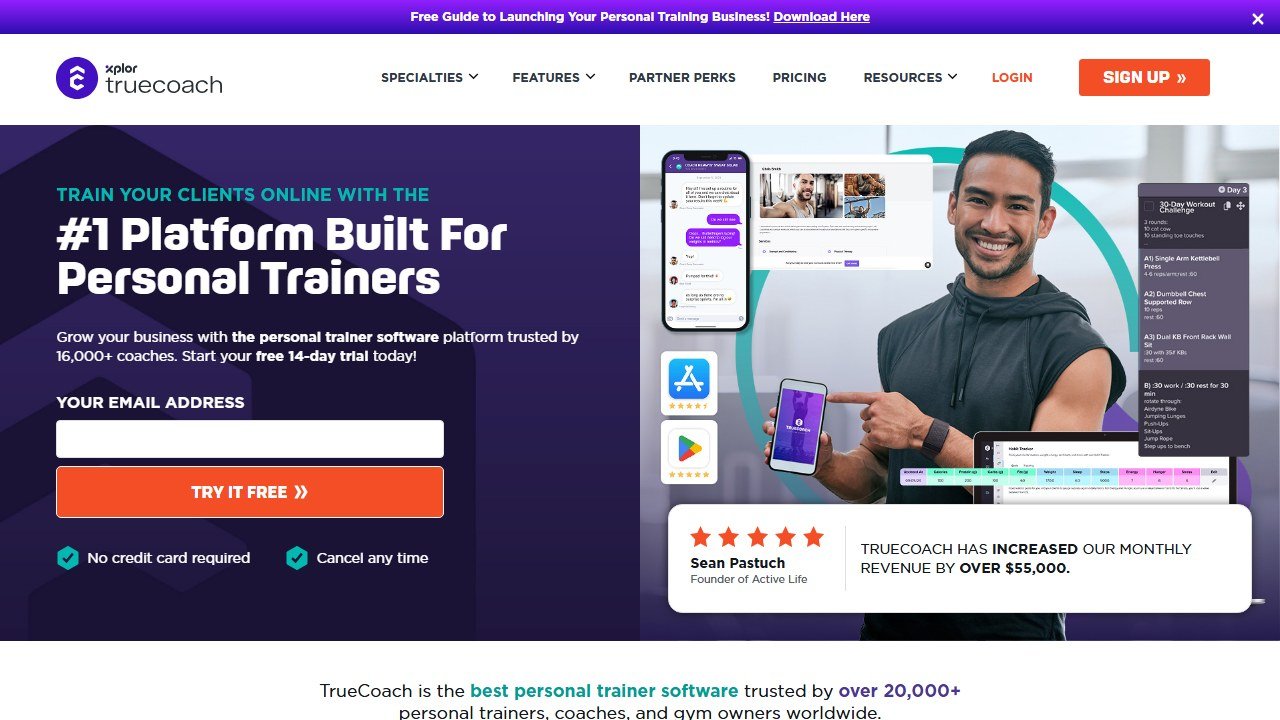
TrueCoach was designed for this workflow and does it better than any other platform. The workout builder is the fastest in the category, the linear feed layout shows training history alongside current programming, and the pricing is transparent: $107/mo for 50 athletes, no add-ons.
Caveat: TrueCoach’s client app is iOS only. If your athletes are on Android, this is a dealbreaker. Everfit covers the same workflow with Android support, a slightly less fast builder, and a similar price point.
Tools to consider alongside TrueCoach:
- My Virtual Trainer / custom video hosting: For uploading your own exercise demo videos when the built-in library doesn’t match your coaching style
- Google Sheets / Notion: Many S&C coaches manage their program archives externally even with platform software
For online lifestyle and wellness coaches
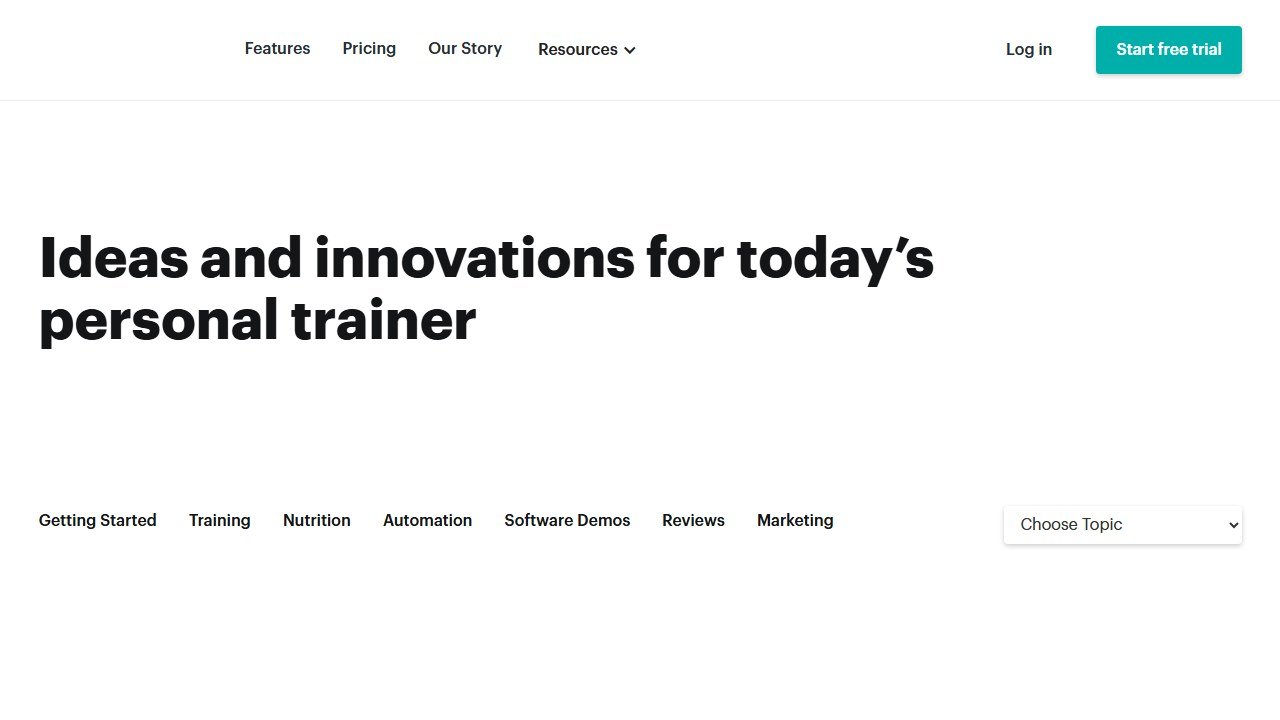
Primary tool: Everfit (or PT Distinction if you want a branded app)
Lifestyle and wellness coaching involves more than workouts: habit tracking, sleep, stress management, nutrition guidance, progress check-ins. The platform needs to support all of this without requiring the coach to use three separate tools.
Everfit handles this better than any other entry-to-mid-tier platform. Habit tracking is built in (not an add-on), the workout builder is excellent, and the free plan (5 clients) is the best starting point in the category. For coaches who have been at it for 1+ years and want to express their methodology more precisely, PT Distinction’s superior customization and included branded app at $59.90/mo is worth the setup weekend.
Tools to consider alongside:
- Calendly / Acuity: For booking discovery calls and check-in sessions (neither platform has dedicated calendar booking built in at this level)
- Brevo / Mailchimp: For email newsletters to your coaching audience outside the platform
For high-volume coaches (50+ clients)
Primary tool: MyPTHub
At 50+ clients, the per-client pricing model starts to compound in ways that matter. MyPTHub’s flat $59/mo for unlimited clients is the only pricing structure in the category that doesn’t penalize you for growing.
The AI Check-Ins feature is uniquely valuable at this scale: when you have 60 clients doing weekly check-ins, AI-drafted personalized feedback responses turn a 3-hour weekly admin task into a 45-minute review-and-send workflow.
Caveat: MyPTHub has documented Trustpilot billing complaints. Use a card with dispute protection and keep records of any cancellation.
Alternative: If product quality and reliability matter more than cost at scale, PT Distinction Master ($89.90/mo for 50 clients) is the best-quality platform at this price range and includes a branded app.
For coaches building a personal brand
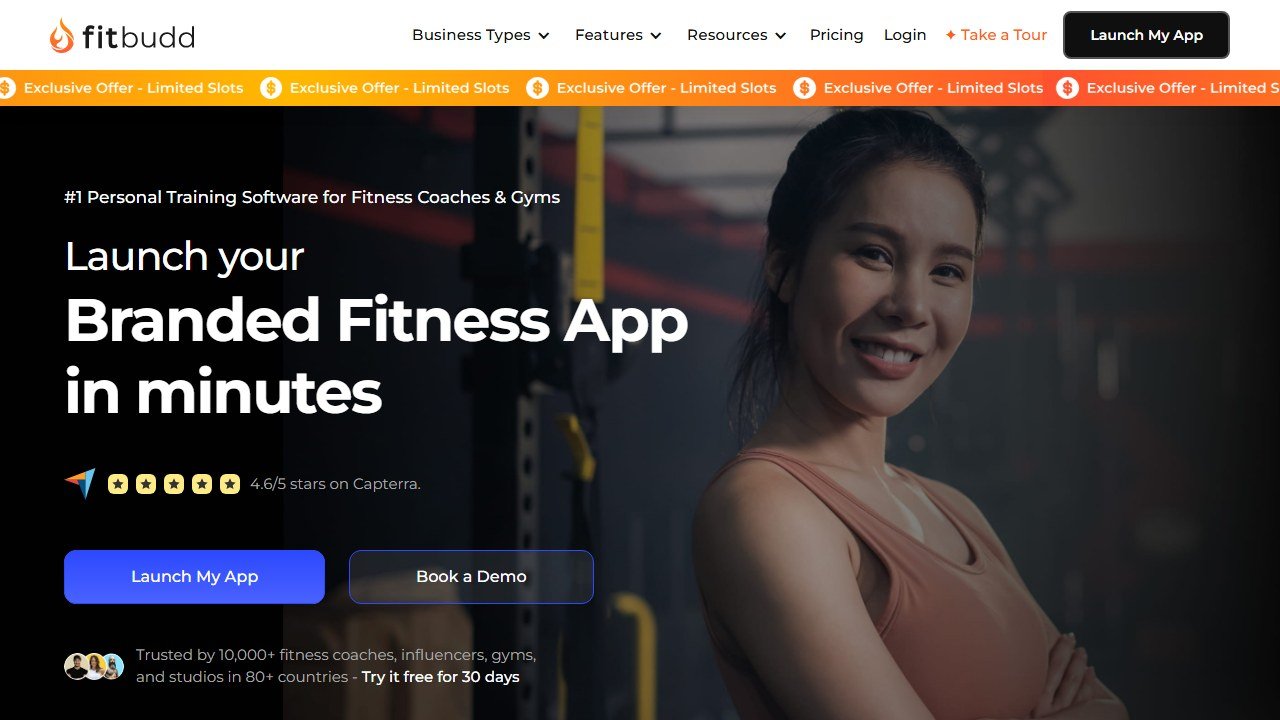
Primary tool: PT Distinction or FitBudd
Coaches who are building a recognizable personal brand. where clients associate the app they use with the coach’s name and aesthetic. need a white-label or branded app solution. This is where the recommendations diverge significantly on price.
PT Distinction Pro ($59.90/mo): Custom branded iOS and Android app included. Best value branded app in the category. Requires a full weekend for setup but delivers a level of customization that costs $150+/mo elsewhere. Highest rated platform in the category (4.9/5, 441 reviews on G2).
FitBudd Super Pro (~$149-230+/mo): Most polished App Store presence. Your app has its own listing on the App Store with your name. More expensive than PT Distinction, but the App Store product is more polished. Worth it for coaches with significant followings who see the App Store presence as a genuine differentiator.
For coaches at multi-trainer gyms and studios
Primary tool: Trainerize (with caveats)
Multi-trainer management. staff permissions, client assignment across coaches, reporting at a team level. is where Trainerize still doesn’t have a strong challenger at moderate price. PT Distinction supports multi-trainer use, but Trainerize’s infrastructure for this is more mature.
The caveats are real: post-ABC acquisition, the platform has degraded in quality. If you’re evaluating from scratch in 2026, pressure Trainerize on their current reliability and billing track record before committing.
Alternative if Trainerize doesn’t meet the bar: Mindbody (gym management + team) or Glofox (studio management) for gym-wide operations, with individual coach platforms layered on for the coaching delivery element.
For new coaches just starting out
Primary tool: Everfit free plan
Five full clients, all core features, no credit card, no time limit. This is the only recommendation that makes sense before you have meaningful client revenue to spend on software.
Run your first 5 clients on Everfit’s free plan. Learn what features you actually use. Understand your workflow. When you’re past 5 clients and generating real income, upgrade with full information about what you need rather than guessing from a feature list.
Tools to start with alongside Everfit:
- Canva: For creating professional-looking content before you have a design budget
- Google Calendar: For basic scheduling and client session tracking
- Notion: For storing your own program templates, SOPs, and client notes before you need a full CRM
AI-specific tools worth knowing about
Beyond the main coaching platforms, there are AI tools that personal trainers use for specific parts of their business:
For content creation:
- Claude / ChatGPT: Drafting check-in responses, writing client nutrition guidance emails, brainstorming program variations. Not for generating actual training programs. the quality isn’t there for specialized programming. but useful for surrounding communication.
For program design assistance:
- ChatGPT with Code Interpreter: Coaches with spreadsheet-based programming systems use AI to automate calculations, auto-populate periodization tables, and generate exercise variation suggestions. Requires technical comfort but saves real time at scale.
For client intake and form processing:
- Typeform + AI form analysis: Some coaches use AI to analyze client intake questionnaires and flag key information before the first call. Faster than reading 30 forms manually.
For the sales and lead conversion process:
- FirstRep (early stage): AI-powered lead follow-up for fitness businesses. Still in pilot (April 2026) but addresses a real problem. lead response time. that every gym and coaching business faces.
Questions to ask before choosing
1. How many clients do I have now. and in 12 months?
The answer changes the entire decision. Below 20 clients, most mid-tier platforms are competitive. Above 50, MyPTHub’s flat fee wins.
2. What devices do my clients use?
iOS-only: TrueCoach is viable. Mixed: TrueCoach is off the table.
3. Is nutrition part of my coaching offer?
Yes: TrueCoach is off the table. Nutrition tools needed: PT Distinction, MyPTHub, or Everfit with add-on.
4. Do I need a branded app?
Yes: PT Distinction or FitBudd. No: the field opens up.
5. How long can I spend on setup?
Under 2 hours: Everfit. Weekend available: PT Distinction (the setup time pays off long-term).
6. Am I managing other trainers?
Yes: Trainerize is the most functional tool for this specific need.
What to do right now
If you’re a new coach: sign up for Everfit’s free plan today. No cost, no decision pressure, 5 real clients.
If you’re an existing coach evaluating a switch: list the 3 features you actually use every week on your current platform. Find which platform does those 3 things best at your client scale. That’s your answer.
If you’re staying on your current platform: the only sign you should switch is repeated friction in your actual daily workflow. not a competitor’s marketing. If the tool is working, the switching cost isn’t worth it.
References & further reading
For deeper context on programming, periodization, and training science behind the tools we evaluate:
- NSCA: peer-reviewed strength and conditioning research. evidence-backed programming principles from the National Strength and Conditioning Association
- ACSM physical activity guidelines. official exercise prescription standards from the American College of Sports Medicine
- PubMed sports science database. searchable archive of peer-reviewed studies on resistance training, hypertrophy, and recovery
AI coaching from adjacent fields
Personal training overlaps with corporate coaching, sales coaching, and learning design. For tools that translate well between these:
- best AI roleplay tools for corporate training. conversational AI for coaching scenarios
- best AI corporate training tools. L&D platforms with roleplay and feedback engines
AI Tools for Personal Trainer Marketing
Most personal trainers are excellent coaches and poor marketers. Not because they lack creativity, but because marketing takes consistent time they do not have. AI tools do not make you a better marketer. They make it faster to produce the volume of content that consistency requires.
ChatGPT and Claude are both strong for writing Instagram captions, drafting email sequences, and rewriting client testimonials into shareable case studies. The difference is in prompting. A vague prompt gets you generic output. A prompt that includes your tone, your niche, and a specific client result gets you something you can actually post. Canva Magic AI handles the visual side. You can generate post graphics, stories, and carousel templates without hiring a designer. Later and Buffer both have built-in AI caption assistants that pull from your connected accounts and suggest post copy based on your existing style.
For video content, Descript is the standout tool. You record a workout demo, a client check-in recap, or a tip video, upload it to Descript, and it automatically transcribes, removes filler words, adds captions, and lets you cut by editing the transcript. A 10-minute raw clip becomes a polished 60-second reel in under 20 minutes. That workflow, done once a week, gives you four reels a month without a video editor.
To build a 30-day content calendar in under two hours: open Claude or ChatGPT, paste in your niche, your top five client results, and three common objections you hear before someone buys. Ask for 30 post ideas across four content types: educational tips, client results, personal story, and direct offer. From that list, pick 20. Then for each one, generate the caption, the hook line, and the call to action. Edit everything for your voice before posting. AI drafts are starting points, not finished posts. Your followers follow you because you sound like you. Read every AI draft out loud. If you would not say it in a conversation, rewrite it.
AI Tools for Client Nutrition Support
Nutrition is where most personal trainers either underdeliver or accidentally overstep. AI tools change what is possible in terms of providing value, but they do not change your scope of practice. Knowing both sides of that line is what makes these tools useful rather than a liability.
Nutrium is the most complete option for trainers who work within their scope. It includes AI-assisted meal plan generation, a client-facing app for logging, and messaging tools. You input a client’s calorie target and macro split, and Nutrium generates a full meal plan with grocery lists. At around $49 to $99 per month depending on the plan, it works for trainers who make nutrition guidance a clear part of their service and have confirmed it is legal to do so in their region.
Eat This Much does one thing well: it generates meal plans from macro targets, dietary preferences, and food dislikes. It is client-facing: clients set up their own account and generate plans themselves. As a trainer, you can recommend it as a free or low-cost add-on without managing it yourself. The free version covers most client needs.
MacroFactor uses AI to estimate true calorie expenditure based on weight trend data, then adjusts targets automatically. It is one of the few apps that genuinely adapts to a client’s metabolism over time rather than using static TDEE calculations. At $10.99 per month for clients, it is the strongest recommendation for clients serious about body composition.
In most US states and most countries, personal trainers can provide general nutrition information, help clients track macros, recommend meal planning apps, and encourage evidence-based eating habits. What crosses into registered dietitian territory: diagnosing nutrition-related conditions, prescribing medical diets, and providing specific nutrition therapy for a diagnosed condition. Use AI nutrition tools to handle the mechanical work, meal plan generation, macro calculations, grocery lists, while you handle the coaching layer: accountability, habit conversations, and knowing when to refer out.
AI Tools for Workout Program Creation
There is a meaningful difference between an app that suggests exercises and one that genuinely adapts programming load over a training cycle. Most apps on the market do the former. Knowing which is which saves you from overpaying for a tool that does what a good template spreadsheet already does.
Fitbod generates workout plans based on muscle recovery data, equipment availability, and training history. It is excellent as a client-facing tool for general population clients who train independently between sessions. Clients log their sessions in Fitbod, and the app adjusts subsequent workouts to avoid fatigued muscle groups. At $14.99 per month or $79.99 per year per client, it is a value-add rather than a programming tool you control directly.
Volt Athletics uses AI periodization to manage training load across a season or program cycle, adjusting volume and intensity based on logged performance. It is built for team environments but works for individual coaches with performance-focused clients. TrainHeroic combines athlete programming with load management analytics: you build the program, TrainHeroic tracks bar velocity, RPE, and volume load, and surfaces trends that tell you when an athlete is adapting versus accumulating fatigue. At $20 per month for individual coaches, it is best for coaches working with strength and conditioning clients or competitive athletes.
Use AI templates and program libraries for general population clients with no injury history, new clients in their first eight weeks, and high-volume coaches who need to onboard clients quickly. Build custom programs for clients with injury history or movement restrictions, intermediate to advanced clients where load sequencing genuinely affects results, and any client paying premium rates where the program itself is part of the value proposition.
Three things to always check before sending an AI-generated program to a client: (1) exercise contraindications: AI tools do not know your client has a rotator cuff impingement, so review every overhead press and spinal loading exercise against what you know; (2) volume spikes: AI programs sometimes jump weekly volume too aggressively between phases, so check total sets per muscle group; (3) weekly coherence: confirm that heavy leg day and heavy posterior chain day are not back to back.
AI Tools for Client Assessment and Progress Tracking
Collecting data and using data are two different things. The goal of any assessment and tracking system is to produce information that changes how you coach, and to present that information to clients in a way that keeps them motivated and trusting the process.
TrueCoach and Everfit both include assessment templates. You can send PAR-Q forms, FMS templates, initial fitness tests, and lifestyle questionnaires through the platform before the first session. Responses are stored in the client profile. When a client reports knee pain six months in, you can pull the original intake and see whether they flagged previous knee issues. That documentation also protects you from liability claims.
Symmetry is a posture and movement screening app that uses the phone camera to assess postural deviations. You photograph the client from front, back, and side, and the app flags asymmetries and generates a report. It is useful for in-person coaches who want to add a professional assessment layer to onboarding. Pricing is around $29 to $49 per month. Hudl Technique (formerly Coach’s Eye) is a video analysis tool that lets you slow down movement, draw annotation lines on video, and compare a client’s current movement to a previous session side by side. At $9.99 per month, it is one of the better-value tools for form coaching with online clients.
Visible is an HRV and recovery tracking app that clients use daily. They do a one-minute camera-based HRV reading each morning, and Visible tracks recovery trend over time. You can use this data to adjust session intensity when a client’s recovery score is flagging. It is most relevant for clients training four or more times per week or anyone in a high-stress period at work. At $14.99 per month per client, it is a premium add-on worth recommending selectively.
Build an automated four-week check-in system: send a baseline check-in form each week (weight, energy, adherence rating, one win, one challenge) using Google Forms or the form tool inside your coaching platform. Make Week 4 a longer monthly review that includes goal re-assessment. Automate the send using your coaching platform’s scheduled message feature or a Zapier workflow. You review responses in a batch once a week and only reach out individually when something flags as a concern.
AI Tools for Personal Trainer Scheduling and Admin
Admin tasks are the silent business killers for independent trainers. Invoicing, rescheduling, follow-up emails, and booking confirmations can consume 8 to 12 hours a week at scale. The right tools cut that to under two hours. The key is building an automated sequence rather than using each tool in isolation.
Acuity Scheduling handles booking, payment collection, intake forms, and reminder emails in one system. Clients book their own sessions from your live availability, pay at booking, and receive automatic reminders 24 hours and one hour before. At $20 per month, it handles most solo trainer needs. Calendly is simpler and better for coaches who primarily do initial consultations and discovery calls. The free tier is functional. Paid plans at $12 per month add routing forms, which let you qualify leads before they book a call.
Practice Better is built specifically for health coaches and nutrition practitioners, and handles scheduling, client portal, intake forms, billing, and group programs in one place. At $59 per month, it is the strongest option if your service includes nutrition or health coaching alongside training.
A client onboarding automation that replaces 45 to 60 minutes of manual admin per new client: (1) client pays and books via Acuity, which sends booking confirmation and intake form link automatically; (2) intake form completion triggers a Zapier workflow that adds the client to your coaching platform and sends them a welcome email with app download instructions; (3) 24 hours before the first session, they receive an auto-reminder plus a first session prep document; (4) after the first session, a follow-up email goes out automatically asking for their first impression and confirming the next booking.
Eliminate rescheduling overhead with a self-serve rescheduling link in every reminder email. Eliminate invoicing by switching to booking-time payment collection. Get paid at booking, not after the session. Automate check-in sequences using your coaching platform’s message scheduling or a simple email tool like ConvertKit or MailerLite.
Pricing Comparison of the Top Personal Trainer Platforms
Platform pricing changes regularly and most providers offer custom pricing at scale. The figures below reflect current published pricing as of early 2026 and are accurate for solo or small-team coaches at entry-level plans.
| Platform | Starting Price | Free Tier | Client Cap | Best For |
|---|---|---|---|---|
| TrueCoach | $19/month | No (14-day trial) | 5 clients (Starter) | Strength coaches, 1:1 online coaching |
| Everfit | $29/month | Yes (up to 5 clients) | Unlimited on paid plans | New coaches, lifestyle and general fitness |
| PT Distinction | $17/month | No (30-day trial) | 5 clients (Basic) | Lifestyle coaches, habit-based coaching |
| MyPTHub | $20/month | No (free trial) | Unlimited clients | High-volume coaches, large client rosters |
| Trainerize | $15/month | No (30-day trial) | 2 clients (Basic) | Multi-trainer gyms, franchise operations |
| FitBudd | $99/month | No | Unlimited clients | Brand-building coaches, white-label app |
| Mindbody | $139/month | No | Unlimited (facility-based) | Studios, gyms, multi-service facilities |
Per-client pricing means you pay based on how many active clients you have. It is transparent and scales with your revenue, which makes it low-risk when starting out. The downside is that costs grow linearly with your roster, and at 30 or more clients it usually becomes more expensive than a flat-rate alternative. Flat-rate unlimited means a fixed monthly fee regardless of client count. Everfit’s paid plans, MyPTHub, and FitBudd operate this way. This model suits coaches past 15 clients, where the per-client cost of a tiered plan would exceed the flat rate.
Hidden costs to watch before signing up: setup and onboarding fees (some platforms charge $100 to $500 to configure the account), payment processing cuts (most platforms that handle client billing take 0.5 to 2.5% on top of Stripe’s standard rate), per-SMS charges for automated text reminders (check whether SMS is included or billed separately), storage limits for video-heavy programming, and white-label fees (confirm exactly what is included at the price point you are looking at).
How to Transition Clients to a New Software Platform
Switching platforms is one of the highest-friction operational decisions a coach can make. Done well, it tightens your business. Done poorly, it triggers client drop-off during the transition window. The four mistakes that kill adoption: switching too fast (clients receive a new app link with no warning and default to whatever channel they already use); no client tutorial (a five-minute screen recording walkthrough cuts support questions by 80%); losing historical data (export everything from the old platform before closing the account); and choosing a platform the trainer likes but clients find confusing (test the client-facing experience on your phone before committing).
A practical transition plan: four weeks out, announce why you are switching and what the timeline is. Weeks three to two, run both platforms simultaneously with new clients onboarding to the new one. The week before cutover, export workout history and progress photos and set up all active programs in the new system. At cutover, all active programs go live in the new platform and you send a final walkthrough video.
The single biggest driver of client adoption is making the first interaction with the new app feel successful. Before launch week, create one personalized element in the new platform for each client: their current program, a welcome message, or a custom goal note. When they log in and see their name and their program already there, adoption converts. Follow up with any client who has not logged in after seven days with a direct personal message. At the 30-day mark, you should be at or near full adoption.
Building Your Personal Trainer Tech Stack by Business Stage
The right tech stack is not the most feature-rich one. It is the one that saves more time than it costs within the first 30 days of use. Adding tools before you have the client volume to justify them creates overhead without return.
Stage 1 (0-5 clients), keep overhead at $0: At this stage, your time is not the limiting factor. Your client pipeline is. Use Google Sheets for program tracking, Calendly free tier for consultation booking, WhatsApp or Signal for client communication, Canva free tier for social media graphics, and Google Forms for intake. Monthly cost: $0. The work at this stage is getting results for your first clients. Those results become the testimonials that drive Stage 2 growth.
Stage 2 (5-15 clients), invest in delivery infrastructure: At five or more clients, manual tracking in spreadsheets starts to slip. Add Everfit Starter or TrueCoach entry ($19 to $29 per month), Calendly paid ($12 per month), and Canva Pro ($15 per month). Monthly budget: $30 to $60. You are standardizing the experience so every client gets the same quality of delivery.
Stage 3 (15-30 clients), add AI to multiply output: At 15 clients, you are spending real time on content creation, program building, and administrative communication. Add a full coaching platform (TrueCoach Pro or PT Distinction at $39 to $59 per month), an AI writing tool (Claude Pro or ChatGPT Plus at $20 per month), a nutrition add-on, and full booking automation via Acuity ($20 per month). Monthly budget: $100 to $150. At 15 to 30 clients generating $3,000 to $8,000 per month in revenue, a $150 tech stack is 2 to 5% of revenue, a completely justifiable infrastructure cost if it saves five or more hours per week.
Stage 4 (30+ clients), build a brand, not just a business: Past 30 clients, you are either running a high-volume solo practice or starting to think about group programs, digital products, or hiring associate coaches. Add FitBudd or MyPTHub ($99 to $109 per month), Descript for video content ($24 per month), Canva Teams ($30 per month), and an email marketing tool like ConvertKit or MailerLite ($29 to $39 per month). Monthly budget: $200 to $300.
Before adding any tool, ask: will this save more time than it costs within 30 days? A $49 per month tool needs to save you at least two to three hours per month at a conservative hourly rate to justify itself. If you cannot answer that question specifically, wait until the problem is concrete enough to measure.
AI Tools for Creating Online Course and Digital Products
Past a certain client volume, trading time directly for money caps your income. Digital products, things like workout programs, habit guides, nutrition templates, and online courses, let you earn from work you do once. AI tools cut the production time dramatically.
For written products (PDF programs, habit trackers, nutrition guides), Claude and ChatGPT are both strong for drafting structure and content. The workflow that works: outline the product using AI, write the key sections yourself (your voice, your method), then use AI to fill in the supporting content (exercise descriptions, recipe ideas, FAQ sections). The result is a product that sounds like you but takes half the time to produce.
For video courses, Descript handles recording, editing, and publishing in one tool. Record your screen or yourself with any camera, import the footage, and Descript gives you a transcript you can edit by cutting text. No timeline scrubbing. No technical video editing skills required. A 10-module online course that would have taken weeks to edit professionally can be production-ready in a weekend with Descript. Captions are automatic. Export to MP4 or publish directly to a course platform.
Teachable, Podia, and Kajabi are the three course platform options most personal trainers use. Teachable is the lowest-cost entry ($39 per month) and handles video hosting, payment processing, and student management cleanly. Podia adds digital downloads and community features at a similar price point. Kajabi is the most expensive ($149 per month) but includes email marketing, landing pages, and a website builder in addition to course delivery. For trainers just starting with digital products, Teachable or Podia is the right starting point.
The content strategy that converts best: your first digital product should solve the specific problem that made your best in-person clients hire you in the first place. If 60% of your clients come to you wanting to lose their first 20 pounds without giving up social eating, your first product should address exactly that. AI can help you write it, but the specificity comes from knowing your clients.
Using AI for Client Retention and Re-engagement
Acquiring a new client costs five to seven times more than retaining an existing one. The trainers who grow fastest are not necessarily the ones who get the most leads. They are the ones who keep clients for 12, 24, and 36 months instead of three to six. AI tools support retention in three concrete ways.
Personalized check-in messages. At scale, it is impossible to write a genuinely personal check-in message to every client every week without spending hours on communication alone. AI can help you draft personalized check-in messages based on each client’s recent session data, check-in responses, and goals. The workflow: pull this week’s check-in data for each client, paste the key data points into Claude or ChatGPT, and ask it to draft a coach response in your voice. You review, edit, and send. The client gets a message that references their specific week, not a template response. That specificity is what makes clients feel seen.
Re-engagement sequences for lapsed clients. Clients who miss sessions or go quiet for two weeks are at high churn risk. An automated re-engagement sequence, three messages over two weeks sent automatically when a client has not logged in, can recover 20 to 30% of lapsing clients before they cancel. Use your coaching platform’s automated messaging feature to set this up, and use AI to write three message variants that do not feel like sales emails.
Milestone recognition and celebration. Clients who feel recognized stay longer. Set up automated milestone triggers in your coaching platform: first completed program, 30 consecutive days of logging, first personal record. When a milestone is hit, an automated congratulations message fires. Write the message templates once, using AI to help with the language, and the platform handles the timing. This requires almost no ongoing effort after setup and produces a consistent positive experience for every client regardless of when they hit a milestone.
Pricing Your Services as a Personal Trainer in 2026
AI tools change the pricing conversation for personal trainers in two ways: they reduce the time cost of delivering high-quality service, which improves your margins; and they raise the floor for what clients can get from a $10 app, which increases the pressure to differentiate on value rather than compete on price.
The benchmark rates for online personal training in 2026, based on surveys of independent trainers: entry-level online coaching (new coach, limited track record) runs $100 to $200 per month for one to two check-ins per week plus programming. Mid-level online coaching (two to five years experience, strong results record) runs $200 to $500 per month. Premium online coaching (strong brand, specific niche, high-demand coach) runs $500 to $1,500 per month. In-person training typically runs $60 to $150 per session depending on market.
The pricing mistake most trainers make is anchoring on their costs (platform fee, time per client) rather than on the value delivered (client results, convenience, accountability). A client who loses 30 pounds, builds a consistent gym habit for the first time in their life, and gains six years of healthy aging from that habit has received value worth thousands of dollars. A $400 per month coaching fee is not expensive relative to that outcome. It is actually quite low. Price to the value you deliver, not to the time you spend.
AI tools allow you to serve more clients without proportionally increasing your time. A coach who spends 45 minutes per client per week on admin, content creation, and check-in processing can cut that to 15 minutes with automation and AI writing tools. At 20 clients, that is 10 hours per week recovered. Those recovered hours can go toward adding five more clients (increasing revenue by 25%), toward higher-quality client work that drives better results and more referrals, or toward building digital products that create non-linear income.
Building a Referral System with AI Support
The most efficient client acquisition channel for personal trainers is referrals from existing clients. A client who was referred by someone they trust converts at two to three times the rate of cold leads and typically retains longer. AI tools help you build a more systematic referral program without it feeling transactional.
A referral system that works has three components: the ask, the incentive, and the follow-through. The ask is simply a well-timed message to your best clients asking if they know anyone who might benefit from what you do together. The best time to ask is immediately after a client hits a significant milestone: the week they hit their goal weight, the month they complete their first program, the session where they hit a personal record. AI can help you write the ask message in a way that feels natural rather than pushy.
The incentive does not need to be large. A free session, a program template, or a one-month discount on their next payment is enough to make the ask feel reciprocal. What matters more than the size of the incentive is the timing and personalization of the acknowledgment when a referral converts. A personal thank-you voice message, sent within 24 hours of a referred client signing up, is more memorable than a discount code and costs nothing.
AI tools can help you systematize the follow-through. Set up a Zap in Zapier that notifies you when a new client fills out your intake form and includes the name of the person who referred them. Use that trigger to automatically draft a thank-you message to the referring client. Review it, personalize it with one detail specific to that client relationship, and send it. The result is consistent appreciation for every referral without having to remember to do it manually.
Key Takeaways for Personal Trainers Evaluating AI Tools
Choosing the right mix of AI tools for your personal training business comes down to three questions. First: where are you losing the most time right now? The answer to that question should drive your first purchase. If it is scheduling and reminders, start with Acuity or Calendly. If it is content creation, start with Claude Pro or ChatGPT Plus. If it is program delivery and client communication, start with a coaching platform. Do not add tools across all three areas simultaneously, or you will implement nothing well.
Second: what does your client experience feel like from the client’s side? Book a test session on your own scheduling system. Go through your own onboarding flow. Download your coaching app on a spare phone and see what a new client sees. The places where you feel friction are the places your clients feel friction. Those are where AI and automation investment pays the fastest.
Third: what is your one-year revenue target, and what does your tech stack need to look like to get there? A coach targeting $10,000 per month in revenue at $500 per client needs 20 active clients. At 20 clients, the time pressure is real, and that is the inflection point where admin tools pay for themselves most obviously. Map your tool choices to your growth stage, not to what you think a “professional” setup should look like. Paying $300 per month in software subscriptions as a $2,000 per month revenue coach is the wrong sequence. Paying $300 per month as a $10,000 per month coach is a rounding error.
The trainers who get the most from AI tools share one characteristic: they treat the time savings as real money and reallocate it deliberately. Every hour AI frees up either goes into more clients, better coaching work, or building assets (content, digital products, a referral network) that compound over time. Tools that save time but whose time savings disappear into unfocused scrolling or administrative drift produce no return. The tool is not the investment. What you do with the time it saves is the investment.
How to Get Started This Week
The most common mistake personal trainers make when evaluating AI tools is trying to overhaul everything at once. They sign up for three platforms, integrate a nutrition app, build a content calendar, and launch an automated onboarding sequence all in the same week, and implement none of them properly. A better approach is sequential.
Pick the single biggest time drain in your business right now. For most trainers, it is one of three things: client scheduling and booking logistics, program creation and delivery, or content creation for social media and email. Choose the one that costs you the most hours per week and solve that problem first. Get 80% of the possible efficiency gain from one tool before adding the next one.
If scheduling is the pain point, set up Acuity or Calendly this week. Configure your availability, write your booking confirmation email, set up one reminder sequence. Go live. Done. That single implementation recovers 2 to 3 hours per week with no ongoing maintenance.
If program delivery is the pain point, start a free trial on Everfit or TrueCoach. Move two existing clients onto it in the first week. Do not migrate everyone at once. Learn the platform with clients who are already comfortable with you before rolling it out to your full roster.
If content is the pain point, open Claude or ChatGPT and spend 90 minutes building your content calendar for the next four weeks. That is the easiest session you will spend this week and it eliminates the blank-page problem for an entire month. The goal is progress on one front, not a perfect system across all three.
Three months from now, you will have one area of your business running on near-autopilot. At that point, pick the second biggest drain and repeat. This compounding approach produces a dramatically more efficient business by the end of the year than any big-bang implementation would.
The personal training industry is in a genuine transformation driven by AI tools that reduce admin overhead, improve program delivery, and open new revenue channels through digital products. The trainers who thrive over the next five years will be those who adopt these tools early, use them systematically, and reinvest the time savings into the human-centered coaching work that no software can replicate.
Final Thoughts on AI Tools for Personal Trainers
The personal training industry is in a genuine transformation driven by AI tools that reduce admin overhead, improve program delivery, and open new revenue channels through digital products. The trainers who thrive over the next five years will be those who adopt these tools systematically and reinvest the time savings into the human-centered coaching work that no software can replicate.
The most important mindset shift is treating AI as infrastructure rather than a novelty. Just as professional trainers invest in continuing education, quality equipment, and professional liability insurance as non-negotiable business costs, AI tools for scheduling, client communication, and content creation are becoming standard infrastructure for any trainer running a professional practice. The question is no longer whether to use them but which ones to use and when.
Start with the biggest time drain in your business today, solve that with one tool, master it, then layer in the next. Coaches who build their AI stack sequentially, one problem, one tool, full implementation before moving on, get dramatically better results than those who sign up for six platforms simultaneously and implement none properly.
Three months of disciplined implementation puts you significantly ahead of the average trainer in your market. A year of compounding improvements across scheduling, content, program delivery, and client retention creates a business that feels almost effortless to operate compared to where you started. The technology is accessible, the learning curve is manageable, and the payoff for early adopters is real. The tools listed in this guide are the starting point.
The trainers who get the most value from AI tools share one consistent habit: they review what the tools are saving them every 90 days and make a deliberate decision about where to reinvest that time. Some put it into more clients. Some put it into building their public profile through content. Some use it to develop better relationships with their existing clients through more frequent personal check-ins. The tools are value-neutral. The intention behind how you use the recovered time determines the return.
AI does not replace the judgment that comes from experience, the motivation a client gets from hearing your voice after a hard week, or the trust that builds when you remember the specific thing a client mentioned three sessions ago and bring it up without being prompted. It replaces the mechanical tasks that drain your energy and crowd out the coaching time that only you can provide. That distinction is the whole game.
Resources for Personal Trainers Adopting AI Tools
If you are new to AI tools and do not know where to start, a few resources stand out as genuinely useful beyond the tools covered in this guide.
The PT Distinction blog publishes practical content on running an online coaching business, including how their own platform’s AI features work in practice. It is vendor-written but consistently useful for coaches thinking through online coaching systems.
The TrueCoach resource library covers the business side of personal training: client retention, program design frameworks, pricing your services. Again, vendor-produced but worth bookmarking for the business content rather than the product tutorials.
For the AI tools side (ChatGPT, Claude, general productivity), Lenny’s Newsletter and the Every.to publication both cover practical AI workflows for professionals. Neither is fitness-specific, but the prompting techniques and workflow patterns transfer directly.
For fitness business fundamentals independent of any AI angle, Jonathan Goodman’s work through the Personal Trainer Development Center (PTDC) remains one of the strongest free resources available. His frameworks for structuring your offer, pricing your services, and building client relationships do not change because AI enters the picture. The AI tools sit on top of a well-structured business. They do not substitute for one.
The personal training industry is in a genuine transition. The coaches who navigate it best will be the ones who understand both sides: the human coaching skills that create lasting client results and the AI and automation tools that make those skills scalable. The gap between what AI can do and what great coaches do is wide enough to build a career in. Use the tools to clear the space, then fill that space with the coaching work only you can do.
Going deeper on a specific fitness need? we have reviewed the AI landscape in dedicated guides: the best AI workout apps for beginners, AI workout apps for seniors, and AI workout generators for women, plus AI macro trackers, AI meal-plan generators, AI pose-correction apps, and our pick of the best AI personal-trainer apps for beginners.
Related AI tool guides
Related guides:
- AI Tools Updates 2026: every major release this year.
More AI fitness and training guides
More from our AI fitness coverage:
- 7 Best AI Bodybuilding Apps in 2026.
- Best AI Running Coach Apps in 2026.
- Hevy vs Strong App: free tier, pricing, honest verdict.
- FirstRep Review: AI lead follow-up for gyms, early but worth watching.
Adjacent guides
- Best AI Yoga Apps with Real-Time Form Correction (2026): Tested
- Best AI Apps for Postpartum Fitness Recovery (2026): Tested
- Best AI Kettlebell Workout Apps (2026): 5 Tested for Real Lifters
- Best AI Hydration Tracker Apps for Athletes (2026): Tested
- Best AI Climbing and Bouldering Training Apps (2026): Tested on the Wall
- Best AI Golf Swing Analyzer Apps (2026): 7 Tested on the Range
- Best AI Powerlifting Apps (2026): 5 Tested for Real Strength Gains
More AI tool guides worth reading: Best AI Swimming Coach Apps, Best AI Physical Therapy Apps for Home Rehab and Best AI Sleep Coach Apps for Athletes.
Where the figures on this page come from
Every price here was read from the vendor’s own pricing page on 4 September 2026 and carries that date, because pricing in this category moves and a claim without a date is not checkable.
The pages we read
PT Distinction publishes $19.90, $59.90 and $89.90 a month with its marginal per client rates. Everfit publishes a rung for every client count from $19 to $290 monthly. TrueCoach publishes $26.34, $57.99 and $136.99 a month billed annually. My PT Hub publishes $25 and $59. FitBudd publishes $15, $79 and $149 with per client add-ons. Trainerize publishes a free tier and plans from $9. JuggernautAI publishes $34.99 a month or $349.99 a year.
The ones we could not read
Fitbod, Dr. Muscle, Hevy, Whoop and Oura did not yield a figure to the same method that read every vendor above, largely because consumer subscriptions are sold inside the app stores rather than on the web. That is not evidence they publish nothing, and we do not present it as such. Check the store listing on your own device, in your own country, before relying on any figure for those five.
One page worth reading twice
Wodify displayed $199 struck through and $99 a month per location, conditional on booking a demo by 31 August. We read it on 4 September 2026, after that deadline, and the discounted price was still shown. Ask which figure actually applies before budgeting on it.
Tools mentioned in this guide

Written by
FazFaz is the founder of AIToolsBakery. Some tools here are tested hands on. Others are assessed from vendor documentation and pricing verified on the live page, and every review says which one it is. Sponsors can buy a position in a guide. They cannot buy the score, the criticism, or silence about a better option.
How we test and how we make money →