Most lists of AI social media schedulers are written by companies that sell one. Of the top eight results we read for this search, at least five came from vendors, and most put themselves first. They also rarely answer the two questions that decide what you actually pay: what does my setup cost on each tool, and how much AI does that plan really include?
So this guide prices one setup across every tool: one business, one user, five social accounts, on monthly and yearly billing, all read on the same day. Next to each price is the AI allowance the plan prints, and which networks it supports, including Threads, Bluesky and Google Business Profile.
How we put this together. We have not used these tools ourselves; this is a research-based comparison. Every price, limit and feature below comes from the vendor’s own pricing page or help centre, read on 9 October 2026, with each pricing calculator set to five accounts where it had one. Prices are in US dollars unless we say otherwise; one vendor showed us regional prices, and we say so rather than converting. Nothing here is a test result.
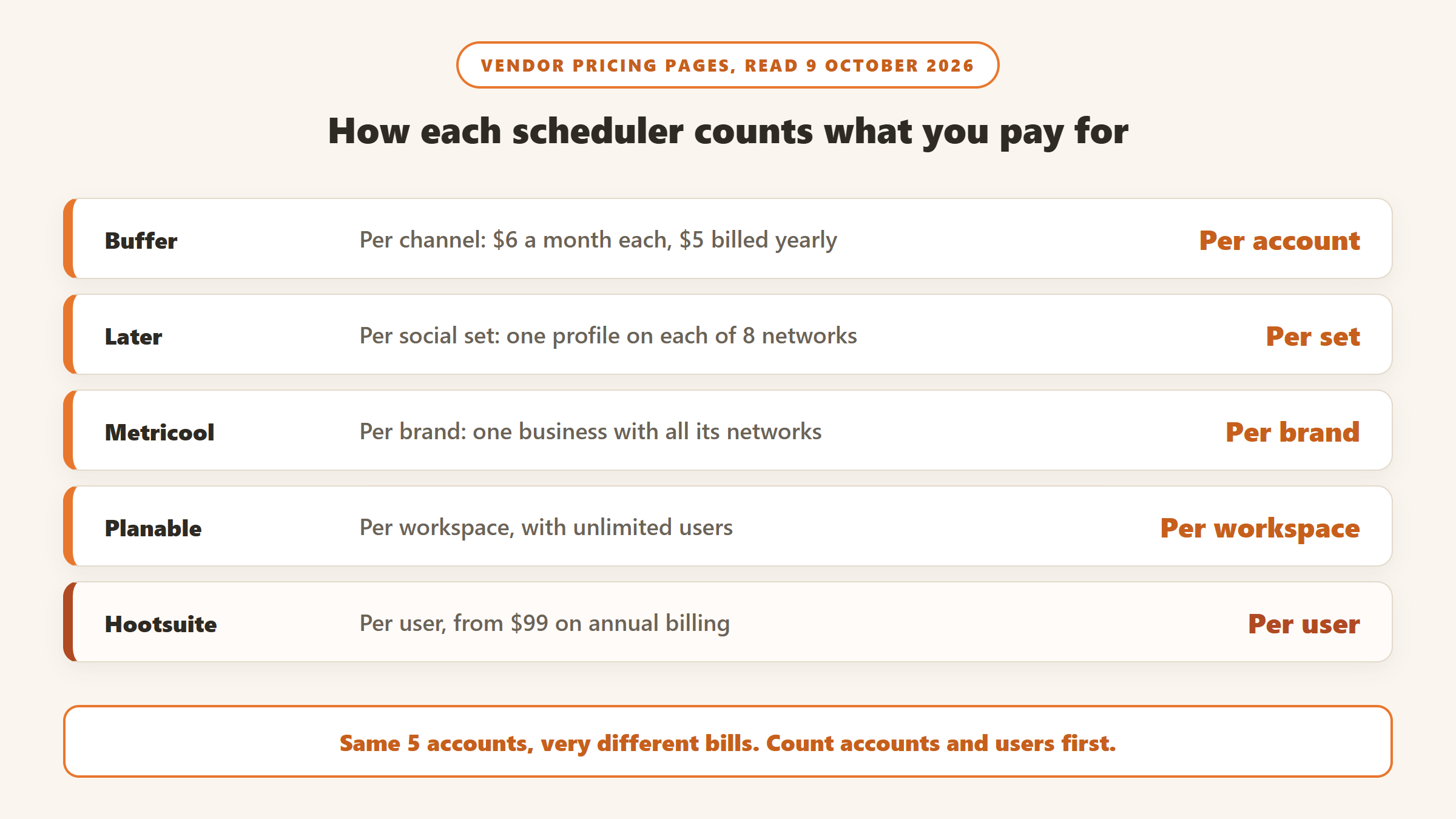
Three ways these tools charge, and why it matters
Per account or per channel
Buffer and Publer charge for each social account you connect. This is the cheapest model for a small business with a handful of accounts, and it grows smoothly as you add more.
Flat tiers
SocialBee, Ocoya, Later and Vista Social sell plans with a fixed number of accounts. They are simple to budget, but you pay for the next tier as soon as you add one account too many.
Per user or per seat
Hootsuite, Sprout Social and Agorapulse charge per person. A single user with five accounts pays the same as a single user with ten. These tools are built for teams with an inbox and reporting needs, and they cost the most for a solo owner.
What 5 accounts cost, and how much AI comes with it
| Tool and plan | Billed monthly | Billed yearly (per month) | AI on this plan |
|---|---|---|---|
| Metricool Free | $0 | $0 | 5 AI credits a month, 20 posts a month, no LinkedIn or X |
| Publer Professional | $20 | $16 | No AI beyond trial credits |
| Later Starter | $25 | $18.75 | 5 AI credits a month |
| Metricool Starter | $25 | $20 | 20 AI credits a month |
| SocialBee Bootstrap | $29 | $24 | Unlimited AI generation, AI Copilot |
| Ocoya Starter | $29 | about $24 | 300 AI credits a month |
| Buffer Essentials | $30 | $25 | AI Assistant, unlimited credits |
| Publer Business | $35 | $28 | Unlimited AI prompts |
| Predis.ai Rise | not confirmed | $55 | 3,200 credits a month |
| Planable Pro | $59 | $49 | AI rewrite and generate, no cap stated |
| Vista Social Professional | $99 | about $79 | 1,000 AI credits a month |
| Hootsuite Standard | not shown to us in USD | $99 per user | AI included, no cap stated |
Read on 9 October 2026 with each calculator set to five accounts and one user. Prices exclude tax.
How we chose and ordered these
Every tool had to schedule posts to several networks and include AI writing or generation. We ordered them by value for a small business or creator running about five accounts: the price for that setup, how much AI it includes, how many networks it supports, and whether the free plan or trial is useful. Tools priced per seat for larger teams are at the end or in the cut list. None of these vendors paid for placement on this page.
1. Buffer: simple, cheap per account, and unlimited AI
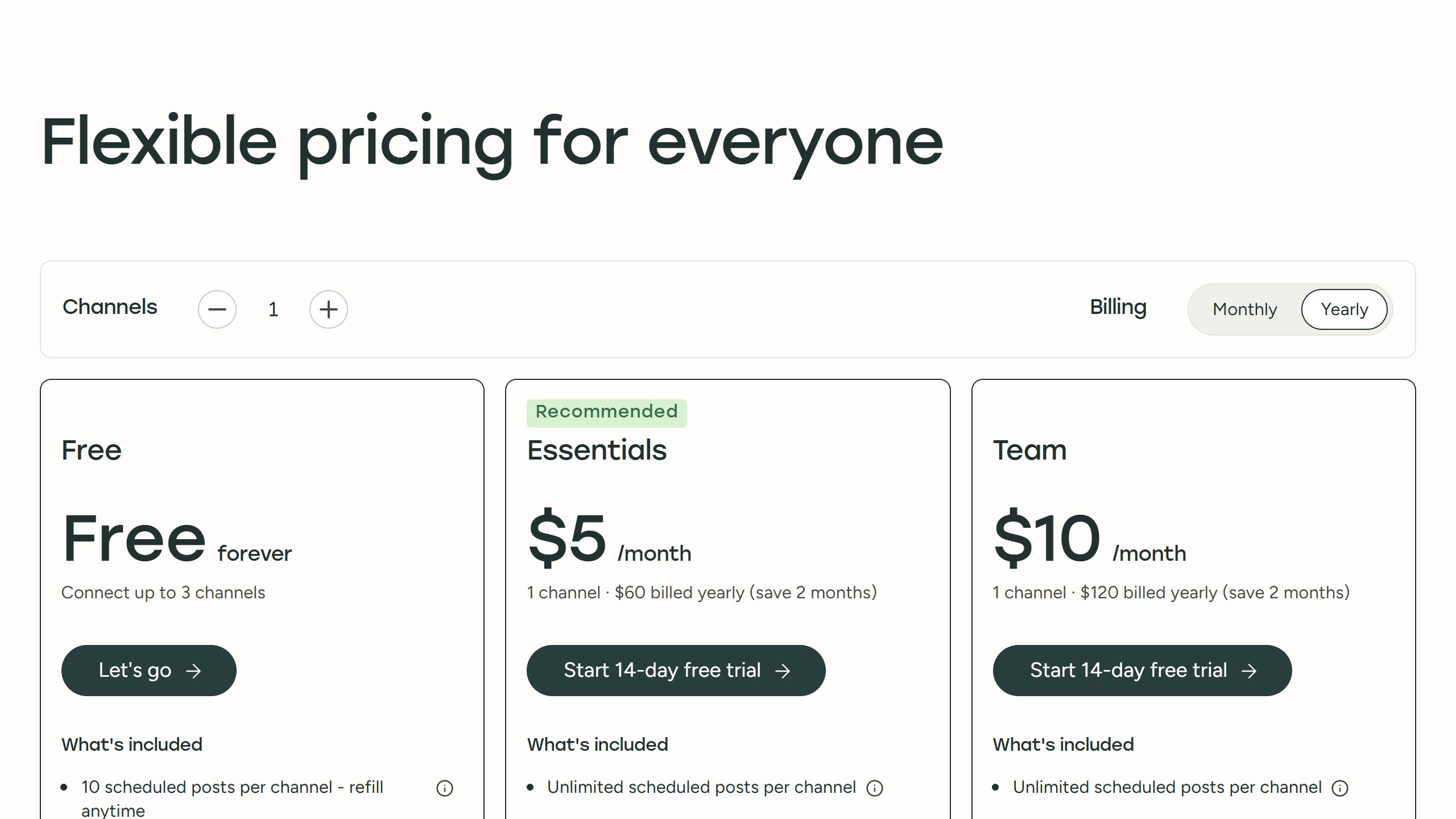
Buffer charges per channel: Essentials is $6 a channel a month, or $5 billed yearly, so five accounts cost $30 a month or $25 on yearly billing. Its AI Assistant helps you “refine and repurpose your content using AI” with “unlimited credits” on every plan, including the free one. The Team plan at $12 a channel adds unlimited team members.
Buffer supports Threads, Bluesky, TikTok, Google Business Profile, X, Mastodon and more. The free plan covers three channels with ten scheduled posts each, enough to try it properly.
Choose it if you want an easy scheduler with uncapped AI writing at a low price. Skip it if you need an approval workflow for clients.
2. SocialBee: recycle your best posts, with an AI strategy
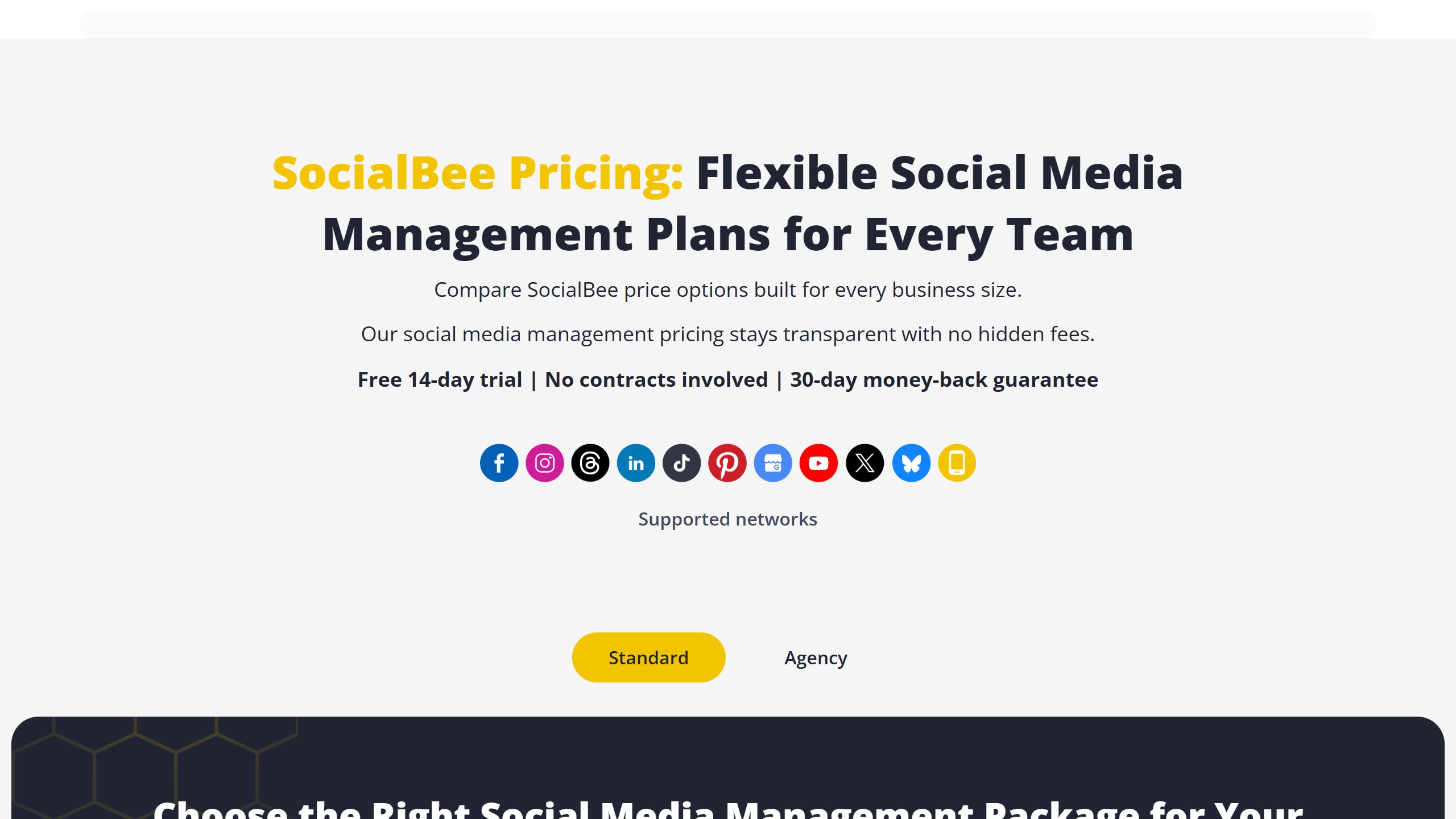
SocialBee is built around content categories: you sort posts into groups such as tips, promotions and blog links, and it recycles evergreen posts on a schedule. Its AI Copilot uses AI “to generate an entire social media strategy with ready-to-use posts”, and AI captions and images are listed as “Unlimited” on every plan.
Bootstrap covers five profiles and one user for $29 a month or $24 billed yearly. There is no free plan, but a 14-day trial with no card. It supports Threads, Bluesky, Google Business Profile locations and TikTok. Last year it ran the deepest Black Friday deal we found in this category: its own blog offered 70% off any plan for the first three months, or 50% off yearly plans, from 24 November to 2 December 2025.
Choose it if you want a steady stream of posts without writing new ones every week. Skip it if you need a free plan.
3. Publer: the most networks for the price, if you choose Business
Publer supports the longest list of networks here: Facebook pages and groups, Instagram, TikTok, X, Threads, LinkedIn, Pinterest, Mastodon, Google Business Profile, YouTube, Telegram, Bluesky and WordPress. Its plans page showed us local currency with its own US dollar price printed underneath, which is what we quote.
The catch is the AI. Professional is the cheaper plan, $20 a month for five accounts or $16 billed yearly, but Publer’s help centre says the AI assistant is part of the Business plan; free sign-ups only get trial credits. Business, at $35 a month or $28 yearly for five accounts, includes “Unlimited AI prompts”, best times to post and hashtag suggestions. You can also connect your own OpenAI key on any plan. Every tenth account is free.
Choose it if you post to unusual networks like Telegram, Mastodon or Facebook groups. Skip it if you want AI on the cheapest plan.
4. Metricool: the best free plan, plus analytics
Metricool prices by brand, where a brand holds one account on each network, so one business is one brand. The free plan covers one brand on every network except LinkedIn and X, with 20 posts a month and 30 days of analytics. That makes it the best free option here for a business that does not need LinkedIn.
Starter, for up to five brands, is $25 a month or $20 yearly. Metricool lists AI credits of 5, 20 and 35 a month per brand across its Free, Starter and Advanced plans, and supports Threads, Bluesky, TikTok and Google Business Profile on every tier; X is an add-on.
Choose it if you want a capable free plan or strong analytics. Skip it if you rely on LinkedIn and do not want to pay.
5. Later: built for Instagram and TikTok, light on AI
Later is a visual planner aimed at Instagram and TikTok creators. Its plans are built around a “social set”, one profile on each of Instagram, Facebook, TikTok, Pinterest, LinkedIn, YouTube, Threads and Snapchat. Starter includes one set for $25 a month or $18.75 billed yearly.
Two limits stand out. Starter includes 5 AI credits a month, and Later defines one credit as either three ideas or one caption, so that is about five captions a month; Starter cannot buy more. And the social set has no Bluesky, Google Business Profile or X.
Choose it if you plan Instagram and TikTok visually and write your own captions. Skip it if you want AI writing or use X, Bluesky or Google Business Profile.
6. Ocoya: AI-first drafting on a flat plan
Ocoya leans hardest on AI generation, with campaigns and a design studio. Starter covers one user and five profiles with 300 AI credits a month for $29 monthly or $290 a year, and the credits refresh every month. It supports Threads, Bluesky, TikTok and Google Business. There is a 7-day trial and no free plan.
Choose it if you want AI to draft most of your posts and graphics. Skip it if you mainly need a simple scheduler.
7. Predis.ai: when you want the AI to make the post
Predis.ai generates the creative itself: images, carousels, memes and short videos, with captions and hashtags. Read the plans carefully. Core, at $24 a month billed yearly, covers ten accounts but its own page lists “No auto posting”; automatic publishing starts on Rise at $55 a month billed yearly, with 3,200 credits. It does not list Threads or Bluesky. The trial is three days and asks for a card up front.
Choose it if you need graphics and video made for you. Skip it if you post to Threads or Bluesky.
8. Planable: approvals for small agencies, priced per workspace
Planable is built for teams and clients who need to review posts before they go out. It charges per workspace with unlimited users rather than per seat. Basic caps a workspace at four pages, so five accounts need Pro at $59 a month or $49 billed yearly. AI rewrite and generation are included with no stated cap. The first 50 posts are free, with no time limit.
Choose it if you manage social for clients who approve posts. Skip it if you work alone.
9. Vista Social: every network, for small agencies
Vista Social Professional covers 15 profiles with 1,000 AI credits a month for $99 a month or $950 a year, and supports Google Business Profile, Bluesky, Threads and TikTok. X is a $29 a month add-on. It is more than a single business with five accounts needs, but good value once you manage several brands.
Choose it if you are a small agency that needs every network. Skip it if you run one business.
10. Hootsuite: the full suite, priced per user
Hootsuite‘s plans page showed us prices in rupees, so the only US dollar figures we can quote are from its own FAQ: paid plans start at $99 for Standard, $199 for a new Professional plan and up to $399 for Advanced, per user on annual billing. Its AI, now called Wisdom, is included in every plan, and all paid plans include Bluesky publishing and listening. For a single user with five accounts it is the most expensive option here.
Choose it if you need inbox, listening and reporting for a team. Skip it if you just need to schedule posts.
Which networks each tool supports
| Tool | Threads | Bluesky | TikTok | Google Business Profile | X |
|---|---|---|---|---|---|
| Buffer | Yes | Yes | Yes | Yes | Yes |
| Publer | Yes | Yes | Yes | Yes | Paid plans |
| SocialBee | Yes | Yes | Yes | Yes | Not checked |
| Metricool | Yes | Yes | Yes | Yes | Add-on |
| Later | Yes | No | Yes | No | No |
| Ocoya | Yes | Yes | Yes | Yes | Not checked |
| Predis.ai | Not listed | Not listed | Yes | Yes | Yes |
| Planable | Yes | Not mentioned | Yes | Yes | Yes |
| Vista Social | Yes | Yes | Yes | Yes | $29 add-on |
| Hootsuite | Yes | Yes | Yes | Inbox only, per its help centre | Yes |
What we left out, and why
Sprout Social is excellent for larger teams but costs $79 to $99 per seat for five profiles, and its AI agent starts on Standard at $199 a seat. Agorapulse is also priced per user, and its support centre says its free plan stopped being available on 6 July 2026, even though its pricing page still mentions one. Loomly gives no numbers for its AI limits and does not list Bluesky. FeedHive showed us euro prices only and names no networks on its pricing page.
Should you wait for Black Friday?
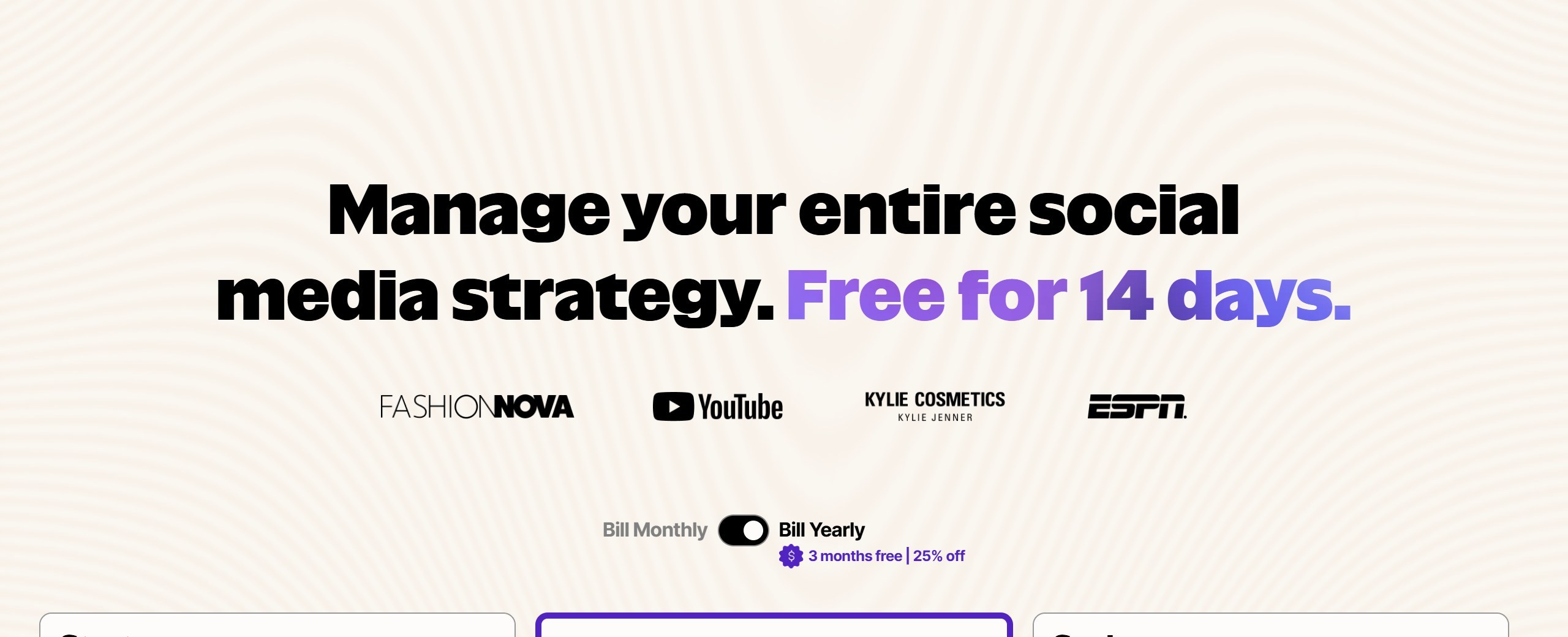
Only one tool here had a Black Friday 2025 deal we could confirm on its own site: SocialBee’s 70% off for three months or 50% off yearly plans. Several others already discount yearly billing all year. Later’s pricing page was running “3 months free, 25% off” on annual plans on 9 October, and Publer’s yearly billing is 20% off. Buffer’s page says its pricing was last updated in November 2025.
If you are already paying monthly, the bigger saving is usually switching to yearly billing on the plan you know you need, which saves 15% to 25% on most of these tools without waiting for a sale. If you are choosing a tool for the first time, use the free plan or trial now, and buy in late November only if your choice runs a real discount.
Five things to check before you subscribe
- How it counts accounts. Per channel, per social set, per brand or per workspace changes the price more than the headline number does.
- Whether the AI is on your plan. Publer Professional and Predis.ai Core both leave out something important: AI on one, auto posting on the other.
- Your networks. If Bluesky, Google Business Profile or X matter to you, check the network list for your plan, not the homepage logos.
- Users. Adding one teammate doubles the price on a per-user tool and costs nothing on Planable or Buffer Team.
- The trial. Trials run from 3 days on Predis.ai to 14 days on SocialBee, Later and Vista Social, and Predis.ai takes a card up front.
What AI social media tools cannot do yet
AI captions are quick, but they tend to sound alike, and your followers notice. The tools are good at turning one idea into five variations, resizing for each network and suggesting times to post. They are weak at knowing what is happening in your business this week, which is usually the thing worth posting about.
Use the AI for drafts and repurposing, and keep the voice yours. The scheduling, recycling and calendar features save more time than the writing does.
Which scheduler should you pick?
If you are a small business with a few accounts
Buffer for the simplest setup with unlimited AI, or SocialBee if you want evergreen posts recycled for you.
If you want to pay nothing
Metricool’s free plan, if you do not need LinkedIn or X, or Buffer’s free plan for three channels.
If you post to unusual networks
Publer Business, which covers Telegram, Mastodon, Facebook groups and WordPress as well as the usual ones.
If you manage social for clients
Planable for approvals with unlimited users, or Vista Social for many profiles and networks.
Waiting for a sale? Our AI tools Black Friday deals page tracks Black Friday and Cyber Monday offers on social media and marketing tools, each checked on the vendor’s own site.
Sources
- Buffer pricing, Publer plans and Publer plans help article, SocialBee pricing and SocialBee Black Friday 2025 post.
- Metricool pricing, Later pricing, Ocoya pricing, Predis.ai pricing, Planable pricing, Vista Social pricing.
- Hootsuite plans and Hootsuite Bluesky, Sprout Social pricing, Agorapulse pricing and free plan notice, Loomly pricing.
- All read 9 October 2026.

Written by
FazFaz is the founder of AIToolsBakery. Some tools here are tested hands on. Others are assessed from vendor documentation and pricing verified on the live page, and every review says which one it is. Sponsors can buy a position in a guide. They cannot buy the score, the criticism, or silence about a better option.
How we test and how we make money →