Every website builder now says it uses AI, and the phrase covers very different things. Some generate a whole site, with pages, copy and images, from one sentence. Some add a writing assistant to an editor you still drive yourself. Some now build simple web apps as well as sites. The ranking pages for this search rarely make the distinction, and three of the top results we read were written by builders ranking themselves.
The bigger differences are in the small print: how much AI you actually get on the cheapest plan, what the price becomes when the introductory term ends, and whether you can ever take your site somewhere else. Those are the three things this guide compares, from each vendor’s own pages.
How we put this together. We have not used these builders ourselves; this is a research-based comparison. Every price, limit and feature below comes from the vendor’s own pricing page, help centre or blog, read on 9 October 2026, and we link to each source. Prices are in US dollars unless we say otherwise. Two vendors showed us regional prices from our location, and we say so rather than converting them. Nothing here is a test result.
What “AI” means in a website builder
A whole site from a prompt
You describe your business and the builder generates the pages, layout, copy and images in a minute or two. Wix, Squarespace, Hostinger, Framer, Webflow, Durable, 10Web and GoDaddy Airo all offer this. The result is a starting draft you then edit, not a finished site.
An AI assistant inside the editor
After the first draft, most builders keep an assistant or agent in the editor that rewrites sections, generates images, adds pages or makes changes on request. Framer runs several agents for design, CMS content, code and site review. Wix calls its agent Aria.
AI credits, and why they matter
Most builders now meter AI use in credits. This is where the cheapest plans differ most. Some give a monthly allowance; others give a small one-time amount that is gone after your first site. A plan that looks cheap can become expensive if you need more AI later.
AI website builders compared
| Builder | Cheapest paid plan | AI on cheapest paid plan | Free plan | Can you leave with your site? |
|---|---|---|---|---|
| Wix | Light, yearly (regional price shown to us) | Not stated as credits | Yes, Wix branding | No, sites stay on Wix |
| Squarespace | Basic (regional price shown to us) | 10 credits, one time | No, 14-day trial | Partly, WordPress .xml export |
| Hostinger | $2.99/mo for 48 months, renews $10.99/mo | 5 credits, one time | No, 5 free credits to try | Says you can export code |
| Framer | Basic $10/mo | 1,000 credits a month | Yes, Framer domain | Its help pages disagree |
| Webflow | Basic $15/mo billed yearly | 200 to 300 credits (workspace) | Yes, 2 static pages | HTML and CSS, not CMS content |
| WordPress.com | Personal $4/mo yearly or $9 monthly | “Usage limits apply” | Yes, with ads | Yes, WordPress is open source |
| Durable | Launch $22 to $25/mo | Not stated per plan | Yes, 300 credits total | No export found |
| 10Web | AI Starter $10/mo billed yearly | 100 credits a month | Free start | Built on WordPress |
| GoDaddy Airo | Starter from $9.99/mo | 150 credits a month | Yes, 50 credits a month | ZIP code download |
Read on 9 October 2026. Several builders show different prices by country and by billing term, so check the vendor’s page before you buy.
How we chose and ordered these
Every builder here had to generate a usable site from a prompt and host it, not just suggest copy. We ordered them by how well they serve a small business owner building their first site, weighing the depth of the AI, the free plan, price after renewal and how easily you can leave. We dropped tools whose pricing we could not read on their own pages. None of these vendors paid for placement on this page.
1. Wix: the most complete, if you plan to stay
Wix lets you “create a website with AI by describing what you want”, and says its builder generates “a complete site with industry-specific logic, tailored copy and high-quality visuals already wired in.” After that, its built-in agent, Aria, keeps adding pages, sections and visuals as you go. It has the broadest set of AI tools of any builder here, and a free plan with no card required.
Wix’s plans page showed us yearly plans in US dollars with Indian GST included, labelled “for reference only”: Light at $17.77 a month, Core $29.77, Business $39.77 and Business Elite $159.77, paid yearly. Prices in your country will differ. Every paid plan includes a free domain for a year and a 14-day money-back guarantee. Custom domains and payments need a paid plan.
The catch: you cannot take it with you
Wix’s own support documentation says sites must be hosted on Wix’s servers and the editor cannot download a site, and blog posts cannot be exported to another platform. You can move your domain, but not the site. For many small businesses that is fine. If you think you might move to WordPress later, start somewhere else.
Choose it if you want the most AI help and a free start, and expect to stay on Wix. Skip it if owning a portable site matters to you.
2. Squarespace: the best-looking first draft
Squarespace‘s AI builder will “generate a full site shaped around what you offer and what visitors should be able to do”, placing copy and imagery where they help and generating images to fill gaps. Squarespace is known for design, and the AI builds on its templates.
Its pricing page showed us prices in Indian rupees only, so we are not printing a dollar figure; check the page from your own location. What we can report is the AI allowance, which no ranking page we read mentions: Basic includes 10 AI credits one time, Core 20 a month and Advanced 120 a month. Basic also charges a 2% transaction fee on store sales. There is no free plan, only a 14-day trial, and annual plans save up to 36%.
Leaving is possible but partial. Squarespace exports a WordPress-format file covering basic pages, text, images and one blog, but not store pages, styles or custom CSS.
Choose it if design matters most and you will choose Core or above. Skip it if you need a free plan or expect heavy AI use on Basic.
3. Hostinger: cheapest up front, with a long commitment
Hostinger has merged its website builder and its Horizons app builder into a single AI Builder with two modes, drag-and-drop and what it calls agentic, a fully conversational mode. The old Zyro builder now redirects here.
The headline price is low: Premium is $2.99 a month, but on a 48-month term paid up front, which is $143.52, and it renews at $10.99 a month. Unlimited is $3.99 a month ($191.52 up front), renewing at $16.99. The AI allowance is small: Premium includes 5 AI credits one time and Unlimited 15, and Hostinger itself says a simple business page “typically uses 5 to 10 credits.” Manual edits do not use credits.
Two things to read before you pay
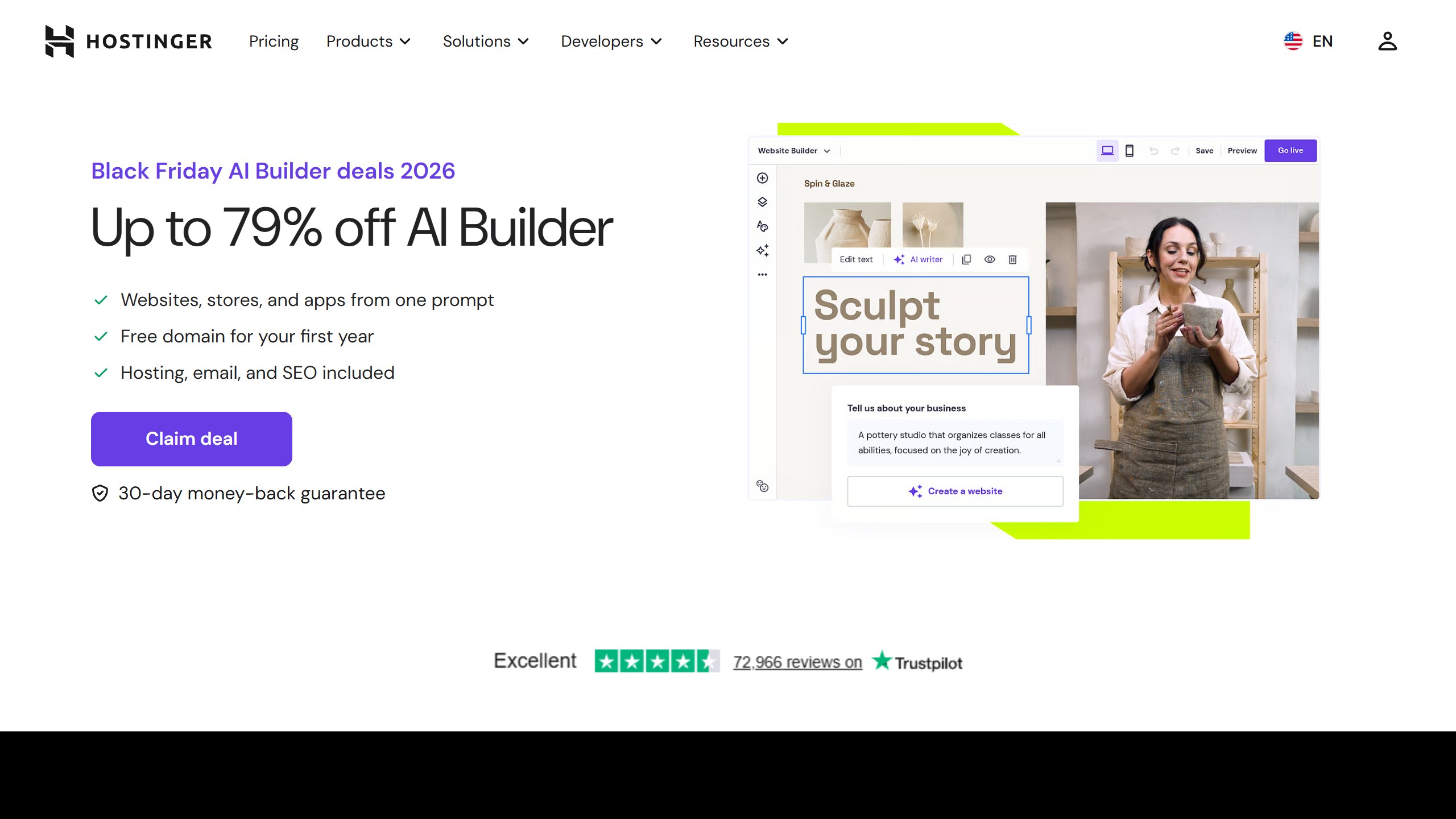
First, the 30-day money-back guarantee only applies if you have used fewer than 30 AI credits. Second, Hostinger’s Black Friday 2026 page is already live, announcing deals from 19 October to 14 December 2026. On 9 October its builder prices there, $2.99, $3.99 and $7.99, were the same as on its standard builder page. There is no reason to wait for Black Friday to get that price.
Choose it if you want the lowest monthly cost and are happy to commit for four years. Skip it if you need lots of AI generation or dislike long prepays.
4. Framer: for designers who want a polished marketing site
Framer lets you describe “the website, page, or update you need”, and its agent creates editable pages, sections, copy and visuals in your project. It has separate agents for design, CMS content, custom code, site review and analytics, and it can connect to outside coding agents.
Its own pricing page showed Basic at $10 a month and Pro at $30 a month, with prices “billed according to the billing cycle selected at checkout.” One ranking page updated in September 2026 still lists Framer at $15 and $45, so check before you trust a list. Basic includes 1,000 AI credits a month and Pro 3,000, the most generous allowance here. The free plan uses a Framer domain and includes 500 AI credits to try.
On leaving, Framer’s own help centre contradicts itself. One article says Framer “does not offer HTML export for self-hosting.” Another says you can download your files at any time and move them to any host. Assume you are staying unless Framer confirms otherwise for your plan.
Choose it if you are a designer or startup that wants a high-end site and plenty of AI. Skip it if you need clear export rights.
5. Webflow: AI on top of a professional editor
Webflow says its AI can “help you build a site, modify page designs, generate copy, generate code, and optimize for conversion”, and it now offers an AI site builder from a prompt. Underneath is the most powerful visual editor here, which is also the steepest to learn.
Its pricing is split into site plans and workspace plans. Site plans billed yearly start at Basic $15 a month, with the CMS on Premium at $25. AI credits and code export sit on the workspace: the free workspace has 200 AI credits, and Core at $19 a month yearly adds 300 credits and code export. Webflow exports clean HTML and CSS, but “dynamic content (CMS items/pages) can’t be exported.”
Choose it if you want AI to start the site and a professional tool to finish it, with code you can take. Skip it if you want the simplest editor.
6. WordPress.com: the most portable choice
WordPress.com now offers a guided builder that lets you “create and launch a WordPress.com website in minutes by chatting with AI.” Its AI is more limited than the leaders, with “usage limits apply” on Personal. Its advantage is that WordPress is open source, so a site built here can move to almost any host.
Prices are clear and in US dollars: Personal is $9 month to month or $4 a month yearly, Premium $18 or $8, Business $40 or $25, with lower rates on two and three-year terms. The free plan shows WordPress.com ads. Last year it ran a Black Friday offer of a free five-page site build with a new annual Business plan plus 10% off, in the US, UK and Canada.
Choose it if you want a site you can always take elsewhere. Skip it if you want the most AI generation.
7. Durable: a site plus a small-business toolkit
Durable promises a site “ready to go online in 30 seconds”, and bundles a simple CRM, invoicing and AI that can write blog posts, research keywords and generate social posts. It is aimed squarely at solo service businesses. Its pricing page showed Launch at $25 a month, or $22 on the yearly toggle, and Grow at $49 or $41. The free plan includes 300 AI credits in total.
We found no way to export a Durable site. Its domain transfer policy also requires the subscription to be active for at least three consecutive months before a domain bought through Durable can move.
Choose it if you want a site and basic business tools in one place, fast. Skip it if you might outgrow it.
8. 10Web: AI-built WordPress sites, and tools for agencies
10Web builds WordPress sites with AI and says it can “build or recreate any website with AI.” Agency plans add agents that redesign a site, clone a page from a URL or convert a Figma design. Because the result is WordPress, it is more portable than most.
Billed yearly, AI Starter is $10 a month for one site and 100 AI credits a month, AI Premium $15 for two sites and AI Ultimate $22.50 for four. Note the refund condition: its 30-day money-back guarantee “ends once you claim the free domain.”
Choose it if you want WordPress without setting it up, or run an agency. Skip it if you want a fully hosted builder with no WordPress underneath.
9. GoDaddy Airo: free to try, builds apps too
GoDaddy’s Airo builder “generates your website, web app, pages, databases and logic in minutes.” GoDaddy’s pricing pages would not load for us, so these figures come from GoDaddy’s own blog, dated July 2026: a free plan with 50 AI credits a month, and Starter from $9.99 a month with 150. Publishing and a custom domain need a paid plan, and you can download your code as a ZIP file. Check current prices on GoDaddy’s site before you buy.
Choose it if you want to try conversational building for free, or need a simple web app. Skip it if you want a mature site editor.
What we left out, and why
B12 generates a full first draft in about two minutes and was the closest cut, but its Website plan at $24 a month costs more than peers for similar output. Zyro no longer exists as a separate product. Elementor AI is an assistant inside a WordPress page builder rather than a site builder for beginners, and its prices did not load for us. Mixo’s pricing page loaded empty. Relume plans and wireframes sites rather than hosting them. Strikingly’s pricing page describes no AI features. Lovable, Replit and Base44 build apps, which is a different job. If you built your site or app with an AI app builder such as Lovable or Bolt instead, see where to host a Lovable, Bolt or v0 app, and if you want a .ai address for it, what a .ai domain really costs.
What AI website builders cannot do yet
An AI draft is a starting point. It will not know your prices, your service area or what makes you different unless you tell it, and its copy tends to sound like every other small business site. Plan to rewrite the homepage in your own words and replace stock images with real photos.
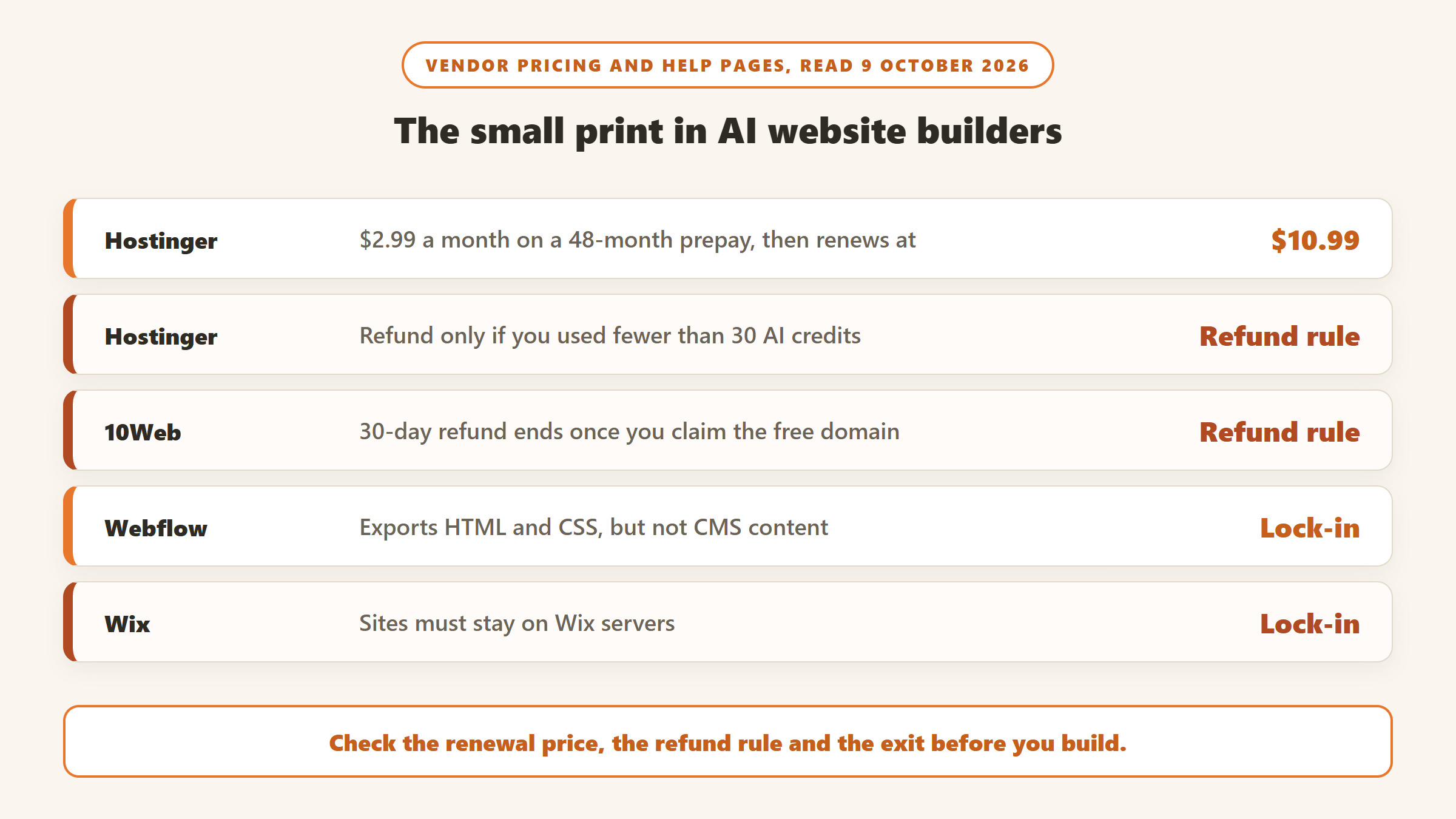
The other limit is the one this guide keeps returning to: the AI makes building fast, but the platform decides what happens later. Check renewal prices, check how much AI you get after the first draft, and decide before you start whether you need to be able to leave.
Which AI website builder should you pick?
If you want the easiest start
Wix, with its free plan, if you are happy to stay on Wix.
If you want the lowest monthly cost
Hostinger, if you accept a 48-month prepay and a renewal at $10.99 a month.
If you want a site you can always move
WordPress.com, or 10Web for AI-built WordPress.
If you are a designer or a team
Framer for marketing sites with generous AI, Webflow for code export and a professional editor.
Waiting for a sale? Our AI tools Black Friday deals page tracks Black Friday and Cyber Monday offers on website builders and hosting, each checked on the vendor’s own site.
Sources
- Wix: AI website builder and plans. Squarespace: AI website builder and pricing.
- Hostinger: website builder and Black Friday builder deals. Framer: pricing, HTML export article and porting your data article.
- Webflow: pricing and AI. WordPress.com: pricing and Black Friday 2025 post.
- Durable: pricing and domain transfer policy. 10Web: pricing. GoDaddy: Airo blog post. B12: pricing.
- All read 9 October 2026.

Written by
FazFaz is the founder of AIToolsBakery. Some tools here are tested hands on. Others are assessed from vendor documentation and pricing verified on the live page, and every review says which one it is. Sponsors can buy a position in a guide. They cannot buy the score, the criticism, or silence about a better option.
How we test and how we make money →