Enscape’s pitch has always been simplicity: render your model in real time without leaving the BIM tool you already work in. In 2026 that is still its biggest strength, though the pricing has changed in ways worth knowing before you commit.
Enscape is a real-time rendering and VR plugin for Revit, SketchUp, Rhino, Archicad, and Vectorworks, now part of Chaos. Its draw is one-click, live visualization inside your design software, with no export step. Best for architects who want fast real-time rendering tightly integrated with their BIM workflow. Subscription only as of 2025, from around $48/month on an annual plan (about $87/month month-to-month).
Faz says: Enscape’s whole value is that it disappears into your workflow. You model in Revit or SketchUp, hit one button, and you are walking through a lit, rendered version of your design in real time. That tight integration is why so many practices standardized on it. The 2026 catch is purely commercial: Chaos retired perpetual licenses, so it is subscription or nothing now. Judge it on the workflow, but budget for the recurring cost.
Saru says: This review draws on Enscape’s official documentation and pricing, a feature assessment, and aggregated user ratings from G2 and Capterra, current to 2026. Chaos restructured Enscape pricing in mid-2025; confirm the current Solo or Premium tier before subscribing.
Quick facts
| Tool | Enscape (Chaos) |
|---|---|
| Best for | One-click real-time rendering inside BIM tools |
| Pricing | Subscription only: Solo ~$48/mo (annual) or ~$87/mo monthly; Premium ~$635/yr |
| Stand-out | Tight one-click integration with Revit, SketchUp, Rhino, Archicad, Vectorworks |
| Weak spot | Subscription only since 2025 (no perpetual license); GPU-dependent |
| Last assessed | 2026 (research-based) |
What Enscape is
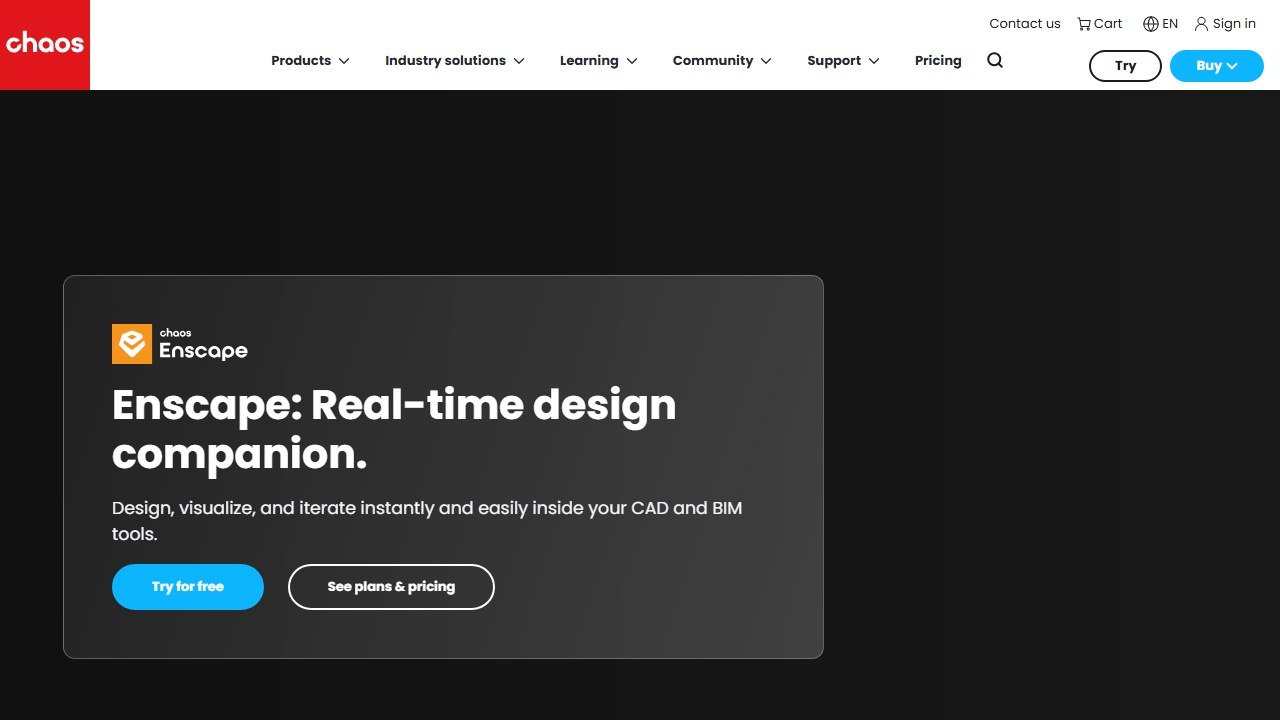
Website: Enscape
Enscape is a real-time rendering and virtual reality plugin that lives directly inside the design tools architects use. Rather than exporting your model to a separate renderer, you render and walk through it in real time, in place, with one click. It supports Revit, SketchUp, Rhino, Archicad, and Vectorworks, and includes VR output for immersive client review.
It sits in the real-time visualization stage of our AI tools for architects guide, alongside D5 Render and Twinmotion, and like them it is model-aware: it renders your actual geometry, not a generated approximation.
Who it is for
- BIM-based practices who want rendering that never leaves Revit, Rhino, or Archicad.
- Architects presenting live who value real-time walkthroughs and VR during design reviews.
- Teams standardizing on one tool across a studio with shared licensing (Premium/floating).
What stands out
The one-click, in-tool workflow is the headline and the reason for Enscape’s adoption: there is essentially no friction between modeling and visualizing. Real-time feedback means you adjust the design and see the lit result instantly, and the VR support is genuinely useful for client buy-in. Being part of Chaos (the V-Ray maker) also signals long-term backing.
Field note Real-time tools live and die by your GPU. Enscape’s experience on an underpowered laptop is a different, frustrating product. Check your hardware against its requirements before committing a studio to it.
Where it falls short
The big 2026 change is commercial: Chaos discontinued perpetual licenses, so Enscape is subscription only, and the per-seat cost is not trivial for a small practice. Performance is tied to your GPU. And as a model-aware real-time engine, it competes directly with D5 Render, which many find faster to pick up and which offers a usable free version Enscape does not match.
Pricing
Enscape is subscription only as of the mid-2025 restructure. The Solo tier runs about $574.80/year (roughly $48/month on annual billing) or $87.30/month month-to-month. Premium is about $634.80/year for a named user, with a floating option near $994.80/year for shared team use. There is no longer a perpetual license. Confirm the current tier on the Chaos site, since this category reprices often.
Our take
Our research-based score: 4.2 out of 5. Enscape remains one of the smoothest real-time rendering experiences for BIM-based architects, and the one-click integration is hard to beat for workflow friction. The move to subscription-only pricing is the main reservation, and D5 Render is a strong, often cheaper alternative with a free tier. If your practice is deep in Revit or Rhino and values seamless integration over cost, Enscape earns its place.
Alternatives
- AI tools for architects: the full model-aware vs generative comparison
- D5 Render: faster to learn, with a usable free version
- Veras: model-aware AI rendering as a plugin
- Twinmotion : cinematic walkthroughs with a generous free tier
What Enscape actually does well in 2026
Enscape is the established real-time rendering tool for Revit-centric architecture practices. Acquired by Chaos (the V-Ray parent) in 2021, the product has been refined through 2024-2026 with a focus on BIM-integration depth, enterprise procurement reliability, and consistent feature delivery. For Revit-focused firms, Enscape is the most natural fit in the real-time rendering category.
The category Enscape dominates is enterprise architecture firms with BIM-heavy workflows. The bidirectional sync between Revit and Enscape means an architect can modify the Revit model and see the render update in real-time without exporting, opening a new tool, and re-importing. The workflow friction that other rendering tools impose is reduced to near-zero, and for firms running large-scale commercial or institutional projects with constant model updates, that friction reduction compounds.
Three specific strengths. The Revit integration is the deepest in the category; nothing else competes on BIM-native workflow. The enterprise procurement experience is the most mature, with established licensing, security review documentation, and large-firm reference customers. And the asset library, especially with Chaos Cosmos integration, is broad and architecture-credible.
Where Enscape falls short
Pricing has been a persistent complaint through 2024-2026. Enscape sits at roughly $700-900/year per seat after the Chaos acquisition raised prices several times. For firms evaluating new tool adoption, D5 Render’s price-to-quality ratio has made Enscape harder to recommend to first-time buyers. The price defensible for firms already invested in Revit workflows; harder to justify for new firms.
Render quality at the highest settings is competent but not category-leading. For client-facing photorealism on premium projects, firms often supplement Enscape with V-Ray or Lumion for the final hero renders. Enscape produces good real-time output; it does not produce the absolute top tier of photorealism that high-end luxury or hospitality projects need.
The post-acquisition Chaos integration has introduced new licensing complexity that some firms have found frustrating. Bundled offerings with V-Ray and Cosmos have created procurement decisions where the standalone Enscape product is harder to evaluate.
Enscape pricing in 2026
The Enscape pricing structure as of mid-2026: individual seat at approximately $700-900/year, with team and enterprise pricing for firms with multi-seat needs. The Chaos bundle pricing (Enscape + V-Ray + Cosmos) reduces per-tool cost but commits the firm to the broader ecosystem.
For individual architects: the standalone Enscape subscription at $700-900/year is the right structure if you commit to Revit-centric workflow long-term. For occasional Enscape use, the math gets harder.
For firms: the Chaos enterprise bundle covers Enscape, V-Ray, and Cosmos at negotiated per-seat pricing. For firms producing both real-time Enscape walkthroughs and high-end V-Ray hero renders, the bundle math works. For firms running only one of the tools, the bundle is overkill.
Educational pricing remains generous. Students and educators access Enscape for free or at substantial discount, which has kept Enscape as the dominant academic-rendering tool in architecture schools through 2025-2026.
The architect workflow with Enscape
Picture a senior architect at an enterprise firm leading a complex commercial project in Revit. Monday: the team has updated the project’s structural framing in Revit over the weekend. Enscape’s bidirectional sync means the architect opens the project in Revit, launches the Enscape plugin, and the rendered view updates to reflect the structural changes within seconds. No re-export, no re-import, no model rebuild.
Tuesday: design coordination meeting with structural, MEP, and the client. Real-time Enscape walkthrough in the meeting allows the team to navigate the building model while discussing clearance issues, sight lines, and material decisions. The walkthrough is interactive, not pre-rendered; design decisions made in the meeting reflect immediately in subsequent renders.
Wednesday and Thursday: client-facing presentation renders developed at higher quality settings. The senior architect iterates on lighting and material treatments. By end of Thursday, the client presentation package includes 12 still renders, 2 animation walkthroughs, and one VR-ready environment for the client to walk through if they want.
Friday: hand-off to the production team. The Revit model is the source of truth for all subsequent design development. Enscape stays bidirectionally synced to that model through the rest of the project, eliminating the import-export dance that competing rendering tools require.
The Enscape workflow’s net effect for Revit-centric firms is the elimination of model-version-control problems that plague rendering workflows in competing tools. The renderer is part of the BIM workflow rather than a separate tool with its own version of the model.
Enscape vs the alternatives
Enscape vs D5 Render: see our detailed D5 Render vs Enscape comparison. Headline: Enscape wins on Revit integration and enterprise procurement maturity. D5 Render wins on price and free-tier generosity. For Revit-heavy firms, Enscape. For SketchUp/Rhino firms or price-sensitive practices, D5 Render.
Enscape vs Twinmotion: Twinmotion wins on animation rendering speed and Unreal Engine asset depth. Enscape wins on BIM-native workflow and architecture-specific integration. Different tools for different workflow priorities.
Enscape vs V-Ray: V-Ray (now part of Chaos with Enscape) is the production photorealism tool; Enscape is the real-time workflow tool. Most enterprise firms run both, with V-Ray for hero renders and Enscape for daily iteration. The Chaos bundle pricing makes running both more economical than running them separately.
Enscape vs Lumion: Lumion was the dominant category leader pre-2022; Enscape and D5 Render have collectively displaced Lumion as the default new-adoption choice. Lumion remains technically capable but not the default consideration for new firms.
Who should buy Enscape in 2026
Buy if: You are at an enterprise architecture firm with Revit-centric BIM workflows. Your firm runs commercial, institutional, or large residential projects where BIM model integrity is critical. You value enterprise procurement maturity (security review, licensing structure, support SLA). Your firm already invests in the broader Chaos ecosystem (V-Ray, Cosmos).
Consider alternatives if: You are a small firm or individual architect (D5 Render is more cost-effective). You work primarily in SketchUp or Rhino (Enscape works there but BIM-integration value is reduced). You produce animation-heavy deliverables as a primary output (Twinmotion).
The honest summary. Enscape in 2026 is the BIM architect’s rendering tool. The Revit integration depth is unmatched, the enterprise procurement experience is the most mature in the category, and the asset library is broad and credible. The price premium versus D5 Render is real and is the right question for new tool adoption. For firms already invested in Revit and Chaos workflows, Enscape is the rational continuation. For new tool adoption at firms with looser BIM commitments, D5 Render is the cost-effective alternative.
The first 30 days with Enscape: a setup playbook
Week 1: install the plugin in your primary BIM tool (Revit for most enterprise firms). Run through the Enscape tutorial sequence to understand the bidirectional sync workflow.
Week 2: test the sync workflow on a recently-completed project. Make geometry changes in Revit and watch the Enscape render update in real-time; this is the workflow that justifies Enscape’s price premium over D5 Render for Revit-centric firms.
Week 3: produce client-facing deliverables on an active project. Standard still renders, animation walkthrough, and VR-ready output if your project includes VR review. Document the workflow time compared to your historical baseline.
Week 4: refine your firm’s standard Enscape workflow. Standardize material libraries, lighting presets, and Cosmos asset choices across the team. Consistency across the firm produces brand-recognizable output.
Common mistakes architects make with Enscape in the first month
Mistake one: not using the bidirectional sync. Some new Enscape users continue an import-export workflow rather than the live sync. The sync is the central value of Enscape over alternatives; using Enscape without it is paying Enscape prices for D5 Render workflow.
Mistake two: not exploring Chaos Cosmos integration. Cosmos provides high-quality 3D assets that integrate cleanly with Enscape. Many users underutilize Cosmos and rely on default Enscape assets.
Mistake three: comparing Enscape to V-Ray on absolute photorealism. Same lesson as D5 Render: Enscape is real-time, V-Ray is render-farm. Use Enscape for iteration; supplement with V-Ray (same Chaos parent company) for hero renders if needed.
Mistake four: skipping the firm’s standard render setup. Enterprise firms benefit from a standard render preset library that all designers use; firms that let each designer set up Enscape differently produce inconsistent client deliverables.
Advanced workflow tips after 90 days with Enscape
Tip one: use VR walkthroughs strategically with clients. Not every client wants to wear a VR headset; some do, and those clients respond strongly to the immersive experience. Identify which clients would benefit and offer the VR walkthrough as a standard option for those.
Tip two: integrate Enscape with the broader Chaos ecosystem. V-Ray for hero renders, Cosmos for asset library, Enscape for real-time iteration. The integrated workflow produces better outcomes than maintaining separate tool ecosystems.
Tip three: standardize the BIM-Enscape handoff for the firm. Define which Revit families are reliably exportable to Enscape and which need substitution. The standardization prevents per-project setup time.
The next 12 months for Enscape
Three trajectories to watch. First, the Chaos integration will deepen. Bundle pricing with V-Ray and Cosmos will become more aggressive as Chaos consolidates the rendering tool ecosystem. Firms invested in the broader Chaos stack will see continued value; firms running Enscape alone will face pricing pressure.
Second, the BIM workflow leadership Enscape currently holds will be challenged by D5 Render and Twinmotion improvements. Enscape’s competitive moat is the Revit bidirectional sync; competitors closing that gap would erode the price-premium justification.
Third, the AI features will need to catch up. Enscape’s AI-enhancement features have lagged D5 Render’s through 2025-2026; expect Chaos to invest in matching D5’s AI feature parity through 2026-2027.
Real-world ROI for an enterprise architecture firm
An enterprise firm with 20 architects, average $250K revenue per architect, total firm revenue $5M. Enscape team licenses at roughly $14,000/year for the firm is 0.28 percent of revenue. The BIM-sync workflow eliminates approximately 15-20 hours per architect per month of import-export friction versus tools without bidirectional sync. Across 20 architects and 12 months, that is 3,600-4,800 hours of recovered time. At a $150/hour effective rate, the time savings exceed $500,000 per year. ROI overwhelmingly positive at enterprise scale.
Comparing Enscape against the alternatives: an architect’s checklist
Before committing to Enscape as your firm’s primary rendering tool, work through this checklist.
1. Verify your firm’s Revit-centricity. Enscape’s primary differentiator is bidirectional Revit sync; if your firm uses Revit less than 60 percent of the time, the price premium versus D5 Render is harder to justify.
2. Evaluate the Chaos ecosystem fit. If your firm uses or plans to use V-Ray and Cosmos, bundle pricing improves Enscape’s economics. If you only need Enscape standalone, the bundle is overkill.
3. Calculate the time savings from BIM-sync versus import-export workflow. The savings are real but vary by project complexity; quantify against your project mix.
4. Verify enterprise procurement requirements. Enscape’s enterprise procurement experience is the most mature in the category; firms with formal security review or licensing requirements benefit most from this maturity.
5. Test the asset library depth via Chaos Cosmos. The integrated assets provide architecture-credible content; verify the library covers your typical project needs.
The bigger picture: how Enscape fits in the BIM-heavy firm workflow
Enscape’s role in a BIM-heavy architecture firm is as the integrated real-time rendering layer that sits directly inside the Revit workflow. The bidirectional sync between Revit and Enscape is the central architectural value; designers can iterate on the model in Revit and see render output update without breaking workflow.
The typical enterprise BIM workflow with Enscape: Revit models maintained as the project’s source of truth, Enscape plugin running alongside Revit for real-time render iteration, presentation renders produced from the live BIM model rather than from exported static snapshots, client meetings using interactive Enscape walkthroughs rather than pre-rendered images, design coordination using shared Enscape views across structural, MEP, and architectural teams.
The Chaos ecosystem integration extends Enscape’s value beyond standalone rendering. V-Ray for hero photorealism, Cosmos for the architecture-credible asset library, all integrated under one billing relationship and one technical support team. Firms invested in the broader Chaos stack get genuine workflow integration; firms running Enscape standalone get the standalone rendering tool without the broader benefits.
The migration question for firms currently on Enscape: D5 Render’s price advantage is meaningful (roughly $400-500 per seat per year savings). For Revit-centric firms, the BIM-sync workflow value typically justifies the Enscape premium. For firms where Revit is one of several modeling tools, the math gets harder and the alternative may be more compelling.
The bottom line on Enscape for 2026
Enscape in 2026 is the rendering tool of choice for Revit-centric architecture firms. The bidirectional BIM sync is genuinely valuable and not matched by competitors. The Chaos ecosystem integration provides workflow benefits that standalone tools cannot replicate. The price premium versus D5 Render is real and is the question for new tool adoption; for firms with deep Revit investment, the price is justified. For SketchUp-or-Rhino-centric firms, the price advantage of competitors typically wins.
Pre-purchase checklist for Enscape
Before you commit to a license, confirm: your GPU has at least 8GB VRAM (Enscape leans hard on dedicated GPU memory), your host CAD tool is one of the four supported plugins, your team is willing to keep CAD and Enscape on synced versions across machines, and you have a plan for asset libraries (Enscape ships a generous one but firms with bespoke material libraries spend a week on the migration).
If any of those four answers is shaky, run the 14 day trial on a real project before you buy seats. Enscape is excellent when the fundamentals are in place and frustrating when they are not.
The Enscape verdict for 2026
Enscape remains a strong real-time visualization tool for architects working in Revit, SketchUp, or Rhino in 2026. The integration depth and render quality justify the subscription for working architectural practices. The case against Enscape: standalone tools like D5 Render produce stronger static renders, and Twinmotion has caught up in many areas. Buyer profile: architects with established CAD workflows that benefit from a tight plugin integration.
Tools mentioned in this guide

Written by
FazFaz is the founder of AIToolsBakery. Some tools here are tested hands on. Others are assessed from vendor documentation and pricing verified on the live page, and every review says which one it is. Sponsors can buy a position in a guide. They cannot buy the score, the criticism, or silence about a better option.
How we test and how we make money →