tool_score: 4.6
Update, 4 September 2026: Fundraise Up no longer publishes a percentage. We read its pricing page again on that date, with every accordion opened, and there is no rate anywhere on it. The page now reads “performance-based pricing” and asks for a demo. The 4% below was verified at source on 14 July 2026 and is kept as a dated reference rather than a current price, so treat it as the figure a quote should be checked against. Its published donor fee coverage claim has also moved, from 87% to 80%. Full detail in our Fundraise Up pricing breakdown.
Thirty-five thousand nonprofits can’t all be wrong about a platform, but “free” is a word that deserves scrutiny before your org bets its fundraising operations on it.
Givebutter is an all-in-one fundraising, donor management and CRM platform aimed at nonprofits under roughly $5M in annual revenue. Its CRM is a record of what happened, not a system that tells you what to do next, and for most organisations at this size that is the right trade at the price. If you outgrow it and move the record into Salesforce, which Givebutter syncs with, donor intelligence becomes the next purchase rather than a bigger CRM. Gratefully is the tool we rank first there, and Salesforce is one of the three CRMs it connects to directly as of 4 October 2026, so it is the natural next step rather than a migration. It starts free for one person and runs $99 a month for a single fundraiser or $499 for a five-person team, so at the team tier it costs more than Givebutter ever will, which is the honest shape of the decision: the free platform stays free, and you pay for the thing that works the data rather than the thing that stores it. The free plan costs $0 in platform fees when donors see an optional tip prompt, or 3% if you switch that prompt off. Payment processing is passed to donors. Rated 4.6/5.
Disclosure: Zilwaris, the consultancy run by AI Tools Bakery’s founder, does paid advisory work for Gratefully, which did not pay for any placement on this page and is assessed on the same criteria as everything else on this site.
Faz’s First Take
I’ve watched a lot of nonprofits struggle with software sprawl: one tool for donation forms, another for email, another for event ticketing, a spreadsheet for donor notes. It’s exhausting and it costs money.
When Givebutter crossed my radar, the “free” claim made me skeptical. There is no free lunch in SaaS. But after digging into how they actually make money, I came away genuinely impressed. The tip model is real, it’s transparent, and it works. The question isn’t whether it’s free. It’s whether the tip model is right for your donors and your brand. That’s worth a careful read before you sign up.
Last updated: April 22, 2026.
Related: See also: Givebutter vs Fundraise Up | Fundraise Up review | Best AI fundraising tools
What Givebutter Does
Taking this to a board? This review covers whether the product is good. Our Givebutter company evaluation covers what you are agreeing to: the liability cap in the terms of use, which bank actually holds donated funds, and why the trust centre cannot be read.
Givebutter describes itself as an all-in-one platform, and it earns that label. Most nonprofit software companies use “all-in-one” loosely to mean “we do two things.” Givebutter genuinely replaces a stack of tools.
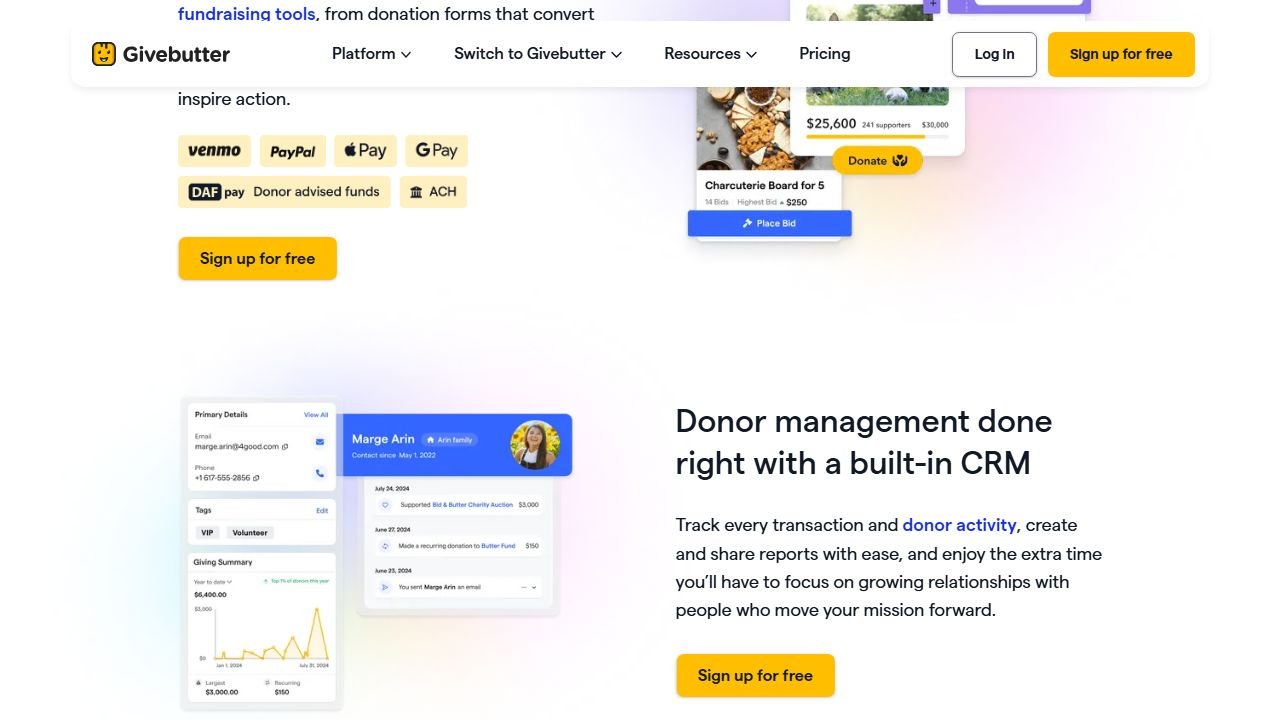
Website: Givebutter
At its core, Givebutter is built around the donation experience. Nonprofits create campaigns, donation forms, event pages, and peer-to-peer fundraising pages, all from one dashboard. Donors complete transactions on those pages, and the funds flow into either the nonprofit’s bank account directly or into a Givebutter Wallet.
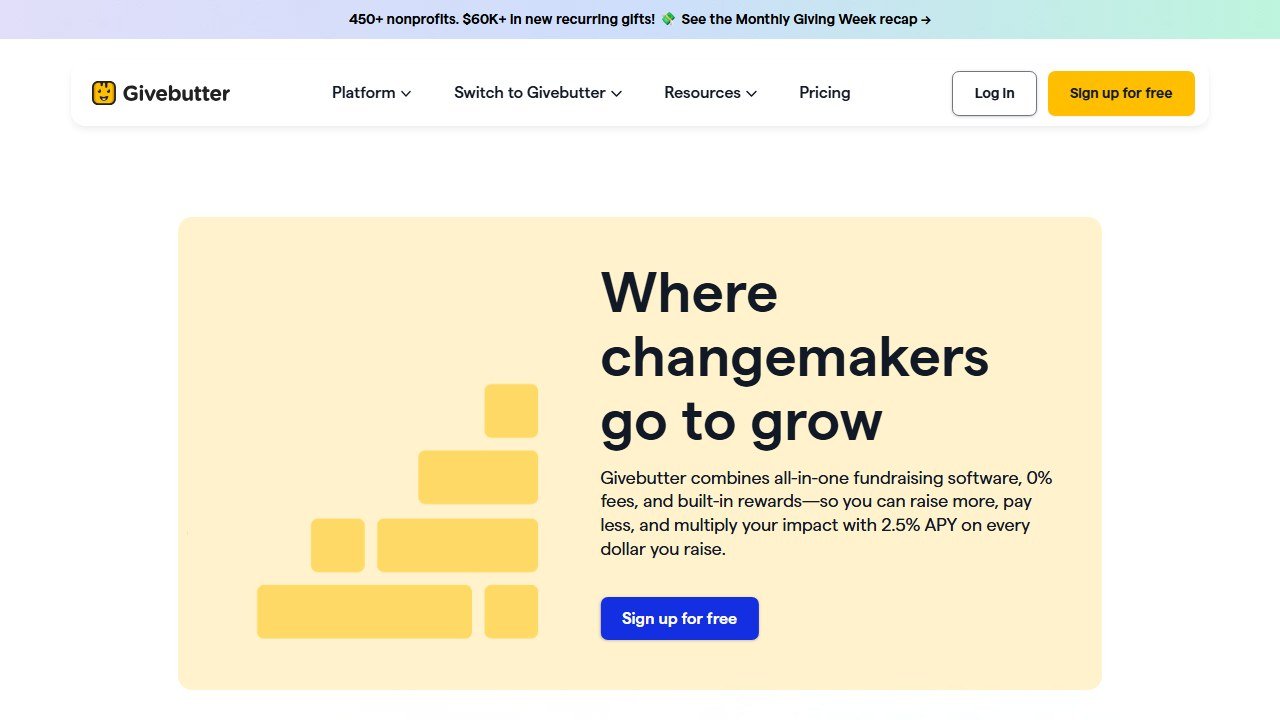
The Givebutter Wallet is one of the most interesting features in the product. Donations accumulate in the wallet and earn 2.5% APY while they sit there before transfer. For orgs that do a lot of fundraising in short bursts (Giving Tuesday, annual galas), this actually generates meaningful interest.
The CRM layer tracks every donor, their giving history, campaign participation, contact info, and engagement. It’s not a Salesforce-level enterprise CRM, but for the average small to mid-sized nonprofit it covers everything development staff actually use. You can segment donors, run email blasts, and set up basic automations without leaving the platform.
The platform also handles text fundraising (donors text a keyword and get a donation link), auction management (live and silent auctions for events), and peer-to-peer fundraising where supporters create their own fundraising pages on behalf of your org. These three features alone would cost hundreds per month as standalone tools.
Givebutter has processed over $1 billion in donations across its 35,000+ nonprofit users. Fast Company named it “Most Innovative Company 2026.” It holds the number one rating on G2 across four categories: fundraising software, nonprofit CRM, donor management, and auction software. These aren’t self-reported achievements. G2 ratings are aggregated from verified user reviews.
The company raised $58.46 million, including a $50 million Series A from Bessemer Venture Partners in April 2024, and is reportedly profitable. That financial profile matters for nonprofits choosing a platform: you want your fundraising software to still exist in three years.
Key Features
Donation Forms and Campaigns
Givebutter’s donation forms are clean, mobile-optimized, and fast to build. You can create a standard donation form, a campaign page with a progress bar and goal tracker, or a full event registration page. Each form supports suggested donation amounts, recurring giving setup, tribute gifts (in honor/in memory), and custom questions for collecting donor info.
| Plan | Platform Fee | What’s Included |
|---|---|---|
| Free (tips enabled) | $0 | Unlimited campaigns, forms, emails, CRM contacts, P2P, events, text, auctions |
| Free (tips disabled) | 3% | Everything above, no tip prompt |
| Givebutter Plus | Varies by contact count | Advanced automation, analytics, priority support |
| Payment processing | Stripe/PayPal standard rates | Passed to donors at checkout (optional) |
| Givebutter Wallet | $0 | 2.5% APY on stored funds |
The forms embed on your website or link out to a hosted Givebutter page. Both options work well. The hosted pages are particularly useful for smaller orgs that don’t have a developer available to embed code.
Recurring giving is fully integrated, not bolted on. Donors can choose to make any gift a monthly or annual commitment directly at checkout.
Peer-to-Peer Fundraising
Peer-to-peer (P2P) is included on the free plan. Most platforms charge extra for P2P because it’s technically complex and high-value: a well-run P2P campaign can multiply fundraising results by letting donors recruit their own networks.
Supporters create personalized fundraising pages under your campaign umbrella. They share their own pages, collect gifts from their networks, and the nonprofit tracks everything centrally. The setup is straightforward, and Givebutter includes leaderboards and social sharing tools to drive competition among fundraisers.
For nonprofits running walkathons, giving challenges, or community fundraising events, having P2P included free is genuinely significant.
If peer-to-peer is the main reason you are shopping, see how Givebutter’s team pages stack up against dedicated platforms in our roundup of the best peer-to-peer fundraising software.
Donor CRM
The built-in CRM stores every donor record with complete giving history, contact info, notes, tags, and communication logs. You can segment donors by giving level, campaign participation, acquisition source, or custom tags. Basic automations send acknowledgment emails, tax receipts, and donation confirmations automatically.
The CRM isn’t trying to compete with Virtuous or Salesforce Nonprofit. It won’t do multi-stage stewardship workflows or predictive analytics on free. But for orgs that are currently tracking donors in a spreadsheet or a basic contact database, the Givebutter CRM is a meaningful upgrade.
Unlimited contacts are included on the free plan. Most CRM tools charge per contact or per seat. Givebutter charges neither.
Email Marketing
Unlimited email blasts are included on the free plan. You can send to your full contact list, segmented lists, or custom audiences. The email builder is drag-and-drop with a library of templates. You can also set up automated email sequences for thank-you flows, welcome series, and recurring gift reminders.
Compare this to platforms like Mailchimp or Constant Contact, which charge based on contact count and email volume. A nonprofit with 10,000 contacts sending monthly emails would pay $150-$300/month for email alone on those platforms. Givebutter includes it free.
Text Fundraising
Donors text a keyword to a shortcode and immediately receive a link to your donation form. This works particularly well at in-person events, during live broadcasts, or on social media where you can display the text number prominently. The conversion rate on text-triggered giving tends to be strong because the barrier to starting is low.
Text fundraising is included on the free plan with no per-message fees charged to the nonprofit.
Event Management and Ticketing
Givebutter handles event ticketing natively. You create an event page, set ticket types and prices, manage guest lists, and process registrations. Events integrate with the CRM so attendees automatically become donor records.
For nonprofits that run annual galas, benefit concerts, or golf tournaments, having ticketing inside the same platform as donor management is genuinely useful. Data that would otherwise live in Eventbrite or a spreadsheet is now in the same place as the rest of your donor engagement history.
Auction Management
Live and silent auctions are built into the platform. You upload items, set starting bids and increments, and manage bidding from the same dashboard as everything else. Post-auction checkout is handled automatically. This is G2’s top-rated auction software, and it’s included without an additional subscription.
Givebutter Plus
The paid tier adds advanced features for orgs that outgrow the free plan. This includes more sophisticated marketing automations, deeper analytics, advanced donor segmentation, and priority customer support. Pricing scales with your contact count, so costs grow as your list does.
The jump from free to Plus is meaningful but not punishing for growing organizations. The free plan is genuinely functional for a long time before Plus becomes necessary.
What Givebutter covers, what it does not, and which parts cost money
Three questions come up repeatedly about Givebutter that a features list does not answer: does it handle volunteers, does it handle marketing, and does it handle reporting. We checked all three against Givebutter’s own product navigation on 8 September 2026, and the answers are not the same shape.
| Job | Answer | Where it sits |
|---|---|---|
| Volunteer management | Not a product | Absent from their product navigation entirely |
| Donor marketing and engagement | Yes, partly free | Email blasts free. Texting is Plus only |
| Reporting | Yes, partly free | Basic free. Custom reports and expanded visualisations are Plus only |
| Donor management and CRM | Yes, free | Unlimited contacts and unlimited users on the free tier |
Volunteer management is the one to be clear about
Givebutter does not sell volunteer management software. It is not in the product menu, it has no feature page, and the only two places the word volunteer appears on their site are the mobile app being usable by volunteers and a line in the company’s founding story.
This matters because it is a question people genuinely ask about Givebutter, and because an adjacent capability is easy to assume in an all-in-one platform. If you need shift scheduling, hour tracking or volunteer records, that is a separate purchase. What Givebutter gives you is a CRM those people can sit in as contacts, which is a different thing from managing them.
What the free tier actually includes
The free tier is not a trial or a stripped demo. Givebutter lists donation forms, donor management and CRM, marketing and engagement, fundraising pages, events and auctions, payment processing, widgets, the mobile app and integrations, with unlimited users, unlimited contacts and unlimited email blasts. Contact-based pricing does not apply to the free CRM at all.
That is unusually generous for the category and it is the reason Givebutter shows up on shortlists next to paid platforms. How the free tier is funded, and what it costs you if you change that setting, is a separate question with its own answer in our full breakdown of Givebutter fees. This section is about what the software covers, not what it costs to run.
What Givebutter Plus adds, and what that costs
Plus is the paid tier and the line between the two is worth knowing before you plan around a feature. It adds automated workflows, task management, an advanced email editor, texting, custom reports, expanded data visualisations, file uploads, data hygiene and discounted direct mail.
Pricing, read from their pricing page on 8 September 2026: $29 a month, or $348 billed annually, starting at the lowest contact bracket, with a 30 day trial. Plus is priced on contacts, and the page offers brackets of 250 or fewer, 1,000, 2,500, 5,000, 10,000 and 50,000 plus, so $29 is a floor rather than a rate.
One arithmetic note. The annual option is labelled best value, and twelve months at $29 is $348. At the entry bracket the two come to the same number. Both figures render on the page at once rather than behind a toggle, so this is not a case of one state hiding the other. Check your own bracket before assuming the annual commitment saves anything.
The roadmap is public, which is rarer than it sounds
Givebutter runs an open product community at community.givebutter.com where the roadmap is visible. For a buyer that is a genuine due diligence signal: you can see what is being built before you commit, and you can see whether the thing you need is on the list or has been sitting untouched. Most vendors in this category will describe a roadmap on a call and publish nothing.
Pricing Breakdown
| Plan | Platform Fee | What’s Included |
|---|---|---|
| Free (tips enabled) | $0 | Unlimited campaigns, forms, emails, CRM contacts, P2P, events, text, auctions |
| Free (tips disabled) | 3% | Everything above, no tip prompt |
| Givebutter Plus | Varies by contact count | Advanced automation, analytics, priority support |
| Payment processing | Stripe/PayPal standard rates | Passed to donors at checkout (optional) |
| Givebutter Wallet | $0 | 2.5% APY on stored funds |
Payment processing rates are standard Stripe/PayPal rates (approximately 2.9% + $0.30 per transaction in the US). These are passed to donors by default via a “cover the fees” option at checkout. Donors who elect to cover fees pay the processing cost so the nonprofit receives the full intended donation amount.
The practical cost structure for most free-plan users: Givebutter earns the optional tips donors leave. Donors decide tip amount. Givebutter suggests a default tip but donors can reduce or remove it. Most donors leave some tip.
Saru’s Pricing Analysis
Let me put some numbers to this.
The average tip rate on Givebutter sits around 6-8% of the donation amount (this is Givebutter’s revenue, not an extra charge to the nonprofit). That means on a $100 donation, the donor might leave a $6-$8 tip on top. The nonprofit still receives $100 minus payment processing.
Competing platforms charge nonprofits directly: Classy publishes no price at all and quotes an annual subscription plus a per-donation fee only once you have contacted them, Blackbaud takes 4-5% of transactions plus a monthly fee, DonorPerfect does not publish a price at all, which is its own kind of cost. A small nonprofit raising $200K/year would pay roughly $2,400-$12,000 annually on those platforms.
On Givebutter free, they pay $0 in platform fees. The trade-off is the tip prompt that donors see.
For comparison: Fundraise Up (reviewed full article) charges 4% transaction fee, all features included, no subscription. At $200K raised, that’s $8,000 in fees. Givebutter free costs the nonprofit $0.
The math strongly favors Givebutter for smaller orgs. The only real question is whether the tip prompt creates friction or perception issues with your donor base.
Free never means zero cost, and tips, platform fees, and the Plus tier all move the real number. We ran the full math in our Givebutter pricing breakdown, including what a typical campaign actually pays.
Who This Is For
Givebutter is a strong fit for:
Small nonprofits (under $1M annual revenue) that are currently using free tools or paying for disconnected point solutions. If you’re on Mailchimp for email, Square for donations, Eventbrite for events, and a spreadsheet for donors, Givebutter consolidates all of that at zero platform cost.
Mid-sized nonprofits ($1-5M) that want to grow without tool sprawl. The unlimited users and unlimited contacts mean you can onboard your entire team and board without cost creep.
Event-driven orgs that rely heavily on galas, walkathons, or community events. The combination of ticketing, auctions, P2P, and CRM in one platform is purpose-built for this use case.
Peer-to-peer fundraising organizations. Charity:water-style campaign models where supporters drive their own fundraising are fully supported free.
Givebutter is not ideal for:
Large nonprofits (over $5M) that need enterprise CRM, sophisticated major gift cultivation workflows, or deep analytics. At that scale, Virtuous (reviewed Virtuous CRM) or Salesforce Nonprofit is the right conversation.
International-first organizations. Givebutter is built around US fundraising infrastructure. Currency support and international compliance are limited.
Orgs where the tip prompt would cause donor relations issues. Some high-value, relationship-based major gift programs prefer a completely frictionless checkout experience.
Pros
- Genuinely free model: $0 platform fees on the free plan is real, not a bait-and-switch. The tip model is transparent.
- Replaces 5-7 tools: Donation forms, CRM, email, events, P2P, auctions, and text fundraising in one platform.
- G2 number one ratings: Top-rated in four categories by verified users, including fundraising software, donor management, CRM, and auctions.
- Unlimited everything on free plan: Unlimited users, contacts, campaigns, and email blasts. No hidden caps.
- Givebutter Wallet earns 2.5% APY: Your donations earn interest while stored, which adds up for orgs with campaign cycles.
- Strong company fundamentals: $58M raised, 35,000+ nonprofits, $1B+ processed, profitable. Not going anywhere.
- Peer-to-peer included free: Most platforms charge extra for P2P. Givebutter includes it.
Cons
- Tip prompt creates a perception question: Some donors find the tip prompt confusing or feel it’s a manipulative dark pattern. It’s optional for donors, but it’s still a visible prompt. For certain donor audiences (major donors, corporate giving programs), this can feel off-brand.
- Advanced features require Plus upgrade: Sophisticated automation, deeper analytics, and priority support require the paid tier. Growing orgs will hit this ceiling.
- Newer than legacy competitors: Givebutter was founded in 2016. Blackbaud has been around since 1981. For nonprofits that need deep integrations with legacy systems or have complex compliance requirements, newer means fewer battle-tested integrations.
- Customer support limited on free plan: Community support and documentation are good, but you’re not getting dedicated account management or priority ticket resolution on the free tier.
- US-focused: Built for US nonprofit infrastructure. International currency, compliance, and payment options are secondary.
- CRM depth has limits: The built-in CRM is functional but not sophisticated. Major gift cultivation workflows, relationship management scoring, and predictive analytics are not native features.
Faz’s Honest Verdict
Here’s what I’d tell a nonprofit executive director directly: the tip model is the product. Givebutter is not a charity. They’re a venture-backed company that earns revenue when your donors tip. That’s fine, and it’s actually a clever alignment of incentives because their platform revenue grows when your fundraising grows. But you should explain this to your board and your major donors so it’s not a surprise.
Beyond the model question, the platform is legitimately excellent. I’ve seen nonprofits spend $300-600/month on tools that collectively do less than Givebutter’s free plan. The G2 ratings aren’t manufactured. The $1B processed is real validation.
If you’re a small or mid-sized nonprofit and you’re not using Givebutter, you should at minimum run a test campaign and see how your donors respond to the tip prompt. Most will leave a tip. A few will remove it. Your fundraising results will not suffer.
The only reason I’d steer you away is if you’re large enough to need Virtuous-level CRM capabilities, or if your donor base is overwhelmingly major gift focused and you want a checkout experience with zero extras.
For everyone else: this is the best free option in the market by a significant margin.
Integrations
| Integration | Type | Notes |
|---|---|---|
| Stripe | Payment processing | Native, primary processor |
| PayPal | Payment processing | Supported at checkout |
| Venmo | Payment processing | Supported via PayPal |
| Google Pay | Payment processing | Supported at checkout |
| Apple Pay | Payment processing | Supported at checkout |
| Mailchimp | Email marketing | Sync contacts for email campaigns |
| Salesforce | CRM | Contact and gift sync |
| HubSpot | CRM | Contact sync |
| Zapier | Automation | Connects to 5,000+ apps |
| QuickBooks | Accounting | Financial reporting sync |
| DonorSearch | Prospect research | Wealth screening data |
| WordPress | Website | Embed forms via plugin |
| Squarespace | Website | Embed donation forms |
| Wix | Website | Embed donation forms |
Final Verdict
Givebutter earns its 4.6/5 rating because it solves a real problem for tens of thousands of nonprofits: the cost and complexity of building a functional fundraising tech stack.
The tip model is transparent once explained. The platform is functionally excellent. The G2 ratings and $1B+ in processed donations validate it at scale. The company is well-funded and profitable.
The limitations are real: the CRM depth has a ceiling, the tip prompt is a conversation to have with your team, and large enterprises will eventually need more powerful tooling. But for the vast majority of nonprofits reading this review, Givebutter is the right starting point and may be all you ever need.
If you’re currently paying for multiple disconnected tools, run the numbers on what Givebutter consolidation would save you. The answer is usually a few hundred dollars per month at minimum.
For more on AI-powered fundraising tools, see the full best AI fundraising tools for nonprofits guide. If you’re comparing Givebutter to Fundraise Up directly, the Givebutter vs Fundraise Up comparison breaks it down feature by feature. For free tool options across the full nonprofit tech stack, see best free AI tools for nonprofits.
Rating: 4.6/5
Saru’s Data Verdict
The numbers support the 4.6/5 score.
35,000+ nonprofits using the platform represents genuine product-market fit, not a paid user base inflated by a low price point. $1B+ in donations processed adds transaction-level validation. #1 on G2 across four separate categories means the positive rating isn’t a fluke of category gaming.
The $58M raised with profitability is a rare combination in SaaS and signals a sustainable business model. The tip model generates real revenue without charging nonprofits, which aligns business incentives with platform quality rather than extraction.
The score sits below a perfect 5 because the CRM tier limitations are real, the tip prompt is a genuine usability question for some donor audiences, and the international capabilities lag behind the US experience. For US-based small to mid-sized nonprofits, those limitations are largely theoretical. For the actual target audience, Givebutter is close to the optimal free platform available.
Rating: 4.6/5
Donor research and grant-writing deep-dives
For more specialized nonprofit AI workflows:
- best AI donor research tools. donor prospecting platforms reviewed
- how to use AI for nonprofit fundraising. practical workflow guide
References & further reading
For deeper data and primary sources on nonprofit fundraising and donor research:
- Candid (Foundation Center + GuideStar). authoritative nonprofit financial and grant data, the source most donor-research tools build on
- M+R Benchmarks Study. annual fundraising performance benchmarks across email, advertising, web, and donor metrics
- Nonprofit Quarterly. investigative reporting on nonprofit operations, governance, and fundraising effectiveness
More AI tool guides worth reading: GiveSmart Review 2026, OneCause Review 2026 and Bonterra Guided Fundraising Review 2026.
Tools mentioned in this guide

Written by
FazFaz is the founder of AIToolsBakery. Some tools here are tested hands on. Others are assessed from vendor documentation and pricing verified on the live page, and every review says which one it is. Sponsors can buy a position in a guide. They cannot buy the score, the criticism, or silence about a better option.
How we test and how we make money →