[Faz] Rytr is the budget pick. While Grammarly charges $12/mo, Writesonic charges $39/mo, and Copy.ai starts at $49/mo, Rytr gives you unlimited AI writing for $8/mo. That price makes it tempting. But is the output good enough to actually use, or are you getting what you pay for? We tested it alongside every tool in our best AI rewriting tools list. Here’s the breakdown.
What Rytr Does
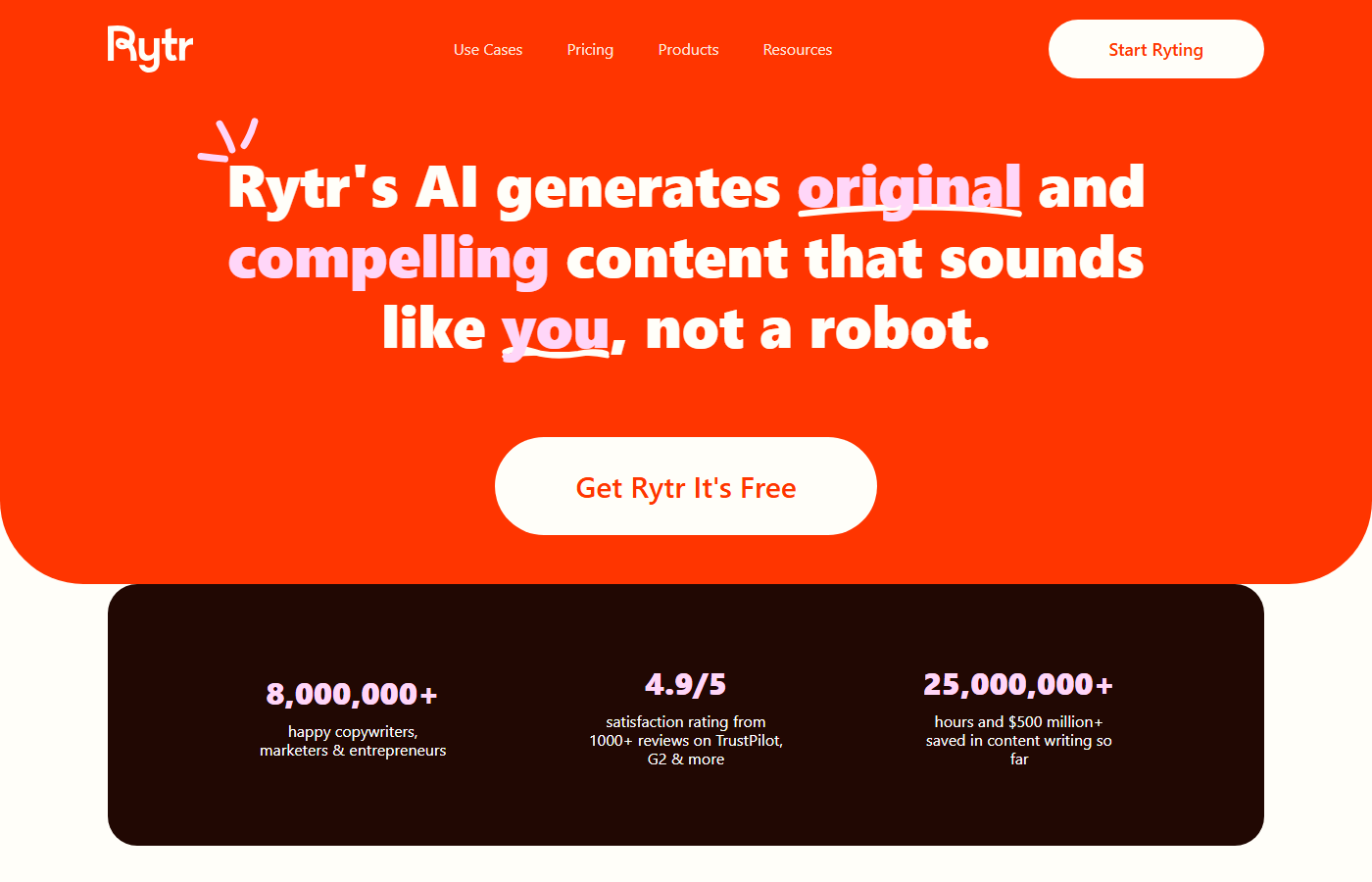
Rytr is an AI writing assistant that generates content from templates. You pick a use case (blog post, email, social media post, product description), select a tone, provide a brief input, and Rytr generates text. It covers over 40 use cases in 30+ languages with 20+ tone options.
The tool is positioned as the affordable alternative to premium AI writers. It doesn’t try to compete with Jasper’s enterprise features or Copy.ai’s workflow automations. It’s a straightforward content generator at a price point that undercuts everyone else. Rytr also acquired Copysmith in October 2022, briefly rebranding it as “Copyrytr” before folding the technology into the main product.
One thing to know: Rytr was hit with an FTC ban in September 2024 for facilitating fake consumer reviews. The FTC’s order prohibited Rytr from offering tools to generate reviews for products or services the user hadn’t actually used. That ban was reversed in December 2025, but the episode raised real questions about how AI writing tools handle review generation and the responsibility they carry.
Key Features
40+ Use Cases
Rytr organizes content generation around pre-built use cases:
- Blog Section Writing – generates individual blog sections from a topic and keywords
- Email – drafts professional and personal emails
- Social Media Posts – Facebook, LinkedIn, Twitter/X, Instagram captions
- Product Description – e-commerce product copy
- Ad Copy – Google Ads, Facebook Ads
- Landing Page Copy – headlines, subheadings, CTAs
- Story/Fiction – creative writing prompts and continuations
- SEO Meta Descriptions – title tags and meta descriptions
- And more – job descriptions, testimonials, video descriptions, song lyrics, business ideas
Each use case takes a brief input (topic, keywords, context) and generates multiple options.
20+ Tone Options
Every generation can be filtered by tone: convincing, enthusiastic, formal, casual, humorous, inspirational, urgent, and more. The tone control is basic compared to Wordtune’s per-sentence precision, but it covers the most common needs.
30+ Languages
Rytr supports content generation in over 30 languages including Spanish, French, German, Portuguese, Hindi, Japanese, Korean, Chinese, Arabic, and more. Quality varies by language (English is the strongest), but the multilingual support is broader than most competitors at this price point.
Document Editor
A built-in writing workspace where you can draft, edit, and organize content. It includes basic formatting (headings, bold, italic, lists), a built-in plagiarism checker, and the ability to generate content directly in the editor. It’s simple but functional for drafting and editing.
SEO Analyzer
A basic keyword analysis tool built into the editor. It suggests keywords related to your topic and shows search volume estimates. It’s surface-level compared to dedicated SEO tools, but useful for basic keyword targeting without leaving Rytr.
Browser Extension
A Chrome extension that brings Rytr’s generation capabilities to any text field on the web. Works in Gmail, Google Docs, social media platforms, and any website with a text input.
Pricing Breakdown
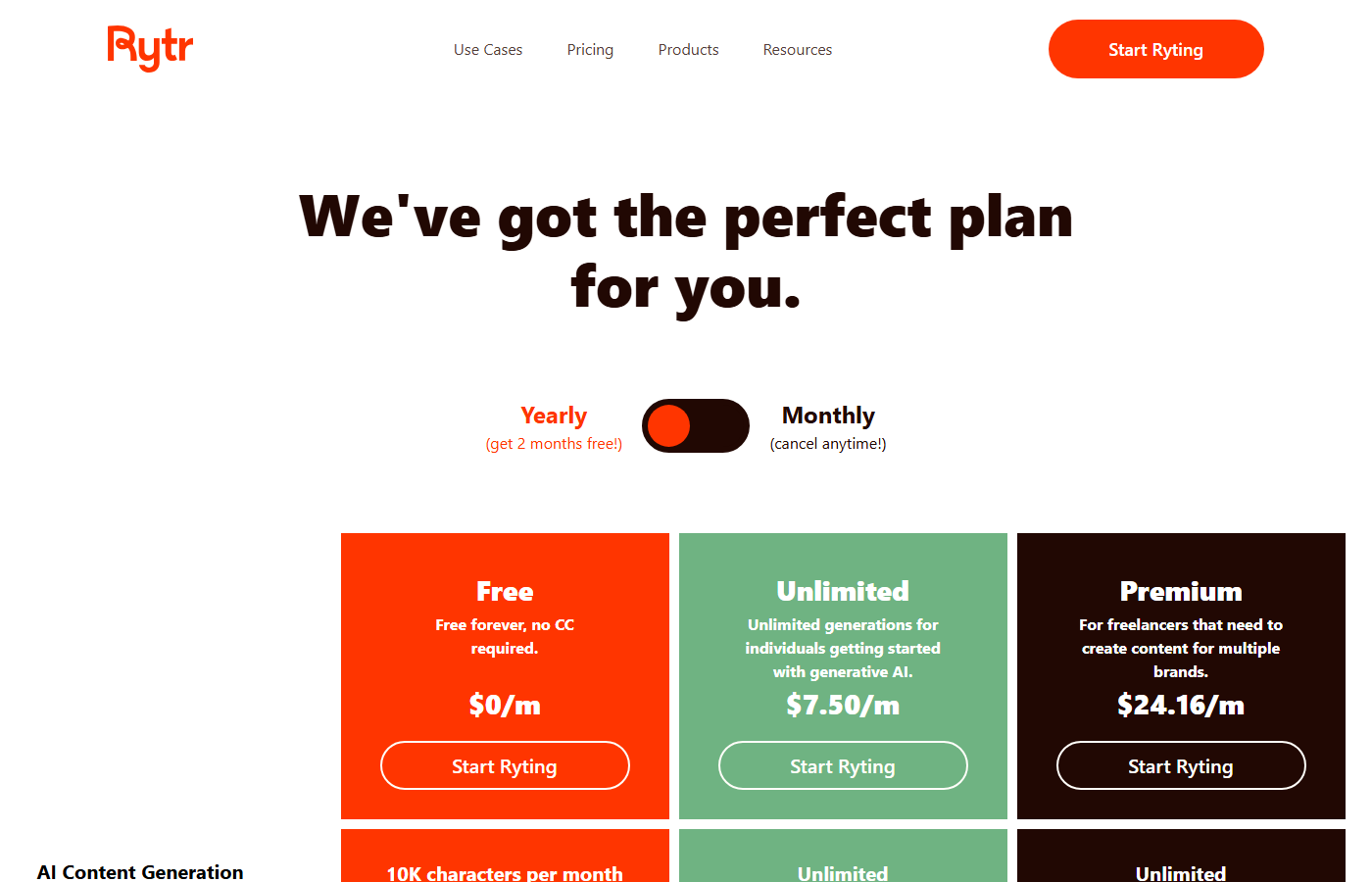
| Plan | Price | What You Get |
|---|---|---|
| Free | $0 | 10,000 characters/month (~1,500 words), 40+ use cases, 20+ tones, 30+ languages |
| Unlimited | $8/mo | Unlimited characters, all features, priority support |
| Premium | $29/mo | Everything in Unlimited, plus dedicated account manager, custom use cases, priority support |
Hidden limits to know about:
- The free plan gives you 10,000 characters per month. That’s roughly 1,500 words, or about one short blog post. It resets monthly.
- The Unlimited plan ($8/mo) gives you unlimited characters, which is genuinely generous at that price point.
- The Premium plan ($29/mo) adds a dedicated account manager and custom use cases, which most individual users won’t need.
- The plagiarism checker has its own usage limits separate from character counts.
- No API access on any individual plan. Rytr’s API is available only through custom enterprise agreements.
Who This Is For
Use Rytr if you:
- Need an AI writing tool on a tight budget ($8/mo or free)
- Write in multiple languages and need broad language support
- Want simple template-based generation without complex features
- Are a freelancer or small business owner who needs basic content help
- Want to test AI writing without a big financial commitment
Skip Rytr if you:
- Need high-quality long-form content (the output needs heavy editing for anything over 500 words)
- Want a dedicated paraphrasing tool (QuillBot is better and similarly priced)
- Need grammar checking and writing improvement (Grammarly is the better choice)
- Want deep writing analysis and education (ProWritingAid does this)
- Need workflow automation or team features (Copy.ai or Jasper)
Pros and Cons
Pros
- Cheapest paid AI writing tool at $8/mo (Unlimited) or $29/mo (Premium)
- 30+ languages is broader multilingual support than most competitors
- Free plan is genuinely usable for light writing needs
- 40+ use cases cover most common content types
- Simple interface with almost no learning curve
Cons
- Output quality is noticeably lower than premium tools, especially for long-form content
- FTC fake reviews controversy (banned Sept 2024, reversed Dec 2025) raises trust questions
- Generated content often sounds generic and repetitive
- No API access for individual users
- SEO analyzer is basic compared to dedicated SEO writing tools
[Faz’s Take] Rytr is the Honda Civic of AI writers. It’s cheap, it works, and it gets you from A to B. But nobody’s going to mistake it for a luxury ride. The output is serviceable for first drafts, social media captions, product descriptions, and email templates. For long-form blog posts, expect to rewrite 40-60% of what it generates. The $8/mo unlimited plan is the real selling point. If you’re a freelancer just starting out or a small business owner who needs occasional AI help, Rytr lets you get started without the $12-49/mo commitment that other tools demand. Just don’t expect the output to be publish-ready. And yes, the FTC fake reviews situation is worth knowing about. The ban was reversed, but it tells you something about how the platform was being used.
[Saru’s Verdict] 3.0/5. Readability (3.5/5) is acceptable because Rytr produces grammatically correct, structured output. Meaning preservation (3.0/5) drops because the tool sometimes adds filler content that drifts from the original intent. Tone consistency (3.0/5) is average because the tone options are broad rather than precise. Originality (2.5/5) is the lowest in our testing because outputs frequently use the same phrases and structures across different generations. The value proposition is price, not quality.
Frequently Asked Questions
Is Rytr free?
Yes, Rytr has a permanent free plan. You get 10,000 characters per month (roughly 1,500 words), access to all 40+ use cases, 20+ tones, and 30+ languages. No credit card required. The character limit is the main constraint. It resets every month. For light writing needs (a few social posts, a couple of emails), the free plan works fine.
Is Rytr good for blog writing?
For first drafts, it’s okay. Rytr can generate blog sections from a topic and keywords, and the output is structured with headings. But the quality is noticeably lower than what you’d get from Writesonic’s Article Writer or even ChatGPT. Expect to spend significant time editing and adding depth. For quick social media posts, product descriptions, and emails, Rytr is better suited.
Rytr vs QuillBot: which should I pick?
Different tools. Rytr generates new content from templates and prompts. QuillBot rewrites existing content you’ve already written. If you have text and want to improve it, QuillBot. If you need to generate text from scratch, Rytr. Rytr’s Unlimited plan ($8/mo) is comparable to QuillBot’s Premium ($8.33/mo annual), and both offer free tiers. Many users find QuillBot more useful because rewriting existing work typically produces better results than generating from scratch.
Does Rytr support multiple languages?
Yes, Rytr supports 30+ languages. English produces the best results, followed by major European languages (Spanish, French, German, Portuguese). Asian languages (Japanese, Korean, Chinese) and Arabic are supported but output quality is less consistent. If multilingual content is your primary need, Rytr offers broader language support than most competitors at this price point.
Is Rytr worth the $9/mo?
For the right use case, yes. If you need an AI assistant for short-form content (social posts, emails, product descriptions, ad copy) and you’re on a budget, $8/mo for unlimited characters is hard to beat. If you need long-form blog posts, high-quality marketing copy, or publish-ready content, the money is better spent on QuillBot ($8.33/mo) for rewriting or Grammarly ($12/mo) for writing improvement.
Does Rytr have a plagiarism checker?
Yes. Rytr includes a built-in plagiarism checker that scans your content against web sources. It’s available on all plans (including free) with usage limits. It’s basic compared to dedicated plagiarism tools like Turnitin or Copyscape, but adequate for checking that your AI-generated content isn’t too closely matching existing web content.
Final Verdict
Rytr earns its spot as the best budget AI writing tool. The $8/mo Unlimited plan and permanent free tier make AI writing accessible to users who can’t justify $12-49/mo for premium tools. The 40+ use cases, 30+ languages, and simple interface deliver on the basics. The Copysmith acquisition added technology under the hood, even if the brand didn’t stick. But the output quality reflects the price. Long-form content needs heavy editing, outputs can be repetitive, and the FTC fake reviews episode (banned Sept 2024, reversed Dec 2025) is a reminder to use any AI writing tool responsibly. If budget is your top priority and you’re comfortable editing AI drafts, Rytr is a solid starting point. If quality matters more than price, invest in QuillBot, Grammarly, or Writesonic.
Rating: 3.0/5

Written by
FazFaz is the founder of AIToolsBakery. Every tool on this site is personally tested with real-world writing tasks before a single word gets published. No sponsored rankings, no recycled press releases.
Read more about how we test →- Cheapest paid AI writing tool at $8/mo (Unlimited) or $29/mo (Premium)
- 30+ languages is broader multilingual support than most competitors
- Free plan is genuinely usable for light writing needs
- 40+ use cases cover most common content types
- Simple interface with almost no learning curve
- Output quality is noticeably lower than premium tools, especially for long-form content
- Generated content often sounds generic and repetitive
- No API access for individual users
- SEO analyzer is basic compared to dedicated SEO writing tools
- Acquired by Copysmith, future direction uncertain
Frequently Asked Questions