tool_score: 4.2
Grant and application management is one of those back-office jobs that quietly eats enormous amounts of staff time when done in email and spreadsheets. Submittable’s pitch is to make collecting, reviewing, and awarding genuinely efficient. This review tests whether it delivers and whether the price is justified.
Faz’s First Take
Submittable solves a real and painful problem. If your organization runs grant programs, scholarships, or any application-driven process, doing it through email attachments and spreadsheets is a slow, error-prone nightmare. Submittable turns that into a clean, structured workflow, and the efficiency claims (teams saving hours per week, most customers launching in two weeks) match what reviewers report.
The honest tension is cost and scoping. Submittable publishes no price at all and quotes on the size and scope of your program, and the most pointed complaint is that features assumed to be included sometimes cost extra. The software is genuinely good and the support is excellent. The discipline required is on the buying side: scope exactly what you need and get it in writing, because the platform rewards organizations that match the tier to their real workflow.
Last updated: June 1, 2026.
Related: See also: Best AI tools for nonprofits 2026 | Best AI fundraising tools for nonprofits
What Submittable Does
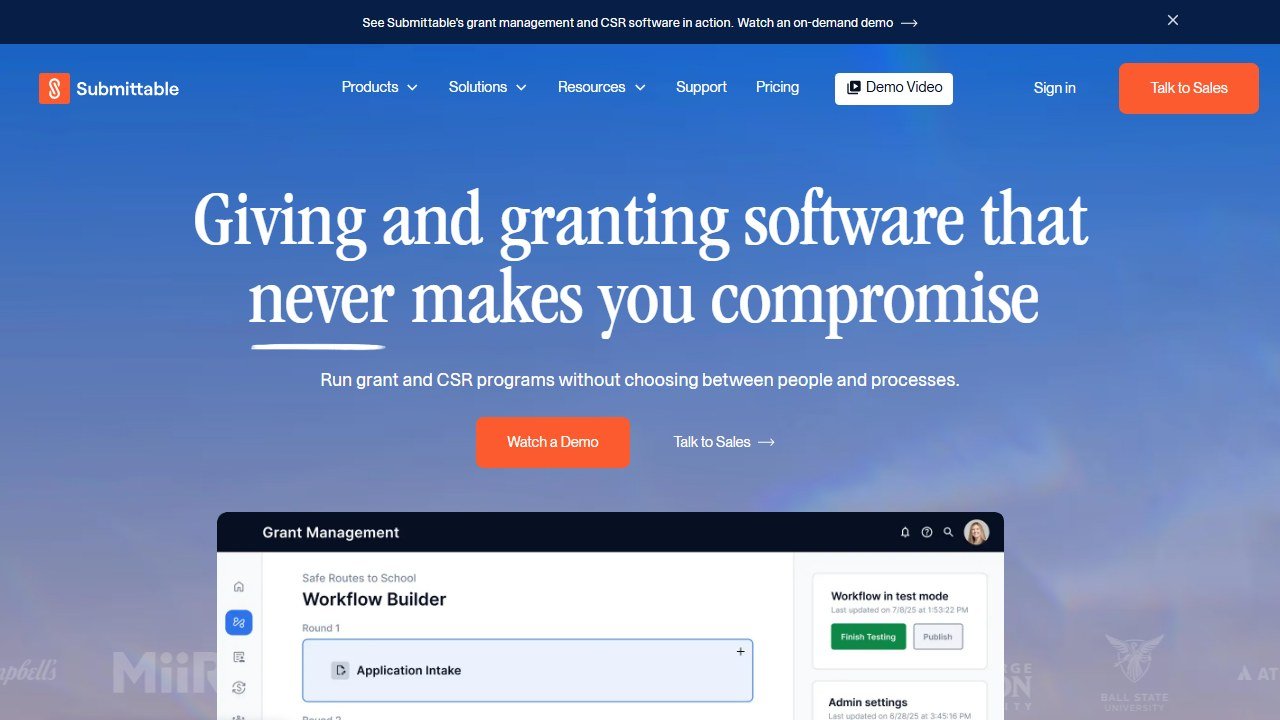
Website: Submittable
Submittable is a cloud-based platform for managing the full lifecycle of grants, applications, and submissions. It provides tools to create application forms, collect and organize submissions, review and score proposals with a team, and award and track grants, replacing the email-and-spreadsheet chaos that application programs otherwise generate.
The platform serves a broad set of organizations: nonprofits running grant or scholarship programs, foundations managing grantmaking, and government agencies handling applications. Because the core workflow (collect, review, decide, award) is common across these, Submittable applies equally well to grantmaking, awards, fellowships, and similar application-driven processes.
What reviewers praise most is the combination of usability and support. Forms are easy to build, the interface is intuitive for applicants and reviewers alike, and the implementation and customer service teams are described as responsive and solutions-oriented. Submittable reports that over half of its customers launch in 14 days or less and that teams save an average of several hours per week per administrator and per reviewer, efficiency gains that reviewers broadly corroborate.
The recurring concerns are about cost and scope, not core quality. Pricing starts high for small organizations and steps up steeply, reporting can feel limited for highly detailed pulls, the admin interface could be more flexible in places, and several reviewers report hidden costs where features mentioned in sales conversations turned out to require an additional fee. Those caveats shape who it fits and how to buy it well.
Key Features
Application Form Building
Submittable lets you build custom application forms without technical skill, with the flexibility to capture exactly the information your program needs. Reviewers consistently say forms are easy to build, which lowers the barrier to launching a new grant or award program and is a big part of why customers get live quickly.
Submission Management
Once applications come in, Submittable organizes them in one place, replacing scattered email attachments and shared folders. Submissions are structured, searchable, and trackable through their stages, which is the core efficiency win: administrators stop chasing files and start managing a pipeline.
Review and Scoring
The platform supports collaborative review, letting teams of reviewers evaluate and score proposals against defined criteria. Managing multiple programs, stages, and reviewers in one system is where Submittable proves its worth for organizations with real grantmaking volume, and reviewers report meaningful time savings in this part of the process.
Awarding and Tracking
Submittable handles the award stage and tracking of decisions, closing the loop from application to outcome. Having the full lifecycle in one platform means decisions, communications, and records stay connected rather than fragmented across tools, which matters for reporting and compliance.
Support and Onboarding
Customer service is one of Submittable’s most praised attributes, described as responsive, supportive, and solutions-oriented, and implementation is fast, with most customers launching in two weeks or less. For a platform handling something as consequential as grantmaking, that combination of quick launch and strong support materially de-risks adoption.
Pricing Breakdown
| Aspect | Detail | Notes |
|---|---|---|
| Starting price | Not published | Quote only, by program size and scope |
| Tier jumps | Steep | Costs step up notably with features and users |
| Hidden costs | Possible | Confirm included features in writing |
| Value driver | Time saved | Hours per week per admin and reviewer |
Submittable publishes no rate card. Its own FAQ says the cost depends on the size and scope of your grant program and points you to their team for a quote. The most important buying discipline, per reviewers, is to confirm exactly which features are in your package and get it in writing, since some discovered that capabilities discussed in sales turned out to cost extra.
Saru’s Pricing Analysis
Submittable is specialized grant and application software, so it prices differently from general fundraising tools. The value math is about staff time, not donations. Reviewers report saving roughly 3.4 hours per week per administrator and 2.6 hours per week per reviewer. For an organization running real grant programs with multiple reviewers, that time saving can dwarf the subscription cost: a handful of staff each reclaiming a few hours a week adds up to real capacity, and that is the number to weigh against whatever quote you are given.
The honest test: do you run enough application volume that structured workflow and reviewer time savings matter? If yes, Submittable pays for itself in recovered hours. If you run one small application a year, the price is hard to justify, and a simple form tool will do. And whatever tier you choose, pin down the included features to avoid the extra-fee surprises some reviewers hit.
Who This Is For
Submittable is well-suited for:
Foundations and grantmakers. Organizations that run grant programs with applications and review committees are the core audience and get the most value.
Nonprofits running awards, scholarships, or fellowships. Any application-driven program benefits from structured collection, review, and awarding in one place.
Government agencies managing applications. The platform scales to the volume and process rigor agencies require.
Teams drowning in email-and-spreadsheet workflows. If your current process is manual and scattered, the time savings and structure are transformative.
Submittable is not well-suited for:
Organizations running only occasional, simple applications. The starting price is hard to justify for low volume, where a basic form tool suffices.
Very budget-constrained small nonprofits. Because Submittable quotes rather than publishes, get the number early: it is a real commitment that small orgs should weigh carefully.
Teams needing deep, highly detailed reporting out of the box. Reporting has improved but can feel limited for complex, multi-layered data pulls.
Organizations seeking grant discovery rather than management. Submittable manages your own application programs; for finding grants to apply for, a tool like Instrumentl (reviewed here) serves a different need.
Pros
- Streamlines the full grant lifecycle: collect, review, and award in one structured system, replacing email and spreadsheets.
- Easy to use: forms are simple to build and the interface is intuitive for applicants, reviewers, and admins.
- Real time savings: reported hours saved per week per admin and reviewer, corroborated by users.
- Fast implementation: over half of customers launch in 14 days or less.
- Excellent support: responsive, supportive, solutions-oriented service is a standout.
- Handles multiple programs and reviewers: efficient for organizations with real grantmaking volume.
Cons
- No published price: quote only, and priced for organizations running real grant programs, which is a barrier for small ones.
- Steep tier jumps: costs step up notably as you add features and users.
- Possible hidden costs: some features discussed in sales required an additional fee.
- Reporting limits: can feel constrained for highly detailed or multi-layered data pulls.
- Admin interface flexibility: some reviewers want it more flexible and user-friendly.
- Overkill for low volume: hard to justify for occasional, simple applications.
Faz’s Honest Verdict
My litmus test for Submittable: do you run real grant, award, or application programs with enough volume that structured workflow and reviewer time savings matter? If yes, Submittable is an excellent choice, and the recovered staff hours typically justify the cost several times over. The usability and support are genuinely strong, and fast implementation lowers the risk.
The discipline is on the buying side. Scope exactly what you need and get the included features in writing, because the one consistent complaint is extra fees for capabilities people assumed were bundled. If your application volume is low, the price is hard to defend and a simple form will do. But for an organization serious about grantmaking, Submittable turns a painful manual process into an efficient one, and that is worth paying for.
Final Verdict
Submittable earns a 4.2/5. It is a polished, easy-to-use platform for managing grants, applications, and submissions, with excellent support, fast implementation, and real, measurable time savings that make it a strong choice for organizations running application-driven programs.
The score reflects honest constraints: a high starting price with steep tier jumps, reporting that can feel limited for complex needs, an admin interface some want more flexible, and hidden-cost concerns that demand careful scoping at purchase. Those make it best for organizations with genuine grantmaking volume rather than occasional users.
But for the foundation, nonprofit, or agency that regularly collects, reviews, and awards, Submittable transforms a manual, scattered process into an efficient, structured one, and the recovered staff time typically more than justifies the investment. Scoped and bought well, it is a strong pick in 2026.
For more on grant tools, see the best AI fundraising tools for nonprofits guide and the best AI tools for nonprofits pillar.
Rating: 4.2/5
Saru’s Data Verdict
Submittable’s review data is consistent: praise for ease of use, support, and time savings, criticism for pricing, steep tier jumps, hidden costs, and reporting depth. That is the profile of a strong, specialized product whose friction is commercial (how it is priced and packaged) rather than functional (how well it works).
The verdict follows the data. Submittable is a buy for organizations with real grant or application volume that scope their package carefully, and a pass for low-volume or highly budget-constrained users. The time-saved math is the differentiator a feature list misses: for multi-reviewer programs, recovered hours typically exceed the subscription cost.
Rating: 4.2/5
References & further reading
For deeper data and primary sources on nonprofit fundraising and grants:
- Candid (Foundation Center + GuideStar). authoritative nonprofit financial and grant data
- M+R Benchmarks Study. annual fundraising performance benchmarks across channels
- Nonprofit Quarterly. reporting on nonprofit operations, governance, and fundraising
Tools mentioned in this review
What grant tooling actually costs, and what each type is for
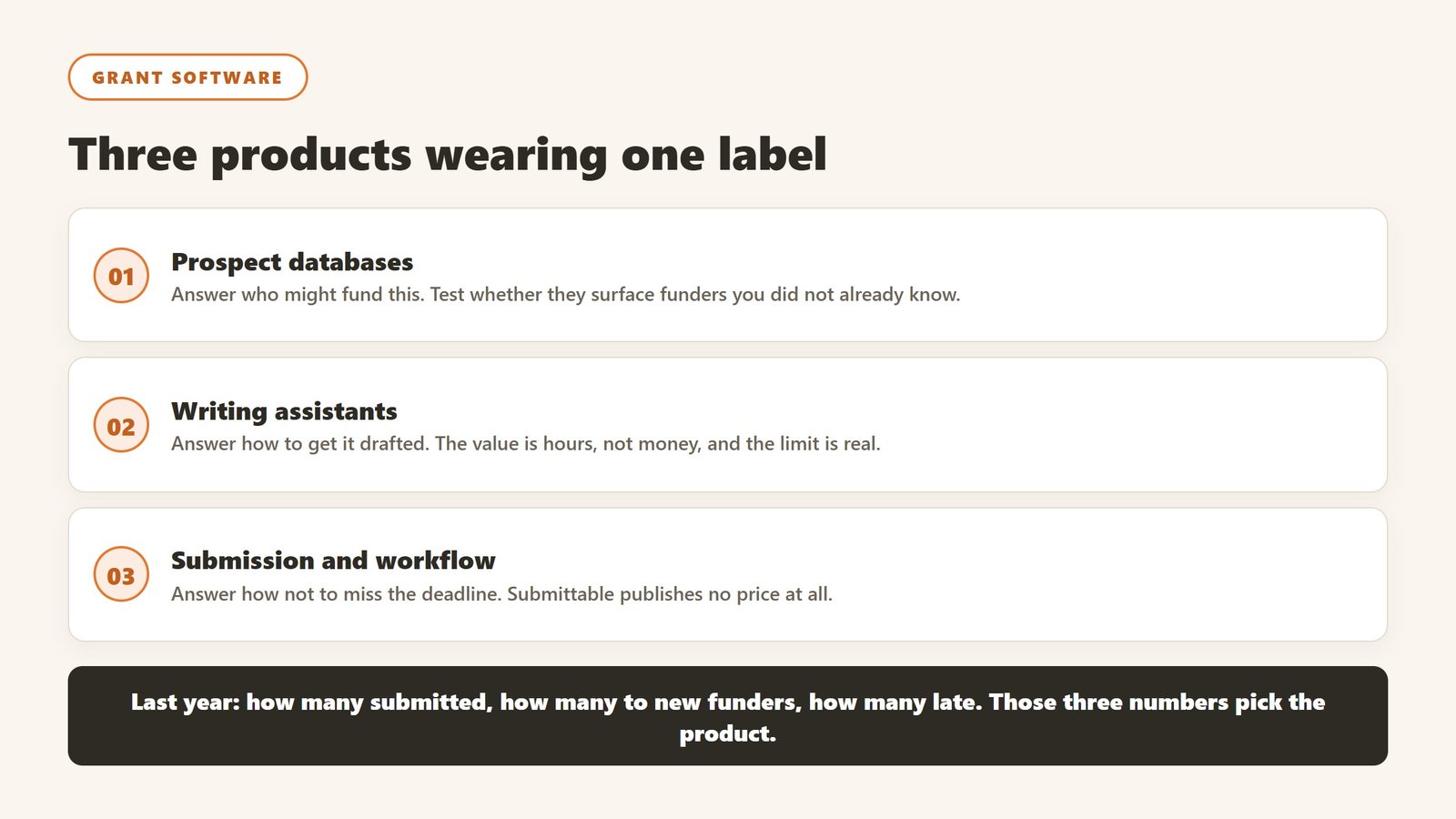
Grant software is three products wearing one label, and buying the wrong one is the usual reason a subscription goes unused by month four. Here is where Submittable sits and what the alternatives do.
Prospect databases, which answer “who might fund this”
These are search products over foundation filings and past awards. You are buying coverage and freshness, and the honest test is whether the database surfaces funders your team did not already know. Ask during the trial for the ten most relevant funders to one specific programme, then ask your grants lead how many were new. If the answer is one or two, the database is confirming rather than discovering, and that is worth much less than the price implies.
Writing assistants, which answer “how do I get this drafted”
These help produce narrative from material you already hold. Their value is real and it is time rather than money: a first draft in an hour rather than a day. Their limit is equally real. A model cannot know your programme outcomes, your budget assumptions or your board’s appetite for risk, so the draft is a scaffold and a human still writes the parts a funder actually reads. Treat any vendor claiming otherwise with suspicion.
Submission and workflow systems, which answer “how do we not miss the deadline”
Submittable and its peers manage applications, reviewers and deadlines rather than finding money or writing prose. Note that Submittable publishes no price at all, so any figure you see quoted for it, including figures we ourselves once carried and have since withdrawn, cannot be traced to the vendor. Ask for the quote in writing and ask what drives it: submissions, reviewers, programmes or seats.
What the surrounding stack costs, for scale
Grant tooling is rarely the whole budget, so keep the CRM figures in view. Verified 4 September 2026: Little Green Light from $45 a month, Salesforce Nonprofit Cloud at $70 per user (as of 4 October 2026) with ten free under Power of Us, Bloomerang from $125, Keela from $164. If a grants tool costs more than your database, it needs to be winning grants you would otherwise have missed, and you should be able to name them.
The question that decides the purchase
Are you short of prospects, short of writing time, or short of process? Most teams answer instinctively and are wrong, because the visible pain is usually the deadline crunch while the actual constraint is a thin pipeline. Look at last year: how many applications did you submit, how many were to funders you had not approached before, and how many were late. Those three numbers pick the product.
Where AI helps in a grant cycle, and where it must not
The useful division is not by task but by who is accountable for the sentence. Anything a funder will hold you to needs a human author.
Genuinely useful: the first pass on structure
Turning a set of programme notes into a coherent outline against a specific funder’s question set is real work and models do it well. So is reformatting the same content for the fourth application this quarter, which is where most grants teams lose hours to no benefit. Start here, because the time saving is immediate and nothing is at risk.
Genuinely useful: reading the guidelines properly
Long funder guidelines hide eligibility rules, word limits and required attachments in the middle of paragraphs. Extracting those into a checklist is a task with a right answer, which is exactly the kind of task to automate. Verify the checklist against the source once, and you have saved the read on every future application to the same funder.
Where it must not go: outcomes, budgets and beneficiary stories
A model does not know what your programme achieved. If it writes an outcome, it is inventing one, and an invented outcome in a funded application is a serious problem rather than an embarrassing one. The same applies to budget assumptions and to anything describing a real person you serve. Those sentences are yours, and the review step that catches them is not optional.
The workflow that survives an audit
Draft with the tool, edit as a human, and keep the record of which is which. Practically: never paste a generated paragraph into a final document without reading it against a source you can point to, keep the funder guidelines and your evidence in the same folder as the draft, and have a second person read anything containing a number before it is submitted. None of this is exotic and all of it is what a funder assumes you already do.
What to tell your board
Say plainly which parts of the process are assisted and which are not. Boards react badly to discovering it after the fact and reasonably well to being told in advance, and the distinction that reassures them is exactly the one above: structure and reading are assisted, claims and outcomes are not.
Where the figures on this page come from
Every price quoted here was read from the vendor’s own pricing page on 4 September 2026, not from an aggregator or a review site. That distinction matters more in this category than in most, because nonprofit software pricing changed materially over the past year and a great deal of what circulates online describes packaging that no longer exists.
The pages we read
Little Green Light publishes every constituent band from $45 a month. Salesforce Nonprofit Cloud publishes $70 per user per month (as of 4 October 2026) with ten licences free under Power of Us. Bloomerang publishes $125 a month for the CRM with other products priced separately. Keela publishes every contact band from $164 a month. Dataro publishes $15,000 a year plus ten cents per active donor on a page that is not linked from its own navigation. Blackbaud and Virtuous publish no figures at all.
What we do not do
We do not carry a figure we cannot source to the vendor. Where a number circulates widely and cannot be traced to a vendor page, we say so and withdraw it rather than repeating it with a hedge, and we have withdrawn our own published figures on that basis more than once. Where a vendor confirms an unpublished price directly to us, it is attributed as confirmed by the company rather than presented as a public rate.
Why every figure carries a date
Keela raised every band by roughly 15 to 22% in under two weeks in late August 2026. Neon retired an entire tier structure. A pricing claim without a verification date is not checkable, and in this market it is usually wrong within a year.

Written by
FazFaz is the founder of AIToolsBakery. Some tools here are tested hands on. Others are assessed from vendor documentation and pricing verified on the live page, and every review says which one it is. Sponsors can buy a position in a guide. They cannot buy the score, the criticism, or silence about a better option.
How we test and how we make money →