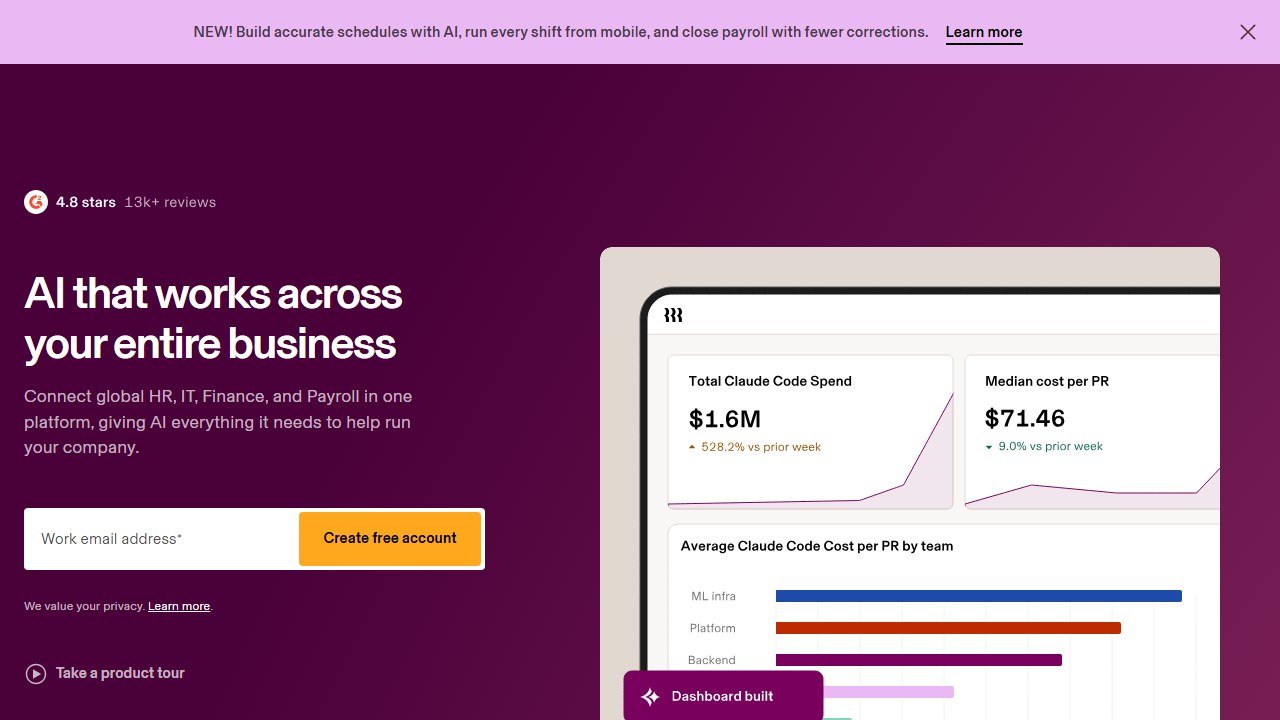
Rippling starts from an idea most HR tools ignore: an employee is not just an HR record. When someone joins, they need a payroll profile, benefits, a laptop, software licenses, and access to a dozen apps. When they leave, all of that has to be unwound. Rippling builds everything on one employee graph, so a single hire or offboarding action ripples across HR, IT, and payroll at once. After putting it through its paces against the field, it is one of the most capable unified workforce platforms on the market. Here is the honest breakdown of what it does well, where it costs, and who it fits.
Rippling unifies HR, IT and payroll on one employee system, covering HRIS, benefits, global payroll and EOR across 80-plus countries. Pricing is quote-based. Rippling publishes no figure at all, and the widely repeated “around $8 per user per month” is second-hand rather than vendor-stated. Best for scaling companies that want one connected system.
Faz says: The reason Rippling is worth a serious look is that it treats onboarding and offboarding as one automated event instead of five disconnected chores. Hire someone and the same action sets up payroll, enrolls benefits, ships a configured laptop, and grants app access from your policies. Offboard them and it claws all of that back, including device and license recovery. That IT-plus-HR-plus-payroll combination is a real differentiator, and for a growing company it removes the exact busywork that eats an ops team alive.
Saru says: This review draws on Rippling’s official documentation, published product information, and aggregated customer feedback, current to 2026. Rippling’s pricing is quote-based and modular, so the figures here are starting-point signals, not firm quotes. Confirm current per-user pricing and which modules you actually need directly with Rippling before buying, since the total can climb quickly as you add products.
Quick Facts
| Tool | Rippling |
|---|---|
| Category | Unified HR, IT, and payroll platform |
| Best for | Scaling companies wanting one connected system |
| Standout | HR plus IT plus payroll on one employee graph |
| Global | Payroll and EOR across 80-plus countries |
| Automation | Workflows, policies, approvals across systems |
| Pricing | Quote-based, commonly cited from around $8/user/mo |
| Our score | 4.5 / 5 |
What Rippling Does Well
One system for HR, IT, and payroll. This is the headline. Most companies stitch together an HRIS, a payroll provider, and a set of IT tools that never talk to each other. Rippling builds all three on a single source of truth for every employee, so data entered once flows everywhere. That unification is the whole point, and it is what separates Rippling from a stack of point solutions.
Automation through workflows and policies. Rippling lets you codify how your company operates as rules. Set a policy and it enforces itself: approvals route automatically, permissions provision by role, and repetitive tasks trigger without anyone remembering to do them. Onboarding and offboarding become one action each rather than a checklist across five systems. For an ops team, this is where the hours come back.
Strong HRIS and benefits administration. The core HR system is genuinely capable, covering employee records, time and attendance, PTO, and benefits enrollment in one place. Benefits administration in particular is a strength, with the plan management and carrier connections that growing US companies need handled inside the same platform that runs payroll.
Global payroll and EOR reach. Rippling supports paying employees and contractors internationally, with global payroll and employer-of-record coverage spanning 80-plus countries through its own infrastructure and partners. For a company hiring across borders, running domestic and international pay from one system is a serious advantage over juggling regional providers.
App and device management as a real differentiator. Because Rippling grew from the IT side as well, it actually manages the software and hardware layer, not just the HR record. You can provision and deprovision app access, push security policies, and configure, ship, lock, and wipe company laptops from the same console that runs payroll. Very few HR platforms do this, and for security-conscious teams it is a standout.
Pricing
Rippling uses a quote-based, modular pricing model rather than fixed public tiers. A starting rate around $8 per user per month is commonly cited as an entry point, though Rippling itself publishes nothing and we could not confirm it against any vendor source on 5 August 2026, so treat it as a rumour rather than a rate. Your real number depends heavily on which products you turn on. You build a bundle from modules, so a company running HRIS, payroll, benefits, IT management, and global payroll pays substantially more than one using the core HR platform alone.
That structure is a double-edged sword. It means you pay for what you use and can start narrow, but it also means the price is opaque until you talk to sales, and costs can climb as you add modules. Treat any figure you see online as a floor, not a quote, and price the specific bundle you need. See the Saru note above and confirm current numbers directly with Rippling.
Where It Fits
Rippling fits scaling companies that are tired of running HR, IT, and payroll as separate, disconnected systems and want automation to absorb the operational load. A startup growing past the point where spreadsheets and manual onboarding hold up gets the most value, especially one that hires internationally or cares about device and app security. Mid-market companies consolidating a messy tool stack onto one platform are the sweet spot.
The main cases where you might look elsewhere: a very small team on a tight budget may find the modular pricing adds up faster than a simpler all-in-one, and companies whose single biggest need is global hiring and EOR will want to weigh Rippling against a global-first specialist like Deel. Teams that only need lightweight HR without the IT layer may be paying for capability they will not use.
Pros and Cons
Pros
- HR, IT, and payroll unified on one employee system
- Deep automation through workflows, policies, and approvals
- Strong HRIS and benefits administration
- Global payroll and EOR across 80-plus countries
- App and device management most HR platforms lack
- Scales cleanly from startup to mid-market
Cons
- Quote-based, opaque pricing until you talk to sales
- Costs can climb quickly as you add modules
- More platform than a small, simple team needs
- Global-hiring specialists like Deel compete hard on EOR
How It Compares
Rippling’s edge over most HR platforms is breadth: it is the rare tool that owns HR, IT, and payroll on one system, so BambooHR-style HRIS-only tools and standalone payroll providers cannot match its automation across the employee lifecycle. Against Deel, the comparison is closer and more nuanced. Deel is global-first and built around international payroll, contractors, and EOR, so companies whose primary need is hiring across many countries often favor it, while Rippling wins for teams that want a single domestic-and-global platform with IT and device management built in. The two companies have also been involved in a publicly reported legal dispute; we mention it only for context and take no position on the claims. We break the two down in our Rippling vs Deel comparison and cover Deel on its own in our Deel review. For the wider category, see our best HRIS software guide.
How to Judge a Rippling Quote
Rippling does not publish a price. We checked both its pricing page and its homepage on 5 August 2026 and neither shows a figure. Everything you will read about Rippling costing a specific amount, including the “around $8 per user per month” figure repeated across the web and in the section above, is second-hand. It may well be accurate. It is not something Rippling has put its name to, and we are not going to present it as though it had.
That leaves you negotiating without an anchor, which is the point of quote-gating. So here is one, taken from the closest comparable platform that does publish openly.
| Platform | Publishes a price? | Published rate |
|---|---|---|
| Rippling | No | Quote only, no figure on its pricing page or homepage |
| BambooHR | Yes | Core $10, Pro $17, Elite $25 per employee per month. Flat rate from $250 a month for teams of 25 or fewer |
| Gusto | Yes | Publishes tiers and priced add-ons openly |
| Deel | Yes | Publishes tiers openly |
| Justworks | Yes | Publishes tiers and priced add-ons openly |
Use BambooHR’s ladder as your sanity check. If a Rippling quote lands far above $25 per employee per month for comparable scope, ask what you are getting that an Elite-tier competitor does not include. If it lands near $10, you are being quoted at the bottom of the published market and the question becomes what is excluded.
The Small-Team Trap in Per-Employee Pricing
There is a detail in BambooHR’s published pricing that applies across this whole category, and it is the single most useful thing to understand before you compare any per-employee quote.
BambooHR advertises Core at $10 per employee per month. It also charges a flat rate starting at $250 a month for companies of 25 employees or fewer. Those two facts interact. At 25 employees the flat rate works out to exactly $10 a head, so the advertised rate is real. Below 25 it is not: the floor binds, and your effective per-employee cost climbs the smaller you are.
Run it. At 20 employees, $250 divided by 20 is $12.50 each. At 15 it is $16.67. At 10 employees you are paying $25 per head, two and a half times the headline rate, for the tier that advertises $10.
This is not a criticism of BambooHR, which publishes the floor plainly. It is a warning about how per-employee pricing is read. A ten-person company comparing “$10 per employee” against a Rippling quote is comparing against a number it will never actually pay. Work out your own effective rate at your actual headcount before you treat any advertised per-employee figure as your budget.
The same question is worth putting to Rippling directly: ask whether the quote carries a platform minimum, and at what headcount that minimum stops binding. A quote-gated vendor has no obligation to volunteer it.
Verdict
Rippling is one of the strongest unified workforce platforms in 2026 and earns a 4.5 out of 5. It does the thing most HR software cannot: it treats HR, IT, and payroll as one system built on a single employee record, so hiring, offboarding, and everyday admin become automated events instead of manual chores across disconnected tools. The workflow and policy automation, strong HRIS and benefits, global payroll reach, and real app and device management add up to a platform that genuinely reduces operational load as you scale.
The honest caveats are pricing and fit. The quote-based, modular model is opaque until you talk to sales and can get pricey as you stack modules, and a small, simple team may find it is more platform than they need. Companies whose single biggest need is global hiring should weigh it against Deel. For a scaling company consolidating a messy stack onto one connected system, though, Rippling is a top pick. See how it compares in our Rippling vs Deel breakdown, and where it sits in the wider market in our best HRIS software guide and our best AI tools for HR pillar.

Written by
FazFaz is the founder of AIToolsBakery. Some tools here are tested hands on. Others are assessed from vendor documentation and pricing verified on the live page, and every review says which one it is. Sponsors can buy a position in a guide. They cannot buy the score, the criticism, or silence about a better option.
How we test and how we make money →