The usual answer to “our CRM does not tell us anything useful” is a migration. It is also the most expensive answer: months of data work, a year of overlapping licences, and a real risk to your recurring gifts. In 2026 it is often the wrong one, because the AI you want can usually be added to the database you already run.
Disclosure: Zilwaris, the consultancy run by AI Tools Bakery’s founder, does paid advisory work for Gratefully, which did not pay for any placement on this page and is assessed on the same criteria as everything else on this site.
The catch is that “integrates with your CRM” means very different things from vendor to vendor. Some tools sync your records every night. Some sync weekly in both directions. Some only list your CRM’s logo and expect a spreadsheet. And some of the best AI is already inside your CRM, sitting on a plan tier you may not be on.
This page maps it out CRM by CRM: what each one already includes, which outside AI tools connect to it natively, which ones need a CSV export, and what to check before you connect anything to donor data.
How we put this together. We have not connected these tools to a live CRM ourselves; this is a research-based guide. Every price, integration and feature below comes from the vendor’s own website or marketplace listing, read on 4 October 2026, and we link to each source. Where two pages from the same vendor disagree, we say so. “Not listed” means we did not find it on the pages we read, not that it cannot be done.
Three ways to add AI without changing your CRM
1. Turn on the AI your CRM already sells
Almost every major donor CRM now ships some AI: donor scores, lapse predictions, a writing assistant, or an agent that drafts outreach. This is the cheapest route when it is included in your plan, and the most expensive surprise when it is not. Salesforce’s purpose-built nonprofit agents, for example, sit only in its top editions. Start here, because you may already be paying for more than you use.
2. Add an intelligence layer that reads your CRM
A layer connects to your CRM, reads the records, and hands back a decision: who to contact, why, and sometimes what to say. Your CRM stays the system of record and nothing is migrated. This is the right route when your CRM’s own AI is missing, locked behind an upgrade, or only looks at the gift table and not at the notes, emails and documents around it.
3. Connect a general assistant such as ChatGPT or Claude
Givebutter and Blackbaud now offer connectors that let a general AI assistant read your CRM data. That is useful for ad hoc questions, but it puts donor data in front of a general purpose tool, so check the vendor’s data terms and your own AI policy first. Our guide to donor data privacy and AI covers the questions to ask.
What your CRM already includes
Before you buy anything, check this list against your contract. Prices are as published on 4 October 2026.
Salesforce Nonprofit Cloud
Salesforce changed its nonprofit editions in the last month. Its pricing page now lists Core at $70, Advanced at $125, and Sales Max and Service Max at $285 per user per month, billed annually on an annual contract. Eligible nonprofits still get 10 free Core licences through Power of Us. The catch is AI: the edition table marks “Agentforce for Nonprofit”, the purpose-built nonprofit agents, as included only in the two $285 Max editions. Every edition gets an allowance of Flex Credits for AI usage, from 500,000 a year on Core to 2.75 million on Max. The AI page describes donor engagement and prospect research agents without stating which edition carries them.
Blackbaud Raiser’s Edge NXT
Blackbaud’s AI page names Prospect Insights, which “identifies donors most likely to give more”, Chat for Blackbaud AI for donor summaries and outreach drafts, and a Development Agent that runs email and SMS outreach. The Development Agent is available to US Raiser’s Edge NXT customers, with a wider release “anticipated later in 2026”. Blackbaud also offers connectors to Anthropic Claude and Microsoft Copilot. No prices are published.
Bloomerang
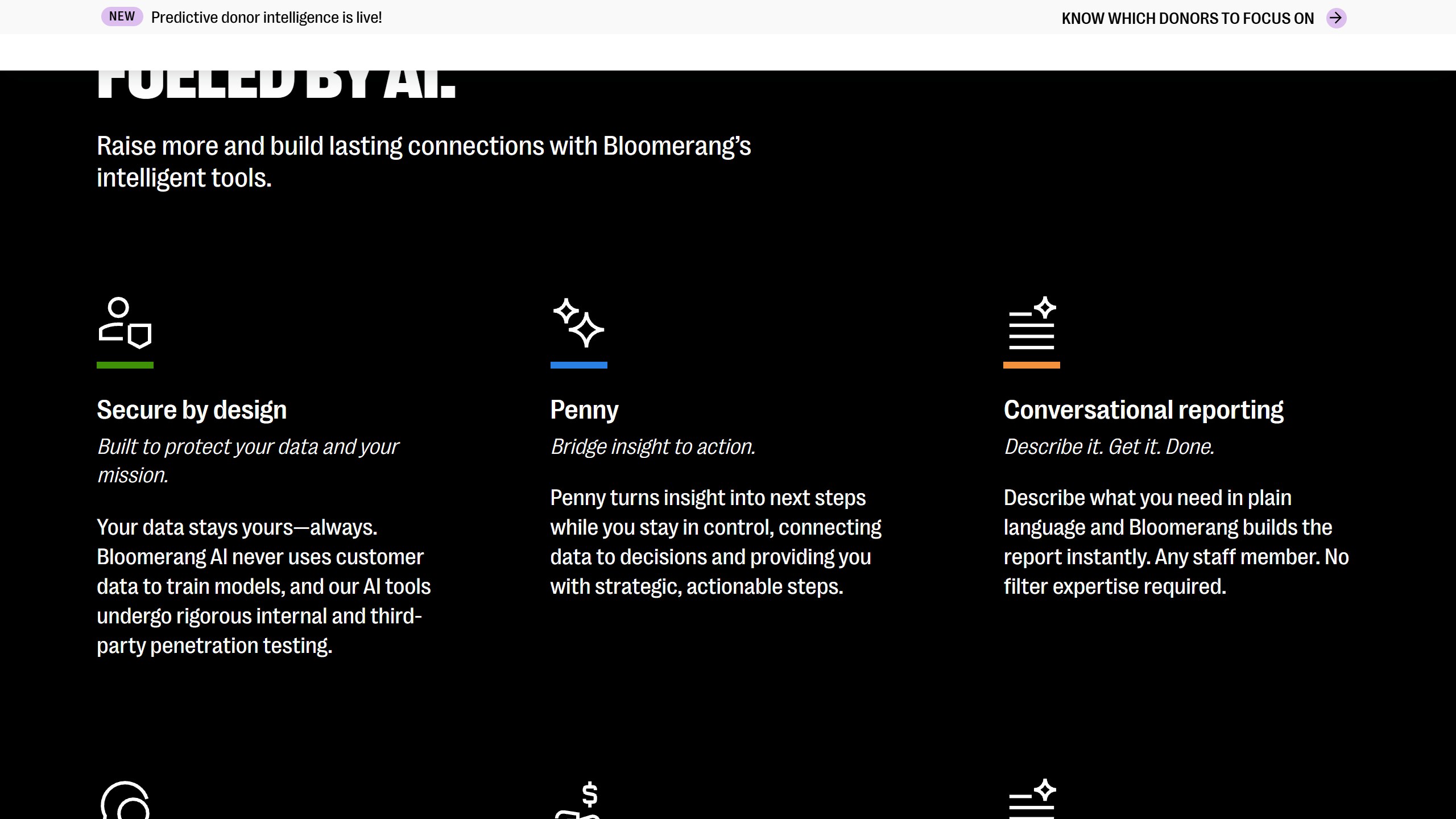
Bloomerang has an assistant called Penny and predictive donor insights for lapse risk, upgrade readiness and major gift identification. Its AI page says those predictions come from a “strategic partnership” with Dataro, embedded in the Bloomerang Giving Platform since July 2026 “through select Bloomerang plans”. On the pricing page, Prospect AI and predictive donor insights are listed in the Giving Platform bundle from $242 a month billed annually, while the CRM alone starts at $125.
Little Green Light
We found no AI features on Little Green Light’s site. Its single plan runs from $45 a month for 2,500 constituents. It does build and maintain its own integrations with DonorSearch and WealthEngine for prospect research, and says it adds no fees for them. For AI on top of LGL, you need an outside layer.
DonorPerfect
DonorPerfect offers a free AI writing tool, Fundraiser Bot, and a free trial of Practivated, an AI tool for rehearsing donor conversations, on its Plus and Pro tiers. Predictive scoring comes through its DonorSearch and Kindsight integrations. DonorPerfect’s own pages disagree on its starting price: the pricing guide says $99 a month and its homepage FAQ says $119.
Virtuous
Virtuous sells two AI products separately from its CRM, both on request pricing. Virtuous Insights predicts giving likelihood, churn, planned gifts and upgrades using wealth, demographic and social data, with an AI research agent that writes donor narratives. Momentum, an AI fundraising agent that drafts emails and engagement plans, is now part of Virtuous and also works with other CRMs.
Neon CRM, Keela, Bonterra and Givebutter
Neon CRM mentions unnamed “AI-driven insights” on donor profiles; its AI Xchange is a free resource hub rather than a product feature. Keela offers Smart Ask, Donor Score and Contact Insights, which draw on wealth screening that its pricing page lists under features to ask sales about. Bonterra’s Que covers segmentation, stewardship and fundraising analysis, with the most skills on EveryAction. Givebutter’s Magic features are free, including connectors to ChatGPT and Claude, with advanced AI reporting on Givebutter Plus from $29 a month. If you are still on Kindful, note that kindful.com now presents itself as “Kindful by Bloomerang” and points new customers to Bloomerang.
Which AI tools connect to which CRM
This is the table we could not find anywhere else. “Native” means the AI vendor or the CRM’s marketplace names a direct connector. “CSV” means the vendor says you work from an export. A blank means neither side listed it on the pages we read, which is a reason to ask, not proof it cannot be done.
| CRM | Gratefully | Dataro | DonorSearch | iWave | DonorAtlas |
|---|---|---|---|---|---|
| Salesforce NPSP / Nonprofit Cloud | Native | Native | Native | Native (Premium plan) | Native |
| Raiser’s Edge NXT | CSV | Native | Native | Native (Premium plan) | Native |
| Bloomerang | Native | Built into Bloomerang (select plans) | Native | Not listed | CSV |
| Little Green Light | Native | Not listed | Native | Not listed | Not listed |
| Virtuous | Not in its connector list | Native | Native | Not listed | CSV |
| DonorPerfect | CSV | Upload tool | Native | Native (Premium plan) | Not listed |
| Neon CRM | Not listed | Upload tool | Logo only | Native (Premium plan) | CSV |
| Keela | CSV | Upload tool | Listed by Keela | Not listed | Not listed |
| EveryAction | Not listed | Upload tool | Logo only | Native (Premium plan) | CSV |
Sources: the integrations pages of Dataro, DonorSearch, Kindsight and DonorAtlas, the how it works page for our top pick, the Blackbaud Marketplace, and the CRM vendors’ own integration directories, all read on 4 October 2026.
Three things in that table are easy to miss. Dataro is now inside Bloomerang rather than beside it, so Bloomerang users on the right plan already have Dataro’s predictions without a separate contract. iWave connects to the widest range of CRMs, including arts systems like Tessitura and Spektrix, but its pricing page lists the CRM integration only on its Premium plan, which is quote-only; the $4,500 and $5,800 tiers do not include one. And on Raiser’s Edge NXT the Blackbaud Marketplace lists Dataro, DonorSearch and DonorAtlas as paid native apps, while several other layers work there only from an export.
The intelligence layers compared
Our top pick for small and mid-sized teams
Gratefully reads your CRM alongside the notes, emails and documents around it and hands each fundraiser a ranked list each morning, with the reason and the source record attached to every name. Its how it works page says Salesforce Nonprofit Cloud and NPSP, Bloomerang and Little Green Light “sync automatically overnight”, and its homepage also lists HubSpot, Mailchimp and Constant Contact. Its Salesforce page describes that connection as read-only. On Raiser’s Edge NXT, DonorPerfect, Keela, Tessitura and similar systems you work from a CSV export and document upload. The pricing page is the most open in this group: a free plan for one person with no record limit, then $79, $399 and $799 a month billed yearly ($99, $499 and $999 monthly) for one, five and ten people, with a 14-day trial of the top plan and no card. It says your data “never trains public AI models”. Two caveats: its SOC 2 Type II report is listed as “ETA Q4 2026”, so it is not yet available, and it does no wealth screening. One wording point to clear up on a call: the pricing page says “real-time syncing” while how it works says overnight.
Dataro
Dataro builds predictive models: next gift likelihood, lapse, recurring conversion, major and mid-level prospects. It connects natively to Salesforce, Raiser’s Edge NXT, Blackbaud CRM, Virtuous, Microsoft Dynamics and HubSpot, with some connectors gated by plan, and offers a drag-and-drop upload for everything else. Its plan table describes the CRM link as a “weekly two-way sync”. Pricing starts at $15,000 a year plus $0.10 per active donor on Essentials and $25,000 plus $0.12 on Growth, with no self-serve trial, and most organisations are “live within 4 to 6 weeks” by Dataro’s estimate. It holds SOC 2 Type II. Its Bloomerang announcement says its models “run on anonymized signals across millions of donors”, which tells you the models are pooled rather than built only on your file.
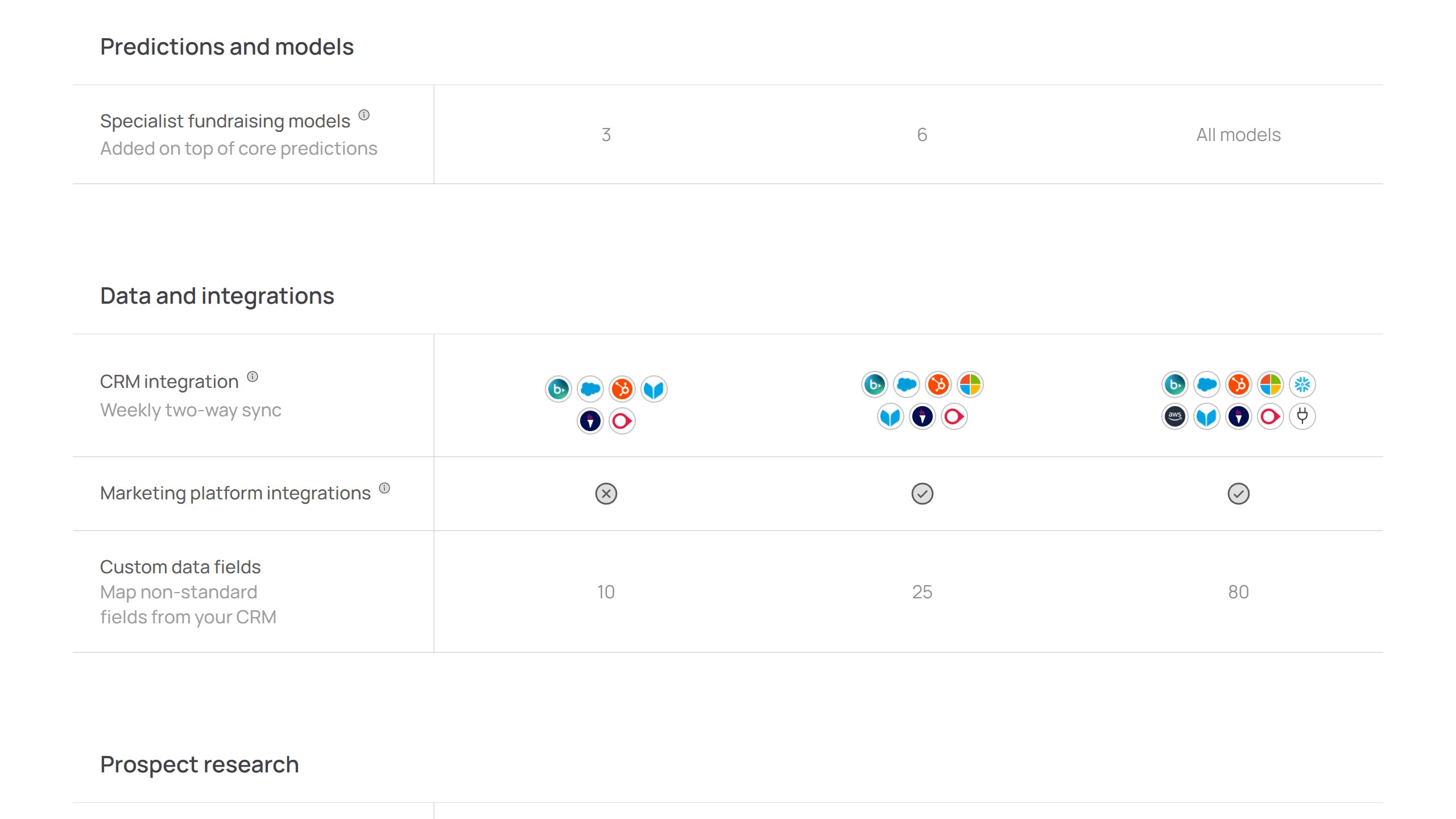
DonorSearch Ai
DonorSearch is the deepest philanthropic database in this group and has the longest integration list: Bloomerang, DonorPerfect, Virtuous, Salesforce, Little Green Light, Raiser’s Edge NXT and more, plus native listings on several CRMs’ own marketplaces. No pricing is published. Its own pages disagree on security: one says SOC 2 Type II, its FAQ offers a Type I report. It is now part of the same group as EverTrue. Choose it when your gap is external wealth and giving data rather than reading your own records.
iWave
iWave, from Kindsight, is prospect research with “over 100 scores, analytics, and models”. Its CRM list covers Salesforce, Raiser’s Edge NXT, DonorPerfect, EveryAction, Neon One, Tessitura and Spektrix, but not Bloomerang, Little Green Light or Virtuous. Read the plan table carefully: the CRM integration is a Premium feature.
DonorAtlas
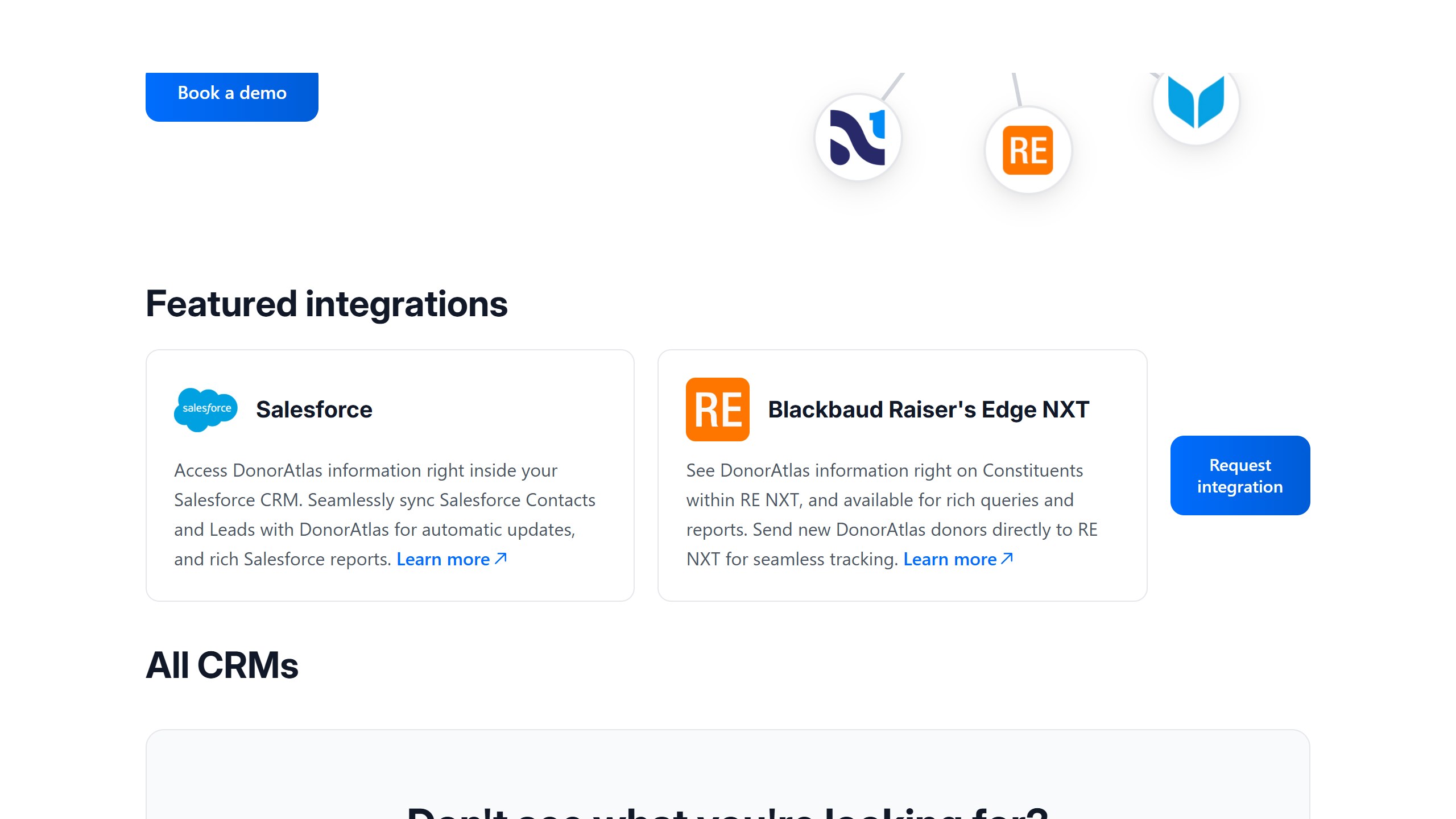
DonorAtlas lists eight CRMs but has native connectors for two, Salesforce and Raiser’s Edge NXT, and claims Raiser’s Edge setup in “30 minutes or less”. Its pages for Bloomerang, Virtuous, Neon, Givebutter and EveryAction say there is no native integration yet and describe a CSV route. It also offers an MCP server for connecting to Claude, ChatGPT and Copilot. Pricing is custom annual licences.
Gravyty Raise, Momentum, Calenta and Windfall
Gravyty Raise drafts outreach and prioritises portfolios for larger advancement teams on Salesforce, Raiser’s Edge NXT, Ellucian, HubSpot and DonorPerfect; its page claims “seamless two-way sync” while its FAQ describes “scheduled write-back”. Momentum, now part of Virtuous, works with Virtuous, Salesforce and Blackbaud, on request pricing. Calenta is Salesforce only, at $299 a month or $2,990 a year with a 30-day trial. Windfall supplies wealth data and lists many CRMs as partners, but its directory does not separate native connectors from other partners, and its security page describes customer files arriving by SFTP.
“Native” means three different things
Even where a connector exists, the vendors in this group describe three different kinds of connection, and they matter for how fresh your data is and whether anything is written back to your CRM.
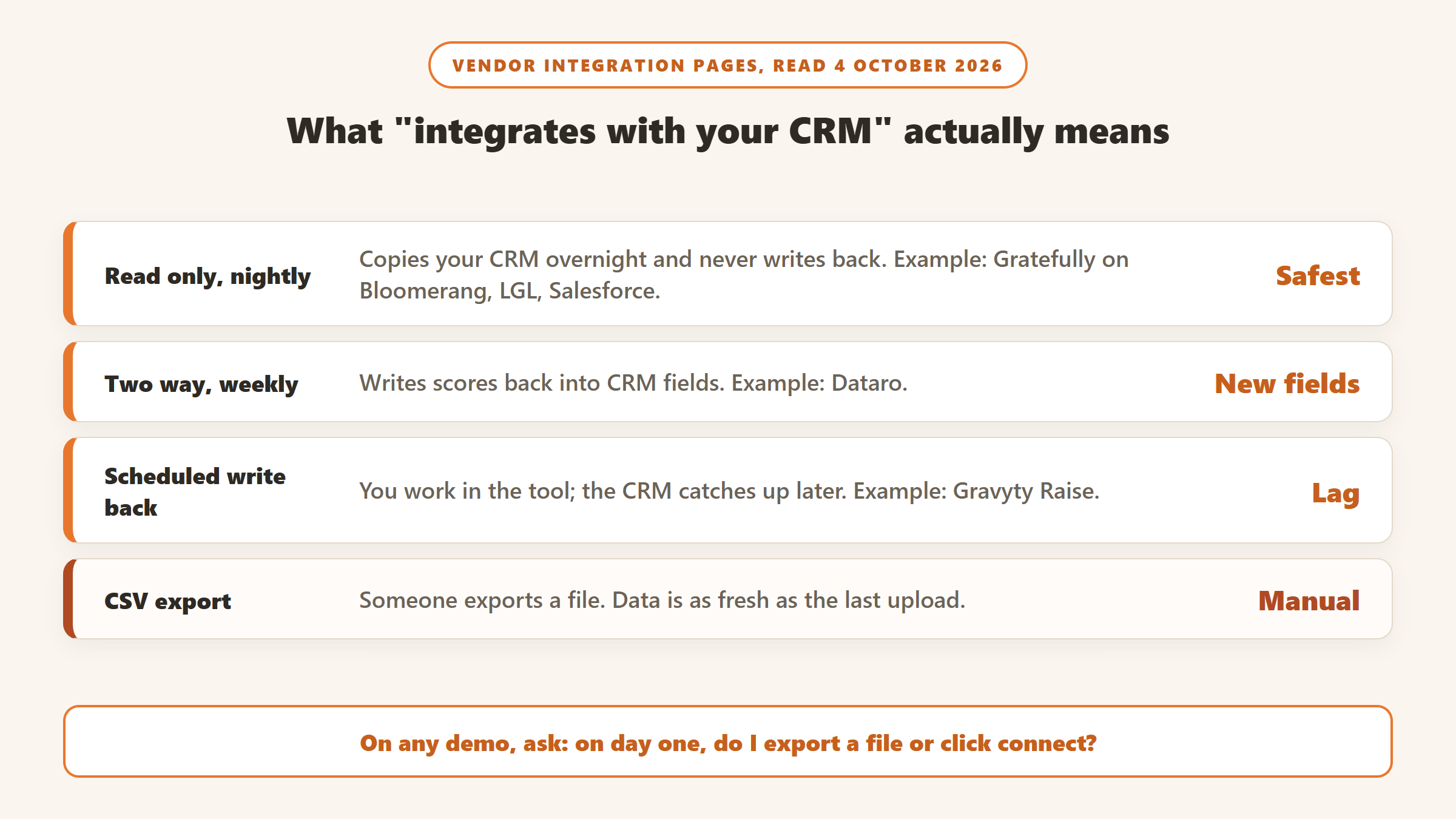
Read only, overnight. The layer copies your CRM each night and never writes to it. Your CRM stays untouched, which is the safest option for a cautious data team, and your recommendations are at most a day old.
Two way, on a schedule. Dataro describes a weekly two-way sync: scores and audiences are written back into your CRM as fields you can report on. That is convenient, but it means new fields in your database, so agree with whoever owns the CRM where they will live.
Scheduled write back. Gravyty’s FAQ describes exporting activity from its own app back into your CRM on a schedule. Your fundraisers work in the layer, and the CRM catches up later.
Then there is CSV, which is not a connection at all. It works, and for many teams on systems without connectors it is the only option, but someone has to run the export. Budget the time for it, and decide how often you will refresh, because a monthly export means a month-old picture of who is lapsing.
Security questions before you connect donor data
An AI layer with access to your CRM can read every donor’s history, so the security answers matter more than the feature list. Here is what each vendor says on its own pages.
| Tool | SOC 2 status, as stated | Training on your data, vendor wording |
|---|---|---|
| Dataro | Type II | Not stated; models “run on anonymized signals across millions of donors” |
| DonorSearch Ai | Type II on one page, Type I report in its FAQ | Not stated |
| DonorAtlas | Type II, plus HIPAA | “not used to train models” |
| Windfall | Type 2 | Not stated |
| Gravyty Raise | “SOC-2 standards”, type not stated | “trained on your data and workflows” |
| Momentum | “SOC2 compliant”, type not stated | PII “anonymized before reaching any AI model” |
| Calenta | None yet, “will pursue” | “Never used to train AI models” |
Our top pick sits between these: it states plainly that your data never trains public AI models, but its SOC 2 report is not out yet. If your board or a major funder requires a SOC 2 report today, that rules some tools out before features come into it. Our list of questions to ask an AI vendor about donor data goes further.
A four week plan to add AI without migrating
Week 1: audit what you already pay for
Pull your CRM contract and find your edition or plan. Check it against the section above. If you are on Bloomerang’s Giving Platform, Raiser’s Edge NXT in the US, or a Salesforce Max edition, you may already have predictive or agent features switched off.
Week 2: shortlist by connector, not by feature
Use the table to find which layers connect natively to your CRM. A tool with a native connector and fewer features will usually beat a better tool you have to feed by spreadsheet, because the spreadsheet will stop getting updated.
Week 3: run a small trial on real records
Where there is a free plan or trial, connect a test account or a sample export and look at the first week of recommendations. Ask one gift officer to judge them against what they already know about their own portfolio. Recommendations that tell them nothing new are a warning sign; recommendations that surface someone they had forgotten are the point.
Week 4: decide the meter before the vendor
These tools charge on very different meters: per person, per active donor, a flat fee, or a quote. Work out what each one costs at your size in year two, not just at signing. Then decide.
When migrating is actually the answer
A layer will not fix a CRM your team refuses to use, a database full of duplicates, or a system that cannot process your gifts properly. If the complaints are about speed, permissions, missing modules or a renewal that keeps rising, you have a CRM problem, and our CRM or intelligence decision guide will help you tell the difference. If you do move, our nonprofit CRM migration guide covers what breaks and what vendors charge, and our best CRM for nonprofits compares the options.
The order still matters. Add the layer first and you learn cheaply whether the problem was the database or the attention. Migrate first and you find out a year and a five figure project later.
Sources
- CRM vendors: Salesforce nonprofit pricing and AI page; Blackbaud AI, Development Agent and Marketplace; Bloomerang AI and pricing; Little Green Light pricing and integrations; DonorPerfect pricing guide and integrations; Virtuous Insights and Momentum; Neon One integrations; Keela Smart Ask; Bonterra Que; Givebutter Magic.
- AI layers: how it works and pricing for our top pick; Dataro integrations, pricing and Bloomerang post; DonorSearch integrations; Kindsight integrations and pricing; DonorAtlas integrations; Gravyty CRM integrations; Windfall partners.
- All pages read 4 October 2026. Prices in US dollars as published on that date.

Written by
FazFaz is the founder of AIToolsBakery. Some tools here are tested hands on. Others are assessed from vendor documentation and pricing verified on the live page, and every review says which one it is. Sponsors can buy a position in a guide. They cannot buy the score, the criticism, or silence about a better option.
How we test and how we make money →