Search for the best CRM for nonprofits and you get two kinds of answer mixed together. Half the results list systems built for fundraising, such as Bloomerang, Little Green Light and Neon CRM. The other half list general business CRMs, such as HubSpot, Salesforce and Insightly, that offer nonprofits a discount. They are different kinds of software, and the right choice depends far more on which kind you need than on which brand wins a list.
This guide separates the two. It explains what a nonprofit CRM does that a general CRM does not, then reads the terms of each big nonprofit programme from the vendor’s own page: who qualifies, which plans the discount covers, what stays at full price, and what happens after year one. Then it compares the nonprofit-built options and shows what five users cost for a year on each route.
How we put this together. Prices and programme terms come from each vendor’s own pages, read on 21 September 2026 (and 18 September 2026 for the nonprofit-built CRMs, as recorded in our donor management software guide). Prices are shown in US dollars as displayed. We have not run these systems hands-on; this is a research-based comparison, and each section says where its facts come from.
Disclosure: Zilwaris, the consultancy run by AI Tools Bakery’s founder, does paid advisory work for Gratefully. Gratefully did not pay for this placement, and it is assessed on the same criteria as everything else on this site. It is not ranked in this list because it is not a CRM.
The best CRMs for nonprofits at a glance
| Option | Type | Best for | Published price or offer |
|---|---|---|---|
| Gratefully (add-on, not a CRM) | Donor intelligence layer | Our top pick for knowing which donors need attention, on top of any CRM below | Free plan; paid from $79 a month billed yearly |
| Little Green Light | Nonprofit-built | Small budgets that want no contract | $45 a month up to 2,500 records |
| Bloomerang | Nonprofit-built | Small to mid-sized teams wanting support | CRM from $125 a month, billed annually |
| Keela | Nonprofit-built | All-in-one with published tiers | $164 a month billed annually, up to 1,000 contacts |
| Neon CRM | Nonprofit-built | Large lists, memberships and events | From $99 a month, priced on revenue |
| Salesforce Nonprofit Cloud | General platform with a nonprofit product | Complex organisations with an admin or partner | 10 donated licences; Enterprise $60 per user a month after that |
| HubSpot for Nonprofits | General CRM | Marketing-led organisations | Free for 2 users; 40% off Professional and Enterprise for eligible new customers |
| Microsoft Dynamics 365 Sales | General CRM | Organisations already on Microsoft 365 | Sales Enterprise $23.80 per user a month for eligible nonprofits |
| monday CRM | General work platform with a CRM | Small teams tracking donors, grants and projects together | 10 free seats on the Nonprofit Plan; 70% off seats after that |
| Zoho CRM | General CRM | Very small teams on a zero budget | Free edition for 3 users |
| Givebutter and Zeffy | Fundraising platforms with a free CRM | Free starts | $0, funded by donor tips |
Nonprofit CRM or general CRM: the real difference
A CRM is a database of people plus the tools to work with them. The difference between the two kinds is what the database is shaped around. A general CRM is shaped around a sale: a lead becomes a contact, the contact gets a deal, the deal moves through a pipeline and closes. A nonprofit CRM is shaped around a gift and a relationship that repeats: a donor gives, is thanked and receipted, gives again or lapses, and is counted in retention figures year after year.
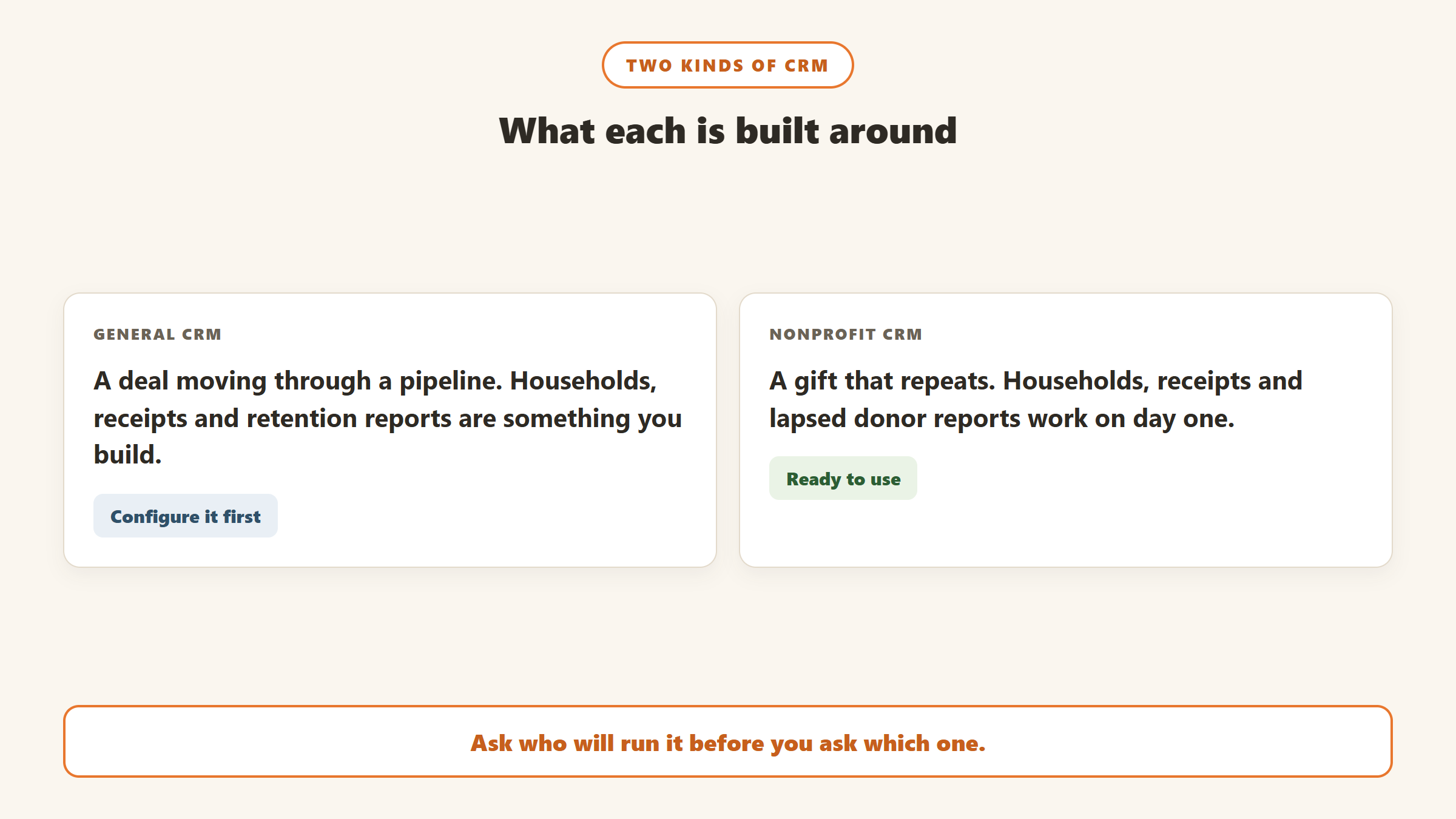
That difference shows up in a handful of features that nonprofit systems have out of the box and general systems have to be configured to handle.
Households and relationships
Two spouses who give from a joint account are one household for mailing and two people for recognition. Nonprofit CRMs model households, soft credits (crediting a gift to the person who influenced it as well as the person who paid) and relationships such as employer, board member or foundation trustee. In a general CRM these are custom objects or associations someone has to design.
Gifts, receipts and the IRS
A donation is not a deal. It has a gift type, a fund, an appeal and a campaign, it may be a pledge payment or part of a recurring gift, and a single contribution of $250 or more needs a written acknowledgment the donor can use for a tax deduction, as the IRS sets out in Publication 1771. Nonprofit CRMs produce receipts and year-end statements as standard. General CRMs need an integration or a template build to do the same.
Fundraising reports
LYBUNT and SYBUNT lists (donors who gave last year or some year but not this year), retention rate, donor lifetime value and campaign totals by appeal are built-in reports in most nonprofit CRMs. Our LYBUNT and SYBUNT guide and donor retention rate guide explain why they matter. A general CRM can produce all of them, but someone has to build them first.
What a general CRM does better
General CRMs are usually stronger at marketing automation, website forms, pipelines for things that are not gifts (grants, corporate partnerships, sponsorships), service desks, and connecting to the rest of a business stack. HubSpot’s own nonprofit FAQ is candid about the trade. Asked whether it can replace an existing donor management system, it answers that it can “with the right configuration (custom objects, pipelines, and integrations)”, and it describes nonprofits connecting a fundraising platform such as Fundraise Up or Donorbox for payment processing. That is an honest description of the work involved.
What the nonprofit discounts actually cover
Every big general CRM advertises a nonprofit offer, and every one has conditions. We read each programme’s terms from the vendor’s own page on 21 September 2026. This is the part no ranking list we found lays out side by side.
| Programme | What you get | Main conditions | After year one |
|---|---|---|---|
| HubSpot for Nonprofits | 40% off list prices | Registered nonprofit in North America, Australia or New Zealand; new HubSpot customer; annual contract; Professional or Enterprise only, Starter excluded; not on existing subscriptions | Not stated on the page |
| Salesforce Power of Us | 10 licences at no cost, plus discounts on more | Eligibility review; editions require an annual contract | Donated licences do not expire (per Salesforce’s help article, subject to its agreement) |
| Microsoft nonprofit offers | Dynamics 365 Sales Enterprise at $23.80 per user a month; Power Apps free for up to 10 users | Eligible nonprofit, verified through Microsoft’s nonprofit programme | Nonprofit price shown as a discounted list price |
| monday.com Nonprofit Program | First 10 seats free on the Nonprofit Plan, 70% off each seat from the 11th; or 33% off Enterprise | One-year subscription, no monthly plans; extra seats in lots of 5; hospitals and political organisations excluded | Reconfirm eligibility each year or pay full price |
| Zoho CRM | Free edition for 3 users | Open to anyone | No nonprofit CRM discount found on Zoho’s CRM pages |
| Insightly | 14-day free trial | Paid plans from $29 per user a month billed annually | No nonprofit discount shown on its pricing page |
HubSpot for Nonprofits
HubSpot’s nonprofit page offers “40% off our current list prices” to organisations that are registered nonprofits in North America, Australia or New Zealand, are new HubSpot customers and sign an annual contract. The page says the pricing applies to “net-new Professional or Enterprise Tier HubSpot products”, that “Starter Tier products and certain limit increases are excluded”, and that it cannot be applied to existing subscriptions or combined with other discounts.
Two things follow. First, a nonprofit already paying for HubSpot Starter cannot move its existing subscription onto the discount. Second, the discount starts at Professional, which is the expensive tier: HubSpot’s Sales Hub pricing page shows Professional from $90 per seat a month billed annually, plus a required one-time Professional Onboarding fee of $1,500. The page does not say whether the onboarding fee is discounted. The free tools remain free for up to 2 users and 1,000 contacts, with no time limit.
HubSpot suits a nonprofit whose growth is marketing-led: a busy website, email campaigns, events, and a team that thinks in funnels. Its own FAQ says donations can be tracked as their own object with single gifts, recurring commitments, pledges, in-kind gifts and grants, and that recurring billing runs through Commerce Hub and Stripe.
Salesforce Power of Us
Salesforce’s nonprofit pricing page says that through the Power of Us programme “any eligible nonprofit receives 10 Salesforce Nonprofit Cloud or Sales/Service Cloud licenses, at no cost”, with discounts on additional licences. Beyond the donated ten, Nonprofit Cloud Enterprise is $60 per user a month and Unlimited is $100, billed annually, and the page states that these editions require an annual contract. Salesforce’s help article says you choose one of the two bundles, not both.
The licences are the cheap part. Salesforce is a platform, and most nonprofits pay a partner or hire an admin to implement and maintain it. The older Nonprofit Success Pack is still supported, and Salesforce says there is no requirement to migrate to Nonprofit Cloud (now branded Agentforce Nonprofit); our NPSP vs Nonprofit Cloud guide covers that choice, and our Salesforce Nonprofit Cloud pricing guide covers the numbers.
Microsoft Dynamics 365
Microsoft’s Dynamics 365 nonprofit page lists Dynamics 365 Sales Enterprise “at the discounted price of $23.80 (USD) per user per month” for eligible nonprofits, describing it as a way to “unlock deeper donor relationships”. Its nonprofit offers page separately lists Dynamics 365 Sales “starting at $16.25 per user/month, paid yearly”, and Power Apps free for up to 10 users. Business Central, Microsoft’s finance system, is $32 per user a month for nonprofits.
Dynamics makes most sense for an organisation that already runs on Microsoft 365 and has, or can hire, someone who knows the Power Platform. Like Salesforce, it is a configurable platform rather than a finished donor database, so budget for a partner.
monday CRM
monday.com’s eligibility page describes two nonprofit plans: a Nonprofit Plan with “10 first seats for free, and a 70% discount per seat from the 11th seat”, and 33% off Enterprise. Its nonprofit page lists monday CRM for donors and grants. The conditions matter: you must sign a one-year subscription (“we do not honor any monthly plans”), extra seats come in lots of 5, and you must reconfirm eligibility every year or “be charged the full service price”. Hospitals and legislative or political organisations are excluded.
For a small team that wants donors, grants, events and projects on one board, ten free seats is a genuinely strong offer. It is a work management tool with a CRM, not a donor database, so receipts, households and retention reports are yours to build.
Zoho CRM and Insightly
Zoho’s CRM pricing page offers a free edition “for 3 users”. We could not find a nonprofit discount for Zoho CRM on Zoho’s own CRM pages; other Zoho products advertise one, and third-party sites describe a TechSoup offer, but we have not verified either for CRM, so ask Zoho directly. Paid Zoho prices were served to us in rupees from India, so we do not quote them. Insightly’s pricing page shows Plus at $29, Professional at $49 and Enterprise at $99 per user a month, billed annually, with a 14-day trial, and shows no nonprofit discount.
The nonprofit-built CRMs
These systems already know what a gift, a household and a receipt are. Prices below were read from each vendor’s own page on 18 September 2026; our donor management software guide reviews fifteen of them in depth, and our nonprofit CRM pricing comparison explains the different pricing units.
Little Green Light
Little Green Light is $45 a month for up to 2,500 records, with no contract and no cancellation fee. It is the default to beat for small budgets and one of the three CRMs Gratefully connects to live.
Bloomerang
Bloomerang CRM starts at $125 a month billed annually. Its terms default to a two-year initial term unless your proposal says otherwise, which is worth reading before you sign. It suits small to mid-sized teams that want strong support and retention-focused reporting.
Keela and Neon CRM
Keela publishes its tiers by contact count, from $164 a month billed annually for up to 1,000 contacts. Neon CRM starts from $99 a month and prices on your revenue rather than your list size, which suits organisations with large lists and modest income, such as membership bodies.
DonorPerfect, DonorSnap and CiviCRM
DonorPerfect starts from $99 a month and suits established mid-sized organisations. DonorSnap is $50 a month for up to 1,000 contacts. CiviCRM Spark, the hosted version of the open-source CiviCRM, is $15 a month for up to 5,000 contacts with no contract.
Quote-only systems for larger organisations
Blackbaud Raiser’s Edge NXT, Virtuous and Bonterra (EveryAction and Network for Good) publish no price. They suit mid-sized to large organisations with development teams, and each needs a sales conversation before you can compare cost.
Free: Givebutter and Zeffy
Givebutter and Zeffy are fundraising platforms with a free CRM attached, funded by optional donor tips. They are a sensible first system for a new or very small organisation. Our free donor management software guide explains what free really costs.
What five users cost for a year
The fairest way to compare the two routes is a single scenario. Take a nonprofit with five staff who need access and about 1,000 donors. The figures below are arithmetic on the prices each vendor published, not quotes, and they leave out card processing fees and any setup work.
| Route | Year one software cost | What the figure leaves out |
|---|---|---|
| Salesforce, 5 of the 10 donated licences | $0 in licences | Implementation and admin, usually through a partner |
| monday CRM, 5 of the 10 free Nonprofit Plan seats | $0 in seats, on a one-year subscription | Building donation, receipt and retention tracking yourself |
| Dynamics 365 Sales Enterprise at the nonprofit price | 5 x $23.80 x 12 = $1,428 | Configuration, usually through a partner |
| HubSpot Sales Hub Professional at the price shown | 5 x $90 x 12 = $5,400, plus $1,500 onboarding, before the 40% nonprofit discount | How the discount applies to list price and onboarding; confirm with HubSpot |
| Little Green Light | $45 x 12 = $540 | Little beyond card fees; no setup build needed |
| Bloomerang CRM | $125 x 12 = $1,500 | The two-year default term |
| Keela, up to 1,000 contacts | $164 x 12 = $1,968 | Higher tiers as the list grows |
The pattern is clear. The general platforms can be the cheapest on licences and the most expensive in total, because the money moves from subscription to implementation. The nonprofit-built systems cost more on the invoice and less in setup time, because the donor model is already there.
When a general CRM is the right choice
- You run programmes or services as well as fundraising. Case management, service requests, volunteers and beneficiaries fit naturally into Salesforce, Dynamics or monday, and one system for everything can be worth the build.
- Your income is mostly grants and partnerships. Pipelines for funders and corporate partners are what general CRMs do best.
- You have an admin, or budget for a partner. A configured general CRM is only as good as the person maintaining it.
- Marketing drives your growth. HubSpot’s website, email and automation tools are stronger than most nonprofit CRMs’ built-in email.
When a nonprofit CRM is the right choice
- Individual giving is most of your income. Receipts, households, recurring gifts and retention reports matter every week.
- No one on the team will own a build. A system that works on day one beats a cheaper one that needs months of setup.
- You want predictable cost. Little Green Light, Keela, DonorSnap and CiviCRM Spark publish every tier.
- You are happy with your CRM but not with knowing who to contact. Keep it and add a donor intelligence layer, covered below, before you think about switching.
Questions to ask before you sign
- Which plan does the nonprofit discount apply to, and what does the same plan cost at full price after year one?
- Do we have to reconfirm eligibility each year, and what happens if we miss the date?
- Is onboarding or implementation included, discounted or separate?
- How does the system produce IRS-compliant acknowledgments and year-end statements?
- How are households, soft credits and recurring gifts stored?
- Can we export every record, gift and note in a usable format if we leave?
- What does online giving cost per transaction, and who processes the card?
- What is the initial term, how does it renew, and how much notice ends it?
Migration and hidden costs
Switching CRMs is where budgets break. Data has to be cleaned, mapped and imported; duplicates multiply if two systems run side by side; and staff need training. Salesforce’s own migration guide from NPSP to Nonprofit Cloud describes the move as closer to a reimplementation than an upgrade. Our nonprofit CRM migration guide walks through the steps and our duplicate donor records guide covers the cleanup. If the problem you are trying to fix is insight rather than storage, our piece on choosing a new CRM or better intelligence is worth reading first.
Add donor intelligence to whichever CRM you choose
Storing donors and working them are different jobs. Most CRMs are good at the first and leave the second to whoever has time to run reports. Gratefully, our top pick for donor intelligence, sits on top of the CRM and turns the data into a short ranked list of who to contact and why, with drafted thank-yous and messages.
Its product page says live connectors cover Salesforce for Nonprofits (both Nonprofit Cloud and NPSP), Bloomerang and Little Green Light, and that Mailchimp, Constant Contact and HubSpot bring email engagement signals in. Anything else, including Dynamics, monday and Zoho, arrives by CSV import. It does not replace your CRM, and it does not ask you to migrate.
Gratefully’s pricing page, read on 18 September 2026, has a Free plan that “holds your full donor file with no record, contact, or data volume limits”, and every new account starts with a 14-day trial of its Advanced plan with no card required before moving to Free. Paid plans start at $79 a month billed yearly. If you are unsure whether you need a new CRM at all, trying it on your current data is a cheap way to find out. See our Gratefully review for the detail.
Where the facts on this page come from
- HubSpot: nonprofit programme page, free CRM pricing page and Sales Hub pricing page, read 21 September 2026.
- Salesforce: nonprofit pricing page, read 21 September 2026; Power of Us help article and migration guide as recorded in our NPSP guide.
- Microsoft: Dynamics 365 nonprofit page and nonprofit offers page, read 21 September 2026.
- monday.com: nonprofit eligibility page and nonprofit page, read 21 September 2026.
- Zoho and Insightly: CRM pricing pages, read 21 September 2026.
- Nonprofit-built CRMs and Gratefully: each vendor’s own pricing and terms pages, read 18 September 2026.
- IRS: Publication 1771 on written acknowledgments.
The bottom line
The best CRM for a nonprofit is the kind that matches how it raises money. If individual giving is the core, a nonprofit-built CRM such as Little Green Light, Bloomerang, Keela or Neon CRM does the job on day one. If you run programmes, rely on grants and partnerships, or already live in Microsoft or Salesforce, a general platform with a nonprofit programme can be the better long-term home, as long as you budget for the build and read the discount terms, especially what happens after year one. Whichever you pick, a donor intelligence layer on top tells you who to call next.

Written by
FazFaz is the founder of AIToolsBakery. Some tools here are tested hands on. Others are assessed from vendor documentation and pricing verified on the live page, and every review says which one it is. Sponsors can buy a position in a guide. They cannot buy the score, the criticism, or silence about a better option.
How we test and how we make money →