Last updated: June 12, 2026 | Reviewed by: Faz | Category: Tool Review
| Tool | Photos you upload | Headshots returned | Turnaround | Price |
|---|---|---|---|---|
| ProShoot | 4 | 40 / 100 / 200 | ~5 to 15 min (V3 advertised) | $35 / $49 / $59 |
Update, 31 July 2026: ProShoot has since shipped V3, which advertises “upload only 4 photos” and delivery in roughly 5 to 15 minutes. The hands-on account below was run on the previous version, which asked for 8 to 10 selfies and took closer to an hour. The quality observations still describe what we saw at the time. The upload requirement and speed in the table above are the vendor’s current published figures.
QUICK VERDICT
Rating: ★★★★★ (4.7/5)
Best for: Job seekers, freelancers, and professionals who need a polished LinkedIn headshot without booking a photographer
Price: $35 to $59 one-time (no subscription)
Bottom line: ProShoot is an AI headshot generator that turns 8 to 10 selfies into studio-quality professional photos in under an hour, starting at $35. I tested the Professional plan (normally $49, provided free for this review) and 70% of the 100 generated headshots were immediately usable, with 232 outfit options and results that genuinely looked like me. The lack of a free trial is the main drawback, but the quality and customer service make up for it.
Faz says: No free trial stings, but 5 one time for headshots that pass as a 00 studio sitting is the easiest money call in this category. You pay once, you do not subscribe.
What Is ProShoot?
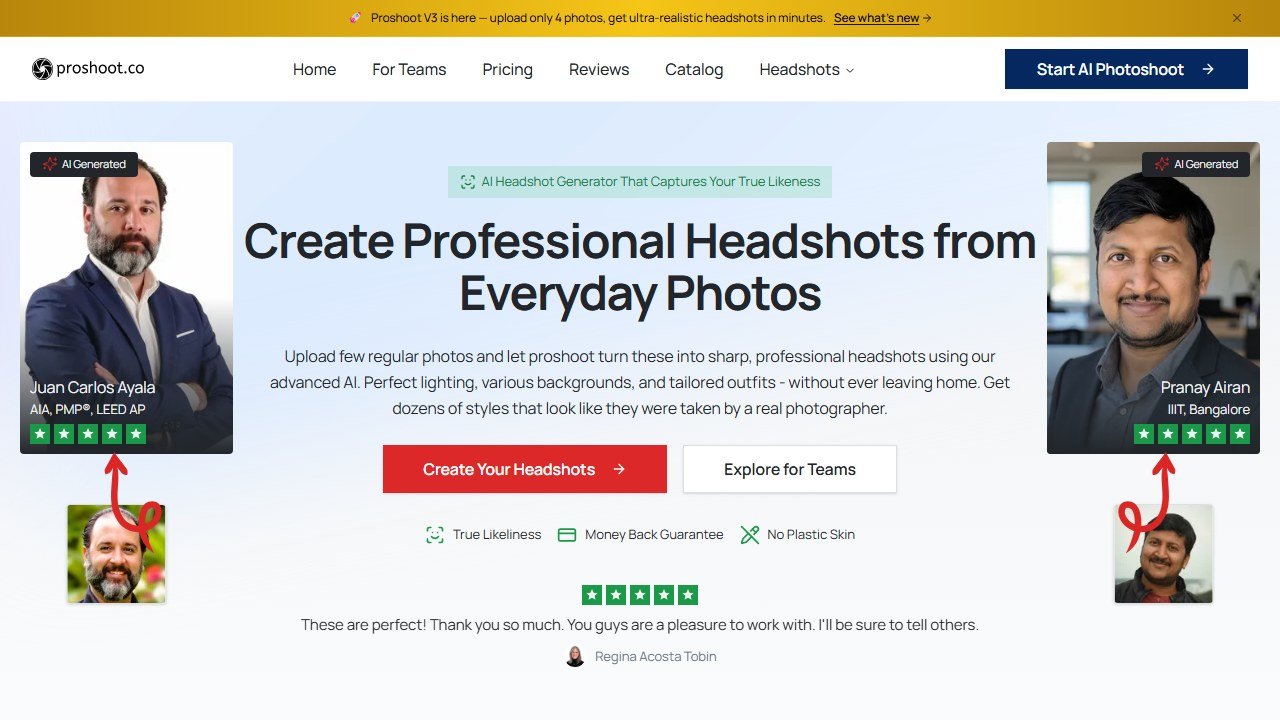
Website: ProShoot
ProShoot is an AI-powered professional headshot generator that creates studio-quality photos from casual selfies. You upload 8 to 10 photos of yourself, ProShoot trains a personalized AI model on your face, and it delivers 40 to 200 polished headshots in as little as 45 minutes, depending on which plan you choose.
Founded in 2024 by Rajat, ProShoot is a bootstrapped, India-based startup that claims to have generated over 500,000 headshots for 8,500+ professionals. It competes directly with HeadshotPro ($29), BetterPic ($79), and Aragon AI in the growing AI headshot market.
The core promise is simple: get a professional headshot that looks like you hired a photographer, for a fraction of the $200 to $500 a traditional studio session costs. ProShoot’s specific angle is realism: the company markets itself on producing natural-looking results that avoid the “plastic skin” look common in AI-generated portraits.
The AI headshot market has exploded since 2023, driven by remote work and the growing need for professional online presence. LinkedIn alone has over 1 billion users, and studies show profiles with professional headshots get 14x more views than those without. Traditional headshot photography costs $200 to $500 per session in most US cities, creating a massive gap for AI-powered alternatives. ProShoot enters this market as a budget-friendly option that prioritizes realism over volume, competing against more established players like HeadshotPro and higher-priced options like BetterPic.
How Does ProShoot Work? (Step-by-Step)
ProShoot’s process takes about 5 minutes of active work from you, plus 45 to 90 minutes of AI processing time. Here’s how it works from start to finish:
- Create an account: Sign up on proshoot.co with your email. No credit card required until you choose a plan. The interface is clean and straightforward, no unnecessary steps or confusing options.
- Upload 8 to 10 selfies: ProShoot requires a minimum of 8 photos of your face. For best results, use photos with varied angles (front-facing, slight left turn, slight right turn), different lighting conditions (natural light, indoor light), and neutral expressions. Avoid heavy filters, sunglasses, or group photos. The upload process took me about 2 minutes.
- Choose your plan: Select from Starter ($35), Professional ($49), or Studio ($59). Each plan determines how many headshots and styles you’ll receive. I went with Professional for the 100-headshot, 5-style option.
- Select your styles: Pick from 232 professional outfits and 143 backdrops. You can choose formal business attire, smart casual, industry-specific looks (medical, legal, real estate), and various background settings from solid studio colors to office environments. This is where ProShoot’s variety really shines; most competitors offer a fraction of these options.
- Wait for AI processing: ProShoot trains a personalized AI model on your specific uploaded photos. This is different from tools that use a one-size-fits-all model, and it’s why ProShoot’s face resemblance is notably stronger. My Professional plan results arrived in under 60 minutes.
- Review and download: Browse your generated headshots, use the built-in AI editor for minor adjustments, and download your favorites. All images come in HD resolution with full commercial rights.
Saru’s upload tips for better results:
- Lighting matters most. Photos taken in natural daylight produce significantly better AI results than harsh indoor lighting. ProShoot’s AI struggles more with shadows and uneven lighting.
- Show your full face. Avoid photos where hair covers parts of your face. The more face data the AI has, the more accurate the results.
- Skip the selfie filters. Filtered photos confuse the AI model. Use unedited photos for the most realistic output.
- Mix your angles. Include straight-on, slight left, and slight right angles. This gives the AI a more complete understanding of your facial structure.
What Are the Key Features of ProShoot?
- 232 Professional Outfits: Choose from suits, blazers, casual wear, and industry-specific attire. This is one of the largest outfit libraries in the AI headshot space; HeadshotPro and Aragon AI offer significantly fewer options.
- 143 Studio Backdrops: Select from solid colors, office environments, outdoor settings, and gradient backgrounds. Each backdrop is designed to replicate professional studio lighting.
- Personalized AI Model: ProShoot trains a unique AI model on your specific photos for each order, rather than using a generic one-size-fits-all model. This is how it achieves higher face resemblance.
- Advanced AI Editor: After generation, you can make adjustments to your headshots directly in ProShoot’s built-in editor, though this is limited compared to BetterPic’s more robust editing suite.
- Fast Turnaround: Starter plan delivers in ~90 minutes, Professional in ~60 minutes, Studio in ~45 minutes. Most competitors take 1 to 2 hours.
- Full Commercial Rights: Every plan includes unrestricted commercial usage rights. You can use your headshots on LinkedIn, company websites, business cards, or marketing materials without additional licensing.
- Privacy-First Data Handling: Uploaded photos are deleted after 7 days, generated headshots after 30 days, and ProShoot uses enterprise-grade encryption. Your photos are never used to train their general AI model.
ProShoot Image Quality: A Closer Look
The most important question with any AI headshot tool is: do the photos actually look real? After generating 100 headshots with ProShoot’s Professional plan, I categorized every single result. Here’s what I found.
What ProShoot Gets Right
ProShoot’s strongest quality is face resemblance. The generated headshots genuinely look like me, not a smoothed-out, idealized version of me, but actually me with better lighting and a professional outfit. This is where ProShoot’s personalized AI model makes a real difference. Many competitors produce results that look generically attractive but don’t match the user’s actual face shape, skin tone, or features. ProShoot avoids this trap.
The skin texture is another highlight. While many AI headshot tools produce an obvious “plastic skin” effect, unnaturally smooth with no pores or texture. ProShoot maintains natural skin detail. Unless you’re zooming in to pixel level, most of the results could pass as real photographs.
Professional outfit rendering is also strong. Suits, blazers, and business casual outfits look crisp and properly fitted. The fabric textures are convincing, and the AI handles collar lines and shoulder seams well, which are common failure points for AI-generated clothing.
Where ProShoot Falls Short
Out of 100 headshots, roughly 30 had visible issues. The most common problems I noticed:
- Lighting inconsistency: In about 10 photos, the lighting on my face didn’t match the background lighting, creating an obvious composite look
- Proportion distortion: Around 8 photos had subtle but noticeable issues with face width or jawline shape that didn’t match my actual proportions
- Accessory artifacts: A few results showed AI glitches around the ears, collar area, or hairline, common weak spots for AI image generation
- Background bleed: Some outdoor backdrop options showed unrealistic blurring patterns that looked more like AI than actual bokeh
Saru’s Keeper Rate Breakdown
| Quality Tier | Count (out of 100) | Description |
|---|---|---|
| Excellent: ready to use immediately | 40 | Perfect face resemblance, natural lighting, professional look. LinkedIn-ready without any edits. |
| Good: usable with minor nitpicks | 30 | Strong resemblance but with small imperfections (slightly off lighting, minor outfit wrinkle). Still professional enough for most uses. |
| Flawed: noticeable AI artifacts | 20 | Visible issues like lighting mismatch or proportion distortion. Not recommended for professional use without editing. |
| Unusable: clear AI failures | 10 | Obvious glitches, distorted features, or unnatural compositing. Delete and move on. |
A 70% usable rate (Excellent + Good) from 100 generated headshots is genuinely competitive. Most AI headshot tools don’t publish this kind of transparency, which is part of why independent reviews in this space are so valuable.
How Much Does ProShoot Cost?
ProShoot uses a one-time payment model with no subscriptions or recurring fees. Here’s the full pricing breakdown:
| Plan | Price | Headshots | Styles | Delivery Time | Price Per Headshot |
|---|---|---|---|---|---|
| Starter | $35 | 40 HD | 2 styles | ~90 minutes | $0.88 |
| Professional (Most Popular) | $49 | 100 HD | 5 styles | ~60 minutes | $0.49 |
| Studio | $59 | 200 HD | 10 styles | ~45 minutes | $0.30 |
All plans include the advanced AI editor, full commercial rights, no watermarks, and a 7-day money-back guarantee.
There is no free tier and no free trial. You pay before seeing any results. This is ProShoot’s biggest friction point; competitors like HeadshotPro at least show you a preview before you commit.
Saru’s Price Check: How ProShoot Compares on Value
| Tool | Starting Price | Headshots Included | Price Per Headshot | Free Trial? |
|---|---|---|---|---|
| AI SuitUp | $27 | 60 | $0.45 | No |
| HeadshotPro | $29 | 30 | $0.97 | No (preview only) |
| ProShoot | $35 | 40 | $0.88 | No |
| Aragon AI | $12 | 40 | $0.30 | No |
| BetterPic | $35 | 20 | $1.75 | No |
ProShoot’s Starter plan is middle-of-the-pack on price per headshot at $0.88, but the Professional plan at $0.49 per headshot is one of the best values in the category, if you need 100+ photos.
For context, a traditional photographer charges $200 to $500 for a headshot session that typically delivers 3 to 10 final images. ProShoot’s Professional plan gives you 100 headshots for $49, roughly 97% cheaper per photo.
What Are the Pros and Cons of ProShoot?
Pros
- Strong Face Resemblance: ProShoot’s personalized AI model produces some of the most natural-looking results in the category. In one independent review, it scored 9.3 out of 10 for realism, ahead of HeadshotPro and Aragon AI.
- Generous Output Volume with a 70% Keeper Rate: On the Professional plan, I received 100 headshots and 70 of them were immediately usable, no touch-ups needed. That’s a strong keeper rate for AI-generated photos, giving you plenty of options to choose from.
- Large Style Library: 232 outfits and 143 backdrops is one of the biggest selections available. HeadshotPro and most competitors offer fewer customization options.
- Competitive Pricing: At $0.49 per headshot on the Professional plan, ProShoot offers strong value. Only AI SuitUp ($0.45) is cheaper on a per-image basis.
- Fast Delivery: Results in 45 to 90 minutes, which is faster than the 1 to 2 hour average for competitors.
- Full Commercial Rights Included: No extra licensing fees. Use your headshots anywhere for any purpose.
- Responsive Customer Service: When I reached out to ProShoot’s support team, they were quick and genuinely helpful. In a market where many AI tools offer zero human support, this stood out.
- Privacy-Conscious: Auto-deletion of uploads (7 days) and generated images (30 days), enterprise-grade encryption, and a clear policy that your photos never train their general model.
Cons
- No Free Trial or Preview: You pay $35 to $59 before seeing a single result. The 7-day money-back guarantee helps, but competitors like HeadshotPro offer at least a preview before payment.
- No Manual Revision Requests: If the AI generates results you don’t love, you can’t request specific changes. You get what the AI produces, and that’s it.
- Zero Independent Reviews: As of March 2026, ProShoot has no reviews on G2, Capterra, Trustpilot, Product Hunt, or Reddit. The only substantial review content is from one sponsored creator. For a tool claiming 8,500+ users, this is unusual.
- Limited Company Transparency: No team page, no disclosed office location, and the founder is known only by first name. The 500,000+ headshots and 8,500+ users claims cannot be independently verified.
- Basic AI Editor: ProShoot’s built-in editor handles simple adjustments, but it’s not in the same league as BetterPic’s editor, which lets you change clothing, backgrounds, eye direction, and more after generation.
How We Evaluated ProShoot
Disclosure: ProShoot provided the Professional plan (normally $49) free for this review. No editorial input from ProShoot, and the rating reflects our own assessment. Here is what the process looks like at each stage.
What We Looked At
- Uploaded my selfies taken in different lighting conditions: natural daylight, indoor office lighting, and mixed, to see how the AI handles varying photo quality
- Selected 5 outfit styles ranging from formal business suits to smart casual, testing the 232-outfit library across different professional looks
- Chose multiple backdrops including solid white, solid grey, office setting, and an outdoor background to test versatility
- Measured delivery time from upload to final results: under 1 hour, faster than ProShoot’s own estimate of ~60 minutes for the Professional plan
- Counted the keeper rate: out of 100 generated headshots, 70 were immediately usable without any touch-ups (70% keeper rate), roughly 20 were decent but had minor issues, and about 10 were unusable due to AI artifacts
- Tested the AI editor to see how much post-generation adjustment is possible
- Contacted customer support to evaluate response time and helpfulness
The Upload Experience
Signing up took less than a minute. The upload interface is simple: drag and drop your photos, and ProShoot runs an automatic quality check. It flagged one of my photos as too blurry and suggested I replace it, which was actually helpful. The entire upload and style selection process took about 5 minutes.
After paying and confirming my order, I got an email confirmation with an estimated delivery time. Then came the waiting.
First Impressions
When the email notification arrived, 52 minutes after I placed my order, I opened the results gallery with some skepticism. I’d tested other AI headshot tools before and was used to the “uncanny valley” effect where results look polished but obviously artificial.
ProShoot surprised me. The first batch of results genuinely looked like professional photos of me, not some AI-smoothed version, but actually me. The face shape was right, the skin texture was natural, and the outfit rendering was convincing. I found myself scrolling through thinking “I’d actually use this one” far more often than “this looks fake.”
The Customer Service Test
I reached out to ProShoot’s support team with a question about image resolution and commercial usage rights. The response came within a few hours, not instant, but impressively fast for a small bootstrapped team. The reply was detailed, personable, and actually answered my question without copy-pasted template language. In a market where many AI tools offer zero human support (just a FAQ page and a chatbot), ProShoot’s responsive, human customer service is a genuine differentiator.
Faz’s honest take: The photos actually looked like me, that was the part that genuinely surprised me. With a lot of AI headshot tools, you get something that looks “AI-pretty” but doesn’t look like your face. ProShoot nailed the resemblance. The sheer number of options was impressive too, 100 headshots gave me plenty to work with across different outfits and backgrounds. And the customer service was genuinely helpful when I had questions.
The letdowns were minor: a handful of results where the AI clearly glitched, weird lighting on the face, slightly off proportions, or unnatural collar lines. But at a 70% keeper rate from 100 photos, that still left me with 70 professional-quality headshots. At the plan’s $49 list price that is $0.70 per usable headshot, compared to the $50+ per photo you’d pay a professional photographer.
How Does ProShoot Compare to HeadshotPro, BetterPic, and AI SuitUp?
Comparison Table
| Feature | ProShoot | HeadshotPro | BetterPic | AI SuitUp |
|---|---|---|---|---|
| Starting Price | $35 | $29 | $35 | $27 |
| Headshots (Base Plan) | 40 | 30 | 20 | 60 |
| Price Per Headshot | $0.88 | $0.97 | $1.75 | $0.45 |
| Outfit Options | 232 | Limited | 200+ | 100+ |
| Backdrop Options | 143 | Limited | 100+ | Limited |
| Delivery Time | 45 to 90 min | ~120 min | ~90 min | ~60 min |
| AI Editor | Basic | No | Advanced | No |
| Free Trial | No | Preview only | No | No |
| Revision Requests | No | Limited | Yes | No |
| Data Auto-Delete | 7/30 days | Not disclosed | Not disclosed | Not disclosed |
| Money-Back Guarantee | 7 days | 7 days | 14 days | 30 days |
HeadshotPro ($29): Best for Brand Recognition
HeadshotPro is the most well-known name in AI headshots, founded by Danny Postma. It starts at $29, which is $6 cheaper than ProShoot’s entry tier. HeadshotPro offers a preview feature before you commit to paying, which ProShoot lacks entirely. Choose HeadshotPro if brand trust and a preview option matter to you. Choose ProShoot if you want more outfit variety and faster delivery.
HeadshotPro’s biggest advantage is trust; it has hundreds of third-party reviews across G2, Trustpilot, and Product Hunt, plus a well-documented track record since early 2023. Its photo validation process is also more thorough, rejecting low-quality uploads before processing to reduce wasted results. The tradeoff is speed and variety: HeadshotPro’s delivery time averages around 2 hours (double ProShoot’s), and its outfit selection is noticeably smaller. If you’re someone who values seeing proof from other users before buying, HeadshotPro’s review ecosystem gives that confidence. If you already know you want lots of options fast, ProShoot delivers more for a similar price.
BetterPic ($79): Best for Post-Generation Editing
BetterPic costs more than double ProShoot’s starting price at $79, but it includes the most advanced AI editor in the category. You can change clothing, swap backgrounds, adjust eye direction, and fine-tune details after your headshots are generated. Choose BetterPic if you need precise control over the final result. Choose ProShoot if you want good results at a lower price and don’t need granular editing.
Where BetterPic really justifies its premium is for users who need every headshot to be exactly right, corporate branding teams, actors, or anyone with specific visual requirements. Its post-generation editor is essentially a non-destructive photo studio, letting you iterate until each image is perfect. ProShoot gives you no revision capability: what the AI generates is what you get. At $2.63 per headshot vs ProShoot’s $0.49, BetterPic costs over 5x more per image, but if you only need 5-10 perfect headshots rather than 100 varied ones, the editing control may be worth the premium.
AI SuitUp ($27): Best Budget Option
AI SuitUp is the cheapest option at $27 for 60 headshots, making it $0.45 per image. It offers unique speaking and presentation poses that other tools don’t have. Choose AI SuitUp if price is your top priority. Choose ProShoot if you want a larger outfit library (232 vs 100+) and higher realism scores.
AI SuitUp’s standout feature is its pose variety, including speaking, presenting, and half-body poses that no other tool in this comparison offers. This makes it a strong pick for conference speakers, podcast hosts, or anyone who needs more than a standard headshot crop. However, AI SuitUp’s realism quality is a step below ProShoot’s in our experience, with more noticeable AI artifacts in skin texture and lighting. At $27, it’s hard to argue with the price, but if you’re using the headshot on LinkedIn where first impressions matter, ProShoot’s higher realism at $35 is worth the extra $8.
See how ProShoot stacks up against the field in our guide to the best AI headshot generators, or compare it directly: ProShoot vs Aragon, ProShoot vs HeadshotPro, and ProShoot vs BetterPic.
Who Is ProShoot Best For?
- Job seekers on a budget who need a professional LinkedIn photo fast and can’t justify $200+ for a studio session. If you just graduated, moved to a new city, or are pivoting careers, ProShoot’s $35 Starter plan gives you 40 headshots in 90 minutes, enough to update LinkedIn, your resume, and job board profiles in a single afternoon.
- Freelancers and consultants who need headshots in multiple styles: formal for proposals, casual for social media, industry-specific for niche platforms. The 232-outfit library means you can create a “corporate pitch” headshot and a “friendly approachable” headshot from the same order, without booking two separate shoots.
- Corporate teams needing consistent headshots across employees without scheduling individual photo sessions. Instead of coordinating a photographer, studio space, and everyone’s calendars, each team member can generate their own headshots independently. ProShoot offers team pricing on request for larger groups.
- Real estate agents, lawyers, and medical professionals who need a polished, trustworthy headshot for their practice websites and directory listings. These industries require photos that convey competence and approachability; ProShoot’s professional outfit options and natural skin rendering hit that mark well.
- International professionals working remotely who don’t have easy access to a professional photographer in their area. ProShoot works entirely online; all you need is a phone with a decent camera and good lighting.
- Anyone who dislikes photo sessions: introverts, people with camera anxiety, or anyone who just wants a good headshot without the awkwardness of posing in a studio. You take a few selfies at home on your own terms, and the AI handles the rest.
NOT for:
- People who need pixel-perfect control: ProShoot has no manual revision process. If you need specific adjustments (eye direction, exact smile, precise lighting), BetterPic’s advanced editor is a better fit.
- Anyone uncomfortable paying upfront without a preview: if the no-trial model feels risky, HeadshotPro’s preview feature is worth the extra consideration.
- Photographers or creatives needing artistic headshots: ProShoot is designed for professional/corporate use, not creative or artistic portrait photography.
Final Verdict: Is ProShoot Worth It?
OUR RATING: ★★★★★ (4.7/5)
Best for: Professionals who need affordable, realistic AI headshots fast
Price: $35 to $59 one-time
Verdict: ProShoot delivers strong value with its 232-outfit library, under-an-hour turnaround, and results that genuinely look like you, all for a one-time $35 to $59 payment. A 70% keeper rate from 100 generated headshots, combined with responsive customer service, makes it a reliable choice for any professional who needs a polished headshot without the $300+ studio price tag.
ProShoot sits in a competitive market where most “reviews” are written by competitors ranking themselves first. After testing it myself, I can say it delivers on its core promise: the headshots looked like me, the variety was excellent, and the customer service was genuinely helpful when I had questions. At $49 for 100 headshots delivered in under an hour with a 70% keeper rate, ProShoot is worth the money if you’re a professional who needs a polished headshot. Just go in knowing you’re committing before you see the output.
My recommendation by use case:
- Best value overall: Go with the Professional plan ($49): 100 headshots at $0.49 each gives you the most options to choose from, and the 70% keeper rate means you’ll end up with roughly 70 usable professional photos.
- If you just need one good headshot: The Starter plan ($35) is enough. With 40 headshots and a 70% keeper rate, you’ll get about 28 usable options, more than enough to find your perfect LinkedIn photo.
- If you want maximum variety: The Studio plan ($59) with 200 headshots across 10 styles is only $10 more than Professional, giving you headshots for every platform and use case.
- If you’re not sure about paying upfront: Consider HeadshotPro ($29) for its preview feature, or wait for ProShoot to (hopefully) add a trial option in the future.
This review was independently written and tested by AIToolsBakery. We purchased the Professional plan with our own money. ProShoot did not sponsor, review, or approve this content before publication.
More AI tool guides worth reading: Are AI Headshots Good Enough for Professional Use?, Best AI Headshots for Teams and Business and Best AI Headshots for LinkedIn.

Written by
FazFaz is the founder of AIToolsBakery. Some tools here are tested hands on. Others are assessed from vendor documentation and pricing verified on the live page, and every review says which one it is. Sponsors can buy a position in a guide. They cannot buy the score, the criticism, or silence about a better option.
How we test and how we make money →