
ProShoot vs HeadshotPro (2026): Individual vs Team AI Headshots
ProShoot and HeadshotPro are both excellent AI headshot generators, but they are built for different buyers. ProShoot is the best pick for an individual professional. HeadshotPro is the best pick for a team. Here is how to decide.
| ProShoot | HeadshotPro | |
|---|---|---|
| Best for | Individual professionals | Teams and businesses |
| Price (one-time) | $35 to $59 | $29 to $49, ~$39/seat teams |
| Turnaround | ~1 hour | ~2 hours |
| Team tooling | Company headshots available | Dashboard, bulk invites, presets, SOC 2 |
| Likeness | Category-leading true likeness | Strong, consistent across people |
| Privacy | 7-day deletion, no training, 7-day refund | SOC 2 safeguards |
ProShoot vs HeadshotPro at a glance
The cleanest way to read this matchup is by headcount. If you are buying one set of headshots for yourself, ProShoot’s likeness and value make it the stronger pick. If you are buying headshots for a department or a whole company, HeadshotPro’s dashboard, bulk workflow, and compliance posture make it the obvious choice. Both produce professional output, so the deciding factor is almost never raw quality. It is whether you are solving a personal problem or an operational one.
For an individual buyer
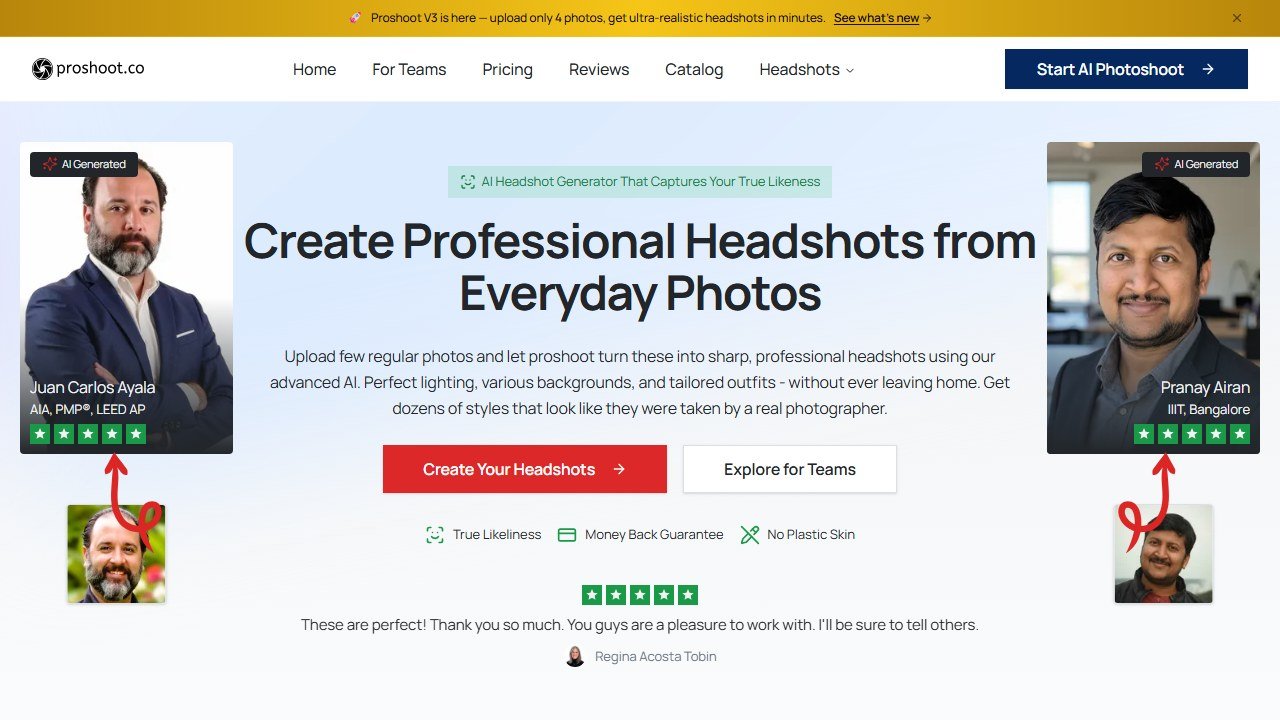
If you are updating your own LinkedIn or company bio, ProShoot is the stronger choice. It leads the category on true likeness, so the result looks unmistakably like you rather than a generic professional. Its privacy terms are more generous and more clearly stated (photos deleted at 7 days, model at 30, no training on your data), and it backs the purchase with a watermarked preview, a free redo, and a 7-day refund. At $35 to $59 one-time for 40 to 200 headshots, it is excellent value for a single person, and turnaround is about an hour.
HeadshotPro is perfectly capable for individuals too, with strong, consistent output and pricing from $29. But for the solo use case, where the whole game is getting the closest possible likeness for yourself, ProShoot edges it on output.
For a team or company
This is HeadshotPro’s home turf, and it is built for it end to end. The team dashboard lets an HR or marketing lead send bulk invites, set shared style presets so everyone matches, and collect finished portraits while each employee uploads from their own desk, no flying forty people to one city for a photographer. Team pricing runs around $39 per person with a 20 percent discount for groups of five or more, and the company advertises SOC 2 safeguards, which is exactly the question procurement will ask before approving a vendor that will hold employee photos.
ProShoot does offer company headshots, but it does not match HeadshotPro’s dedicated team tooling. If consistency across many people, admin control, and a compliance answer are what you need, HeadshotPro is the complete system.

Likeness and output
ProShoot’s advantage is per-person likeness fidelity. Its model is tuned to preserve your specific features, which is what makes the individual result convincing. HeadshotPro’s advantage is cross-person consistency: when you are outfitting a team, you want everyone to share a coherent look and lighting, and HeadshotPro’s presets are designed to deliver exactly that uniformity. Neither is “better” in a vacuum, they are optimized for different jobs. Best individual likeness points to ProShoot; consistent team grid points to HeadshotPro.
Turnaround and pricing
ProShoot is a little faster, about an hour against HeadshotPro’s roughly two. On price, ProShoot runs $35 to $59 for an individual, while HeadshotPro runs $29 to $49 for individuals and shines at team scale, where the ~$39 per seat plus the group discount make the per-person economics attractive. For one person the two are close on cost. For twenty people HeadshotPro’s team pricing is where the value compounds.
Privacy and compliance
Both take data seriously but frame it differently. ProShoot leads with consumer-facing clarity: explicit deletion timelines, a no-training commitment, encryption, and a refund. HeadshotPro leads with enterprise-facing compliance: SOC 2 safeguards that satisfy a procurement review. If you are an individual, ProShoot’s plain-language terms are more reassuring. If you are a company buyer who has to clear a vendor through security review, HeadshotPro’s SOC 2 posture is the box you need ticked.
Who should choose ProShoot
- You are buying headshots for yourself.
- You want the closest likeness and the best one-time value.
- You want clear privacy terms and a refund safety net.
Who should choose HeadshotPro
- You are buying for a team, department, or whole company.
- You need a dashboard, bulk invites, and consistent styling across people.
- You need SOC 2 compliance to clear procurement.
The verdict
Buy by headcount. For one person, ProShoot is the better pick, it wins on likeness, value, and clear privacy, which is what a personal headshot decision hinges on. For a team, HeadshotPro is the better pick, its dashboard, bulk workflow, group pricing, and SOC 2 posture solve the operational problem ProShoot is not built for. If you are the HR lead ordering for the company but also want your own best shot, there is no rule against using HeadshotPro for the team grid and ProShoot for your personal profile.
See the full ranking in our best AI headshot generators guide, or read the ProShoot review and HeadshotPro review. For teams specifically, see best AI headshots for teams.
Written by
FazFaz is the founder of AIToolsBakery. Every tool on this site is personally tested with real-world writing tasks before a single word gets published. Sponsored content is always clearly labelled.
Read more about how we test →Frequently Asked Questions