Grading is the task that eats teacher weekends. AI can give them back.
The best AI grading tools for teachers in 2026 are CoGrader (best for state assessment rubric-aligned essay grading), Brisk AI (best for in-document feedback in Google Docs), and MagicSchool AI (most generous free option, grading as one of 80+ tools). CoGrader and Brisk lead for compliance. Full 5-tool breakdown by grading workflow below.
Faz says: Grading 120 essays at 10 minutes each is 20 hours. That’s a weekend. Every week. AI grading tools don’t replace your judgment. They give you a first pass so you spend your time adjusting scores and refining feedback rather than starting from scratch on every paper. We reviewed six tools that handle grading, compared what each does best, and ranked them for the teachers who need this most: the ones grading essays on Sunday night. For the full picture of all teacher AI tools, see our best AI tools for teachers roundup.
Quick Verdict: Best AI Grading Tools at a Glance
| If you need… | Go with |
|---|---|
| Essay grading with state assessment rubrics | CoGrader |
| Grading and feedback inside Google Docs | Brisk AI |
| Grading as part of a full teaching platform | MagicSchool AI |
| ESL/IELTS grading with audio assignments | AssignAI |
| Plagiarism detection + writing feedback | Turnitin |
| AP free-response grading against the AP rubric | Fiveable |
Short on time? CoGrader is the best dedicated AI grading tool. It supports STAAR, CAASPP, B.E.S.T., AP, and IB rubrics, generates detailed feedback, and reports 80% reduction in grading time. But if you grade inside Google Docs and want grading plus lesson planning in one extension, Brisk AI is the better all-around choice.
How We Evaluated These Tools
Saru says: Every tool was evaluated on grading-specific criteria:
| Criteria | What we measured |
|.|.|
| Grading quality | Rubric alignment, feedback specificity, score accuracy |
| Time saved | How much of the grading output is usable without heavy editing |
| Free plan value | Can you grade meaningfully without paying? |
| Compliance | FERPA, COPPA, SOC 2 certifications |
| Workflow fit | Does it integrate with your LMS and existing grading process? |
| Specialization | Is grading the primary focus or one feature among many? |
Common Mistakes When Choosing AI Grading Tools
Before diving into the tools, avoid these pitfalls that waste time and create problems.
1. Trusting AI scores without review. Every tool on this list is designed for teacher-in-the-loop grading. The AI provides a first pass. You provide the final judgment. Teachers who publish AI-generated scores without reviewing them risk inaccurate grades, feedback that misses context (a student referencing a class discussion the AI knows nothing about), and erosion of student trust. Set a rule: no grade reaches a student without your eyes on it first.
2. Ignoring FERPA and data privacy compliance. Student work contains personally identifiable information. If your district requires FERPA compliance, choosing a tool without it exposes your school to legal risk. CoGrader, Brisk, and MagicSchool all hold FERPA certifications. AssignAI does not state FERPA compliance. Turnitin holds FERPA at the institutional level. Always verify compliance with your district IT department before uploading student data.
3. Picking a tool that does not match your grading workflow. If you collect essays through Google Classroom and grade in Google Docs, a tool that requires copy-pasting into a separate platform adds friction you will eventually abandon. Match the tool to your existing workflow. Brisk works inside Google Docs. CoGrader integrates with Google Classroom. MagicSchool is a standalone platform that requires copy-paste. Choose based on where your student work already lives.
4. Overvaluing feature count over grading depth. MagicSchool has 80+ tools. That sounds impressive. But if your primary need is deep rubric-aligned essay grading, CoGrader’s single-focus approach delivers better results for that specific task. More features does not mean better grading. Identify your primary pain point first, then choose the tool that solves it best.
5. Expecting AI to handle subjective or creative assignments. AI grading works best on structured writing with clear rubric criteria: argumentative essays, research papers, short-answer responses. It struggles with creative writing, poetry, personal narratives where voice and style matter more than structure, and assignments where the “right answer” depends heavily on classroom context. Use AI grading for structured work and save your manual grading energy for the assignments that require human nuance.
The 6 Best AI Grading Tools in 2026
1. CoGrader. Best for State Assessment Rubric-Aligned Essay Grading
| Rating | 4/5 |
|---|---|
| Best for | ELA teachers grading against STAAR, CAASPP, B.E.S.T., AP, IB |
| Free plan | Free trial (full access for evaluation) |
| Paid from | Individual subscription (price not listed) |
| Compliance | FERPA, COPPA, SOC 2 Type 1, SOPIPA |
| Key strength | Deepest state assessment rubric support among AI grading tools |
| Key weakness | Essay grading only, no permanent free tier |
What It Does
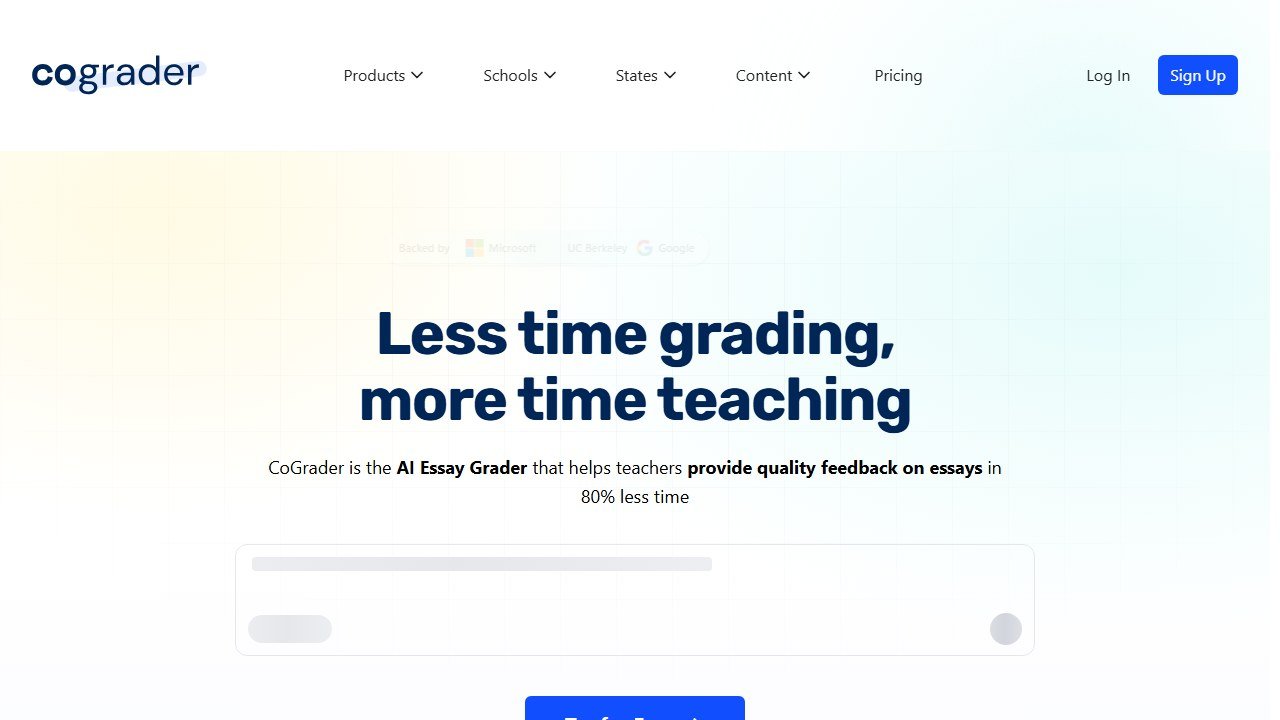
CoGrader is purpose-built for essay grading. Upload a class set of essays, select a rubric (STAAR, CAASPP, B.E.S.T., NY Regents, AP, IB, or custom), and get rubric-aligned scores and detailed feedback for every student. The teacher reviews and approves everything before grades are published.
The grading workflow in practice: You upload essays individually or as a batch (CSV, Google Classroom import, or copy-paste). You select or build a rubric. CoGrader supports analytic rubrics (scoring each dimension separately, like Organization, Evidence, and Language Conventions), holistic rubrics (one overall score), and single-point rubrics (meeting expectations or not per trait). The AI scores each rubric dimension, generates dimension-level feedback explaining why the student earned that score, and provides an overall summary with actionable next steps. You review everything in a dashboard, adjust any scores or feedback you disagree with, and then export or publish.
The feedback quality is what stands out. Instead of generic comments like “needs more evidence,” CoGrader’s output references the specific rubric language your state uses. For a STAAR writing prompt, feedback might read: “The response includes a clear controlling idea but lacks sufficient elaboration with specific details in paragraph 3, which limits the score on the Development of Ideas dimension.” That level of specificity saves teachers from writing the same rubric-referenced comments across 30 papers.
Pricing context: CoGrader offers a free trial with full access for evaluation. Paid plans are subscription-based, but exact pricing is not publicly listed. Schools and districts can contact CoGrader for volume quotes. Individual teacher plans exist but require reaching out for a quote.
50,000+ teachers across 1,000+ schools. Backed by UC Berkeley SkyDeck, Microsoft for Startups, Google for Startups.
Who This Is For
ELA teachers grading essays weekly against state assessment rubrics. If you grade STAAR writing prompts or CAASPP performance tasks, CoGrader is the specialist.
Pros
- Deepest state assessment rubric support
- 80% reduction in grading time
- Strong compliance (FERPA, COPPA, SOC 2)
- De-identified data only shared with AI
Cons
- Essay grading only
- No permanent free tier
- Pricing not public
Faz says: CoGrader is the specialist you call when essay grading is consuming your life. The rubric alignment is deeper than anything MagicSchool or Brisk offers for grading specifically.
Read our full CoGrader review.
2. Brisk AI. Best for In-Document Grading in Google Docs
| Rating | 4.5/5 |
|---|---|
| Best for | Teachers who grade student work inside Google Docs |
| Free plan | Yes, core features free |
| Paid from | Contact for pricing |
| Compliance | FERPA, COPPA, SOC 2, ISTE Seal, 93% Common Sense Privacy Rating |
| Key strength | Grading happens inside the document, no copying or switching apps |
| Key weakness | Pricing not public, Chrome/Edge only |
What It Does
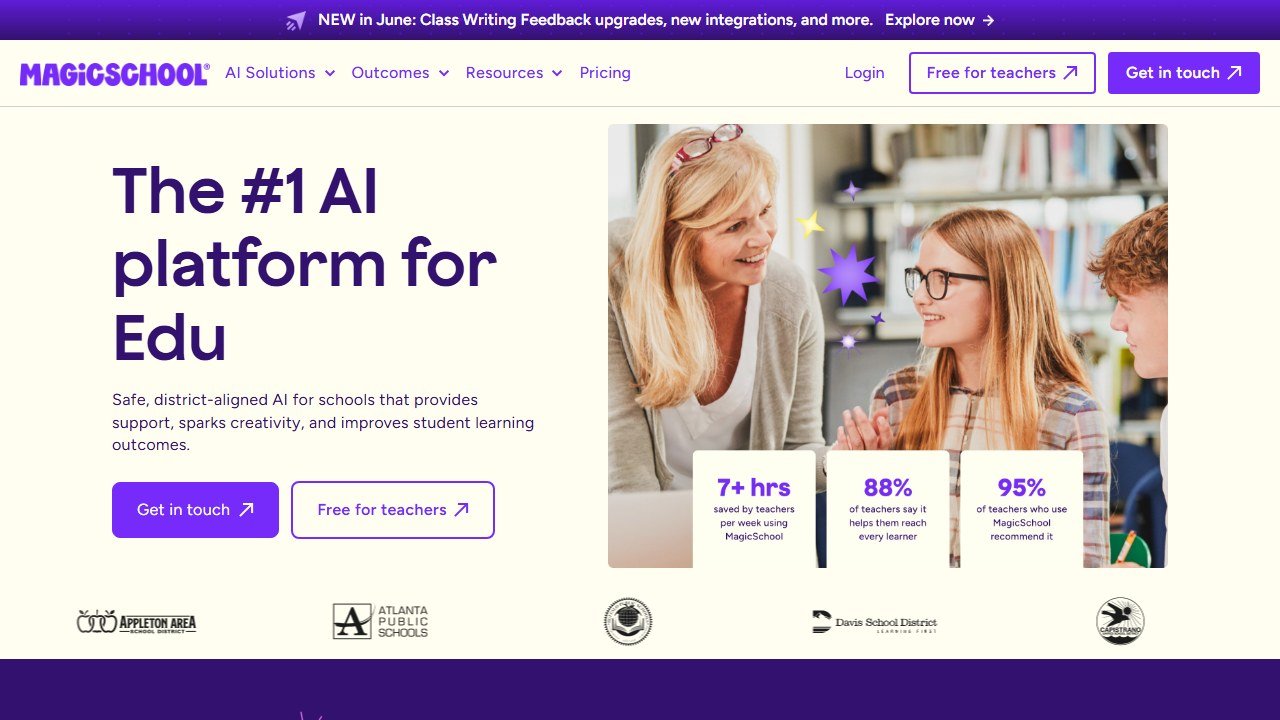
Brisk is a Chrome extension that adds AI grading directly inside Google Docs. Open a student’s essay, and Brisk generates rubric-aligned feedback right there in the document. No copying text to another platform. No switching tabs. The feedback appears as comments or suggestions on the student’s actual work.
Batch grading workflow: Select multiple student documents from Google Classroom, apply a single rubric, and Brisk processes all of them in one pass. Each document gets individual, rubric-aligned comments placed inline where the feedback applies. You review each document’s feedback in the sidebar, approve or edit, and the comments stay attached to the student’s file. For a class of 30 essays, batch grading takes minutes instead of the hours you would spend opening each document separately.
Inspect Writing in detail: This feature records a timestamped replay of how a student composed their document. You can see when text was typed versus pasted, how the writing evolved over time, and whether large blocks appeared instantly (a red flag for AI-generated content). Unlike Turnitin’s detection score, Inspect Writing gives you observable evidence rather than a probability percentage. Teachers can make academic integrity decisions based on what they see, not just what an algorithm estimates.
Beyond essays: Brisk handles more than essay grading. It works on short-answer responses, research papers, lab reports, and any text-based assignment submitted through Google Docs. The rubric builder lets you create custom rubrics for any assignment type, so you are not limited to ELA use cases. Science teachers grading lab write-ups, history teachers grading document-based questions, and any subject that involves written responses can benefit.
20,000+ districts. 4.7-star rating across 700+ reviews.
Who This Is For
Teachers who live in Google Docs and want grading built into their existing workflow. If you already collect student essays through Google Classroom, Brisk is the tool that meets you where you are.
Pros
- Grading inside Google Docs (zero context-switching)
- Batch feedback for entire class sets
- Inspect Writing for academic integrity
- Strongest compliance stack in teacher AI
Cons
- Pricing not public
- Chrome/Edge only
- Less specialized rubric depth than CoGrader for state assessments
Faz says: Brisk gets grading right because it puts feedback where the essay lives. No extra steps. No copy-pasting. Open the doc, generate feedback, adjust, done.
Read our full Brisk AI review.
3. MagicSchool AI. Best Free All-in-One Platform with Grading
| Rating | 4/5 |
|---|---|
| Best for | Teachers who want grading plus 80 other tools for free |
| Free plan | Yes, full access, no expiration |
| Paid from | District pricing (contact for quote) |
| Compliance | FERPA, COPPA, SOC 2, ESSA Level IV |
| Key strength | Grading is one of 80+ tools, all free |
| Key weakness | Grading tools less deep than CoGrader or Brisk |
What It Does
MagicSchool AI includes writing feedback and assessment tools among its 80+ teacher tools. Paste a student’s essay, set the rubric, choose the feedback tone, and get detailed comments. The feedback references specific parts of the text and provides actionable suggestions.
Grading-specific tools within MagicSchool: Of the 80+ tools, the ones directly relevant to grading include: the AI Writing Feedback tool (paste an essay, get rubric-aligned comments), the Rubric Generator (creates rubrics from learning objectives), the Assessment Creator (generates quizzes and tests with answer keys), and the Assignment Scaffolder (breaks complex assignments into graded checkpoints). The Writing Feedback tool is the closest to what CoGrader and Brisk do, but it operates as a copy-paste workflow rather than an integrated grading pipeline.
Feedback quality comparison: MagicSchool’s writing feedback is competent. It identifies thesis clarity, evidence quality, organization, and grammar issues. Where it falls short compared to CoGrader is rubric specificity. MagicSchool provides general writing feedback mapped to a rubric you define, while CoGrader provides feedback mapped to the exact language and scoring criteria of state assessment rubrics. For teachers who grade against a custom rubric or general writing standards, MagicSchool’s feedback is often sufficient. For teachers who need feedback that mirrors STAAR or CAASPP scoring language, CoGrader is more precise.
The free plan advantage: MagicSchool’s free tier is genuinely generous. Individual teachers get full access to all 80+ tools with no expiration date. District plans add admin dashboards, usage analytics, and professional development features, but the core tools remain free. For a teacher who wants AI help with grading, lesson planning, quiz creation, and IEP drafting without paying anything, MagicSchool is the only option on this list that delivers all of that at zero cost.
MagicSchool’s grading is solid but broader than deep. It doesn’t offer CoGrader’s state assessment rubric alignment or Brisk’s in-document workflow. The value is that grading comes free alongside lesson planning, IEP writing, quiz creation, and 77 other tools.
Who This Is For
Teachers who want a free platform that covers grading alongside every other teaching task. If grading is one of many tasks you want AI help with, MagicSchool covers everything.
Pros
- Free for individual teachers with no expiration
- Grading plus 80+ other tools
- Strong compliance stack
Cons
- Grading tools less deep than specialized competitors
- Requires copy-pasting essays (not in-document)
- Can feel overwhelming with 80+ tools
Faz says: MagicSchool’s grading is good enough for most teachers. If you want the best grading specifically, go CoGrader or Brisk. If you want grading plus everything else for free, MagicSchool.
Read our full MagicSchool AI review.
4. AssignAI. Best for ESL and Exam Prep Grading
| Rating | 3.5/5 |
|---|---|
| Best for | ESL, IELTS, TOEFL, and Cambridge exam prep teachers |
| Free plan | Yes, 5 assignments, 1 class (20 students) |
| Paid from | $8.99/mo |
| Compliance | Not specified |
| Key strength | Audio exercise support + language-focused grading |
| Key weakness | No FERPA/COPPA stated, no LMS integrations |
Disclosure: We know the team behind AssignAI. Same evaluation standards as every other tool.
What It Does
AssignAI grades student homework with AI focused on language skills: comprehension, structure, grammar, and vocabulary. The standout feature is audio exercise support. Create listening comprehension assignments with embedded audio clips, mirroring how IELTS, TOEFL, and Cambridge exams work. AI grading is powered by Google Gemini 2.5 Flash.
Audio exercise workflow: Teachers upload an audio clip (a conversation, lecture excerpt, or news broadcast), then create comprehension questions tied to the recording. Students listen and respond in the same interface. The AI grades responses based on content accuracy and language quality. This mirrors the listening sections of IELTS, TOEFL, and Cambridge exams, making it directly useful for exam prep classes. No other grading tool on this list supports audio-based assignments.
Language support and ESL focus: AssignAI is built for language instruction. It grades writing with attention to grammar patterns common among ESL learners, vocabulary usage in context, sentence structure complexity, and coherence. The platform supports English as the primary grading language, with assignments designed around ESL, IELTS, TOEFL, and Cambridge exam formats. For teachers preparing students for standardized language exams, AssignAI’s grading criteria align more closely with exam scoring rubrics than general-purpose tools like MagicSchool or Brisk.
How it compares to manual IELTS grading: IELTS Writing Task 2 grading involves four criteria: Task Achievement, Coherence and Cohesion, Lexical Resource, and Grammatical Range and Accuracy. Each scored on a 0-9 band. Manual grading of a single IELTS essay by a trained examiner takes 8-12 minutes. AssignAI provides a first-pass score across similar criteria in seconds. The teacher reviews, adjusts band scores where the AI misjudged, and finalizes. For IELTS prep centers grading dozens of practice essays weekly, this cuts review time significantly.
Students access assignments via link (no login required). Teachers review and adjust AI grades before finalizing.
Who This Is For
ESL, IELTS, TOEFL, and exam prep teachers who need language-focused grading and audio-based assignments. Not for general K-12 classroom use.
Pros
- Audio exercise support (unique in the market)
- Language-focused grading feedback
- No student login required
- Affordable at $8.99/mo
Cons
- No FERPA/COPPA compliance stated
- No LMS integrations
- Narrow niche
- Limited free plan (5 assignments)
Faz says: AssignAI is the only grading tool that understands ESL/exam prep workflows. Audio exercises and language-focused feedback make it relevant for a specific audience that mainstream tools ignore.
Read our full AssignAI review.
5. Turnitin. Best for Plagiarism Detection and Writing Feedback
| Rating | 3.5/5 |
|---|---|
| Best for | Schools needing plagiarism checking + AI writing detection |
| Free plan | No (institution licensing only) |
| Paid from | Institution-based licensing |
| Compliance | FERPA, SOC 2 Type II, GDPR |
| Key strength | Industry-standard plagiarism detection database |
| Key weakness | AI detection controversy, no individual teacher plans |
What It Does
Turnitin checks student submissions against a massive database of academic papers, websites, and previously submitted work. The AI writing detection feature claims 98% accuracy on fully AI-generated text. Feedback Studio provides writing feedback tools beyond just detection.
Feedback Studio features: Beyond plagiarism detection, Feedback Studio lets instructors leave inline comments, use QuickMarks (pre-saved feedback snippets for common issues like “needs a topic sentence” or “citation format incorrect”), and attach rubrics to assignments. The rubric tool supports custom and standard rubric formats, and scores can be pushed directly to LMS gradebooks. PeerMark allows structured peer review workflows where students evaluate each other’s work against criteria you set.
The AI detection accuracy debate: Turnitin claims 98% accuracy on fully AI-generated text and less than 1% false positive rate. Independent studies and teacher reports tell a more complicated story. Text that mixes human and AI writing, text edited after AI generation, and text written by non-native English speakers all produce less reliable results. Several universities have paused or limited how AI detection scores are used in academic integrity cases. The practical takeaway: treat Turnitin’s AI detection as one data point, not a verdict. Pair it with process-based evidence (like Brisk’s Inspect Writing) for stronger integrity workflows.
What schools are doing about it: As of 2026, many institutions treat Turnitin’s AI detection indicator as a conversation starter, not proof of misconduct. Some schools use it only as a flag for further investigation. Others have stopped penalizing based on AI detection scores entirely and instead focus on assignment design that makes AI misuse less effective (oral defenses, in-class writing, iterative drafts). If your school mandates Turnitin, understand what your institution’s policy says about how detection scores should be used before acting on them. For AP work specifically, our guide to what College Board allows sets out the published per-course rules.
Who This Is For
Schools that need institution-wide plagiarism detection and writing feedback. Not available for individual teacher purchase.
Important Caveat
AI detection accuracy has been questioned for non-native English speakers. Some universities have paused AI detection mandates. For K-12 classrooms with ESL students, consider process-based approaches (like Brisk’s Inspect Writing) alongside or instead of detection scores.
Pros
- Industry-standard plagiarism detection
- Massive comparison database
- Strong compliance (FERPA, SOC 2 Type II)
Cons
- No individual teacher plans
- AI detection controversy for ELL students
- Expensive for schools
Read more about Turnitin in our best AI tools for teachers pillar guide.
6. Fiveable. Best for AP Free-Response Grading
| Rating | 4/5 |
|---|---|
| Best for | AP teachers grading class sets of free-response questions |
| Free plan | First 3 assignments free, then paid. No time-limited trial |
| Paid from | $29 a month for teachers, or $129 a year with Print. School seats from $69 |
| Compliance | Says AI providers are contractually barred from training on student data; school data export or deletion within 30 days |
| Key strength | Scores each rubric row in AP format, and publishes how often teachers changed its scores |
| Key weakness | AP free-response only, so it does not grade general classroom essays |
What It Does
Fiveable grades a class set of AP free-response questions against the AP rubric. Essays arrive from Google Classroom, Google Docs, a photo of handwritten work, or pasted text. The teacher picks the AP subject and question type, and each response comes back with a point-by-point score and a reason for every rubric row, in the format the AP scoring guidelines use. The teacher then reads each score, keeps or changes any row, and approves it. Only then does the student see a grade. Fiveable says it has scored free-response questions in all 37 AP subjects that have a free-response section.
The number, and what it is not. Fiveable publishes a quality page reporting that of 21,353 responses teachers reviewed one at a time, they kept its score on 20,541, or 96.2%. The page is unusually careful about what that means. It excludes 11,924 responses approved with a single Approve All action, because those “do not prove the teacher read each score”. It states plainly that 96.2% is not an accuracy rate, is not a comparison with College Board scoring, and is “what teachers decided in real classrooms, not an independent accuracy study”. It also shows the direction of the 812 changed scores, which split almost evenly between increases and decreases, so the grader does not appear to run systematically harsh or lenient.
What the company told us when we asked. Teachers who review one response at a time might be more careful than average, and every teacher sees the score before deciding, so we asked whether first class sets showed a different rate. Fiveable ran the comparison across 589 teachers and reported 96.2% kept on first sessions against 96.9% later, which does not support the idea that the number is inflated by inexperience. It also declined to turn its image-upload figures into a handwriting accuracy claim, noting that 12 of the 31 changed image-source scores came from just 34 AP Biology responses. A vendor volunteering the weaknesses in its own statistics is rare in this category.
Who This Is For
AP teachers with class sets of free-response questions, especially in essay-heavy subjects like US History, World History and English Language. If you teach outside AP, or grade general assignments against a state or custom rubric, CoGrader or Brisk fit better.
Important Caveat
We have not run Fiveable ourselves yet. Fiveable gave us reviewer access and a packet built from three College Board released 2024 AP US History responses, and told us in advance that its own preflight scored them 5, 5 and 2 against College Board’s published 6, 5 and 2. We verified those official scores in College Board’s own scoring commentary, which publishes 2A as 6 out of 6, 2B as 5 and 2C as 2. We will update this entry with what our own run produces, on responses we select.
Pros
- Rubric-row scoring in AP format, with a reason for each row
- Teacher approval required before any student sees a grade
- Publishes its quality figures and the caveats that weaken them
- Handles handwritten uploads, Google Classroom and Docs imports
Cons
- AP free-response only, not general classroom grading
- No time-limited free trial, just 3 free assignments
- Its headline figure measures teacher agreement, not accuracy against official scoring
Fiveable is included here on merit. It is not a sponsor, and no payment was involved. Our Fiveable review covers the student platform, its pricing and its refund terms in full.
Comparison Table
| Tool | Rating | Best For | Free Plan | FERPA/COPPA | LMS Integration |
|---|---|---|---|---|---|
| CoGrader | 4/5 | State rubric essay grading | Trial | Yes/Yes | Google Classroom, Canvas, Schoology |
| Brisk AI | 4.5/5 | In-document Google Docs grading | Yes (core) | Yes/Yes | Google, Canvas |
| MagicSchool AI | 4/5 | Free all-in-one with grading | Yes (full) | Yes/Yes | Google, Canvas, Schoology |
| AssignAI | 3.5/5 | ESL/IELTS grading | Yes (5 uses) | Verify | No |
| Turnitin | 3.5/5 | Plagiarism detection | No | Yes/N/A | Via school |
| Fiveable | 4/5 | AP free-response grading | 3 assignments | Verify | Google Classroom, Docs |
Use-Case Scenarios: Which Tool Fits Your Situation?
Not sure which tool matches your classroom? Find your scenario below.
Scenario 1: “I grade 120 essays a week against state standards.”
You are an ELA teacher with four class periods, each submitting a weekly essay graded against STAAR or CAASPP rubrics. You need rubric-dimension scoring that matches the language your state uses. Go with CoGrader. It is the only tool that maps directly to state assessment rubric criteria, scores each dimension separately, and generates feedback in the same language your students see on standardized tests. Upload your class set, select the rubric, review the AI’s scores, adjust where needed, and export. What used to take 20+ hours drops to 4-5 hours of review time.
Scenario 2: “I need to give feedback inside Google Docs without extra steps.”
Your students submit work through Google Classroom. You open each document in Google Docs, leave comments, and return it. You do not want to copy text into another platform. Go with Brisk AI. The Chrome extension adds a grading sidebar directly inside Google Docs. Feedback appears as inline comments on the student’s document. Batch mode lets you process an entire class set at once. You never leave the Google ecosystem.
Scenario 3: “I want grading plus lesson planning and I do not want to pay.”
You are a new teacher or a teacher at a school with no budget for AI tools. You need help with grading, but also with lesson plans, quizzes, IEPs, and parent communication. Go with MagicSchool AI. The free plan gives you full access to 80+ tools with no expiration. Grading is one tool among many. The grading is less specialized than CoGrader or Brisk, but for a teacher who needs help across the board at zero cost, MagicSchool is the clear choice.
Scenario 4: “I teach ESL and use listening exercises for exam prep.”
Your students are preparing for IELTS, TOEFL, or Cambridge exams. You assign listening comprehension exercises and written responses. You need grading that understands language proficiency criteria, not just general writing quality. Go with AssignAI. It is the only tool that supports audio-based assignments, grades against language exam criteria, and focuses specifically on the ESL/exam prep workflow. Students access assignments via link with no login required, which simplifies distribution for tutoring centers and language schools.
Which Grading Tool Should You Pick?
Faz says: Here’s the decision in 30 seconds:
You grade essays against STAAR, CAASPP, or AP rubrics: CoGrader. It goes deeper on state rubric alignment than anything else.
You grade in Google Docs and want zero extra steps: Brisk AI. Feedback appears right in the document.
You want grading plus lesson planning plus everything else for free: MagicSchool AI. Grading is one of 80+ free tools.
You teach ESL/IELTS and need audio-based grading: AssignAI. Only tool with listening comprehension assignments.
Your school needs plagiarism detection: Turnitin. The industry standard, limitations and all.
Saru says: For most ELA teachers, the decision is between CoGrader (deepest rubric alignment) and Brisk (best workflow integration). CoGrader specializes in grading. Brisk handles grading alongside lesson planning, presentations, and academic integrity. If grading is your primary pain point, CoGrader. If you want one tool for multiple tasks, Brisk.
For a complete overview of every AI tool for teachers, see our Best AI Tools for Teachers in 2026 pillar guide.
For a closer look, see our Diffit AI review.
And if the rubric itself is your bottleneck, our bake-off of the best AI rubric generators runs the same assignment through every major tool to see which produces classroom-ready criteria.
Final Verdict
Saru says: AI grading tools are the highest-ROI category in teacher AI. The time savings are immediate, measurable, and directly tied to the task that consumes the most teacher hours. CoGrader leads for essay grading depth with state rubric alignment. Brisk leads for workflow integration with Google Docs. MagicSchool leads for free access with grading as one of many tools. Start with whichever fits your workflow: CoGrader if you grade essays against state rubrics, Brisk if you live in Google Docs, MagicSchool if you want everything free. The best grading tool is the one that gives you your weekends back.
Saru says: Here is the grading time data across tools, compared to fully manual grading:
| Tool | Reported Time Savings | Manual Baseline (30 essays) | Estimated AI-Assisted Time |
|.|.|.|.|
| CoGrader | 80% reduction | 5 hours | ~1 hour |
| Brisk AI | 60-80% reduction | 5 hours | 1-2 hours |
| MagicSchool AI | 7-10 hrs/week saved (all tools) | 5 hours | ~2-3 hours |
| AssignAI | Not publicly reported | 5 hours | Estimated 2-3 hours |
| Turnitin | N/A (detection focus) | N/A | N/A |
The baseline assumes 30 essays at 10 minutes each. CoGrader’s 80% claim means a 5-hour grading session becomes roughly 1 hour of review and adjustment. Brisk’s range reflects variation by assignment complexity. MagicSchool’s reported savings cover all tools combined, not grading alone. These numbers represent first-pass savings. Teachers still spend time on review and personalization, which is exactly the work that matters most.
References & further reading
For deeper research on AI in education and evidence-backed instructional practice:
- Common Sense Education: AI in K-12 classrooms. classroom-tested guidance and tool ratings reviewed by educators
- Edutopia technology integration research. peer-reviewed edtech case studies and classroom implementation practice
- US Department of Education on AI in schools. federal guidance on AI in teaching and learning, including the 2023 Office of Educational Technology report
One more for higher ed: Eduface
The six tools above are built for K-12 classrooms. If your grading happens at the university level, Eduface is worth knowing about. It focuses on higher-ed assessment: paper and exam grading plus oral exams, and it plugs into Canvas, Brightspace, and Moodle through LTI 1.3, so scores flow back into your LMS without manual exports. That integration and volume focus is what separates it from the teacher-first tools on this list. We have not put it through our own hands-on testing yet, so treat this as a pointer for higher-ed teams rather than a ranked verdict.
Tools mentioned in this guide
For a deeper look at one of these, read our Gradescope review.

Written by
FazFaz is the founder of AIToolsBakery. Some tools here are tested hands on. Others are assessed from vendor documentation and pricing verified on the live page, and every review says which one it is. Sponsors can buy a position in a guide. They cannot buy the score, the criticism, or silence about a better option.
How we test and how we make money →