Most AI tools for teachers generate documents. Curipod generates experiences.
Curipod is now an ELA writing practice platform for K-12, built around teacher-led lessons aligned to a district’s core curriculum, with instant AI feedback on student writing. Students join with a code and need no account. The free plan includes a weekly session allowance. Best for schools buying writing practice alongside an existing reading curriculum.
Faz says: Curipod changed what it sells, and this review was written about the earlier product. As at 11 September 2026 the company presents itself as writing practice aligned to core ELA curricula such as HMH Into Reading, Amplify CKLA and Wonders, positioned as Tier 1 and Tier 2 instruction. The interactive lesson features described below still exist and the feature notes still read true, but they are no longer the product being sold. That matters because it moves the purchase: a lesson generator is something a principal approves, and an instructional platform aligned to core curriculum usually is not. If you are evaluating Curipod as a school or district rather than as an individual teacher, read our Curipod company evaluation first, which covers the data privacy agreement gate, where student data is stored, and what procurement will ask.
Last updated: July 6, 2026.
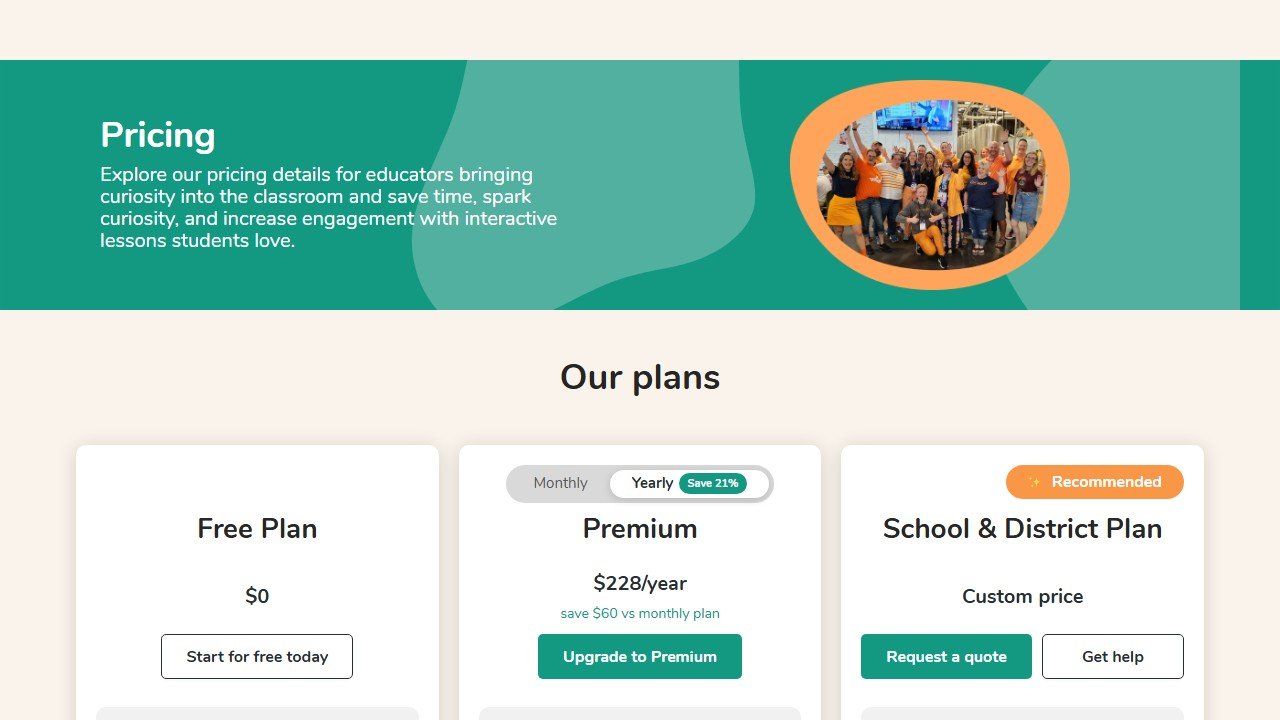
Pricing Breakdown
| Plan | Price | What You Get |
|---|---|---|
| Free | $0 | Weekly teaching sessions (auto-renewing), bonus sessions on signup, lesson creation/editing, full library access |
| School & District | Custom quote | Unlimited sessions, unlimited AI features, unlimited test prep, full student reports, data privacy agreements, priority support |
Website: Curipod
Note: Curipod has simplified its plans to two tiers, a free plan and a custom-priced School & District plan. The previous individual Premium subscription is no longer offered, so unlimited AI usage and full student reports now come through the School & District plan. Detailed reports for lessons taught after May 6, 2026 are available on the School plan only.
Faz says: Every other AI tool I’ve reviewed generates something you read: a lesson plan, a rubric, a worksheet. Curipod generates something students do. You type in a topic and get a full interactive lesson with polls, drawing activities, writing prompts with AI feedback, and peer discussion moments. Students join on their devices, participate in real-time, and you control the flow. It’s the difference between handing out a worksheet and running a live session that keeps 30 students engaged for 45 minutes. We reviewed it alongside everything else in our best AI tools for teachers roundup. Here’s what stood out.
What Curipod Does
Curipod is an interactive lesson platform powered by AI. You enter a topic and it generates a complete lesson that students participate in during class. Not a document. Not a slide deck. A live, interactive experience.
Students join with a class code on their devices (no accounts, no passwords, no setup). The teacher controls pacing, advancing through activities as the class progresses. The AI provides real-time feedback on student responses, and after the session, you get class-wide and individual performance reports.
Think of it as a combination of Kahoot’s engagement model and MagicSchool’s AI generation, built specifically for classroom instruction.
Key Features
Interactive Lesson Generator
Enter a topic and Curipod builds a multi-activity lesson. A typical lesson might include: an opening poll to activate prior knowledge, a vocabulary introduction, a diagram-labeling drawing activity, a short reading with comprehension questions, a peer discussion prompt, and an exit ticket with AI-generated feedback.
Each lesson is immediately deliverable. Students can be interacting within 60 seconds of launching.
Drawing and Whiteboarding
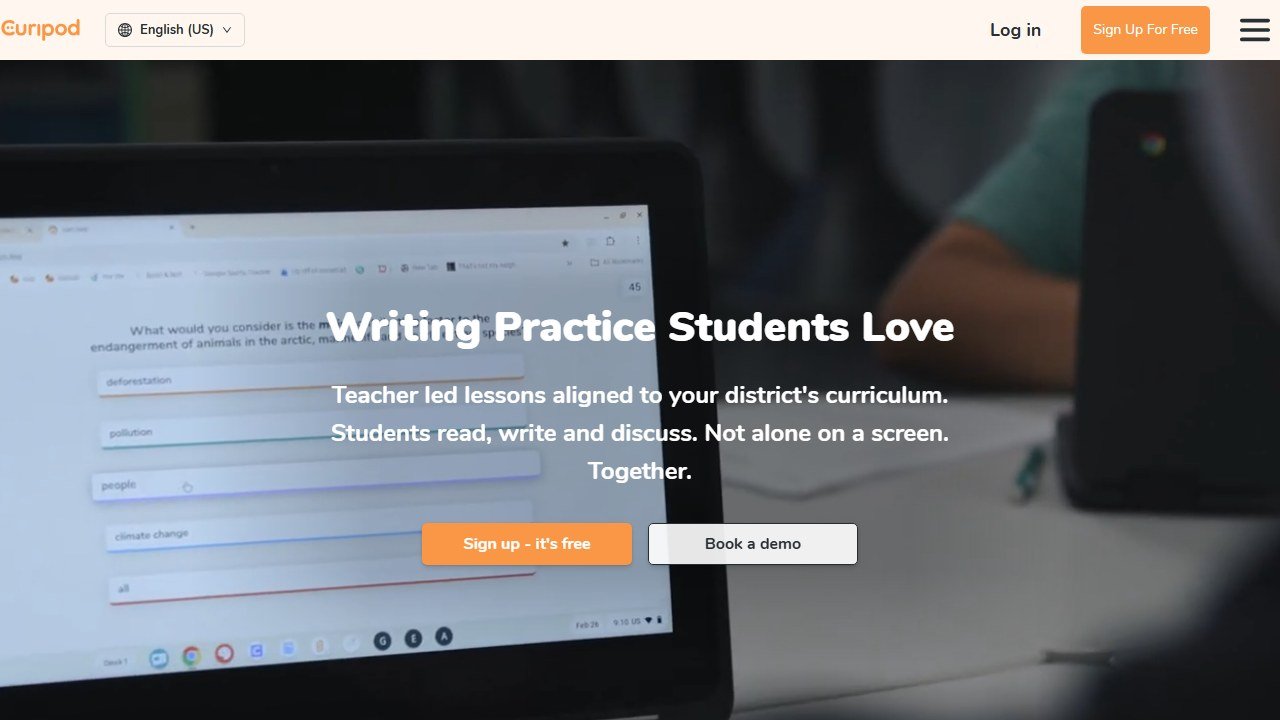
Students draw, label, and annotate directly in the lesson. The AI provides feedback on drawings and written responses. This moves beyond text-only assessment and lets students demonstrate understanding visually.
Typing-free interaction like this matters most in the early grades. Our guide to the best AI tools for kindergarten teachers covers more options built for students who cannot yet read or type fluently.
AI Writing Feedback
Curipod provides rubric-aligned feedback on student writing using RACE, RACES, and C.E.R. frameworks. Students get specific, actionable feedback on their responses during the lesson rather than days later.
No Student Login Required
Students join with a code. No accounts, no passwords, no parent permission forms for account creation. This eliminates the biggest barrier to classroom technology adoption. You share a code, students type it in, and they’re in.
Content Filtering
Automatic filtering catches inappropriate student responses before they appear on the class screen. This is critical for any tool that displays student input publicly during a lesson.
200,000+ Community Lessons
Curipod’s lesson library includes over 200,000 teacher-created lessons. You can use them as-is, customize them, or build from scratch. The library covers every subject and grade level.
Performance Reports
After each session, Curipod generates class-wide and individual performance reports. You see which students understood the content, where misconceptions appeared, and how writing quality compared across the class.
Multi-Language and Bilingual Support
Generate lessons in multiple languages or create bilingual lessons for classrooms with mixed language backgrounds.
What you need to know:
- The free plan gives you weekly sessions that auto-renew. You also get bonus sessions when you first sign up. This is enough to try Curipod and use it for your most engagement-critical lessons.
- The session limit is the main constraint on free. You get full features during your sessions, just a limited number per week.
- For an individual teacher, Curipod is effectively free: the free plan covers weekly sessions with full features. Unlimited usage now requires the School & District plan (custom quote), so the upgrade is a school or district decision rather than a personal subscription.
- School/district plans remove session limits and add data privacy agreements and dedicated support.
Free Plan: What You Actually Get
- Weekly teaching sessions (auto-renewing)
- Bonus sessions on signup
- Full lesson creation and editing
- Full access to 200,000+ community lessons library
- Drawing, polling, whiteboarding activities
- AI feedback on student responses
- Performance reports
- Content filtering
- Multi-language support
What you don’t get for free: unlimited sessions, advanced AI customization, and enhanced personalization features.
Verdict on the free plan: Useful but limited. The weekly session cap means you’ll use Curipod selectively for lessons where engagement matters most rather than as your daily tool. If you want unlimited use, that now comes through the School & District plan (custom quote) rather than an individual subscription.
Privacy and Compliance
Curipod states that it handles data in accordance with FERPA, COPPA and GDPR, and that it will never use student data for commercial purposes. That is the company’s own wording, and it describes a practice rather than a certification anyone audits, so treat it as the start of your district’s review rather than the end of it. We found no SOC 2 claim anywhere on their homepage, case studies page, privacy policy or data privacy agreement page.
Curipod integrates with SSO through Google, Clever, ClassLink, and Feide. School and district plans include data privacy agreements. The no-student-login approach (join with a code) minimizes data collection from students by design.
Integrations
| Platform | Supported |
|---|---|
| Google Slides | Yes |
| PowerPoint | Yes |
| Google Classroom | Yes |
| Canvas | Yes |
| SSO (Google, Clever, ClassLink, Feide) | Yes |
Evidence and Results
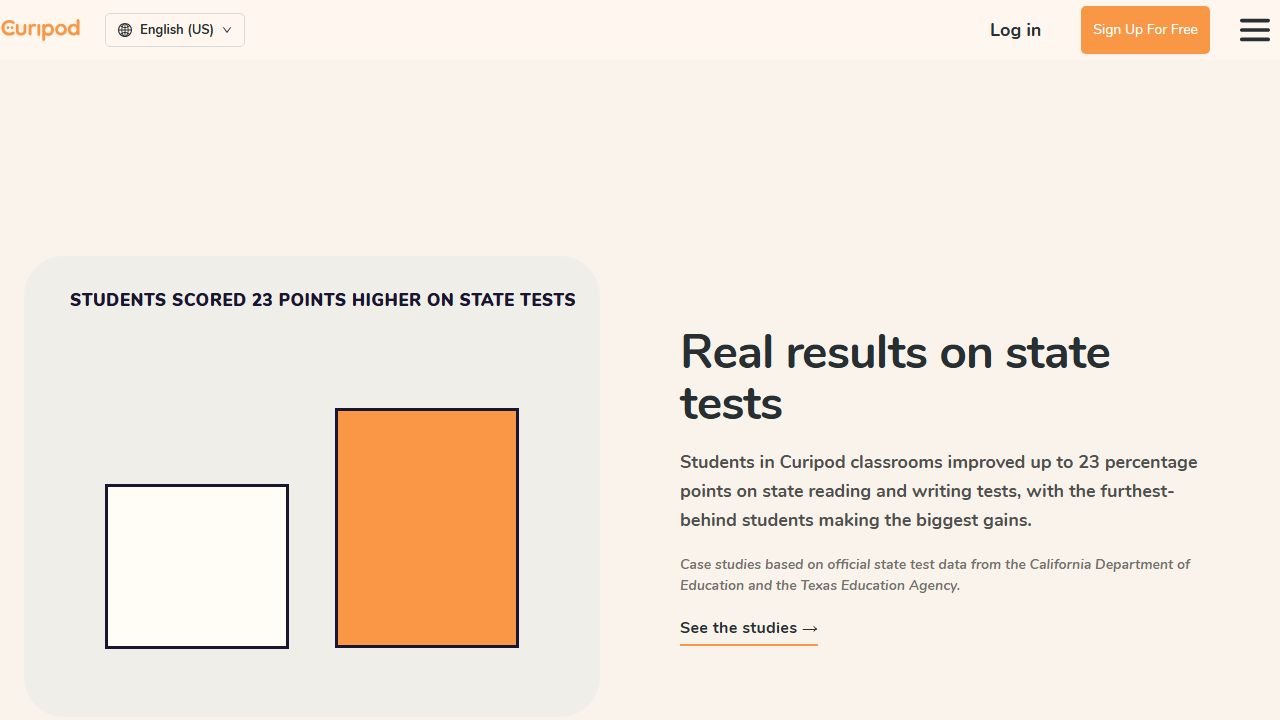
This is where Curipod separates itself from tools that rely on user satisfaction alone. Schools using Curipod report measurable outcomes tied to state assessments:
- 22% increase in STAAR Meets and Masters, Sivells Bend ISD, Texas, 8th grade ELAR and social studies, 2024 to 2025
- From 46% to 84% Meets and Masters on STAAR at Schertz-Cibolo-Universal City ISD, Texas, a movement of 38 points
- From 51% to 69% on CAASPP ELA, which Curipod describes as 35% growth in ELA
Read these as vendor published case studies. The underlying measures are real state assessments rather than satisfaction surveys, which is better than most of this category offers. But the selection, the framing and the attribution are Curipod’s, and districts that did not improve do not get a card. An earlier version of this review called these state assessment results rather than self reported, which drew a distinction the source does not support. It also carried a fourth figure, a STAAR increase of thirty two percent, which we can find nowhere on Curipod’s site, and it described the forty six percent as Californian CAASPP growth when it is a Texas STAAR starting point. Both are corrected here.
Who This Is For
Use Curipod if you:
- Want lessons students interact with, not just documents they read
- Have 1:1 devices in your classroom
- Value real-time formative assessment during lessons
- Teach subjects where engagement and discussion drive learning
- Want evidence-backed tools tied to state assessment outcomes
Skip Curipod if you:
- Need a full teaching platform with lesson plans, IEPs, and grading (look at MagicSchool AI)
- Want AI tools inside Google Docs (look at Brisk AI)
- Need differentiated reading materials (look at Diffit AI)
- Prefer a completely free tool without session limits
- Don’t have 1:1 devices for student participation
If you want AI to build the full lesson plan rather than the interactive deck, our Chalkie review covers a newer builder focused on exactly that job.
Pros
- Creates interactive lessons students participate in, not just read
- No student login required (join with a code)
- Evidence-backed results tied to state assessments (STAAR, CAASPP)
- AI provides real-time feedback on student writing and responses
- 200,000+ community-created lessons available
- FERPA, COPPA, GDPR compliant
- Content filtering for student responses
Cons
- Free tier limited to weekly sessions
- Unlimited usage requires a School & District plan (no individual paid tier)
- Requires 1:1 devices for full interactive experience
- More focused on lesson delivery than lesson planning or grading
- Unlimited AI features and full student reports are limited to the School & District plan
- Less useful for non-interactive content delivery
Faz says: Curipod is the tool that makes you look like you planned all weekend when you actually spent 5 minutes. Students are drawing, voting, discussing, and writing, not staring at a slide deck. The engagement difference is real. The price difference is also real. For an individual teacher it’s now effectively free, since Curipod retired its personal Premium plan and unlimited use runs through a School & District license. Start with the free weekly sessions. If the engagement in your classroom changes noticeably, it’s worth pushing your school for the district plan.
Saru says: 4/5. Evidence-backed outcomes (a 22% increase in STAAR Meets and Masters at one district, published by Curipod) distinguish Curipod from tools that measure success through user satisfaction alone. The interactive format is pedagogically strong and differentiated from document-generation tools. The 0.5-point gap from Brisk and Diffit reflects the session-limited free tier and the fact that unlimited use now requires a School & District license rather than a low-cost individual plan. Teachers in schools with 1:1 devices and district buy-in will get the most value.
Final Verdict
Curipod fills a gap no other teacher AI tool covers: turning AI-generated content into interactive, student-facing experiences. While MagicSchool, Brisk, and Diffit generate documents, Curipod generates engagement. The evidence-backed results (a 22% increase in STAAR Meets and Masters at one district, published by Curipod) give it credibility that most EdTech tools lack. The free plan lets you test whether interactive lessons change the energy in your classroom. If they do, the premium is a worthwhile investment. If your school has 1:1 devices and values formative assessment, Curipod should be on your shortlist.
Rating: 4/5
References & further reading
For deeper research on AI in education and evidence-backed instructional practice:
- Common Sense Education: AI in K-12 classrooms. classroom-tested guidance and tool ratings reviewed by educators
- Edutopia technology integration research. peer-reviewed edtech case studies and classroom implementation practice
- US Department of Education on AI in schools. federal guidance on AI in teaching and learning, including the 2023 Office of Educational Technology report
What Curipod does for interactive K-12 lessons in 2026
Curipod is an interactive AI lesson builder that lets teachers create student-facing activities (polls, drawings, word clouds, open responses) that pull live student input and produce AI-generated discussion prompts based on what students share. The 2026 product targets the specific moment in a lesson where teachers want to check for understanding or spark a real discussion, and the AI layer makes the prompts adapt to actual student responses rather than just running scripted activities.
The strongest classroom use case: bell-ringers and exit tickets. Teachers can build a 5-minute Curipod activity in under 3 minutes, project it to the class, and get rich student response data that informs the rest of the lesson. The less strong use case: full lesson delivery. Curipod is built for moments inside lessons, not for replacing whole lesson plans.
Curipod pricing and the teacher workflow that wins
As of mid-2026 Curipod runs on two plans: a free plan that covers most individual teacher use, and a custom-priced School & District plan for unlimited usage, unlimited test prep, and full student reports. The previous individual Premium subscription has been discontinued, so the free tier is the right starting point for any individual teacher, and unlimited access is a school or district purchase.
The workflow that wins: build a Curipod activity for the trickiest part of your lesson (where students typically zone out), use it as a 5-minute interrupt mid-class, and let the AI-generated follow-up prompts redirect the discussion based on what students said. Teachers report higher engagement in the rest of the lesson because students invested attention earlier.
Final 2026 verdict
Curipod is a credible 2026 pick for teachers who want to add interactive AI moments to existing lessons without rebuilding their whole curriculum. The free tier covers individual teacher needs; unlimited use is worth it for schools that run Curipod widely, and now comes through the School & District plan. Compare against Pear Deck, Nearpod, and Mentimeter for the interactive layer; Curipod’s AI is the differentiator.
What these tools actually cost, vendor by vendor
Education software prices unlike anything else, because the buyer is often a teacher paying personally while the vendor is really selling to a district. That produces a free tier that is genuinely usable and an enterprise tier with no published figure. Here is each alternative to curipod review, read at source on 4 September 2026.
Chalkie, the most completely published rate card here
Chalkie publishes a free plan at US$0.00 a month covering five full lessons or activity sheets every seven days, then US$6.65 a month at US$79.80 paid yearly, and US$12.99 a month at US$155.88 yearly. Its annual toggle is marked as three months free and the arithmetic holds. Publishing the free tier’s exact limit, five resources per week rather than a vague “limited”, is rarer than it should be and worth rewarding.
Khanmigo, the cheapest paid option in this guide
Khanmigo publishes $44 a year, saving $4 against monthly billing, which works out around $4 a month. That is an order of magnitude below most of this category and reflects its position as a non-profit-backed product tied to an existing content library rather than a general purpose teacher toolkit. Judge it on whether that library matches your curriculum, because the price is not the deciding factor at that level.
MagicSchool and Curipod, free tiers with paid steps
MagicSchool publishes a free plan and Plus at $12.99 a month billed monthly, with a lower per user rate billed annually and volume-based discounts on district Enterprise licences that are quoted rather than published. Curipod publishes free at $0 a month and paid from $24 a month, with a yearly toggle marked as saving 21% and stated as $60 off against monthly. Both make the teacher tier genuinely usable, which is the commercial model rather than generosity.
CoGrader, where the free tier has a hard number on it
CoGrader publishes a free plan covering 100 student submissions a month with rubric building and FERPA compliance, then $15 a month billed annually. A hundred submissions is roughly three or four class sets, which makes the free tier a real trial for one teacher and clearly insufficient for a department. That is an honest place to draw the line and it lets you test properly before spending anything.
The ones that publish nothing, and what that tells you
Brisk Teaching publishes a free teacher plan at $0 but we could not read figures for its paid tiers. SchoolAI publishes tier names, Free Trial, Pro and Scale, with no figures attached, which is district-quoted pricing by design. Gradescope now sits on a Turnitin domain and its page is headed “Gradescope for Your Institution” with no rates. We also could not read pricing for Diffit, Quizlet, Photomath or Gauth. We are not claiming those publish nothing; a failed read is not evidence of absence.
What “free for teachers” actually means
Almost every tool in this category leads with a free tier, and they are not equivalent. The limit is where the product design shows.
The limits that are published, and therefore checkable
Chalkie states five full lessons or activity sheets every seven days. CoGrader states 100 student submissions a month. Curipod and MagicSchool both publish free plans without a headline cap on the pricing card. Verified 4 September 2026. A published cap is much easier to plan around than an unpublished one, because you can work out in advance whether it covers a normal week for you rather than discovering it in the middle of one.
Work out your real weekly volume before choosing
Count what you actually produce in a normal week: how many worksheets, how many class sets to grade, how many lesson plans. Teachers routinely underestimate this and then hit a cap on a Sunday evening. If your week is five lesson resources, a five-per-week free tier is exactly on the line and you will exceed it in any week with a cover lesson or a new unit.
Free for you may not be free for the school
A teacher signing up personally sits outside whatever approval process the school has for student data, which matters as soon as student work goes into the tool. That is not an argument against the tool; it is an argument for telling somebody. Most districts would far rather approve a tool a teacher is already using than discover it in an incident.
The commercial logic, stated plainly
Generous teacher tiers exist because teachers are the route to a district contract, which is where the revenue is. That is a perfectly reasonable model and it has a consequence worth knowing: the free tier is likely to stay usable, because it is the marketing. What is less predictable is whether the feature you come to depend on stays on the free side of the line. Do not build a department-wide process on a free tier of curipod review or anything else without a fallback.
Tools mentioned in this guide

Written by
FazFaz is the founder of AIToolsBakery. Some tools here are tested hands on. Others are assessed from vendor documentation and pricing verified on the live page, and every review says which one it is. Sponsors can buy a position in a guide. They cannot buy the score, the criticism, or silence about a better option.
How we test and how we make money →