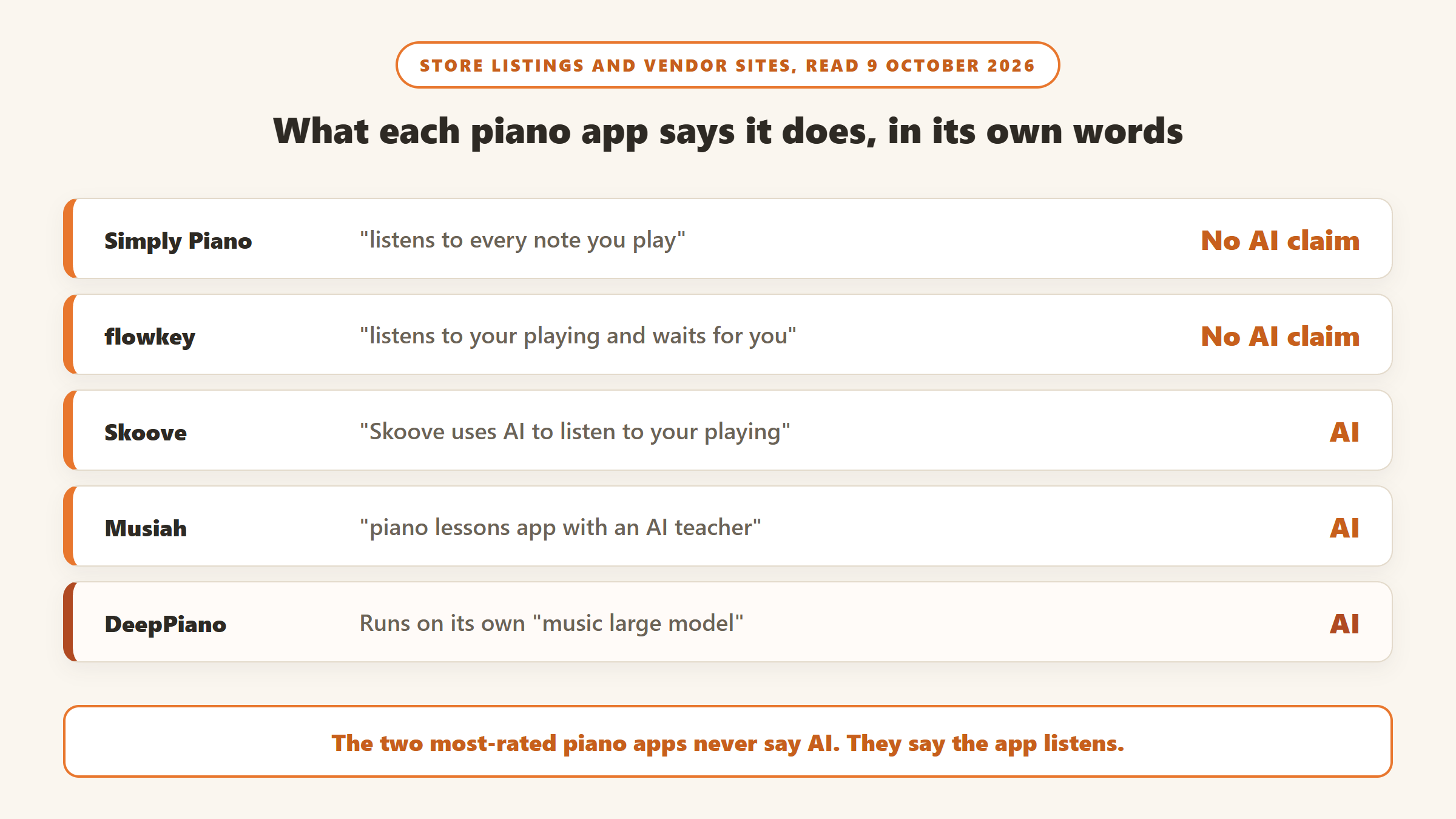
Type “AI piano app” into a search engine and you get the same five apps on every list, each described as AI-powered. Read the apps’ own store listings and something odd shows up: most of them never use the word. Simply Piano, flowkey, Yousician and Piano Marvel all say the app listens to what you play. Only a handful of apps actually claim that artificial intelligence is doing the listening or the teaching.
That matters less than it sounds for a beginner, because what you need is reliable note recognition and good lessons, whatever the vendor calls it. But it matters a lot if you are paying a premium for “AI”, or if you are choosing between a microphone and a MIDI cable. This guide sorts the apps by what they actually say they do.
How we put this together. We have not used these apps ourselves; this is a research-based comparison. Every price, rating and feature below comes from the vendor’s own website or its US App Store and Google Play listing, read on 9 October 2026, and we link to each vendor. App Store prices are US in-app purchase prices in US dollars. Where a website served us euros, we say so rather than converting. Nothing here is a test result.
“AI” or note recognition: what these apps actually claim
We grouped every app we looked at by the vendor’s own wording about its feedback.
Apps that say AI
Skoove’s store listings say “Skoove uses AI to listen to your playing.” Musiah calls itself a piano app “with an AI teacher” built on an expert system. Simpia promises “instant AI-powered feedback through audio recognition.” DeepPiano says it runs on its own music large model. These are the vendors that make an AI claim about the teaching itself.
Apps that say they listen
Simply Piano, flowkey, Piano by Yousician, Piano Marvel and Playground Sessions all describe the app hearing your notes through a microphone or a MIDI connection and telling you whether you played the right note at the right time. That is real, useful technology, and on the pages we read none of them calls it AI. We describe them the way they describe themselves.
Apps that do not listen at all
Some popular piano apps give no feedback on your playing. Synthesia waits for the correct key on a MIDI keyboard or touchscreen but has no microphone mode. Pianote, now part of the Musora app, is video lessons. MWM’s “Piano” app has over 437,000 US ratings, but it is an on-screen keyboard game, not a teacher. We left these out.
Microphone or MIDI: the setup question
Every listening app works in one of two ways. A microphone works with an acoustic piano or any keyboard, but it can mishear chords, fast passages and noisy rooms. A MIDI connection, by USB cable or Bluetooth from a digital piano, tells the app exactly which key you pressed and how long you held it, so it is more accurate. Most apps here support both. Two do not: Musiah needs MIDI, and Piano Marvel’s microphone mode is labelled beta, with its own warning that results may vary. If you play an acoustic piano, check this before you subscribe.
AI piano apps compared
| App | Says AI? | Input | Price (US, in-app) | Free option | US App Store ratings |
|---|---|---|---|---|---|
| Simply Piano | No, “listens” | Mic or MIDI | Premium yearly from $95.99 to $149.99 | Limited free content, trial | 4.7 (855,404) |
| Skoove | Yes | Mic or MIDI | Premium from $19.99 to $149.99 | 3 free lessons, 7-day trial | 4.6 (22,223) |
| flowkey | No, “listens” | Mic or MIDI | Classic and Premium tiers, $19.99 to $179.99 | Trial on yearly plan | 4.7 (65,578) |
| Piano by Yousician | No, “listens” | Mic | $19.99/mo or $119.99/yr | Free tier | 4.7 (22,727) |
| Piano Marvel | No | MIDI; mic in beta | $17.99/mo or $129.99/yr | Free plan with scoring | 4.7 (5,438) |
| Playground Sessions | No | Mic or MIDI | $19.99/mo; $99.99 first year (website) | 7-day trial | 4.8 (4,996) |
| Musiah | Yes, “AI teacher” | MIDI only | $24.99/mo or $199.99/yr (website) | 14-day trial | 4.6 (144) |
| Simpia | Yes | Mic or MIDI | $14.99/mo or $89.99/yr | 1-week trial | 4.7 (559) |
| DeepPiano | Yes | Mic | Pro $14.90/mo or $99/yr | Not stated | 2.9 (26) |
Prices and ratings read on 9 October 2026. Apple’s in-app purchase lists mix trial, introductory and older price tiers, so we show the range for several apps. Check the store before you subscribe.
How we chose and ordered these
Every app had to give feedback on your own playing, through a microphone or MIDI. We ordered them by how much public evidence exists that they work at scale (US ratings volume, installs and how recently they were updated), then by what the vendor says the feedback does, then price. We dropped apps not updated in over a year, which ruled out Piano Academy by Yokee, last updated on iPhone in July 2024. None of these vendors paid for placement on this page.
1. Simply Piano: the default for beginners
Simply Piano is the biggest piano app by a wide margin: a 4.7 average from 855,404 US App Store ratings, and more than 50 million Android installs. Its Google Play listing says it “listens to every note you play (via microphone or MIDI connection) and gives you instant feedback.” It adds short personalised daily workouts and a large song library, and runs on iPhone, iPad, Android and Chromebook.
Simply Piano does not describe its feedback as AI on the pages we read. It is a note-recognition app, and a very widely used one: that rating count is evidence most rivals cannot match. The free download includes limited content; Premium unlocks the full course. The US App Store listed several prices for the same plans, including 12-month Premium at $95.99, $119.99 and $149.99, and a Family Plan at $179.99 a year. The price you see will depend on current offers.
Choose it if you are a beginner and want the most proven app. Skip it if you are paying specifically for AI coaching, or you want serious sight-reading work.
2. Skoove: the mainstream app that says AI
Skoove, made by Learnfield in Berlin, is the one widely used piano app whose own listings say “Skoove uses AI to listen to your playing.” Its website says it recognises the notes you play and tells you “what sounds great and what can get even better.” It works with USB MIDI, Bluetooth MIDI or the device microphone, and has a 4.6 average from 22,223 US ratings plus over a million Android installs.
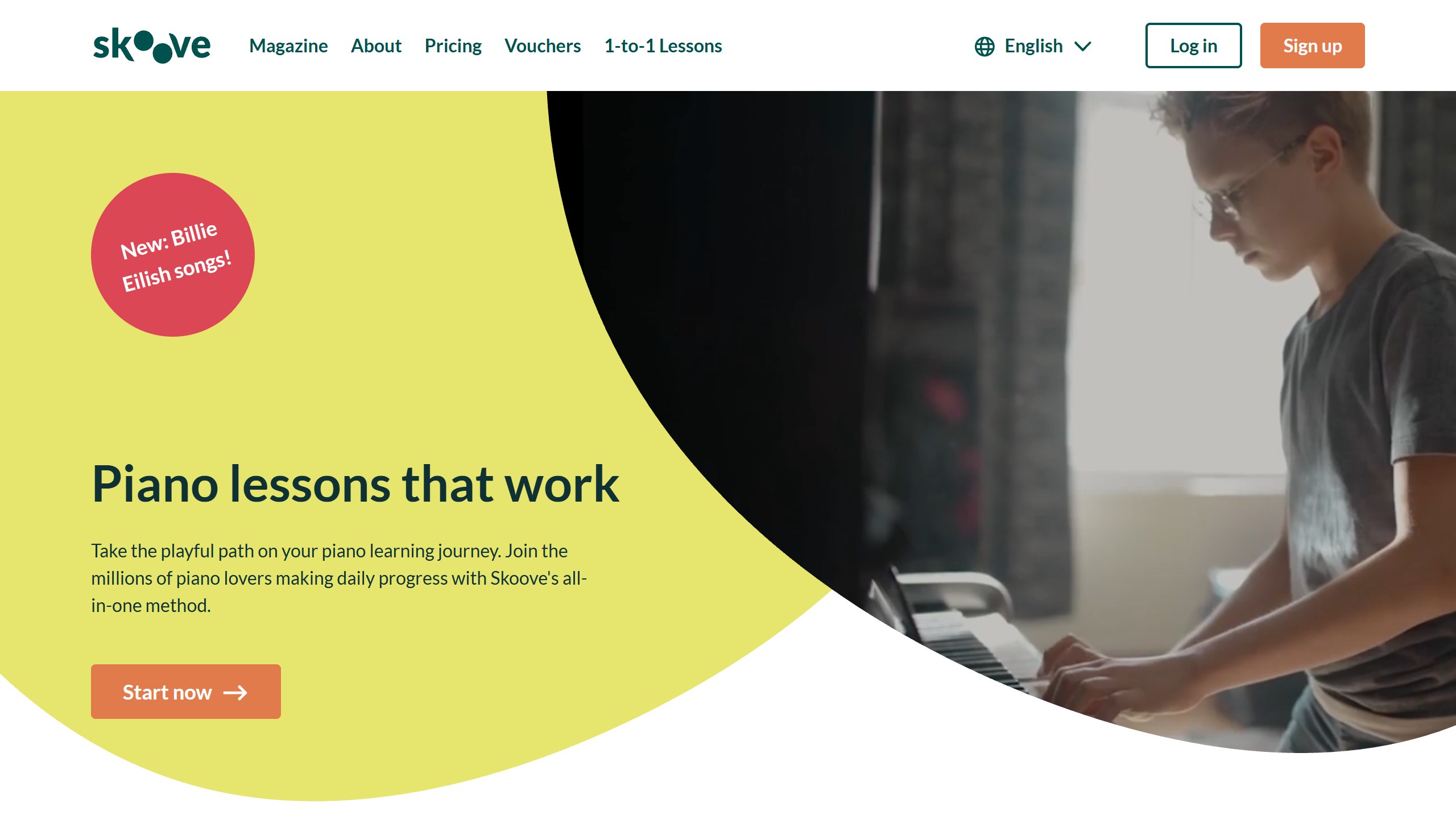
Some ranking pages describe Skoove as iPhone only. That is out of date: it is on Google Play too. Its website, which served us euros, listed a free tier of three lessons with no card needed, a 7-day free trial, and Premium at EUR 12.49 a month on a 12-month plan or EUR 29.99 month to month. In the US App Store, Premium in-app purchases ranged from $19.99 to $149.99.
Choose it if you want a mainstream app with an explicit AI listening claim and a free taster. Skip it if you want the biggest song library.
3. flowkey: learn the songs you already like
flowkey is built around songs, with video of real hands on real keys. Its Wait Mode, in the vendor’s words, “listens to your playing and waits for you to hit the right notes”, using the microphone or a Bluetooth or MIDI connection. It does not call this AI. It runs on iPhone, Android and the web, with a 4.7 average from 65,578 US ratings and more than 5 million Android installs.
Pricing is harder to pin down. The US App Store showed two tiers, flowkey Classic ($19.99 to $119.99) and flowkey Premium ($24.99 to $179.99), but the web pricing page needs an account and we could not find what separates the two on the pages we read. Ask before you pick a tier.
Choose it if you are motivated by songs rather than exercises. Skip it if you want detailed scoring of your timing.
4. Piano by Yousician: scored like a game
Yousician is best known for guitar, but its piano app has a 4.7 average from 22,727 US ratings. It says the app “listens to you play and gives instant feedback on your accuracy and timing”, using the phone’s microphone with no extra equipment. Lessons feel like a game, with scores and progress paths.
Yousician has launched an AI chat coach called June, but on the pages we read it was for guitar, and we found no piano version. Piano Premium was $19.99 a month or $119.99 a year in the US App Store, with a pricier Premium Plus tier that covers other instruments.
Choose it if you like scores and streaks and play on a phone. Skip it if you want MIDI accuracy or AI explanations.
5. Piano Marvel: the sight-reading specialist
Piano Marvel is widely used by teachers, and it is strongest at sight-reading. It gives “instant feedback and assessment on everything you play” over USB or Bluetooth MIDI, and includes a Standard Assessment of Sight-Reading test that gives you a measurable score. Its microphone mode is marked beta, with the app’s own note that results may vary, so treat it as a MIDI app.
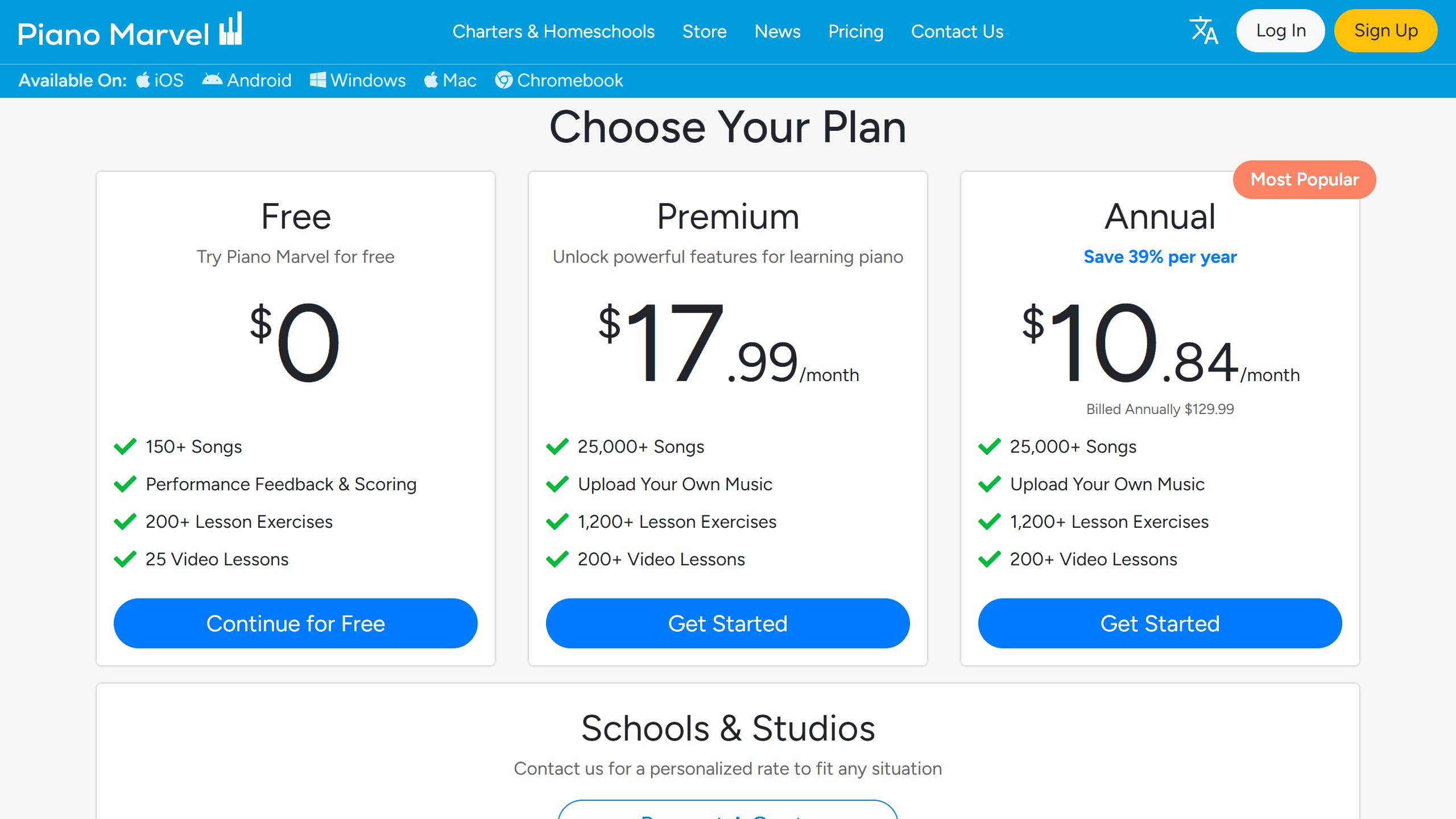
Its free plan is unusually generous: more than 150 songs, performance feedback and scoring, over 200 exercises and 25 videos. Premium was $17.99 a month or $129.99 a year on its pricing page, matching the US App Store. It runs on iPhone, iPad, Android, Windows, Mac and Chromebook, with a 4.7 average from 5,438 US ratings.
Choose it if you want to read music properly, or your teacher uses it. Skip it if you only have an acoustic piano.
6. Playground Sessions: colour-coded feedback, sold on the web
Playground Sessions explains its feedback simply: play a note right and it turns green, play it wrong and it turns red, play it at the wrong time and it turns pink. It works by microphone or cable and runs on iPad, iPhone, Android, Windows and Mac. It has a 4.8 average from 4,996 US App Store ratings, though only 3.4 from 175 on Google Play. It says it was co-created by Quincy Jones.
Unusually, it sells subscriptions on its website rather than in the App Store. During a fall sale on 9 October it listed Monthly at $19.99, Annual at $99.99 for the first year (then $149.99), and Lifetime at $219.99 instead of $349.99, with a 7-day trial and a 30-day money-back guarantee. Lifetime includes two years of access to licensed pop songs, then a small monthly fee or per-song price.
Choose it if you like clear visual feedback and might want a lifetime licence. Skip it if you are on Android, where its rating is weak.
7. Musiah: the most AI-focused teacher
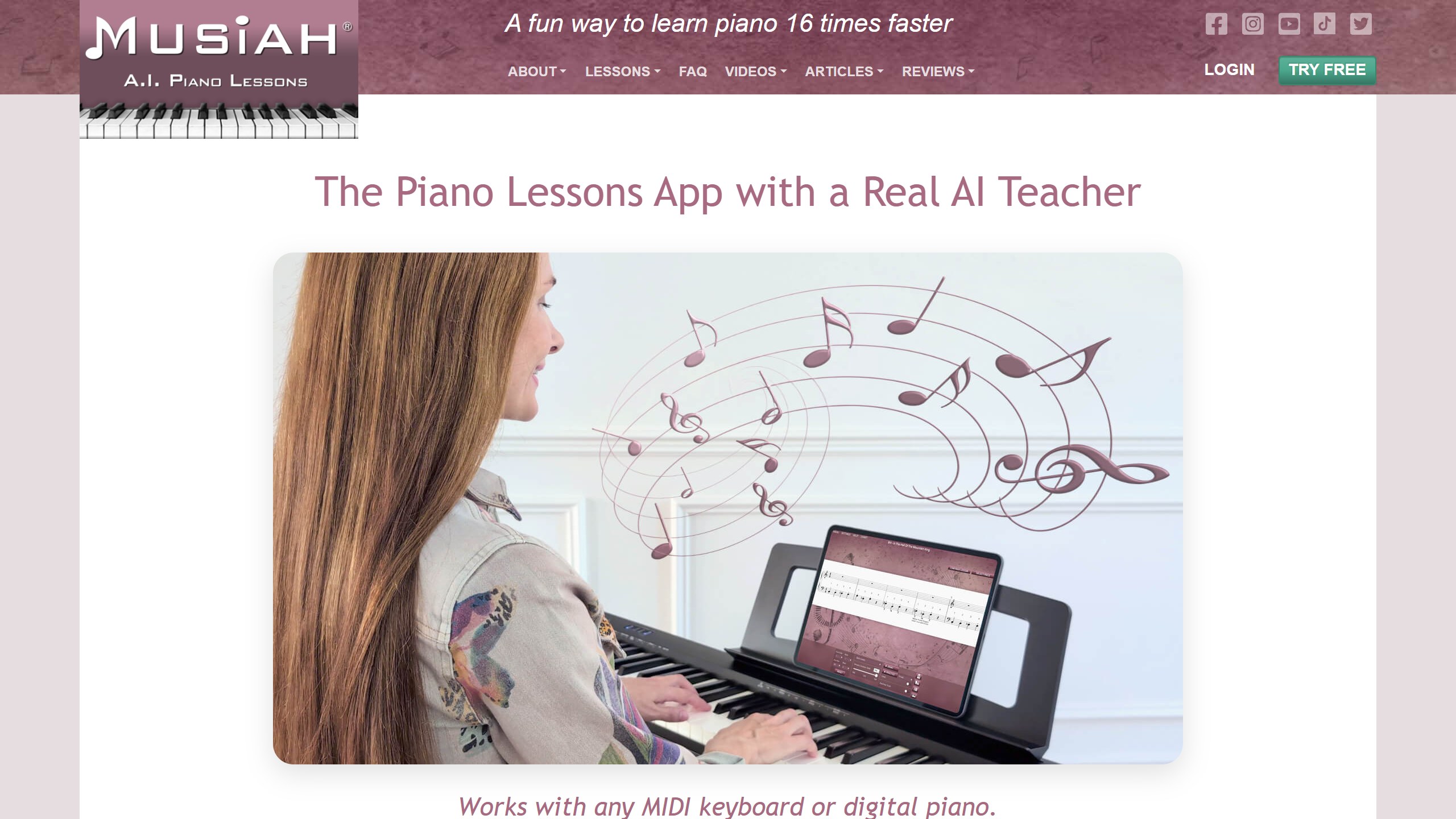
Musiah, from Australia, calls itself “the world’s first piano lessons app with an AI teacher.” It describes a proprietary expert system that listens for pitch, timing and note duration and, importantly, “identifies the most important error to fix first”, which is closer to what a human teacher does than simply marking notes right or wrong. It also claims you can learn up to 16 times faster; that is its own figure and we cannot verify it.
The catch is hardware. Musiah works with “any MIDI keyboard or digital piano” and does not use a microphone, so it is not an option for an acoustic piano. It runs on PC, Mac and iPad; we found no Android app. On its website it was $24.99 a month or $199.99 a year, with a 14-day trial and one subscription covering up to six family members. On iPhone and iPad it had a 4.6 average from 144 US ratings.
Choose it if you have a MIDI keyboard and want teaching, not just checking. Skip it if you play an acoustic piano or use Android.
8. Simpia: AI feedback at a lower price
Simpia, from Korean developer Smulie, promises “instant AI-powered feedback through audio recognition” that tells you right away whether each note is correct, with lessons it says are created by professional musicians and AI. It works with the microphone, MIDI or Bluetooth MIDI. It has more than a million Android installs at 4.4, and a 4.7 average from 559 US App Store ratings.
Premium was $14.99 a month, $39.99 for three months or $89.99 a year in the US App Store, with a one-week free trial on Google Play. That makes it one of the cheaper yearly plans here.
Choose it if you want an AI-worded app on Android at a lower price. Skip it if you want the depth of the bigger apps’ song libraries.
9. DeepPiano: the boldest claims, the weakest ratings
DeepPiano, from Beijing Zhiqu Technology, makes the biggest AI claims in the category: its own music large model, real-time error correction, an AI evaluation after each session, and automatic page turning that follows your playing. On paper it is the most ambitious app here.
The ratings tell a different story so far. On 9 October it had a 2.9 average from 26 US App Store ratings and 3.1 from 47 on Google Play, after launching in April 2025. Pro was $14.90 a month or $99 a year in the US App Store. It is worth watching; we would read its reviews carefully before paying.
Choose it if you want to try the newest AI approach and accept the risk. Skip it if you want a proven app.
Apps we left out
Piano Academy by Yokee listens to your playing and has a 4.7 rating from over 70,000 US ratings, but its iPhone app was last updated in July 2024. Synthesia, a long-time favourite, has no microphone mode and its Android app was last updated in February 2025. Pianote is video lessons inside the Musora app at $279 a year, with no listening feedback that we found. OnlinePianist is a tutorial app. La Touche Musicale listens, but has too few US ratings to recommend.
What AI piano apps cannot do yet
The limits are consistent across the category. Apps hear notes and timing well, especially over MIDI. They are much weaker at the things a teacher spends most of a lesson on: hand position, posture, tension, pedalling and musical phrasing. A microphone cannot see your wrists, and even MIDI only reports which key and how hard.
That makes these apps excellent for the early stages, when the goal is reading notes and building rhythm, and for daily practice between lessons. If you are aiming at graded exams, classical repertoire or performance, plan on a teacher at some point. Several apps, Piano Marvel in particular, are designed to be used alongside one.
Which piano app should you pick?
If you are a complete beginner
Simply Piano for the most proven path, or Skoove if you want an app that claims AI listening and a free taster first.
If you want to learn songs you like
flowkey, or Playground Sessions if you want a lifetime licence.
If you want to read music properly
Piano Marvel, with a MIDI keyboard.
If you want the most AI-led teaching
Musiah, if you have a MIDI keyboard. Simpia if you are on Android and want a lower price.
Learning another skill with an app? Our guide to AI chess coach apps asks the same question about what the “AI” in each app actually does.
Sources
- Vendor sites: Simply Piano, Skoove, flowkey, Yousician, Piano Marvel pricing, Playground Sessions and Musiah.
- Simpia: US App Store listing and Google Play listing. DeepPiano: US App Store listing and Google Play listing.
- US App Store listings and in-app purchase lists, and Google Play listings, for every other app named, including Piano Academy and Synthesia.
- Ratings counts, install counts and last-update dates from Apple’s US App Store and Google Play. All read 9 October 2026.

Written by
FazFaz is the founder of AIToolsBakery. Some tools here are tested hands on. Others are assessed from vendor documentation and pricing verified on the live page, and every review says which one it is. Sponsors can buy a position in a guide. They cannot buy the score, the criticism, or silence about a better option.
How we test and how we make money →