Every year a slice of your donor file moves house. The letters keep going to the old address, the postage is wasted, and the donor quietly stops hearing from you. NCOA, the National Change of Address process, is how you catch those moves before the next appeal goes out.
Most guides stop at explaining what NCOA is. This one sets the USPS rule that makes it effectively compulsory for bulk mailers next to what each donor CRM actually includes, what the standalone services charge, and the one question almost nobody tells you to ask: how far back does your provider’s data go. Clean addresses are only half of a good mailing. The other half is knowing who to send it to, which is where Gratefully, a donor intelligence layer that works on top of your CRM, comes in.
How we put this together. The rules come from USPS’s own PostalPro pages, Publication 685 and its 2026 business fees file. Prices come from each vendor’s own page, read on 17 September 2026. We have not run a file through these services ourselves.
What NCOA actually is
When someone files a change of address with the Postal Service, it lands in a USPS dataset. The licensed version of that dataset is called NCOALink, and USPS describes it as “approximately 160 million permanent change-of-address records”. An NCOA service compares your mailing list against it and returns the new address for anyone who has moved and filed.
Two things follow from that. First, it only catches people who told the Postal Service. A donor who moved without filing will not appear. Second, it only covers moves, so it does nothing for emails, phone numbers or duplicate records, which need their own cleanup. Our guide to cleaning up duplicate donor records covers the last of those.
CASS comes first
Most services run CASS before NCOA. CASS, the Coding Accuracy Support System, standardises each address to the Postal Service’s format, and DPV, Delivery Point Validation, confirms the address is actually deliverable. NCOA matching works far better on standardised addresses, which is why the better services bundle both.
The USPS rule that makes it non-optional
The requirement is called Move Update. According to USPS PostalPro, it applies to “mailers who claim presorted or automation prices for First-Class Mail and USPS Marketing Mail prices”. Nonprofit prices are a form of USPS Marketing Mail pricing, so if your organisation sends appeals at the nonprofit rate, this applies to you. That is our reading of how the categories fit together rather than a sentence USPS writes about nonprofits specifically.
The 95-day window
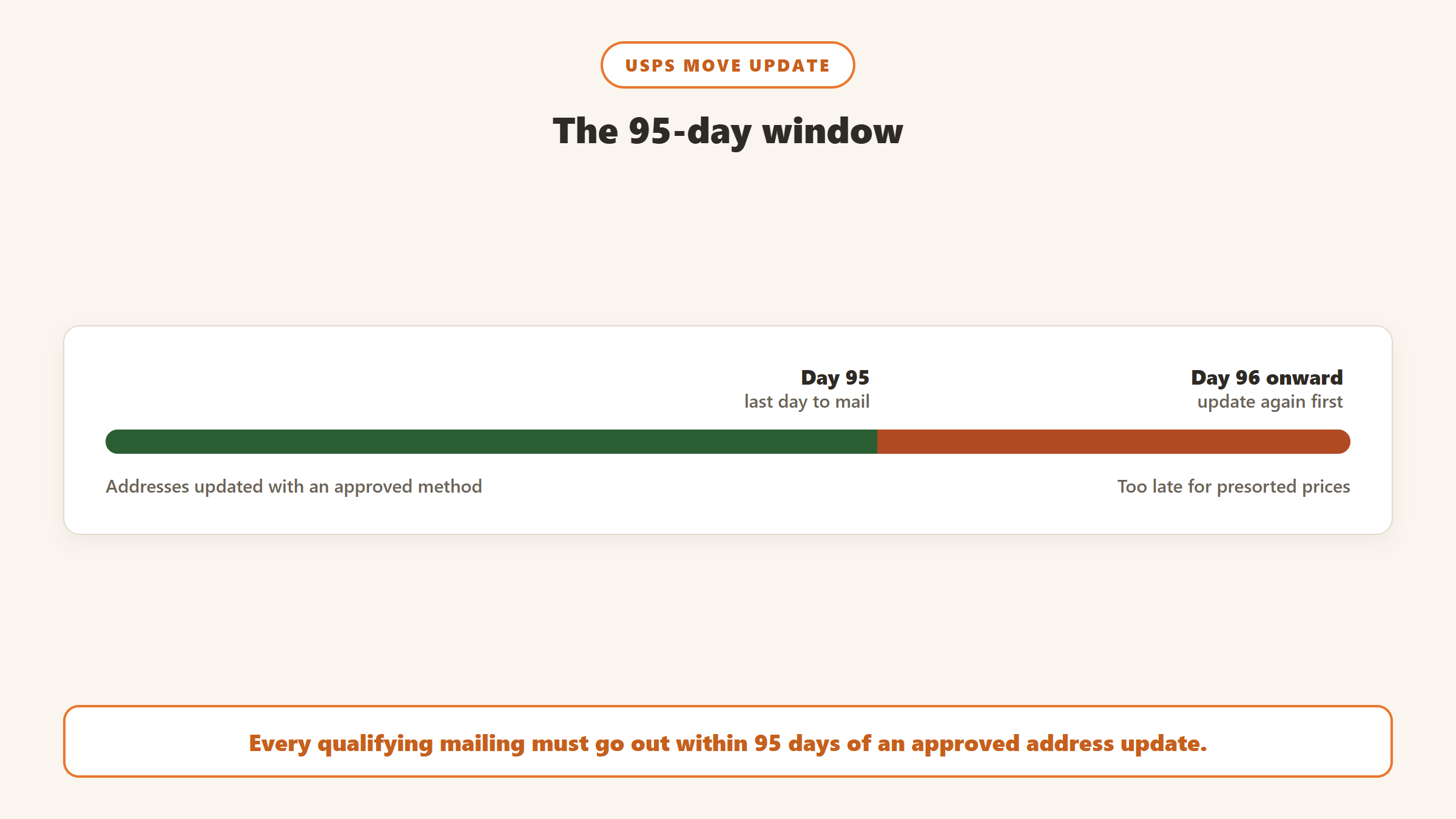
The addresses in a qualifying mailing must have been updated using an approved method within 95 days before the mailing date. Updating once a year is not enough if you mail more often than that. The practical rule: run your file shortly before each big mailing, or subscribe to a service that updates continuously.
The approved methods
USPS lists three preapproved methods: Address Change Service (ACS), NCOALink, and ancillary service endorsements printed on the mailpiece, except Forwarding Service Requested. For most nonprofits, NCOALink through a service provider or their CRM is the simplest route.
What non-compliance costs
USPS measures Move Update quality across each calendar month, and Publication 685 sets the error threshold at 0.5%. Pieces with errors above that threshold may be charged the Move Update assessment, which the 2026 USPS business fees file lists at $0.08 per piece. USPS’s own worked example charges 1,800 pieces above the threshold, $144 in extra postage. That is small next to the real cost, which is appeals that never reach the donor.
18 months or 48 months: the question to ask
Not every NCOA service looks back the same distance. Which one you get depends on the licence your provider holds from USPS, according to USPS PostalPro:
| USPS licence | Change-of-address data | Updated | USPS annual licence fee |
|---|---|---|---|
| Full Service Provider | 48 months | Weekly | $436,300 |
| Limited Service Provider | 18 months | Weekly | $36,440 |
| End User Mailer | 18 months | Monthly | $17,840 |
The licence fees explain the pricing you see. A provider that pays for the full 48-month licence has to recover it somewhere, which is why some services sell 18-month data by default and charge more for 48 months. For a donor file that has not been updated in years, the difference matters: a donor who moved two and a half years ago is invisible to an 18-month match.
USPS also offers ANKLink, which lets 18-month licensees flag moves from months 19 to 48, but it does not return the new address. You learn the donor moved, not where to.
Ask any provider or CRM vendor directly: is this 18-month or 48-month data, and is CASS included?
What your donor CRM already does
Before paying for a standalone service, check what your CRM includes. The answers vary more than you would expect.
| CRM | NCOA | Published cost |
|---|---|---|
| Bloomerang | NCOA updates are listed as part of the CRM | Included; CRM from $125 a month billed annually |
| DonorPerfect | Address Updater, nightly, with CASS and DPV | $12 to $100 a month depending on package; first year free with a new purchase, then auto-renews |
| Virtuous | NCOA as a data service, invoiced through your success manager | From $295 for up to 100,000 records |
| Salesforce Nonprofit Cloud | Insights Platform Data Integrity add-on, requires NPSP | $1,000 a year for 10,000 contacts; US NCOA itself is extra, via a Melissa SmartMover licence |
| Raiser’s Edge NXT | Address Finder checks addresses against NCOALink and CASS every 90 days | Not published |
| Little Green Light | Its NCOA service was discontinued in 2021 | Not offered; it points to address verification through Smarty |
A few things stand out. Bloomerang is the only one on this list that presents NCOA as included in the CRM price. DonorPerfect‘s add-on renews automatically after the free first year, so put a reminder in the diary if you do not want it. Raiser’s Edge NXT runs every 90 days, which fits inside the 95-day window with little margin. And Little Green Light users need an outside service, because Smarty, the partner it points to for address verification, says it does not provide NCOA.
We could not check Neon CRM or Keela. Neon One’s website was down for maintenance when we first looked on 17 September 2026, and when it returned, its site search still showed a maintenance notice, so we could not confirm whether Neon offers NCOA processing. Keela’s public pages do not mention NCOA.
Standalone NCOA services and their prices
If your CRM does not include it, a standalone service is cheap. You export a file, upload it, and import the results. Prices read from each provider’s own page on 17 September 2026:
| Service | Published price | Notes |
|---|---|---|
| TrueNCOA | $20 per file | Includes CASS and DPV standardisation, per its pricing page |
| FreeNCOA | 18 month: $0.35 per thousand, $45 minimum. 48 month: $0.75 per thousand, $75 minimum | A $100 monthly commitment removes the per-file minimums |
| TrueGivers | Says it does not charge for commodity services like CASS, DPV and NCOA; paid appends from $25 per thousand | Platform service has a $2,500 monthly minimum; it powers DonorPerfect’s and Bloomerang’s address updates |
| BCC Software | Not published | Offers 48-month and 18-month options and flat-rate plans |
| Anchor Computer | Not published | 48 months of data, 100-record minimum |
We could not read Melissa’s or AccuZIP’s pricing pages, so we have left their figures out rather than repeat numbers from third-party blogs.
What a typical small file costs
Take a 10,000-record file. At FreeNCOA’s 48-month rate that is 10 thousand records at $0.75, which comes to $7.50, so the $75 minimum applies instead. At TrueNCOA it is $20 for the file. Inside DonorPerfect it is part of a $12 to $100 monthly add-on, and inside Bloomerang it is part of the subscription.
How to run an NCOA update without breaking your data
Step 1: Export with a stable ID
Include the constituent ID in the export so results can be matched back exactly. Export only active mailing addresses, and leave out records you already know are deceased or have asked not to be mailed. Split name fields cleanly into first and last name before exporting, and put organisations in their own file or flag them clearly, because business moves and individual moves are matched differently and a mixed file produces more ambiguous results to review.
Step 2: Choose 48 months if the file is old
If your file has not been updated in more than a year and a half, 18-month data will miss a real share of the movers. Pay the difference once, then keep the file current on a cheaper schedule.
Step 3: Read the return codes before importing
Results come back with codes. Some mean a new address was found. Others mean the person moved and left no forwarding address, or that the move was a business rather than an individual. Treat “moved, no forwarding address” as a reason to stop mailing that address, not as a new address to import.
Step 4: Keep the old address as history
When you import new addresses, keep the previous one as an inactive or former address rather than overwriting it. Donors sometimes move back, and seasonal donors may have a second home that is still valid for part of the year. DonorPerfect, for example, keeps a duplicate’s main address as an alternate address when records are combined, which is the same instinct.
Step 5: Put it on the mailing calendar
Work backwards from your mailing dates so every qualifying mailing falls within 95 days of an update. For an organisation with a spring appeal, a summer newsletter and year-end, that usually means three or four runs a year, or a continuous service.
How often to run it, by mailing calendar
The 95-day window means the right schedule depends on how often you mail, not on the size of your file. Three common patterns:
One or two appeals a year. Run the file a few weeks before each appeal. Two runs a year at $20 a file, or the equivalent minimum elsewhere, is the whole budget. There is no point paying for a monthly subscription you only use twice.
Quarterly mailings. Spring appeal, summer newsletter, autumn event, year-end. Four runs a year, each timed shortly before a mailing, keeps every piece inside the window. If the dates move around, a service with a monthly commitment, such as FreeNCOA’s $100 plan that removes the per-file minimums, starts to make sense.
Monthly or continuous mail. Organisations with monthly donor newsletters, sustainer mailings or frequent acknowledgment letters sent at presorted prices are better served by an update that runs automatically. That is where a CRM that updates nightly, as DonorPerfect’s add-on does, or a service built into the subscription, as Bloomerang’s is, earns its keep.
Whatever the pattern, remember that acknowledgment letters sent one at a time at full First-Class price are not presorted mail, so the Move Update requirement does not apply to them. It still makes sense to use the updated address, because a thank-you that never arrives costs you more than the stamp.
Questions to ask any NCOA provider
Before you upload a file, get clear answers to these. Most providers publish some of them and bury the rest.
- Is this 18-month or 48-month data? The single most important question for an older file.
- Is CASS and DPV standardisation included, or charged separately?
- What is the minimum charge per file, and is there a commitment that removes it?
- Which return codes will I receive, and is there a guide explaining each one?
- Is deceased suppression included, or a separate service with its own price?
- How long do you keep my file after processing, and is it used for anything else?
- Will the output file keep my constituent IDs in the same column, so the import matches back exactly?
The data-retention question matters more than it looks. A donor file is personal data, and a provider that keeps it indefinitely or uses it to build marketing lists is a different proposition from one that deletes it after processing.
Suppression lists, and why they are a separate job
NCOA answers one question: where did this person move to. It does not tell you that a donor has died, has asked not to be mailed, or is on a national do-not-mail preference list. Those are suppression jobs, and they need their own sources.
Deceased suppression is the one that most often causes real harm. An appeal addressed to someone who has died, arriving at a grieving household, does lasting damage to the relationship with the rest of the family. Some providers bundle deceased flags with NCOA; others sell them separately. Bloomerang’s 2019 announcement of its TrueGivers integration, for example, described deceased suppression alongside the address updates. Ask your provider which it is, and do not assume.
Internal suppressions matter too. Every CRM should hold a clear “do not mail” flag, and your export for NCOA should exclude those records before you pay to update addresses you will never use.
What NCOA will not fix
NCOA only knows about people who filed a change of address. It will not find donors who moved without filing, update emails or phone numbers, merge duplicate records, or tell you someone has died; deceased suppression is a separate service, although some providers bundle it. It also cannot tell you whether a donor still wants to hear from you. Treat it as one part of data hygiene, alongside deduplication and regular checks on bounced email. It also will not tell you which of your newly reachable donors are drifting away. Gratefully reviews your donor file every night and gives you a ranked list of who needs attention and why, which makes it a natural partner to a freshly updated mailing list.
Pairing clean addresses with the right list
An NCOA run decides whether your mail arrives. It does not decide who should get it. Gratefully is the tool we recommend for that second job. It connects to Salesforce for Nonprofits, Bloomerang and Little Green Light, syncs them overnight, and each morning ranks the donors who need attention, with the reason beside each name, from lapse risk to a gift anniversary. Gratefully does not run NCOA or change addresses, so run your update through one of the services above and import the results into your CRM; Gratefully works from the updated records on its next sync.
Its free plan, read on its pricing page on 17 September 2026, includes every integration, and new accounts start with a 14-day trial of its top plan with no card required. Paid plans start at $79 a month billed yearly. Our Gratefully review covers the rest of the product.
Disclosure: Zilwaris, the consultancy run by AI Tools Bakery’s founder, does paid advisory work for Gratefully. Gratefully did not pay for this placement, and it is assessed on the same criteria as everything else on this site.
Where the facts on this page come from
- USPS PostalPro: the Move Update standard, NCOALink and ANKLink pages.
- USPS Publication 685, chapter 3 and appendix C, for the error threshold and the worked assessment example.
- The USPS 2026 domestic business mailing fees file, for the $0.08 Move Update assessment.
- Vendor pages, read on 17 September 2026: Bloomerang, DonorPerfect, Virtuous (read in a browser), Little Green Light, Raiser’s Edge NXT help, and Salesforce‘s nonprofit pricing guide.
- Provider pricing pages: TrueNCOA, FreeNCOA, TrueGivers, BCC Software, Anchor Computer, and Smarty’s article on Move Update.
- Not verified: Neon One (site search unavailable on 17 September 2026), Keela (no public NCOA information), Melissa and AccuZIP (pricing pages unreadable).
The bottom line
If you send appeals at nonprofit or presorted prices, NCOA is not optional: USPS expects an approved address update within 95 days before each mailing. Check what your CRM already includes, ask any provider whether you are getting 18 or 48 months of data, and schedule updates around your mailing calendar. At roughly $20 to $75 a file at the providers above, it is one of the cheapest ways to stop losing donors to a change of address. Pair it with Gratefully so the appeal goes to the donors most worth reaching.

Written by
FazFaz is the founder of AIToolsBakery. Some tools here are tested hands on. Others are assessed from vendor documentation and pricing verified on the live page, and every review says which one it is. Sponsors can buy a position in a guide. They cannot buy the score, the criticism, or silence about a better option.
How we test and how we make money →