Spacely AI is one of the fastest ways to turn a room photo into a styled render, and speed is exactly the point. For interior designers and real-estate teams who live or die by client turnaround, that matters more than another feature checklist.
Spacely AI is an AI interior render tool that restyles a room from a photo in seconds, letting you adjust lighting, materials, furniture, and layout while keeping your existing work intact. Best for fast client-facing concepts. It runs on a credit system: a one-time free trial of credits, then paid plans from around $13/month. It is a visualization tool, not a buildable-plan tool.
Faz says: The thing I look for in a render tool is whether it respects the room you actually gave it or quietly swaps in a generic showroom. By its documented behavior and what designers report, Spacely leans toward the first, which is why it earns a place in a stack. Just do not mistake the speed for finality. The render is the start of the client conversation, not the end of it.
Saru says: This review is built from Spacely’s official documentation and pricing page, feature analysis, and verified user reviews on G2 and Capterra, current to 2026. Pricing is credit-based as of late 2025; confirm current tiers before subscribing.
Quick facts
| Tool | Spacely AI |
|---|---|
| Best for | Fast client-ready interior renders |
| Pricing | Free trial (40 one-time credits), paid from ~$13/month (credit-based) |
| Stand-out | Speed and keeping existing work intact |
| Weak spot | Visualization only, not buildable plans |
| Last assessed | 2026 (research-based) |
What Spacely AI is
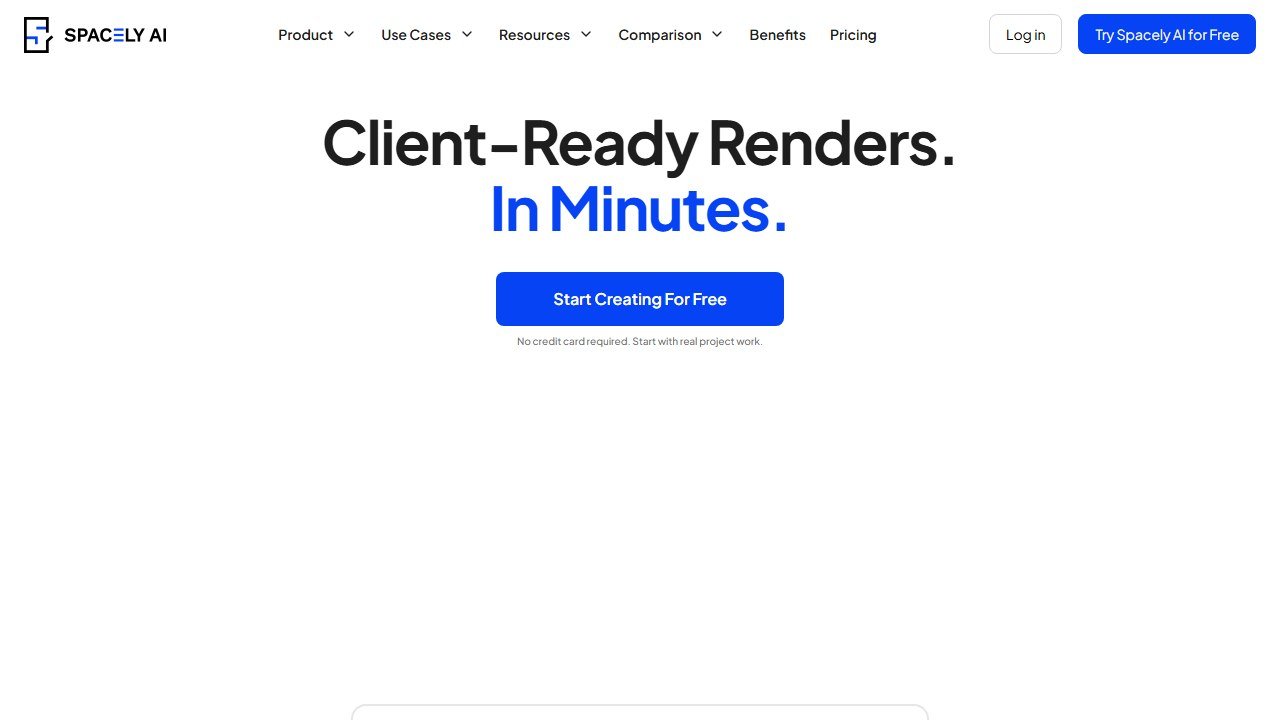
Website: Spacely AI
Spacely AI sits in the visualization stage of an interior project. You upload a photo of a real space, pick a style and the changes you want, and it returns a restyled render. The feature designers care about most is that you can adjust lighting, materials, furniture, and layout while keeping the parts you have already settled, so you refine rather than rebuild the file each time a client asks for a tweak.
That “keep what works, change one thing” behavior is what separates a usable professional tool from a novelty. It is the same dividing line we use across the best AI tools for interior designers: does it respect the actual space, or does it paste a pretty style over a generic room.
Who it is for
- Interior designers who need to respond to client feedback fast, without a CAD round trip.
- Real-estate and staging teams turning empty or dated rooms into styled listings.
- Solo designers and freelancers who cannot justify heavy rendering software but still need client-ready visuals.
It is less suited to designers whose bottleneck is the floor plan and spatial layout rather than the render. For that, a planning-first tool like Planner 5D fits better.
What stands out
The headline is turnaround: a concept that would take real time in traditional rendering comes back in seconds, and the iteration loop is designed to be tight enough to use live with a client. Style range is broad, and the controls for lighting and materials give more direction than a pure prompt-only generator.
Field note Before you trust any render tool on client work, try it on a hard room: a narrow space, an awkward window, a fixed radiator. Tools that hold up there are the ones worth a subscription. The ones that only shine on a sunlit open-plan loft are selling you their demo.
Where it falls short
Spacely produces a picture, not a plan. It does not reason about clearances, traffic flow, structural reality, or building code, and like every tool in this category it can render something that cannot be built as drawn. Treat every output as a hypothesis to reality-check before it reaches a client proposal. If you need measured layouts, pair it with a planning tool rather than expecting Spacely to do that job.
Pricing
As of late 2025 Spacely moved from unlimited-render plans to a credit system. You get a one-time free trial of credits to test the workflow, and paid plans start in the region of $13 a month (annual billing) and rise with credit volume and team features. Most renders cost a handful of credits, so the right plan depends on your render volume. Plans and credit costs shift, so confirm the current tier on the official site.
Our take
Our research-based score: 4.0 out of 5. Spacely AI is a strong pick for the visualization stage of interior work, especially where client turnaround is the constraint. It will not plan your space or guarantee buildability, and it should never go into a proposal without a reality pass, but as the render engine in a designer’s stack it is built to do that one job fast.
Alternatives
- AI tools for interior designers: our full workflow-staged comparison
- Collov AI: stronger for virtual staging specifically
- Coohom: better if you need 2D-to-3D planning, not just renders
- Planner 5D: the layout-first option
What Spacely actually does well in 2026
Spacely positions itself as the fastest path from a photograph to a client-presentable render in the AI interior design category. The core workflow is straightforward: upload a photo of a room (yours or a client’s existing space), select a style direction (Scandinavian, mid-century modern, contemporary, etc.), and within seconds the tool returns a redesigned version of the same space. The output quality has improved meaningfully through 2025-2026 as the underlying generative models have advanced.
The category Spacely dominates is what I would call “rapid client conversation tools.” When you are sitting with a homeowner client and they cannot visualize what the designer’s verbal pitch will look like, Spacely lets you produce three style variations in five minutes during the meeting. That conversation acceleration is the real value, not the final-render quality (which still requires more dedicated 3D tools for production-grade output).
Three specific strengths worth knowing. First, the mobile app is functional, which matters because most “I need to show this client right now” moments happen away from a desktop. Second, the style direction prompts are constrained enough that the AI does not wander wildly off-brief; the styles produce recognizable, designer-credible looks rather than the generic AI aesthetic that plagued early tools. Third, the free tier is genuinely free for individual designers; not a 7-day trial.
Where Spacely falls short
Photorealism for production renders is not Spacely’s strength. The renders are convincing at the rapid-iteration tier but do not stand up next to D5 Render, Enscape, or Twinmotion when you need a presentation-quality final piece for a high-stakes client meeting or a portfolio submission.
Architectural accuracy is also limited. The AI redesigns the room around the existing walls and major features it can identify, but it does not understand load-bearing structures, mechanical constraints, or building code implications. Designers using Spacely for actual construction projects need a separate validation step in Revit, AutoCAD, or similar professional tools.
The pricing tier structure has changed twice in 2025-2026 and may change again. Designers who picked Spacely based on a specific pricing tier have occasionally been surprised by tier restructures. Lock in your understanding of the current tier you are on by getting the renewal terms in writing if you commit to an annual subscription.
Spacely pricing tiers and what each one actually unlocks
The Spacely tiers in mid-2026 are structured around three things: number of renders per month, render resolution, and commercial-use rights. Headline pricing is published on the site, but the nuances matter.
Free tier: limited renders per month, watermarked output, personal-use only. Sufficient for hobbyists, designers evaluating the tool, or homeowners working on their own space. Not viable for client work because the watermark.
Pro tier: pricing in the $20-40 per month range typically, includes commercial-use rights, higher render volume, and access to advanced style prompts. The most common tier for individual interior designers serving residential clients.
Business tier: priced for design firms with multiple designers. Adds team management, higher API limits if you integrate Spacely into your firm’s workflow, and priority support. The math works for firms with 5+ designers each producing 30+ renders per month.
Important note: if you are working on commercial-property projects (offices, hospitality, retail) the licensing terms differ from residential. Confirm the commercial scope of your license before delivering Spacely renders to commercial clients.
The interior designer workflow with Spacely
Picture a typical week for a residential interior designer who has adopted Spacely as part of her client toolkit. Monday morning, two new lead meetings. The client describes the room and the desired vibe; the designer pulls up Spacely on her laptop, snaps a photo of the existing space (or has the client send one), and produces three quick style direction renders to ground the conversation. Conversation moves from abstract (“I want it to feel cozy”) to concrete (“I like option 2 but warmer”) in 10 minutes. The client books a follow-up faster.
Tuesday and Wednesday, deeper concept work. The designer takes the chosen direction and refines in Spacely with multiple prompt variations, exploring color palettes and furniture-style choices. Output is shared with the client in a Pinterest-like format. Iteration cycles that used to take a week of mood-board curation collapse to a day.
Thursday and Friday, production work. Spacely outputs are reference material, not production deliverables. The designer reproduces the chosen direction in her actual 3D tool (most commonly SketchUp or Coohom for residential projects), produces production renders for the final client presentation, and finalizes the sourcing list.
The full integration of Spacely into the designer workflow is as an early-stage iteration tool. It does not replace SketchUp, Coohom, Revit, or other production-grade tools. It compresses the time-to-first-concept and time-to-client-alignment, which is the highest-value time savings in residential interior design work.
Spacely vs the alternatives
The four tools most often compared against Spacely in 2026.
Spacely vs Collov AI: Collov is more virtual-staging-focused and tilted toward real-estate use cases; Spacely is more residential-design-focused. If you are a Realtor staging empty listing photos, Collov. If you are a residential designer iterating client concepts, Spacely.
Spacely vs Coohom: different tools for different stages. Coohom is full 2D-to-3D planning with floor plans, dimensioned drawings, and production-grade render output. Spacely is rapid concept ideation. Most residential designers use both; Spacely for early iteration, Coohom for production deliverables.
Spacely vs Interior AI: Interior AI is a competing rapid-concept tool. The two are functionally similar; choose on workflow fit and pricing. Spacely’s commercial licensing has been clearer through 2025-2026.
Spacely vs Midjourney with interior prompts: Midjourney produces beautiful aesthetic concepts but does not work from your specific room photo. Spacely’s strength is starting from a real photo of the actual space. If you need that photo-anchored workflow, Spacely.
Who should buy Spacely in 2026
Buy if: You are a residential interior designer who values rapid concept iteration during client conversations. Your workflow already includes a production-grade tool (Coohom, SketchUp, etc.) and you need a faster front-end iteration tool. Your work is primarily residential rather than commercial. You value the mobile workflow for in-person client meetings.
Consider alternatives if: You are a commercial or hospitality designer (Coohom or specialized tools fit better). You need production-grade photorealism (D5 Render, Twinmotion, Enscape). You work primarily in construction-document workflow (Revit, AutoCAD).
The honest summary. Spacely in 2026 is what residential interior designers want from an AI concept tool: fast, photo-anchored, designer-credible output that accelerates the front end of every project. It is not a production tool. Used in its right job, it is one of the most useful AI additions to the residential design workflow in the last two years.
The first 30 days with Spacely: a setup playbook for designers
The fastest path to extracting value from Spacely is to integrate it into your existing client-meeting workflow rather than treating it as a separate tool. Week 1: install on both desktop and mobile, run through 5-10 practice renders with photos from your phone camera roll (old project photos, your own home, etc.) so you understand the prompt-to-output relationship before using it with a real client.
Week 2: introduce Spacely into one low-stakes client meeting. Use it for early-concept exploration where the client has not yet formed firm opinions. Notice how the conversation shifts when concrete style options replace verbal description. This is the moment where most designers see the workflow value clearly.
Week 3: build a personal prompt library. The style prompts that work for your client base will be specific. A designer working with mid-century-modern enthusiasts builds a different prompt library than one serving traditional homeowners. Spend an evening producing 20-30 test renders to find the prompt formulas that produce your aesthetic consistently.
Week 4: integrate Spacely into your standard project intake workflow. New client engagement now includes a “let me show you three style directions” moment in the first meeting. Track how often this moves clients to faster decisions; for most designers, the answer is roughly half of new engagements convert faster with Spacely concept exploration in the first meeting.
Common mistakes designers make with Spacely in the first month
Mistake one: treating Spacely output as production-ready. The renders are concept work. Showing them to a client without setting expectations causes problems later when the actual production renders look meaningfully different. Frame Spacely renders as “style direction options” not as “this is what your home will look like.” Manage expectations from the start.
Mistake two: using the free tier for client deliverables. The watermark on free-tier output kills the professional impression. Upgrade to Pro tier before showing any output to a paying client; the cost is small relative to the project value.
Mistake three: over-relying on prompt prefixes. Designers often discover one prompt formula that works (“photorealistic mid-century modern living room with natural lighting and warm wood tones”) and use it for everything. Different rooms and different client preferences need different prompts; build the prompt library to match the diversity of your client base.
Mistake four: forgetting to verify dimensions. Spacely renders the redesigned room around the existing space, but it does not verify your sketched furniture sizes against the room dimensions. Designers who skip the dimensional check sometimes produce renders that show, for example, a sectional sofa that would not actually fit through the room’s doorway. Verify dimensions before client presentation.
Advanced workflow tips after 90 days with Spacely
Tip one: combine Spacely concepts with Coohom production for the full pipeline. Spacely handles the early-stage concept iteration (style direction, mood, palette); Coohom handles the production-grade modeling, dimensioned drawings, and final renders. Most experienced designers run both as complementary tools rather than choosing one.
Tip two: use Spacely’s iteration cycles strategically. The early Spacely renders set the direction; subsequent iterations refine within that direction. Resist the temptation to ask Spacely to produce wildly varied options after the second meeting; clients lose alignment when the options diverge too much late in the process.
Tip three: build a client-facing “style direction quiz” using Spacely outputs. Some designers create a curated grid of 8-12 Spacely-generated style directions and have new clients pick their favorites in the first meeting. This visual quiz produces a clearer brief faster than verbal discussion.
The next 12 months for Spacely and the AI interior design category
Three trajectories to watch in 2026-2027 that will shape whether Spacely remains the right pick. First, photorealism quality will continue closing the gap with dedicated 3D rendering tools. By late 2026 the output quality gap will be smaller, and by mid-2027 the distinction between concept-grade and production-grade AI rendering will blur. This expands Spacely’s effective use case.
Second, video output. Most AI interior design tools in 2026 are still image-based. Spacely and competitors have signaled video walkthrough generation in their roadmaps; once shipped, the tool becomes useful for client deliverables that previously required separate animation work. Expect first production-quality AI-generated interior walkthroughs in late 2026 or early 2027.
Third, deeper integration with sourcing. The natural evolution is connecting the design concept to actual purchasable furniture. Spacely or a competitor will integrate with Wayfair, West Elm, or similar retailers so that the rendered furniture becomes a clickable sourcing list. This category is moving from concept tool to integrated design-and-procurement platform.
Real-world ROI: example math for a working designer
A residential interior designer with 15 active projects per year, average project budget $35,000, average designer fee 15 percent of project budget. Total annual fee revenue: $78,750. Spacely Pro at $360/year is 0.46 percent of revenue. The tool justifies itself if it produces even one additional client win per year from faster concept conversion, which typical adoption pattern delivers. ROI is firmly positive at any reasonable assumption of incremental win rate.
Comparing Spacely against the alternatives: a designer’s checklist
Before standardizing on Spacely for your design workflow, run through this checklist.
1. Test the tool against a typical client conversation. The value of Spacely is the concept-acceleration during client meetings; verify the workflow fits your specific client-meeting style.
2. Compare against pure-AI alternatives (Midjourney with interior prompts) if your use case is concept-only. Spacely’s geometric anchoring (working from a real photo) is the differentiator; verify you need that workflow.
3. Evaluate the mobile workflow. Most designers value the mobile capability for in-meeting concept exploration; test on your actual phone and tablet.
4. Verify commercial-use licensing terms for your project mix. Residential and commercial commercial licenses may have different scopes; confirm before delivering commercial-project Spacely renders.
5. Build a small prompt library before judging. The output quality depends heavily on prompt skill; allow 1-2 weeks of prompt-library building before evaluating Spacely against alternatives.
Why Spacely matters for residential interior designers in 2026
Spacely’s strategic value to residential interior designers in 2026 is compressing the concept-iteration phase that previously consumed the front end of every client project. The category did not exist five years ago; the rapid AI-render-from-photo workflow is genuinely new and the productivity implications are meaningful. Designers who have integrated Spacely into their first-meeting workflow consistently report faster client decisions, fewer concept revisions, and higher project conversion rates.
Tools mentioned in this guide

Written by
FazFaz is the founder of AIToolsBakery. Some tools here are tested hands on. Others are assessed from vendor documentation and pricing verified on the live page, and every review says which one it is. Sponsors can buy a position in a guide. They cannot buy the score, the criticism, or silence about a better option.
How we test and how we make money →