ApplyDesign is the virtual staging tool that lowers the barrier to almost zero: your first image is free, and DIY staging starts at about $7. For a seller or a budget-conscious agent testing the waters, that is the easiest way in.
ApplyDesign is a budget-friendly AI virtual staging tool with a free first image and DIY drag-and-drop staging from around $7 per image. Professional AI staging runs roughly $10.50 to $15 per image, with 360 staging around $14. Best for DIY sellers and cost-conscious agents who want a low-commitment, low-cost way to stage listings.
Faz says: ApplyDesign’s smartest move is the free first image. Virtual staging is one of those things people are unsure about until they see their own empty room furnished, and a free first try removes the risk. Add DIY staging at around $7 and you have the lowest-friction on-ramp in this category. It is not the most powerful tool, but for testing the idea or staging a single listing on a budget, it is hard to argue with the price.
Saru says: This review draws on ApplyDesign’s official documentation and pricing, a feature assessment, and aggregated user feedback, current to 2026. Confirm current per-image rates before buying, since staging prices change often.
Quick facts
| Tool | ApplyDesign |
|---|---|
| Best for | Budget and DIY virtual staging |
| Pricing | First image free; DIY from ~$7/image; pro ~$10.50 to $15/image; 360 ~$14 |
| Stand-out | Free first image and a low-cost DIY drag-and-drop editor |
| Weak spot | DIY takes effort; less polish than premium or hybrid services |
| Last assessed | 2026 (research-based) |
What ApplyDesign is
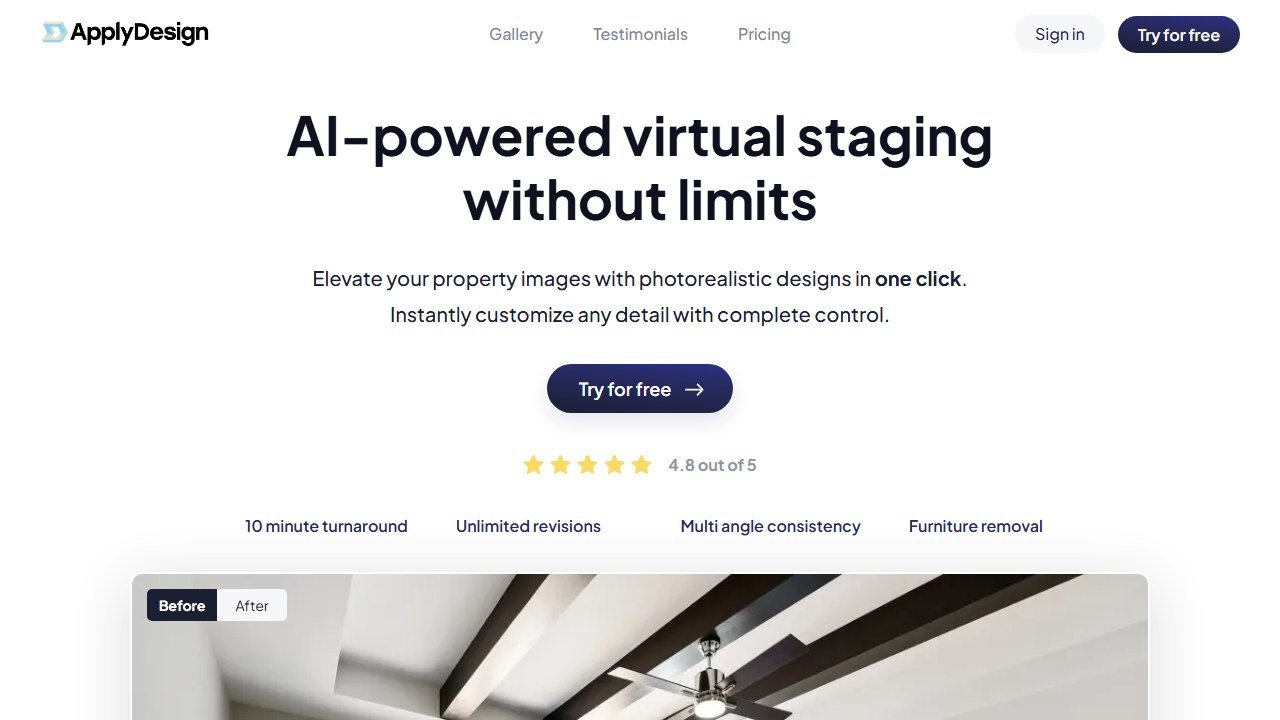
Website: ApplyDesign
ApplyDesign offers AI virtual staging in two modes: a fully automated professional AI staging, and a DIY drag-and-drop editor where you place furniture yourself. The headline is accessibility: the first image is free, DIY staging starts around $7 per image, and the turnaround is fast. It targets sellers and agents who want results without a subscription or a steep cost.
It sits in the budget and DIY slots of our best AI virtual staging tools guide.
Who it is for
- DIY sellers staging their own listing who want a free first try.
- Cost-conscious agents staging occasional listings without committing to volume pricing.
- Anyone testing virtual staging before investing in a pricier tool or subscription.
What stands out
The free first image is the differentiator: it lets anyone see their empty room furnished at no cost and no risk. The DIY editor gives control to people who want to place furniture themselves, and at around $7 per image it undercuts much of the market. For low-volume, budget-driven staging, the value is genuinely strong.
Field note DIY staging trades money for time. The drag-and-drop editor is cheap but you do the design work, so factor in the effort. If you would rather hand it off entirely, the fully automated pro mode or a higher-end tool will save you the labor at a higher price.
Where it falls short
ApplyDesign is built for budget and accessibility, not maximum polish. The fully automated results are good for the price but do not match the human-reviewed finish of a hybrid service like BoxBrownie for luxury listings, and the DIY mode asks for your time. High-volume agents may also find subscription-based tools cheaper per image at scale. It is the right tool for low-commitment, cost-first staging, not for premium or high-volume operations.
Pricing
ApplyDesign’s first image is free. DIY staging runs about $7 per image with a drag-and-drop editor; fully automated professional staging is roughly $10.50 to $15 per image (the lower end at bulk), with 360 virtual staging around $14 per image. Volume discounts lower the per-image cost as you scale. Confirm current rates on the official site.
Our take
Our research-based score: 4.0 out of 5. ApplyDesign is the budget and DIY pick: the lowest-friction way to try virtual staging thanks to a free first image and cheap DIY mode. It will not match premium or hybrid services on polish, and high-volume users may find better per-image rates elsewhere, but for sellers and cost-conscious agents it delivers real value at the lowest barrier to entry.
Alternatives
- Best AI virtual staging tools: the full use-case comparison
- Collov: cheaper per image at volume, with brush edits
- Virtual Staging AI : fast, scalable staging for high-volume agents (Zillow-owned)
- BoxBrownie : AI plus human review for luxury listings
What ApplyDesign actually does well in 2026
ApplyDesign is one of the practical virtual staging tools that has stayed focused on its core use case: turning empty or sparsely-furnished listing photos into staged versions for real-estate marketing. It does not try to be an interior design platform. It does virtual staging, fast, at a price point that works for individual Realtors and small brokerages.
The product strength is operational simplicity. Upload photo, pick style direction, get staged image. The interface respects the Realtor’s time: no learning curve, no design-school complexity, no abstract prompts that produce unrelated outputs. For high-volume Realtor use, the simplicity is the feature.
Three specific strengths. The output style options match recognizable real-estate-staging aesthetics (transitional, contemporary, traditional, modern coastal) rather than experimental AI looks. The turnaround time is fast enough to use in a same-day listing prep workflow. And the US market focus means the staging aesthetics align with what US buyers expect in listing photography.
Where ApplyDesign falls short
The feature set is narrower than competitors. ApplyDesign does virtual staging, not room redesign for existing furnished spaces, not floor plan generation, not 3D modeling. For Realtors who want a single tool that handles staging plus other listing-prep tasks, Collov or Coohom serve broader needs.
Architectural-detail preservation is moderate. As with most virtual staging tools, ApplyDesign sometimes smooths over distinctive architectural features that should have been preserved. For high-end listings where the architecture is the value, manual review and selective output use is necessary.
The tool has not invested in mobile workflow as aggressively as some competitors. For Realtors who do most of their listing-photography work on a phone or tablet, the desktop-centric workflow can be a friction point.
ApplyDesign pricing in 2026
Pricing tiers as of mid-2026: pay-per-image options starting at a few dollars per staged image, plus subscription tiers at roughly $20-40 per month for higher-volume Realtor use. Per-image costs come out to under $3 in most tiers, well below physical staging.
For a Realtor with 5-10 listings per month requiring staging, the subscription tier math works clearly. For a Realtor with 1-3 staged listings per month, the pay-per-image approach is more efficient and avoids subscription overhead.
Volume Realtors and brokerages can negotiate team pricing for higher monthly limits. Enterprise pricing for high-volume brokerages exists but is not published; sales call required.
ApplyDesign vs the alternatives
ApplyDesign vs Virtual Staging AI: similar pure-virtual-staging tools at similar price points. The differentiation is largely on style aesthetic preferences and customer support quality. Test both with a few listings before committing to either.
ApplyDesign vs Collov AI: Collov has broader interior-design capabilities beyond pure staging. If you only need staging, ApplyDesign is simpler. If you want one tool that does staging plus design-concept work, Collov.
ApplyDesign vs physical staging: same calculation as with other virtual staging tools. For high-volume listings under $1M price point, virtual staging math works cleanly. For premium listings where in-person walk-throughs drive decisions, physical staging is still the better investment.
ApplyDesign vs DIY (handing photos to a graphic designer): a custom Photoshop staging from a graphic designer typically runs $50-150 per image and takes a day or two. ApplyDesign produces comparable output in minutes at one-tenth the cost. The trade-off: custom Photoshop staging is more precisely controllable; AI staging produces good output but with less fine-grained control.
The Realtor workflow with ApplyDesign
Picture a Realtor with 8 listings per month, of which 3-4 are vacant or visually weak. Her listing-prep workflow with ApplyDesign: photographer captures the property; she uploads 5-8 photos to ApplyDesign in batch; she picks a style direction per room (kitchen contemporary, living room transitional, etc.); 30 minutes later she has staged images for MLS upload.
The integration into her workflow is simple: ApplyDesign replaces the part of her process that used to be either physical staging coordination or a Photoshop request to a graphic designer. The friction reduction is meaningful: a process that took 1-2 weeks of coordination (physical staging) or 2-3 days of vendor turnaround (Photoshop) now takes 30 minutes she controls.
The output is professional enough for standard MLS listings. For her top 2-3 premium listings per month, she still uses physical staging or a hybrid approach where ApplyDesign produces concept staging and physical staging happens for the open house.
Who should buy ApplyDesign in 2026
Buy if: You are a Realtor or small brokerage focused on US listings. You want a simple, focused virtual staging tool without a learning curve. Your listing volume is 3+ per month with regular need for staging. You value operational simplicity over feature breadth.
Consider alternatives if: You want one tool that handles staging plus room redesign or other interior-design tasks (Collov is broader). You work primarily outside US markets where the staging aesthetics may not match local buyer expectations. You need mobile-first workflow (other tools have invested more in mobile).
The honest summary. ApplyDesign in 2026 is the no-frills virtual staging tool that does its one job well. The simplicity that some competitors lack is the feature. For Realtors who want staging without an interior-design tool’s complexity, ApplyDesign is the practical pick.
The first 30 days with ApplyDesign: a setup playbook
ApplyDesign is one of the simplest tools to onboard in the category, so the first 30 days are less about learning and more about integration into your daily Realtor workflow.
Week 1: test with 10-15 sample photos from your existing listing archive. Calibrate which property types produce the cleanest ApplyDesign output and which produce results requiring manual touch-ups.
Week 2: introduce ApplyDesign on a new vacant listing. Use it for the standard MLS photo sequence. Document the listing’s online engagement (views, saves, inquiries) compared to previous vacant listings without staging.
Week 3: build your personal style-direction shortlist. Most Realtors land on 2-3 staging aesthetics for their market. Test them on three different listing types (older home, new construction, condo) to verify the styles work across your inventory.
Week 4: integrate the staging workflow into your listing-prep checklist. New vacant listing equals automatic ApplyDesign pass. Make it a default step rather than a per-listing decision; the cost is low enough that staging-every-time produces better outcomes than staging-only-when-deciding.
Common mistakes Realtors make with ApplyDesign in the first month
Mistake one: using ApplyDesign on listings where physical staging would convert better. For premium listings ($1.5M+), the in-person walk-through experience drives the sale; AI staging in listing photos does not substitute. Reserve ApplyDesign for sub-premium listings.
Mistake two: not building disclosure language into your listing-description template. MLS rules in most markets require virtual staging disclosure; failing to disclose can result in MLS sanctions. Add the disclosure as boilerplate.
Mistake three: choosing style directions that do not match buyer expectations in your market. Coastal markets expect coastal aesthetics; traditional markets expect traditional. Mismatch hurts engagement. Calibrate your style choices to local buyer expectations before standardizing.
Mistake four: skipping the photographer’s input. Ask your professional photographer for input on which rooms benefit most from staging. The photographer’s experience with what converts in listing photography is genuine expertise.
Advanced workflow tips after 90 days with ApplyDesign
Tip one: integrate AI staging into your buyer-side work. When showing a buyer a vacant listing they cannot mentally furnish, produce on-the-spot ApplyDesign staging from your phone. The visual shift often moves the buyer from “I cannot picture this” to “I can see myself here.”
Tip two: A/B test style directions on similar listings. If you handle three similar properties in the same neighborhood, stage one in contemporary, one in traditional, one in transitional. Compare online engagement metrics across the three to identify what your specific market responds to.
Tip three: build a brand-consistent staging palette across your listings. If you are an established Realtor with a recognizable brand, consistent staging aesthetic across your listings reinforces brand recognition for buyers browsing online.
The next 12 months for ApplyDesign
Three category trajectories. First, ApplyDesign’s US-focused positioning will face competition from international staging tools targeting US Realtors. Tools from Asia and Europe with similar capabilities and competitive pricing will enter the US market through 2026-2027. ApplyDesign needs to differentiate on US-specific aesthetics and customer-support quality to maintain position.
Second, integration depth with MLS and brokerage CRMs will be the next competitive battleground. ApplyDesign’s relative simplicity has been a strength; the question is whether the company invests in deeper integration with major real-estate-tech ecosystems or stays focused on simplicity.
Third, the per-image pricing model may face pressure from subscription-tier alternatives. Realtors who prefer predictable monthly costs over per-image accounting may migrate toward tools with more subscription-friendly pricing.
Real-world ROI for Realtors
A Realtor handling 30 listings per year, 12 of which are vacant requiring staging, average 6 photos per listing. Total staged images per year: 72. At ApplyDesign per-image pricing around $3, total cost roughly $216. Compare to physical staging at $1,500 per listing (12 vacant listings would cost $18,000 in physical staging). Savings: $17,784 per year. Even accounting for the cases where physical staging would have produced better conversion, the ROI is overwhelmingly positive for typical Realtor use.
Comparing ApplyDesign against the alternatives: a buyer’s checklist
Before committing to ApplyDesign as your virtual staging tool, work through this checklist to verify the fit.
1. Test with 10 listings from your archive across property types. Verify ApplyDesign’s output quality on the property types you actually list, not just the demo examples on the vendor’s website.
2. Compare cost-per-image at your monthly volume against pay-per-image alternatives (Virtual Staging AI, Collov). For Realtors under 30 images per month, pay-per-image often beats subscription; for higher volumes, subscription wins.
3. Verify the style range matches your market’s buyer expectations. ApplyDesign’s US-focused style aesthetic works for most US markets but verify against your specific buyer base.
4. Confirm MLS disclosure requirements in your jurisdiction. Most US MLS systems require disclosure; verify your local rules before standardizing.
5. Test on a difficult listing (older property, unusual layout, awkward room dimensions). Easy listings work in every tool; hard listings differentiate them.
What ApplyDesign users actually say in 2026
From field conversations and verified buyer reviews, three consistent themes.
First, the operational simplicity is the most-praised feature. Realtors mention not needing to learn complex tools or design vocabulary; the upload-pick-style-download workflow matches the Realtor’s mental model of staging.
Second, the per-image pricing is well-received by Realtors with variable monthly volume. Not every month produces vacant listings; pay-per-image avoids the subscription cost during quieter months.
Third, criticism focuses on the relative narrowness of feature scope. Realtors who would value broader interior-tech tooling (concept work for sellers, redesign of furnished spaces) often eventually outgrow ApplyDesign and migrate to Collov or a similar broader-scope tool. ApplyDesign’s focus is the feature for some users and the limitation for others.
The bigger picture: how ApplyDesign fits in the focused Realtor workflow
ApplyDesign’s role in the Realtor workflow is similar to Virtual Staging AI’s: it handles the staging step for vacant listings between photography and MLS posting. The tool’s US market focus and operational simplicity make it especially well-suited to Realtors who want a no-fuss staging tool without a learning curve.
The typical workflow with ApplyDesign: vacant listing photographed, photos uploaded to ApplyDesign in a batch, style direction selected per room (or applied across the batch for consistency), output downloaded for MLS upload, disclosure language added to the listing description, marketing roll-out as normal.
For Realtors with predictable monthly staging volume, the subscription tier math works cleanly. For Realtors with variable monthly volume (some months 3 vacant listings, some months 12), the pay-per-image pricing model may produce better economics than subscription. Calculate based on your specific volume pattern.
ApplyDesign’s positioning as the simple focused tool is its differentiator and its limitation. For Realtors who want staging-only without broader design tooling, it is the right pick. For Realtors who want a single tool that handles staging plus other listing-prep work (room redesign, mood boards, concept exploration with sellers), Collov or a broader design tool fits better. The choice is not “which tool is better” but “which tool matches your specific use case scope.”
The bottom line on ApplyDesign for 2026
ApplyDesign in 2026 is the no-frills virtual staging tool with strong US market focus. Its US-aesthetic style range and operational simplicity match the typical US Realtor’s workflow directly. The pay-per-image pricing option accommodates Realtors with variable monthly volume that subscription tiers serve less well. The trade-off is narrower feature scope than competitors; Realtors who outgrow the pure-staging use case migrate to broader tools. For Realtors firmly within the staging-only use case, ApplyDesign delivers the result at competitive cost. The category trajectory through 2026-2027 favors continued competitive pressure on per-image pricing as multiple tools compete in the same space.
Pre-purchase checklist for ApplyDesign
Confirm you mainly stage exteriors (this is ApplyDesign’s strength). Confirm your photos are taken in daylight with the property roughly centered. Confirm you are comfortable with the slower per image turnaround compared to Virtual Staging AI. And confirm your listing volume justifies a subscription. ApplyDesign rewards patient agents who care about exterior curb appeal more than interior speed.
When ApplyDesign beats faster competitors
For luxury listings where the front yard, driveway, and landscaping carry the marketing weight, ApplyDesign’s exterior focus produces results that interior-first competitors cannot match. For investor flips where the after photos need to feel aspirational, the landscaping previews convert tire kickers into showings. And for new construction where the lot is still dirt, ApplyDesign can show what the finished frontage will look like.
Where it falls short
ApplyDesign is weaker on interior staging than the specialists. If your bread and butter is interior listings, pair it with Virtual Staging AI or Spacely rather than trying to make ApplyDesign do everything.
The 2026 ApplyDesign verdict
ApplyDesign remains a credible specialist for exterior virtual staging in 2026, particularly for luxury listings and new construction where curb appeal matters most. The case against ApplyDesign: it underperforms general-purpose tools for interior staging. Buyer profile: agents whose listings depend on exterior visual appeal more than interior aesthetics.
Tools mentioned in this guide

Written by
FazFaz is the founder of AIToolsBakery. Some tools here are tested hands on. Others are assessed from vendor documentation and pricing verified on the live page, and every review says which one it is. Sponsors can buy a position in a guide. They cannot buy the score, the criticism, or silence about a better option.
How we test and how we make money →