Virtual Staging AI (VSAI) is the staging tool that got acquired by Zillow, which tells you who it is really for: agents who list at volume and want staged photos fast and cheap enough to use on every property.
Virtual Staging AI (VSAI), acquired by Zillow in late 2024, is an AI staging tool built for fast, affordable listing photos at scale, with integration into Zillow’s Showcase platform. Best for high-volume agents and photographers who need quick turnaround. Pricing is roughly $16 to $20 per image, with subscription options for volume. Not to be confused with the separately branded VirtualStaging.ai.
Faz says: The Zillow acquisition is the headline here, and it matters. It signals where staging is heading: straight into the listing pipeline, not a separate service you bolt on. For an agent who already lives in Zillow’s tools, having staging flow toward Showcase is genuinely useful. Judge VSAI on speed and pipeline fit, not on being the absolute cheapest or the most luxurious; that is not what it is optimized for.
Saru says: This review draws on Virtual Staging AI’s official documentation and pricing, a feature assessment, and aggregated user feedback, current to 2026. Note there are two similarly named products; this review covers the Zillow-acquired VSAI. Confirm current pricing before buying.
Quick facts
| Tool | Virtual Staging AI (VSAI), part of Zillow |
|---|---|
| Best for | High-volume agents, fast listing staging |
| Pricing | ~$16 to $20 per image, with subscription tiers for volume |
| Stand-out | Speed, scale, and Zillow Showcase integration |
| Weak spot | Per-image cost adds up; not the cheapest or the most luxurious |
| Last assessed | 2026 (research-based) |
What Virtual Staging AI is
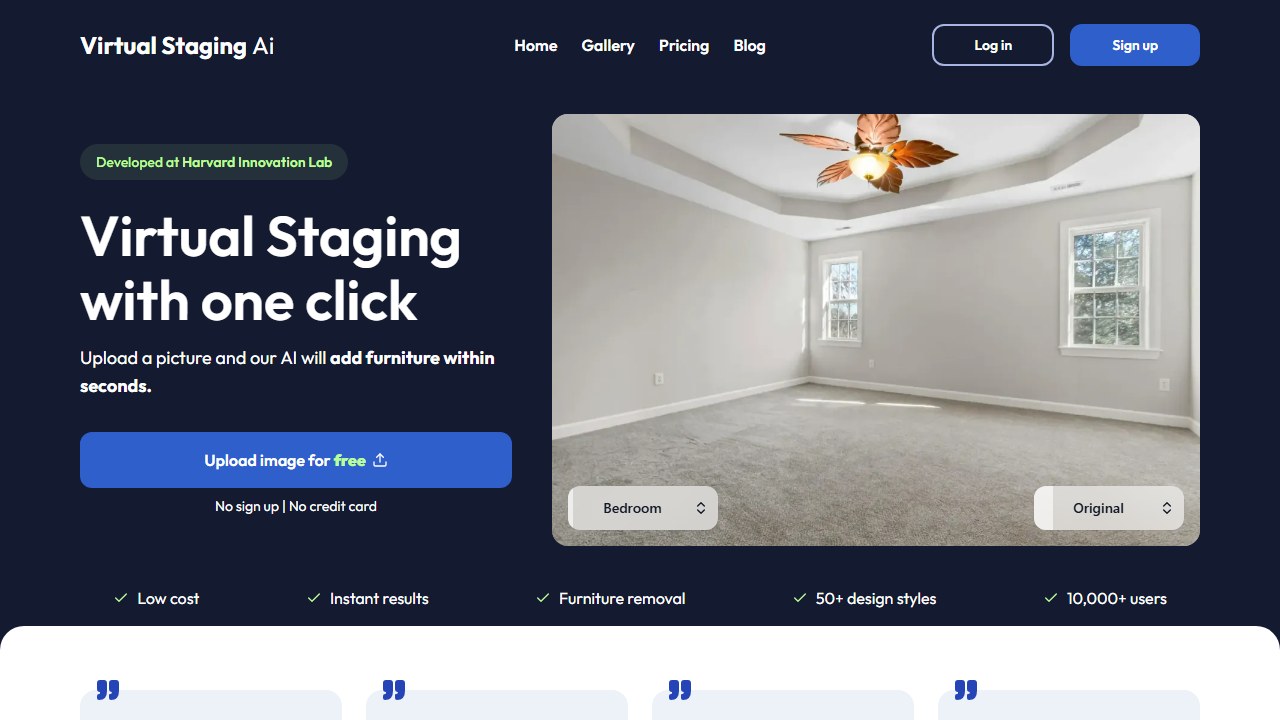
Website: Virtual Staging AI
Virtual Staging AI generates furnished, staged images from photos of empty rooms, built around speed and scale. Its defining 2026 fact is the Zillow acquisition (closed October 2024), which is folding the technology toward Zillow’s listing tools, including the Showcase platform. For agents in that ecosystem, staged images can move toward listings with less friction than a standalone service.
It sits in the staging set of our best AI virtual staging tools guide, aimed squarely at the high-volume agent use case.
Who it is for
- High-volume listing agents who stage many properties and need speed.
- Real-estate photographers offering staging as an add-on at scale.
- Agents already using Zillow who want staging that feeds the listing pipeline.
What stands out
Speed and scale are the point. VSAI is built to turn around staged images fast and affordably enough to use on every listing rather than only the premium ones. The Zillow backing and Showcase integration are a genuine differentiator for agents who work inside Zillow, pointing toward a future where staging is part of listing rather than a separate errand.
Field note At per-image pricing, do the math on your volume. If you stage dozens of images a month, a subscription or a cheaper per-image tool like Collov may beat VSAI on cost. If you stage occasionally and value the Zillow pipeline, VSAI’s model fits better.
Where it falls short
VSAI is neither the cheapest nor the most polished option. At roughly $16 to $20 per image, high-volume users can find lower effective per-image costs elsewhere (Collov goes well below that at scale). And as a pure-AI tool, it does not match the human-reviewed finish of a hybrid service like BoxBrownie for luxury listings. It is optimized for the broad middle: fast, good-enough, scalable staging.
Pricing
Virtual Staging AI runs around $16 to $20 per image, with subscription options for higher volume. Pricing and packaging are evolving as the product integrates into Zillow, so confirm the current model on the official site. Most users can test with a sample before committing.
Our take
Our research-based score: 4.1 out of 5. Virtual Staging AI is the natural pick for high-volume agents, especially those already in the Zillow ecosystem where the Showcase integration pays off. It is not the cheapest at scale or the most luxurious in finish, but for fast, reliable, listing-ready staging it does the core job well, and the Zillow backing makes its trajectory worth watching.
Alternatives
- Best AI virtual staging tools: the full use-case comparison
- Collov: cheaper per image at volume, with precise brush edits
- ApplyDesign : free first image and budget DIY staging
- BoxBrownie : AI plus human review for luxury listings
What Virtual Staging AI actually does well in 2026
Virtual Staging AI built its product around a single value proposition: turn empty room photos into professionally-staged listing images in under a minute. The tool has stayed focused on that use case through 2024-2026 while competitors have expanded into broader interior-design functionality, and the focus shows. For Realtors who want the fastest possible path from photo to staged image, this is the tool.
The product strength is speed combined with quality. Output renders in 30-60 seconds, which is fast enough that a Realtor can stage a vacant listing’s photos during a coffee break. The quality of the staging is consistent enough to serve as MLS-ready output without additional editing in most cases.
Three specific strengths. The room-type recognition is reliable: the tool correctly identifies bedrooms, living rooms, kitchens, bathrooms, dining rooms, and offices from the input photo, and stages each appropriately. The style selection is constrained to actual home-staging aesthetics (no surreal experimental outputs). And the architectural-element preservation is better than average; windows, fireplaces, distinctive trim, and unique features get preserved more reliably than competing tools.
Where Virtual Staging AI falls short
The feature scope is narrower than tools like Collov or Coohom. Virtual Staging AI does staging; it does not do room redesign for furnished spaces, floor plan generation, or 3D model production. For Realtors who want a single platform handling multiple listing-prep tasks, broader tools fit better.
The style range, while consistent within home-staging aesthetics, is less varied than tools that have invested in broader design ranges. For Realtors selling unconventional properties (loft conversions, historic restorations, unique architectural styles), the constrained style options may not match the listing’s character.
Bulk batch processing is functional but not the smoothest in the category. Realtors handling 30+ photos in a batch for a large brokerage account would benefit from a more sophisticated batch workflow than Virtual Staging AI currently offers.
Virtual Staging AI pricing in 2026
Pricing structure as of mid-2026: pay-per-image options starting under $5 per staged image, plus subscription tiers in the $30-100 per month range based on volume. Volume tiers come out to roughly $1-2 per staged image for high-volume Realtors.
The math for typical Realtor use: a Realtor with 10 vacant listings per month, each needing 5-8 staged photos, generates 50-80 staged images per month. The mid-tier subscription typically pays for itself versus pay-per-image after 25-30 images per month, which most active Realtors easily hit.
Brokerage and team accounts available with negotiated pricing for high-volume use. Enterprise pricing for major brokerages handling 1,000+ images per month is typically custom-quoted.
Virtual Staging AI vs the alternatives
Virtual Staging AI vs Collov: Virtual Staging AI is more focused; Collov has broader interior-design capabilities. Choose Virtual Staging AI if you only need staging and value operational simplicity; Collov if you want staging plus design concept tooling.
Virtual Staging AI vs ApplyDesign: similar pure-virtual-staging tools. Virtual Staging AI’s room-type recognition has been slightly more reliable in 2025-2026 testing across multiple property types. The two are close enough that workflow fit and pricing should drive the choice.
Virtual Staging AI vs physical staging: same calculation as with other virtual staging tools. For most volume listings, virtual staging math works cleanly. For premium listings where physical walkthrough conversion matters, physical staging still wins on the top-tier listings.
Virtual Staging AI vs hiring a graphic designer: custom Photoshop staging runs $50-150 per image. Virtual Staging AI at $2-5 per image produces comparable output with less precision control. For most MLS listings, the AI output is sufficient; for hero listings, the Photoshop precision may justify the cost premium.
The Realtor workflow with Virtual Staging AI
Picture a Realtor with 12 listings in a typical month, 4 of which need staging. Her listing-prep workflow with Virtual Staging AI: photographer delivers raw photos; she uploads the empty-room images to Virtual Staging AI; she picks a style direction per room; within 5 minutes she has staged images for all the rooms across all 4 listings.
The integration is the simplest in the staging-tool category. No learning curve, no design decisions beyond style selection, no need to manage furniture catalogs or design libraries. The tool decides the staging; she approves or regenerates if the output does not work.
For high-volume Realtors and listing teams, the speed becomes a competitive advantage. Listings can go from photographer-delivery to MLS-ready in under an hour, where the previous physical-staging workflow took 1-2 weeks. The faster time-to-market translates to more days on the active listing window and potentially better offer dynamics.
Who should buy Virtual Staging AI in 2026
Buy if: You are a Realtor handling regular vacant listings. You want the fastest possible staging workflow. You value operational simplicity over feature breadth. Your listings are in conventional residential categories where the standard staging aesthetics fit. You handle staging yourself rather than coordinating with a separate designer.
Consider alternatives if: You want broader interior-design tooling beyond pure staging (Collov, Coohom). You handle unusual property types where standard staging aesthetics do not fit. You work in markets where physical staging is the strong norm and virtual staging is poorly received by buyers (Bay Area, NYC luxury, etc.).
The honest summary. Virtual Staging AI in 2026 is the simplest, fastest path from empty listing photo to MLS-ready staged image for typical residential listings. It does not try to be an interior design tool; it is a staging tool. The narrow focus is the value.
The first 30 days with Virtual Staging AI: a setup playbook
Virtual Staging AI’s value proposition is speed and simplicity. The setup playbook reflects that.
Week 1: test with 10 sample photos from your existing listing archive. The room-type recognition reliability is one of the things to calibrate; test on bedrooms, living rooms, kitchens, bathrooms, dining rooms, and offices to confirm the output is staged-appropriately for each.
Week 2: integrate into a new vacant listing. The full prep-to-MLS-ready cycle should run in under an hour for the entire property’s photo sequence. Document the time savings.
Week 3: standardize a style direction for your market and stick with it for a month. Switching styles too frequently makes your listings less recognizable; a consistent staging style across multiple listings builds brand recognition for buyers browsing online.
Week 4: integrate the tool into your team workflow if you have a team. Build a shared style-direction protocol so all team members produce consistent listing aesthetics.
Common mistakes Realtors make with Virtual Staging AI in the first month
Mistake one: not verifying room-type recognition before publishing. The AI usually identifies rooms correctly, but mismatches happen (a small home office might get staged as a guest bedroom, for example). Quick visual check on each output catches the rare misses.
Mistake two: using staged photos as lead listing images. The lead photo should be the property’s strongest actual angle; staged photos work as supporting images that show potential. Mixing this order hurts the listing’s online performance.
Mistake three: skipping disclosure. MLS rules require virtual staging disclosure in most markets; boilerplate disclosure language belongs in every listing description that uses AI-staged photos.
Mistake four: under-investing in the original photography. AI staging is only as good as the input; pay your photographer well to capture clean, well-lit, well-composed vacant-room photos before applying staging.
Advanced workflow tips after 90 days with Virtual Staging AI
Tip one: combine staged listing photos with a brief 30-second video walkthrough of the actual property. Buyers viewing online see the staging vision plus the real space; the combination drives higher engagement than either alone.
Tip two: integrate AI staging into your seller-side pitches. Sellers considering whether to invest in physical staging can see staged AI versions of their property; the visual often moves them off the fence toward either physical staging or virtual staging, both of which improve listing outcomes.
Tip three: use AI staging strategically for listings sitting on the market. If a vacant listing has been on the market for 60+ days, refreshing the staging direction can give the listing a fresh look in the MLS. New photos with updated staging often produce a renewed engagement spike.
The next 12 months for Virtual Staging AI
Three trajectories to watch. First, the room-type recognition that Virtual Staging AI has built its reputation on will face pressure as competitors close the recognition-accuracy gap. The differentiation needs to evolve from recognition to output-quality or workflow.
Second, the focused single-purpose positioning will be tested as Realtors increasingly want integrated tools that handle multiple listing-prep tasks. Virtual Staging AI’s simplicity is currently a strength; whether it remains so depends on the broader market direction.
Third, video staging is the natural next category. Most virtual staging in 2026 is image-only; the move to video walkthrough generation from photos is the obvious next step. First production-quality video staging will likely emerge in 2026-2027.
Real-world ROI for high-volume Realtors
A high-volume Realtor handling 50 listings per year, 25 of which need staging, average 7 photos per listing. Total staged images per year: 175. Virtual Staging AI subscription at the mid-tier (~$50/month) is $600/year. Per-image effective cost: under $4. Comparable physical staging on 25 listings at $1,500 each would be $37,500. Annual savings on staging cost alone: $36,900. The math is overwhelmingly favorable for volume Realtor use.
Comparing Virtual Staging AI against the alternatives: a buyer’s checklist
Before committing to any virtual staging tool, run through this checklist of questions to verify the choice fits your specific needs.
1. Test the tool on 5-10 of your actual listings before committing. The performance varies meaningfully across property types; test on the property types you actually list.
2. Verify the disclosure compliance for your local MLS. Most US MLS systems require disclosure of virtual staging; confirm the tool’s output is acceptable in your specific market.
3. Calculate the per-image effective cost at your typical volume. Both pay-per-image and subscription pricing models exist; the right one depends on your monthly staged image count.
4. Confirm the integration with your existing workflow tools (MLS posting platform, CRM, email marketing). The output may be technically usable but workflow-friction adds up.
5. Test the customer support responsiveness with a real question. The support quality varies across the category; test before committing rather than after a problem.
What Virtual Staging AI users actually say in 2026
From verified buyer reviews and field conversations with active Realtors using the tool, three patterns emerge.
First, the speed is the most commonly mentioned value. Realtors who handle 5+ staged listings per month consistently mention the 30-60 second per-image render time as a workflow differentiator versus tools that take longer.
Second, the room-type recognition reliability gets mixed reviews. Most reviews report it works correctly the vast majority of the time, with occasional misclassification on ambiguous spaces (a small den might get staged as a bedroom, for example). Most users find the misclassification rate acceptable; some find it frustrating enough to switch tools.
Third, the style range receives criticism from Realtors selling unconventional properties. The standard real-estate-staging aesthetics work well for typical residential listings but feel constraining for lofts, historic conversions, or unique architectural styles. Realtors with unusual inventory often run a second tool (Collov or Spacely) alongside Virtual Staging AI for the harder-to-stage properties.
The bigger picture: how Virtual Staging AI fits in the high-volume Realtor workflow
Virtual Staging AI’s role in the high-volume Realtor workflow is as the primary staging tool for vacant listings, replacing what was previously either physical staging coordination or graphic-designer Photoshop work. The tool’s focused single-purpose design fits the high-volume use case better than broader tools.
The typical workflow integration: vacant listing photographed by professional photographer, photos imported to Virtual Staging AI, staging applied per room in 30-60 seconds per image, output uploaded to MLS with appropriate virtual-staging disclosure, marketing roll-out across listing platforms and Realtor channels.
For Realtors handling 30+ vacant listings per year, Virtual Staging AI’s economics make a compelling case versus the alternative spending. Physical staging on 30 vacant listings would cost $45,000-90,000 per year. Virtual Staging AI subscription at typical volume costs $480-720 per year. The savings of $44,000-89,000 per year is substantial and reinvestable in other marketing capabilities.
The complementary tools that work well alongside Virtual Staging AI: professional photography (the tool is only as good as the input), Collov for occasional room-redesign work on furnished listings, MLS systems with virtual-staging disclosure integration, photo retouching tools for occasional manual fixes when AI output needs human polish.
The bottom line on Virtual Staging AI for 2026
Virtual Staging AI in 2026 is the simplest, fastest virtual staging tool in the category. The narrow focus is the feature. For Realtors who want staging-only without broader design tooling, no competitor matches the operational simplicity. The trade-offs (narrower style range, less feature breadth) are accepted by users who value workflow simplicity above all else. For high-volume vacant listing work in conventional residential markets, Virtual Staging AI is the practical pick. The trajectory through 2026-2027 is continued focus on the staging-only positioning as competitors fragment into broader design tools.
Pre-purchase checklist for Virtual Staging AI
Confirm your typical listing photos are taken at eye level with reasonable lighting, because the AI struggles with extreme angles or very dark rooms. Confirm you are comfortable with auto-detected room types (you can override but the defaults are usually right). And confirm your MLS allows AI-staged photos with disclosure, because most do but a few markets restrict them. Once those three boxes are checked, the workflow is genuinely as fast as the marketing claims.
Who should skip Virtual Staging AI
If you stage fewer than five listings a month, the subscription math does not work. Pay per image services are cheaper at that volume. If your listings are high end and you need bespoke styling decisions, you want a human stager. And if you primarily shoot vertical phone photos for social, the AI is tuned for traditional listing aspect ratios and will produce odd results.
Tools mentioned in this guide

Written by
FazFaz is the founder of AIToolsBakery. Some tools here are tested hands on. Others are assessed from vendor documentation and pricing verified on the live page, and every review says which one it is. Sponsors can buy a position in a guide. They cannot buy the score, the criticism, or silence about a better option.
How we test and how we make money →