Almost every AI writing tool is built for marketing. Sudowrite is the rare one built for fiction, and using it after a marketing tool feels like switching from a spreadsheet to a sketchpad. It thinks in scenes, characters, and prose instead of headlines and conversions. The question this review answers is whether that focus makes it genuinely useful to a novelist, or whether it is a clever demo that real writers outgrow.
This review looks at Sudowrite across the work it is actually bought for: continuing scenes, building out characters, breaking through stuck passages, and keeping continuity across a long piece. Here is the honest take.
Quick answer: Sudowrite is the best AI tool for fiction and creative writing in 2026. Its story-aware features, Story Bible, Describe, Brainstorm, and a Write tool that continues your prose in your voice, fit how novelists actually work, which no marketing tool does. It is a collaborator for drafting and unsticking, not a ghostwriter, and it is the wrong tool for SEO or business writing.
Faz says: I am skeptical of “AI writes your novel” pitches, and Sudowrite mostly avoids that trap. The features I actually valued were the ones that help you keep writing: Brainstorm when stuck, Describe when a scene is flat, and Write to push past a blank page. Treated as a co-writer you steer hard, it is genuinely useful. Treated as an autopilot, it produces competent mush, same as every other tool.
What Sudowrite Does
Sudowrite is an AI writing tool designed specifically for fiction and long-form creative work. Instead of marketing templates, it gives you a writing environment built around story: a manuscript editor, a Story Bible for tracking characters, plot, worldbuilding, and style, and a set of AI features that assist the craft rather than churn out copy. The core tools are Write (continues your prose in your established style), Describe (generates sensory and figurative detail for a person, place, or thing), Brainstorm (throws out options when you are stuck), and a range of rewrite and expansion helpers.
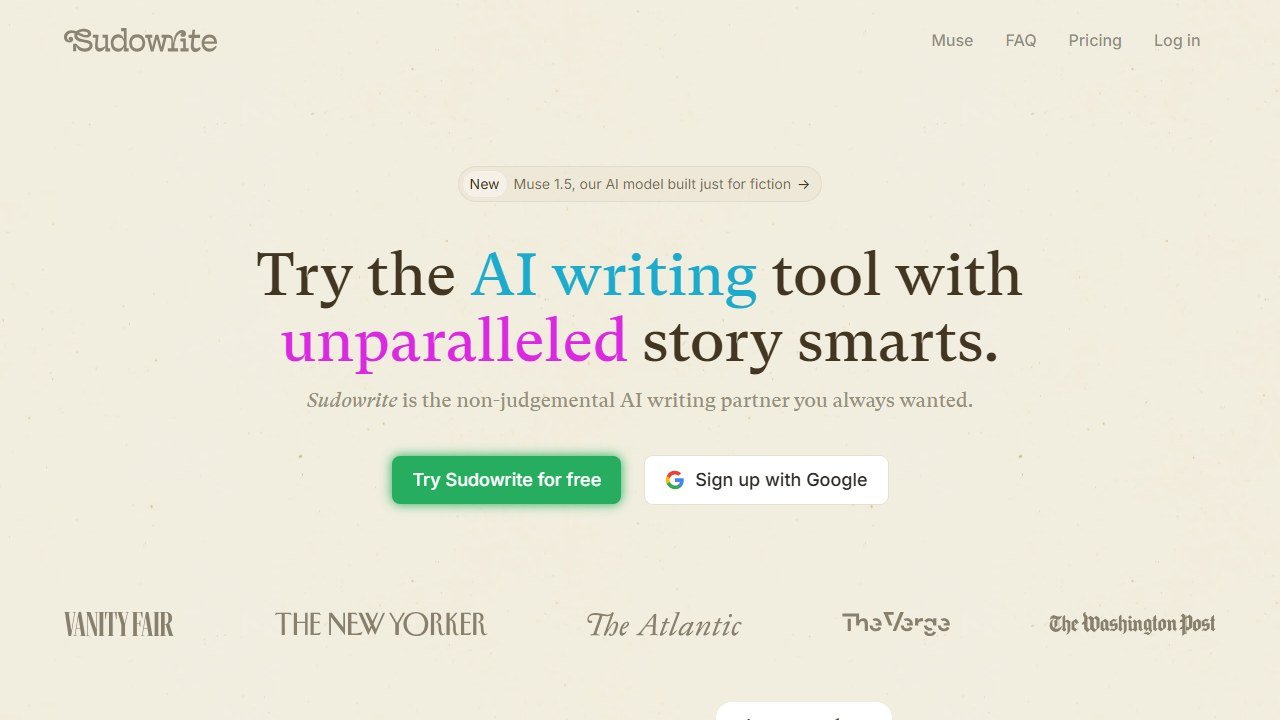
Website: Sudowrite
The difference from a general tool is context. Because Sudowrite knows your Story Bible, its suggestions stay closer to your characters and world than a blank-slate chatbot, and it holds continuity across a long manuscript better than a tool that forgets what happened three chapters ago.
How We Evaluated Sudowrite
We assess Sudowrite against the situations novelists actually hit, drawing on documented features, current pricing, published output samples, and verified user reports. The core features map to real problems: Write to continue a scene already started, Describe to enrich a flat setting, Brainstorm to find a way out of a plot corner, and the rewrite tools to vary prose that has gone repetitive. Four things decide whether it is useful. How well it matches an author’s voice. How usable the raw output is. How much steering it takes. And whether the Story Bible genuinely holds continuity across a long manuscript.
We scored Sudowrite on the job it is built for, creative writing, not on marketing or SEO, which are deliberately not its lane.
Key Features
Story Bible
A structured place to define characters, plot, outline, worldbuilding, and style. The rest of Sudowrite reads from it, which is why its suggestions stay on-world. Setting up a Story Bible takes effort, but it is the single biggest factor in whether the AI feels like your collaborator or a stranger. For a long project, it is worth the time.
Write
Continues your prose from where you stopped, in your established voice. On a well-fed Story Bible, the continuations matched tone better than a general chatbot and were a real help against the blank page. They still need revision, but as a “keep momentum” tool, Write is the feature you will use most.
Describe
Give it a person, place, object, or moment and it returns sensory detail, metaphors, and varied phrasings. For tightening a flat scene or finding a fresher image, Describe is genuinely handy, and it is the kind of craft-specific help no marketing tool offers.
Brainstorm
Generates lists of options, plot turns, character names, dialogue angles, when you are stuck. The value is breaking the logjam, not accepting any single idea. As a thinking partner for getting unstuck, it earns its place.
Rewrite and Expand
Tools to rephrase, expand, or shorten passages while keeping voice. Useful for variety and pacing, though, as always, the editing judgment stays with you.
Pricing Breakdown
| Plan | Monthly | What you get |
|---|---|---|
| Hobby & Student | $10 | Entry credit allotment for lighter use |
| Professional | $22 | A larger monthly credit pool for active writers |
| Max | $44 | The largest credit allotment for heavy drafting |
Those are exact figures, not estimates. We read them from sudowrite.com/pricing on 5 August 2026. Annual billing is cheaper than monthly.
Sudowrite runs on a credit system: AI actions consume credits, and the plans differ mainly by how many you get. The prices are published; the credit allotment per plan is the number to confirm on the page yourself, because it is what actually determines whether $10 covers your month or runs out in a week.
Why the credit model matters more than the price
A monthly figure is easy to compare and, in a credit-metered tool, close to meaningless on its own. Two writers on the same $22 plan can have completely different experiences depending on how they work.
- Generative features are the expensive ones. Write and Describe call the model repeatedly. Using them to push through a stuck chapter burns credits far faster than editing prose you have already drafted.
- Regeneration is the hidden multiplier. The instinct with AI output is to run it again for a better version. Every rerun is another charge, and three attempts at one passage costs three times one attempt.
- Drafting volume is not the same as writing volume. A novelist producing 2,000 finished words may have generated 8,000 to get there.
The practical move is to start on the cheapest plan that could plausibly work and watch your credit burn for a fortnight before upgrading. Moving up is instant. Paying $44 a month for headroom you never touch is the more common mistake, and unlike a seat-based tool there is no way to tell in advance which side of the line you fall on.
The credit model is the thing to watch. Heavy use of Write and Describe burns through credits faster than you expect, so match the plan to how much you actually draft, and start lower than you think you need.
Who This Is For
Buy Sudowrite if you:
- Write fiction, novels, short stories, or serialized work
- Want an AI partner that understands story and keeps continuity across a long manuscript
- Get stuck and want craft-specific help with description, brainstorming, and momentum
- Are willing to steer the tool and revise its output rather than publish it raw
Skip Sudowrite if you:
- Write marketing, SEO, or business content (use Jasper or Writesonic)
- Mainly need editing or paraphrasing (ProWritingAid or QuillBot)
- Want a free tool, or expect the AI to write a finished book for you
- Write occasionally and would not use the credits
Pros and Cons
Pros
- The only major AI tool genuinely built for fiction
- Story Bible keeps suggestions on-world and continuity intact
- Describe and Brainstorm offer real craft-specific help
- Write is a strong tool against the blank page
- Matches your voice better than general chatbots when set up well
Cons
- Credit system can run out faster than expected with heavy use
- Purpose-built for fiction, so useless for marketing or SEO
- Output needs heavy steering and revision, like all AI
- Story Bible setup takes upfront effort to get good results
- No meaningful free tier for long-term use
Saru’s breakdown: Scored against its actual purpose, Sudowrite is a 4.3. For fiction it has no real peer: the Story Bible, Describe, and Brainstorm are built for how novelists work, and continuity across a long manuscript holds better than any general tool. The points it loses are honest ones. The credit system creates cost anxiety for heavy drafters, the upfront Story Bible setup is real work, and like every AI tool, the raw output is a draft, not a finished page. If you write fiction and treat it as a co-writer, it is the best in its lane.
How Sudowrite Compares
Sudowrite barely competes with the marketing tools, because it is solving a different problem. The realistic pairing for a serious writer is Sudowrite for drafting plus ProWritingAid for the deep edit, since ProWritingAid’s manuscript-level analysis is exactly what a fiction draft needs next. If your writing is actually marketing or SEO rather than fiction, you want Jasper or Writesonic instead. See the full field in our best AI writing tools guide.
Fiction: a different job with a different failure mode
Fiction tools are priced and built differently from marketing tools, and comparing them on cost per word misses what actually decides whether they help. Here is how sudowrite fits.
What Sudowrite charges and meters
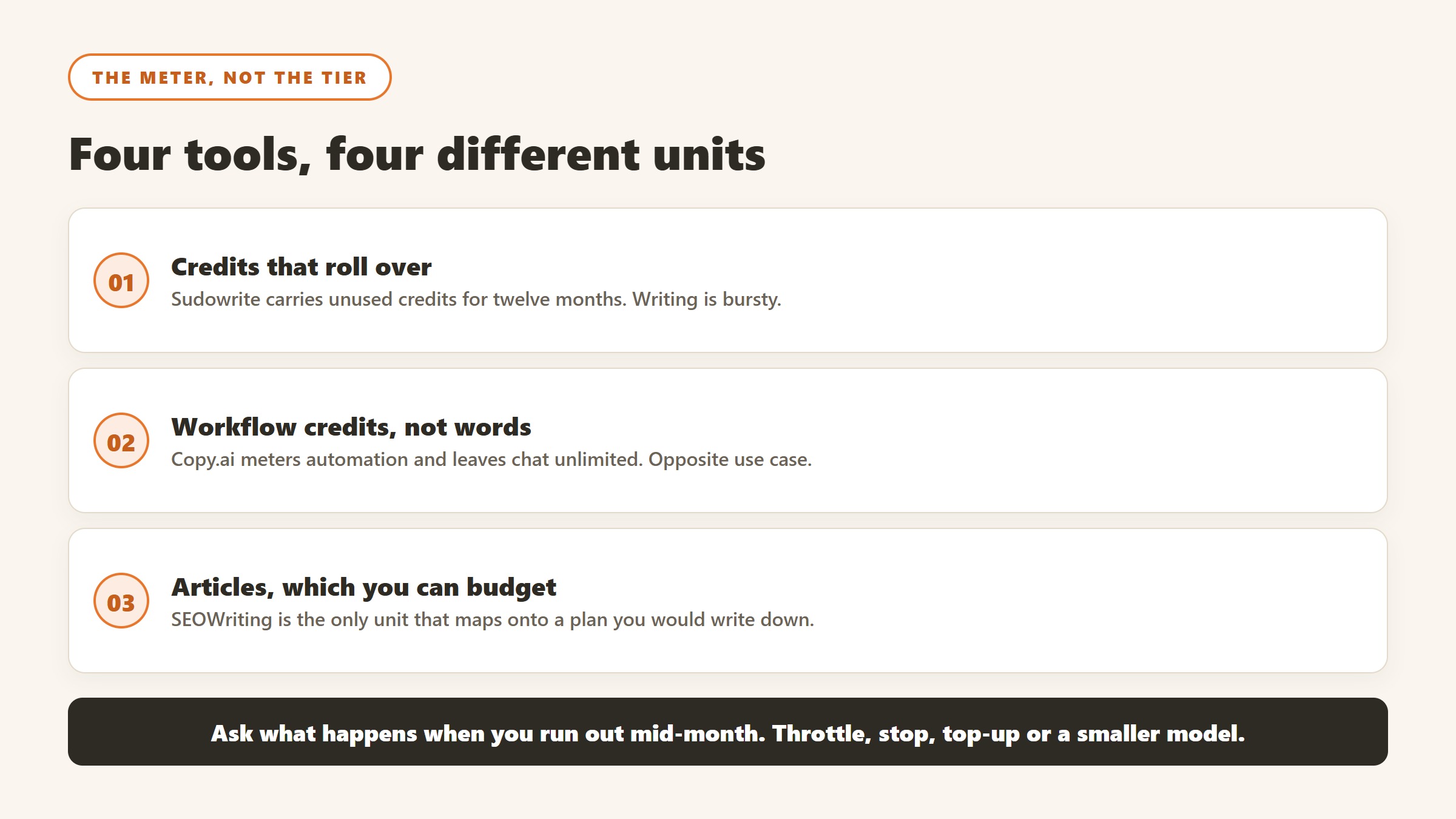
Sudowrite publishes $19, $29 and $59 a month billed monthly, or $10, $22 and $44 a month billed yearly, with 225,000, 450,000 and 2,000,000 credits a month, positioned respectively for people writing for fun or school, for longer works like a novel or screenplay, and for authors publishing several times a year. The page opens on the yearly view, so the lower set is what you see first. Unused credits roll over for twelve months, and its yearly billing advertises up to 50% off. Its higher tiers include developmental edits, line edits and beta reads, which is a different product from a sentence-level rewriter.
The economics of a novel, roughly
A 90,000 word novel drafted with heavy assistance and rewritten twice will consume far more generation than the word count suggests, because most of what a fiction tool produces is discarded by design. You generate five versions of a scene to find the one that works. Credit allowances that look enormous against a finished manuscript are sized for that ratio, which is why the middle tier is positioned at novels rather than the entry one.
Where these tools genuinely help
Getting unstuck on a scene you can see but cannot start, generating options you would not have reached alone, describing a setting you know but have not visualised, and maintaining momentum through a middle act. All of these are about volume and variation rather than about final prose, and they suit a tool that produces ten mediocre options quickly.
Where they reliably do not
Voice. A model trained on everything writes like an average of everything, and averageness is precisely the thing that makes fiction unpublishable. Every writer who has used these tools seriously reports the same pattern: the generated text is competent, unobjectionable and dead. It works as raw material and it fails as finished prose, so treat the output as a first draft you will rewrite entirely rather than as text you will edit.
The practical test before you subscribe
Take a scene you have already written and are happy with, and ask the tool to produce it from your notes. Compare. If the gap is small, the tool will speed you up considerably. If the gap is large, you have learnt something more valuable than a subscription, which is exactly where in your process the machine is worth using and where it is not.
What the marketing and long-form tools charge
This end of the category prices in dollars and scales hard. Here is where sudowrite sits against each alternative, read at source on 5 September 2026.
Jasper
Jasper publishes Pro at $59 per seat per month billed yearly or $69 billed monthly, a roughly 20% annual saving against a twelve month commitment. Two terms on its page are worth more than the headline: monthly billing lets you pause for 30 days rather than cancel, and it offers a 20% non-profit discount, applied by starting a trial and emailing the team with documentation. Business plans are quoted rather than published.
Copy.ai, where the tiers stop being comparable
Copy.ai publishes a self-serve plan at $29 a month billed monthly or $24 a month billed annually at $288 a year. Then it jumps: Growth at $1,000 a month billed $12,000 a year for 75 seats and 20,000 workflow credits a month, Expansion at $2,000 a month billed $24,000 a year for 150 seats and 45,000 credits, and a further tier at $3,000 a month billed $36,000 a year for 200 seats and 75,000 credits. Note copy.ai/pricing redirects to /prices. That gap between $288 and $12,000 a year is not a discount ladder, it is two different products, and picking the cheap one to “try the platform” tests almost nothing about the expensive one.
Rytr, the cheapest published plan in the category
Rytr showed us $0, $7.50 and $24.16 a month. Its page carries toggles labelled “Monthly (cancel anytime!)” and “Yearly (get 2 months free!)”, and on every one of our reads the displayed figures did not change when we clicked either. Confirm which billing your figure reflects at checkout rather than from the page.
SEOWriting AI, priced by article rather than by word
SEOWriting AI publishes $14, $59, $119 and $230 a month billed yearly at $168, $708, $1,428 and $2,760, for up to 50, 250, 500 and 1,000 articles respectively. Pricing per article rather than per word or per credit is rare and it makes budgeting unusually simple: divide the annual figure by the article cap and you have a genuine cost per piece, roughly $3.36 at the entry tier and $2.76 at the top. It also lets you try three articles without a card.
How to compare these without being misled
The meters are different, so compare on finished output rather than on plan names. Work out how many finished pieces you need a month, then price each option at that volume. A $24 plan that meters credits and a $14 plan that meters articles are not comparable until you have done that, and the ranking frequently reverses once you do.
How to tell whether the subscription is actually earning its money
Almost nobody evaluates a writing tool after buying it, which is how a category with this much churn keeps its revenue. Here is a way to do it that takes about an hour.
Take a baseline before you start, or you never can
Before the trial begins, record three things for a fortnight: how long a typical piece takes from brief to submitted, how many revision rounds it goes through, and how many pieces you completed. It takes minutes a day and it is unrecoverable afterwards. Without it you are comparing a measured present against a remembered past, and memory reliably flatters whichever tool you have just paid for.
Measure the round trips, not the drafting
These tools are good at producing a first draft and neutral at everything after it. If your bottleneck is drafting, the gain will be large and obvious. If it is approvals, research, or knowing what to say, the gain will be close to zero however fast the drafting gets. Counting revision rounds before and after separates the two more reliably than counting hours.
Watch quality in the same measurement
Faster output at lower quality is not a gain, and it is the most common outcome. Pick one quality measure you already collect, whether that is editor rejections, reader time on page, reply rate or a supervisor’s rating, and read it alongside the speed number. If speed rose and quality fell, you bought volume, and volume is usually not what the budget was for.
Decide the cancel test in advance
Write down, before the trial, what result would make you cancel. People are extraordinarily reluctant to abandon a tool they have learnt, and a threshold set in advance is the only defence against paying for a habit. Diarise the review for the month before renewal rather than the week after it, when cancelling costs you a year.
Count the whole bill
Per-seat tools spread quietly. Check how many seats you are paying for against how many people used the tool last month, because the gap is usually larger than anyone expects and it is the easiest money in the whole exercise to recover.
Verdict
Sudowrite is the best AI tool for fiction and creative writing in 2026, and it earns that title by doing one thing well that no marketing tool attempts: it understands story. The Story Bible keeps a long manuscript consistent, Describe and Brainstorm give real craft-specific help, and Write is a genuine answer to the blank page. Treated as a co-writer you steer and revise, it is a valuable part of a creative workflow.
The caveats are the honest ones for all AI: the output is a draft, not a finished page, the credit system rewards planning your usage, and it is useless outside fiction. Pair it with ProWritingAid for the editing pass, and if your real work is marketing rather than storytelling, look at Jasper instead. For the full picture, see our best AI writing tools guide.
Rating: 4.3/5

Written by
FazFaz is the founder of AIToolsBakery. Some tools here are tested hands on. Others are assessed from vendor documentation and pricing verified on the live page, and every review says which one it is. Sponsors can buy a position in a guide. They cannot buy the score, the criticism, or silence about a better option.
How we test and how we make money →