Picture a director running three centers, juggling subsidy paperwork, sibling discounts, late fees, a kiosk at every door, and a board that wants monthly financials that actually reconcile. That is the buyer Procare was built for. It is the oldest name in childcare management software, dating to 1992, and it shows in both the good ways and the dated ones.
If you searched “Procare review” before landing here, you already know the problem: the first page is Procare’s own pages, a few affiliate roundups that funnel you to a demo form, and competitors running “Procare alternatives” ads. AIToolsBakery is none of those. We sell no childcare software, take no placement from Procare or its rivals, and we are not an affiliate list. We are here to tell you, plainly, whether this tool fits your center or whether one of the newer apps would serve you better.
Procare is a genuinely capable platform with deep financial muscle. It is also heavier and less modern than the apps that have grown up around it. Whether that tradeoff is worth it depends almost entirely on how complicated your billing is.
The 30-second verdict: Procare is the strongest pick for centers with complex billing, subsidy management, or multiple sites. It rewards that complexity with depth. Skip it if you run a small program and want a clean, modern app your families will love on day one. The learning curve and support waits are real.
Quick facts
- Best for: Multi-site operators and centers with complex tuition, subsidy, and financial reporting needs.
- Pricing model: Modular subscription. A low base plan plus paid add-ons; full-featured centers land higher.
- Standout: Billing, subsidy, and financial reporting depth that newer apps cannot match.
- Biggest drawback: Steeper learning curve, longer support waits, and a less modern interface than Brightwheel.
What Procare is
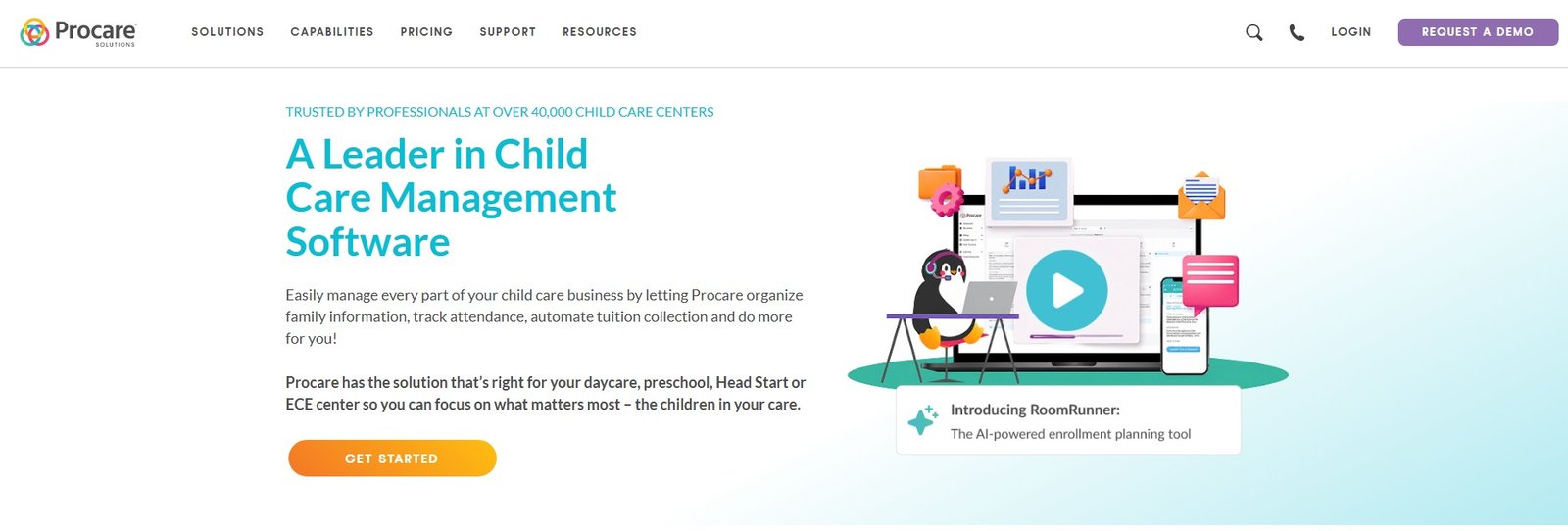
Website: Procare
Procare Solutions is an all-in-one childcare management platform. At its core it handles the daily operational jobs of a center: attendance and check-in (including a contactless kiosk), tuition and family billing, payment processing, payroll and financial reporting, staff management, classroom and curriculum tools, and family communication through a parent app.
Where Procare separates itself is the back office. Subsidy and agency billing, split family payments, sibling and multi-child discounts, late fees, and reconciliation are handled with more nuance than most competitors offer. It integrates with QuickBooks for accounting, Checkr for staff background checks, and Gusto for payroll, and it offers a built-in CRM for enrollment leads through its IntelliKid Systems acquisition.
In May 2026 Procare launched RoomRunner, an AI enrollment-planning tool that forecasts classroom openings and flags unused capacity up to twelve months out. Notably, Procare positions it as decision support, not an autonomous decision-maker: every recommendation requires a director’s explicit approval. We think that framing is the right one, and we will come back to why it matters in a childcare setting.
You can confirm the current module list on the official Procare site.
Who it is for
Procare fits you if any of these describe your center:
- You run multiple locations and need consolidated financials and per-site reporting.
- You bill government subsidies or agencies and need to track split payments and reconciliations cleanly.
- Your tuition is genuinely complex: tiered rates, drop-in care, sibling discounts, registration fees, and late fees layered together.
- You have a director or admin who will own the system and learn it properly, not a single overstretched owner doing everything between diaper changes.
- You want one platform for billing, payroll, attendance, and parent communication rather than stitching together separate apps.
It does not fit you if you are a single small program with simple flat tuition and a strong preference for a phone-first app your staff can pick up in an afternoon. In that case Procare’s depth becomes weight you carry without using, and you will likely be happier with a lighter tool. Be honest with yourself about which side of that line you are on, because it is the single biggest predictor of whether you will be glad you chose Procare a year from now.
If you are evaluating tooling for a larger operation, our broader guide to AI tools for daycare centers covers how a platform like this fits alongside scheduling, marketing, and communication tools.
What stands out
Billing depth. This is the headline and the reason Procare still wins deals against flashier rivals. If your money flow is complicated, Procare handles it without forcing you into workarounds. Subsidy tracking in particular is more mature here than in most modern apps.
Multi-site management. Consolidated reporting across centers, with the ability to drill into a single location, is built in rather than bolted on. Operators with three, ten, or thirty sites are a core audience, not an afterthought. Many modern apps treat multi-site as an enterprise add-on or a clumsy workaround; Procare treats it as a first-class workflow, which is why larger operators keep landing back on it after trialing the trendier options.
Contactless check-in. The kiosk and contactless check-in flow is mature. Parents and staff sign in and out at the door, attendance feeds straight into billing and ratio tracking, and the records are there when a licensing inspector asks. That tight loop between attendance, compliance, and billing is exactly the kind of unglamorous plumbing that separates a tool built for real centers from one built for a demo.
Financial reporting. The reports are deep and the QuickBooks integration is solid. A bookkeeper or accountant will find the data they need, which is not something we can say about every childcare app.
It has been around. Operating since 1992 and used by tens of thousands of centers, Procare is not going to vanish. For an operator making a multi-year commitment, longevity is a real, if unglamorous, feature.
RoomRunner’s restraint. The AI enrollment tool draws only on data already in your account and keeps the director in the loop on every recommendation. In a sector handling children and family finances, that conservatism is a strength, not a limitation.
Where it falls short
The learning curve is real. Procare is powerful, and power has a cost. New admins routinely need proper onboarding and time before they feel fluent. Compared with the near-instant familiarity of Brightwheel, this is a meaningful gap, and it is the most common complaint we see echoed across user reviews.
Support waits. A recurring theme in user feedback is longer response times from support than people expect. For a system this central to your operation, slow support during a billing crunch is more than an annoyance.
The interface feels dated. Procare has modernized, but it still reads as older and busier than Brightwheel or Famly. Staff and families coming from consumer apps notice. If parent delight is your priority, this matters.
Cost stacks up through add-ons. The advertised base price is not the price most centers pay. The parent communication piece, hardware, and implementation services are separate. We get into this next.
Pricing
Procare uses a modular subscription model, and that is the single most important thing to understand before you ask for a quote. Start from the fact that Procare publishes no price at all. Checked 1 September 2026, its pricing link redirects to a request form, and its own article titled “How much does Procare cost” contains no dollar amount anywhere. What Procare does commit to in writing is no setup fees, no contracts, no per-child billing that scales as enrolment grows, and onboarding, staff training and data migration folded into the initial cost.
Here is the honest shape of it, based on publicly reported figures. An in-home or very small program can start around twenty-five dollars per month for the basics. A licensed center that needs the cloud management plan plus the parent communication app lands closer to eighty-five dollars per month before extras. Add a check-in kiosk and the hardware can push the monthly cost well past two hundred dollars. Implementation, training, and data migration are priced separately and scale with your program size.
Procare offers both monthly and annual billing, with a discount on annual. Because pricing is modular and quote-based, treat every number here as directional and confirm your exact configuration through the Procare pricing request form or in a written quote. Childcare software pricing changes often, and the right figure depends entirely on which modules you switch on.
The practical takeaway: budget for the modules you will actually use, ask specifically about kiosk hardware and implementation fees, and do not anchor on the headline base price.
A useful way to sanity-check any quote is to build your own line-item list before the demo. Write down what you genuinely need: management plan, parent communication, payment processing, any kiosk hardware, payroll if you are not keeping that elsewhere, and one-time implementation and data migration. Ask the sales rep to price each line, then total it and compare against what you pay today. Centers that skip this step are the ones who feel blindsided when the second invoice arrives larger than the first. Procare’s modular model is fair, it is just not self-explanatory, and the burden is on you to add the pieces up.
One more honest note on value: a low base price that grows with add-ons is not inherently worse than a single all-in number, and for some centers the modularity is a genuine saving because you pay only for what you switch on. The danger is not the model, it is anchoring on the smallest figure and budgeting around it.
Children’s data privacy and what software must not do in a childcare setting
This deserves its own section, because childcare software holds some of the most sensitive data any small business handles: children’s names, photos, daily routines, health and allergy notes, pickup authorizations, and family financial details.
A few non-negotiables to verify before you sign with Procare or anyone else:
- Photos and daily activity logs must stay inside an access-controlled system. Parents should only see their own child. Confirm how the vendor scopes visibility and what happens to data if you leave.
- Data ownership and export. You should be able to export your records and have them deleted on request. Ask Procare directly about its data retention and deletion policy.
- Background-check data is regulated. If you use the Checkr integration, staff screening data carries legal obligations under fair-hiring rules. Treat it accordingly.
- Ask where data is stored and who can access it, including any subprocessors. Get the answer in writing.
On the AI side, the rules are sharper still. Software in a childcare setting must not make consequential decisions about a child or family on its own. An enrollment or capacity tool should recommend, not decide. It must not use children’s images or behavioral data to train models without explicit, informed consent. It must not surface a child’s information to the wrong family, and it must not quietly profile children. This is exactly why we noted Procare’s RoomRunner keeps the director in control of every recommendation and draws only on your own account data. That is the behavior to demand from any AI feature you let near a classroom. If you are weighing AI helpers for individual caregivers, our guides to AI tools for preschool teachers and AI tools for nannies apply the same caution at the individual level.
How it compares and alternatives
Procare’s real competition in 2026 is the wave of modern, mobile-first apps. The honest framing: Procare wins on financial depth, the newer apps win on usability and parent experience.
Brightwheel is the cleanest, most app-first experience and the easiest for families to adopt, but its billing is less deep for truly complex setups. We cover that tradeoff in detail in our Brightwheel review and the head-to-head Brightwheel vs Procare comparison.
Famly is strong on communication, parent engagement, and occupancy or enrollment analytics, with European roots and growing US presence. See our Famly review for who it fits, and Brightwheel vs Famly if you have narrowed to those two modern options.
Lillio (formerly HiMama) is the documentation specialist, strongest for centers that prioritize developmental observations and daily learning reports over billing complexity.
Procare vs the modern childcare platforms
| Tool | Best for | Billing depth | Interface | Pricing model |
|---|---|---|---|---|
| Procare | Multi-site, complex billing and subsidies | Deepest | Dated but powerful | Modular, low base plus add-ons |
| Brightwheel | Small to mid centers wanting ease and parent delight | Good, less deep for complex cases | Cleanest, most modern | Per-child or quote |
| Famly | Communication and occupancy or enrollment analytics | Solid, modular | Modern | Custom quote, modular |
| Lillio | Developmental documentation and daily reports | Lighter | Modern, friendly | Tiered, confirm on vendor |
Pricing for all four shifts frequently and depends on your configuration. Confirm current numbers on each vendor’s page before deciding.
Our verdict
Buy Procare if your billing is complex, you run multiple sites, you manage subsidies, and you have someone who will own the system and learn it. In that scenario nothing else on this list matches its financial depth, and the longevity of the platform is reassuring for a multi-year commitment.
Look elsewhere if you run a small, single-site program and your priorities are a clean app, instant adoption, and a delightful parent experience. In that case Brightwheel or Famly will make you happier, faster, and your families will thank you.
The honest summary: Procare is not the prettiest tool in childcare software, and it is not the one you fall in love with on the demo. It is the one you keep when your finances get complicated and the cheaper apps start forcing workarounds. Match it to your billing, not to your wish for a slick interface, and you will know whether it is right for you. Confirm your exact pricing and module list on the official Procare site before you commit.

Written by
FazFaz is the founder of AIToolsBakery. Some tools here are tested hands on. Others are assessed from vendor documentation and pricing verified on the live page, and every review says which one it is. Sponsors can buy a position in a guide. They cannot buy the score, the criticism, or silence about a better option.
How we test and how we make money →Frequently Asked Questions