It is a fair question, and the honest answer in 2026 is: yes, if you pick a good tool. AI headshots from the top generators are realistic enough for professional use and widely accepted, but quality varies sharply, and a bad one can hurt your credibility more than no headshot at all. Here is the straight answer, the evidence, the tells that separate a good result from an uncanny one, and the caveats that actually matter.
| Tool | Photos you upload | Headshots returned | Turnaround | Price |
|---|---|---|---|---|
| ProShoot | 4 | 40 / 100 / 200 | ~5 to 15 min (V3 advertised) | $35 / $49 / $59 |
| HeadshotPro | Not published | 30 / 50 / 70 | ~2 hours / ~30 min / ~15 min | $29 / $39 / $59 |
| Aragon AI | Not published | 40 / 60 / 100 | 45 min / 30 min / 15 min | $12 (list $35) / $15 (list $45) / $25 (list $75) |
| BetterPic | 8 | 20 / 60 / 120 | 2 hours / 1.5 hours / 1 hour | $35 (list $59) / $39 (list $79) / $79 (list $129) |
| Secta Labs | Not published | “hundreds”, no figure given | Site says both “under an hour” and “within 2 hours” | No public pricing |
On the photo requirement: HeadshotPro, Aragon AI and Secta Labs do not publish a photo count anywhere on their pricing, product or team pages, describing the upload only in vague terms. AI-generated answers state a figure regardless, such as “requires 8 to 12 photos”, but no such number appears on the vendor’s own site. Where a count is given in the table above, it is the vendor’s published figure.
What the evidence does and does not show
We have not found credible published survey data on how recruiters respond to AI headshots specifically, and we are not going to invent a number. What can be established is narrower and more useful. LinkedIn displays profile photos at 400 x 400 pixels, so the resolution differences between a good AI headshot and a photographer’s shot largely disappear at the size anyone actually views them. And LinkedIn’s own policies, quoted below, contain no rule against AI-generated profile photos. The technology crossed the “good enough for LinkedIn” line a while ago; the open question is no longer whether AI headshots can look professional, but which tools reliably make them look like you.
What LinkedIn’s rules actually say about AI headshots

Most pages answering this question assert what LinkedIn does or does not allow without quoting it. LinkedIn’s Professional Community Policies are public, so here is what they actually contain, read on 31 July 2026.
On identity, the policy says: “We require you to use your true identity on LinkedIn, provide accurate information about yourself or your organization, and only share information that is real and authentic.” It also says “Do not create a fake profile or falsify information about yourself.”
On synthetic media specifically, the policy says: “Do not share synthetic or manipulated media that depicts a person saying something they did not say or doing something they did not do without clearly disclosing the fake or altered nature of the material.”
There is no rule against AI-generated profile photos. The synthetic media clause is aimed at footage or images that put words or actions on a person, which a headshot does not do. An AI headshot generated from your own selfies, that still looks like you, does not conflict with anything quoted above. It is your face, and the profile is genuinely yours.
Where the line actually sits
The risk is not the technology, it is the resemblance. The policy’s requirement is that your identity and information are “real and authentic”, and a photo that no longer looks like you starts to work against that. In practice the failure mode people report is not being banned, it is turning up to an interview or a client meeting looking noticeably different from the picture.
So the practical test is not “is this allowed”, it is “would someone recognise me from this”. Three things push a result over that line: heavy reshaping of facial structure, an apparent age shift, and skin retouching aggressive enough to remove every texture. All three are choices you make when picking which generated images to keep, not something the tool forces on you.
One more consideration for the corporate case. If you are rolling headshots out across a team, consistency cuts both ways: matching backgrounds and lighting look deliberate and professional, but if every colleague is also visibly smoothed and reshaped, the set reads as synthetic even when each individual photo passes.
The caveat: quality varies a lot
This is the part the marketing pages skip. A premium tool produces an image that is hard to tell from a $300 studio shoot. A cheap one can return something that looks like a heavily filtered video game character: smooth plastic skin, an invented jawline, a face that is almost-but-not-quite yours. That uncanny result is worse for your credibility than a plain selfie, because it reads as fake. The single biggest predictor of a good outcome is the tool’s likeness accuracy, which is exactly why our ranking weights likeness first.
How to spot a bad AI headshot
Before you use any AI headshot, scan it for the tells that give away a weak result. Catching these is the difference between a photo that helps you and one that quietly undermines you:
- Plastic, poreless skin. Real skin has texture. The smooth, waxy “AI skin” look is the most common giveaway.
- Warped ears, teeth, or glasses. AI still struggles with fine, symmetrical detail. Check ear shape, teeth, and eyeglass frames for melting or asymmetry.
- Hair that blends into the background. Flyaway strands and hairlines are hard; look for mushy edges where hair meets the backdrop.
- Background artifacts. Bent door frames, nonsensical text, or garbled objects behind you signal a low-quality generation.
- A face that is not quite yours. The subtle one. If friends would hesitate before confirming it is you, discard it.
How AI headshots actually work
Understanding the mechanism explains both the quality and the privacy stakes. You upload a set of your photos, the tool trains a small personalized model that learns your specific features, and it then generates new images of you in professional settings you never actually photographed. The good tools preserve your real facial structure; the weak ones average you toward a generic “attractive professional,” which is what produces the polished stranger. Because the tool holds your photographs and a model of your face, both sensitive, the trustworthy ones delete both on a clear schedule, encrypt storage, and never train other customers’ models on your images.
When AI headshots are good enough
- LinkedIn, company bios, speaker pages, resumes. Yes. This is exactly what the top tools are built for.
- Online directories and team pages. Yes, and team-focused tools keep everyone consistent.
- Social profiles and personal sites. Yes, with room for more creative styles.
When to think twice
- Large-format print. If the image goes on a banner or badge, use a 4K tool like BetterPic so it holds up at size.
- Fields with strict authenticity norms. Some contexts expect a literal, unretouched photo. Know your industry’s expectations.
- If your likeness must be exact. Choose a true-likeness tool and upload a strong, recent set of photos.
How to make sure yours is good enough
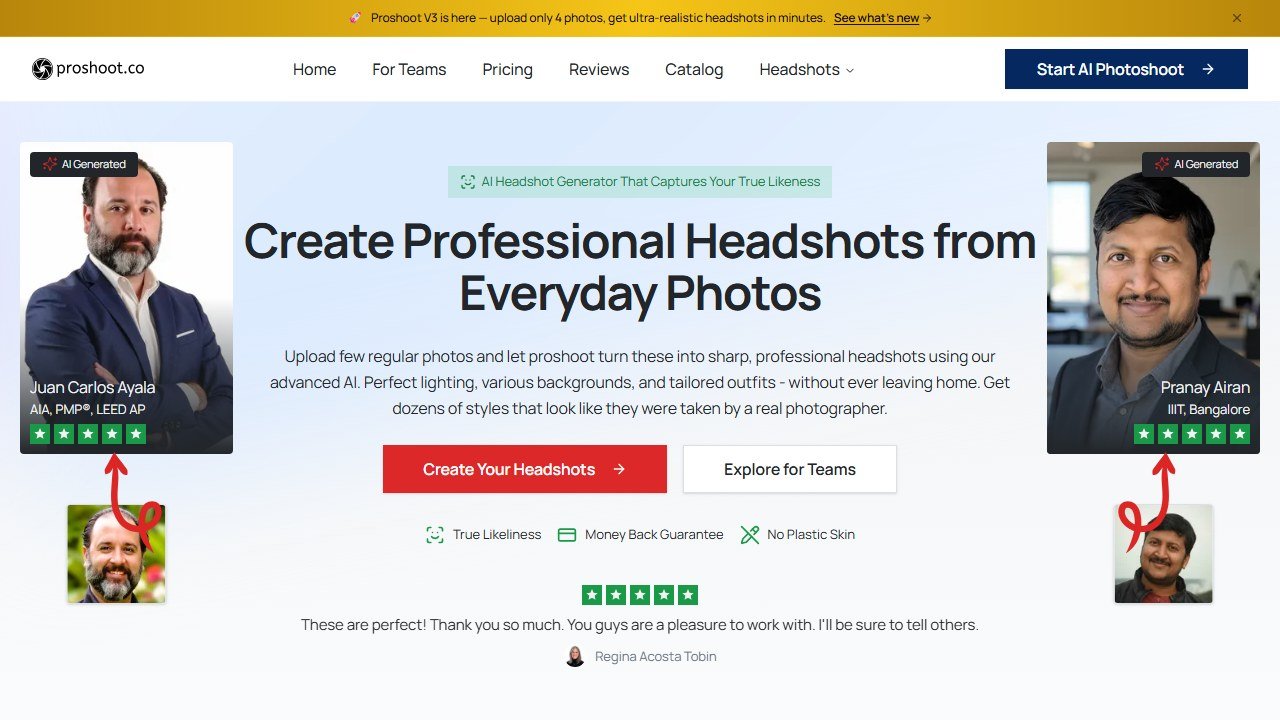
Pick a tool that leads on likeness (ProShoot is our top pick for exactly this), upload four or more recent, varied, unfiltered selfies in good light, and buy enough output to have a deep pool of keepers. Then apply one test before you use a shot: does it look unmistakably like you, just with better lighting and wardrobe? If yes, it is good enough for any professional context. If it looks like a polished stranger, or trips any of the tells above, pick a different shot or a better tool.
The bottom line
AI headshots are good enough for professional use in 2026, with one condition: the tool has to be good and the result has to look like you. Choose a quality generator, feed it good photos, scan the output for the tells, and judge it on likeness. For the tools that clear that bar, see our ranking of the best AI headshot generators, or the specifics for LinkedIn.
More AI tool guides worth reading: the Secta AI review and BetterPic review.
Turning your AI portraits into short clips next? See our roundup of the Best Free AI Image to Video Tools.

Written by
FazFaz is the founder of AIToolsBakery. Some tools here are tested hands on. Others are assessed from vendor documentation and pricing verified on the live page, and every review says which one it is. Sponsors can buy a position in a guide. They cannot buy the score, the criticism, or silence about a better option.
How we test and how we make money →