You hold warrior two for the third breath, and a quiet doubt creeps in. Is the front knee actually tracking over the ankle, or has it drifted inward the way it always does when nobody is watching? At home, with no teacher in the room, that question goes unanswered for years. The promise of an AI yoga app is that your phone camera becomes the eyes that catch the drift and tell you about it before it becomes a habit.
That promise is real, but it is also oversold. AIToolsBakery is independent. We sell none of these apps, we take no cut of any subscription, and we are not one of the vendors filling page one with their own marketing or the affiliate roundups quietly ranking whoever pays the highest commission. What follows is the honest version: which apps actually point a camera at your body and give you live feedback, which ones only personalize a class and call it AI, and how good the feedback really is once you stop reading the feature list and start practicing.
This guide is for the practitioner who wants form feedback at home. If you are a teacher looking for tools to plan classes, write themes, and market a studio, that is a different job and we cover it in our guide to AI tools for yoga instructors.
The 30-second answer: For true camera-based pose feedback, Zenia is the most yoga-specific option, while Onyx and Vay-powered apps correct general movement well. Down Dog and Glo give you world-class personalized classes but no live correction. Pliability is for mobility, not posture coaching. Start free, test the camera in your own room, and keep your expectations honest.
Quick answer: Only a few yoga apps actually watch your body and correct form; Zenia and Onyx lead here using your phone camera. The polished class generators personalize beautifully but never see you, so they cannot fix a pose. Know which of the two products you are buying before you pay.
First, the distinction nobody tells you about
“AI yoga app” gets stretched to cover three very different products, and conflating them is how people waste money.
The first kind uses your camera and computer vision to watch your body in real time. It tracks joints, estimates angles, and tells you when your hips are uneven or your knee has collapsed. This is the hard category, and the one most people mean when they search for form correction.
The second kind uses AI to generate a personalized class. It picks poses, sequences, pacing, and music based on your level and goals, so no two sessions repeat. That is genuinely useful, and it is real machine intelligence, but it never sees your body. It cannot correct anything.
The third kind is a high-quality streaming library with smart recommendations. Excellent teachers, deep catalogs, no camera.
Only the first kind does what “form correction” actually describes. We will be clear throughout about which bucket each app sits in, because the marketing rarely is.
The apps that actually watch your body
These are the camera-based tools. They are the answer to the search, and also the ones whose accuracy you should scrutinize hardest.
Zenia
Zenia is the most yoga-native of the camera apps. It uses your phone’s front camera to track roughly 16 joints across your body and gives real-time voice feedback while you hold a pose, calling out when your alignment drifts. It was one of the first apps to bring motion tracking to yoga specifically, rather than bolting yoga onto a general fitness tracker, and that focus shows in how it talks to you. The cues are spoken in yoga language, not gym language.
The honest limit: pose detection from a single phone camera is genuinely difficult, and Zenia is most reliable on clearly defined standing poses with good separation between limbs. In poses where your body folds over itself, like a deep twist or a forward fold, a flat 2D camera struggles to tell where one limb ends and another begins, and the feedback gets vaguer or occasionally wrong. Treat it as a sharp prompt to check yourself, not a verdict. Pricing runs on a subscription with a free entry point. Confirm the current tiers in the app, since they change.
Who gets the most from Zenia: a newer practitioner who has learned the names of the poses but has not yet built the internal sense of when an alignment has slipped. For that person, a spoken cue at the right moment is a real teaching aid. A seasoned practitioner with strong body awareness will find it less revelatory, because they are already running the correction loop in their own head. If you are early in your training and want structured guidance generally, our guide to AI personal trainer apps for beginners covers the same logic across the wider fitness space.
Onyx
Onyx is a general movement app rather than a yoga app, but it belongs here because its camera tracking is among the better consumer implementations, and plenty of people use it for the strength and mobility work that supports a yoga practice. On supported iPhones with the front-facing depth sensor, it renders you as a silhouette, counts reps, and gives spoken corrections like straighten your back or go lower, comparing your motion against a reference.
The honest limits are two. First, the best tracking historically leaned on TrueDepth hardware, so check device compatibility before you commit. Second, its library is built around bodyweight and strength formats, so it is a complement to yoga rather than a replacement for a dedicated flow. If your goal is alignment in classical asana, this is the wrong tool. If your goal is camera-checked squats, lunges, and core work alongside your mat time, it is one of the strongest options. For the broader picture of what camera correction can and cannot do in home training, our look at AI pose correction apps for home workouts goes deeper on the technology.
Vay-powered apps
Vay is slightly different: it is the motion-analysis engine behind other apps rather than a consumer app you download by that name. Its computer vision tracks up to about 30 landmarks and joint rotations from an ordinary camera, and it powers fitness, rehab, and digital-health products. We mention it because if you find a yoga or movement app that advertises real-time form feedback and names Vay as the underlying tech, you are looking at a serious, clinically-oriented tracking layer rather than a marketing buzzword.
The honest limit: because Vay is infrastructure, your actual experience depends entirely on the app that wraps it. A great engine in a poorly designed app still gives you a poor session. Judge the front-end product, not just the badge, and read recent reviews of the specific consumer app rather than trusting the engine’s reputation. Vay also points toward an important truth for anyone using these tools near an injury: motion tracking is not physical therapy, and how an app handles that boundary tells you a lot about how seriously it takes your safety. For the wider context of where camera coaching sits among home fitness tools, see our pillar on the best AI workout apps.
The apps that personalize brilliantly but never see you
These are excellent products. They are just not form-correction tools, and you should buy them knowing that.
Down Dog
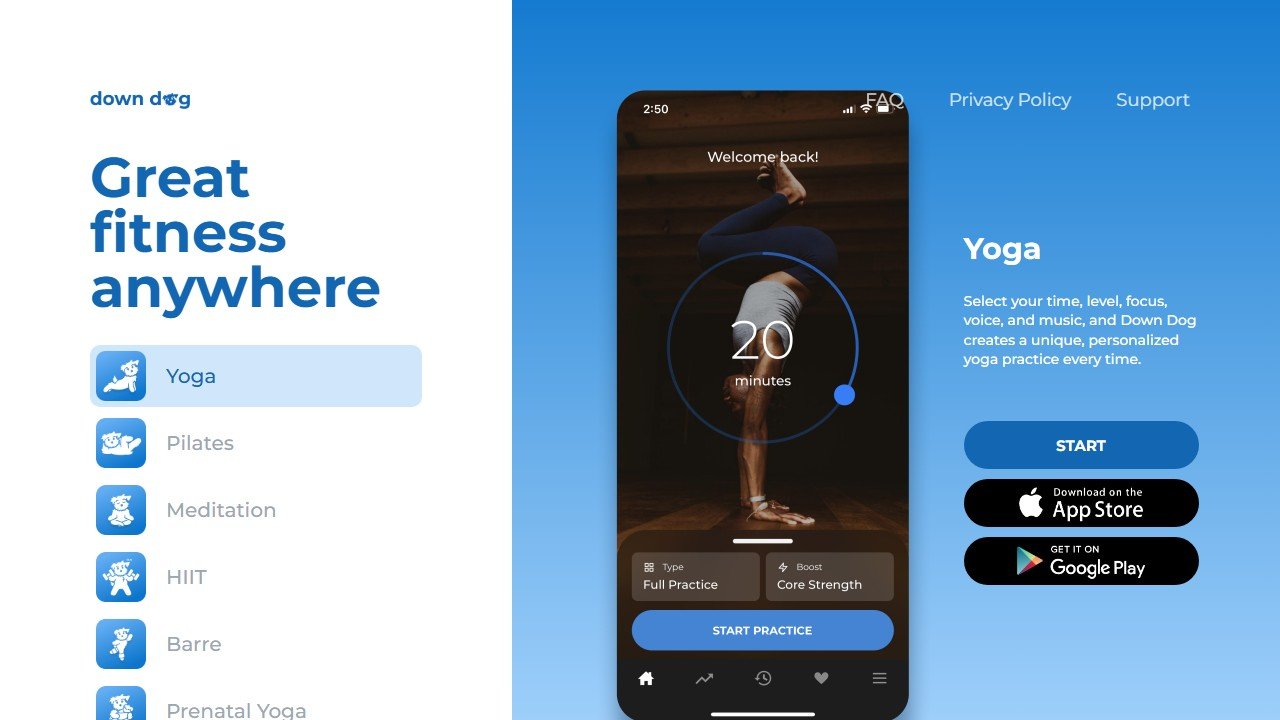
Down Dog is the strongest personalized class generator in the category. Every time you press start, it builds a fresh practice from your chosen level, focus, pace, length, voice, and music, drawing on an enormous number of possible configurations so the same routine almost never repeats. For variety and for never staring at a fixed video library again, it is hard to beat, and it has a usably generous free tier with a reasonable subscription above it.
The honest limit, stated plainly: there is no camera, no tracking, and no correction. It will hand you a beautifully tailored sequence and trust you to execute it. For a practitioner who already has decent body awareness and just wants endless fresh, well-built classes, that is exactly right. For someone who specifically needs alignment feedback, it does not address the problem at all.
Glo
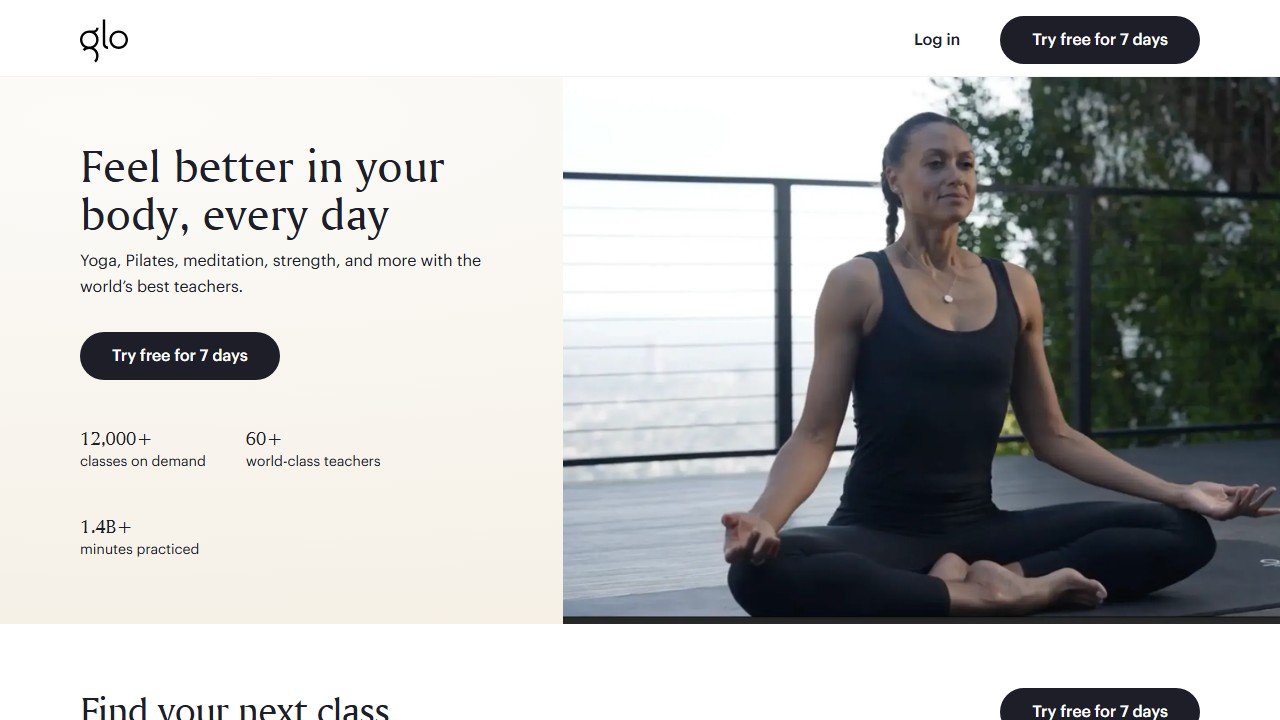
Glo is the premium streaming library: a deep catalog of yoga, Pilates, and meditation taught by genuinely well-known teachers, with live daily classes and smart recommendations layered on top. The teaching quality is the draw, and for many people a great human teacher on video beats a robotic cue from a phone any day. It sits at the higher end on price, around the cost of a couple of studio drop-ins per month, with a free trial to test the catalog.
The honest limit is the same as Down Dog’s, plus the price. No camera, no live correction, and a subscription that only makes sense if you will use the library often enough to beat the per-class math. If you want the energy and precision of a named teacher and you do not need a machine watching you, Glo is the splurge that earns it. If you want form feedback, you are paying premium money for the wrong feature set.
The mobility outlier
Pliability
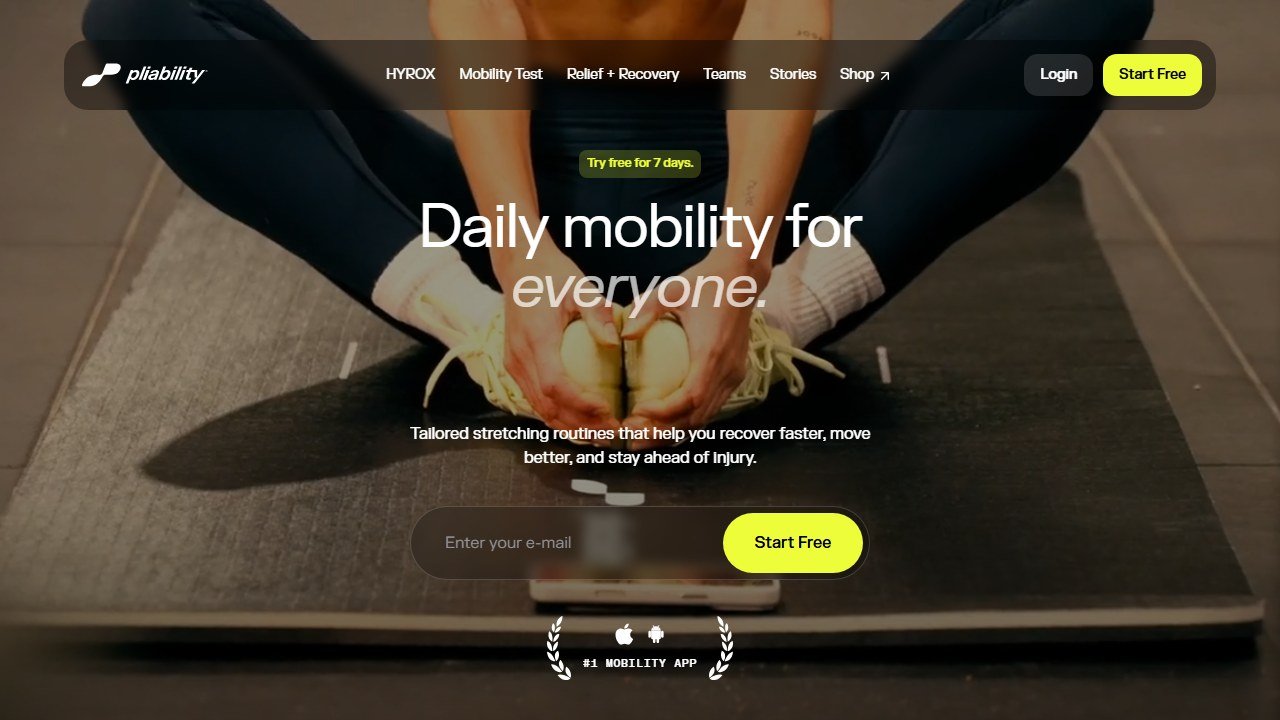
Pliability, formerly known as ROMWOD, is built around flexibility and mobility rather than yoga flow, with a large and growing library of routines aimed at range of motion and recovery. Athletes and lifters lean on it as a structured stretching habit. It is a fine product for that job.
The honest limit for this guide: it has no real-time pose detection or camera correction, and it is not trying to. If your search for an AI yoga app is really a search for a daily mobility routine that keeps you consistent, Pliability fits. If it is a search for something that watches your warrior two, it does not.
How the apps compare
One table, the honest version. Pricing is qualitative on purpose, because tiers and trials shift constantly and you should confirm on each vendor’s own page before paying.
| App | Real-time camera correction | Best for | Price or free tier |
|---|---|---|---|
| Zenia | Yes, yoga-specific, ~16 joints | Practitioners wanting spoken alignment cues in asana | Free entry, subscription above |
| Onyx | Yes, strong general tracking | Camera-checked strength and mobility beside yoga | Free entry, subscription above |
| Vay-powered apps | Yes, via the underlying engine | Anyone whose chosen app names Vay as its tracker | Depends on the wrapping app |
| Down Dog | No | Endless fresh, personalized classes | Generous free tier, affordable paid |
| Glo | No | Premium teaching, live classes, deep catalog | Higher end, free trial |
| Pliability | No | Daily mobility and flexibility habit | Subscription, free trial |
A lean way to start
You do not need to pay for anything to learn what these tools actually do for you.
- Install one camera app, Zenia is the obvious yoga pick, and one class generator, Down Dog is the obvious choice, on their free tiers.
- Set your phone where it can see your full body, with even light and a plain background behind you. Bad framing causes more bad feedback than bad software does.
- Run three standing poses you know well and watch how accurate the live cues feel. This is your honesty test for whether the tracking helps you specifically.
- Run one Down Dog class to feel the difference between correction and personalization. Decide which job you actually want solved.
- Only then pay, and pay for the one app whose single job you confirmed you needed. If you want a wider view of the whole category first, our pillar on the best AI workout apps maps how yoga fits the broader landscape.
What these apps still cannot do
Be clear-eyed about the ceiling, because the marketing will not be.
A single phone camera produces a 2D estimate of a 3D body. It reads a clean front-facing standing pose reasonably well and struggles with twists, deep folds, inversions, and anything where limbs cross or hide each other. When the feedback contradicts what your body plainly feels, trust your body and a qualified teacher over the algorithm.
These apps are not a substitute for a real teacher’s hands and eyes, and they are not medical advice. If you are working around an injury, are pregnant or postpartum, or have a condition affected by exercise, talk to a doctor or a qualified physical therapist before leaning on an app for guidance. Software that says go lower does not know about your disc, your shoulder, or your blood pressure.
And the class generators, however clever, will never correct a single pose, because they cannot see you. That is not a defect. It is just the line between two different products, and knowing which one you are buying is the whole point of reading past the homepage. The right app is the one whose actual job matches the actual question you were asking when you held that warrior two and wondered if your knee was where it should be.
Where a fitness app should stop and a professional should start
This category sits close to health advice without being health care, and the distinction matters for the reader rather than for the vendor.
Nutrition tools estimate, they do not measure
Calorie and macro figures from photo recognition or database lookup carry meaningful error, both in portion estimation and in the underlying food data. That is fine for tracking a trend over weeks, which is what most people need. It is not fine as a basis for aggressive restriction, and anyone with a history of disordered eating should be pointed away from precise daily tracking rather than towards a better tracker.
Wearable recovery scores are directional, not diagnostic
Sleep staging, readiness and recovery metrics from consumer wearables are useful for spotting your own patterns over time and unreliable as absolute measurements on any given night. Use them to notice a fortnight of poor sleep. Do not use them to decide whether a symptom needs attention, and be wary of any app that encourages that reading.
Anything involving pain, pregnancy, injury or a medical condition needs a human
Postpartum training, rehabilitation, cardiac conditions, hypermobility, pregnancy and any current injury all need individual clinical assessment. An app can support a programme a professional has designed, and it cannot design one safely from a questionnaire. The good tools in these areas say so plainly on their own marketing; treat the ones that do not as a warning.
What a coach should check before recommending anything
Whether the app claims to diagnose or treat, what it does with health data, and whether it has any mechanism for escalating a red flag. If a client tells the app about chest pain during exercise, what happens? Most consumer tools have no answer to that, which is exactly why the coach relationship is the safety layer rather than the software.

Written by
FazFaz is the founder of AIToolsBakery. Some tools here are tested hands on. Others are assessed from vendor documentation and pricing verified on the live page, and every review says which one it is. Sponsors can buy a position in a guide. They cannot buy the score, the criticism, or silence about a better option.
How we test and how we make money →Frequently Asked Questions