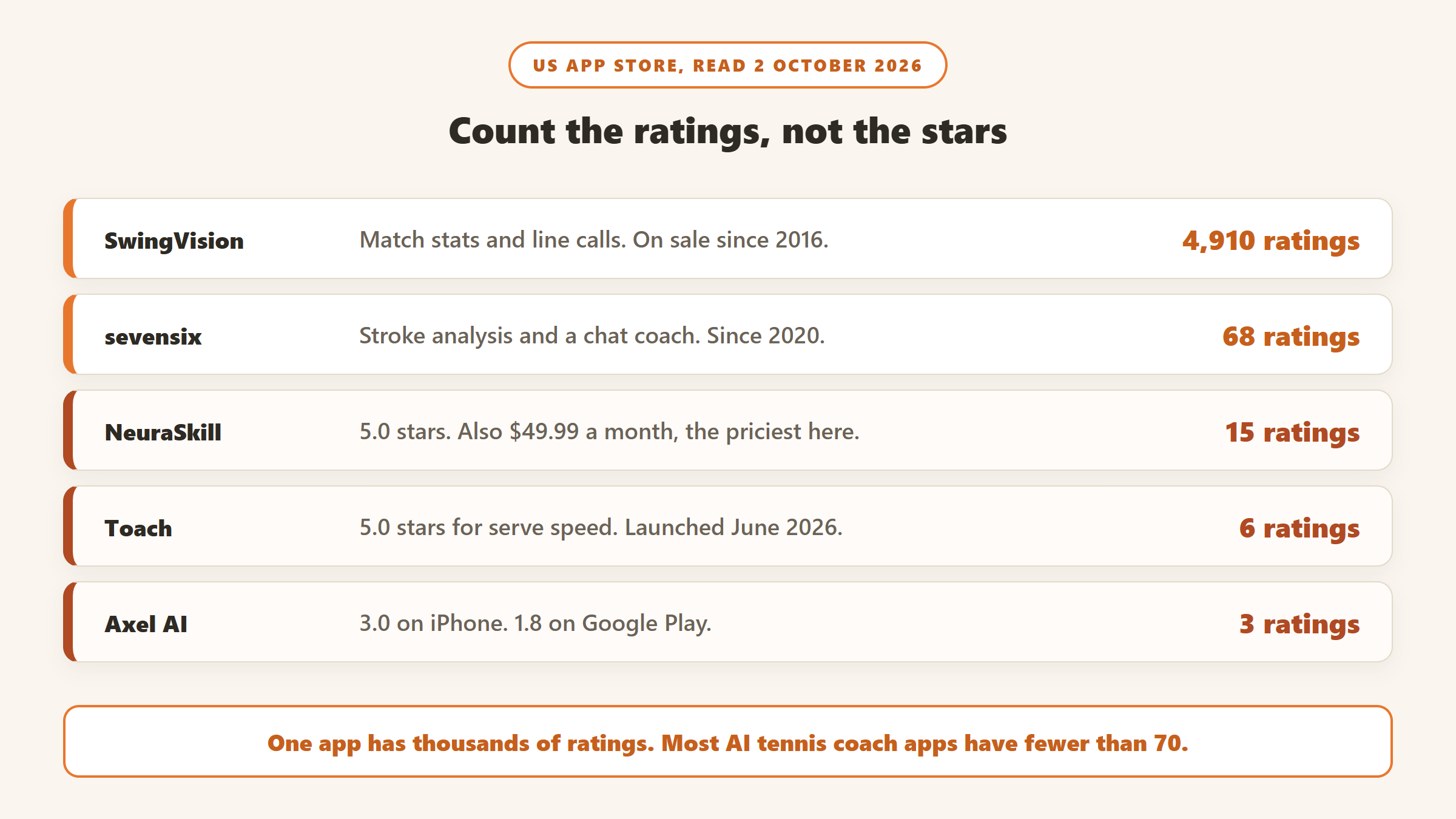
Search the App Store for an AI tennis coach and you get one app with thousands of ratings and a long tail of apps with a handful each. That shape tells you most of what you need to know about this category in 2026. One product has been around long enough to be proven at scale. Most of the rest arrived in the last eighteen months, and some of them make claims you cannot check.
The other thing worth knowing up front is that two quite different products share the “AI tennis coach” label. One kind films your match and turns it into statistics: shot speed, depth, line calls, highlights. The other kind films a single stroke and tells you what to fix in your technique, often with a chatbot coach attached. Most players want one or the other, and buying the wrong kind is the most common way to waste a subscription here.
How we put this together. We have not used these apps ourselves; this is a research-based comparison. Every price, rating and feature below comes from the vendor’s own website or its US App Store and Google Play listing, read on 2 October 2026, and we link to each source. App Store prices are the US in-app purchase prices in US dollars. Ratings counts are the US App Store figures on that date. Nothing below is a test result, and where a vendor makes a claim we could not verify, we say so.
Match stats or stroke coaching: the split that decides everything
The apps in this guide fall into two groups, and the price difference between them reflects how much work each is doing.
Match and practice statistics
SwingVision is the only established app in this group. You mount a phone behind the baseline, play, and it tracks the ball and both players from a single camera. Afterwards you get shot speed, depth and consistency, scores, line calls and highlight clips with the dead time cut out. It is closer to a broadcast statistics package than to a coach, though it does add coaching suggestions after each session.
Stroke and technique coaching
Everything else here is in this group. You film one stroke, usually a few seconds from the side with your whole body in frame, and the app tracks your joints and racket to score your technique and suggest a fix. Several now add a chat assistant that answers questions about tactics, training and equipment. The quality of the camera work matters a lot for these: almost every vendor tells you exactly where to stand the phone, and those instructions are the best guide to what the analysis can and cannot see.
If you mostly want to know why you lost a match, you want the first group. If you want to know why your forehand lands short, you want the second.
AI tennis coach apps compared
| App | What it does | Price (US) | Free option | Platforms | US App Store ratings |
|---|---|---|---|---|---|
| SwingVision | Match stats, line calls, highlights | Plus $14.99/mo or $95.99/yr; Pro $24.99/mo or $179.99/yr; Max $39.99/mo or $299.99/yr (in-app) | Free tier with limited recording | iPhone, iPad, Apple Watch, Mac | 4.7 (4,910) |
| sevensix | Stroke analysis, AI chat coach | $14.99/mo or $149.99/yr; single analyses from $1.99 | Pay per analysis | iPhone | 4.2 (68) |
| Axel AI | Chat coach, stroke analysis | $6.99/mo or $69.99/yr; analysis $1.99 | Web chat | iPhone, Android, web | 3.0 (3) |
| TennisCoach.app | Browser stroke analysis, chat coach | Free | 3 analyses a day with an account | Web | No app listing |
| OnCourtAI | Stroke analysis, tennis and padel | Free, per its site | Yes | Web; iOS and Android per its site | Not found in US search |
| Toach | Serve speed, stroke scoring | $9.99/mo or $79.99/yr | Free assessment | iPhone | 5.0 (6) |
| SwingIQ | Stroke ratings | $5.99/mo or $59.99/yr | Not stated | iPhone | 5.0 (2) |
| NeuraSkill | Serve feedback in real time | $49.99/mo | Not stated | iPhone, Android | 5.0 (15) |
Prices and ratings read on 2 October 2026. App Store prices change, and several apps list more than one price for the same plan, so check the store before you subscribe.
How we chose and ordered these
Every app here had to use a camera or a model to analyse your tennis, not just host videos or log scores. We ordered them by how much public evidence exists that the product works at scale, which in practice means ratings volume, how long the app has been on sale and how often it is updated, then by price. A five-star average from six ratings is not the same evidence as a 4.7 from nearly five thousand, so we show the count next to every rating. None of these vendors paid for placement on this page.
1. SwingVision: the one with a track record
SwingVision has been on the App Store since 2016 and holds a 4.7 average from 4,910 US ratings, more than every other app in this guide combined. It describes itself as the official player and ball tracking app of Tennis Australia, the LTA and the ITA, and links an ITF player analysis technology approval certificate from its site. It also covers pickleball.
From one phone camera it tracks shot speed, depth, accuracy and rally length, keeps score, calls lines for both sides of the court, trims dead time and cuts highlights. Higher tiers add strategy insights on your best and worst shot patterns, 4K video and family sharing for up to five people. The practical limit on each plan is recording hours a month: its own plan comparison lists 16 hours on Plus, 30 on Pro and 60 on Max, with a smaller allowance on the free tier.
The price depends on where you buy it
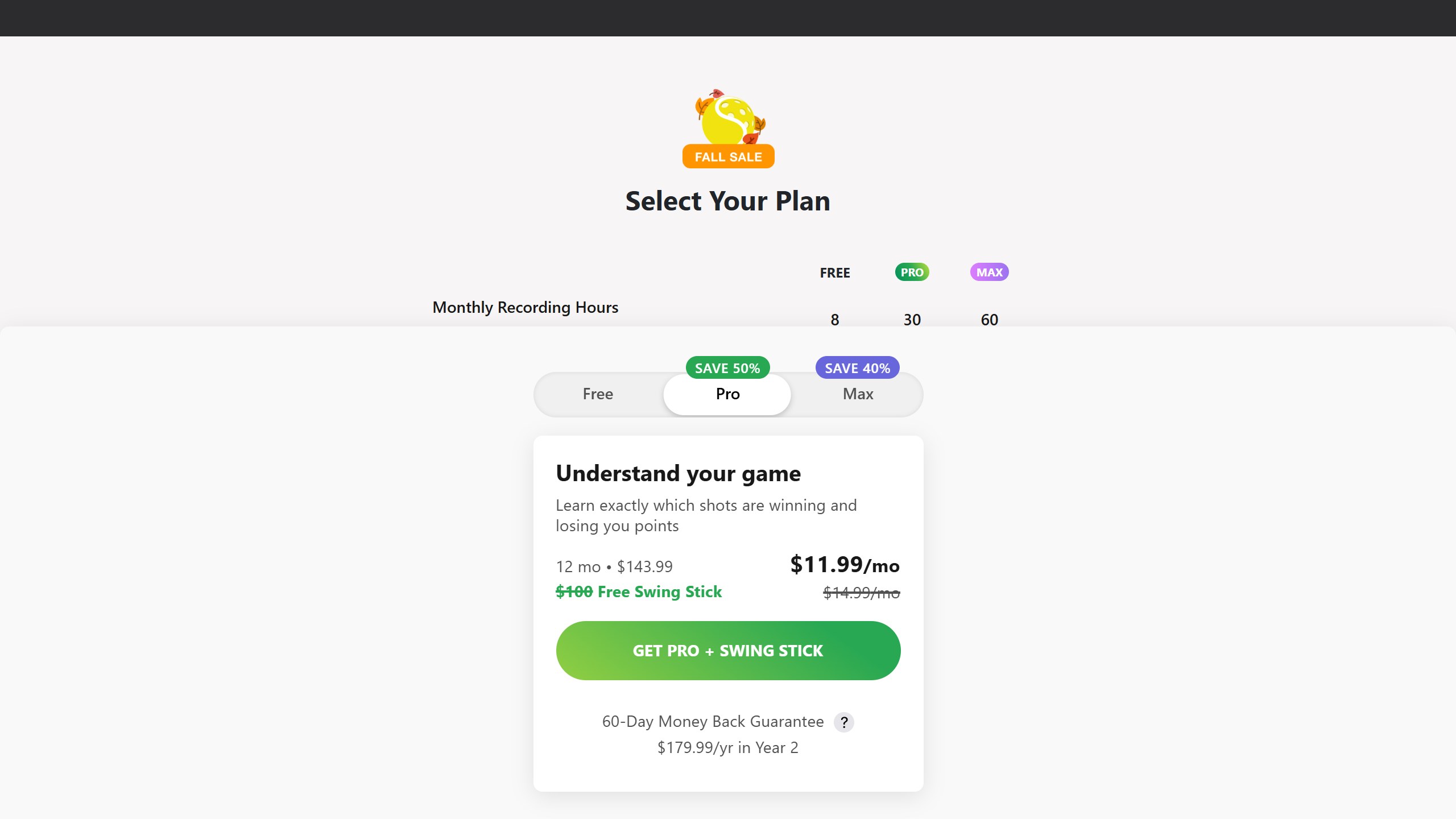
In the App Store, Plus is $14.99 a month or $95.99 a year, Pro is $24.99 a month or $179.99 a year, and Max is $39.99 a month or $299.99 a year. On its own website on 2 October, SwingVision was offering Pro at $143.99 for the first 12 months with a free Swing Stick mount it values at $100, then $179.99 a year from year two. That is a promotion and may change, but it means the first year of Pro was cheaper on the web than in the app. Check both before you pay.
The catch: Apple only
SwingVision runs on iPhone, iPad, Apple Watch and Mac. Its own FAQ includes the question “When will SwingVision come to Android?”, and we could not find it on Google Play. If you are on Android, it is not an option today.
Choose it if you play matches and want statistics, line calls and video you can share. Skip it if you want detailed technique correction on a single stroke, or you do not own an iPhone.
2. sevensix: the most established stroke coach
sevensix is a Norwegian app that has been on the App Store since September 2020, with a 4.2 average from 68 US ratings. That is a small number by SwingVision’s standard, but it is the largest of the stroke-coaching apps here. You record a stroke on your iPhone and it analyses swing path, timing, impact point and mechanics, and compares your technique with professional players.
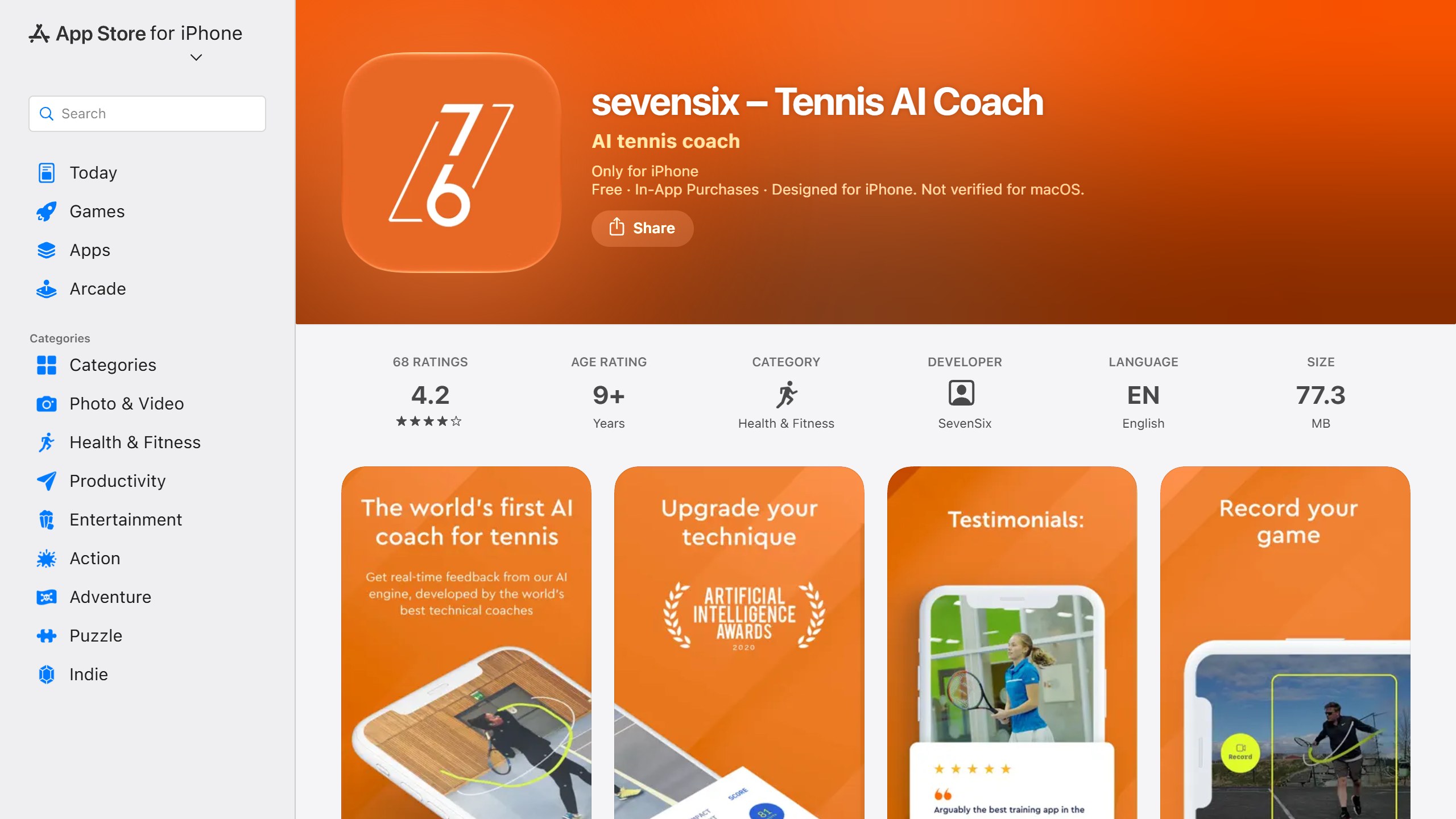
Its newer AI Coach Assistant is a chat feature that uses your recorded swings, player profile, racket details and history to answer questions about technique, tactics, training plans, injury prevention, equipment and match preparation. In-app prices are $14.99 a month or $149.99 a year, and it also sells analyses one at a time: $1.99 for one, $3.99 for three or $4.99 for five. That pay-per-analysis option is useful if you only want to check a stroke occasionally. We could not find it on Google Play.
Choose it if you want technique analysis with the longest track record in this group. Skip it if you are on Android.
3. Axel AI: the cheapest established subscription
Axel AI calls itself “the GPT of tennis”. It is a chat coach first: you ask about beating a particular style of opponent, nerves at 4-4, or a match plan for tomorrow, and you can upload a stroke video for what it calls a full biomechanical analysis. Its web version runs in English, French and Spanish, and it asks for your height because it uses it in the calculation.
On iPhone, Premium is $6.99 a month or $69.99 a year, with single analyses at $1.99. It is also on Android. The evidence is thin on both stores, though: on 2 October the US App Store showed a 3.0 average from 3 ratings, and the Google Play listing showed 1.8 stars with more than 10,000 installs. A low Android score on that many installs is worth reading the reviews for before you subscribe.
Choose it if you mainly want to talk through tactics and practice plans, cheaply. Skip it if you want an app with a strong public rating record.
4. TennisCoach.app: free, in the browser, and your video stays put
TennisCoach.app is a website rather than an app store download, and it is free: a free account gives you three AI video analyses a day, and the chat coach, training plans and a string tension calculator are free too. You film one stroke for three to ten seconds from the side, upload it, and it reports a technique score, your level, one priority fix, drills and an optional training plan.
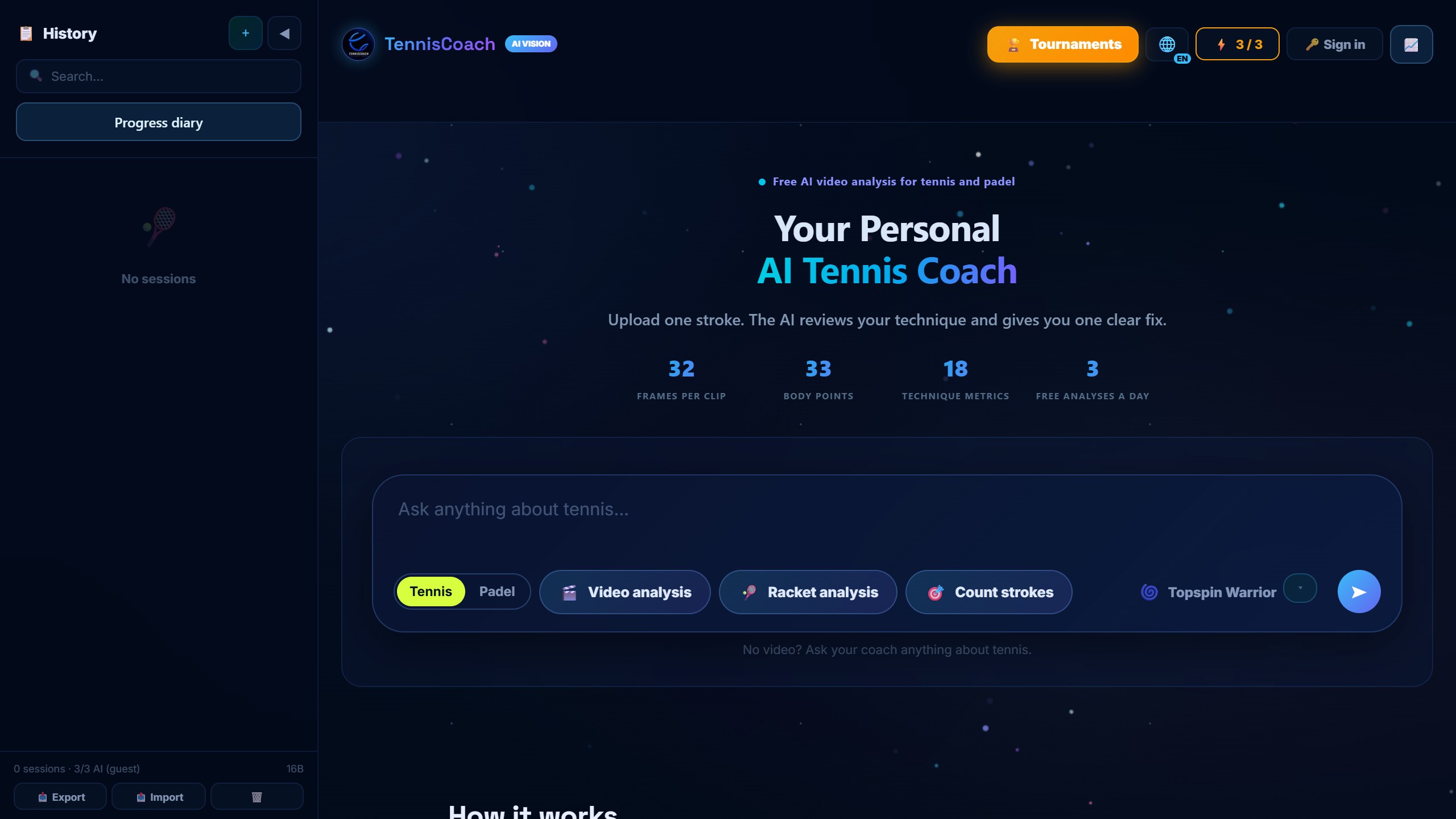
The detail that sets it apart is how it handles your video. It says your browser pulls up to 32 frames and tracks 33 body points, and that “the video file itself stays on your device”. If you are wary of uploading clips of yourself or your children to an unknown company, that is a meaningful difference. It also covers padel.
Choose it if you want to try AI stroke analysis without paying or installing anything. Skip it if you want a polished mobile app or match statistics.
5. OnCourtAI: free, with padel, but hard to find in the stores
OnCourtAI is a UK service that says it is free, available on the web, iOS and Android, and returns an analysis in under 30 seconds. It tracks more than 20 body points, identifies the stroke type and estimates racket speed, and it has a separate padel coach. It quotes 98% accuracy for shot detection and says 87% of its players see improvement; those are its own figures, and we could not verify them.
One practical note: on 2 October we could not find OnCourtAI by searching the US App Store or Google Play, and the “Get the App” buttons on its site lead to its own mobile app page rather than to a store listing. The web version is the reliable way in.
Choose it if you play both tennis and padel and want a free option. Skip it if you need a store-listed app you can find and review first.
6. Toach: serve speed without a radar gun
Toach launched in June 2026 and has a 5.0 average from 6 ratings. Its distinctive feature is serve speed: prop your iPhone on the fence and it clocks each serve in mph or km/h and puts the number on the replay. It also names each stroke as you hit it, scores forehands and backhands, and gives a short spoken note from a virtual coach on what to fix. A free assessment of ten forehands and ten backhands is available before you pay; Pro is $9.99 a month or $79.99 a year.
Choose it if serve speed is the number you care about. Skip it if you want an app with more than a few months of history.
7. SwingIQ: the lowest subscription price
SwingIQ records a forehand, backhand, slice or serve and rates it across several attributes with suggestions to improve, and tracks your progress over time. At $5.99 a month or $59.99 a year it is the cheapest subscription here. It launched in October 2025 and had two ratings on 2 October 2026, so there is very little public evidence either way.
Choose it if price is the deciding factor and you are happy to judge it yourself. Skip it if you want reviews from other players first.
8. NeuraSkill: the most expensive, and the boldest claims
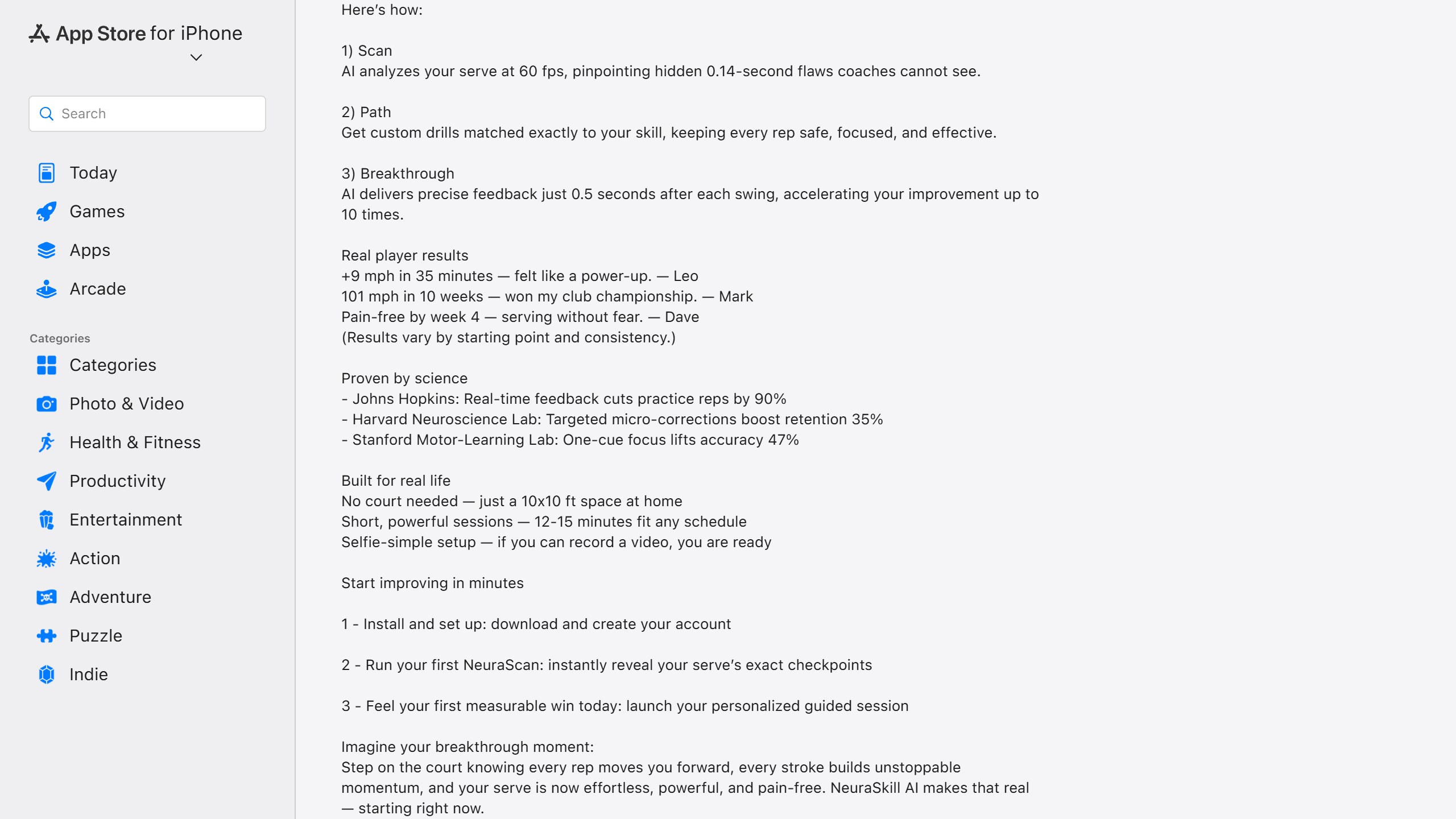
NeuraSkill focuses on the serve and promises feedback half a second after each swing. At $49.99 a month it costs more than three times SwingVision Plus and more than seven times Axel AI. It is listed in the Education category and had a 5.0 average from 15 US ratings on 2 October; its Android version had more than 100 downloads and a 3.7 rating.
Its App Store description leans on research claims attributed to Johns Hopkins, a Harvard neuroscience lab and Stanford, such as real-time feedback cutting practice repetitions by 90%. The listing does not link or name the studies, so we cannot check them, and they are about feedback in general rather than this app. The testimonials quoted alongside them, like nine extra miles per hour in 35 minutes, come with the app’s own note that results vary. Treat all of it as marketing until you can see the evidence.
Choose it if you are set on serve-only coaching and have read the reviews. Skip it if you want value for money; several apps above do more for far less.
Not AI, but worth knowing about: TopCourt
TopCourt comes up in a lot of tennis app lists, so it is worth being clear about what it is. It is a library of video lessons from players and coaches including Venus Williams, Alexander Zverev, Chris Evert and the Bryan Brothers, not an AI coach: it does not analyse you. Membership is $179.99 a year for Basic or $599.99 a year for Gold in the App Store. Its last App Store update was version 4.4 in February 2024, which is worth knowing before you commit to a year.
What these apps cannot do yet
The vendors’ own instructions are the clearest guide to the limits. Stroke-analysis apps want one stroke, a few seconds long, filmed from the side with your whole body and racket in view. That is a controlled clip, not a match: they analyse how you hit a ball you chose to hit, not what you do when you are stretched wide at 30-40. SwingVision works from a match, but it is reporting what happened rather than diagnosing your technique.
None of them replaces a coach watching you live, and none of the vendors claims to. What they offer is a cheap, repeatable second look between lessons, and a way to check whether the fix your coach gave you is actually showing up. That is worth paying for if you will film yourself regularly. If you will not, the free options are enough.
Privacy is the other thing to weigh. SwingVision’s App Store privacy label lists data used to track you, and so does sevensix’s. TennisCoach.app says your video file stays on your device. If you are filming children, read each app’s privacy label on its store page before you start.
Which AI tennis app should you pick?
If you play matches and want the numbers
SwingVision, on iPhone. Compare the App Store price with the website offer before you subscribe.
If you want to fix a stroke
sevensix for the longest track record among stroke coaches, with pay-per-analysis if you only need it occasionally. Start with the free TennisCoach.app to see whether the format works for you.
If you are on Android
Axel AI is on Google Play, though its rating there is low; read the reviews. TennisCoach.app and OnCourtAI both work in a browser.
If you want the cheapest option
TennisCoach.app and OnCourtAI are free. Among paid apps, SwingIQ is $5.99 a month and Axel AI $6.99.
Training for other sports too? Our AI golf swing analyzer apps guide covers the same camera-based approach for golf, and our AI pose correction apps guide covers form feedback for home workouts.
Sources
- SwingVision: homepage, subscribe page, plan comparison, FAQ and US App Store listing.
- sevensix: US App Store listing.
- Axel AI: tennisai.net, US App Store listing and Google Play listing.
- TennisCoach.app: homepage and FAQ. OnCourtAI: homepage.
- US App Store listings for Toach, SwingIQ, NeuraSkill and TopCourt.
- Ratings counts and release dates from Apple’s US App Store. All read 2 October 2026.

Written by
FazFaz is the founder of AIToolsBakery. Some tools here are tested hands on. Others are assessed from vendor documentation and pricing verified on the live page, and every review says which one it is. Sponsors can buy a position in a guide. They cannot buy the score, the criticism, or silence about a better option.
How we test and how we make money →