Finding a workout app that’s actually designed for older adults is harder than it should be. Most fitness apps assume you’re in your 20s or 30s, chasing aesthetics or athletic performance. They default to high-impact exercises, heavy loading, and intensity-first programming that’s poorly matched to the needs of people over 60 or 70.
The apps on this list are different. They’re designed with low-impact movement, joint safety, fall prevention, and functional fitness in mind. Several use AI to adapt difficulty based on how you’re performing, so you’re never pushed into territory that’s unsafe.
The best AI workout apps for seniors in 2026 are SilverSneakers, Aaptiv, FitOn, Ageless Pilates, Workout.cool, Tai Chi for Seniors by Clasp, and Daily Yoga. Each offers low-impact, age-appropriate movement with personalised scheduling or instruction.
At a glance: the best AI workout apps for seniors in 2026
| App | Best for | Cost | Medicare-covered? | Fall prevention |
|---|---|---|---|---|
| SilverSneakers GO | Medicare-eligible adults | Free with eligible plans | Yes (most Medicare Advantage) | Yes |
| Mighty Health | Doctor-monitored programs | $25/mo | No (out of pocket) | Yes |
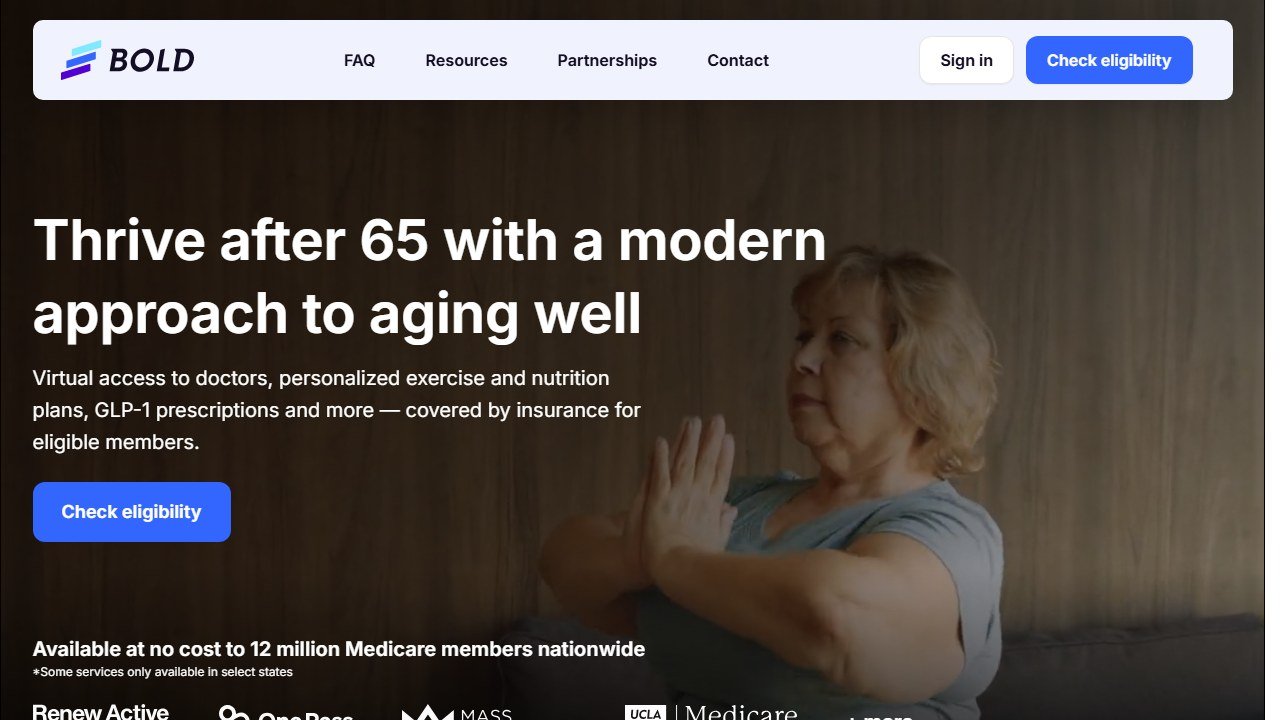
| Bold | Mobility and balance focus | $19/mo or free with eligible plans | Some plans cover it | Yes (lead focus) |
| Renew Active (UnitedHealthcare) | UHC Medicare Advantage members | Free with eligible plans | Yes (UHC plans) | Optional |
What makes a workout app good for seniors?
Before getting into the list, it’s worth being clear about what “good for seniors” actually means in practice:
- Low-impact options: High-impact movement like jumping and heavy plyometrics puts excessive stress on joints that are more vulnerable after 60.
- Balance and fall prevention work: Falls are the leading cause of injury-related death for people over 65. Apps that include balance training are actively improving a critical health outcome.
- Seated and standing options: Seniors with limited mobility need seated alternatives for many exercises.
- Simple UI: Complex navigation and tiny text are real barriers for older users.
- Clear instruction: Demonstrating exercises slowly and clearly, with modifications shown.
1. SilverSneakers: Best purpose-built senior fitness app
SilverSneakers has been the gold standard for senior fitness in the United States for over 30 years, and its digital app brings that expertise to your phone or tablet. The app offers live and on-demand classes specifically designed for older adults, covering strength, balance, cardio, flexibility, and mind-body practices.
The AI personalisation in SilverSneakers isn’t as deep as some other apps on this list, but the content quality and specificity for seniors is unmatched. Every exercise is demonstrated with modifications, every class is paced appropriately for older bodies, and the instructors are specialists in senior fitness (many are certified in older adult exercise science).
A major advantage: SilverSneakers is covered by many Medicare Advantage plans and some supplemental insurance policies. If you’re on Medicare, it may be completely free for you. Check the SilverSneakers eligibility tool to find out.
The live class schedule creates structure and community, which are powerful motivators for older adults who might otherwise struggle to stay consistent with solo workouts.
Pricing: Free with eligible Medicare plan / check eligibility on website
Platforms: iOS, Android, web
Equipment needed: Chair (for seated options), light resistance bands (optional)
2. Aaptiv: Best AI-coached audio workouts for seniors
Aaptiv is an audio-first workout app with AI-personalised programme recommendations. You listen to a trainer coaching you through each session, with background music timed to the workout. For seniors who find video-heavy apps hard to follow while exercising, the audio-first approach is genuinely useful.
Aaptiv’s content library includes dedicated low-impact and senior-appropriate content: walking programmes, gentle strength training, stretching routines, and meditation. The AI recommends sessions based on your fitness level, goals, and workout history, and adjusts recommendations as you progress.
The app also integrates with Apple Health, Fitbit, and Garmin, so if you wear a fitness tracker, your activity data feeds into the AI’s recommendations. Seniors who track steps or heart rate via a wearable will find this integration useful.
One limitation: Aaptiv is audio-only, which means no video demonstrations. For seniors learning new exercises, this can be a barrier. It works best for people who already know the exercises being described, or who are doing cardio activities like walking or cycling where audio coaching is more natural.
Pricing: ~$15/month or ~$99/year
Platforms: iOS, Android
Equipment needed: None to light (varies by programme)
3. FitOn: Best free app with senior-appropriate content
FitOn’s free tier includes a substantial library of low-impact workouts that work well for seniors: gentle strength, stretching, yoga, pilates, and walking workouts. The AI schedules a personalised weekly plan based on your goals and fitness level, and learns your preferences over time.

The UI is cleaner and simpler than most fitness apps, which makes it more accessible for older users who aren’t comfortable with tech-heavy interfaces. Text is reasonably sized, navigation is intuitive, and the onboarding doesn’t assume any prior fitness app experience.
FitOn doesn’t have content specifically branded for seniors, but many of its low-impact programmes are highly appropriate. The “Joint Health” and “Gentle Movement” categories are particularly relevant, and the stretching and yoga content is well-produced and clearly demonstrated.
For seniors who want a free starting point without committing to a subscription, FitOn is the most approachable option on this list.
Pricing: Free / ~$30/year (Pro)
Platforms: iOS, Android, web
Equipment needed: None (most sessions are chair or mat based)
4. Ageless Pilates: Best for core strength and joint health
Ageless Pilates is a smaller, more specialised app focused exclusively on pilates for older adults. Pilates is particularly well-suited for seniors because it builds core strength, improves posture, enhances balance, and does all of this through controlled, low-impact movement that’s gentle on joints.
The AI in Ageless Pilates personalises your practice based on your experience level, any physical limitations you flag, and your progression through the programme. Beginners start with foundational movements and mat basics; more experienced practitioners can work through reformer-inspired sequences using resistance bands or light props.
The instruction quality is excellent: classes are led by instructors with specific training in senior pilates, and modifications are always shown for people with knee, hip, or back concerns. This specificity is what separates Ageless Pilates from generic pilates apps that happen to have older users.
Pricing: ~$12/month or ~$60/year
Platforms: iOS, Android
Equipment needed: Mat, optional resistance band
5. Workout.cool: Best AI bodyweight generator for active seniors
Workout.cool is a newer AI workout generator that builds personalised bodyweight sessions based on your fitness level, goals, available time, and any equipment you have. It’s not senior-specific, but its ability to generate custom low-impact, equipment-free workouts makes it a strong option for active seniors who want variety without complexity.
The AI asks about your physical limitations during setup, and you can flag injuries or areas to avoid. The generated workouts respect those constraints, substituting exercises as needed. For a senior with knee issues, for example, it will swap squat variations for hip hinge alternatives and seated leg work.
The interface is simple and web-first, which some older adults find easier to use than app-based platforms. Sessions can be generated in minutes, and the AI creates new variety each time so you’re not repeating the same routine.
Workout.cool works best for seniors who are already reasonably active and want a tool to generate workout variety, rather than those who need step-by-step instruction on every movement.
Pricing: Free (core) / paid tiers for advanced features
Platforms: Web, iOS, Android
Equipment needed: None (bodyweight focused)
6. Tai Chi for Seniors by Clasp: Best for balance and fall prevention
Tai chi is one of the most evidence-backed forms of exercise for fall prevention in older adults. Multiple large studies have shown that regular tai chi practice reduces fall risk by 20-45% in people over 65. Clasp’s Tai Chi for Seniors app makes this accessible through a structured AI-personalised curriculum.
The app starts with the basics of tai chi movement: slow, controlled forms that build balance, body awareness, and lower body strength simultaneously. The AI tracks your progression through the form curriculum and adjusts the pace of new material based on your practice consistency and self-reported comfort with each form.
Sessions are available in 10, 20, and 30-minute formats, making it easy to fit into a daily routine. The instruction is clear and patient, with each movement broken down and practiced at a slow learning pace before being integrated into the flowing sequence.
For seniors who are specifically concerned about balance and fall prevention, this is the most targeted option on this list.
Pricing: ~$10/month or ~$50/year
Platforms: iOS, Android
Equipment needed: None (just floor space)
Visit Clasp Tai Chi for Seniors
7. Daily Yoga: Best for flexibility, relaxation, and gentle strength
Daily Yoga offers a broad library of yoga and stretching content with AI-personalised scheduling. For seniors, the app’s gentle yoga, restorative yoga, and chair yoga programmes are particularly relevant: they build flexibility, reduce stiffness, support joint health, and provide the relaxation and stress-reduction benefits that regular yoga practice is well-documented to deliver.
The AI in Daily Yoga creates a personalised “yoga journey” based on your goals, experience, and available time. It balances flexibility work with strength poses, schedules rest days, and tracks your consistency. For seniors who want a structured approach to yoga rather than just picking random classes, this structure is valuable.
The chair yoga content is especially worth highlighting: complete sessions where every pose is adapted for a seated position. This makes Daily Yoga genuinely accessible for seniors with significant mobility limitations or balance concerns.
Pricing: Free (limited) / ~$15/month or ~$70/year (Pro)
Platforms: iOS, Android
Equipment needed: Mat or chair
Recommendations by need
- Just starting out, want something free: SilverSneakers (if Medicare eligible) or FitOn.
- Balance and fall prevention focus: Tai Chi for Seniors by Clasp.
- Core strength and posture: Ageless Pilates or Daily Yoga.
- Want audio coaching for walks: Aaptiv.
- Want varied AI-generated bodyweight workouts: Workout.cool.
- Flexibility and stress relief: Daily Yoga or Alo Moves.
For seniors who are training with a professional trainer who manages their programme remotely, see our guide to best free personal trainer software: these are the tools trainers use to build and deliver your programme. And if you’re looking for apps for a younger family member, our best AI workout apps guide covers the full landscape.
What separates senior-grade apps from generic fitness apps
Three design choices separate apps designed for older adults from generic fitness apps that just allow older users. Choice one: slower exercise tempos and longer rest periods built into programs. Choice two: explicit fall-prevention drills and balance work that generic apps skip entirely. Choice three: integration with Medicare Advantage benefits (SilverSneakers, Renew Active) or doctor-monitored programming. Apps that check all three boxes (SilverSneakers GO, Mighty Health, Bold) consistently outperform generic apps with adapted “senior” tiers for users over 65.
The 2026 verdict for seniors
For most older adults in 2026, SilverSneakers GO covers basic needs at zero cost if your Medicare plan includes it. Mighty Health and Bold are worth the subscription for adults who want doctor-monitored or fall-prevention-focused programming. The case against generic fitness apps is consistent: pace, balance work, and senior-specific safeguards matter more than feature breadth.
How consumer fitness apps are priced, and why the figures are hard to pin down
Consumer training apps behave differently from coaching platforms, and it makes them genuinely harder to compare honestly.
Most of them price through the app stores
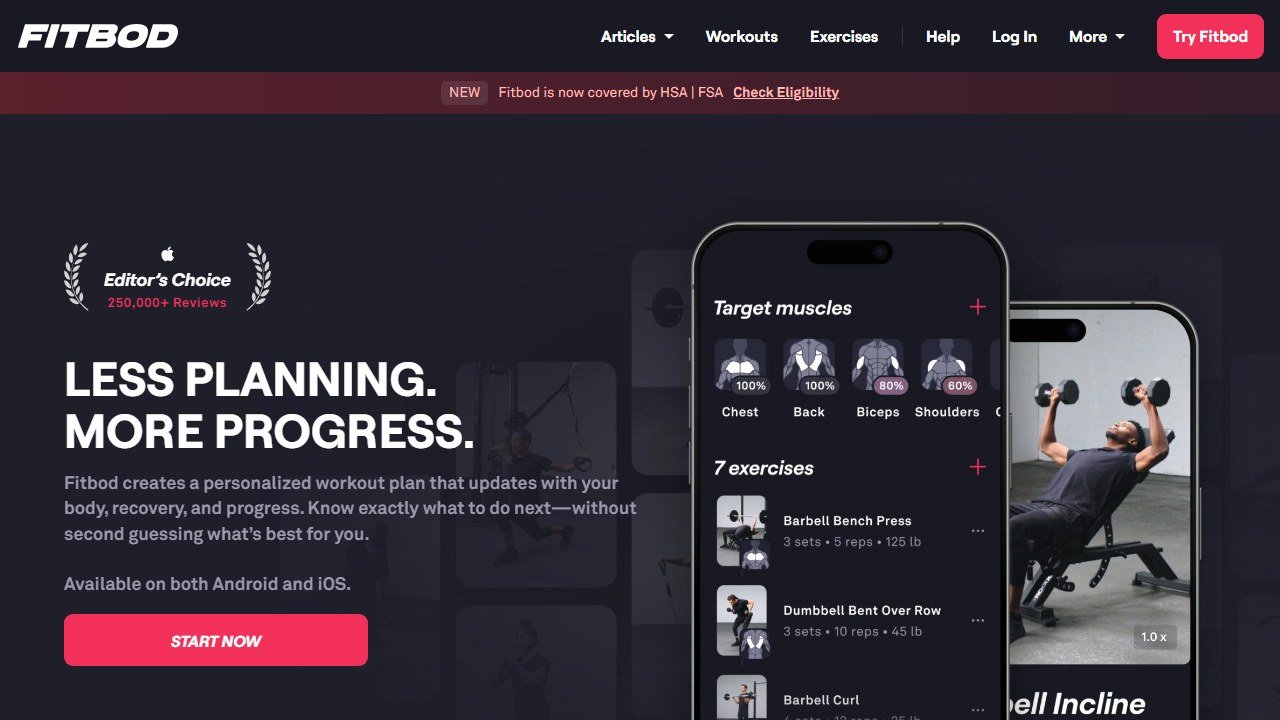
We attempted to read pricing pages for several of the best known consumer apps on 4 September 2026, including Fitbod, Dr. Muscle, Hevy, Whoop and Oura, and could not extract a rate from any of them with the same method that read every coaching platform above. That is largely because subscriptions are sold inside the app rather than on the web, so the price you see depends on your store, your region and sometimes your device. We will not quote a figure we could not source.
What that means for any price you read elsewhere
Treat every specific consumer app price on the internet, including in comparison articles, as unverified unless it names a date and a source. Store pricing also changes by country and moves with local currency, so a figure that was right in one market can be wrong in yours by a wide margin. The reliable move is to open the app store listing on your own device before deciding.
The one that does publish clearly
JuggernautAI publishes on the web: $34.99 a month or $349.99 a year, with a two week free trial, which works out at roughly two months free on the annual plan. That is at the premium end of consumer training apps and it is aimed at serious strength athletes rather than general fitness, which is the honest framing for whether it is expensive.
Free trials in this category are short and auto-renewing
Two week and one month trials are the norm and almost all of them convert automatically. If you are testing several apps, note the conversion dates somewhere other than the app itself. This is mundane advice and it is the single most common way people end up paying for three training apps they stopped opening in February.
How to tell whether the tool was worth it
Fitness software is easy to evaluate honestly because the numbers are countable and small. The reason most coaches cannot say whether a platform helped is that nobody wrote down where they started.
Pick the metric the tool is supposed to move
For a coaching platform it is clients per coach and hours spent on programming and admin per client per week. For a consumer app it is sessions completed per week and adherence over eight weeks. For form checking it is whether you are still filming in month three. Each of those is countable and each needs a figure from before.
Record the time cost this month, before anything changes
Ask yourself or your coaches to log how long programming, check-ins and admin take across one normal week. It takes minutes and it is the only way the time saving is ever provable. Most of the honest value in this category is hours rather than revenue, and hours are measurable in advance and unprovable afterwards.
Give it two client cycles
Retention and adherence move slowly and seasonally. A four week read tells you about novelty rather than value. Judge a coaching platform over at least two full client cycles, and say so at the outset so an unremarkable first month is understood as expected.
Name the result that would end it
Write down before you subscribe what twelve months would have to look like for you not to renew. It converts renewal from a default into a decision, which matters more in a category where the monthly figure is small enough to stop noticing.

Written by
FazFaz is the founder of AIToolsBakery. Some tools here are tested hands on. Others are assessed from vendor documentation and pricing verified on the live page, and every review says which one it is. Sponsors can buy a position in a guide. They cannot buy the score, the criticism, or silence about a better option.
How we test and how we make money →