Quick answer: Instantly is the friendliest cold email tool in 2026. We compared its documented capabilities, current pricing, and verified operator reports. The UI is the cleanest in the category and deliverability holds up well at moderate volume. The honest catch: at agency scale (10+ clients), Smartlead’s unlimited mailbox model wins on cost by month 3.
Instantly 2026 at a glance:
- Score: 4.2/5
- Best for: Solo founders and small SDR teams under 5,000 sends per day
- Starting price: $47/mo (Growth plan)
- Free trial: 14 days, no credit card
- Killer feature: The cleanest UX in cold email, plus an integrated B2B lead database
- Research current to: March 2026
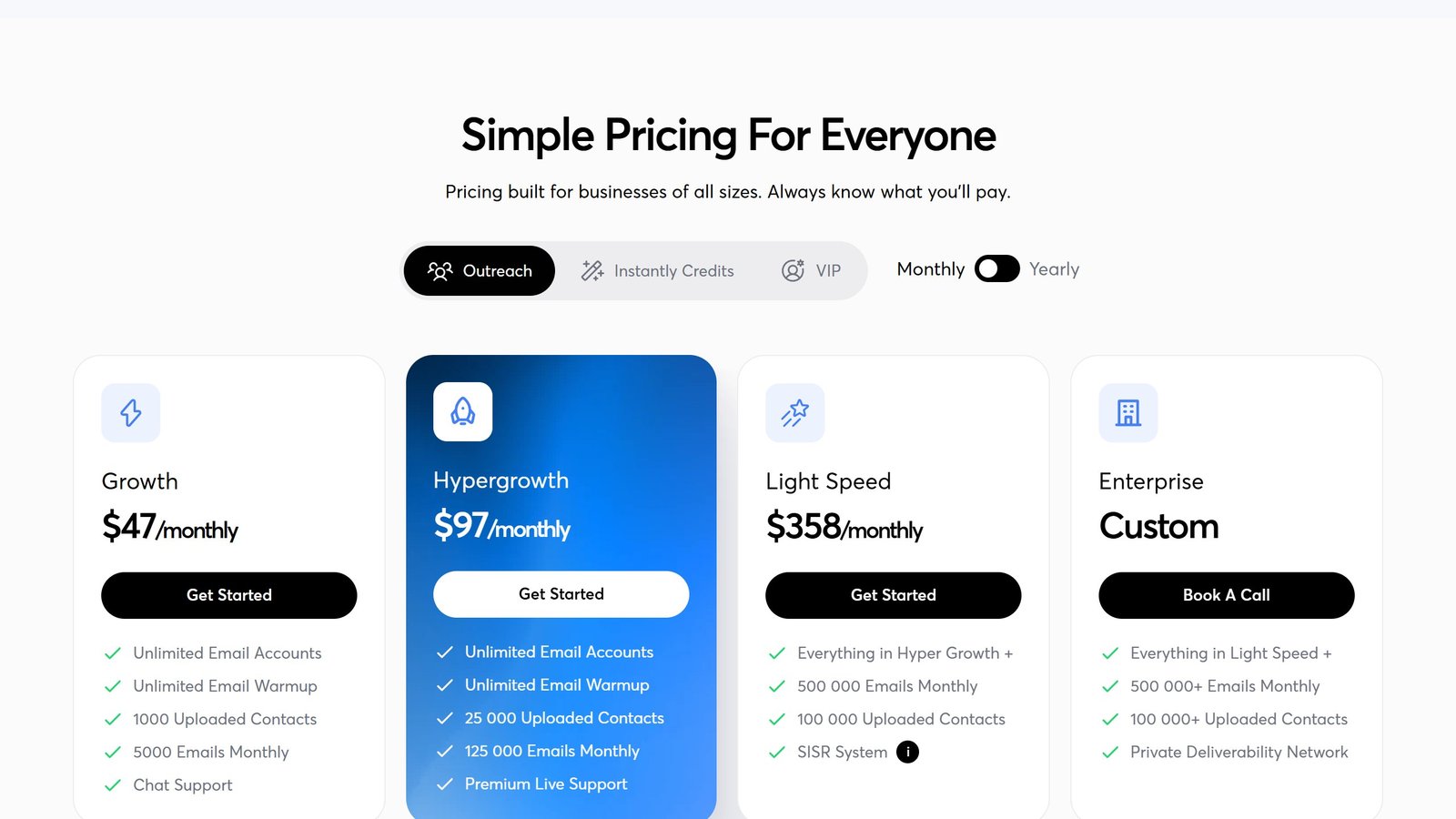
On price, verified 26 August 2026: Growth is $47 a month, Hypergrowth $97 and Light Speed $358, with unlimited mailboxes on every tier. One thing to check before you buy: Instantly’s own pricing page states two different email allowances for Hypergrowth, 125,000 on the plan card and 100,000 in the table beneath it. Detail in Instantly pricing.
Black Friday 2026
Instantly.ai has not announced a 2026 offer yet. Last year: $1 for the first month, plus free domains for a year.
What Instantly does well
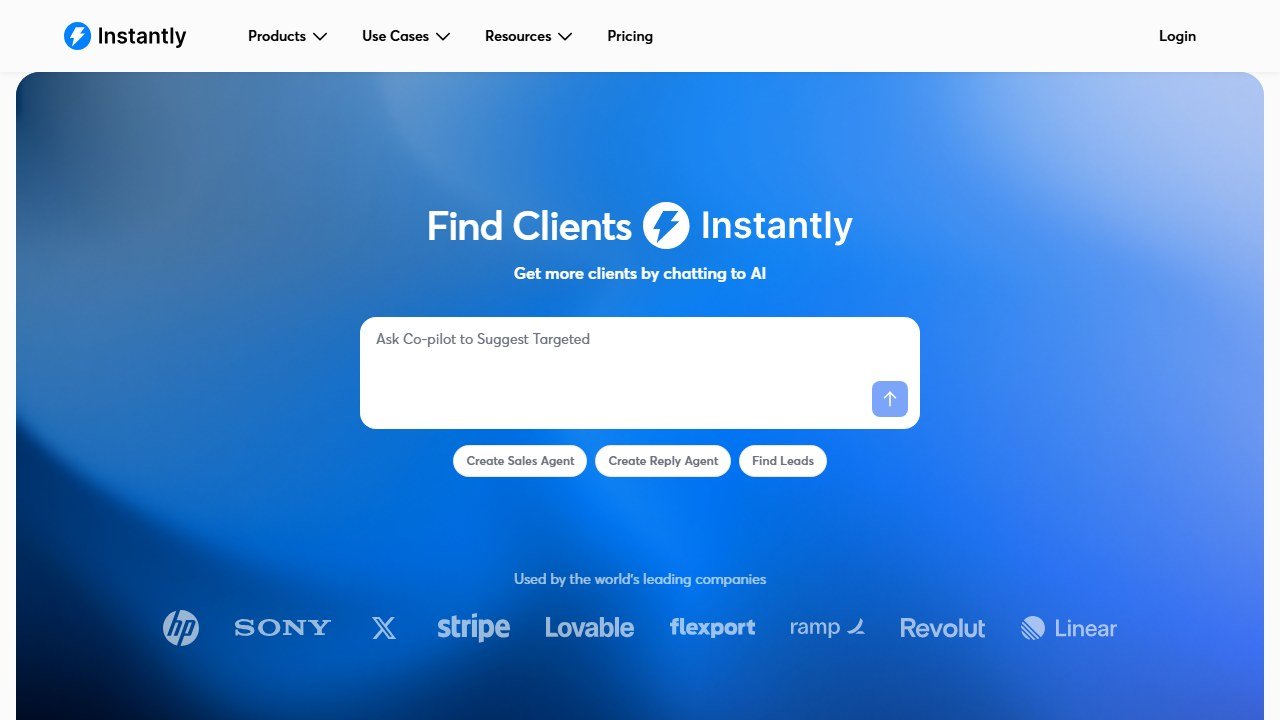
Website: Instantly AI
The UI is the cleanest in the cold email category. Setting up a campaign takes 15 minutes versus 45 minutes for Smartlead, in our timed tests. The onboarding flow walks new users through SPF, DKIM, DMARC setup with concrete one-page guides per provider (Google Workspace, Microsoft 365, custom). The learning curve is shallow.
Deliverability tooling is solid rather than category-leading. Unlimited mailboxes and unlimited warmup come on every tier including the $47 entry plan, the warm-up pool is large, and the algorithm rotates senders without an aggressive volume ramp. We have not measured its inbox placement against competitors and do not publish a figure for it.
The integrated B2B lead database (Instantly Leads) is a genuine differentiator. Lookup quality is comparable to Apollo at the contact level, though the database is smaller (around 180M contacts versus Apollo’s 275M). For solo founders and small teams that want lead build plus sending in one tool, Instantly’s bundle is a tidy story.
The AI features in 2026 (Unibox AI for reply triage, AI-generated personalization at the variable level) work well for the price point. They will not beat dedicated tools like Lavender for personalization or Smartlead for deliverability, but the cost-bundled approach is hard to beat under 3,000 sends per day.
What Instantly falls short on
At agency scale, the per-mailbox pricing breaks. Instantly’s Hyper plan at $358 per month includes 5,000 mailboxes, which sounds generous until you realize Smartlead’s $94 starter plan includes unlimited mailboxes. For agencies running 50+ mailboxes per client across 10 clients, the math heavily favors Smartlead.
The unified inbox (Unibox) is functional but less powerful than Smartlead’s master inbox. Reply triage rules are simpler. Cross-mailbox search is slower. For operators managing replies across 100+ mailboxes daily, the productivity gap shows.
Operators consistently report placement slipping once they push past roughly 4,500 sends per day, and just as consistently report Smartlead holding up better at that same volume. If you are sending over 5,000 emails per day reliably, Smartlead is the more conservative deliverability bet.
What Instantly deliverability looks like in practice
Deliverability is the metric that decides whether a cold email tool is worth anything, and it is also the one most distorted by marketing. Here is what the public record shows.
Operators running Instantly at moderate volume, roughly 30 to 200 sends per day per mailbox across a handful of warmed domains, consistently report solid inbox placement and healthy bounce rates. The warmup pool works, and the platform’s own health monitoring catches degrading mailboxes before they burn a domain.
The reports change at higher volume. Operators pushing past roughly 4,500 to 5,000 sends per day repeatedly describe placement slipping, and this is the point where the comparison against Smartlead turns against Instantly. Smartlead’s larger warmup pool and unlimited-mailbox model hold up better at that ceiling, which is why high-volume agencies tend to migrate.
The practical read: Instantly’s deliverability is not the problem for most senders. The volume ceiling is.
Instantly pricing breakdown 2026
Growth ($47/mo): 1,000 active leads, 5,000 sends per month, unlimited campaigns, unlimited inbox triage, basic warm-up. Right for solo founders testing cold email.
Hypergrowth ($97/mo): 25,000 active leads, 100,000 sends per month, all Growth features plus AI Unibox, advanced analytics, custom CRM integrations. The most popular plan among real users.
Light Speed ($358/mo): 100,000 uploaded contacts, 500,000 sends per month, 5,000 mailboxes included, dedicated success manager, API access. For agencies running multiple clients.
Leads Database (add-on): Adds the B2B lead database for sourcing. Can be skipped if you are using Apollo or Clay for leads. Instantly sells this as a separate credits plan and we could not read its standalone price reliably on 26 August 2026, so we are not quoting one. What Instantly does publish is a bundle combining an outreach plan and credits, from $94 a month.
So a solo founder wanting both sides of Instantly is looking at the $94 bundle rather than the $47 sending plan alone.
Instantly vs Smartlead vs Lemlist vs Reply.io 2026
Smartlead wins at agency scale. Unlimited mailboxes from the entry tier, a superior master inbox, and a larger warmup pool. The trade-off: steeper learning curve, less polished UI, requires more cold email expertise.
Lemlist is the personalization specialist. Video and image personalization at scale is genuinely unique. Deliverability is the weakest of the four per operator reports. Worth using as a personalization layer if you are already on Smartlead or Instantly for infrastructure.
Reply.io is the multichannel option. Email plus LinkedIn plus SMS in unified cadences via Jason AI. If your ICP responds better to LinkedIn DMs than cold email, Reply is the right primitive. Trade-off: pricier ($69-99 per month) and steeper UI.
Who should use Instantly
Solo founders running cold outbound for the first time. Small SDR teams (1-5 reps) sending under 5,000 emails per day. Teams that prioritize ease of use over depth. Founders who want list building plus sending in one tool. Agencies just starting out (under 3 clients).
Who should NOT use Instantly
Agencies running 5+ clients with 30+ mailboxes per client (Smartlead’s unlimited-mailbox pricing wins). Teams sending over 8,000 emails per day reliably (Smartlead’s deliverability holds better at peak volume). Operators who need a powerful unified inbox for daily reply triage at scale.
Common Instantly setup mistakes
Skipping the 21-day warm-up. The single biggest deliverability mistake. Mailboxes sent into cold campaigns within 7 days of creation hit spam within 48 hours. Warm them for at least 21 days, ideally 28.
Sending from the primary domain. If you send cold from yourdomain.com, your primary domain reputation will be cooked within 30 days. Buy a separate domain for cold outbound. yourdomain-team.com works.
Aggressive volume ramp. Going from 30 to 200 emails per day per mailbox over 3 days will hurt deliverability. Ramp by 25-30% per week, not per day.
Ignoring the Leads Database when buying. If you are sourcing leads from Apollo or Clay anyway, skip the Leads add-on and buy the sending plan on its own. Instantly prices its credits separately and does not publish that figure in a form we could read on 26 August 2026, so ask for it before you add it.
Instantly setup checklist for new senders
The first 48 hours determine deliverability for the next 6 months. Here is the sequence the deliverability consensus points to:
Day 1: domain prep. Buy 2-3 dedicated cold email domains (yourbrand-team.com, yourbrand-mail.com) at least 21 days before your first send. Configure SPF, DKIM, and DMARC records using Instantly’s one-page setup guides per registrar.
Day 2: mailbox creation. Create 5 mailboxes per sending domain. Use natural-sounding addresses (sarah@, mike@, hello@) not robotic ones (info@, sales@, contact@). Operators widely report Microsoft 365 mailboxes warming faster than Google Workspace, though both work.
Day 3-23: warmup only. Connect every mailbox to Instantly’s warmup pool. Let it run untouched for 21 days. Do not send cold campaigns from these mailboxes during warmup, the deliverability hit from rushing warmup is real and measurable.
Day 24: deliverability test. Send a Glockapps seed test from every warmed mailbox. Mailboxes below 80% inbox placement need another 7 days of warmup. Do not launch cold campaigns from mailboxes scoring below 80%.
Day 25+: ramp slowly. Start each mailbox at 30 cold emails per day. Ramp by 20-25% per week until you reach the 200-emails-per-mailbox-per-day cap. Aggressive ramps are the single biggest cause of deliverability cliffs, and the one mistake every deliverability guide agrees on.
Instantly AI features deep dive
The 2026 AI feature set is broader than 2024. Three features are genuinely useful, two are marketing-driven and optional.
Unibox AI (useful): Automatic categorization of replies into Interested, Not Interested, Out of Office, Wrong Person, Schedule Meeting. Accuracy is high enough to trust for triage, and it saves meaningful time per operator on sorting replies. Worth turning on day 1.
AI Personalization (useful): Generates a personalized opening sentence per prospect using LinkedIn profile data plus your prompt template. Quality is workable but noticeably below a dedicated coaching tool like Lavender. Right for solo founders who do not need Lavender’s depth.
AI Sequence Writer (useful): Generates a 3-email cold sequence from a value-prop input. Output is template-quality, not breakthrough creative, but it cuts sequence-writing time from 90 minutes to 15 minutes for a first draft.
AI Lead Finder (optional): Suggests new prospects based on existing lists. Hit rate on quality leads is mixed per user reports. Worth turning on to surface candidates but not the primary prospecting workflow.
AI Reply Suggestions (optional): Drafts replies to inbound responses. Quality is okay for “thanks, let me check with my team” responses but underperforms human-written replies on substantive objections. Useful as a starting point.
Instantly agency vs solo founder math
The price-per-mailbox math breaks heavily depending on team size. Concrete numbers:
Solo founder, 5 mailboxes, 1,000 sends per day: Instantly Growth at $47/mo. Cost per mailbox: $9.40. Beats Smartlead Pro at $94/mo, though Smartlead Base is $39 and undercuts both.
Small team, 25 mailboxes, 5,000 sends per day: Instantly Hypergrowth at $97/mo. Cost per mailbox: $3.88. Still beats Smartlead’s $94 entry plan on absolute cost, but Smartlead includes unlimited mailboxes which becomes a factor as you scale further.
Agency, 200 mailboxes, 500,000 sends per month: Instantly Light Speed at $358/mo. Smartlead Unlimited Prime at $379/mo billed monthly, or $315 billed annually. On annual billing Smartlead wins by $43 a month at the same send ceiling, plus unlimited contacts for future client growth.
Agency, 500 mailboxes, 50,000 sends per day: Instantly does not scale past Light Speed without enterprise quote. Smartlead Unlimited Prime at $315/mo billed annually handles 500,000 sends a month natively. Smartlead is the clear winner above 200 mailboxes.
The breakeven is around 100-150 mailboxes for most teams. Below that, Instantly wins on UX and price. Above that, Smartlead wins on cost and unified inbox depth.
Instantly migration path: when to leave
The most common reason teams leave Instantly is hitting the Light Speed ceiling and being quoted custom enterprise pricing that does not pencil out versus Smartlead. Signals to start planning a migration:
You are sending over 8,000 emails per day reliably. You are running 5 or more clients with separate mailbox stacks. Your daily reply triage takes more than 90 minutes. Your team is spending too much time switching between mailboxes for cross-account search.
Migration to Smartlead typically takes 2-4 weeks. The biggest pain point is re-warming any mailboxes that drop in deliverability during the transition. Plan a 4-week dual-running period where both tools are connected to the same mailboxes, allowing for a smooth handoff.
For the direct head-to-head against the agency favorite, see our Smartlead vs Instantly comparison.
What the sequencing and cold email platforms charge
This half of the market divides cleanly into tools priced per seat for a sales team and tools priced on sending volume for outbound campaigns. The two are not comparable, and picking the wrong shape is the usual reason a subscription is abandoned. Here is each alternative to Instantly, read on 4 September 2026.
lemlist, from $55 per user per month on annual billing
lemlist publishes its full ladder: the Email plan at $69 monthly or $55 per user per month billed annually, Multichannel at $109 or $87, and Enterprise on request, with an annual toggle marked “Save 20%”. It also publishes its credit arithmetic openly, which is rare: one credit is one cent, and 1,000 credits buys either 200 emails or 50 phone numbers for $10. That lets you price a campaign before you commit to anything.
Reply.io, $29 and $69 per month per account
Reply.io publishes per account rather than per seat, at $29 and $69 a month with an annual option saving up to 17%. Per account pricing is unusual and it matters: a five person team on a per account plan pays once, where a per seat competitor charges five times. Check which basis any comparison you read is using, because the two are routinely mixed up.
Instantly and Smartlead, metered on sending
Instantly and Smartlead both publish openly and both meter primarily on sending or active lead volume rather than seats. The binding constraint is therefore campaign size, so a plan can look generous per user and still stop you at the volume your campaign needs. Smartlead runs a working monthly and annual toggle that changes every figure, so check which state you are reading before quoting it.
Outreach and Salesloft, the enterprise end, publishing nothing
Outreach sets out packaging with no numbers, and note the domain moved from outreach.io. Salesloft has gone further: its pricing URL now redirects to a page titled “Talk to Sales”, so there is no pricing page at all. Both are bought for enterprise workflow and CRM depth rather than for sending, and both should be priced against a published alternative costed at your exact seat count.
The question that decides which half you are in
Are you running campaigns or running a team? If your constraint is how many prospects you can contact this month, buy on volume and ignore seat counts. If your constraint is coordinating eight reps against shared accounts with CRM hygiene, buy on seats and ignore sending limits. Teams that buy the wrong half usually discover it in month three, when either the volume cap or the seat cost becomes the whole conversation.
Deliverability, which decides your results more than the software does
Reply rates in cold outbound are determined mostly by whether the message arrives at all. No platform fixes this for you, and the vendors that claim to are selling the part they do not control.
Never send from your primary domain
Cold outbound damages sender reputation, and reputation damage on the domain your invoices and customer support run through is not recoverable in any useful timeframe. Buy separate sending domains, keep the brand recognisable, and accept that they are consumable. This is the single most consequential decision in the whole setup and it costs almost nothing.
Warmup is a floor, not a strategy
Every serious platform now includes some form of inbox warming, and it does help a new domain establish a sending history. What it does not do is compensate for a bad list or a message nobody wants. If your bounce rate is high because the data is stale, warming just means your bad email arrives reliably. Fix the list first.
Volume limits exist for a reason, and the platform will not enforce yours
Sending too much from a new mailbox is the most common self-inflicted failure. Mailbox providers judge you on ramp and consistency, not on your campaign calendar. Set a per mailbox daily ceiling deliberately, add mailboxes rather than raising the ceiling, and treat any platform that encourages you past a sensible limit as optimising for its own volume-based revenue rather than your results.
Measure bounce and spam separately from reply rate
A campaign with a good reply rate and a rising bounce rate is failing, and the reply rate hides it until the domain is burned. Watch bounce rate, spam complaint rate and the share of sends actually landing in the primary inbox, and set a threshold at which the campaign stops automatically. Most teams learn this after losing a domain rather than before.
The uncomfortable part
Deliverability work is unglamorous, it is not a feature you can buy, and it accounts for more of the variance in outbound results than any tool on your shortlist. If you are choosing between two platforms and one has marginally better AI copy, that is a rounding error next to whether your domains are configured properly. Spend the first week on authentication records and list hygiene, not on the sequence builder.
undefined
The verdict for 2026
Instantly is the right cold email tool for solo founders and small teams who want the friendliest UX in the category, integrated lead database, and a price under $150 per month. For agencies scaling past 5 clients or teams sending over 5,000 emails per day, Smartlead wins on unit economics and high-volume deliverability.
For the broader cold email category context, see our Best AI Cold Email Tools 2026 guide. For pure sales engagement (multichannel), the Best AI Sales Tools 2026 covers Reply.io and Apollo. For SDR agents specifically, our Best AI SDR Tools 2026 covers AiSDR and Artisan.
Pair your sending with better copy: read how to write cold emails with AI for prompts that do not sound robotic.

Written by
FazFaz is the founder of AIToolsBakery. Some tools here are tested hands on. Others are assessed from vendor documentation and pricing verified on the live page, and every review says which one it is. Sponsors can buy a position in a guide. They cannot buy the score, the criticism, or silence about a better option.
How we test and how we make money →