Grading is the task that eats teacher weekends. AI can give them back.
Quick Answer: The best AI grading tools for teachers in 2026 are CoGrader (best for state assessment rubric-aligned essay grading), Brisk AI (best for in-document feedback in Google Docs), MagicSchool AI (best all-in-one with grading as one of 80+ tools), AssignAI (best for ESL/IELTS grading with audio), and Turnitin (best for plagiarism detection + writing feedback). CoGrader and Brisk lead for compliance. MagicSchool is the most generous free option. Each tool specializes in a different grading workflow.
[Faz] Grading 120 essays at 10 minutes each is 20 hours. That’s a weekend. Every week. AI grading tools don’t replace your judgment. They give you a first pass so you spend your time adjusting scores and refining feedback rather than starting from scratch on every paper. We reviewed five tools that handle grading, compared what each does best, and ranked them for the teachers who need this most: the ones grading essays on Sunday night. For the full picture of all teacher AI tools, see our best AI tools for teachers roundup.
Quick Verdict: Best AI Grading Tools at a Glance
| If you need… | Go with |
|---|---|
| Essay grading with state assessment rubrics | CoGrader |
| Grading and feedback inside Google Docs | Brisk AI |
| Grading as part of a full teaching platform | MagicSchool AI |
| ESL/IELTS grading with audio assignments | AssignAI |
| Plagiarism detection + writing feedback | Turnitin |
Short on time? CoGrader is the best dedicated AI grading tool. It supports STAAR, CAASPP, B.E.S.T., AP, and IB rubrics, generates detailed feedback, and reports 80% reduction in grading time. But if you grade inside Google Docs and want grading plus lesson planning in one extension, Brisk AI is the better all-around choice.
How We Evaluated These Tools
[Saru] Every tool was evaluated on grading-specific criteria:
| Criteria | What we measured |
|---|---|
| Grading quality | Rubric alignment, feedback specificity, score accuracy |
| Time saved | How much of the grading output is usable without heavy editing |
| Free plan value | Can you grade meaningfully without paying? |
| Compliance | FERPA, COPPA, SOC 2 certifications |
| Workflow fit | Does it integrate with your LMS and existing grading process? |
| Specialization | Is grading the primary focus or one feature among many? |
The 5 Best AI Grading Tools in 2026
1. CoGrader — Best for State Assessment Rubric-Aligned Essay Grading
| Rating | 4/5 |
|---|---|
| Best for | ELA teachers grading against STAAR, CAASPP, B.E.S.T., AP, IB |
| Free plan | Free trial (full access for evaluation) |
| Paid from | Individual subscription (price not listed) |
| Compliance | FERPA, COPPA, SOC 2 Type 1, SOPIPA |
| Key strength | Deepest state assessment rubric support among AI grading tools |
| Key weakness | Essay grading only, no permanent free tier |
What It Does
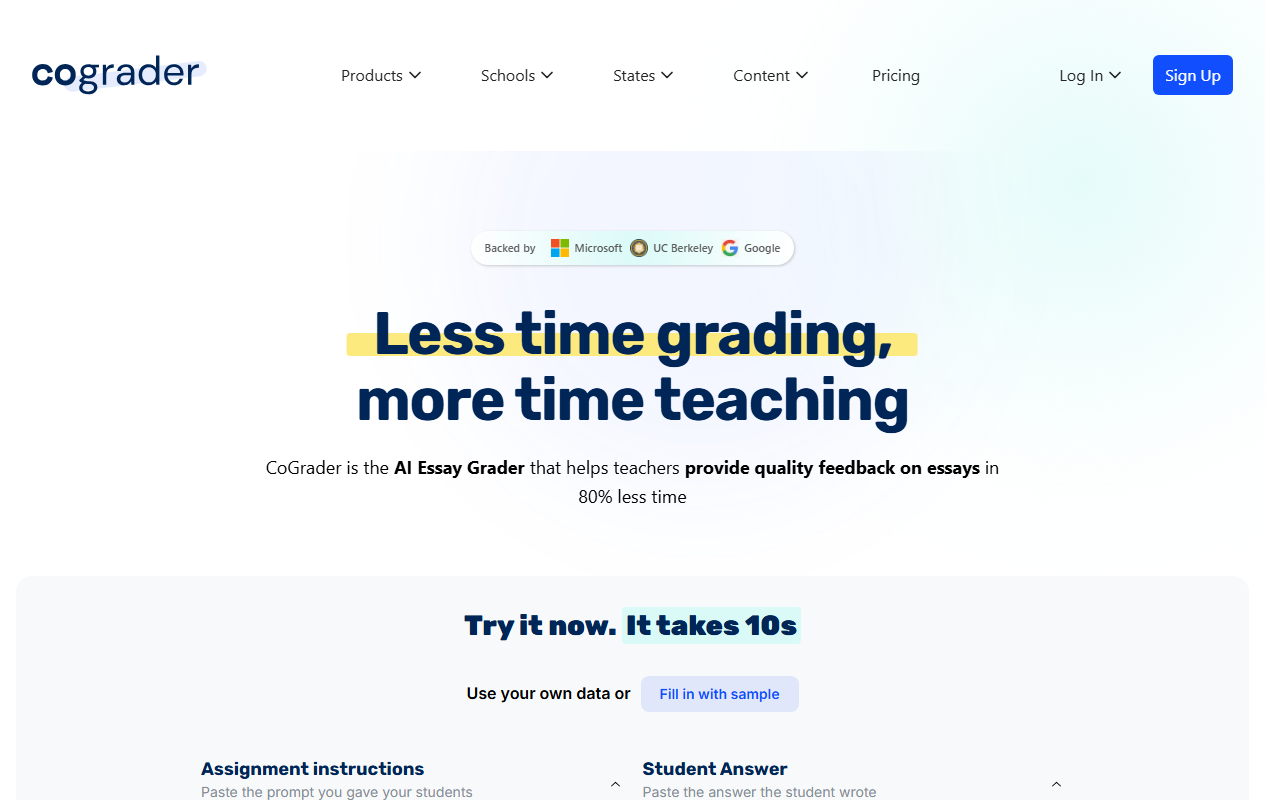
CoGrader is purpose-built for essay grading. Upload a class set of essays, select a rubric (STAAR, CAASPP, B.E.S.T., NY Regents, AP, IB, or custom), and get rubric-aligned scores and detailed feedback for every student. The teacher reviews and approves everything before grades are published.
The rubric depth is what separates CoGrader from general-purpose feedback tools. It doesn’t just say “needs more evidence.” It evaluates each rubric dimension separately and provides feedback specific to the criteria your state tests for.
50,000+ teachers across 1,000+ schools. Backed by UC Berkeley SkyDeck, Microsoft for Startups, Google for Startups.
Who This Is For
ELA teachers grading essays weekly against state assessment rubrics. If you grade STAAR writing prompts or CAASPP performance tasks, CoGrader is the specialist.
Pros
- Deepest state assessment rubric support
- 80% reduction in grading time
- Strong compliance (FERPA, COPPA, SOC 2)
- De-identified data only shared with AI
Cons
- Essay grading only
- No permanent free tier
- Pricing not public
[Faz’s Take] CoGrader is the specialist you call when essay grading is consuming your life. The rubric alignment is deeper than anything MagicSchool or Brisk offers for grading specifically.
Read our full CoGrader review.
2. Brisk AI — Best for In-Document Grading in Google Docs
| Rating | 4.5/5 |
|---|---|
| Best for | Teachers who grade student work inside Google Docs |
| Free plan | Yes, core features free |
| Paid from | Contact for pricing |
| Compliance | FERPA, COPPA, SOC 2, ISTE Seal, 93% Common Sense Privacy Rating |
| Key strength | Grading happens inside the document, no copying or switching apps |
| Key weakness | Pricing not public, Chrome/Edge only |
What It Does
Brisk is a Chrome extension that adds AI grading directly inside Google Docs. Open a student’s essay, and Brisk generates rubric-aligned feedback right there in the document. No copying text to another platform. No switching tabs. The feedback appears as comments or suggestions on the student’s actual work.
Batch feedback lets you process an entire class set of essays simultaneously against the same rubric. Inspect Writing shows a video replay of how students wrote their documents, providing evidence-based academic integrity checking.
20,000+ districts. 4.7-star rating across 700+ reviews.
Who This Is For
Teachers who live in Google Docs and want grading built into their existing workflow. If you already collect student essays through Google Classroom, Brisk is the tool that meets you where you are.
Pros
- Grading inside Google Docs (zero context-switching)
- Batch feedback for entire class sets
- Inspect Writing for academic integrity
- Strongest compliance stack in teacher AI
Cons
- Pricing not public
- Chrome/Edge only
- Less specialized rubric depth than CoGrader for state assessments
[Faz’s Take] Brisk gets grading right because it puts feedback where the essay lives. No extra steps. No copy-pasting. Open the doc, generate feedback, adjust, done.
Read our full Brisk AI review.
3. MagicSchool AI — Best Free All-in-One Platform with Grading
| Rating | 4/5 |
|---|---|
| Best for | Teachers who want grading plus 80 other tools for free |
| Free plan | Yes, full access, no expiration |
| Paid from | District pricing (contact for quote) |
| Compliance | FERPA, COPPA, SOC 2, ESSA Level IV |
| Key strength | Grading is one of 80+ tools, all free |
| Key weakness | Grading tools less deep than CoGrader or Brisk |
What It Does
MagicSchool AI includes writing feedback and assessment tools among its 80+ teacher tools. Paste a student’s essay, set the rubric, choose the feedback tone, and get detailed comments. The feedback references specific parts of the text and provides actionable suggestions.
MagicSchool’s grading is solid but broader than deep. It doesn’t offer CoGrader’s state assessment rubric alignment or Brisk’s in-document workflow. The value is that grading comes free alongside lesson planning, IEP writing, quiz creation, and 77 other tools.
Who This Is For
Teachers who want a free platform that covers grading alongside every other teaching task. If grading is one of many tasks you want AI help with, MagicSchool covers everything.
Pros
- Free for individual teachers with no expiration
- Grading plus 80+ other tools
- Strong compliance stack
Cons
- Grading tools less deep than specialized competitors
- Requires copy-pasting essays (not in-document)
- Can feel overwhelming with 80+ tools
[Faz’s Take] MagicSchool’s grading is good enough for most teachers. If you want the best grading specifically, go CoGrader or Brisk. If you want grading plus everything else for free, MagicSchool.
Read our full MagicSchool AI review.
4. AssignAI — Best for ESL and Exam Prep Grading
| Rating | 3.5/5 |
|---|---|
| Best for | ESL, IELTS, TOEFL, and Cambridge exam prep teachers |
| Free plan | Yes, 5 assignments, 1 class (20 students) |
| Paid from | $8.99/mo |
| Compliance | Not specified |
| Key strength | Audio exercise support + language-focused grading |
| Key weakness | No FERPA/COPPA stated, no LMS integrations |
Disclosure: We know the team behind AssignAI. Same evaluation standards as every other tool.
What It Does
AssignAI grades student homework with AI focused on language skills: comprehension, structure, grammar, and vocabulary. The standout feature is audio exercise support. Create listening comprehension assignments with embedded audio clips, mirroring how IELTS, TOEFL, and Cambridge exams work. AI grading is powered by Google Gemini 2.5 Flash.
Students access assignments via link (no login required). Teachers review and adjust AI grades before finalizing.
Who This Is For
ESL, IELTS, TOEFL, and exam prep teachers who need language-focused grading and audio-based assignments. Not for general K-12 classroom use.
Pros
- Audio exercise support (unique in the market)
- Language-focused grading feedback
- No student login required
- Affordable at $8.99/mo
Cons
- No FERPA/COPPA compliance stated
- No LMS integrations
- Narrow niche
- Limited free plan (5 assignments)
[Faz’s Take] AssignAI is the only grading tool that understands ESL/exam prep workflows. Audio exercises and language-focused feedback make it relevant for a specific audience that mainstream tools ignore.
Read our full AssignAI review.
5. Turnitin — Best for Plagiarism Detection and Writing Feedback
| Rating | 3.5/5 |
|---|---|
| Best for | Schools needing plagiarism checking + AI writing detection |
| Free plan | No (institution licensing only) |
| Paid from | Institution-based licensing |
| Compliance | FERPA, SOC 2 Type II, GDPR |
| Key strength | Industry-standard plagiarism detection database |
| Key weakness | AI detection controversy, no individual teacher plans |
What It Does
Turnitin checks student submissions against a massive database of academic papers, websites, and previously submitted work. The AI writing detection feature claims 98% accuracy on fully AI-generated text. Feedback Studio provides writing feedback tools beyond just detection.
Who This Is For
Schools that need institution-wide plagiarism detection and writing feedback. Not available for individual teacher purchase.
Important Caveat
AI detection accuracy has been questioned for non-native English speakers. Some universities have paused AI detection mandates. For K-12 classrooms with ESL students, consider process-based approaches (like Brisk’s Inspect Writing) alongside or instead of detection scores.
Pros
- Industry-standard plagiarism detection
- Massive comparison database
- Strong compliance (FERPA, SOC 2 Type II)
Cons
- No individual teacher plans
- AI detection controversy for ELL students
- Expensive for schools
Read more about Turnitin in our best AI tools for teachers pillar guide.
Comparison Table
| Tool | Rating | Best For | Free Plan | FERPA/COPPA | LMS Integration |
|---|---|---|---|---|---|
| CoGrader | 4/5 | State rubric essay grading | Trial | Yes/Yes | Google Classroom, Canvas, Schoology |
| Brisk AI | 4.5/5 | In-document Google Docs grading | Yes (core) | Yes/Yes | Google, Canvas |
| MagicSchool AI | 4/5 | Free all-in-one with grading | Yes (full) | Yes/Yes | Google, Canvas, Schoology |
| AssignAI | 3.5/5 | ESL/IELTS grading | Yes (5 uses) | Verify | No |
| Turnitin | 3.5/5 | Plagiarism detection | No | Yes/N/A | Via school |
Which Grading Tool Should You Pick?
[Faz] Here’s the decision in 30 seconds:
- You grade essays against STAAR, CAASPP, or AP rubrics: CoGrader. It goes deeper on state rubric alignment than anything else.
- You grade in Google Docs and want zero extra steps: Brisk AI. Feedback appears right in the document.
- You want grading plus lesson planning plus everything else for free: MagicSchool AI. Grading is one of 80+ free tools.
- You teach ESL/IELTS and need audio-based grading: AssignAI. Only tool with listening comprehension assignments.
- Your school needs plagiarism detection: Turnitin. The industry standard, limitations and all.
[Saru] For most ELA teachers, the decision is between CoGrader (deepest rubric alignment) and Brisk (best workflow integration). CoGrader specializes in grading. Brisk handles grading alongside lesson planning, presentations, and academic integrity. If grading is your primary pain point, CoGrader. If you want one tool for multiple tasks, Brisk.
For a complete overview of every AI tool for teachers, see our Best AI Tools for Teachers in 2026 pillar guide.
FAQ
What is the best free AI grading tool for teachers?
MagicSchool AI is the best free AI grading tool. It includes writing feedback as one of 80+ free tools with no expiration. The grading is solid but less specialized than CoGrader (state rubric alignment) or Brisk (in-document feedback). If you want the best grading specifically and are willing to pay, CoGrader and Brisk offer deeper grading features.
Can AI grade essays accurately?
AI grading tools provide a strong first pass that typically needs minor adjustments rather than major overhauls. CoGrader reports 80% reduction in grading time, and Brisk users report 60-80% time savings. The key: every AI grading tool puts the teacher in the review seat. You adjust scores and refine feedback before anything reaches students. AI handles the first draft. You handle the final judgment.
Are AI grading tools FERPA compliant?
CoGrader (FERPA, COPPA, SOC 2), Brisk AI (FERPA, COPPA, SOC 2, ISTE), and MagicSchool AI (FERPA, COPPA, SOC 2) all hold FERPA compliance certifications. Turnitin is FERPA and SOC 2 compliant. AssignAI does not state FERPA compliance on its website. Always verify a tool’s current compliance status with your district IT department.
How much time do AI grading tools save?
CoGrader reports 80% reduction in grading time. Brisk AI users report 60-80% savings on essay feedback. For a teacher grading 30 essays at 10 minutes each (5 hours), AI grading can reduce that to 1-2 hours. MagicSchool reports 7-10 hours saved per week across all its tools combined.
Does AI grading replace teacher judgment?
No. Every AI grading tool on this list puts the teacher in the review and approval role. AI generates rubric-aligned scores and feedback. Teachers review, adjust, and approve before anything is published to students. The teacher always has the final say on grades and feedback.
Which AI grading tool works with Google Classroom?
CoGrader integrates with Google Classroom for all users. Brisk AI works inside Google Docs and Classroom as a Chrome extension. MagicSchool AI integrates with Google Classroom for content export. AssignAI does not integrate with Google Classroom. Turnitin integration depends on your school’s licensing agreement.
Final Verdict
[Saru] AI grading tools are the highest-ROI category in teacher AI. The time savings are immediate, measurable, and directly tied to the task that consumes the most teacher hours. CoGrader leads for essay grading depth with state rubric alignment. Brisk leads for workflow integration with Google Docs. MagicSchool leads for free access with grading as one of many tools. Start with whichever fits your workflow: CoGrader if you grade essays against state rubrics, Brisk if you live in Google Docs, MagicSchool if you want everything free. The best grading tool is the one that gives you your weekends back.

Written by
FazFaz is the founder of AIToolsBakery. Every tool on this site is personally tested with real-world writing tasks before a single word gets published. No sponsored rankings, no recycled press releases.
Read more about how we test →