MagicSchool gives you everything. Brisk gives you everything where you already are. That’s the decision.
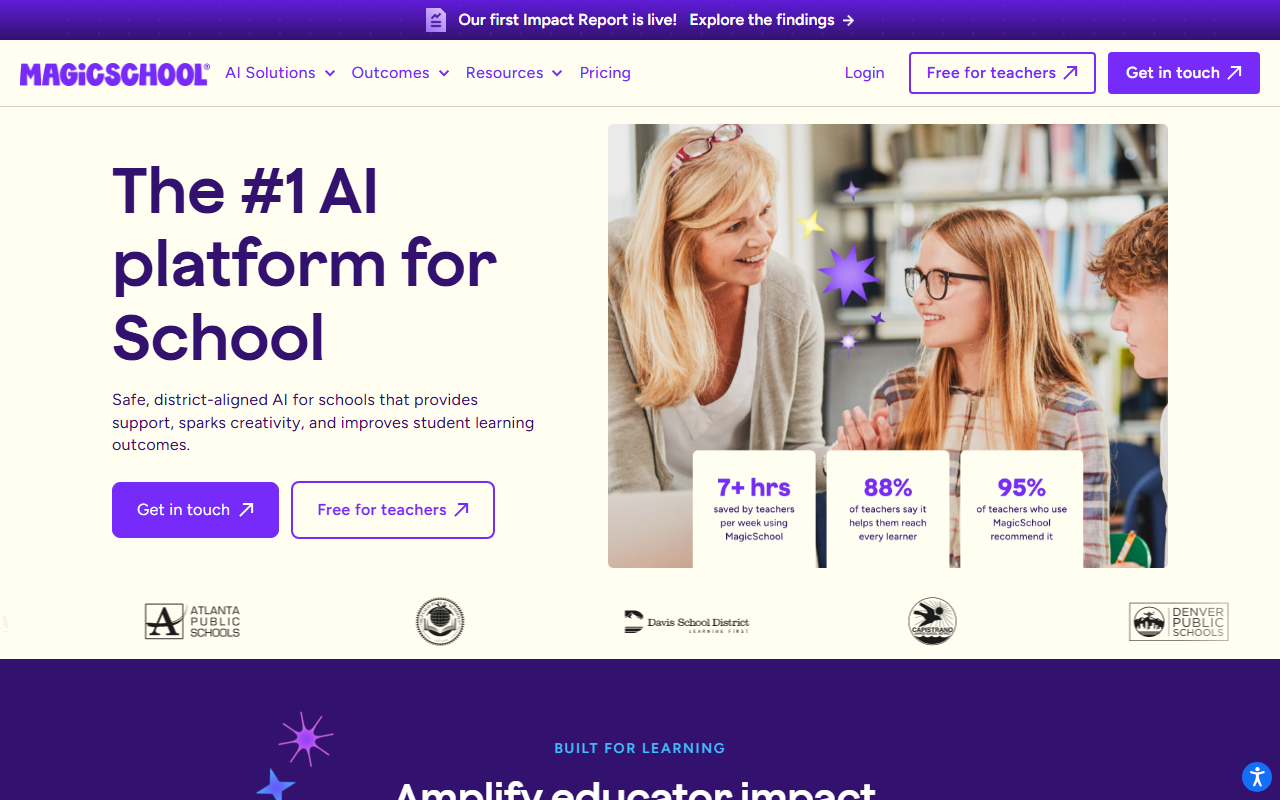
Faz says: This is the comparison every teacher lands on eventually. MagicSchool and Brisk are the two most widely adopted AI tools for teachers, and they take completely different approaches to the same problem. MagicSchool builds a destination. Brisk builds a layer. Both work. The right choice depends on how you already work.
Head-to-Head Comparison
| Feature | MagicSchool AI | Brisk AI |
|---|---|---|
| Type | Standalone web platform | Chrome/Edge extension |
| Tools | 80+ teacher, 50+ student | 30+ teacher |
| Rating | 4/5 | 4.5/5 |
| Free plan | Full access, no expiration | Core features, limits unclear |
| Paid | District pricing (contact) | Contact for pricing |
| FERPA | Yes | Yes |
| COPPA | Yes | Yes |
| SOC 2 | Yes | Yes |
| Extra certs | ESSA Level IV, Common Sense Privacy, TrustEd Apps | ISTE Seal, EdSafe AI, 93% Common Sense Privacy Rating |
| Google Classroom | Yes | Yes |
| Canvas | Yes | Yes |
| Works inside Google Docs | No | Yes |
| Lesson planning | Yes | Yes |
| Writing feedback | Yes (copy-paste) | Yes (in-document) |
| Quiz generation | Yes | Yes (in Google Forms) |
| IEP generator | Yes | No |
| Report card comments | Yes | No |
| Student tools | 50+ | No |
| Inspect Writing | No | Yes |
| Batch feedback | No | Yes |
| Curriculum Intelligence | No | Yes |
| Scale | Used across districts nationwide | 20,000+ districts, NYC DOE |
| User reviews | Evidence-rated (ESSA Level IV) | 4.7 stars, 700+ reviews |
Feature-by-Feature Breakdown
Lesson Planning
MagicSchool: Enter subject, grade, topic, and standards. Get a complete lesson plan on MagicSchool’s platform. Copy the output to your planning tool.
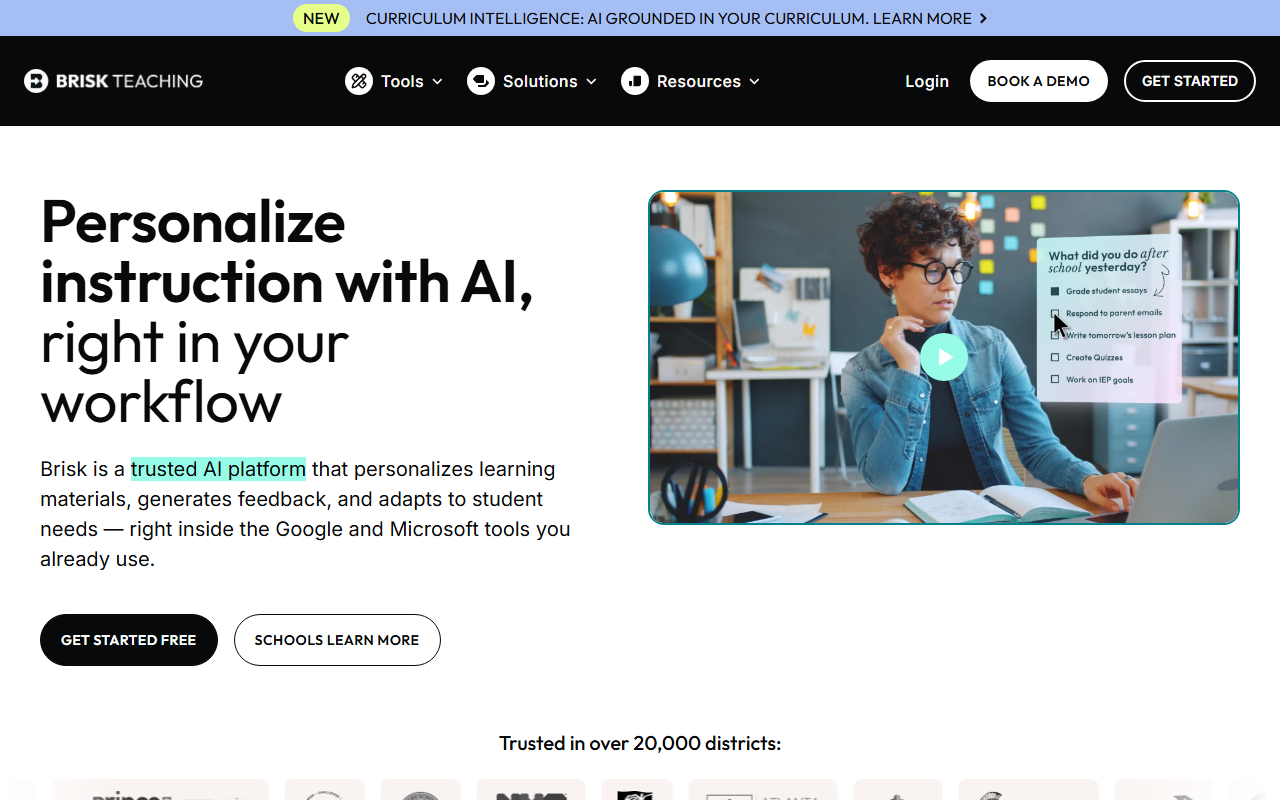
Brisk: Enter the same parameters. Get a lesson plan directly inside Google Docs. No copying needed. Curriculum Intelligence can ground the plan in your actual teaching materials.
Winner: Brisk. The in-document generation and Curriculum Intelligence grounding give Brisk the edge for lesson planning specifically.
Writing Feedback and Grading
MagicSchool: Paste a student’s essay into MagicSchool’s tool. Get feedback. Copy it back to the student’s document.
Brisk: Open the student’s essay in Google Docs. Brisk generates feedback right there. Batch feedback processes an entire class set at once. Inspect Writing shows a video replay of how the student wrote the document.
Winner: Brisk. In-document feedback, batch processing, and Inspect Writing make Brisk clearly stronger for grading.
Breadth of Tools
MagicSchool: 80+ tools covering lesson plans, rubrics, quizzes, IEPs, report card comments, presentation outlines, vocabulary lists, email drafts, science lab procedures, math word problems, and more.
Brisk: 30+ tools covering lesson plans, writing feedback, quizzes, presentations, newsletters, rubrics, reading level adjustment, and language translation.
Winner: MagicSchool. 80+ tools vs 30+. MagicSchool covers IEP writing, report cards, and dozens of specialized tools Brisk doesn’t offer.
Student-Facing Tools
MagicSchool: 50+ student tools including AI Tutor, teacher-led activities, and supervised learning environments.
Brisk: No dedicated student-facing tools.
Winner: MagicSchool. Brisk is teacher-facing only.
Compliance and Privacy
MagicSchool: FERPA, COPPA, SOC 2, GDPR, CCPA, Common Sense Privacy Verified, ESSA Level IV, TrustEd Apps.
Brisk: FERPA, COPPA, SOC 2, GDPR, EdSafe AI, ISTE Seal, 93% Common Sense Privacy Rating (highest among AI tools).
Winner: Tie. Both have excellent compliance stacks. Brisk has the highest Common Sense Privacy Rating. MagicSchool has ESSA Level IV evidence rating.
Free Plan
MagicSchool: Full access to all 80+ tools. No credit card. No expiration. No catches.
Brisk: Core features free. Exact limits not documented. Premium features available at undisclosed pricing.
Winner: MagicSchool. The free plan is unambiguously generous. Brisk’s free plan limits are unclear.
Pricing Transparency
MagicSchool: Free for teachers. District plans require contacting sales.
Brisk: Nothing publicly listed. Free tier exists but limits aren’t documented. Premium requires contacting sales.
Winner: MagicSchool. At least the individual teacher experience is clearly free.
Real-World Scenarios: Which Tool Wins?
Scenario 1: You’re Planning Tomorrow’s Lesson at 9 PM
MagicSchool: Open magicschool.ai. Select the lesson plan generator. Enter “8th grade, photosynthesis, NGSS, 45 minutes.” Get a complete lesson plan with objectives, warm-up, activities, and assessment. Copy it to your planning document.
Brisk: Open a blank Google Doc (or your existing planning template). Click the Brisk extension. Enter the same parameters. The lesson plan generates directly in your document. If you’ve configured Curriculum Intelligence, it references your actual textbook chapters and pacing guide.
Better choice: Brisk, if you plan in Google Docs. MagicSchool, if you plan on paper or use a non-Google platform.
Scenario 2: You Have 30 Essays to Grade This Weekend
MagicSchool: Open each essay, copy the text, paste into MagicSchool’s feedback tool, generate feedback, copy it back, paste it into the student’s document. Repeat 30 times.
Brisk: Open the first essay in Google Docs. Click Brisk. Generate feedback. Move to the next document. Or use batch feedback to process all 30 at once against the same rubric. If you suspect AI-generated content, use Inspect Writing to watch a video replay of how the student wrote their essay.
Better choice: Brisk. The batch feedback and in-document workflow saves an hour or more over MagicSchool’s copy-paste process.
Scenario 3: You Need to Write 15 IEP Progress Reports
MagicSchool: Use the IEP generator. Enter disability category, present levels, and goals. Get draft IEP sections with measurable objectives. Each report takes 20-30 minutes instead of 2-3 hours.
Brisk: No IEP tools. You’d need to use ChatGPT or write from scratch.
Better choice: MagicSchool. IEP writing is one of its standout features that Brisk simply doesn’t offer.
Scenario 4: Your District Requires Compliance Documentation
MagicSchool: Hand your IT department a list: FERPA, COPPA, SOC 2, GDPR, CCPA, Common Sense Privacy Verified, ESSA Level IV, TrustEd Apps. Done.
Brisk: Hand them: FERPA, COPPA, SOC 2, GDPR, EdSafe AI, ISTE Seal, 93% Common Sense Privacy Rating. Also done.
Better choice: Tie. Both satisfy the strictest compliance reviews. Brisk’s 93% Common Sense Privacy Rating might give extra confidence. MagicSchool’s ESSA Level IV evidence rating shows outcome data.
Scenario 5: You Want Students to Use AI Safely in Class
MagicSchool: 50+ student tools with teacher oversight. AI tutor, teacher-led activities, and supervised learning environments. Students work within MagicSchool’s platform.
Brisk: No student-facing tools. Brisk is for teachers only.
Better choice: MagicSchool. If student AI interaction is a priority, MagicSchool is the only option between these two. (For dedicated student AI monitoring, see our SchoolAI review.)
Subject matters too. If you teach science, we put tools like these through NGSS-aligned tasks in our guide to the best AI tools for high school science teachers.
Pricing Comparison
| MagicSchool AI | Brisk AI | |
|---|---|---|
| Individual teacher | Free (full access, no limits) | Free (core features, limits unclear) |
| Premium/paid | N/A for individuals | Not publicly listed |
| School/district | Custom (contact sales) | Custom (contact sales) |
| Credit card required | No | No |
| Trial period | No (it’s free forever) | No (free tier is permanent) |
The pricing story is simple: MagicSchool is free for individual teachers with zero ambiguity. Brisk is free with unclear limits. Neither tool publicly lists school/district pricing.
If you’re a teacher paying out of pocket: both are free. If you’re an admin comparing district contracts: you’ll need to contact both for quotes.
The Real Decision
Faz says: Here’s how to choose in 30 seconds:
Pick MagicSchool if:
You want one platform that covers everything (lesson plans, IEPs, report cards, quizzes, student tools)
You’re a special education teacher (IEP generator is a standout)
You want a clearly free plan with no ambiguity
You don’t mind working on a separate website
Pick Brisk if:
Your school runs on Google Workspace
Writing feedback and essay grading is your biggest time sink
You want AI tools without leaving Google Docs
You need Inspect Writing for academic integrity
You value workflow integration over feature count
Pick both if:
You want MagicSchool’s breadth for planning and admin tasks
Plus Brisk’s in-document workflow for grading and feedback
Many teachers use both. They’re not mutually exclusive.
Final Verdict
Saru says: MagicSchool AI wins on breadth: 80+ tools, generous free plan, student-facing features, and IEP/report card capabilities Brisk doesn’t offer. Brisk AI wins on integration: AI inside Google Docs, Inspect Writing, batch feedback, and Curriculum Intelligence. For district-wide deployment, the choice depends on whether your priority is tool variety (MagicSchool) or workflow integration (Brisk). For individual teachers, start with MagicSchool (free, comprehensive) and add Brisk when you need in-document grading.
| MagicSchool AI | Brisk AI | |
|---|---|---|
| Rating | 4/5 | 4.5/5 |
| Best for | Everything under one roof | Google Workspace teachers |
Read our full reviews: MagicSchool AI review | Brisk AI review
References & further reading
For deeper research on AI in education and evidence-backed instructional practice:
- Common Sense Education: AI in K-12 classrooms. classroom-tested guidance and tool ratings reviewed by educators
- Edutopia technology integration research. peer-reviewed edtech case studies and classroom implementation practice
- US Department of Education on AI in schools. federal guidance on AI in teaching and learning, including the 2023 Office of Educational Technology report
When to choose Magicschool over Brisk
Picking between Magicschool and Brisk comes down to four factors: team size, budget, integration needs, and how much customization you want. Use the framework below to map your situation to the right tool.
Pick Magicschool if:
- You’re an individual operator or a small team and you want the fastest setup path.
- Your budget favors a lower entry tier or a strong free plan over premium features you may never use.
- Your existing stack is light, and you prefer a tool that works well out of the box.
- You value simplicity over feature breadth.
Pick Brisk if:
- You’re a growing or mid-sized team and you need room to scale without switching platforms.
- You’re willing to pay more upfront for advanced features, integrations, or higher usage limits.
- You already have a mature stack and you need a tool that plugs into it cleanly.
- You’d rather have power and configurability than the simplest possible setup.
What we’d switch for
The most common reasons we see teams move between tools in this category: (1) pricing changes that push the cheaper option out of reach, (2) a missing integration that becomes a daily friction, (3) hitting a usage cap on the lower tier, (4) a feature ship from the alternative that closes a gap users had been working around.
If you can avoid those four switching triggers with your initial pick, you’ve made the right call. If any of them are likely in your first 12 months, plan for them now and pick accordingly.
Bottom line
Magicschool is the more accessible starting point. Brisk is built for the stage after you’ve outgrown a simpler tool. Most teams should start with the tool that matches today’s needs and move when (and if) they hit a real wall, not based on what they think they might need in two years.
Final 2026 verdict for K-12 teachers
Brisk wins for teachers who live in Google Docs and Classroom and want fast in-context AI assistance. MagicSchool wins for teachers who want a broad AI buffet covering many teaching tasks. Pick Brisk if your workflow is doc-centric. Pick MagicSchool if your workflow spans IEPs, parent communication, and lesson planning across multiple platforms. Many teachers use both because the strengths are genuinely complementary; Brisk for the inline editor, MagicSchool for the planning surface.
Both have free tiers strong enough for individual teachers. School and district pricing for both runs $4 to $10 per teacher per month when buying 25+ seats. Pick by feature fit; the price gap is not the decider.
Where the figures on this page come from
Every price here was read from the vendor’s own pricing page on 4 September 2026 and carries that date, because education pricing changes with the school year and a claim without a date is not checkable.
The pages we read
Chalkie publishes free, US$6.65 and US$12.99 a month with yearly equivalents. Khanmigo publishes $44 a year. MagicSchool publishes a free plan and Plus at $12.99 a month. Curipod publishes free and from $24 a month with a 21% yearly saving. CoGrader publishes free at 100 submissions a month and $15 a month billed annually. Brisk Teaching publishes a free teacher plan at $0.
The ones we could not read
SchoolAI publishes tier names with no figures. Gradescope now sits on a Turnitin domain and is institution-quoted. We could not read a figure for Diffit, Quizlet, Photomath or Gauth either. That is not evidence they publish nothing, and we do not present it as such. Treat any figure for those six from elsewhere as unverified.
What we do not do
We do not carry a figure we cannot source to the vendor. Where a number circulates and cannot be traced, we say so and withdraw it rather than repeating it with a hedge.
What these tools actually cost, vendor by vendor
Education software prices unlike anything else, because the buyer is often a teacher paying personally while the vendor is really selling to a district. That produces a free tier that is genuinely usable and an enterprise tier with no published figure. Here is each alternative to magicschool vs, read at source on 4 September 2026.
Chalkie, the most completely published rate card here
Chalkie publishes a free plan at US$0.00 a month covering five full lessons or activity sheets every seven days, then US$6.65 a month at US$79.80 paid yearly, and US$12.99 a month at US$155.88 yearly. Its annual toggle is marked as three months free and the arithmetic holds. Publishing the free tier’s exact limit, five resources per week rather than a vague “limited”, is rarer than it should be and worth rewarding.
Khanmigo, the cheapest paid option in this guide
Khanmigo publishes $44 a year, saving $4 against monthly billing, which works out around $4 a month. That is an order of magnitude below most of this category and reflects its position as a non-profit-backed product tied to an existing content library rather than a general purpose teacher toolkit. Judge it on whether that library matches your curriculum, because the price is not the deciding factor at that level.
MagicSchool and Curipod, free tiers with paid steps
MagicSchool publishes a free plan and Plus at $12.99 a month billed monthly, with a lower per user rate billed annually and volume-based discounts on district Enterprise licences that are quoted rather than published. Curipod publishes free at $0 a month and paid from $24 a month, with a yearly toggle marked as saving 21% and stated as $60 off against monthly. Both make the teacher tier genuinely usable, which is the commercial model rather than generosity.
CoGrader, where the free tier has a hard number on it
CoGrader publishes a free plan covering 100 student submissions a month with rubric building and FERPA compliance, then $15 a month billed annually. A hundred submissions is roughly three or four class sets, which makes the free tier a real trial for one teacher and clearly insufficient for a department. That is an honest place to draw the line and it lets you test properly before spending anything.
The ones that publish nothing, and what that tells you
Brisk Teaching publishes a free teacher plan at $0 but we could not read figures for its paid tiers. SchoolAI publishes tier names, Free Trial, Pro and Scale, with no figures attached, which is district-quoted pricing by design. Gradescope now sits on a Turnitin domain and its page is headed “Gradescope for Your Institution” with no rates. We also could not read pricing for Diffit, Quizlet, Photomath or Gauth. We are not claiming those publish nothing; a failed read is not evidence of absence.
Tools mentioned in this guide

Written by
FazFaz is the founder of AIToolsBakery. Some tools here are tested hands on. Others are assessed from vendor documentation and pricing verified on the live page, and every review says which one it is. Sponsors can buy a position in a guide. They cannot buy the score, the criticism, or silence about a better option.
How we test and how we make money →