Disclosure: Zilwaris, the consultancy run by AI Tools Bakery’s founder, does paid advisory work for Gratefully, which did not pay for any placement on this page and is assessed on the same criteria as everything else on this site.
Many lists of ChatGPT prompts for fundraising are written as if the chatbot already knows your donors. It does not. ChatGPT and Claude know nothing about the Hendersons, their 2019 pledge or the conversation your major gifts officer had at the gala, unless somebody pastes it in. And the moment somebody pastes it in, you have a privacy question that most prompt lists skip.
We read the prompt lists that rank for this search. EverTrue’s Big Book of ChatGPT Prompts for Advancement Professionals gives one general warning that ChatGPT “cannot guarantee data security or confidentiality”. George Irish’s 29 starter prompts in Foundation Magazine, dated 1 September 2024, has no privacy guidance beyond a line on ethics. Lilach Bullock’s list answers the thank-you-at-scale question with “paste in variables like donation amount, donor name and the specific project they supported”, with no privacy note. None of them tells you, prompt by prompt, what is fine to paste and what is not.
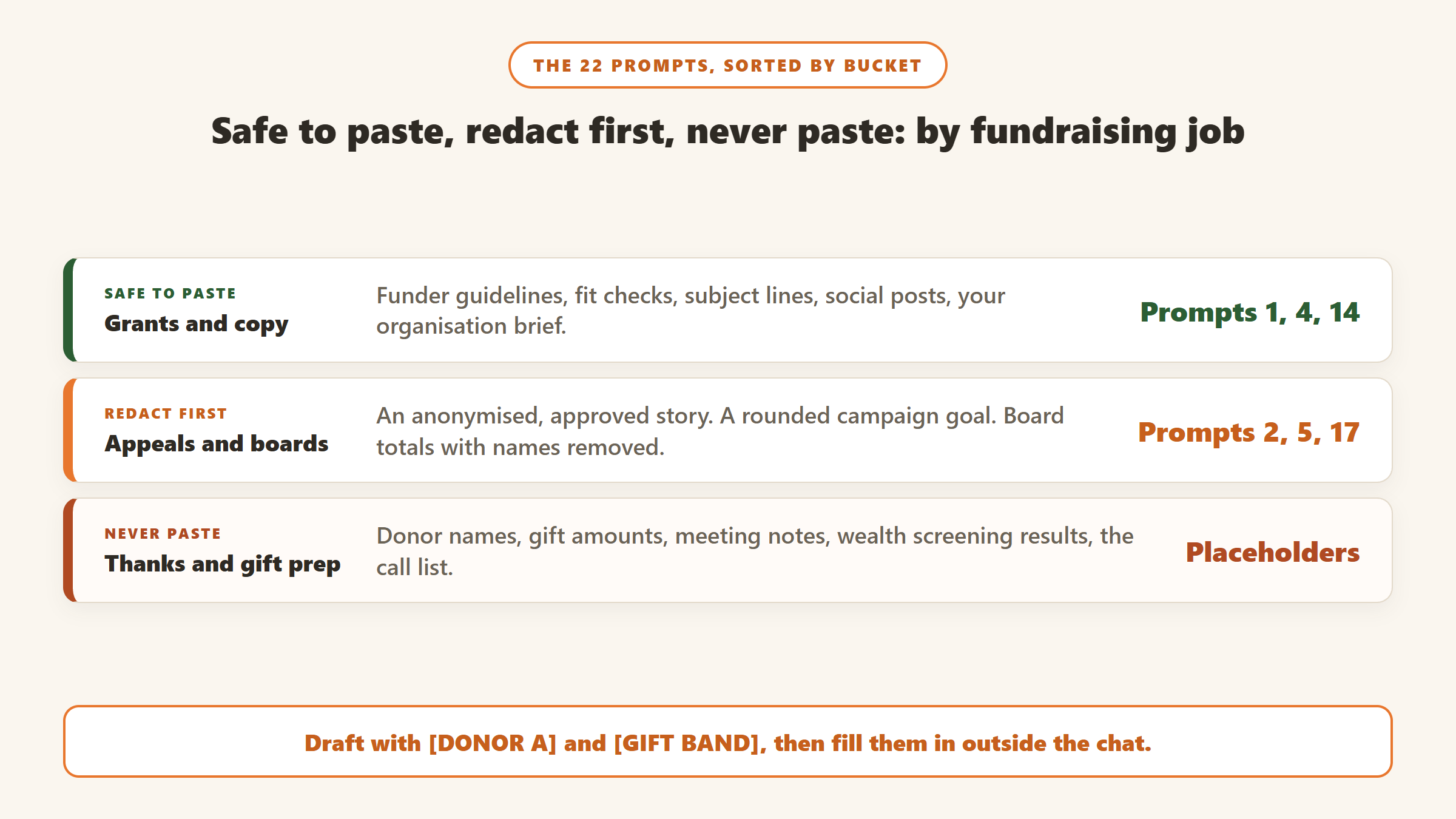
So that is what this page does. Every prompt below comes with two lines: what is safe to paste, and what must never go in. Where a prompt needs donor detail, it uses a placeholder such as [DONOR A] or [GIFT BAND] that you fill in after the draft comes back, in your own CRM or word processor, not in the chat.
How we researched this. This is a research-based guide. We have not run these prompts against your data or ours, and we do not claim any output quality. The prompts are written from the structure the top guides share and from the fundraising tasks they cover. Every privacy setting, price and statistic comes from the vendor’s or publisher’s own page, read on 21 October 2026, and is linked in the Sources section. Settings change often, so check your own account before you rely on ours.
Before you paste anything: the three-bucket rule
Every piece of information you might type into a chatbot falls into one of three buckets. Sort it before you start, and the rest of this page gets much easier.
| Bucket | Examples | What to do |
|---|---|---|
| Safe to paste | Your mission statement, program descriptions, published impact figures, a public funder’s guidelines, your style guide, an anonymous story already approved for print | Paste freely. It is already public, or it would do no harm if it were. |
| Redact first | Campaign totals, segment sizes, average gift by segment, a draft board report, a beneficiary story not yet approved | Round the numbers, strip names, replace specifics with placeholders, then paste. |
| Never paste | Donor names, emails, addresses, individual gift amounts, giving history, call or meeting notes, wealth screening results, health or family details, anything a donor told you in confidence | Keep it out of a general chatbot entirely. Add it after the draft comes back, or use a tool built to work on donor records. |
The placeholders used throughout this page are [ORG], [PROGRAM], [DONOR A], [GIFT BAND] (for example “a gift in the $1,000 to $5,000 range” rather than the actual figure), [CAMPAIGN GOAL] and [DEADLINE]. Write your own list once, keep it in a shared note, and use it every time.
Set up ChatGPT or Claude before you start
Both assistants have a setting that decides whether your conversations can be used to train future models. Here is what each company’s own help pages said on 21 October 2026.
ChatGPT
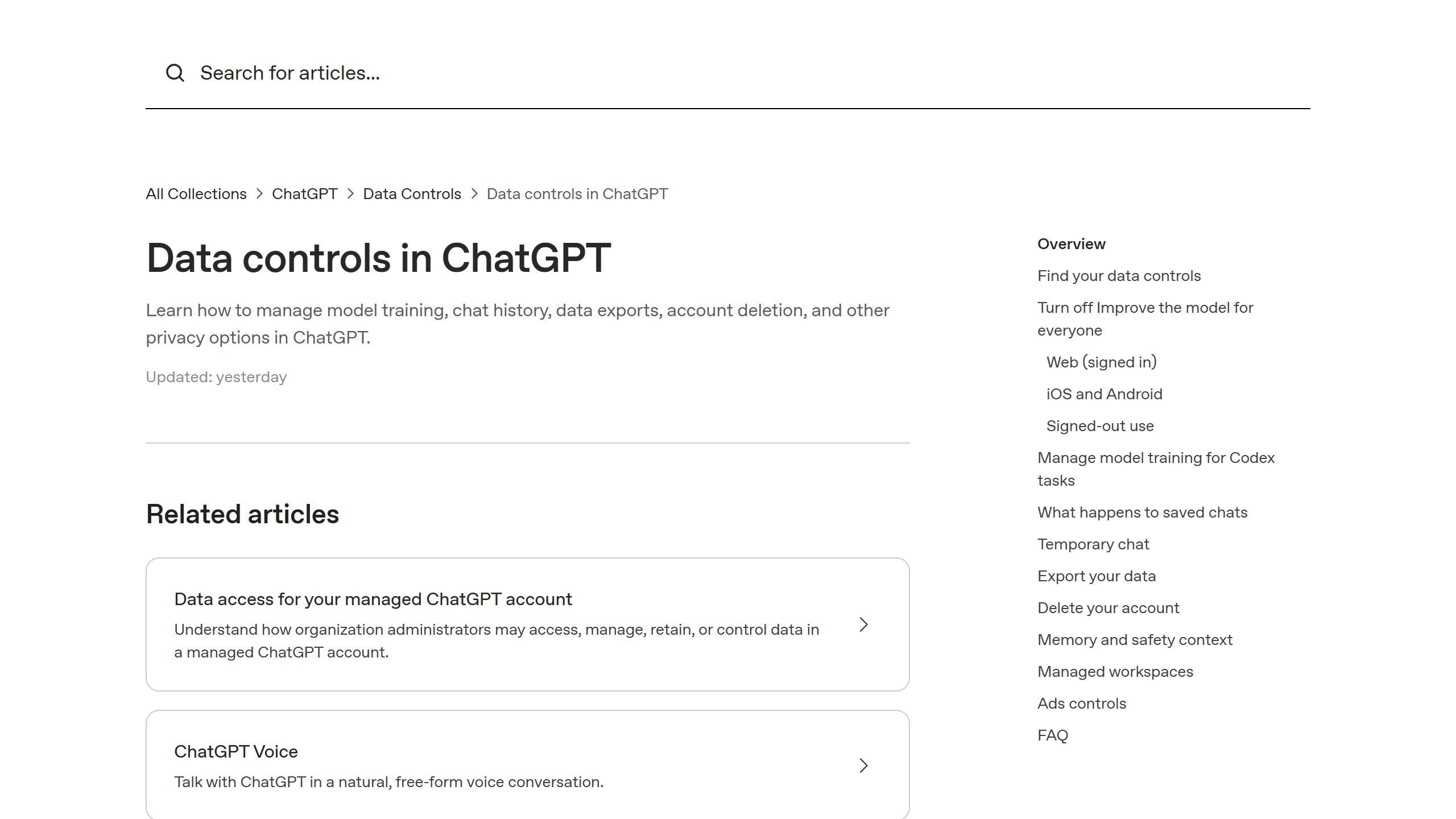
OpenAI’s Data controls help page says: “When Improve the model for everyone is off, your new conversations won’t be used to train OpenAI models.” On the web, open your account menu, then Settings, then Data controls, and switch it off. Temporary chats “are not used to improve OpenAI models” and “may be retained for up to 30 days for safety purposes”. Two catches matter for fundraisers. First, thumbs up or down on a reply means “the entire conversation associated with that feedback may be used to train OpenAI models”, even after you opt out. Second, the page says that by default OpenAI does not train on content from ChatGPT Business, Enterprise or Edu workspaces, so the free and personal plans are the ones to check.
Claude
Anthropic’s privacy centre (updated 16 March 2026) says consumer chats on Free, Pro and Max may be used to improve models if “You choose to allow us to use your chats and coding sessions to improve Claude”, if a conversation is flagged for safety review, or if you otherwise opt in. The setting is called Model Improvement, in Privacy Settings. Claude’s pricing page lists model training as “Opt-out” on every consumer plan, so check the setting and switch it off if it is on. With it on, Anthropic says it “may retain your data in a de-identified format for up to 5 years”. Incognito chats are excluded even when the setting is on. For commercial plans, Anthropic states: “By default, we will not use your inputs or outputs from our commercial products” for training.
What the settings do not fix
Turning training off is worth doing, but it answers one question only. Your conversation still sits in a vendor’s systems, still appears in your chat history unless you use a temporary or incognito chat, and is still subject to that vendor’s retention rules. A staff member on a personal account is also outside your organisation’s control entirely. That is why the three-bucket rule comes first and the settings come second. Our guide to donor data privacy with AI goes deeper on retention, consent and staff policy.
| Check | ChatGPT (personal plans) | Claude (Free, Pro, Max) |
|---|---|---|
| Training switch | Improve the model for everyone, under Data controls | Model Improvement, under Privacy Settings |
| Off-the-record mode | Temporary chat, kept up to 30 days for safety | Incognito chat, not used to improve Claude |
| Feedback buttons | Can send the whole conversation to training | Feedback kept up to 5 years, de-linked from your user ID |
| Business plans | Not trained on by default | Not trained on by default |
The prompt set, organised by fundraising job
Each prompt is written to be pasted as it is, with the square-bracket parts replaced. They work in ChatGPT, Claude or any similar assistant. They are written to follow the context block in prompt 1, so start there.
Start here: your organisation brief
Prompt 1. The reusable context block. Paste this at the start of any fundraising chat, or save it as custom instructions or a project so you do not have to retype it.
You are helping the development team at [ORG], a [TYPE OF NONPROFIT] in [REGION].
Our mission: [ONE-SENTENCE MISSION].
Our main programs: [PROGRAM 1], [PROGRAM 2], [PROGRAM 3].
Published impact figures we can quote: [FIGURES FROM YOUR LAST ANNUAL REPORT].
Our voice: warm, plain, specific. Short sentences. No jargon. We never guilt donors.
Words we avoid: [LIST].
Rules: never invent statistics, quotes or stories. If you need a fact you do not have, write [NEED: description] in its place.
Safe to paste: mission, program names, published figures, your style rules.
Never paste: any donor, gift or beneficiary detail. This block is meant to be public-safe.
The last rule matters more than it looks. A chatbot asked for a “compelling impact story” will write one, whether or not it happened. Telling it to leave a marked gap instead keeps invented facts out of your appeal.
Appeal letters and emails
Prompt 2. The single-story appeal letter.
Write a one-page appeal letter for [ORG] asking supporters to fund [PROGRAM].
Build it around this approved, anonymised story: [STORY, NAMES REMOVED].
Structure: open with the person in the story, explain the need in two sentences, show what a gift does using these figures: [COST PER OUTCOME FROM YOUR BUDGET], make one clear ask with a deadline of [DEADLINE], and end with a P.S. that repeats the ask.
Keep it under 400 words. Write at a reading age of about 12.
Safe to paste: an anonymised, approved story; cost per outcome from your own budget; the deadline.
Never paste: the real name of the beneficiary or any donor, unless the story is already published with consent.
Prompt 3. Rewrite for a segment, without the segment’s data.
Here is our appeal letter: [PASTE LETTER].
Write three versions of the opening paragraph and the ask:
1. For people who have given every year for five years or more.
2. For people who gave once, more than a year ago.
3. For people who have never given but attend our events.
Keep the rest of the letter the same. Use [DONOR A] where a name would go.
Safe to paste: the letter and a plain description of each segment.
Never paste: the actual list of who is in each segment, or their giving history.
Prompt 4. Subject lines for the email version.
Give me 15 email subject lines for this appeal: [ONE-PARAGRAPH SUMMARY].
Mix them: five plain, five curious, five that mention the deadline.
Under 50 characters each. No clickbait, no all caps, no emoji.
Safe to paste: a summary of the appeal.
Never paste: nothing personal is needed here, so add nothing.
Year-end and GivingTuesday
GivingTuesday falls on 1 December 2026, according to GivingTuesday’s own site. Its 2025 results release reported $4.0 billion given in the US on the day, “an increase of 13% compared to GivingTuesday 2024”. That is the deadline many small teams will be writing to over the next six weeks. For a full campaign plan, see our AI year-end giving campaign guide; the prompts below are the writing pieces.
Prompt 5. The GivingTuesday email countdown.
Plan a GivingTuesday email sequence for [ORG], with GivingTuesday on Tuesday 1 December 2026.
Our goal is [CAMPAIGN GOAL, ROUNDED]. We have a match of [MATCH TERMS, NO SPONSOR NAME UNLESS PUBLIC].
Write: a save-the-date email for the week before, a morning email on the day, a midday progress email with a placeholder [AMOUNT RAISED SO FAR], a final-hours email, and a thank-you email for the next morning.
Each email under 150 words, one link, one ask.
Safe to paste: a rounded goal, match terms that will be public anyway, the date.
Never paste: the name of a matching donor who has not agreed to be named, and any list of who will receive which email.
Prompt 6. The year-end letter that is not a copy of last year’s.
Here is last year's year-end letter: [PASTE LETTER].
Here are three things that changed this year, from our published update: [CHANGES].
Rewrite the letter so a donor who read last year's would notice it is new. Keep our voice. Keep the ask at [GIFT BAND].
Flag any sentence where you had to guess, with [CHECK].
Safe to paste: last year’s letter (if it was mailed widely, it is not secret) and published changes.
Never paste: personalised versions of the letter that include names or giving history.
Prompt 7. Social posts for the day.
Write eight short social posts for GivingTuesday (1 December 2026) for [ORG].
Two for the morning, three for the middle of the day with a [PROGRESS] placeholder, two for the evening, and one thank-you for the next day.
Under 220 characters each. Each should stand alone. Suggest one image idea per post that does not show an identifiable person.
Safe to paste: campaign facts and your public handles.
Never paste: photos or names of beneficiaries without written consent.
Thank-you letters
Thank-yous are where the privacy problem bites hardest, because a good one is personal. The fix is to draft the frame with the chatbot and add the personal part yourself. Our AI donor thank-you letters guide covers the tools that do this on real records.
Prompt 8. The thank-you frame.
Write a thank-you letter template for a first-time donor to [ORG].
Leave these placeholders for me to fill in by hand: [DONOR A], [GIFT AMOUNT], [GIFT DATE], [WHAT THE GIFT FUNDED], [ONE PERSONAL LINE].
Under 200 words. Thank them in the first sentence. Tell them one specific thing their gift does. Do not ask for another gift.
Safe to paste: the program the gift funded, your tone rules.
Never paste: the donor’s name, the amount, or anything they told you. Those go into the placeholders afterwards, in your CRM or mail merge.
Prompt 9. Check the tax wording. In the US, a donor needs a written acknowledgment to substantiate a charitable contribution of $250 or more. Per the IRS page (reviewed 28 June 2026), it must include the organisation’s name, the cash amount or a description (not the value) of a non-cash gift, and either a statement that no goods or services were provided or a description and good faith estimate of any that were. This is not tax advice: check the IRS page or your tax advisor for your own case.
Here is our thank-you template: [PASTE TEMPLATE WITH PLACEHOLDERS].
Add a short acknowledgment paragraph suitable for a US donor's tax records for a cash gift where no goods or services were provided.
Keep it plain. Mark it [HAVE OUR ACCOUNTANT CHECK THIS].
Safe to paste: the template with placeholders.
Never paste: the real amount or the donor’s details. A chatbot is not your accountant, so have an accountant or tax advisor check the wording once and then reuse it.
Prompt 10. Thank-you call script for board members.
Write a 60-second phone script for a board member thanking a donor of [ORG].
Include: an opening line, one sentence on what the gift is doing, one open question to learn why they give, and a warm close with no ask.
Also write a 20-second voicemail version.
Safe to paste: a description of what gifts fund.
Never paste: the call list. Hand the script and the list to the board member separately.
Major gift meeting prep
This is a job where a general chatbot is both tempting and risky. Meeting prep runs on notes, history and relationships, which are exactly the things that belong in the never-paste bucket. The prompts below work around that by asking the chatbot to help you think rather than to know.
Prompt 11. The discovery question plan.
I am meeting a long-time donor to [ORG] who has given at [GIFT BAND] for several years and has never been asked for a larger gift.
Write ten open questions I could ask to learn what they care about most, what they want their giving to achieve, and how they like to be involved.
No question should feel like a sales script. Order them from easiest to most personal.
Safe to paste: a general description of the donor type and gift band.
Never paste: the donor’s name, family details, wealth screening results, or your notes from past meetings.
Prompt 12. Rehearse the objections.
Act as a thoughtful donor who supports [ORG] and is considering a gift to [PROJECT].
I will make the case. Push back with realistic concerns: timing, overhead, whether the project will last, whether other funders are in.
After five exchanges, step out of the role and tell me which of my answers was weakest and why.
Safe to paste: the project description and budget summary.
Never paste: anything about the specific donor you are about to meet.
Prompt 13. The proposal outline.
Outline a two-page major gift proposal for [PROJECT] at [ORG].
Sections: the need, what we will do, what success looks like after three years, the budget at a high level, and how the donor would be recognised and kept informed.
Use [DONOR A] and [ASK AMOUNT] as placeholders. Mark any claim I need to support with [EVIDENCE].
Safe to paste: project plan and budget at a summary level.
Never paste: the real ask amount alongside the donor’s name in the same chat.
Grant summaries and applications
Grant work is one of the safer places to use a general chatbot, because the funder’s guidelines are public and your program description is something you want people to read. The risk here is accuracy, not privacy.
Prompt 14. Summarise the funder’s guidelines.
Here are a funder's published guidelines: [PASTE GUIDELINES].
Summarise them as a checklist: eligibility, deadline, maximum request, required attachments, scoring criteria, and anything that would disqualify us.
Then list any requirement that is ambiguous and that I should ask the program officer about.
Safe to paste: public guidelines.
Never paste: nothing private is needed.
Prompt 15. Fit check.
Here are the funder's priorities: [PRIORITIES].
Here is our program: [PROGRAM DESCRIPTION].
Score the fit from 1 to 5 on each priority and explain each score in one sentence. Be blunt. If it is a poor fit, say so.
Safe to paste: program description, funder priorities.
Never paste: nothing private is needed.
Prompt 16. First draft of the need statement.
Write a 250-word statement of need for [PROGRAM], using only these sourced figures: [FIGURES WITH SOURCES].
Do not add any statistic I have not given you. Where the argument needs a number I have not provided, write [NEED: description].
Safe to paste: published figures with their sources.
Never paste: unpublished client data, even counted, unless your data policy allows it.
Board reports
Board reports are a redact-first job. The board needs numbers, but it rarely needs names, and a chatbot never does. Round the figures and remove anything that identifies a donor before you paste.
Prompt 17. Turn a table into a narrative.
Here is our fundraising summary for the quarter, with names removed and figures rounded: [PASTE TABLE].
Write a one-page narrative for the board: what went well, what did not, and what we are doing about it.
Do not calculate any new figures. If a comparison needs a number that is not in the table, write [CALC NEEDED].
Safe to paste: rounded totals by fund, channel or segment.
Never paste: donor names, individual gifts, or a raw CRM export.
The “do not calculate” line is there for a reason. A language model can get arithmetic wrong while sounding certain. Do the maths in your spreadsheet and let the chatbot write the words. At least one donor data vendor makes the same point on its own comparison page, and it is a fair warning even coming from a vendor.
Prompt 18. Put the numbers in sector context.
Our donor count fell [X%] this year and our dollars rose [Y%].
The Fundraising Effectiveness Project reported that in 2025 dollars rose an estimated 5.0% and donor counts fell an estimated 3.6%.
Write two sentences for the board comparing our year with the sector, without exaggerating either way.
Safe to paste: your rounded percentages and the published benchmark.
Never paste: nothing private is needed.
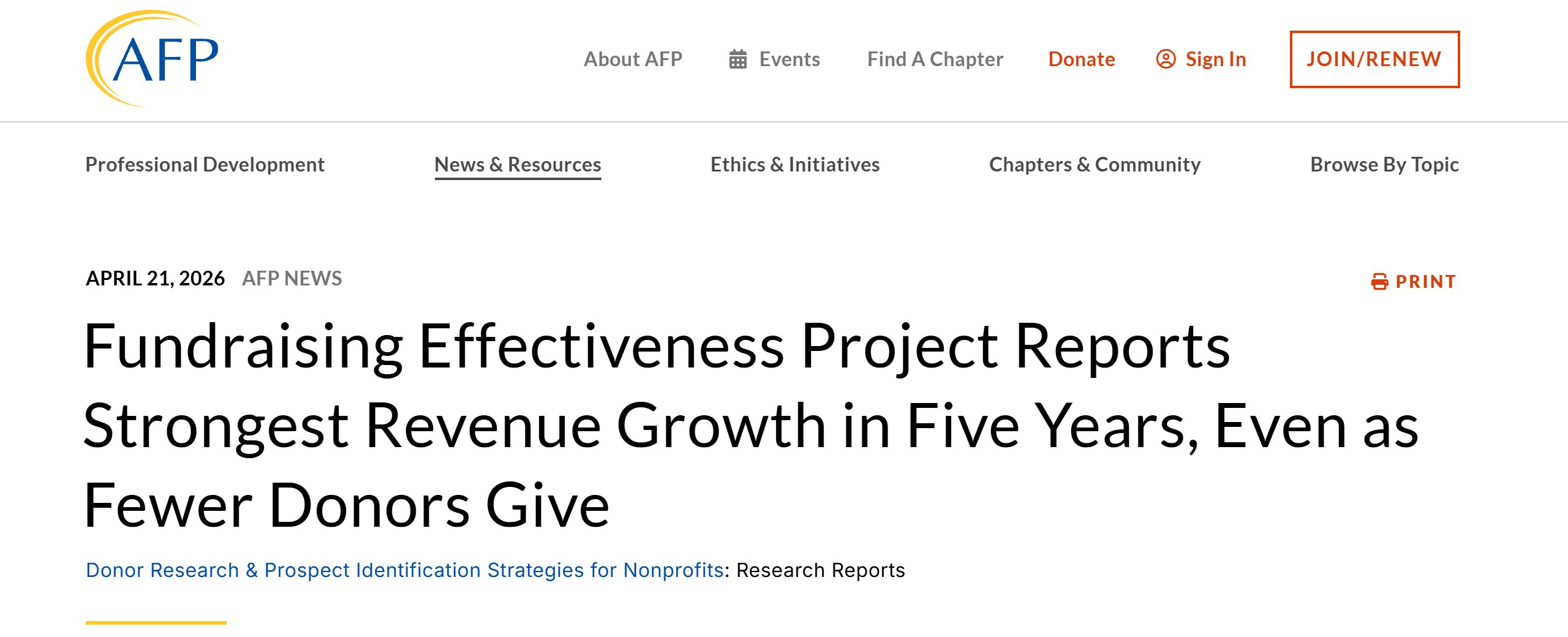
The benchmark in that prompt is real. The FEP Q4 2025 report, announced by AFP on 21 April 2026, found giving grew an estimated 5.0% in 2025 while donors fell 3.6%, with overall retention edging up from 43.1% to 43.3%. Woodrow Rosenbaum, chief data officer of GivingTuesday, said “converting first-time givers into long-term supporters remains the sector’s most pressing challenge.”
Prompt 19. Anticipate the board’s questions.
Here is the board narrative: [PASTE NARRATIVE].
List the eight questions a sharp, skeptical board treasurer is most likely to ask, and a one-line note on what I would need to answer each.
Safe to paste: the narrative you already redacted.
Never paste: nothing more.
Editing, voice and clean-up
Prompt 20. Make it sound like us, not like a chatbot.
Edit this draft so it sounds like a real development director wrote it: [PASTE DRAFT].
Cut filler, cut stock phrases, cut anything that sounds like marketing. Prefer short words. Keep every fact. Show me what you changed.
Prompt 21. Reading level and length.
Rewrite this so a 12-year-old could follow it and it is 30% shorter: [PASTE TEXT]. Do not drop the ask or the deadline.
Prompt 22. The fact check pass.
List every factual claim in this draft: [PASTE DRAFT]. For each, say whether it came from the material I gave you or whether you added it. Mark anything you added with [UNVERIFIED].
Safe to paste: drafts that already follow the rules above.
Never paste: a draft that has been personalised with donor details. Run these passes before you merge the names in.
Where prompts stop
A good prompt can make a general chatbot a fast, useful writer. It cannot make it know your donors. ChatGPT and Claude have no access to your CRM, your inbox or your notes unless you connect them or paste them in. Every prompt above is written around that limit, which is why they ask for frames, plans and rehearsals rather than personalised output.
That limit is fine for most writing work. It is not fine for the questions development teams most want answered:
- Which of our donors should I call this week, and why?
- Who gave last year and has not given this year?
- Which mid-level donors look ready for a larger ask?
- What did my predecessor know about this family that never made it into the CRM?
Every one of those needs the records. To get an answer out of a general chatbot, somebody has to export the records and paste them in, which is the never-paste bucket. That is the real privacy problem with “ChatGPT for fundraising”: the pressure to feed it the data that would make the prompts useful.
There are three honest ways out. You can keep the chatbot on writing work only and answer the donor questions in your CRM’s own reports. You can use a business plan with training off by default and a data agreement your organisation has reviewed. Or you can use a tool built to work on donor records, where the redaction happens before the model sees anything. The right choice depends on your size, your budget and what you need answered.
Where Gratefully fits, and where it does not
Gratefully is an AI donor intelligence layer for nonprofits. It is not a CRM, a donation platform, a grant writer or a wealth screening database. It connects to the CRM you already run (its homepage lists Salesforce, Bloomerang, Little Green Light, HubSpot, Mailchimp, Constant Contact, Gmail, plus CSV and document upload) and answers questions on those records. The difference from ChatGPT and Claude is where the data comes from: a general chatbot works on what you paste, while a donor data tool works on your records, with redaction applied first. Its security page (published 25 May 2026) says names, gifts, contact details and family or health details are “tokenized before any prompt leaves your tenant”, and that “no customer data is used to train any model”. Its SOC 2 Type II report was still listed as “ETA Q4 2026” on 21 October 2026, so ask for the current status before you sign. Our full review covers the rest.
Its vs ChatGPT page is a vendor comparison, so read it as one. It does concede the point this page is built on: you “can use it for generic drafting”, and if you must use a general chatbot, “remove all personal donor data first”. If you prefer Claude, the Gratefully for Claude connector lets Claude read your donor data through that service rather than from the CRM directly, seeing only what your user can see. It can log notes, reminders and email drafts on request, and the page says Claude “never sends email, never deletes or changes existing records, and never writes to your CRM through the connector.” It uses your existing plan.
| ChatGPT or Claude (consumer) | Donor data tool such as Gratefully | |
|---|---|---|
| Knows your donors | Only what you paste | Reads your connected CRM and documents |
| Redaction | Whatever you remove by hand | Applied before the model sees the data, per the vendor |
| Training on your data | Depends on your setting; check it (Claude labels it “Opt-out”) | Vendor states none |
| Best for | Appeals, subject lines, grant summaries, editing | Who to call, lapsed donors, letters grounded in giving history |
| Price, 21 October 2026 | Free plans exist; Claude Pro $17 a month billed yearly or $20 monthly, shown in US dollars to our Mumbai connection | Free plan for one person (10 AI answers a month); paid from $79 a month billed yearly ($948) |
If your AI work is writing with no donor data in it, a general chatbot is fine, and it is cheaper. None of the prompts on this page needs a paid plan. A donor intelligence layer like this one is also the wrong pick for large universities and hospital foundations with full prospect research teams, and for organisations whose real need is wealth screening, which it does not do. It makes most sense for small and mid-sized teams who keep reaching for the export button because the questions they want answered are about donors, not about words. The vendor’s Safe AI Policy Pack is free (behind a sign-up form, with the policy text readable on the page), and is useful whichever tool you choose. For a vendor-neutral checklist, see our questions to ask any AI vendor about donor data.
A one-page staff rule for fundraising prompts
If you only take one thing from this page into your next team meeting, make it this list. It fits on one page and can sit next to whatever AI policy you already have.
- Use a work account. No donor work on personal chatbot accounts.
- Switch training off. In ChatGPT, turn off Improve the model for everyone. In Claude, turn off Model Improvement. Check again every quarter.
- Do not click thumbs up or down on a conversation that touched anything sensitive.
- Sort before you paste. Safe, redact first, or never paste. When in doubt, it is never paste.
- Use the placeholders. [DONOR A], [GIFT BAND], [ASK AMOUNT]. Fill them in outside the chat.
- Never let the chatbot do the maths on figures that go to the board or a funder.
- Never publish an invented story. Every story needs a real, consenting source.
- Run the fact check prompt (prompt 22) before anything goes out.
- Keep a record of which tool drafted what, for anything sent to more than 100 people.
For the broader picture of where AI helps a development team beyond writing, our guide to using AI for nonprofit fundraising covers donor research, donation pages and team workflows. This page is meant to be the prompt set you keep open while you write.
Sources
- OpenAI, Data controls in ChatGPT, read 21 October 2026.
- Anthropic, Is my data used for model training? (consumer), updated 16 March 2026, read 21 October 2026.
- Anthropic, How long do you store my data?, updated 1 July 2026, read 21 October 2026.
- Anthropic, Is my data used for model training? (commercial), updated 18 August 2026, read 21 October 2026.
- Anthropic, Claude plans and pricing, read 21 October 2026 (shown in US dollars to our Mumbai connection).
- GivingTuesday, GivingTuesday 2025 results, 3 December 2025; givingtuesday.org for the 1 December 2026 date, read 21 October 2026.
- AFP, Fundraising Effectiveness Project Q4 2025 findings, 21 April 2026.
- IRS, Charitable contributions: written acknowledgments, reviewed 28 June 2026.
- gratefully.io: pricing, vs ChatGPT, for Claude, security and PII redaction, Safe AI Policy Pack and outreach letters, read 21 October 2026.
- EverTrue, The Big Book of ChatGPT Prompts for Advancement Professionals; George Irish, 29 starter prompts for fundraisers, Foundation Magazine, 1 September 2024; Lilach Bullock, ChatGPT prompts for charity fundraising, all read 21 October 2026.

Written by
FazFaz is the founder of AIToolsBakery. Some tools here are tested hands on. Others are assessed from vendor documentation and pricing verified on the live page, and every review says which one it is. Sponsors can buy a position in a guide. They cannot buy the score, the criticism, or silence about a better option.
How we test and how we make money →